
- Yaş sınırı4+
- KategoriYardımcılar
- GeliştiriciDavid Demri
- Dillerİngilizce
- Boyut1,3 MB
Resmi App Store sayfasına bağlanır
Download.org, SweetKeyboard Pro için hiçbir dosya barındırmaz. Düğme, uygulamanın App Store üzerindeki sayfasını açar; uygulamayı orada David Demri yayınlar. Sayfanın son kontrolü: 15.11.2026.
Ekran görüntüleri



Hakkında
Geliştirici bu metni dilinizde sunmamış.
SweetKeyboard: Fast, Familiar, and Private Typing
SweetKeyboard is a local-first iOS keyboard that keeps numbers, symbols, cursor movement, and reusable clipboard snippets close to the typing flow without forcing users to learn an unfamiliar layout. Built for quick edits, codes, forms, and repeated snippets, it delivers a familiar typing experience with smarter everyday controls.
EVERYTHING YOU NEED IN ONE PLACE
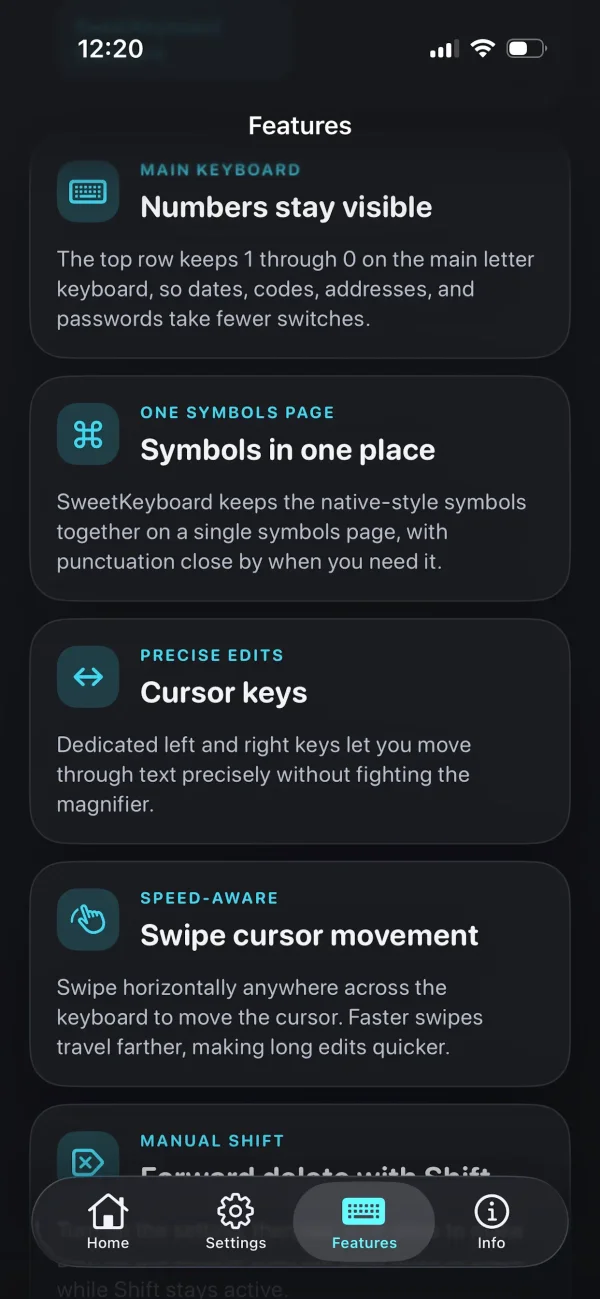
• Numbers Stay Visible: The familiar English QWERTY letter layout features a permanent top number row from 1 to 0, reducing interruptions while you type codes, dates, and addresses.
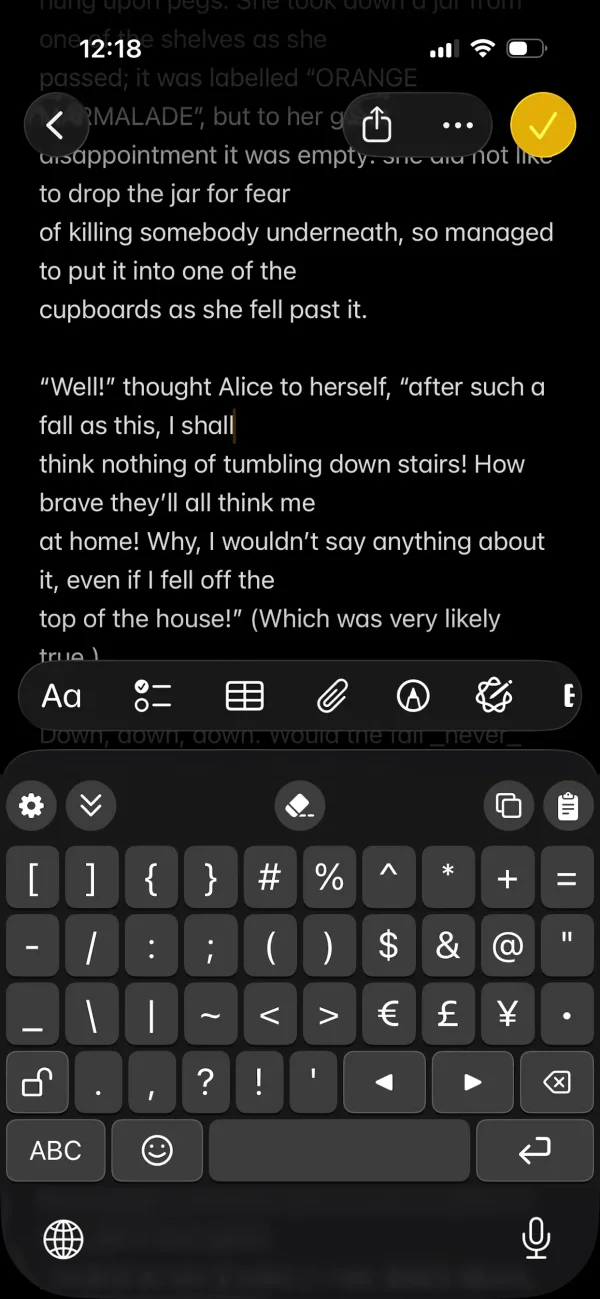
• Symbols in One Place: Symbols are grouped on one clean page, designed to avoid deep symbol switching. Tap one symbol and return to letters, or lock symbols when you need to type multiple characters or emojis.
• Smarter Cursor Control: Move the cursor without fighting the iOS text magnifier using dedicated arrow keys or speed-aware horizontal swiping across the keyboard.
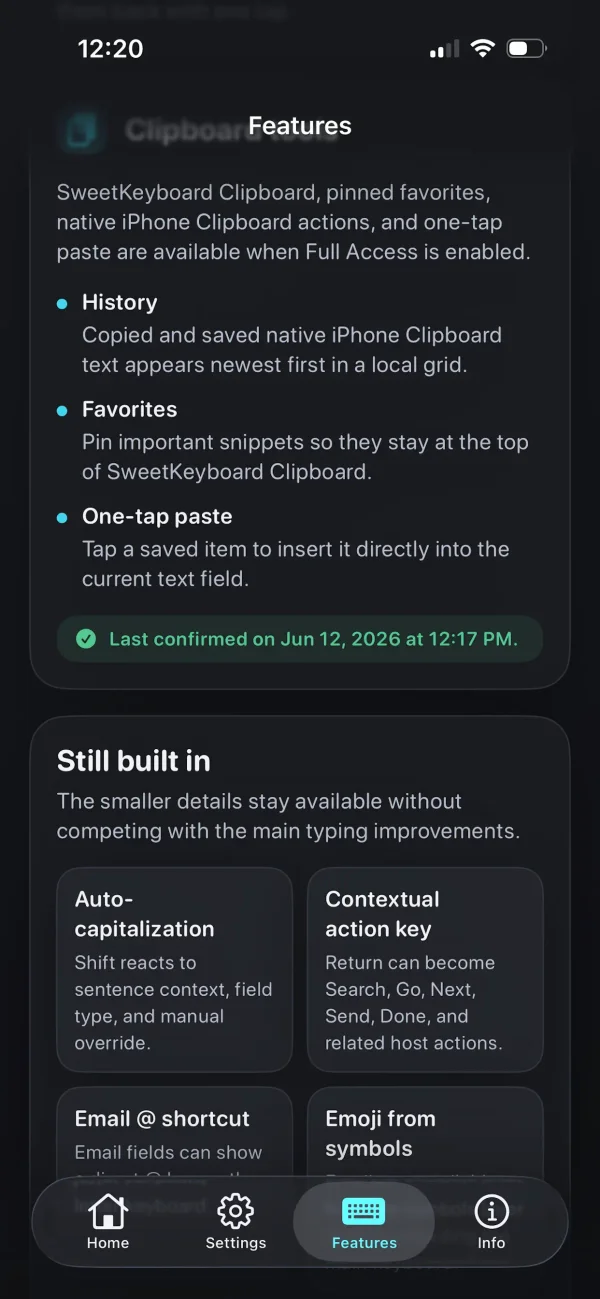
• Context-Aware Typing: SweetKeyboard adapts to the field you are typing in. For example, the keyboard shows a contextual @ shortcut in email fields and suppresses unwanted auto-capitalization.
• Long-Press Shortcuts: Hold supported keys for common accents and quick punctuation, keeping the main keyboard free of visual clutter.
• Fast Typing Stability: Designed for stable everyday typing, even when you move quickly and your fingers overlap.
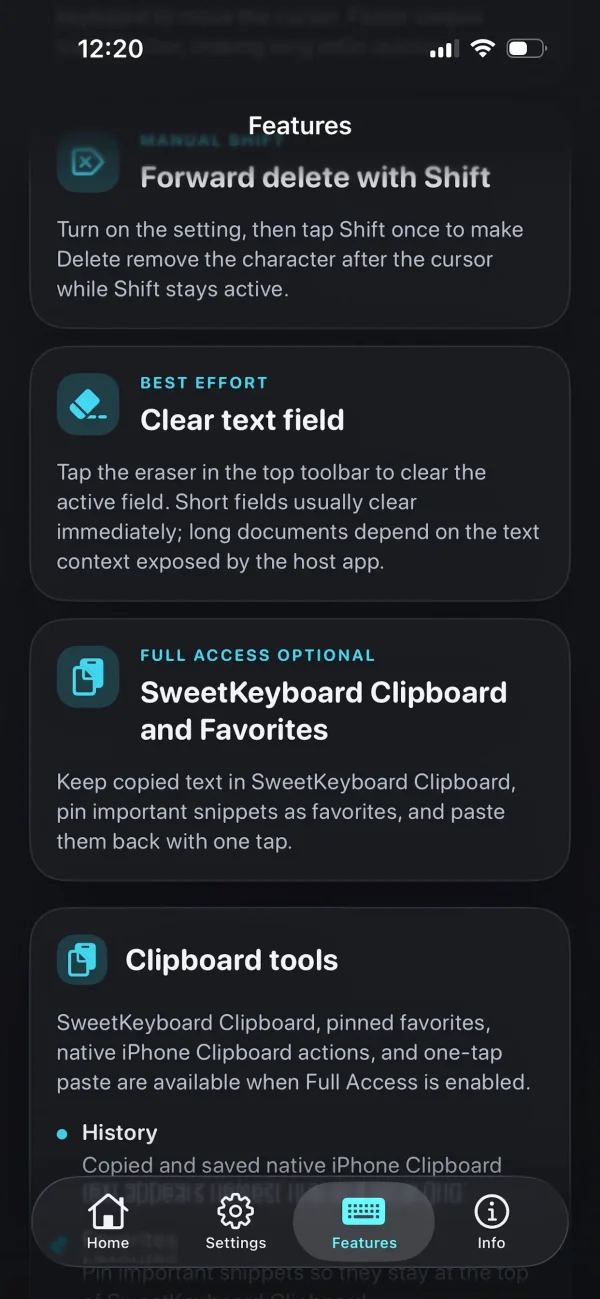
• Forward Delete: Turn on forward delete, then use manual Shift to delete ahead of the cursor.
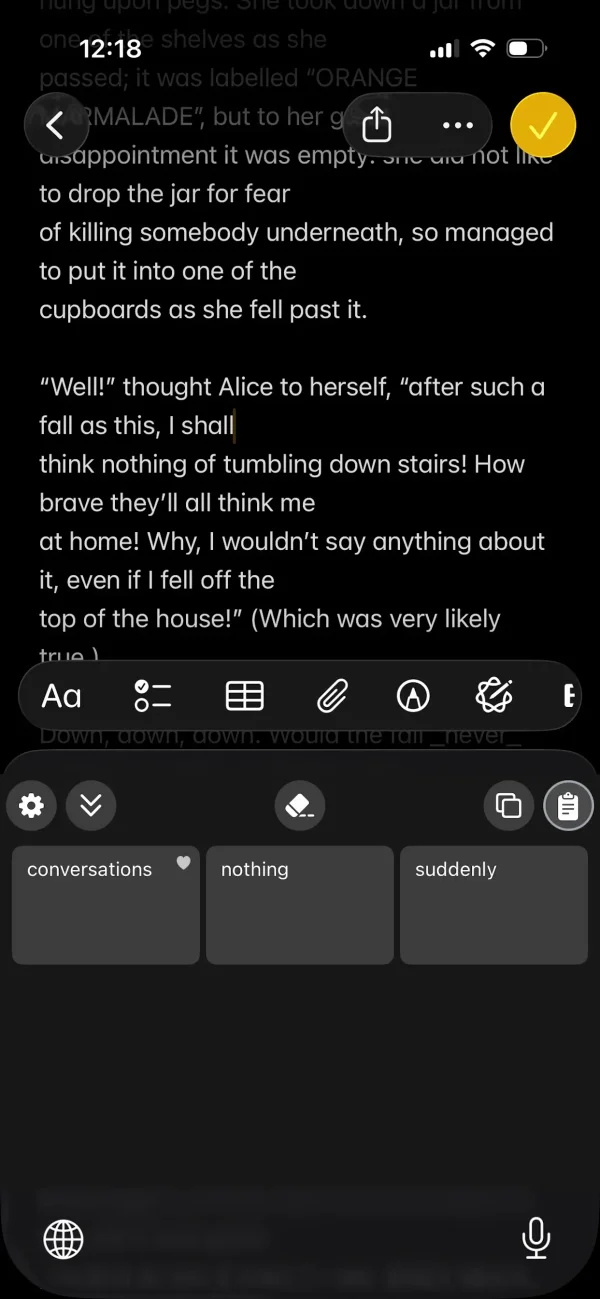
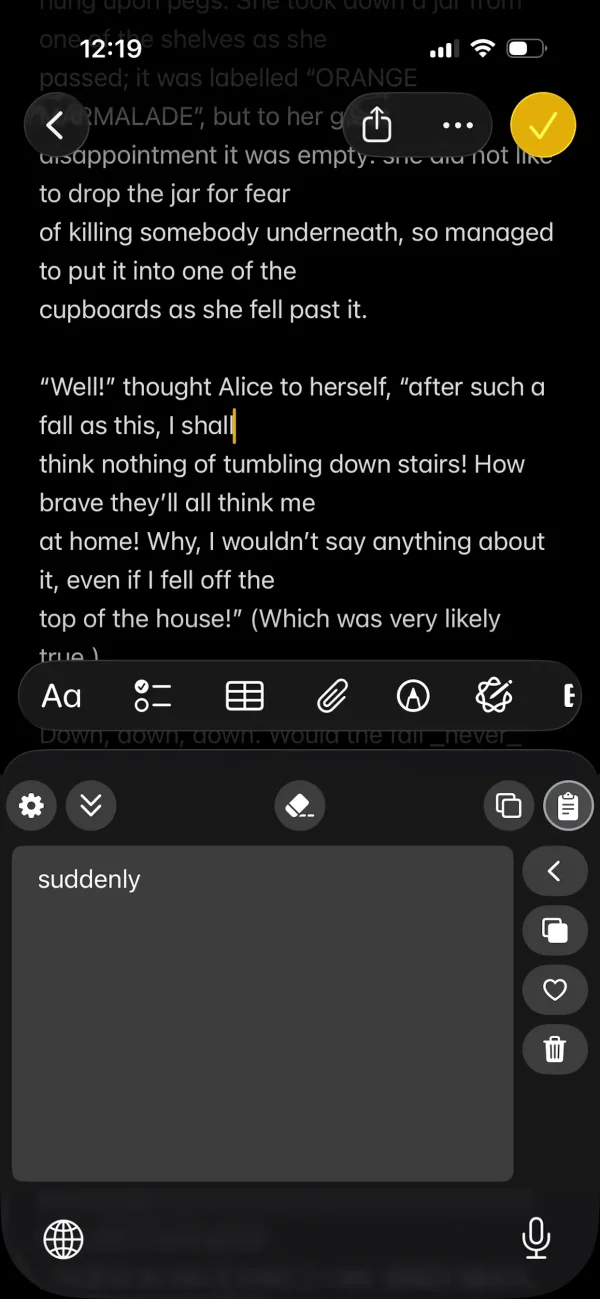
• Save and Reuse Snippets: Access a local clipboard grid inside the keyboard to save up to 50 local text snippets.
• Pin Favorites: Pin favorites so important snippets stay at the top of your list for quick, one-tap pasting.
• Native Clipboard Integration: Choose how SweetKeyboard handles text copied to the native iPhone Clipboard. You can import, paste, or do both after initiating a user action.
• Clear Text Field: Easily clear short fields directly from the compact keyboard toolbar.
CUSTOMIZABLE TO YOUR PREFERENCES
Your typing experience should fit your needs. Easily configure settings in the app, including optional haptic feedback for responsive keys, auto-capitalization rules, cursor swipe behaviors, and custom clipboard toolbar options.
PRIVATE BY DEFAULT, LOCAL BY DESIGN
Privacy is a central product value, not a secondary note.
• There are no analytics, no advertising SDKs, no tracking SDKs, and no cloud sync.
• SweetKeyboard features no remote text processing or keystroke uploading.
A NOTE ON CLIPBOARD FEATURES AND "FULL ACCESS"
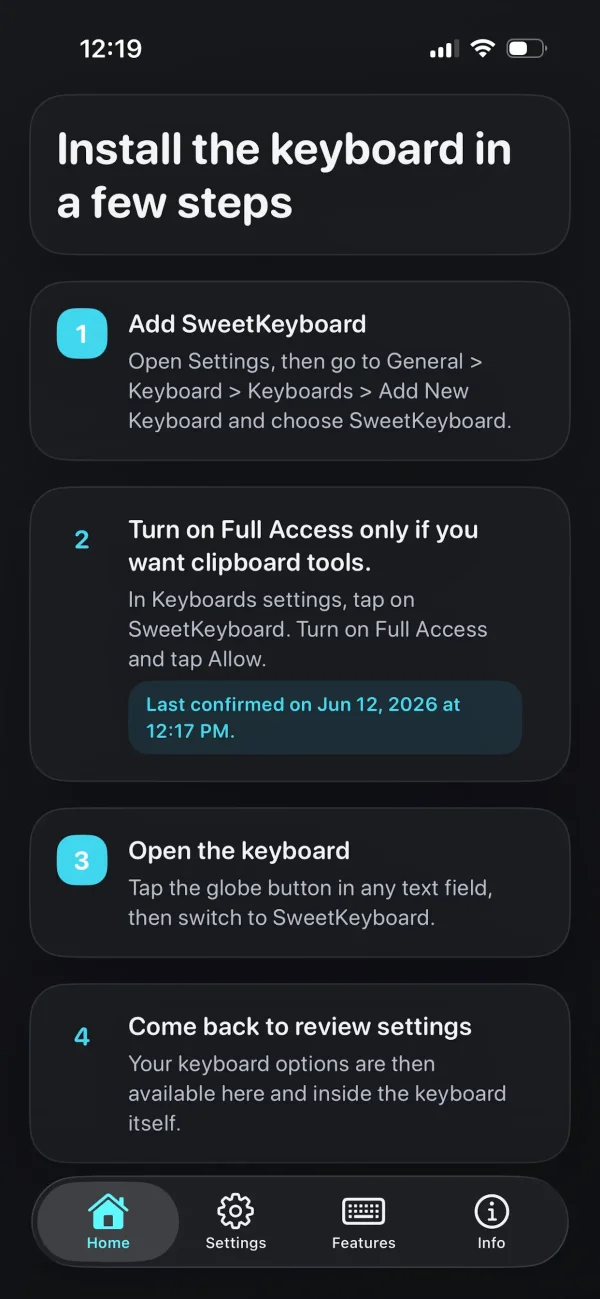
To enable the optional clipboard features, iOS requires you to grant "Full Access". This simply gives the keyboard the necessary permissions to interact with the phone's native clipboard tools and shared local settings. This does not mean we have access to your data. Because SweetKeyboard is local by design with no cloud sync or remote processing, your typing, snippets, and clipboard history remain completely local to your device and are never compromised.
Platform Limitations: Some features depend on what the active app exposes to third-party keyboards. Secure text fields and certain apps may use the system keyboard instead. Clear Text Field works best in short fields and may be limited in long documents.
Yenilikler
Sürüm 1.0.1 · 06.10.2026
Improved typing reliability during fast typing and small finger movements on keys. Better handling of pressed key states and Swipe cursor interactions.
Uygulama gizliliği
Bu uygulamanın verileri nasıl işlediği hakkında David Demri tarafından App Store üzerinde yapılan beyan.
-
Veri toplanmıyor
Geliştirici bu uygulamadan hiçbir veri toplamıyor.
Gizlilik uygulamaları, örneğin kullandığınız özelliklere veya yaşınıza göre değişiklik gösterebilir.
Bilgiler
- Satıcı
- David Demri
- Kategori
- Yardımcılar
- Sürüm
- 1.0.1
- Güncellendi
- 06.10.2026
- Yayın tarihi
- 20.06.2026
- Boyut
- 1,3 MB
- Gereksinim
- iOS 26.4 veya sonrası
- Yaş sınırı
- 4+
- Fiyat
- Ücretsiz
- Diller
- İngilizce
- Telif hakkı
- © 2026 Lafayette Consulting
Bunları da beğenebilirsiniz
-
 ARC Type KeyboardYardımcılar
-
 TypeFlow: Smart KeyboardYardımcılar
-
 VersaKey: Custom iOS KeyboardYardımcılar
-
 Convert: Dosya DönüştürücüMedya, PDF ve Dosya Araçları
-
 Whois MasterYardımcılar
-
 Swipeys KeyboardYardımcılar
-
 PinletYardımcılar
-
 FTP Client - FTP, SFTP ManagerDosya, Medya ve Aktarım
-
 Klavyem: Temalı KlavyeQ ve F klavye, size özel tema
-
 ZenAlarm: Calendar AlarmsYardımcılar