- Yaş sınırı4+
- KategoriYardımcılar
- GeliştiriciPatrick Gelvin
- Dillerİngilizce
- Boyut2,7 MB
Resmi App Store sayfasına bağlanır
Download.org, SwiftRPN için hiçbir dosya barındırmaz. Düğme, uygulamanın App Store üzerindeki sayfasını açar; uygulamayı orada Patrick Gelvin yayınlar. Sayfanın son kontrolü: 17.11.2026.
Ekran görüntüleri


Hakkında
Geliştirici bu metni dilinizde sunmamış.
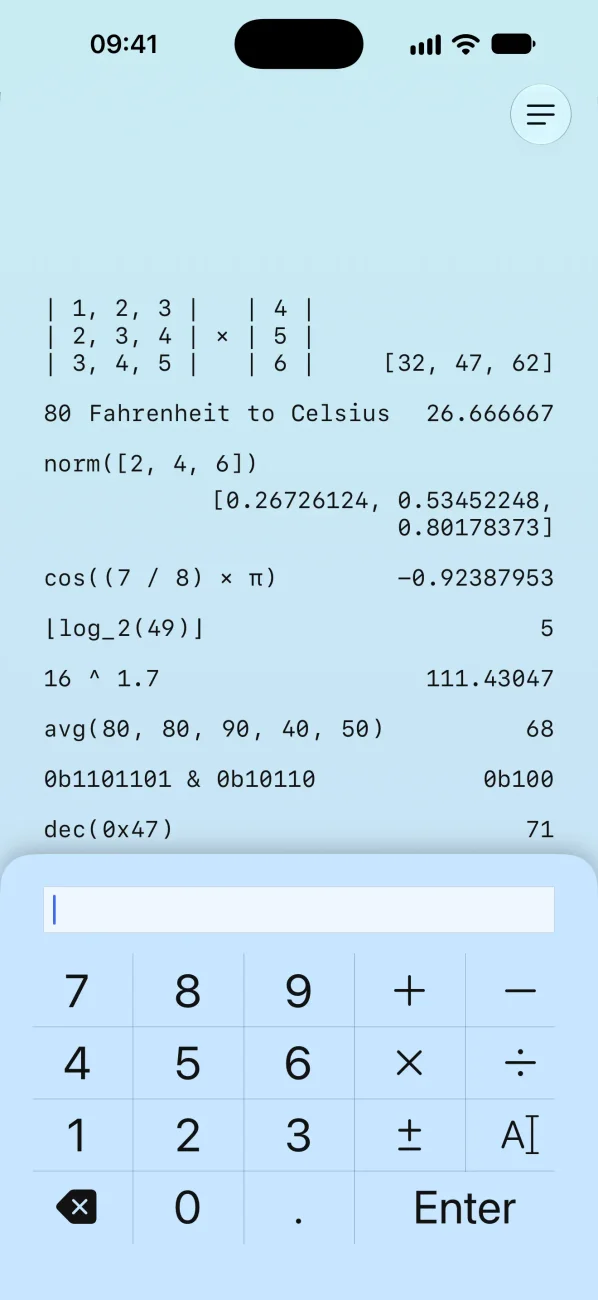
SwiftRPN is an RPN (Reverse Polish Notation) calculator that aims to be quick to open and easy to use.
= RPN Stack
Work quickly and efficiently using the RPN Stack by pushing and popping values. The stack will always show what series
of inputs led to each output, so you won't lose context during complicated expressions.
= Extended Types
SwiftRPN can understand scalar types like integers and real numbers, as well as vectors and square matrices of sizes 2, 3, and 4.
When operating purely in the scalar integer domain, SwiftRPN can promote up to BigInts to avoid floating point imprecision.
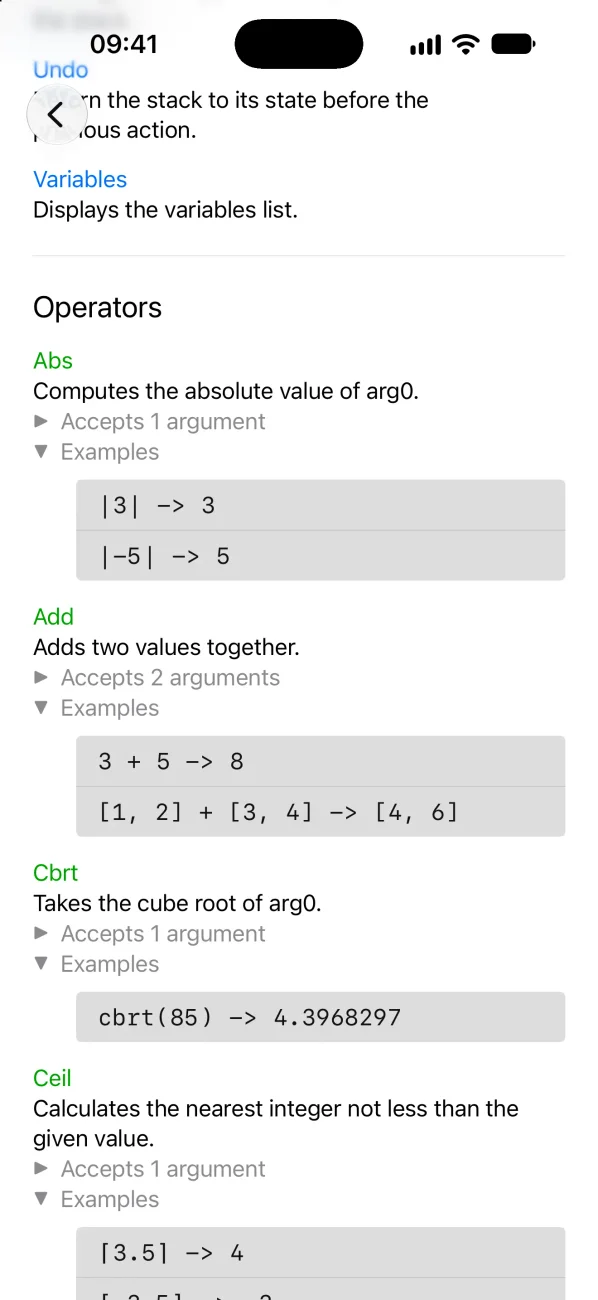
= Operators
SwiftRPN has 84 built-in operators with included documentation and examples.
All the expected operators (basic arithmetic, exponents, logarithms) are present, as are:
- Rounding functions (floor/ceil/trunc/round)
- Unit conversions
- Bitwise operations (and/or/not/xor/shift left/shift right)
- Statistics (avg/min/max/sum/std dev/NPV)
- Trigonometry (sin/cos/tan + arc/hyperbolic variants)
- Vector operations (dot/cross/normalize/length/swizzle)
- Matrix operations (identity/inverse/transpose + translation/scale/rotation matrix generators)
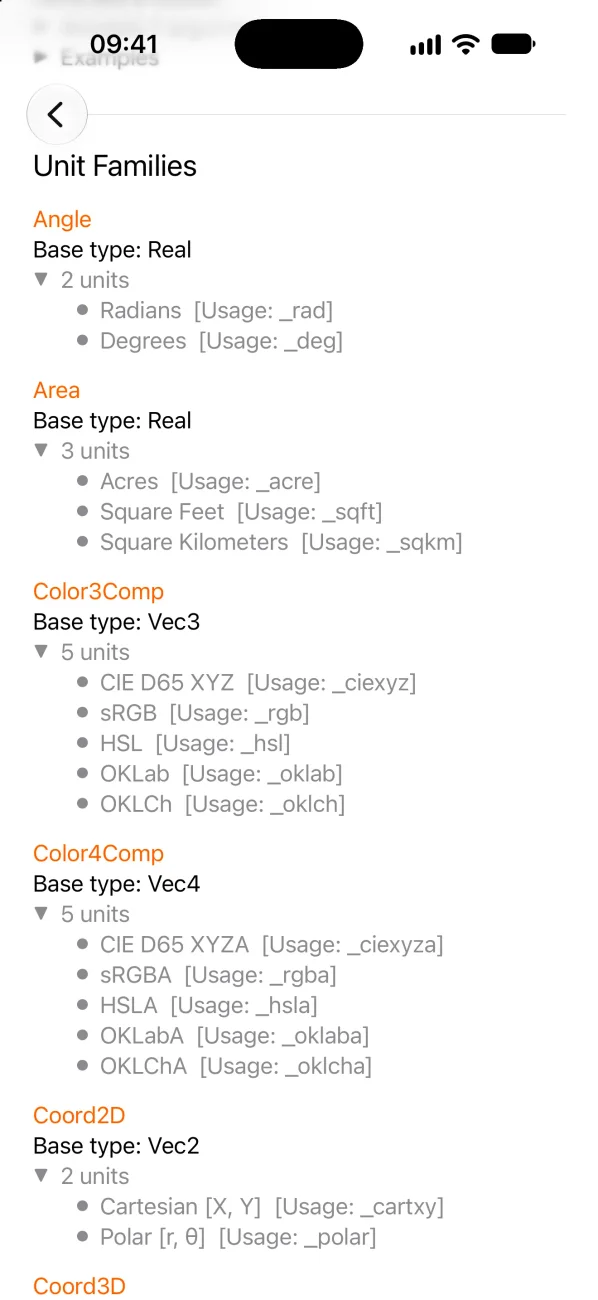
= Unit Conversions
SwiftRPN has 74 built-in units, and can convert between units within families, including:
- Angle
- Area
- Colors (3 and 4 components)
- Coordinate systems (2D and 3D)
- Length
- Mass
- Storage (Base 10 [SI, 1000 bytes in a kb] and Base 2 [1024 bytes in a kb])
- Temperature
- Time
- Volume
= Value Representation
SwiftRPN recognizes values represented in binary, octal, decimal, and hexidecimal. You can:
- Enter values in one representation, and convert them to another
- See the result of bitwise operations in binary automatically
- View vec3 and vec4 components (truncated) in hexidecimal when working with colors.
Yenilikler
Sürüm 2.0 · 16.10.2026
Version 2.0 of SwiftRPN brings the following new changes:
== Major Changes ==
1. Initial support for iPhone Duo
SwiftRPN has early support for all poses on iPhone Duo. (Obviously I can't get a real duo yet to test this on, but fingers crossed.)
2. Multiple window support
When using SwiftRPN on iPad and on iPhone Duo, multiple independent windows can be opened.
3. Expanded Handed-ness
Previously, the "Keyboard Handedness" setting (only available on iPad) would control which side of the window the simplified keyboard would appear on. The setting is now available on all devices, and is more useful. This setting is now used for:
- Placing the keyboard on iPhone in landscape
- Choosing which side of the screen to place the help, settings, and variables screens when iPhone Duo is half folded
- Choosing which side of the screen the new toolbar button appears on (see #6 below for details)
== Minor Changes ==
4. Re-implemented walkthrough
The walkthrough has been re-written from scratch:
- The content is similar, but is more detailed and hopefully more understandable.
- The highlight sizing/placement has been fixed on iOS 26/27
- The hardcoded keyboard image has been replaced with a more adaptive display, showing just the buttons being demonstrated.
- The demonstrations for swiping left/right and up/down now show what actually happens when you swipe in each direction.
If you want to view the improved walkthrough, there is now a button to do that in the settings page.
5. Improved macro buttons
The "Extra Button Columns" feature has been adjusted:
- The setting is now an on/off toggle, titled "Macro Buttons"
- The buttons now only appear when there is enough horizontal space, instead of always appearing when in landscape (This matters more for iPad and iPhone Duo).
6. New floating toolbar
On iOS/iPad OS 27, a floating menu button has been added, pinned to the top right or top left depending on configured handedness. Pressing it gives you quick access to the help, variables, and settings pages.
In layouts where the button overlaps the stack, it auto-hides as you scroll up, and reveals itself as you scroll down. It will also hide itself when there is not enough vertical space, such as in landscape orientations.
In some situations, such as on iPhone Duo when folded, or in split screen, the tab view location is determined by the OS and will not respect the handedness setting.
7. Smarter keyboard switching
When using the alphanumeric keyboard, the app will try to switch between letters and numbers as you need them:
- When you press the binary or octal prefix buttons, or insert a pair of square brackets or curly braces, the keyboard auto-switches to show numbers and punctuation to make inserting these numbers, vectors, and matrices faster.
- When you insert a backslash, underscore, or pair of double quotes, the keyboard auto-switches to show letters to make inserting commands, units, and variable names faster.
- None of these changes prevent you from switching between numbers or letters whenever you want
== Bug Fixes and Small Tweaks ==
Lots of small bugs have been fixed:
- The keyboard no longer flickers twice when the app launches, and in general layouts should be a lot smoother and more stable
- Rotating the device from landscape left/right, through upside down, into landscape right/left is now properly detected
- The shortcut buttons (Back, 0b, 0o, 0x, \, _, "", [], {}) on the full keyboard return to their intended appearance and are all visible on iOS 26/27
Some small tweaks have been made:
- If you manually scroll the stack up, the system will not auto-scroll to the bottom on a layout change until you scroll back to the bottom, or a new value is pushed to the stack.
- Long-pressing on a result to copy it or save it as a variable now plays a small vibration for haptic feedback.
== Built by hand ==
SwiftRPN is proudly (and has always been) developed by one person, without the use of generative AI tools.
Uygulama gizliliği
Bu uygulamanın verileri nasıl işlediği hakkında Patrick Gelvin tarafından App Store üzerinde yapılan beyan.
-
Veri toplanmıyor
Geliştirici bu uygulamadan hiçbir veri toplamıyor.
Gizlilik uygulamaları, örneğin kullandığınız özelliklere veya yaşınıza göre değişiklik gösterebilir.
Bilgiler
- Satıcı
- Patrick Gelvin
- Kategori
- Yardımcılar
- Sürüm
- 2.0
- Güncellendi
- 16.10.2026
- Yayın tarihi
- 26.07.2024
- Boyut
- 2,7 MB
- Gereksinim
- iOS 17.6 veya sonrası
- Yaş sınırı
- 4+
- Fiyat
- Ücretsiz
- Diller
- İngilizce
- Telif hakkı
- © 2026 Patrick Gelvin