T-Calc-Lite
Two calculators are in One App
iPhone, iPad, iPod touch için tasarlandı
Ücretsiz · Uygulama içi satın alma
- Yaş sınırı4+
- KategoriYardımcılar
- GeliştiriciHiroyuki Ueda
- Dillerİngilizce+ 4 dil daha
- Boyut4,1 MB
Resmi App Store sayfasına bağlanır
Download.org, T-Calc-Lite için hiçbir dosya barındırmaz. Düğme, uygulamanın App Store üzerindeki sayfasını açar; uygulamayı orada Hiroyuki Ueda yayınlar. Sayfanın son kontrolü: 12.11.2026.
Ekran görüntüleri


Hakkında
Geliştirici bu metni dilinizde sunmamış.
A simple and easy-to-use calculator app that combines two calculators into one.
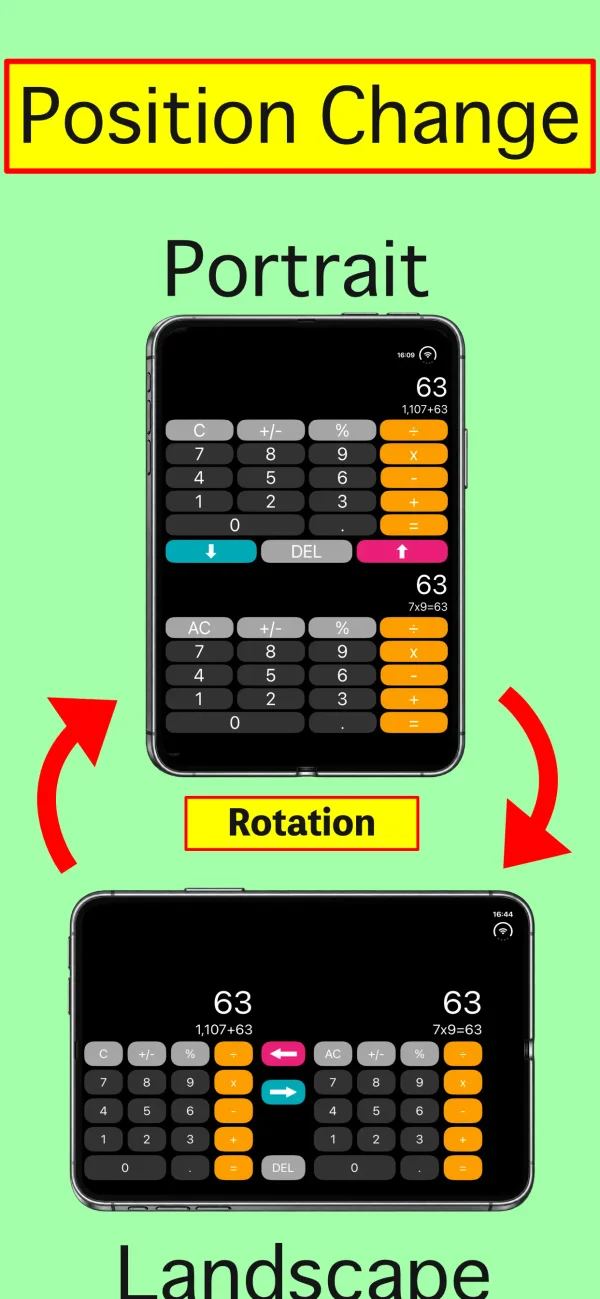
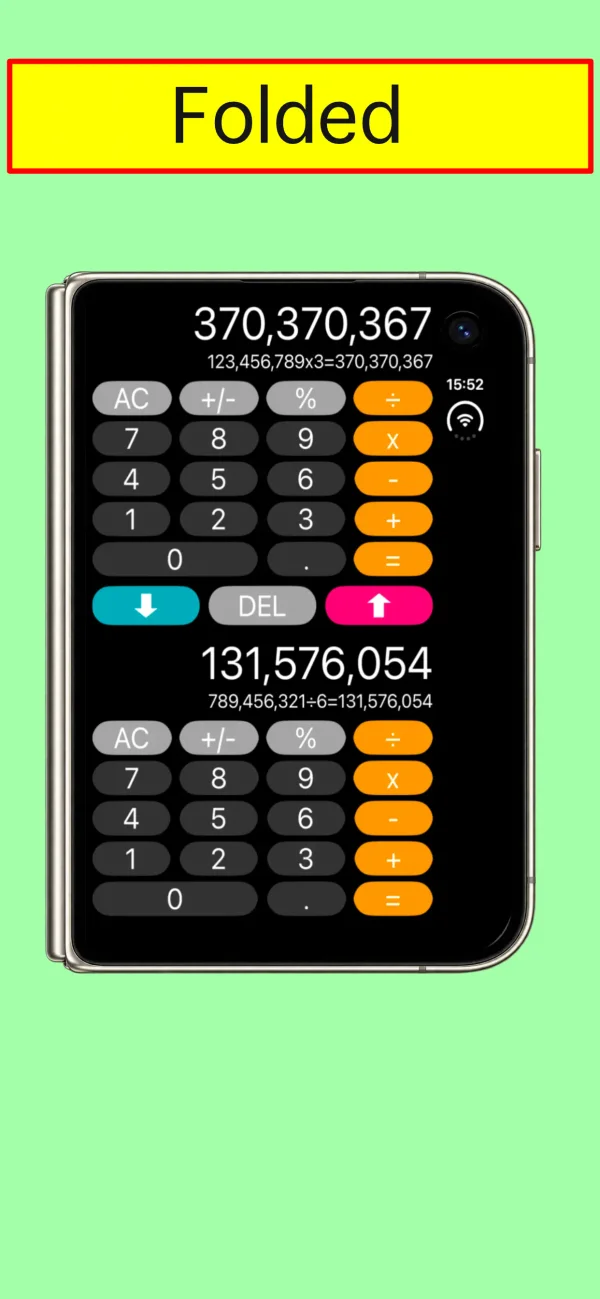
Calculators are displayed side by side when the screen is horizontal, and vertically when the screen is vertical.
In addition to being able to perform separate calculations with each calculator, calculation results can be also copy and paste with one touch, so you can perform other calculations during calculations, making it even more convenient to use than you might imagine.
There is also a paid version without ads. Please try it first.
https://apps.apple.com/jp/app/twin-calc/id1619292082
【feature】
1. Calculation results can be copy and paste between two calculators with one touch.
2. The result calculated can be input from one calculator to the other with one touch.
・When press the "→" key, the calculation result of the left calculator is entered at the end of the formula on the right calculator.
・When press the "←" key, the calculation result of the right calculator is entered at the end of the formula on the left calculator.
3. add, subtract, multiply and divide is performed.
Do multiplication and division first, then add and subtract.
4. Display the formula
The entered formula is displayed under the result, so you can easily check the operations.
5. Calculation results can be copied to iPhone’s memory
Calculation results can be pasted into other apps as text , so transcription errors will not occur.
Example of use
When you find a product for 988 yen for 3 pieces and a product for 1245 yen for 4 pieces while shopping, you can easily calculate "Which is cheaper?" And “How cheaper?"with this calculator.
1) Use the left and right calculators to find the unit price of the product (unit price = product price/number).
2) Tap the "- key" and "arrow key" on either the left or right calculator to calculate the unit price difference.
Limitations
・Answer can be calculated up to 9 digits, minimum 0.000000001.
Yenilikler
Sürüm 3.0.2 · 08.11.2026
Small bug fix.
Uygulama gizliliği
Bu uygulamanın verileri nasıl işlediği hakkında Hiroyuki Ueda tarafından App Store üzerinde yapılan beyan.
-
Veri toplanmıyor
Geliştirici bu uygulamadan hiçbir veri toplamıyor.
Gizlilik uygulamaları, örneğin kullandığınız özelliklere veya yaşınıza göre değişiklik gösterebilir.
Bilgiler
- Satıcı
- Hiroyuki Ueda
- Kategori
- Yardımcılar
- Sürüm
- 3.0.2
- Güncellendi
- 08.11.2026
- Yayın tarihi
- 21.06.2022
- Boyut
- 4,1 MB
- Gereksinim
- iOS 15.0 veya sonrası
- Yaş sınırı
- 4+
- Fiyat
- Ücretsiz
- Uygulama içi satın alma
- Evet
- Diller
- İngilizce, Japonca, Korece, Basitleştirilmiş Çince, Geleneksel Çince
- Telif hakkı
- © Hiroyuki Ueda
Bunları da beğenebilirsiniz
-
 Y CalculatorThe Best Easy Use Calculator
-
 3d hesap makinesiAnimasyonlu eğlenceli hesap
-
 XCalc CalculatorYardımcılar
-
 Calculator L + Twin Plus App #Yardımcılar
-
 Calculator CalcoraYardımcılar
-
 Hesap Makinesi - MingCalcMake Calculator Simpler
-
 Basit Hesap Makinesi +Klasik masa hesap makinesi
-
 Haseba CalculatorTemel, bilimsel Hesap Makinesi
-
 Hesap Makinesi Plus ile GeçmişYüzde hesaplama uygulaması
-
 Calculator HD Pro LiteYardımcılar