Timelogger Plus: Time Tracker
Work hours, tasks & goals
iPhone, iPad, Mac için tasarlandı
Ücretsiz · Uygulama içi satın alma
- Yaş sınırı4+
- KategoriÜretkenlik
- GeliştiriciFilipe Martins
- Dillerİngilizce+ 5 dil daha
- Boyut30,0 MB
Resmi App Store sayfasına bağlanır
Download.org, Timelogger Plus: Time Tracker için hiçbir dosya barındırmaz. Düğme, uygulamanın App Store üzerindeki sayfasını açar; uygulamayı orada Filipe Martins yayınlar. Sayfanın son kontrolü: 21.11.2026.
Ekran görüntüleri
Hakkında
Geliştirici bu metni dilinizde sunmamış.
Track your time, build routines, and keep client work organized with Timelogger Plus. Use stopwatches, time reports, and daily, weekly, or monthly goals on iPhone, iPhone Duo, iPad, Mac, and Apple Watch.
See how much time you spend on freelance projects, study, household tasks, hobbies, or personal goals. Record a session as you work, add time you forgot to track, and review your progress in one place.
TIME TRACKING THAT FITS YOUR DAY
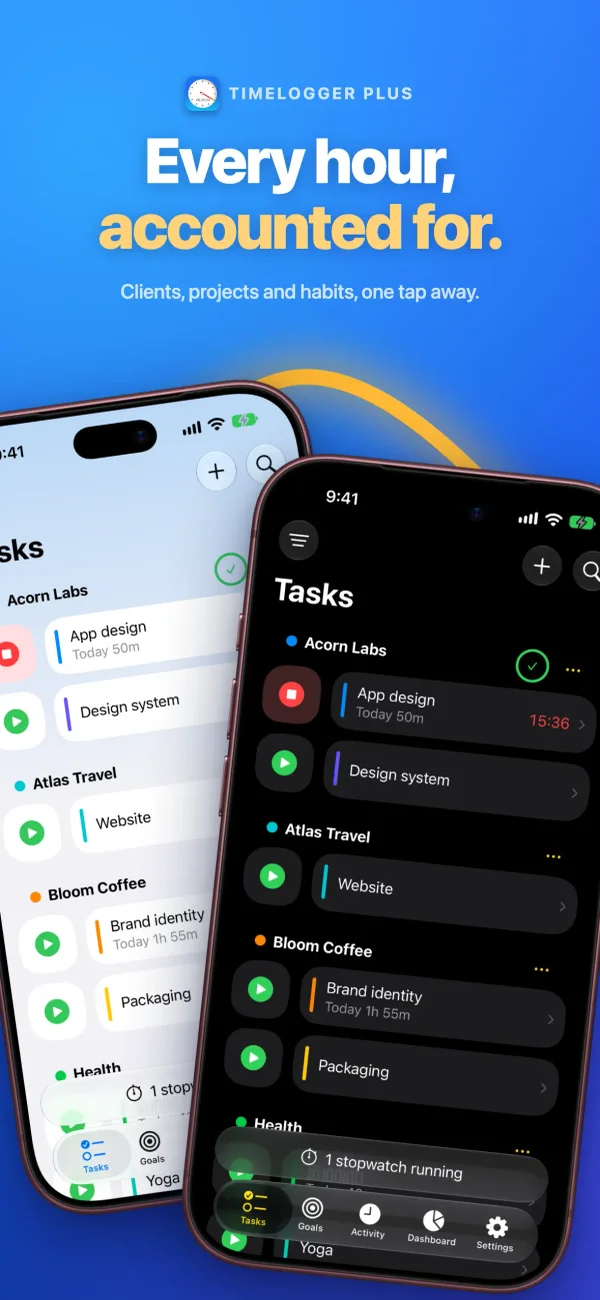
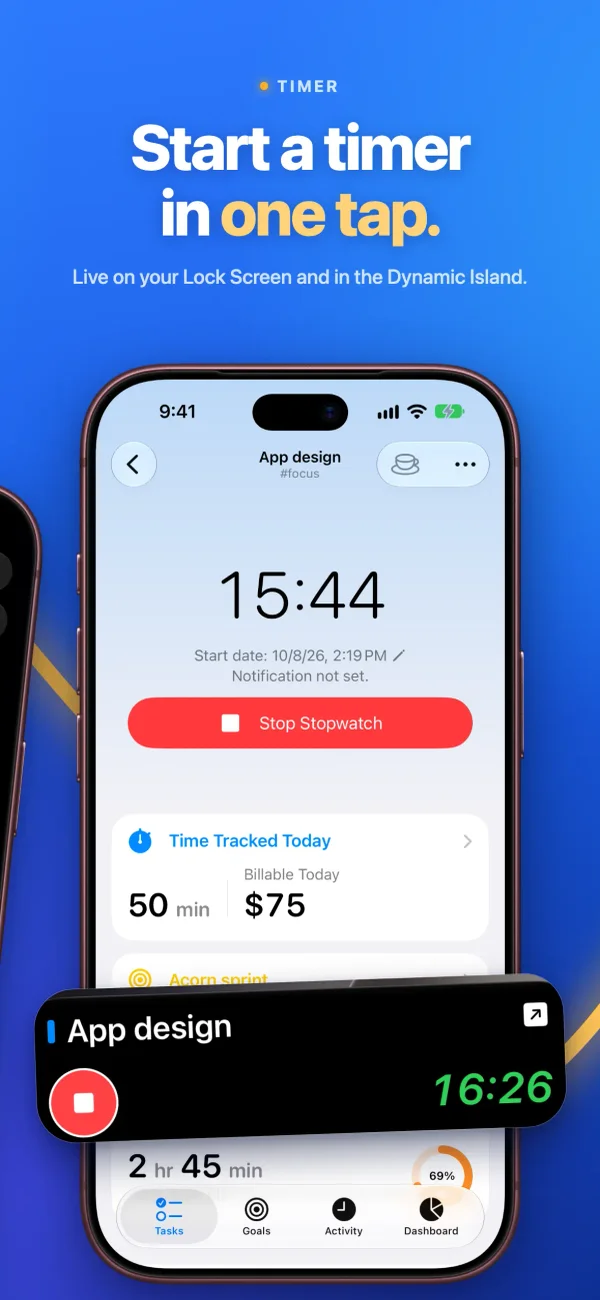
• Start and stop a task's stopwatch with a tap.
• Run multiple stopwatches when you need to track different activities.
• Add or edit time entries, including their start and end times.
• Add notes to record what you worked on.
• Set reminders for running stopwatches.
ORGANIZE TASKS AND SET GOALS
• Group tasks into folders for clients, projects, or routines.
• Use tags to organize tasks, time entries, and notes.
• Choose colors to make tasks and folders easier to recognize.
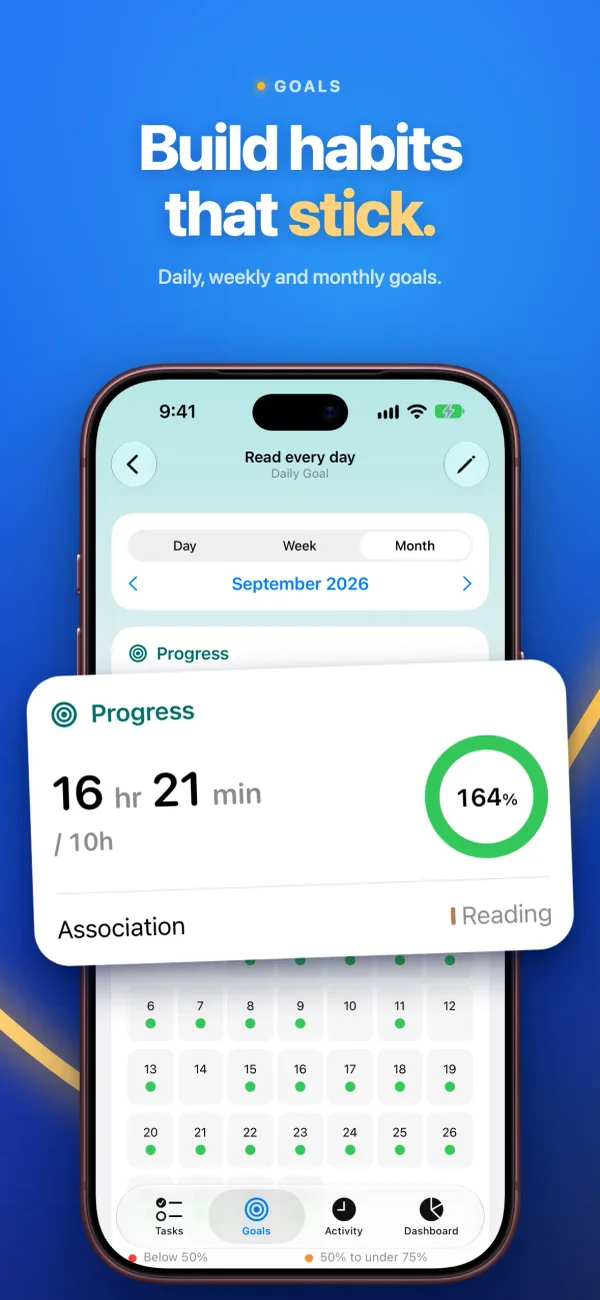
• Set daily, weekly, or monthly time goals for a task, folder, or tag.
• Follow goal progress and review past days, weeks, and months.
• Archive completed work while keeping its history.
UNDERSTAND YOUR TIME AND BILLABLE WORK
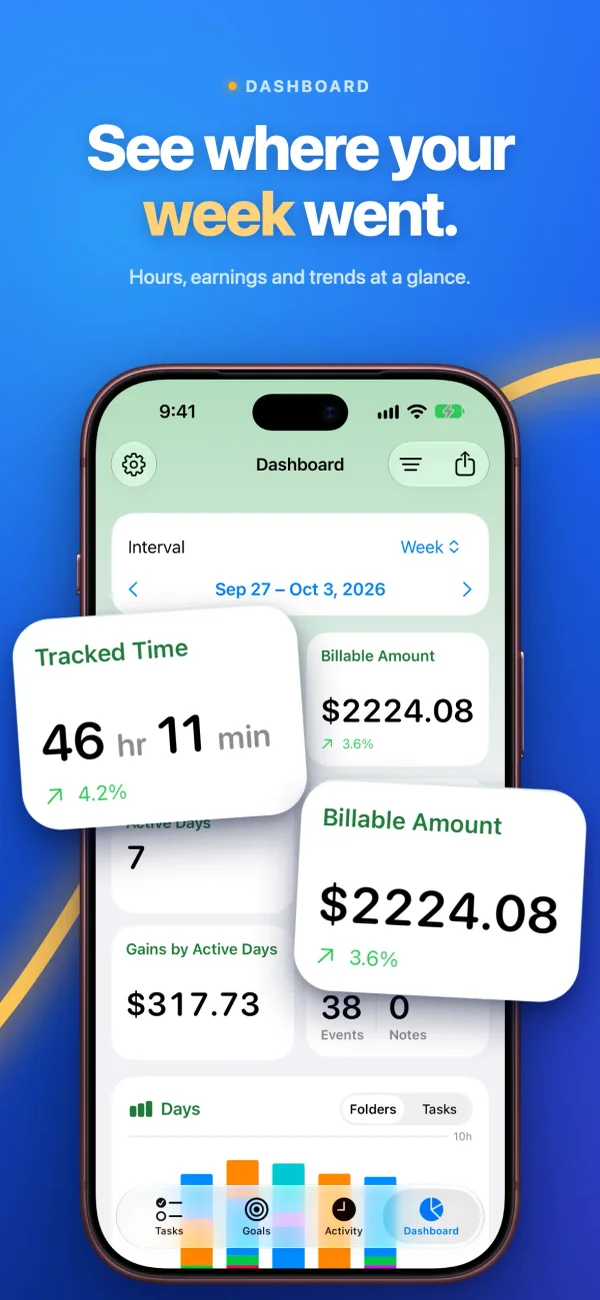
• Review tracked time, activity, and trends in the dashboard.
• Filter your reports by task, folder, or tag.
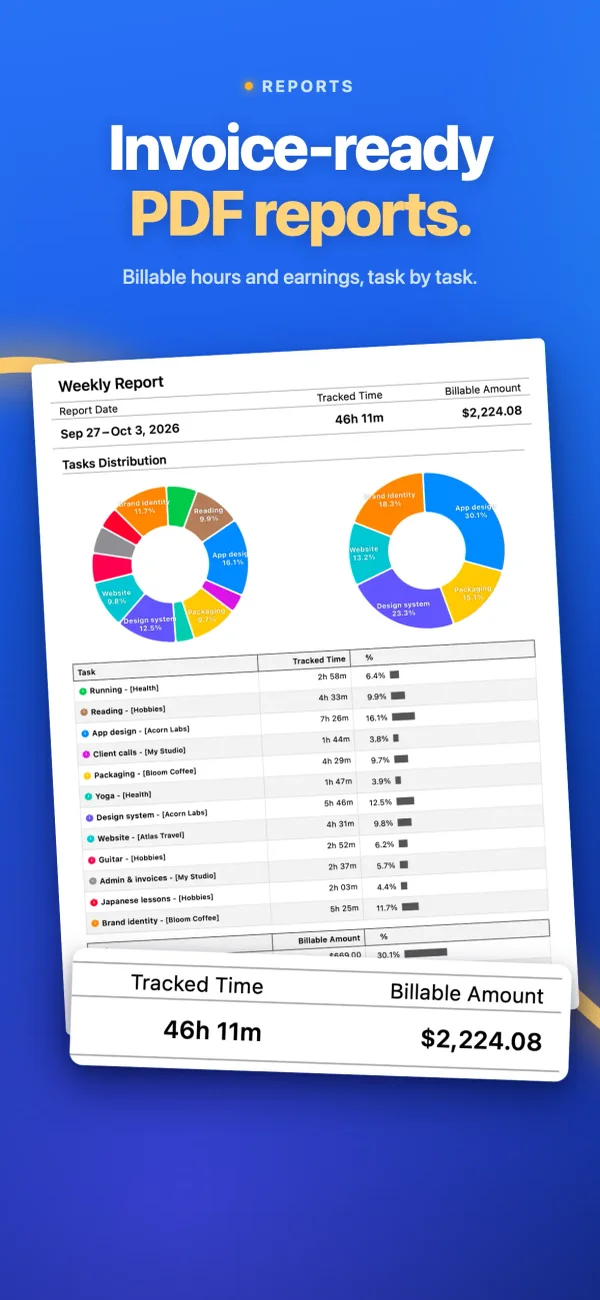
• Set hourly rates for tasks and folders to calculate billable amounts.
• Add billable notes for work that does not use a stopwatch.
• Generate PDF reports for a chosen date range.
• Export entries to CSV for use in spreadsheets and other tools.
• Import CSV data and create manual backups.
MADE FOR YOUR APPLE DEVICES
Enjoy a refreshed design with Liquid Glass and layouts that fit the screen you use.
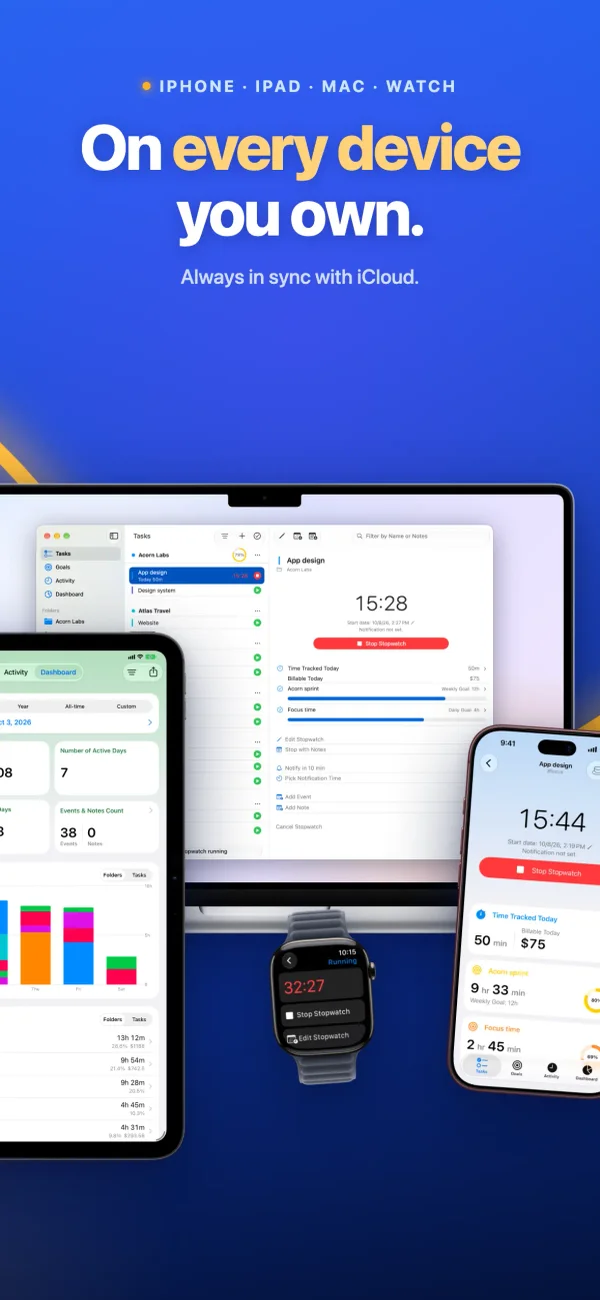
On iPhone Duo, move between a compact view and a spacious layout with task lists and details side by side when you unfold the display. On iPad, use the sidebar, resizable windows, and multitasking to keep your work in view.
On Mac, start and stop timers from the menu bar without opening the main window. Add desktop widgets for quick access to tasks and running stopwatches.
On Apple Watch, start and stop timers for selected tasks from your wrist. Use watch face complications and Smart Stack widgets to check running timers. The Watch app syncs with your paired iPhone.
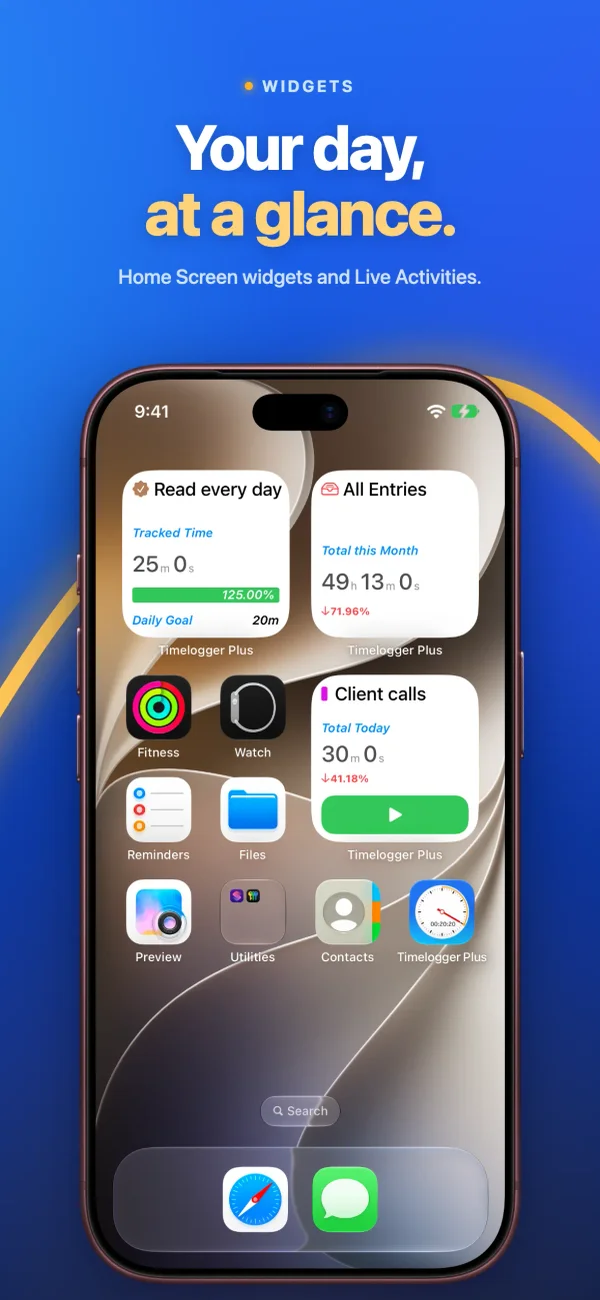
Use Home Screen and Lock Screen widgets, and automate actions with Shortcuts. On iPhone, follow running timers on the Lock Screen and in Dynamic Island with Live Activities. Sync your iPhone, iPad, and Mac through iCloud, and choose a light or dark appearance.
Some features require Premium, available through in-app purchase.
Questions or suggestions? Contact timeloggerapp@gmail.com.
Terms of Use: https://www.apple.com/legal/internet-services/itunes/dev/stdeula/
Yenilikler
Sürüm 3.3.0 · 16.11.2026
• Sort folders and tasks manually, by name, or by creation date. Drag and drop tasks into folders or reorder them in Manual mode.
• View tracked time and targets with progress rings or bars.
• See daily goal progress in the new Week View on iPhone and iPad.
• Restore archived or deleted folders, tasks, events, and notes from Settings.
• Smoother navigation and scrolling, with fixes for list updates.
Uygulama gizliliği
Bu uygulamanın verileri nasıl işlediği hakkında Filipe Martins tarafından App Store üzerinde yapılan beyan.
-
Sizinle ilişkilendirilmeyen veriler
Toplanabilir ancak kimliğinizle ilişkilendirilmez.
- Tanımlayıcılar
- Kullanım verileri
- Tanılama
Gizlilik uygulamaları, örneğin kullandığınız özelliklere veya yaşınıza göre değişiklik gösterebilir.
Bilgiler
- Satıcı
- Filipe Martins
- Kategori
- Üretkenlik
- Sürüm
- 3.3.0
- Güncellendi
- 16.11.2026
- Yayın tarihi
- 14.05.2020
- Boyut
- 30,0 MB
- Gereksinim
- iOS 26.0 veya sonrası
- Yaş sınırı
- 4+
- Fiyat
- Ücretsiz
- Uygulama içi satın alma
- Evet
- Diller
- İngilizce, Fransızca, Almanca, İtalyanca, Portekizce, İspanyolca
- Telif hakkı
- © Filipe Martins, 2020
Bunları da beğenebilirsiniz
-
 Timemator: Time TrackerÜretkenlik
-
 Tyme | Time TrackingÜretkenlik
-
 aTimeLogger - Personal TrackerÜretkenlik
-
 Timeframe - Time TrackingÜretkenlik
-
 Then: Mindful Time TrackerÜretkenlik
-
 Hours Tracker - myTimeÜretkenlik
-
 Zaman Takibi - TimelogKronometre, saat ve hedefler
-
 EARLY: Time TrackingÜretkenlik
-
 Timestamper: Activity TrackerÜretkenlik
-
 aTimeLogger Time TrackerÜretkenlik