Usage Gauge
Lock screen usage widgets
iPhone, iPad için tasarlandı
Ücretsiz
- Yaş sınırı4+
- KategoriYardımcılar
- GeliştiriciWei Cheng Chen
- DillerKorece+ 3 dil daha
- Boyut1,2 MB
Resmi App Store sayfasına bağlanır
Download.org, Usage Gauge için hiçbir dosya barındırmaz. Düğme, uygulamanın App Store üzerindeki sayfasını açar; uygulamayı orada Wei Cheng Chen yayınlar. Sayfanın son kontrolü: 12.11.2026.
Ekran görüntüleri

Hakkında
Geliştirici bu metni dilinizde sunmamış.
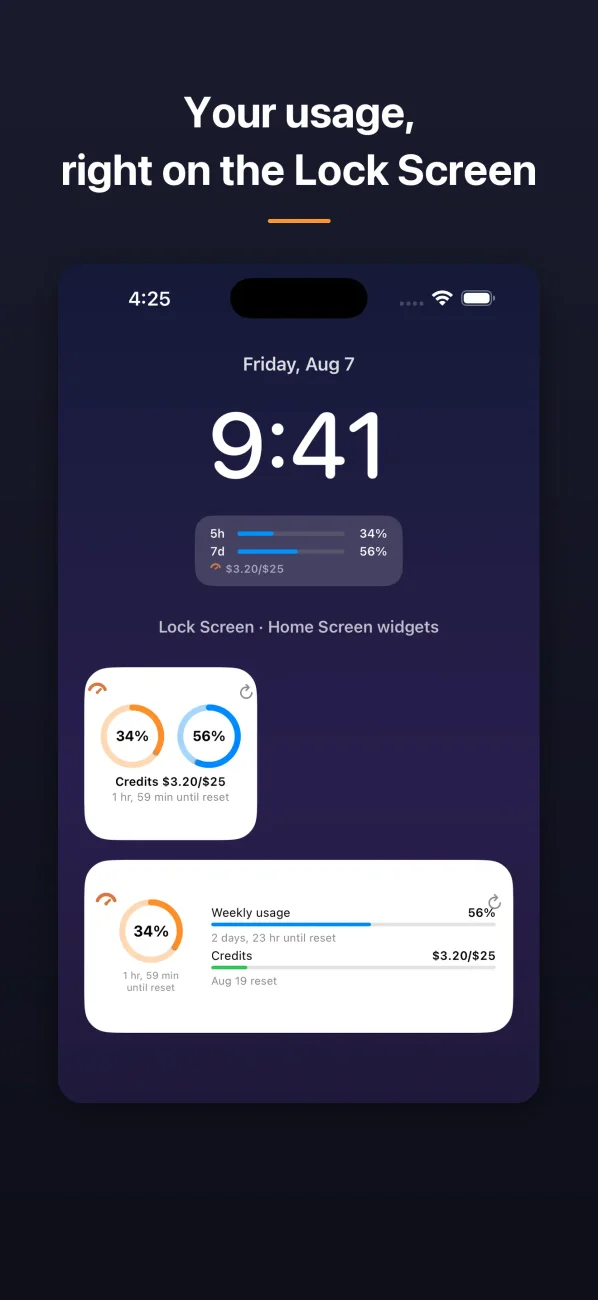
See your AI assistant usage right on your Lock Screen and Home Screen widgets - no more opening the settings page over and over.
Usage Gauge is an independent companion utility for people who subscribe to Anthropic's Claude service and want their remaining limits visible at a glance.
FEATURES
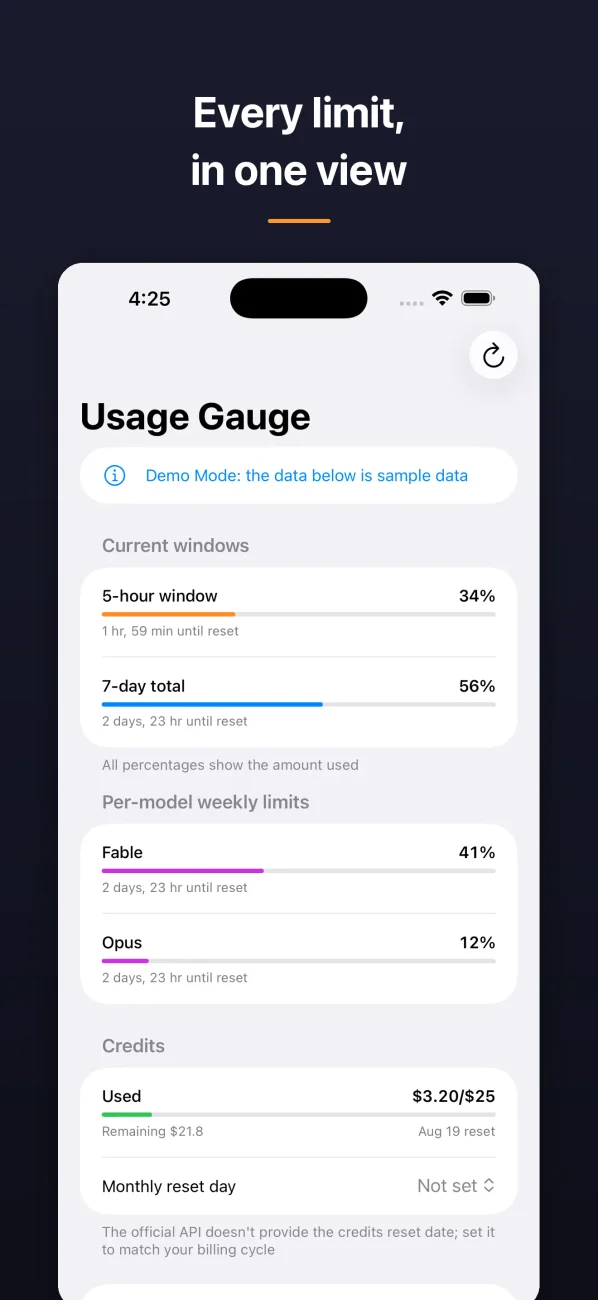
- 5-hour session window and 7-day weekly usage at a glance
- Per-model weekly limits shown separately
- Extra usage credits: amount used, limit and remaining balance
- Reset countdown for every limit window
- Three Lock Screen widget styles (circular, rectangular, inline)
- Small and medium Home Screen widgets
- Refresh button right on the widget - update instantly without opening the app
- Demo Mode: try the whole app and every widget with sample data, no account needed
PRIVACY FIRST
- Your sign-in credential is stored encrypted in your device Keychain only
- Connects only to the service's official servers - we run no servers of our own
- Zero data collection, zero ads, zero tracking
To show your own numbers, the app needs an account with the service (free accounts work). Demo Mode works without any account.
This is an independent third-party tool. It is not affiliated with, endorsed by, or sponsored by Anthropic PBC. Claude and Anthropic are trademarks of Anthropic PBC, used here only to describe compatibility.
Yenilikler
Sürüm 1.3 · 20.09.2026
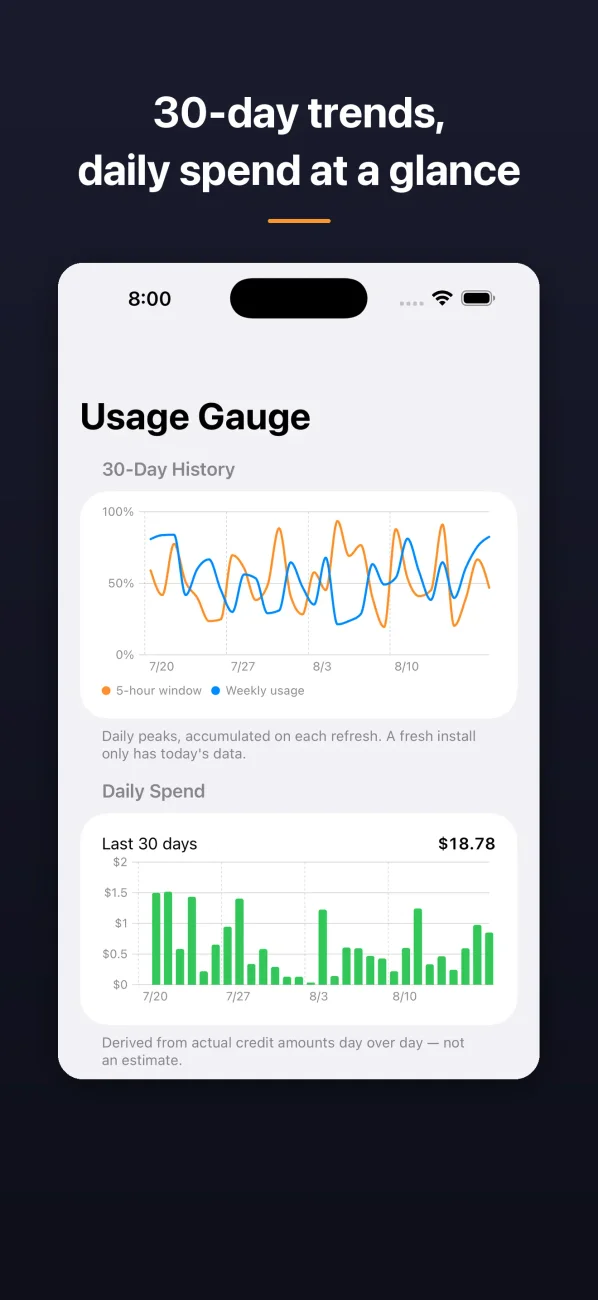
Usage history now has its own screen. Tap it from the dashboard to see the 30-day trend and daily spend charts, so the main screen stays readable at a glance instead of being stretched by two charts. The charts themselves are unchanged.
Uygulama gizliliği
Bu uygulamanın verileri nasıl işlediği hakkında Wei Cheng Chen tarafından App Store üzerinde yapılan beyan.
-
Veri toplanmıyor
Geliştirici bu uygulamadan hiçbir veri toplamıyor.
Gizlilik uygulamaları, örneğin kullandığınız özelliklere veya yaşınıza göre değişiklik gösterebilir.
Bilgiler
- Satıcı
- Wei Cheng Chen
- Kategori
- Yardımcılar
- Sürüm
- 1.3
- Güncellendi
- 20.09.2026
- Yayın tarihi
- 17.08.2026
- Boyut
- 1,2 MB
- Gereksinim
- iOS 17.0 veya sonrası
- Yaş sınırı
- 4+
- Fiyat
- Ücretsiz
- Diller
- Korece, İngilizce, Japonca, Geleneksel Çince
- Telif hakkı
- © 2026 INTVZ 誠創未來