OriPaper: More Wallpaper Edits
Layouts, Custom FX & Filters
iPhone, iPad için tasarlandı
Ücretsiz · Uygulama içi satın alma
- Yaş sınırı4+
- KategoriYardımcılar
- Geliştirici堃睿 陈
- Dillerİngilizce+ 3 dil daha
- Boyut55,2 MB
Resmi App Store sayfasına bağlanır
Download.org, OriPaper: More Wallpaper Edits için hiçbir dosya barındırmaz. Düğme, uygulamanın App Store üzerindeki sayfasını açar; uygulamayı orada 堃睿 陈 yayınlar. Sayfanın son kontrolü: 29.11.2026.
Ekran görüntüleri


Hakkında
Geliştirici bu metni dilinizde sunmamış.
Version 1.4 adds iPad support, pop-out stickers in Hydrogen+ Wallpaper, kaomoji effects and multicolor gradients.
Give your favorite photos more room to shine. OriPaper extends your device’s wallpaper tools with creative layouts, simple controls, and effects and filters you can make your own.
13 layouts for one photo or a whole scene
Keep the focus on one photo with Single Image, layer backgrounds, stickers and effects in Panorama Wallpaper, or frame a crisp photo over a soft blur with Hydrogen+ Wallpaper. Diagonal Cut and Straight Stair Cut each work in two directions. Horizontal and vertical splits each come in two-, three- and four-photo layouts.
Start with a layout. Fine-tune the details.
Pick a layout, add your photos and preview the starting composition. Drag and zoom to frame each photo, then use sliders to refine the blur, the size of the framed photo or the position and width of dividers. Switch between Lock Screen and Home Screen previews to see where the clock and icons land. Export the finished image in high resolution and set it as wallpaper in your device settings.
Make your own effects and filters
Lift a subject from a photo to make a sticker, then let it pop out of a frame or cross a divider. Try built-in effects like snowflakes and starbursts, or turn stickers, emoji and kaomoji into your own particle effects. Adjust their size, number and intensity. Give photos a new look with a built-in filter, or use sliders to fine-tune brightness, contrast, saturation and warmth. Compare the result and save it as a reusable filter.
Keep a look you love
Save and share templates, custom effects and filters, reopen designs from History, or make a matching Home Screen widget from a sticker or panorama. Your photos and assets stay on your device. No account is required.
Depth and playful details
Combine backgrounds, subject stickers and foreground particles in layered panoramas. Move, resize and rotate stickers, then add stars, snow or playful emoji effects.
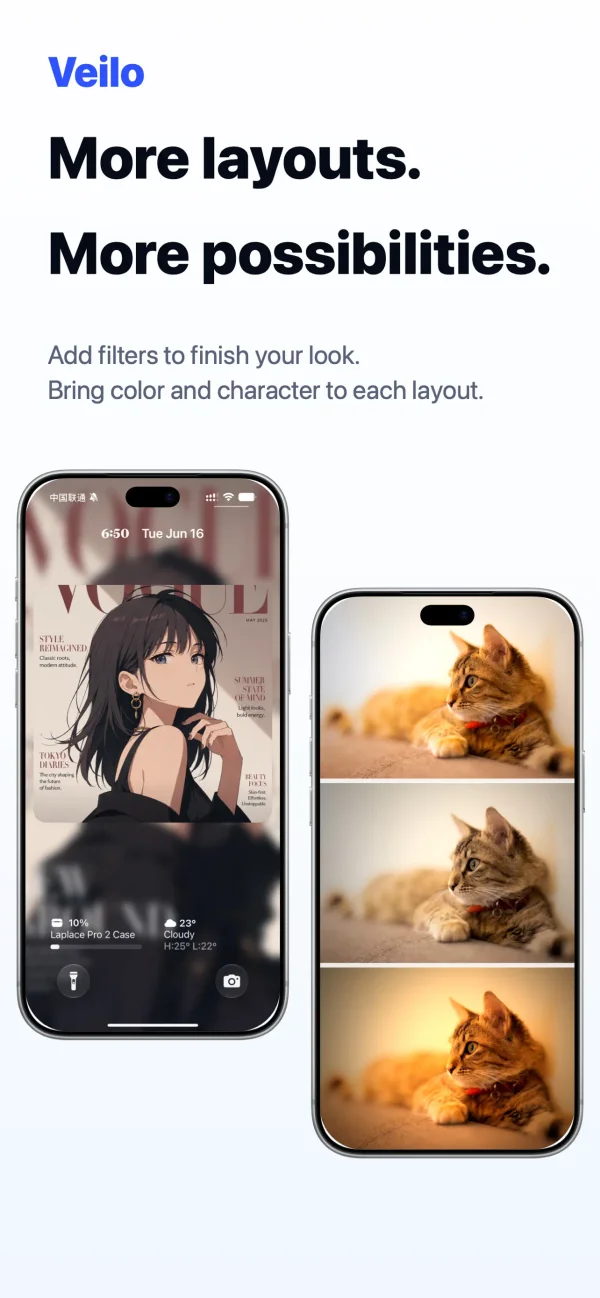
More layouts. More possibilities.
Explore single-photo, soft-blur, diagonal, staircase and horizontal or vertical split layouts. Fine-tune crops, positions and dividers. Use built-in filters or create, import and share your own.
Take your designs to the Home Screen
Turn stickers or saved panoramas into small, medium or large widgets. Adjust their crop and background to bring your Home Screen together.
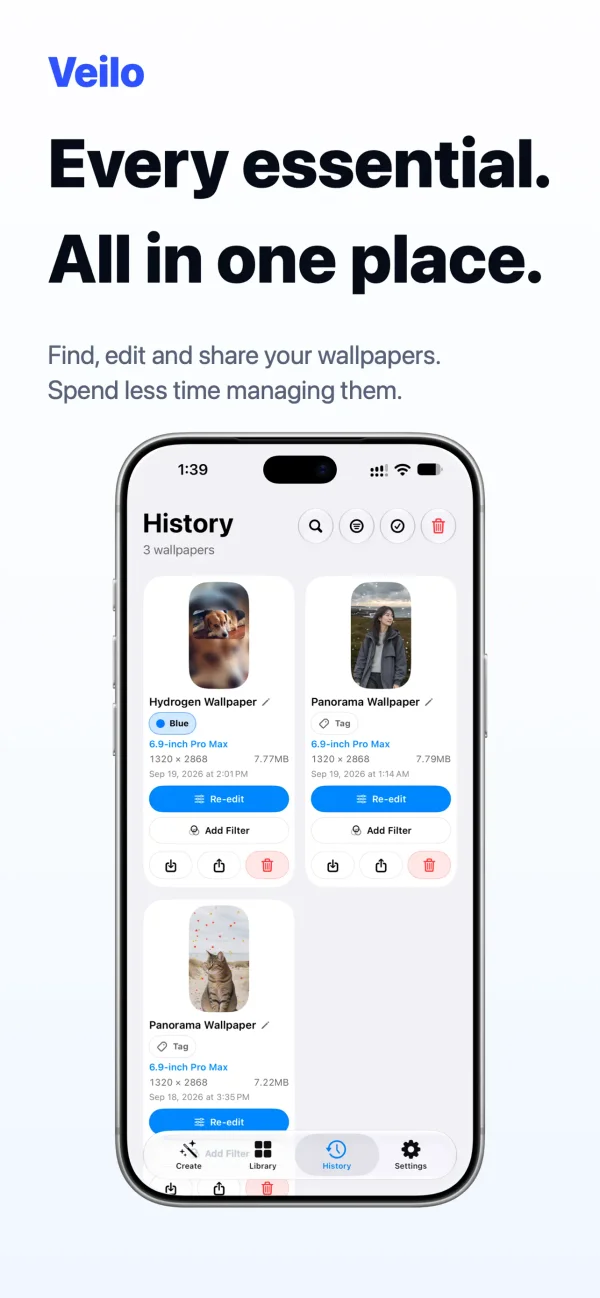
Every essential. All in one place.
Organize templates, filters, stickers, effects and widgets in the Library. Find, re-edit, save and share earlier work from History, and organize assets with color tags. Save only to History when you want fewer duplicate files in Photos.
No account required
Your photos and creative assets stay on your device. Export high-resolution images sized for your device, then set them as wallpapers in iOS. System spatial effects depend on your device, iOS version and image recognition.
Terms of Use (EULA):
https://www.apple.com/legal/internet-services/itunes/dev/stdeula/
Yenilikler
Sürüm 1.4.0 · 28.11.2026
【New Free Features】
• Let stickers break out of the frame. In Hydrogen+ Wallpaper, stickers can pop up or down. In split layouts, they can cross dividers.
• Give stickers an adjustable white outline. Wallpaper designs with stickers can also save depth information.
• Turn kaomoji or short phrases into your own effects, and make effects larger for a bolder look.
• Fill wallpaper backgrounds with multicolor gradients or a rainbow palette.
• Create wallpapers on iPad with layouts and resolutions made for the larger screen. On iPad and iPhone Duo, open a wallpaper from History and keep it on display across the whole window.
• Export as many wallpapers as you like each week.
【New PRO Features】
• Pick from six new theme colors, from Sunset Orange and Amber Gold to Twilight Indigo and Graphite.
• Choose a fixed Light or Dark Home Screen icon in Theme settings.
【Improvements and Fixes】
• The app is now OriPaper. Its new glass icon follows your Home Screen appearance.
• Compare layouts on the Create page, then pick a layout and preview your photos in it before you start editing.
• Undo and redo edits, and use the tab bar to switch between photos and layers.
• Filters, effects, previews and saving are together on the finishing screen. You can also preview designs you reopen from History before saving a copy or replacing the original.
• Effects are spread more evenly. Tap the selected effect to reshuffle it. Stickers are easier to position near dividers.
• Fixed issues with removing gradient colors and entering a custom resolution with larger text or the keyboard showing.
• Adjust haptic feedback in Touch settings and read past updates offline in Settings → About → Version History.
Uygulama gizliliği
Bu uygulamanın verileri nasıl işlediği hakkında 堃睿 陈 tarafından App Store üzerinde yapılan beyan.
-
Veri toplanmıyor
Geliştirici bu uygulamadan hiçbir veri toplamıyor.
Gizlilik uygulamaları, örneğin kullandığınız özelliklere veya yaşınıza göre değişiklik gösterebilir.
Bilgiler
- Satıcı
- 堃睿 陈
- Kategori
- Yardımcılar
- Sürüm
- 1.4.0
- Güncellendi
- 28.11.2026
- Yayın tarihi
- 13.06.2026
- Boyut
- 55,2 MB
- Gereksinim
- iOS 26.0 veya sonrası
- Yaş sınırı
- 4+
- Fiyat
- Ücretsiz
- Uygulama içi satın alma
- Evet
- Diller
- İngilizce, Japonca, Basitleştirilmiş Çince, Geleneksel Çince
- Telif hakkı
- © 2026 Kunrui Chen
Bunları da beğenebilirsiniz
-
 Env Manage ToolYardımcılar
-
 4get: Event CountdownYardımcılar
-
 Kira BookBoxYardımcılar
-
 Swift TagsYardımcılar
-
 Astor — Liquid Glass BrowserYardımcılar
-
 ReRime输入法-离线隐私拼音键盘Yardımcılar
-
 PlumbingServicesYardımcılar
-
 LED显示屏:手持弹幕萤光灯牌滚动文字Yardımcılar
-
 EarnLiveYardımcılar
-
 Taozi - Widget ve DuvarHD minimal retro: saat widgetı