
ViewCAD Pro
Professional DWG & DXF Viewer
iPhone, iPad için tasarlandı
₺99,99
- Yaş sınırı4+
- KategoriGrafik ve Tasarım
- Geliştirici昂 熊
- Dillerİngilizce+ 10 dil daha
- Boyut72,5 MB
Resmi App Store sayfasına bağlanır
Download.org, ViewCAD Pro için hiçbir dosya barındırmaz. Düğme, uygulamanın App Store üzerindeki sayfasını açar; uygulamayı orada 昂 熊 yayınlar. Sayfanın son kontrolü: 12.11.2026.
Ekran görüntüleri



Hakkında
Geliştirici bu metni dilinizde sunmamış.
ViewCAD Pro is a fast, professional DWG and DXF viewer for iPhone and iPad — fully offline, and yours to keep with a single purchase.
Open a drawing from any app and it appears immediately, rendered on your device. No upload, no conversion, no waiting on a server.
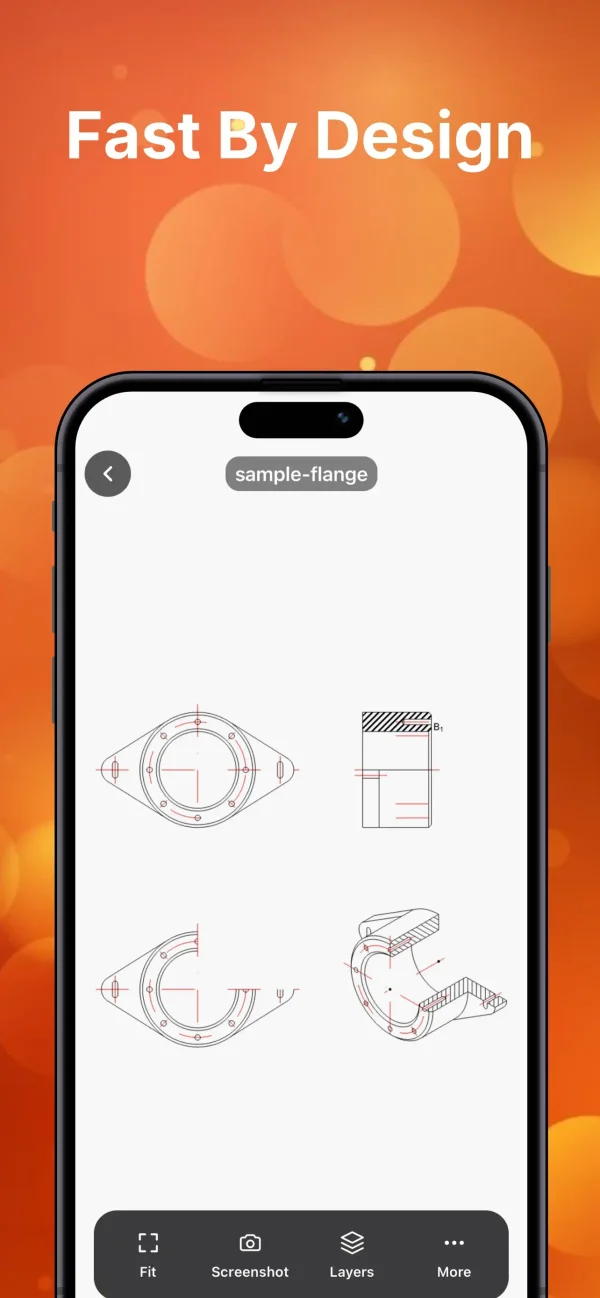
FAST BY DESIGN
• Drawings are parsed and rendered locally by a built-in CAD engine, so opening never depends on your connection or a server queue
• Smooth zoom and pan, even on large drawings
• The recent list brings you back to a drawing in one tap
FULLY OFFLINE, FULLY PRIVATE
• Works with no internet connection at all — airplane mode, site basements, remote locations
• Your drawings never leave your device. Nothing is uploaded and nothing is stored on a server, which makes it a safe choice for confidential or client work
• No account, no sign-up, no ads, no third-party tracking
• Clear your recent list at any time in Settings
ONE PURCHASE, YOURS TO KEEP
• One-time purchase. No subscription, no in-app purchases, no recurring charges
• Every feature is included — nothing is locked behind a paywall
• Ongoing app updates are included at no extra cost
OPEN ANY DWG OR DXF
• Supports both major CAD formats used across engineering, architecture, and manufacturing
• Opens files shared from other apps — Files, Mail, chat apps, cloud drives. Tap Share or Open in, and ViewCAD Pro goes straight to the drawing
• Three sample drawings are included (mechanical flange, floor plan, electrical schematic) so you can try it before importing your own
LAYER CONTROL AND CANVAS
• The layer panel lists every layer with its original color
• Turn layers on and off to isolate the geometry that matters to you
• Switch between dark and light canvas in one tap — dark for site work, light for checking against screens or paper
NAVIGATION AND CAPTURE
• Pinch to zoom, drag to pan, double-tap to fit
• The Fit button frames the entire drawing instantly
• The toolbar fades away so the drawing fills the screen — landscape and portrait, on both iPhone and iPad
• Save the current view as a screenshot to your photo library, or share the original file with colleagues
LANGUAGES
English, Simplified Chinese, Traditional Chinese, Japanese, Korean, Spanish, French, German, Portuguese, Russian, and Italian. Follows your system theme, or set light and dark manually.
GOOD TO KNOW
• ViewCAD Pro is a viewer — it does not modify, edit, or convert drawings
• Very large files can take a moment to open on older devices
• No account or personal information is required to use the app
FEEDBACK
Questions, bug reports, or feature requests? The in-app Feedback form reaches us directly.
Yenilikler
Sürüm 1.0.1 · 22.09.2026
1. Fix known issues
2. Optimize Layout Switching
Uygulama gizliliği
Bu uygulamanın verileri nasıl işlediği hakkında 昂 熊 tarafından App Store üzerinde yapılan beyan.
-
Veri toplanmıyor
Geliştirici bu uygulamadan hiçbir veri toplamıyor.
Gizlilik uygulamaları, örneğin kullandığınız özelliklere veya yaşınıza göre değişiklik gösterebilir.
Bilgiler
- Satıcı
- 昂 熊
- Kategori
- Grafik ve Tasarım
- Sürüm
- 1.0.1
- Güncellendi
- 22.09.2026
- Yayın tarihi
- 16.09.2026
- Boyut
- 72,5 MB
- Gereksinim
- iOS 16.4 veya sonrası
- Yaş sınırı
- 4+
- Fiyat
- ₺99,99
- Diller
- İngilizce, Fransızca, Almanca, İtalyanca, Japonca, Korece, Portekizce, Rusça, Basitleştirilmiş Çince, İspanyolca, Geleneksel Çince
- Telif hakkı
- © 2026 BarretX
Bunları da beğenebilirsiniz
-
 传统色 - zhongguoseGrafik ve Tasarım
-
 RapidRenderGrafik ve Tasarım
-
 GetFacadeDış cephe boya ve kaplama
-
 CAD Studio: DWG Viewer&EditorGrafik ve Tasarım
-
 Luw AI - AI Home DesignGrafik ve Tasarım
-
 Poster Maker, Flyer Maker .Grafik ve Tasarım
-
 piZap: Fotoğraf DüzenleKolaj, sticker ve fazlası
-
 AI Ev Tasarımı: İdeal EvEv Yenileme & Bahçe
-
 ConceptsGrafik ve Tasarım
-
 Stockimg AI: Stock Photo, LogoGrafik ve Tasarım