WatchBar – Barcode Generator
Your Barcodes, Anywhere!
iPhone, iPad için tasarlandı
₺49,99
- Yaş sınırı4+
- KategoriYardımcılar
- GeliştiriciTravis Peebles
- Dillerİngilizce+ 6 dil daha
- Boyut67,8 MB
Resmi App Store sayfasına bağlanır
Download.org, WatchBar – Barcode Generator için hiçbir dosya barındırmaz. Düğme, uygulamanın App Store üzerindeki sayfasını açar; uygulamayı orada Travis Peebles yayınlar. Sayfanın son kontrolü: 24.11.2026.
Ekran görüntüleri

Hakkında
Geliştirici bu metni dilinizde sunmamış.
Barcode Power, Wherever You Are
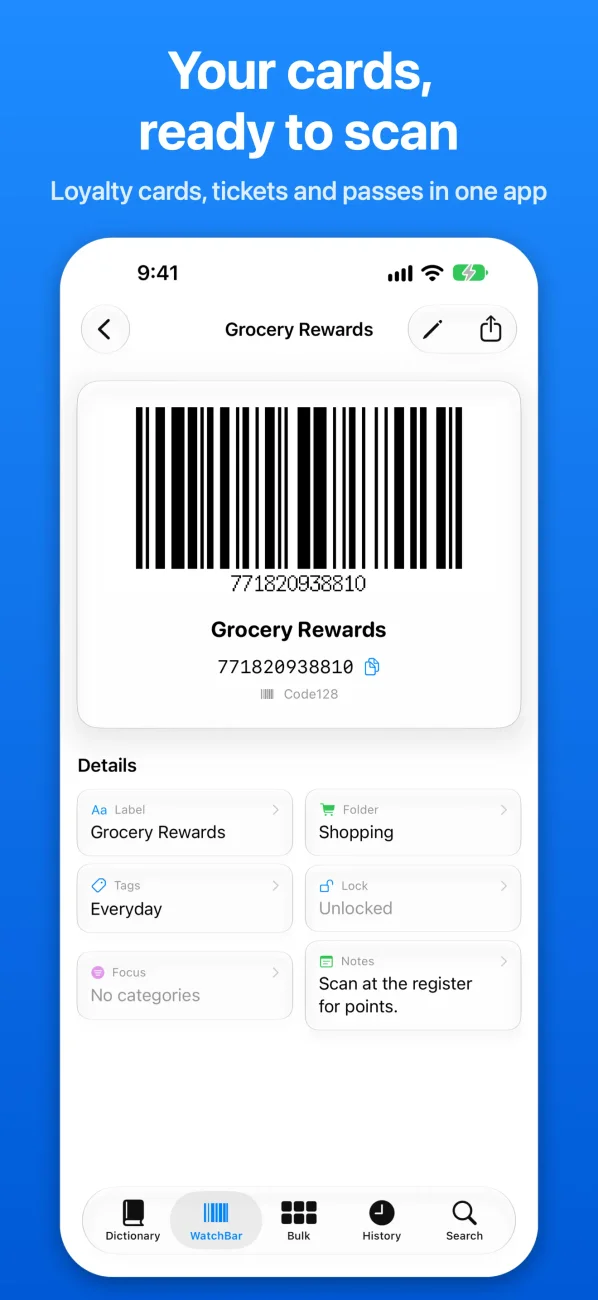
WatchBar makes, scans, saves and shows barcodes on iPhone, iPad and Apple Watch. Loyalty cards, tickets, product codes and produce codes are ready at a glance, at the checkout or on your wrist.
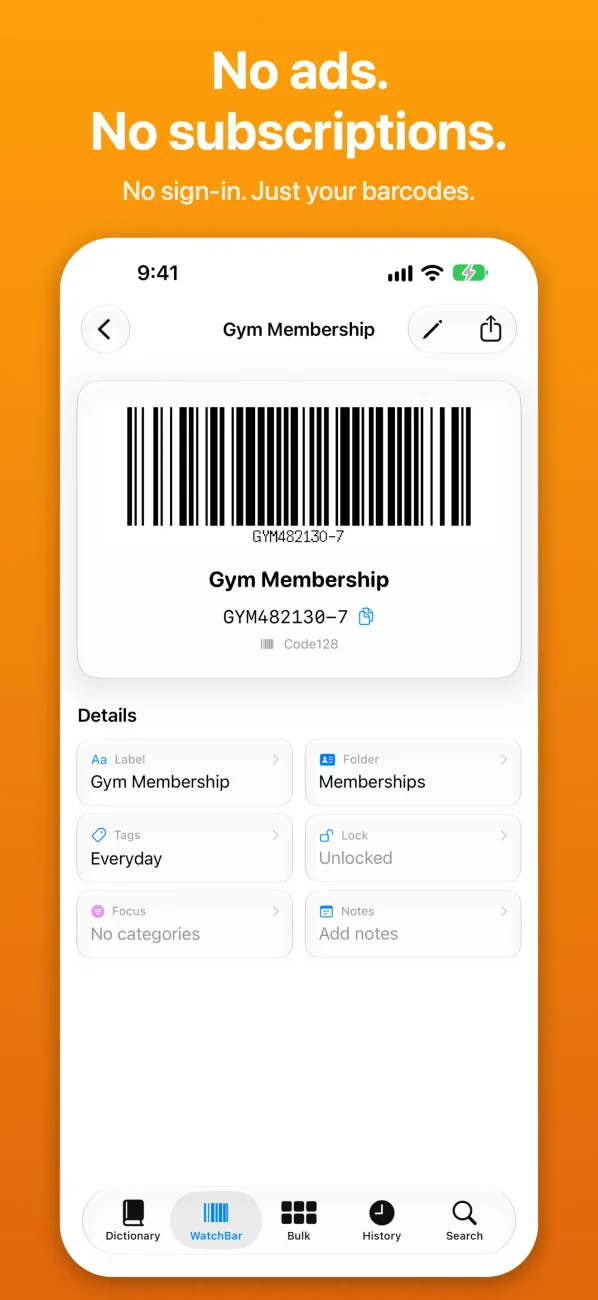
One purchase. No ads. No subscriptions. No sign-in.
MAKE BARCODES
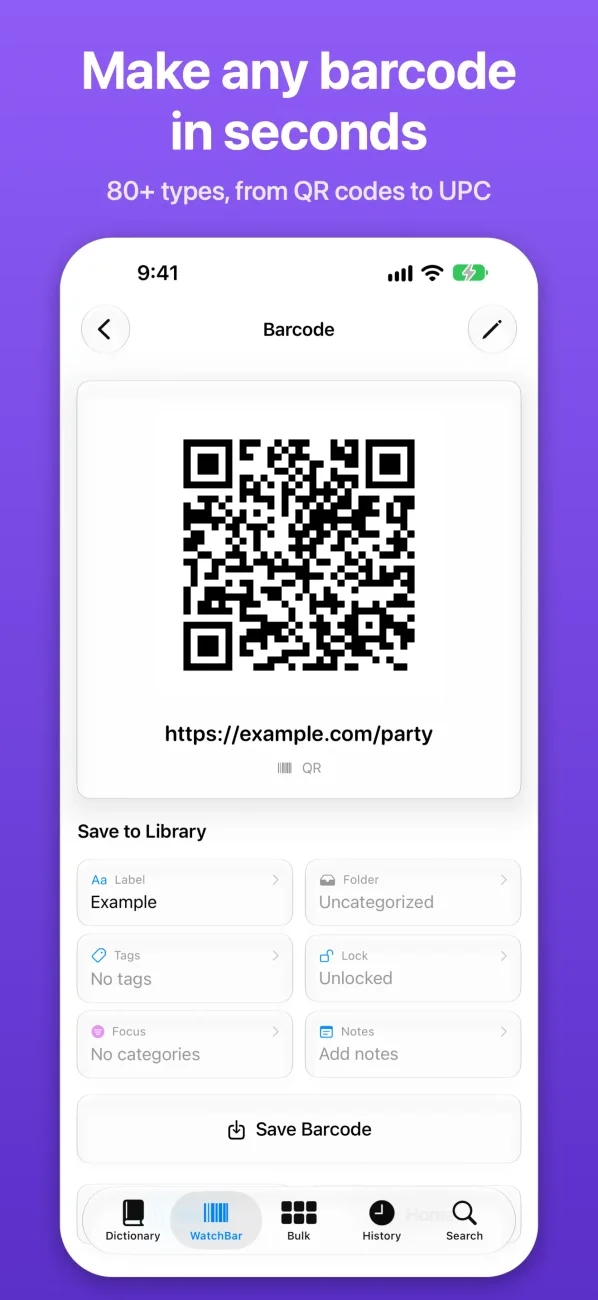
• 70+ formats: UPC, EAN, QR and Micro QR, Code 128, Code 39, Codabar, Data Matrix, PDF417, Aztec, MaxiCode, Han Xin, GS1 DataBar, ITF-14, postal codes and many more
• Type a number or some text and WatchBar offers the formats that fit
• Fill-in forms for Wi-Fi, contact, calendar and email QR codes
• Spread two fingers on a barcode to fill the screen for an easy scan
• Bulk: make a whole run of barcodes from a number sequence or an imported list, then print them or export a PDF
SCAN
• Reads 20 common formats with the camera or from a photo
• Flashlight, pinch to zoom, and your choice of which formats to look for
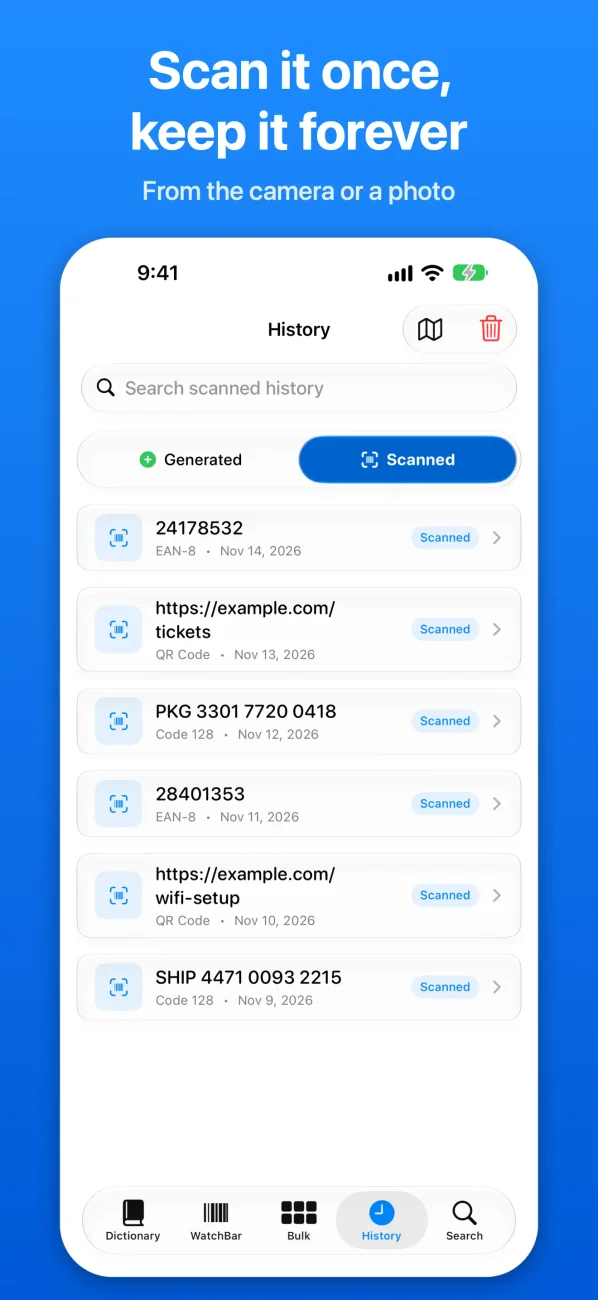
• Every scan is kept in your history
PRODUCE CODES
• 234 PLU codes for fruit and vegetables, conventional and organic
• Search by name or number and see the barcode in one tap
• See what's in season, and practice with the PLU Quiz
SAVE AND ORGANIZE
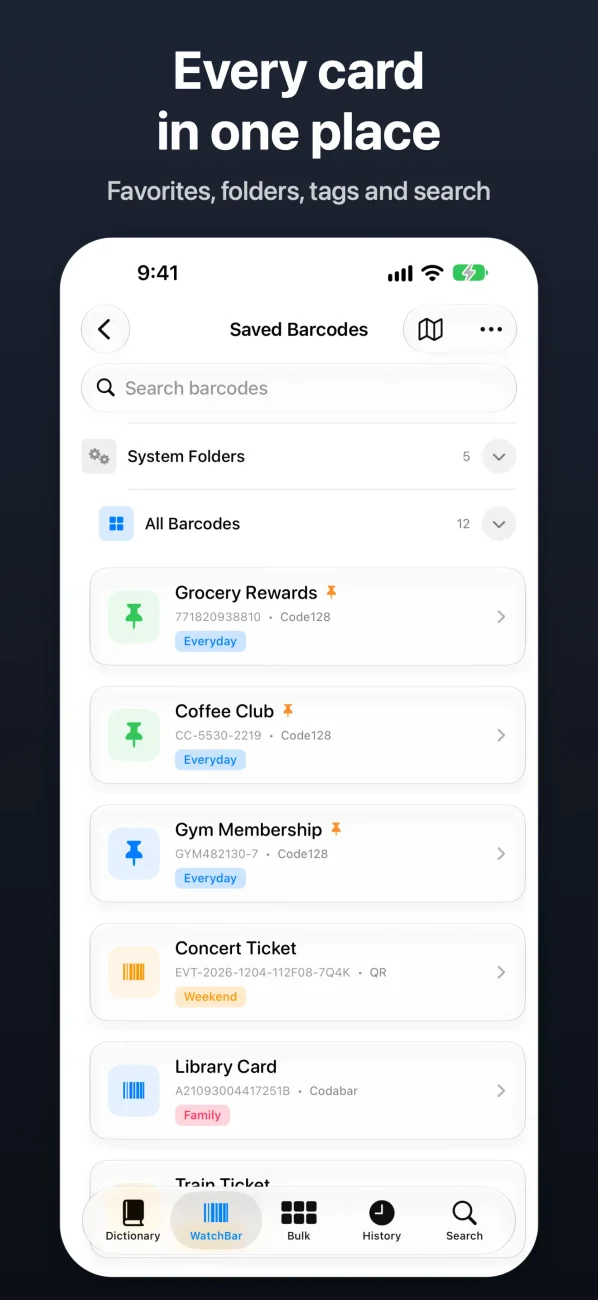
• Folders inside folders, tags, notes and favorites
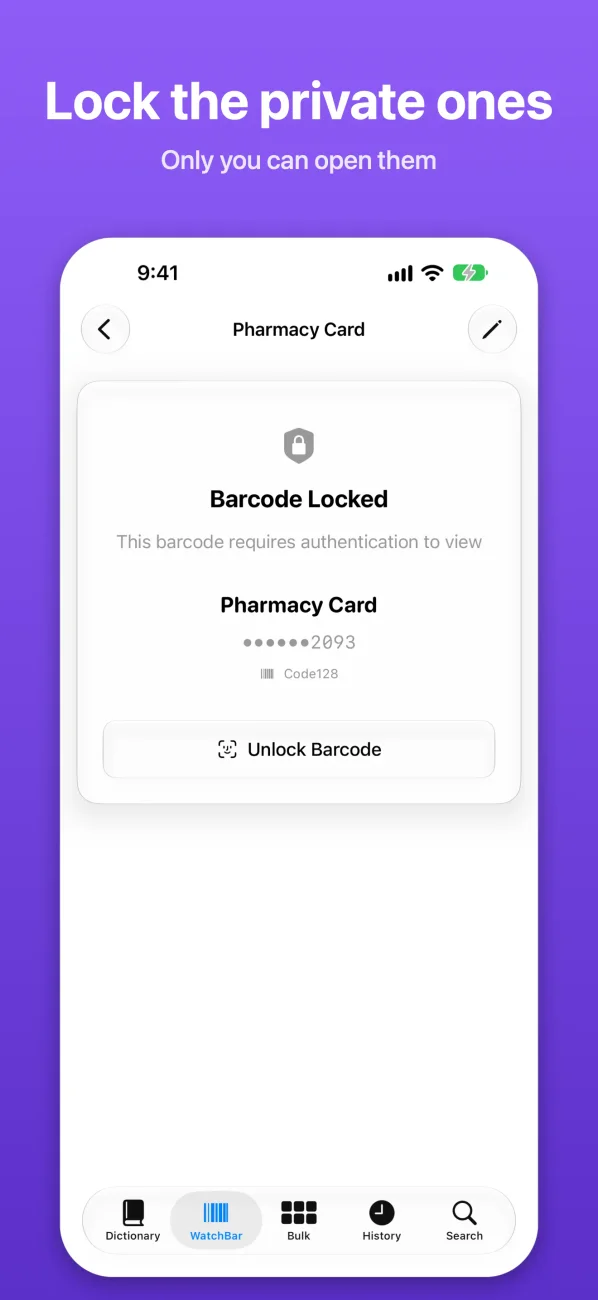
• Lock any barcode behind Face ID or Touch ID
• Search saved barcodes, produce codes and history in one place
• Recently Deleted keeps removed barcodes for 30 days
• With your permission, WatchBar remembers where you saved a barcode and shows it on a map
APPLE WATCH
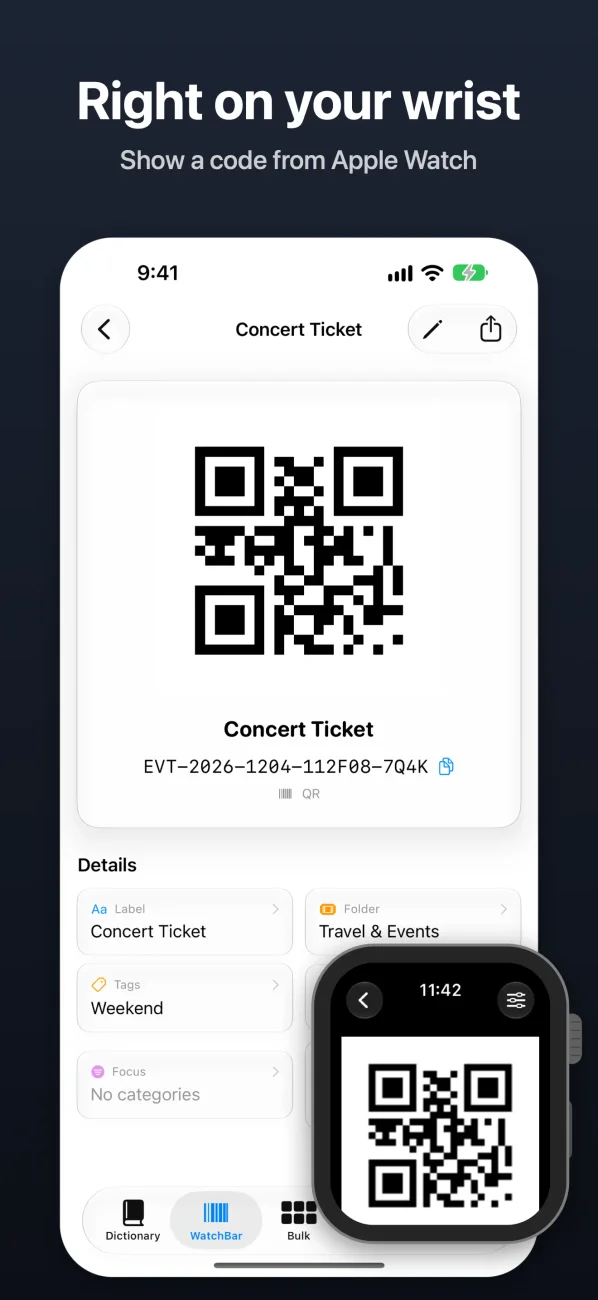
• Your saved barcodes on your wrist, synced from iPhone
• Make barcodes and look up produce codes on the Watch
• Complications in four styles open WatchBar from the watch face
• See the iPhone's scanner on your Watch and use it as a remote viewfinder
• Handoff: start on iPhone and carry on with your Watch
IPHONE DUO AND IPAD
• iPhone Duo: lists sit beside their details on the inner display, and barcodes stay clear of the fold
• iPad: a sidebar, side-by-side views and every orientation
WIDGETS, SIRI AND SHORTCUTS
• Home Screen, Lock Screen and StandBy widgets for produce codes and saved barcodes
• Control Center controls to scan, show your last barcode or make one from the clipboard
• Shortcuts actions for every barcode format, and for saving, finding and exporting
• Make a barcode from selected text in any app, from the Share menu
• Focus filters show different barcodes for Work, Personal or any other Focus
SHARE AND BACK UP
• Share a barcode as an image or as a share card
• Export your library as JSON, XML, CSV or text, and restore it from a JSON or XML backup
ACCESSIBILITY
Works with VoiceOver, Voice Control, Larger Text, Dark Mode, Differentiate Without Color, Increase Contrast and Reduce Motion.
PRIVACY
• Your barcodes stay on your devices and, while iCloud Sync is on, in your own iCloud. You can turn sync off in Settings.
• No account, no ads, no tracking
• Anonymous crash reports help us fix problems. They never include your barcodes.
WatchBar is available in English, German, Spanish, French, Japanese, Portuguese (Brazil) and Simplified Chinese.
Yenilikler
Sürüm 1.10 · 23.11.2026
WatchBar 1.10 is made for bigger screens, and adds a quicker way to show a barcode.
NEW
• iPhone Duo — WatchBar uses both displays. On the inner display, lists sit beside their details, the generator sits beside its barcode, and barcodes stay clear of the fold. The scanner follows the cameras as you fold.
• iPad — a sidebar, side-by-side views, every orientation and multitasking.
• Full-screen barcodes — spread two fingers on a barcode to fill the screen. Pinch to go back.
• Produce codes — tap a code in the Dictionary to see its barcode straight away, conventional or organic.
• Locked barcodes are now hidden in the app switcher and in screen recordings.
• Shortcuts — a new Open Saved Barcode action, and Generate Barcode now offers every format.
• An extra-large size for the Large Barcode Widget on iOS 27.
IMPROVED
• Search has one filter menu, and its results keep up as you save.
• The scanner opens at a zoom that suits your iPhone's camera, and says what to do when the camera isn't available.
• History switches between Generated and Scanned with one control.
• Locked barcodes name Touch ID or your passcode on devices without Face ID.
FIXED
• Importing a backup could skip barcodes that shared a folder or tag.
• The first iCloud sync screen could wait forever.
• Favorites and Locked folders could appear empty.
• Export PDF from a print layout did nothing.
• Apple Watch sync fixes.
Thanks for using WatchBar! Questions or ideas? Tap Settings → Support.
Uygulama gizliliği
Bu uygulamanın verileri nasıl işlediği hakkında Travis Peebles tarafından App Store üzerinde yapılan beyan.
-
Veri toplanmıyor
Geliştirici bu uygulamadan hiçbir veri toplamıyor.
Gizlilik uygulamaları, örneğin kullandığınız özelliklere veya yaşınıza göre değişiklik gösterebilir.
Bilgiler
- Satıcı
- Travis Peebles
- Kategori
- Yardımcılar
- Sürüm
- 1.10
- Güncellendi
- 23.11.2026
- Yayın tarihi
- 09.10.2025
- Boyut
- 67,8 MB
- Gereksinim
- iOS 17.6 veya sonrası
- Yaş sınırı
- 4+
- Fiyat
- ₺49,99
- Diller
- İngilizce, Fransızca, Almanca, Japonca, Portekizce, Basitleştirilmiş Çince, İspanyolca
- Telif hakkı
- © 2026 Travis Peebles
Bunları da beğenebilirsiniz
-
 EMF MeterYardımcılar
-
 Sbu Scanner QR BarcodeYardımcılar
-
 Wrist Codes: Barcode WalletYardımcılar
-
 ShellManYardımcılar
-
 Keypad: Smart keypad for macOSYardımcılar
-
 Vision SmartsYardımcılar
-
 Barcode Generator – QR MakerYardımcılar
-
 SiteShift: Unfolded BrowsingYardımcılar
-
 AUT ViewYardımcılar
-
 Clear Wave: Suyu ÇıkarHoparlör Temizle ve Test Et