
Watermelon Backup
Photo & Video Backup
iPhone, iPad için tasarlandı
Ücretsiz · Uygulama içi satın alma
- Yaş sınırı4+
- KategoriFotoğraf ve Video
- GeliştiriciZIZICICI LIMITED
- Dillerİngilizce+ 10 dil daha
- Boyut42,3 MB
Resmi App Store sayfasına bağlanır
Download.org, Watermelon Backup için hiçbir dosya barındırmaz. Düğme, uygulamanın App Store üzerindeki sayfasını açar; uygulamayı orada ZIZICICI LIMITED yayınlar. Sayfanın son kontrolü: 23.11.2026.
Ekran görüntüleri


Hakkında
Geliştirici bu metni dilinizde sunmamış.
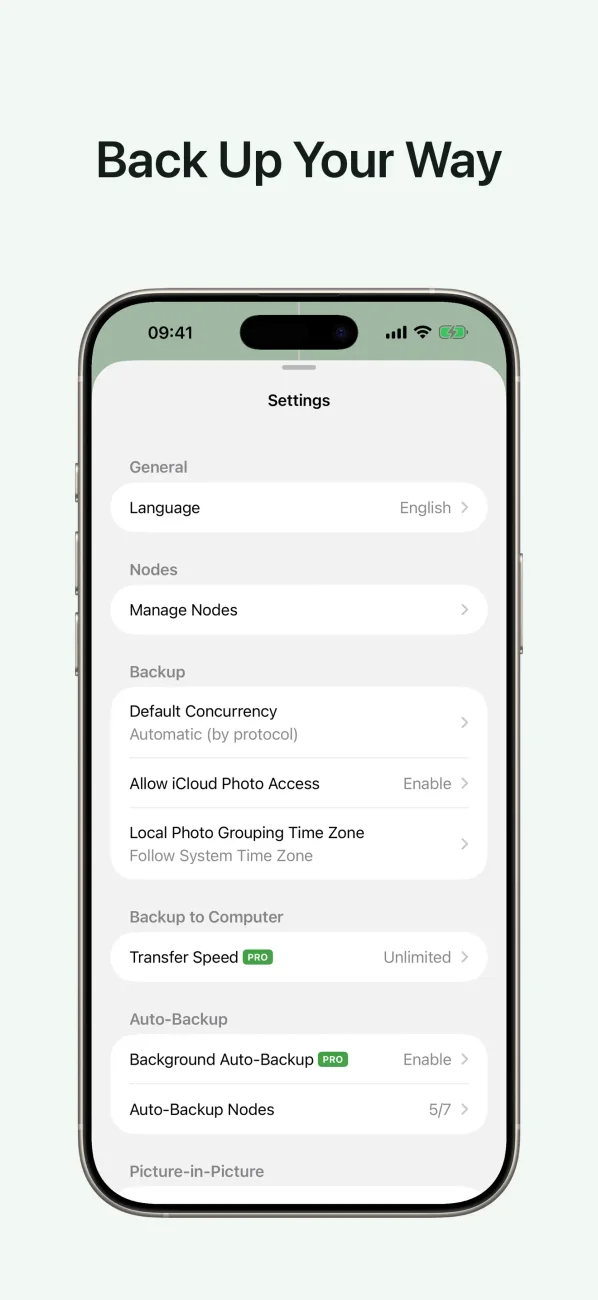
Back up your iPhone photo library to computers on the same local network, external drives, SMB, WebDAV, SFTP, S3, OneDrive, Dropbox, or Google Drive. Drop Mode also sends photos, videos, and files directly. Nothing passes through Watermelon Backup’s servers.
• BACK UP TO A COMPUTER OR EXTERNAL DRIVES
Back up directly to a computer on the same local network without installing a desktop app. Open link.watermelonbackup.com in Chrome or Edge, choose a backup folder, then scan the QR code with Watermelon Backup. Keep both devices on the same local network. You can also back up directly to external drives connected to your iPhone.
• DROP PHOTOS, VIDEOS, AND FILES
Drop Mode sends selected items directly to a computer or storage destination’s Inbox without backup records. Choose original or edited versions, Live Photo MOV videos, or location removal; Photos stays unchanged.
It does not deduplicate, so sending an item again keeps another copy. Free users can send up to 3 items at a time; Pro has no per-send limit.
• NETWORK AND CLOUD DESTINATIONS
Connect to a NAS or server using SMB, WebDAV, or SFTP, or use S3-compatible storage. For OneDrive, sign in with a personal Microsoft account; work or school accounts and SharePoint are not supported. OneDrive backups stay in the app folder. Dropbox backups are stored in Dropbox/Apps/Watermelon, and Watermelon cannot access your other Dropbox files. For Google Drive, provide your own OAuth client ID. Watermelon uses its own folder in My Drive and only requests access to files created by this OAuth app.
• BROWSE AND MANAGE MEDIA
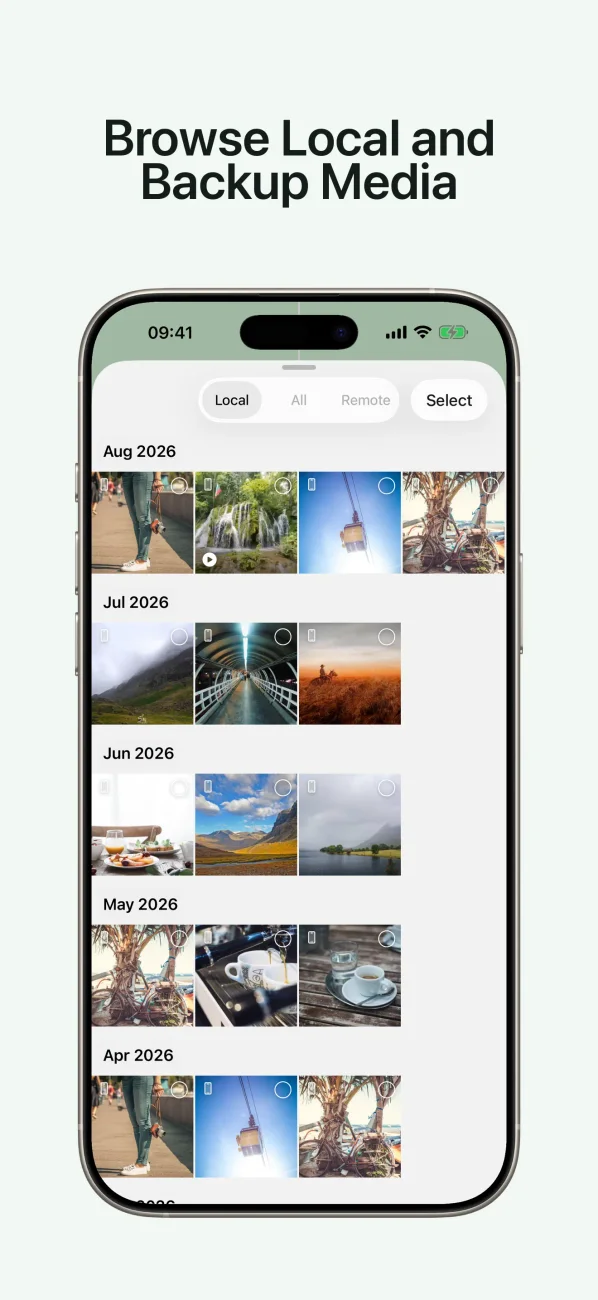
The built-in media browser covers your full library and selected albums. In the full-library browser, switch among Local, All, and Remote to explore your on-device library, a connected backup, or a combined view. See whether each item is on your device, in the backup, or both. Browse photos, videos, and Live Photos with full-screen previews, then select one or more items to upload, restore, share, or delete from the device or backup.
• BACKGROUND AUTO-BACKUP — PRO
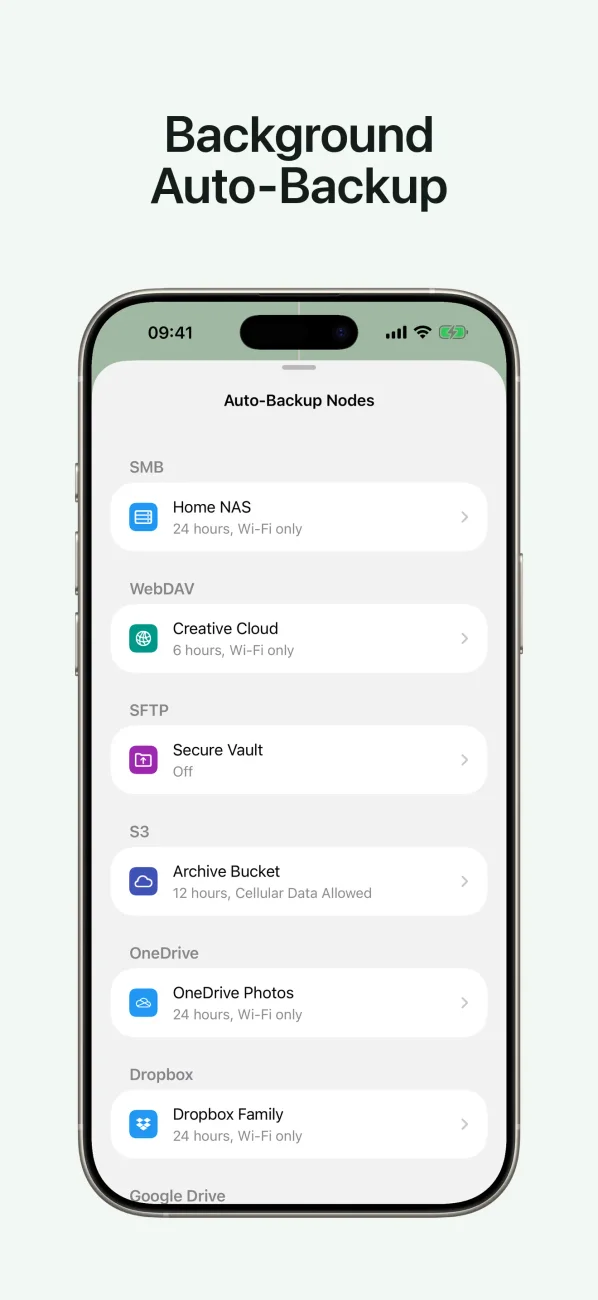
With Pro, automatically upload the current and previous calendar months to saved SMB, WebDAV, SFTP, S3, OneDrive, Dropbox, or Google Drive destinations while your iPhone is charging and online. Configure a minimum interval and Wi-Fi/cellular use for each destination; iOS decides the actual timing. Backup to Computer sessions and external drives are not supported in the background.
• PICTURE-IN-PICTURE PROGRESS — PRO
View live transfer status and logs in a floating Picture-in-Picture window for Upload, Download, or Complete tasks while the app is in the background. Pro offers monthly and yearly subscriptions or lifetime access. Lifetime owners keep Pro.
• BACK UP, DOWNLOAD, OR COMPLETE BY MONTH
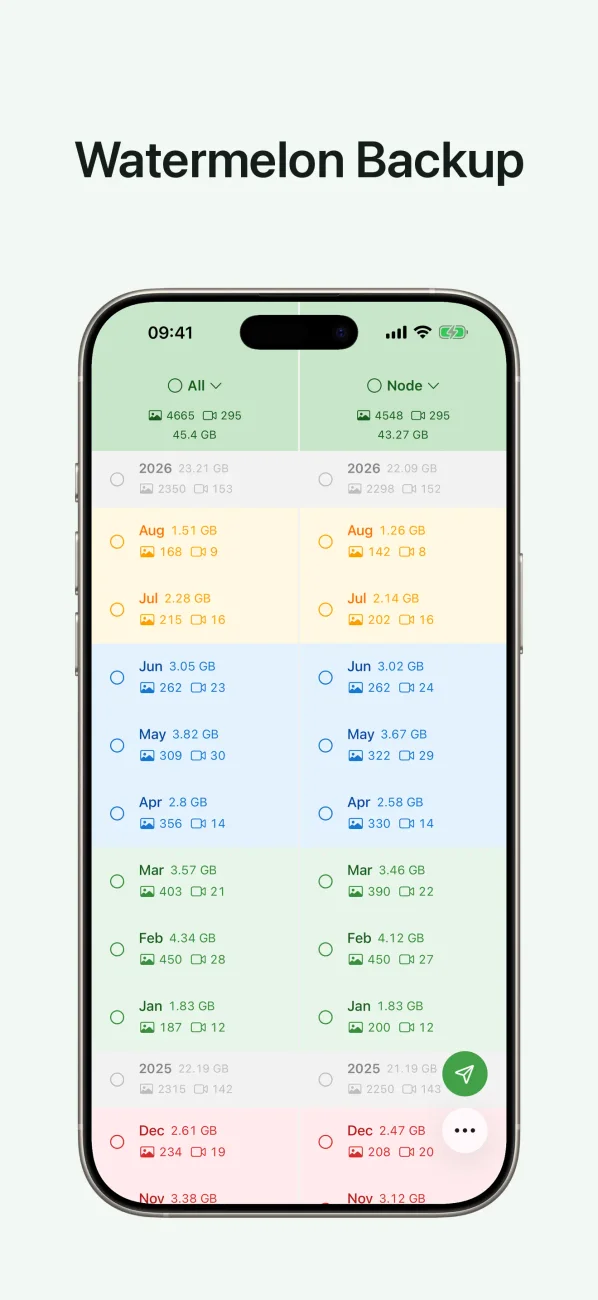
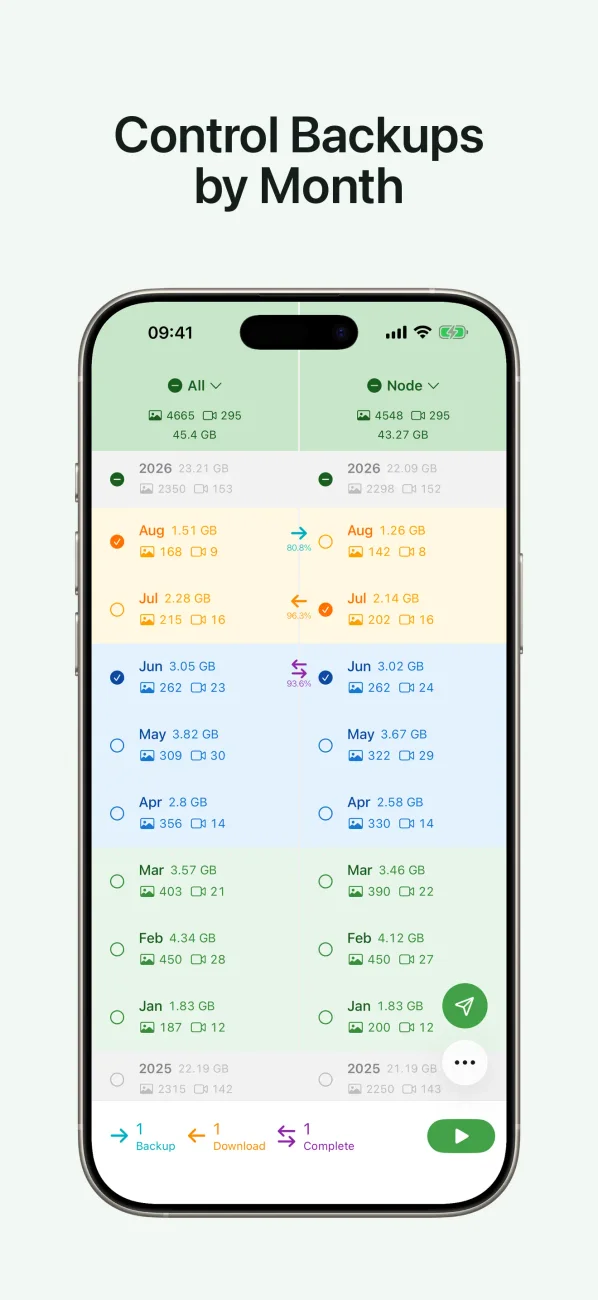
The Home screen places your iPhone library and backup destination side by side, organized by month. Choose one or more months to back up, download, or complete. Complete first backs up local items missing from the destination, then restores remote-only items to Photos; it does not synchronize deletions. Existing content is recognized to avoid unnecessary transfers, and active tasks can be paused and resumed.
• PRESERVE ORIGINALS AND RESTORE
Photo and video resources are transferred without recompression. Backups of edited media include the edited version, the unedited original, and adjustment data. Live Photos are stored as a still image and paired video, then rebuilt when restored to Photos. Optional iCloud Photos access can fetch iCloud-only originals when needed; when disabled, only on-device resources are processed.
• BUILT-IN TOOL
The Duplicates tool finds content-identical items in your local photo library so you can review what to keep before removing selected copies.
• OPEN AND REVIEWABLE
The source code is open for review, and credentials for saved destinations are stored in the iOS Keychain.
---------------
End User License Agreement: https://www.apple.com/legal/internet-services/itunes/dev/stdeula/
Yenilikler
Sürüm 1.12.2 · 02.11.2026
- Improved error messages for storage connections.
Connection failures now show clearer explanations. You can also view and copy Error Details when adding or editing storage destinations to help troubleshoot and report issues.
Uygulama gizliliği
Bu uygulamanın verileri nasıl işlediği hakkında ZIZICICI LIMITED tarafından App Store üzerinde yapılan beyan.
-
Sizinle ilişkilendirilmeyen veriler
Toplanabilir ancak kimliğinizle ilişkilendirilmez.
- Kullanım verileri
- Tanılama
Gizlilik uygulamaları, örneğin kullandığınız özelliklere veya yaşınıza göre değişiklik gösterebilir.
Bilgiler
- Satıcı
- ZIZICICI LIMITED
- Kategori
- Fotoğraf ve Video
- Sürüm
- 1.12.2
- Güncellendi
- 02.11.2026
- Yayın tarihi
- 21.04.2026
- Boyut
- 42,3 MB
- Gereksinim
- iOS 18.0 veya sonrası
- Yaş sınırı
- 4+
- Fiyat
- Ücretsiz
- Uygulama içi satın alma
- Evet
- Diller
- İngilizce, Fransızca, Almanca, Japonca, Korece, Portekizce, Rusça, Basitleştirilmiş Çince, İspanyolca, Geleneksel Çince, Ukraynaca
- Telif hakkı
- © 2026 ZIZICICI LIMITED
Bunları da beğenebilirsiniz
-
 Zee Cast: DLNA & UPnP ServerFotoğraf ve Video
-
 Squeeze - Video SıkıştırıcıMB düşür, boyut küçült, yer aç
-
 PixFrame: Frames & CollageFotoğraf ve Video
-
 Ditto Cam-复刻相机Fotoğraf ve Video
-
 光遇相册 - 整理照片与随机回忆Fotoğraf ve Video
-
 AmberTime: USB Photo BackupFotoğraf ve Video
-
 Retro Cam Neo - Vintage KameraAnalog Film ve Retro Efektler
-
 CoCamera - Çift KameraTeleprompter ve Bölünmüş Ekran
-
 Lessr: Photo Video CompressorPDF küçült & dönüştür
-
 CollectorCam - Foto ÇerçevelerPul, Film ve Kartpostal