Wax
Model, sculpt, paint & animate
iPhone, iPad için tasarlandı
Ücretsiz · Uygulama içi satın alma
- Yaş sınırı4+
- KategoriGrafik ve Tasarım
- GeliştiriciJohn Haas
- Dillerİngilizce
- Boyut5,2 MB
Resmi App Store sayfasına bağlanır
Download.org, Wax için hiçbir dosya barındırmaz. Düğme, uygulamanın App Store üzerindeki sayfasını açar; uygulamayı orada John Haas yayınlar. Sayfanın son kontrolü: 13.11.2026.
Ekran görüntüleri

Hakkında
Geliştirici bu metni dilinizde sunmamış.
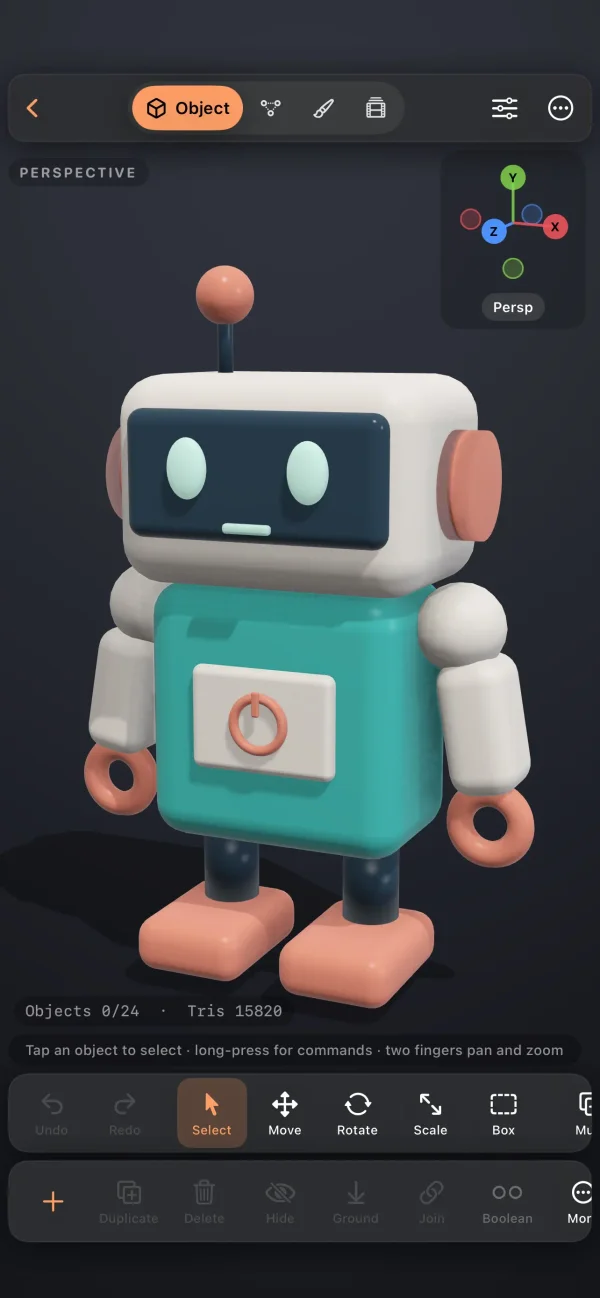
Make 3D props, characters and scenes on iPhone and iPad. Start with a shape, import a model, or open one of five editable examples.
MODEL
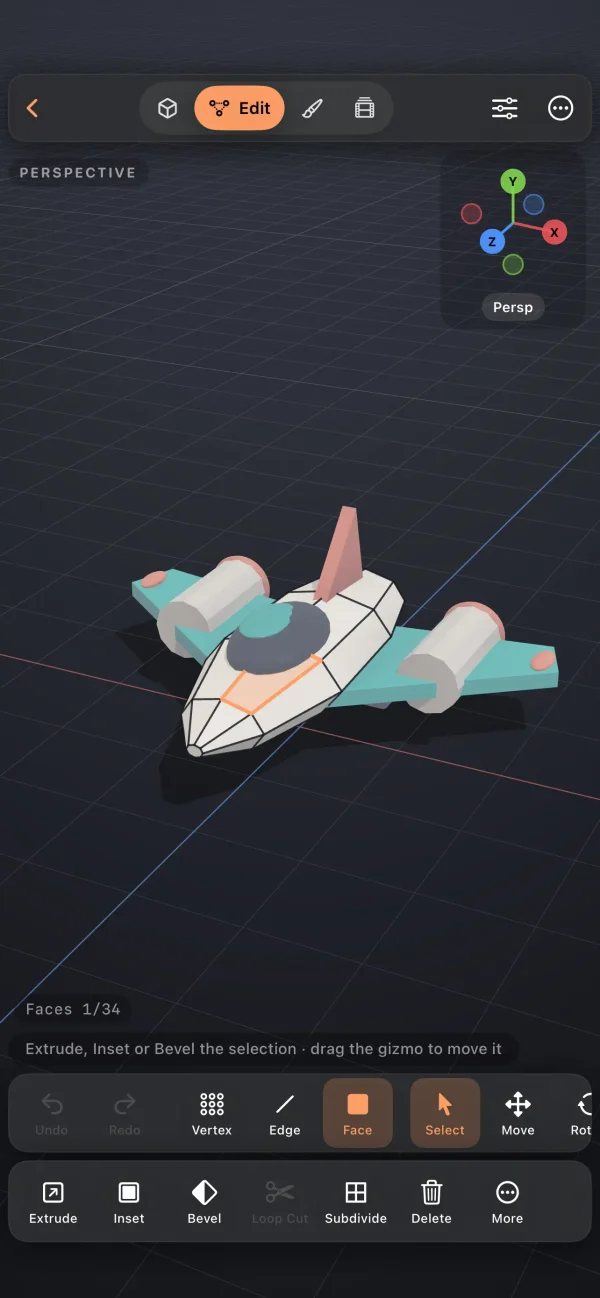
Edit vertices, edges and faces. Select edge loops and rings from the toolbar. Extrude faces, inset details, bevel edges and add loop cuts. Mirror, Subdivision Surface, Array and Smooth modifiers stay editable.
SCULPT AND PAINT
Push, pull and smooth a mesh with brushes, symmetry and masks. Paint vertex colors on separate layers with Normal, Multiply, Screen, Overlay and Add blend modes. Adjust opacity, lock coverage with Alpha Lock, and hide or reveal paint with editable layer masks. Sample colors with the eyedropper, reorder layers, and merge visible paint while keeping hidden layers.
Visible-surface painting protects the far side of thin models. Subdivide for finer vertex detail; this is not UV texture painting. Add image textures and reference images. Apple Pencil pressure can control brush size and strength.
ANIMATE
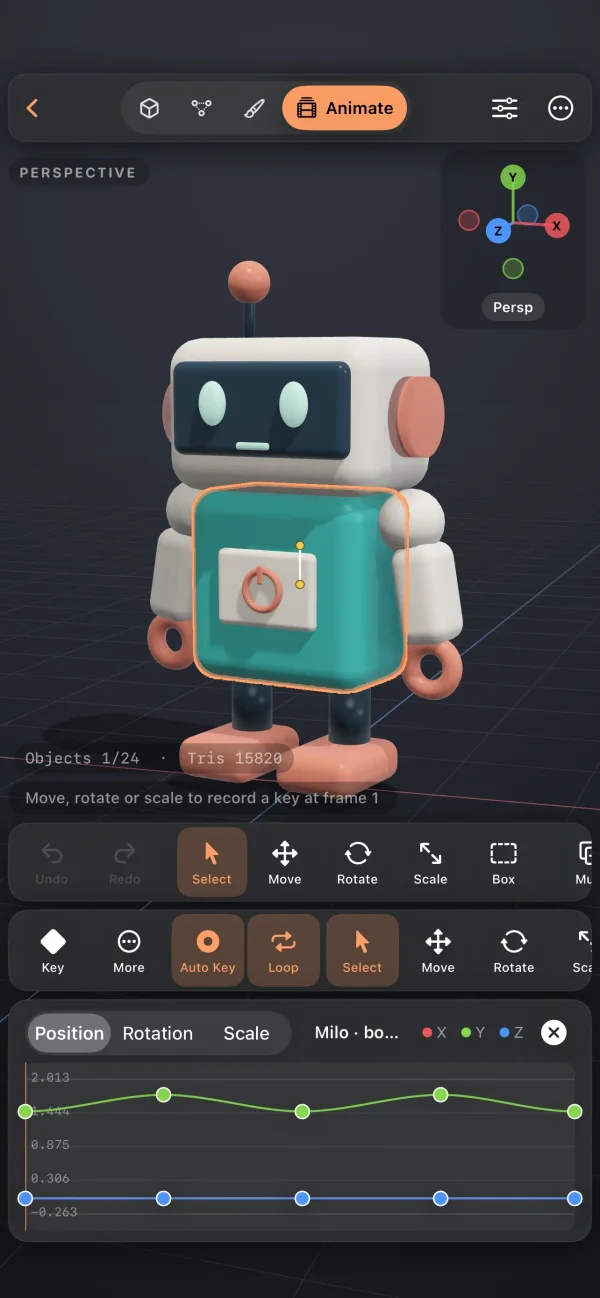
Keyframe position, rotation and scale. Adjust timing on the timeline and motion in the curve editor. Add cameras to frame your scene.
KEEP YOUR PROJECT EDITABLE
Keep larger scenes tidy with collapsible groups in the Outliner. Use Multi to select objects, then group them. You can put groups inside other groups. Each object keeps its own mesh, materials, paint layers and animation.
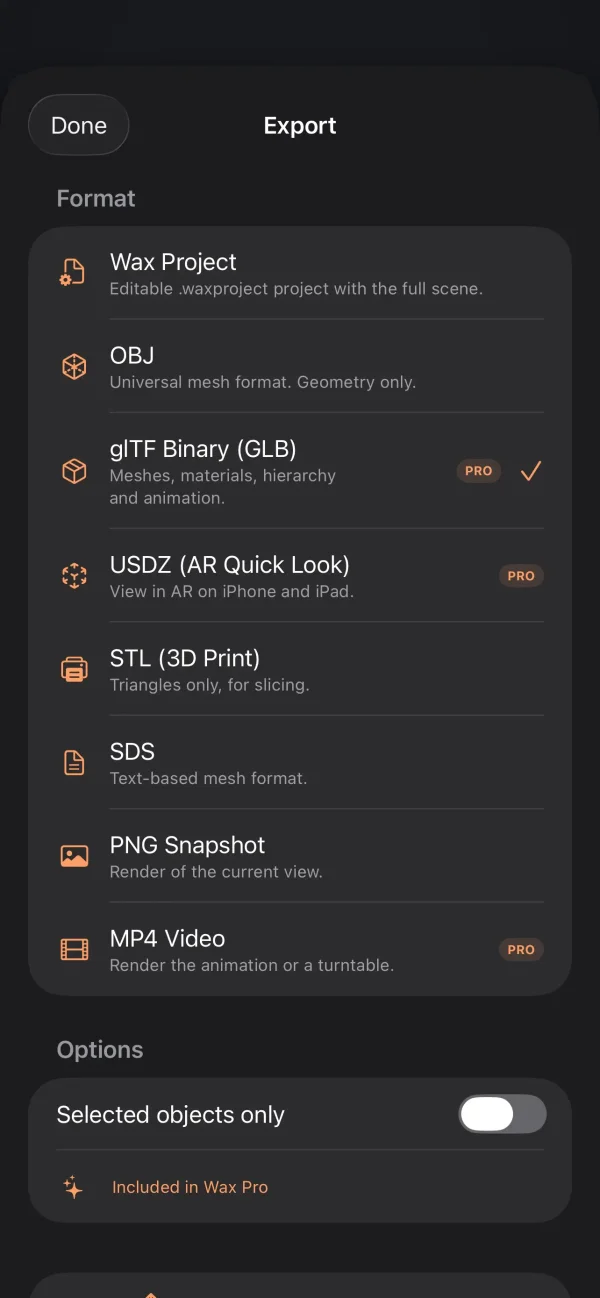
Save and share .waxproject files with the full scene, including paint layers, layer masks, materials, textures, modifiers and animation. Open them on another device to keep working. Older .wax projects still open, and importing a project creates a separate copy.
Import OBJ and self-contained GLB or glTF models. GLB/glTF files must contain their own mesh data and textures; separate buffer and image files are not supported. Model import does not bring in animation. Use Wax project files to transfer an editable Wax scene.
FREE TO USE
Modeling, sculpting, painting, animation, modifiers, model import and unlimited projects are free. Export editable Wax projects, OBJ, STL, SDS and PNG images without buying Pro.
WAX PRO
• Combine shapes, cut holes and find intersections with booleans.
• Rebuild a mesh for sculpting with voxel remesh.
• Export animations and turntables as MP4 videos.
• Export GLB files with materials and animation for use in other 3D apps, games and the web.
• Export USDZ files to view your models in AR.
Wax Pro is a one-time purchase with Family Sharing. No subscription.
LEARN BY EDITING
Open a robot, spacecraft, painted creature, speaker or animated example and change it yourself. Guided modeling and paint-layer tours, gesture help, keyboard shortcuts and a left-handed layout are included.
No account is required. Projects are stored on your device and are available in Files.
Yenilikler
Sürüm 1.2.0 · 11.11.2026
Group objects in the Outliner and collapse them to keep larger projects tidy. You can nest groups, and each object keeps its own mesh, paint layers and animation.
Edge Loop and Edge Ring now have their own buttons in Edit mode. Other selection tools are together in the Select menu.
Fixed a crash that could happen when switching objects or clearing your selection with Paint Layers open.
Uygulama gizliliği
Bu uygulamanın verileri nasıl işlediği hakkında John Haas tarafından App Store üzerinde yapılan beyan.
-
Veri toplanmıyor
Geliştirici bu uygulamadan hiçbir veri toplamıyor.
Gizlilik uygulamaları, örneğin kullandığınız özelliklere veya yaşınıza göre değişiklik gösterebilir.
Bilgiler
- Satıcı
- John Haas
- Kategori
- Grafik ve Tasarım
- Sürüm
- 1.2.0
- Güncellendi
- 11.11.2026
- Yayın tarihi
- 01.10.2026
- Boyut
- 5,2 MB
- Gereksinim
- iOS 18.0 veya sonrası
- Yaş sınırı
- 4+
- Fiyat
- Ücretsiz
- Uygulama içi satın alma
- Evet
- Diller
- İngilizce
- Telif hakkı
- © 2026 Jake Haas
Bunları da beğenebilirsiniz
-
 QwartzGrafik ve Tasarım
-
 Meld - 3D ModelingGrafik ve Tasarım
-
 Mixos: 3D Creative SuiteGrafik ve Tasarım
-
 Local 3D - Image to 3D ModelGrafik ve Tasarım
-
 TopMod 3D: Design SoftwareGrafik ve Tasarım
-
 3D Model Print Simple Edit3D modelle, düzenle ve yazdır
-
 Moldora: AI 3D Model GeneratorGrafik ve Tasarım
-
 Kilona - Production StudioGrafik ve Tasarım
-
 Forma3D - Modelleme ve BaskıSTL, 3MF ve Mesh Onarımı
-
 Wafer - 3D Texture PaintGrafik ve Tasarım