
What-is-it
Identify Anything with AI
iPhone, iPad için tasarlandı
Ücretsiz · Uygulama içi satın alma
- Yaş sınırı4+
- KategoriYardımcılar
- GeliştiriciLangtian Du
- Dillerİngilizce+ 6 dil daha
- Boyut3,1 MB
Resmi App Store sayfasına bağlanır
Download.org, What-is-it için hiçbir dosya barındırmaz. Düğme, uygulamanın App Store üzerindeki sayfasını açar; uygulamayı orada Langtian Du yayınlar. Sayfanın son kontrolü: 15.11.2026.
Ekran görüntüleri


Hakkında
Geliştirici bu metni dilinizde sunmamış.
WhatIsIt — AI Object Identifier
Point your camera at anything and get an instant AI-powered answer. Plants, food, insects, gadgets, medications, artwork — if you can photograph it, WhatIsIt can identify it.
---
IDENTIFY ANYTHING
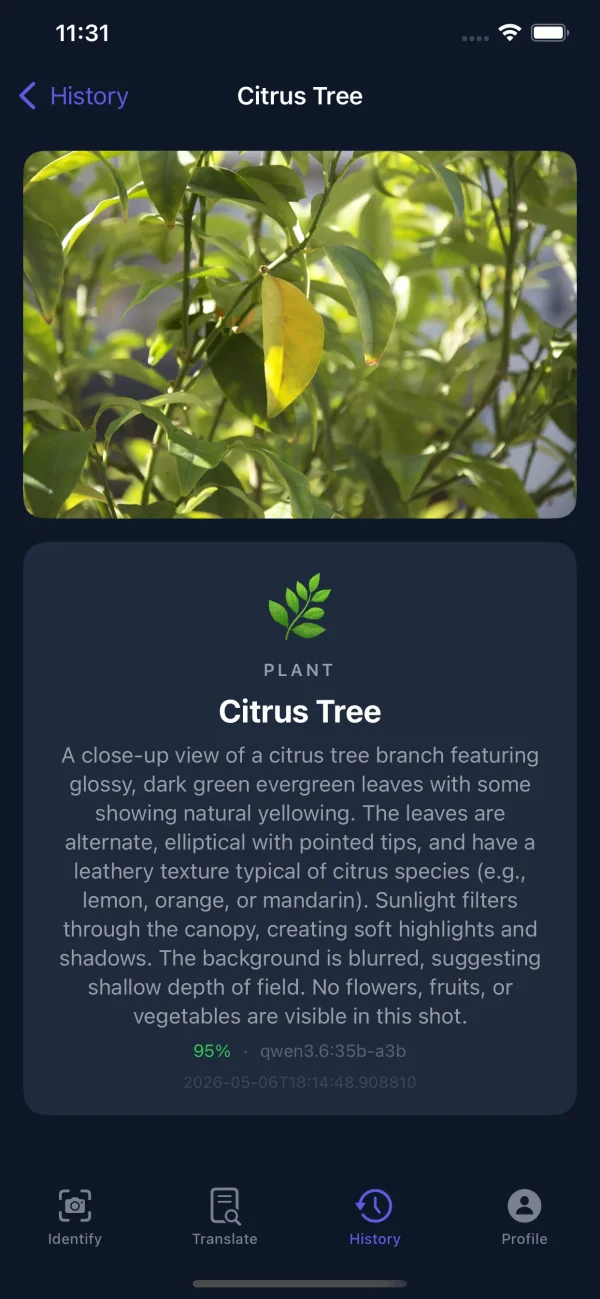
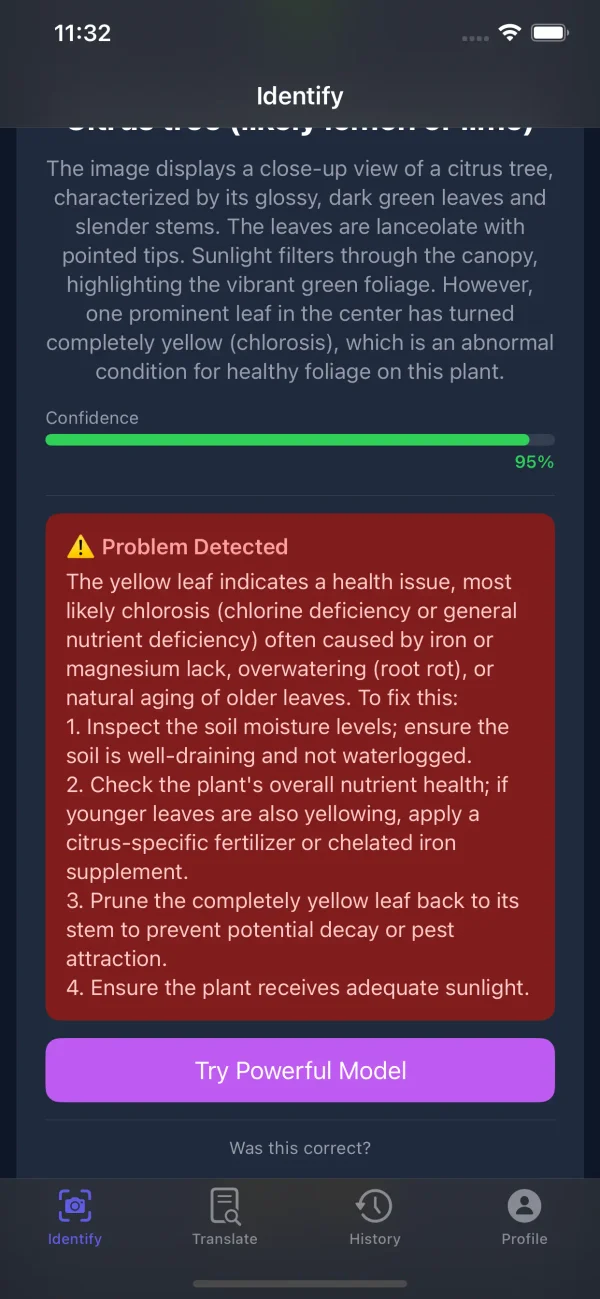
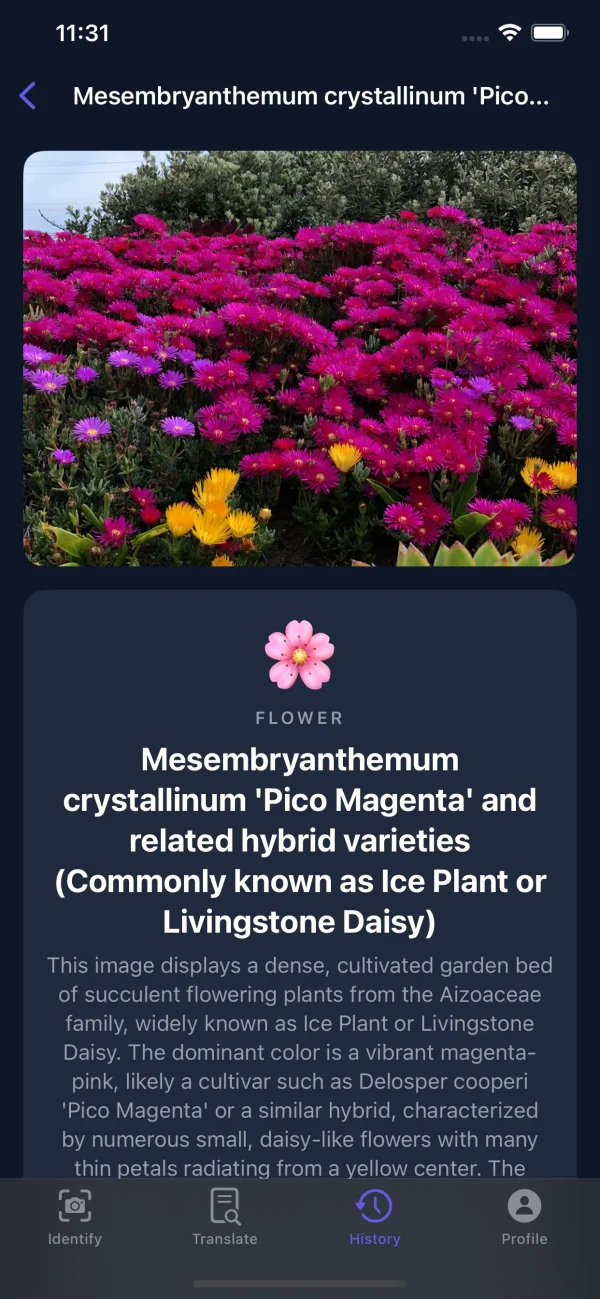
Snap a photo or import one from your library. WhatIsIt analyzes the image and returns a name, description, and confidence score in seconds. Not satisfied? Upgrade to a more powerful AI model for a second opinion.
ASK FOLLOW-UP QUESTIONS
Identification is just the start. Ask the AI anything about what it found — "How do I care for this plant?", "How much is this worth?" — and get contextual answers on the spot.
TRANSLATE DOCUMENTS
Photograph any printed text — menus, signs, labels, letters — and WhatIsIt will extract and translate it into your language. Supports 7 languages: English, Japanese, Korean, Chinese, Spanish, German, and French.
TIERED AI POWER
- Fast model: quick, everyday identifications
- Powerful model: deeper analysis for tricky subjects
YOUR HISTORY, SAVED
Every identification is saved to your personal history so you can revisit results, share findings, or track what you've discovered.
---
AI-generated results may be inaccurate. Do not rely on this app for medical, safety, legal, or critical decisions.
Privacy Policy: https://www.myphonetools.com/WhatIsIt/privacy.html
Terms of Use: https://www.myphonetools.com/WhatIsIt/terms.html
Support: support@myphonetools.com
Yenilikler
Sürüm 1.3 · 24.06.2026
Translate
- Translated photo overlay. Photograph a sign, menu, or document and you'll see the translation rendered right onto the original image — each text region replaced in place, with overlapping blocks shrunken so every line stays readable. Tap for a fullscreen pinch-zoom view.
- Mixed-script photos. A Japanese sign with English captions, a French label next to a Chinese menu — each region is recognized separately and translated into your Default language in one tap.
- 60+ languages, sorted with the most-used at the top of the picker (English, Spanish, Chinese, Japanese, Korean, French, German, Portuguese, Italian first, then the rest).
Offline (Local) Mode
- Free, unlimited on-device translation on iOS 18 and later — no subscription, no daily cap, no data needed. Works on planes and abroad.
- Cloud / Local toggle at the top of the Translate and Audio tabs. Auto-flips to Local when there's no connection.
- 8 languages supported offline through Apple's on-device Translation framework: English, Spanish, Chinese, Japanese, Korean, French, German, Italian.
- Profile → Offline Languages. New screen where you can pre-download every language pair you'll need (or "Download All" for a road trip). Downloads continue in the background regardless of which tab is on screen.
- Explicit source-language picker in Local mode. Tell the app "this image is in English" and it skips auto-detection entirely so it can't accidentally ask to download a different pack.
- Smart download dialog. If you try to translate a pair you haven't installed yet, you get a clear dialog with Download Pack + Switch to Cloud buttons instead of a surprise system prompt.
Audio
- On-device transcription in Local mode using Apple's Speech framework. No backend, no quota.
- Cloud audio always translates to your Default language. No more guessing about direction — Cloud is now a one-way "translate everything to my language" tool. Bidirectional conversation lives in the Conversation tab.
Subscription & access
- In short period, there is no more daily-limit walls. When you hit your free quota or your trial ends, the app keeps working — a small banner just suggests subscribing for unlimited use. Subscribe and Dismiss buttons let you act when convenient, not mid-task.
- Continue as Guest now actually continues from the login screen at first launch (previously the button did nothing as the root view).
Polish
- Lighter, more readable login screen — the navy was too dark for the secondary actions.
- Identification history with the translated overlay attached for image translations.
- Mixed-language LLM translation prompt so the backend always translates every language in a piece of text into your Default, not just the dominant one.
Uygulama gizliliği
Bu uygulamanın verileri nasıl işlediği hakkında Langtian Du tarafından App Store üzerinde yapılan beyan.
-
Veri toplanmıyor
Geliştirici bu uygulamadan hiçbir veri toplamıyor.
Gizlilik uygulamaları, örneğin kullandığınız özelliklere veya yaşınıza göre değişiklik gösterebilir.
Bilgiler
- Satıcı
- Langtian Du
- Kategori
- Yardımcılar
- Sürüm
- 1.3
- Güncellendi
- 24.06.2026
- Yayın tarihi
- 12.05.2026
- Boyut
- 3,1 MB
- Gereksinim
- iOS 17.0 veya sonrası
- Yaş sınırı
- 4+
- Fiyat
- Ücretsiz
- Uygulama içi satın alma
- Evet
- Diller
- İngilizce, Fransızca, Almanca, Japonca, Korece, Basitleştirilmiş Çince, İspanyolca
- Telif hakkı
- © Langtian Du 2026
Bunları da beğenebilirsiniz
-
 ParcelPathYardımcılar
-
 YELOBUSYardımcılar
-
 Identify Anything: Object ScanYardımcılar
-
 Garaj Satışı BulucuYakınındaki Garaj Satışlarını
-
 Snap Screen TranslatorYardımcılar
-
 Clear Wave: Suyu ÇıkarHoparlör Temizle ve Test Et
-
 What Is This ThingYardımcılar
-
 Asset Inspection ManagerYardımcılar
-
 Device Monitor - RAM CPU GPUBatarya, Pil, Benchmark Testi
-
 HazMatIQ.appYardımcılar