WhyNot Widgets
One-tap apps & premium widgets
iPhone, iPad için tasarlandı
Ücretsiz · Uygulama içi satın alma
- Yaş sınırı4+
- KategoriYardımcılar
- GeliştiriciIskren Georgiev
- Dillerİngilizce+ 6 dil daha
- Boyut22,9 MB
Resmi App Store sayfasına bağlanır
Download.org, WhyNot Widgets için hiçbir dosya barındırmaz. Düğme, uygulamanın App Store üzerindeki sayfasını açar; uygulamayı orada Iskren Georgiev yayınlar. Sayfanın son kontrolü: 23.11.2026.
Ekran görüntüleri



Hakkında
Geliştirici bu metni dilinizde sunmamış.
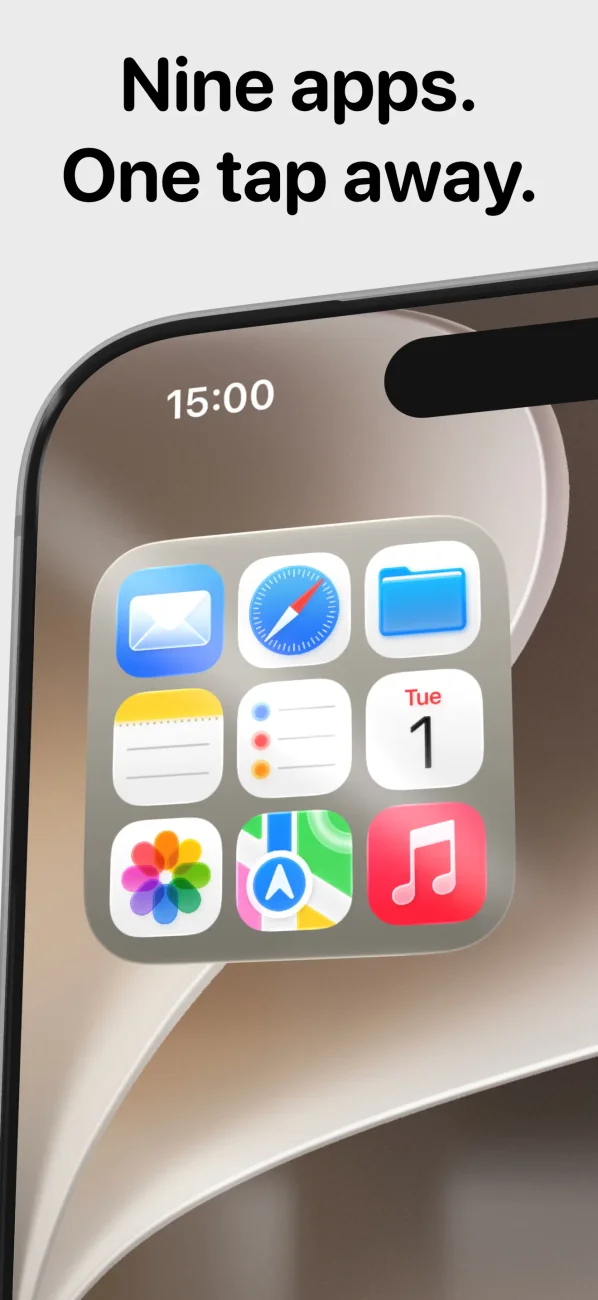
Nine apps. One widget. One tap.
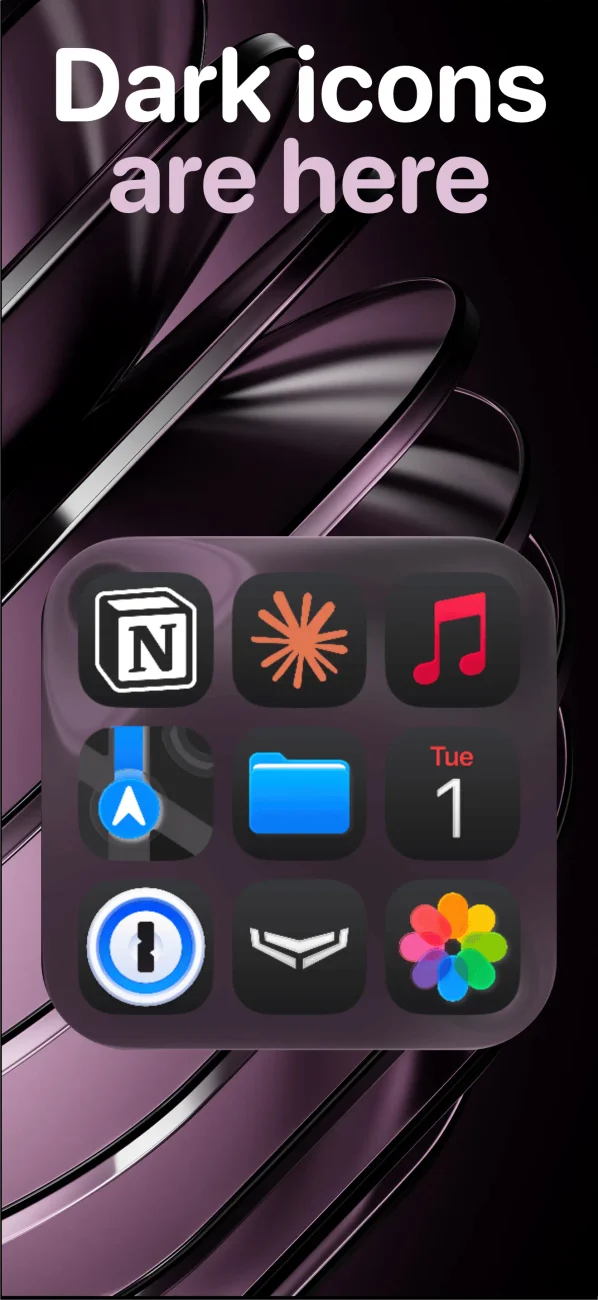
WhyNot puts a tiny app drawer on your Home Screen. Pick up to nine apps, choose a style, and every one of them launches with a single tap. No folders to open. Many apps launch straight from the widget, the rest pass through WhyNot for a moment, and the picker tells you which is which.
Made for iPhone and iPad. On iPad, Atlas and Frontpage add a wide size for the extra large widget slot.
BUILD IT YOUR WAY
• Up to nine apps in the smallest widget size. One app or nine, the layout adapts.
• Light and Dark show the real app icons, as they look on a light or a dark Home Screen. Mono and Ghost are two quieter looks.
• Fill, or anchor the drawer to a corner for a folder-like cluster.
• Hold a tile and drag it to rearrange.
CLOCKS WITH CHARACTER
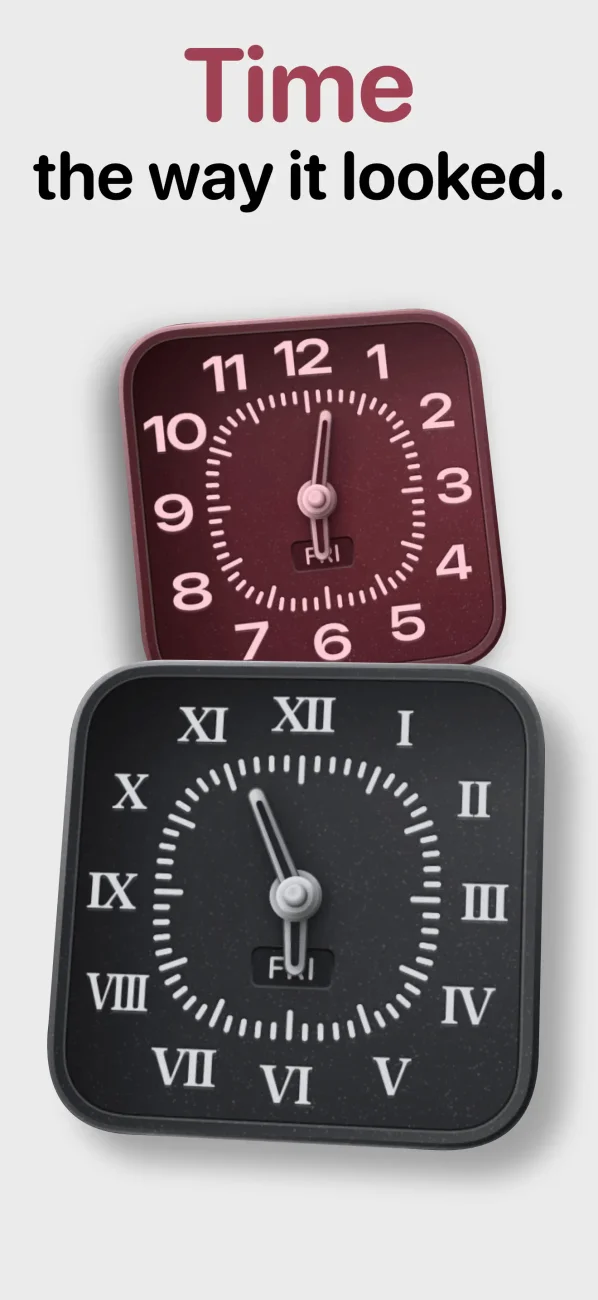
• Dial: a quiet analog clock inspired by classic industrial design. Small, medium, and a large desk clock with your week laid out underneath.
• Flip: a split-flap clock that rolls over on the minute.
• Almanac: the month on a card, in Flip's material. Two keys turn the pages, the name brings today back. Free.
• Every widget is built for light mode, dark mode, and the Clear look. Pin any widget to always light or always dark, whatever your phone is set to.
MADE TO BE LOOKED AT
Every widget is drawn by hand, with real shadows, real materials, and one light source. Nothing is a template. Nothing is a screenshot of something else.
PACKS (one-time purchases)
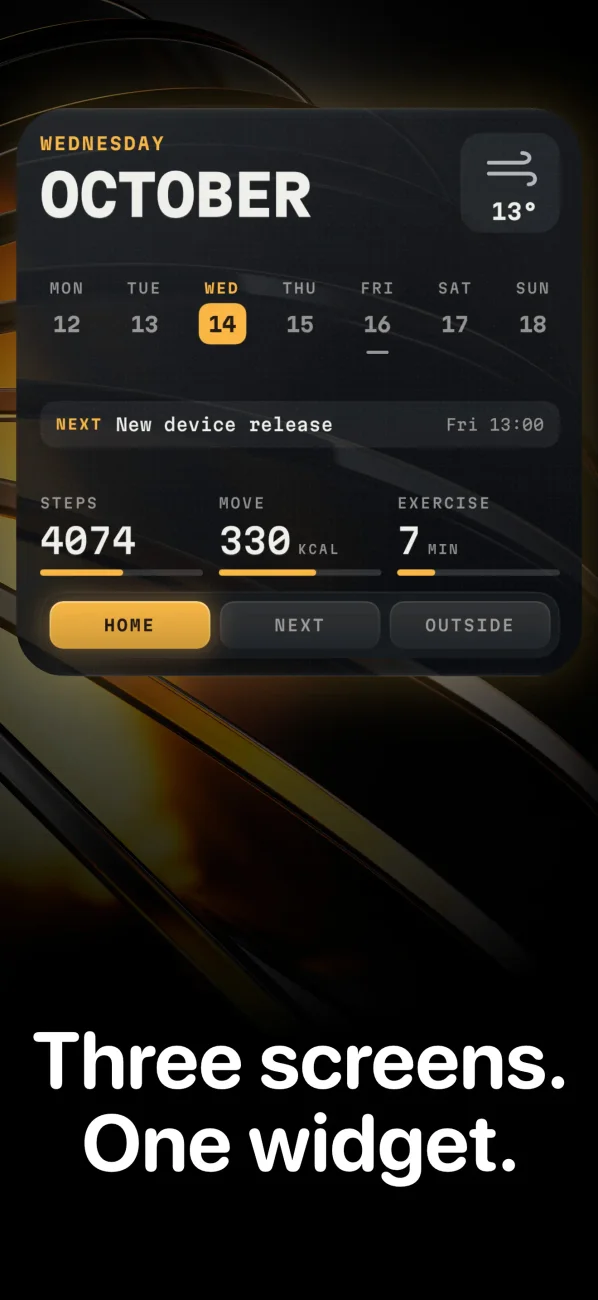
• Halo: three screens on one large instrument, your wallpaper showing through. Home has the week, what is next and today's steps, Move and Exercise from Health with the goals. Next has the coming events and reminders, with a countdown. Outside has the weather from sunrise to sunset, hour by hour and four days out. The keys switch screens; a slider sets how much wallpaper shows.
• Quartz: a desk clock from the nineties, in seven cases from olive to cream. A window for the date, the day or the temperature, numerals in figures or Roman. Tap to open Clock.
• Vinyl: your record on a turntable, drawn after the classic Braun deck. The album artwork is the label, the record turns while Apple Music plays, the arm lifts when it stops, and back, play and next work from the widget. Small is the platter, medium is the whole deck.
• Tally: a desk calculator from the seventies, on your Home Screen. Every key works. Small for quick sums, large for the whole instrument. Keeps the last result.
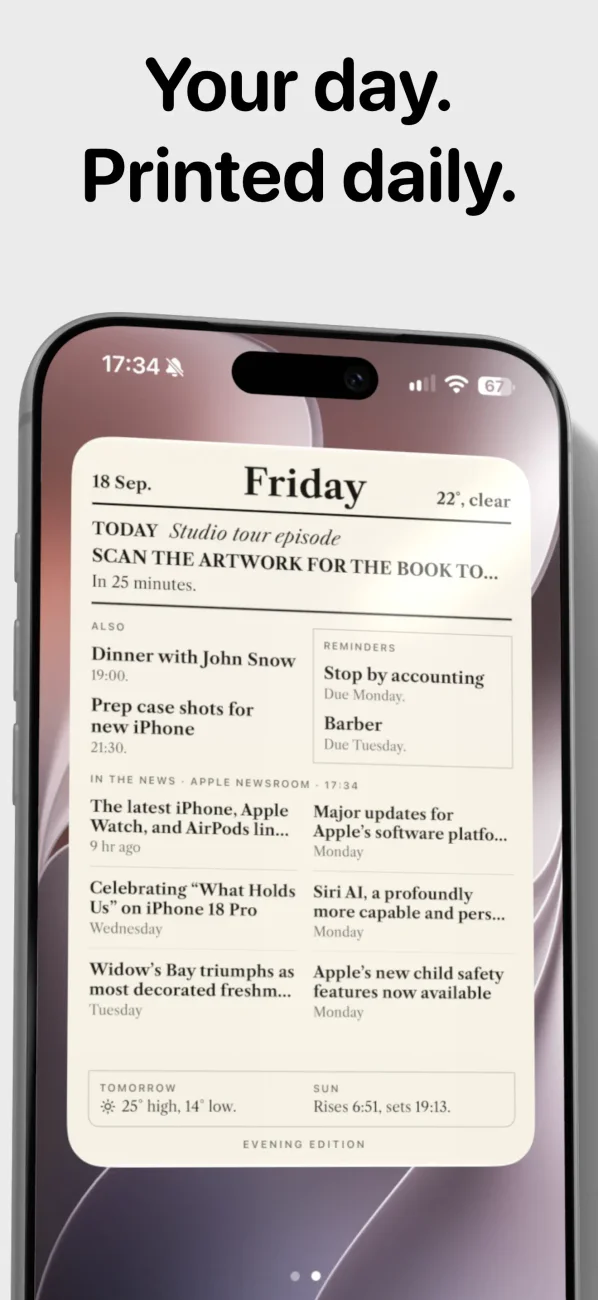
• Frontpage: your day as a newspaper front page, in the tall widget size that arrived with iOS 27. The next event is the headline, more events and your reminders run in columns, real headlines from a source you choose or your own feed fill the fold, and tomorrow's weather closes the page. Three newspaper typefaces, newsprint grain, pressed type.
• Console: your day at a glance. What is next and how long until it, the week ahead, and the sky, one tap apart on the widget. Every block opens Calendar or Weather directly.
• Golden: when the light will be good. Golden hour and blue hour for where you are, on one living sky where the sun rises and sets across your Home Screen. The time is lit by the light of the moment. Tap to open the Camera.
• Drawer Pro: Scenes, your drawer set in a place, with the apps that belong there. Glass, the drawer on a frosted panel with your wallpaper showing through. Unlimited drawers, each widget showing a different one. Gradient backgrounds inspired by iPhone finishes or your own two colors.
Buy once, keep forever. No subscriptions.
PRIVATE BY DESIGN
No account. No tracking. No analytics. Your drawers live on your phone and nowhere else. Console, Golden, Frontpage and Halo use your approximate location for Apple Weather and, if you allow it, your calendars and reminder lists. Halo reads today's Health figures on your phone, only if you allow it. A feed you add is fetched by your phone, not by us. Nothing about you ever reaches us.
WhyNot is made by This is E.
Yenilikler
Sürüm 1.14.1 · 21.11.2026
WhyNot puts your favourite apps, and your favourite people, one tap from your Home Screen: a drawer of app launchers you build yourself, Faces for the people you call, and a shelf of clocks, weather and calendar widgets that sit well on any wallpaper.
This update gives WhyNot Pro a clearer name: Drawer Pro. It unlocks the Mini Drawer's extras, and the name now says so. Nothing changes if you already own it. Also fixed: tapping a locked widget now opens that widget's own purchase screen, and the Substack tile no longer lands in the App Store when Substack is already open. Faces is now offered on iPhone only, because an iPad cannot place a call from a widget.
Uygulama gizliliği
Bu uygulamanın verileri nasıl işlediği hakkında Iskren Georgiev tarafından App Store üzerinde yapılan beyan.
-
Sizinle ilişkilendirilmeyen veriler
Toplanabilir ancak kimliğinizle ilişkilendirilmez.
- Konum
- Kullanıcı içeriği
- Kullanım verileri
Gizlilik uygulamaları, örneğin kullandığınız özelliklere veya yaşınıza göre değişiklik gösterebilir.
Bilgiler
- Satıcı
- Iskren Georgiev
- Kategori
- Yardımcılar
- Sürüm
- 1.14.1
- Güncellendi
- 21.11.2026
- Yayın tarihi
- 16.09.2026
- Boyut
- 22,9 MB
- Gereksinim
- iOS 26.0 veya sonrası
- Yaş sınırı
- 4+
- Fiyat
- Ücretsiz
- Uygulama içi satın alma
- Evet
- Diller
- İngilizce, Hollandaca, Fransızca, Almanca, Portekizce, İspanyolca, Türkçe
- Telif hakkı
- © 2026 This is E
Bunları da beğenebilirsiniz
-
 Wider - Fullscreen BrowsingYardımcılar
-
 MiniFolder Uygulama KlasörTek widget'ta birçok uygulama
-
 Sill – Mac StreamingYardımcılar
-
 Uygulama Klasörü: WidgetLoftAna Ekran Widget ve Tema
-
 Clink: Custom KeyboardsYardımcılar
-
 OutSpan - Fullscreen BrowsingYardımcılar
-
 Widgetik: Moon Phase WidgetYardımcılar
-
 Lens: Simple, Private BrowserYardımcılar
-
 MD CalculatorYardımcılar
-
 Clocks - A fun standby modeYardımcılar