
WitNote: AI Markdown Notes
Private, offline, on-device AI
iPhone, iPad, Mac için tasarlandı
Ücretsiz · Uygulama içi satın alma
- Yaş sınırı4+
- KategoriÜretkenlik
- Geliştirici渊博 胡
- Dillerİngilizce+ 11 dil daha
- Boyut361,9 MB
Resmi App Store sayfasına bağlanır
Download.org, WitNote: AI Markdown Notes için hiçbir dosya barındırmaz. Düğme, uygulamanın App Store üzerindeki sayfasını açar; uygulamayı orada 渊博 胡 yayınlar. Sayfanın son kontrolü: 14.11.2026.
Ekran görüntüleri


Hakkında
Geliştirici bu metni dilinizde sunmamış.
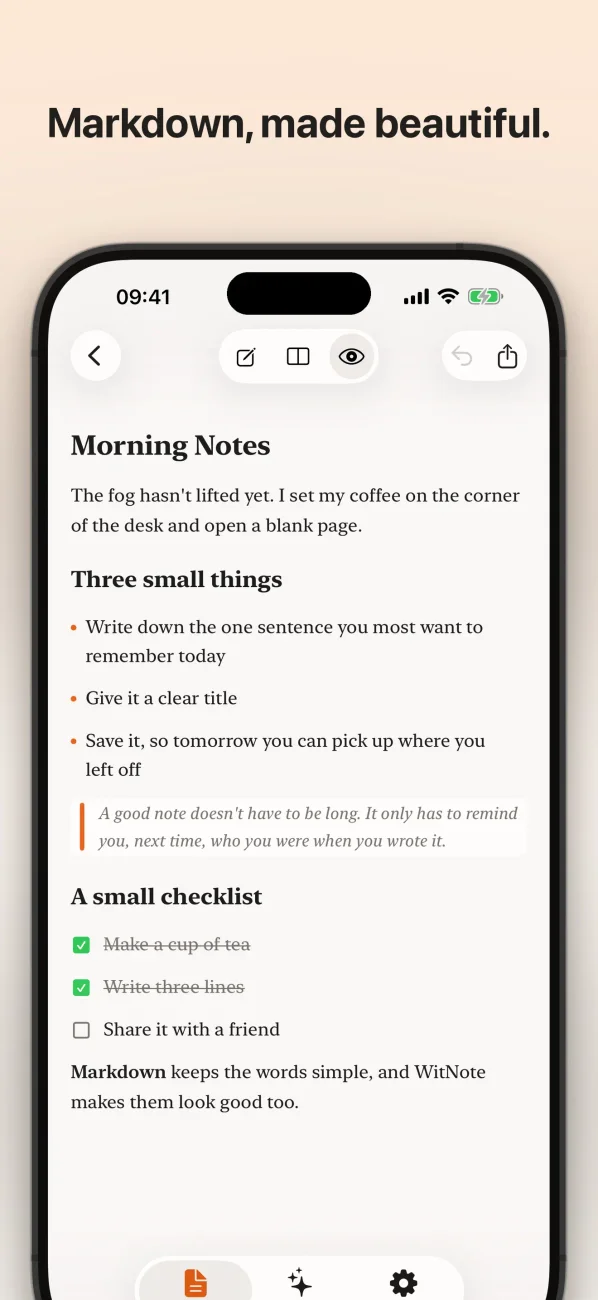
Paste Markdown from an AI chat, preview it cleanly, and share it as a long image, PDF, or Word file. WitNote is a Markdown editor for iPhone and iPad with a small AI that runs on your device, offline.
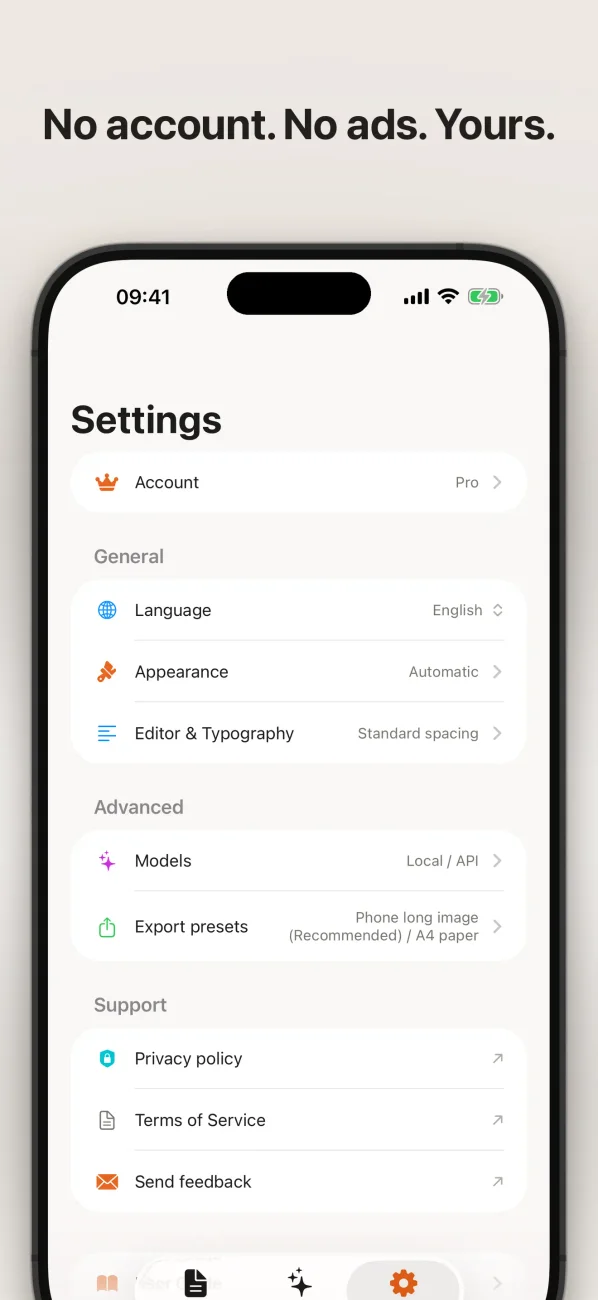
Free to download. Long-image export and image to text are free; an optional one-time Pro purchase unlocks the other formats and removes the watermark. No account, no ads.
SHARE WITHOUT THE MARKUP
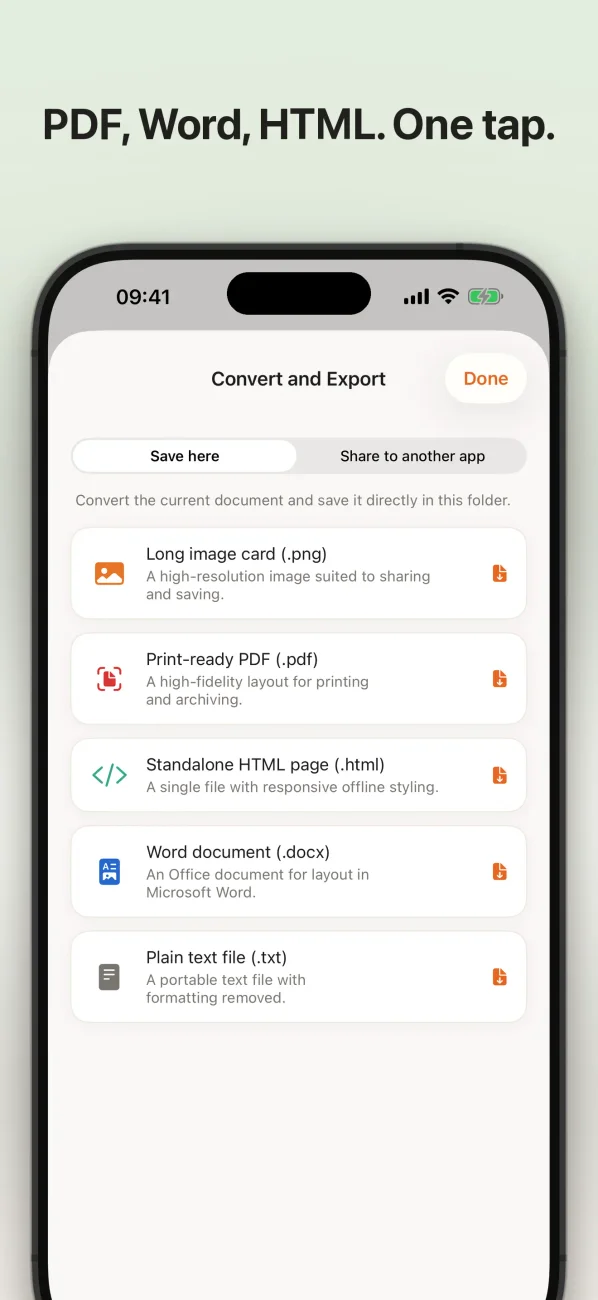
AI answers often arrive as Markdown, full of #, ** and - marks that look messy when you send them. Paste the text into WitNote, check the preview, and export a phone-friendly long image (PNG) that looks right in any messaging app. You can also export a PDF in A4 or phone-screen size, a Word (.docx) file, a standalone HTML page, or plain text, then save it here or share it to another app. EPUB books can be exported by chapter or as a whole book. Long-image export is free and carries a small light-gray watermark that Pro removes.
PHOTO TO TEXT, ON YOUR DEVICE
Turn the text in a PNG or JPEG image into a Markdown file saved next to it, recognized on your device, with a progress bar while it works. The original image stays unchanged. This is free.
TRY HTML ON YOUR PHONE
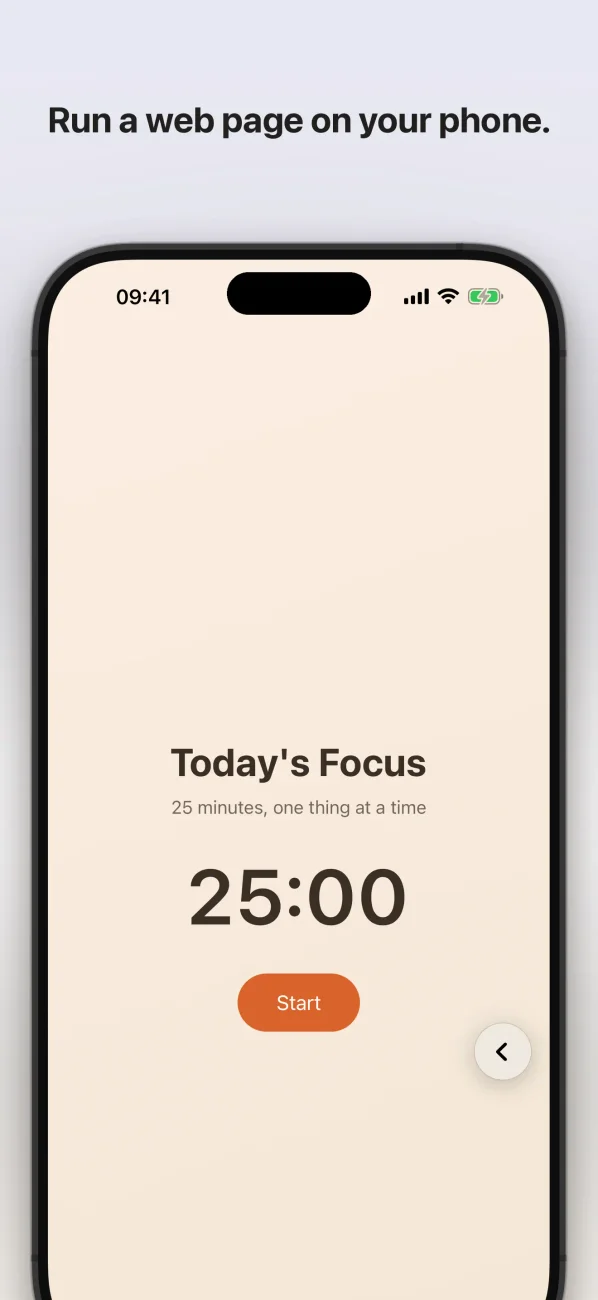
Create an HTML page, paste code from an AI chat or write your own, and run it in the preview: a small web tool or a browser game. Edit the source, run it again, and keep it as a file in your library.
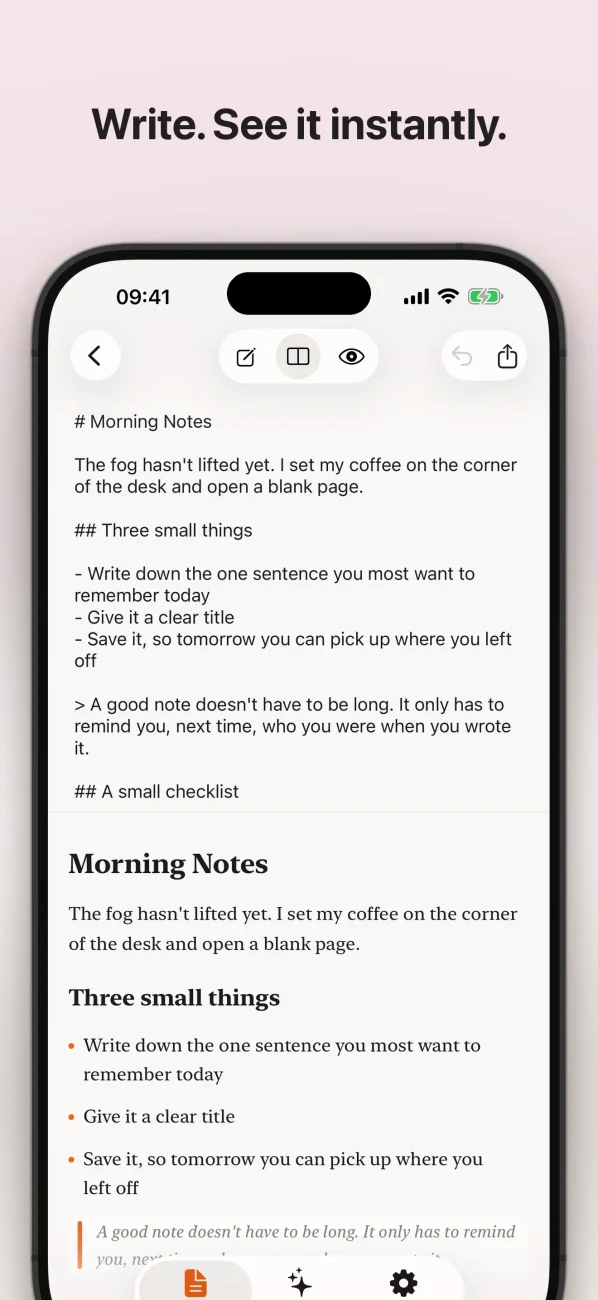
WRITE AND PREVIEW IN MARKDOWN
• Edit Markdown with a keyboard toolbar, switch to Preview, and jump between headings with the document outline.
• Keep notes, drafts, and HTML pages in the Files list, organized in folders you create. Search names, paths, and full text.
• Open Markdown, plain text, HTML, Word, PDF, EPUB, and image files in one place.
READ AND ZOOM
Read EPUB books chapter by chapter and adjust the reading size. Image, PDF, Word, and HTML previews share one zoom bar: pinch, or tap zoom in, zoom out, and fit to width.
OPTIONAL AI THAT RUNS ON YOUR DEVICE
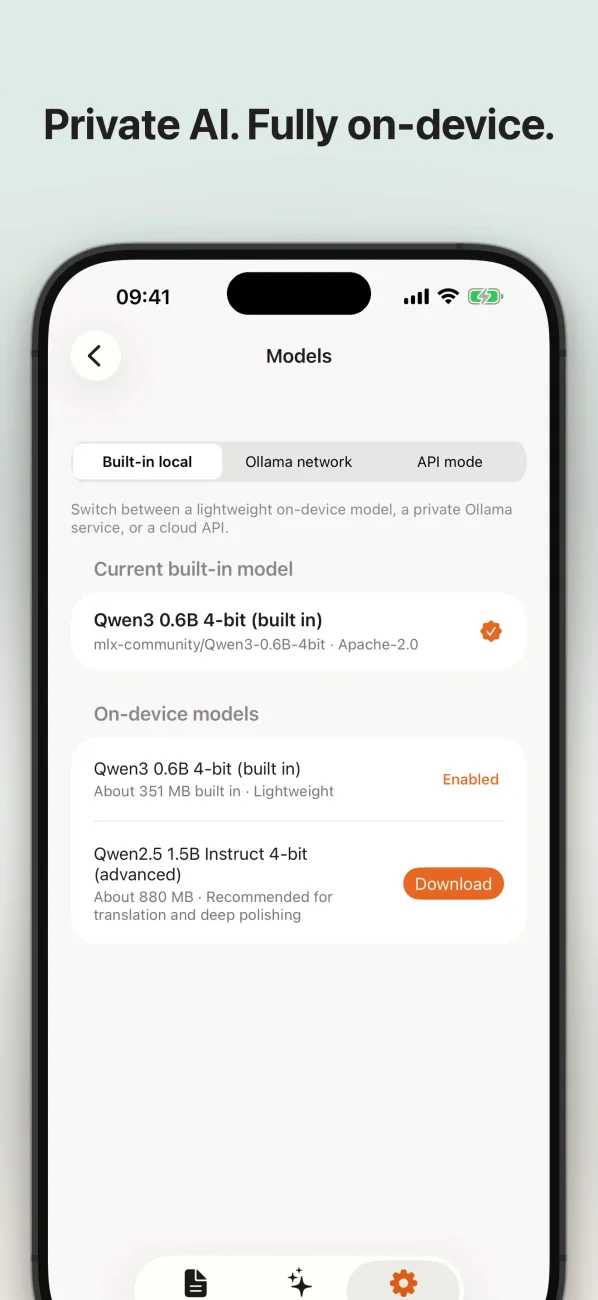
WitNote includes a small language model that runs on your iPhone or iPad and works offline. Ask it to polish a draft, summarize, check grammar, suggest titles, or outline an idea, with the current document attached as context. You review suggestions before applying them. AI is optional, and the workspace works without it. Speed and quality depend on your device. A larger optional model can be downloaded, which needs a network connection.
PRIVACY
No account, no ads, no tracking. Your documents stay in locations you choose. If you configure and choose to use an external service, the prompt you send and any document context included in the request are sent to that service; its terms apply. WitNote does not include a bookstore or third-party books, and you are responsible for having the rights to the files you open or export.
WITNOTE PRO
Format conversion, export to PDF, Word, and HTML, and hiding the watermark are unlocked by the optional WitNote Pro lifetime purchase: one payment, no subscription. One purchase is shared across Mac, iPhone, and iPad under the same Apple Account. To restore an earlier purchase, choose Restore purchases.
WitNote is made by an independent developer, and feedback is always welcome.
Available in English, Simplified and Traditional Chinese, Japanese, Korean, German, French, Spanish, Italian, Portuguese (Brazil), Russian, and Arabic. Requires iOS 18 or later.
Uygulama gizliliği
Bu uygulamanın verileri nasıl işlediği hakkında 渊博 胡 tarafından App Store üzerinde yapılan beyan.
-
Veri toplanmıyor
Geliştirici bu uygulamadan hiçbir veri toplamıyor.
Gizlilik uygulamaları, örneğin kullandığınız özelliklere veya yaşınıza göre değişiklik gösterebilir.
Bilgiler
- Satıcı
- 渊博 胡
- Kategori
- Üretkenlik
- Sürüm
- 2.0.6
- Güncellendi
- 30.09.2026
- Yayın tarihi
- 05.01.2026
- Boyut
- 361,9 MB
- Gereksinim
- iOS 18.0 veya sonrası
- Yaş sınırı
- 4+
- Fiyat
- Ücretsiz
- Uygulama içi satın alma
- Evet
- Diller
- İngilizce, Arapça, Fransızca, Almanca, İtalyanca, Japonca, Korece, Portekizce, Rusça, Basitleştirilmiş Çince, İspanyolca, Geleneksel Çince
- Telif hakkı
- © 2026 hooosberg
Bunları da beğenebilirsiniz
-
 마크허브 퍼블릭 MarkHub - 마크다운 문서 뷰어Üretkenlik
-
 HomeVault DocumentsÜretkenlik
-
 Zimoma: AI Notes & PlannerÜretkenlik
-
 Linewright: Script WritingÜretkenlik
-
 Easy MD: Markdown ReaderÜretkenlik
-
 OpenRead: PDF Document ReaderÜretkenlik
-
 dol - Markdown NotesÜretkenlik
-
 Daily MarkdownÜretkenlik
-
 Jot That DownÜretkenlik
-
 Quill - AI Note TakingÜretkenlik