ZoneCalc – Zone System Meter
Film Exposure Calculator
iPhone için tasarlandı
Ücretsiz · Uygulama içi satın alma
- Yaş sınırı4+
- KategoriFotoğraf ve Video
- GeliştiriciJuergen Suk
- Dillerİngilizce+ 1 dil daha
- Boyut3,3 MB
Resmi App Store sayfasına bağlanır
Download.org, ZoneCalc – Zone System Meter için hiçbir dosya barındırmaz. Düğme, uygulamanın App Store üzerindeki sayfasını açar; uygulamayı orada Juergen Suk yayınlar. Sayfanın son kontrolü: 17.11.2026.
Ekran görüntüleri

Hakkında
Geliştirici bu metni dilinizde sunmamış.
ZONECALC · ZONE SYSTEM CALCULATOR
ZoneCalc is a precision tool for large format, medium format and 35 mm photography following Ansel Adams' Zone System. Built for photographers who work with a spot meter, develop their own negatives, and want full control over exposure and tonal placement.
METERING
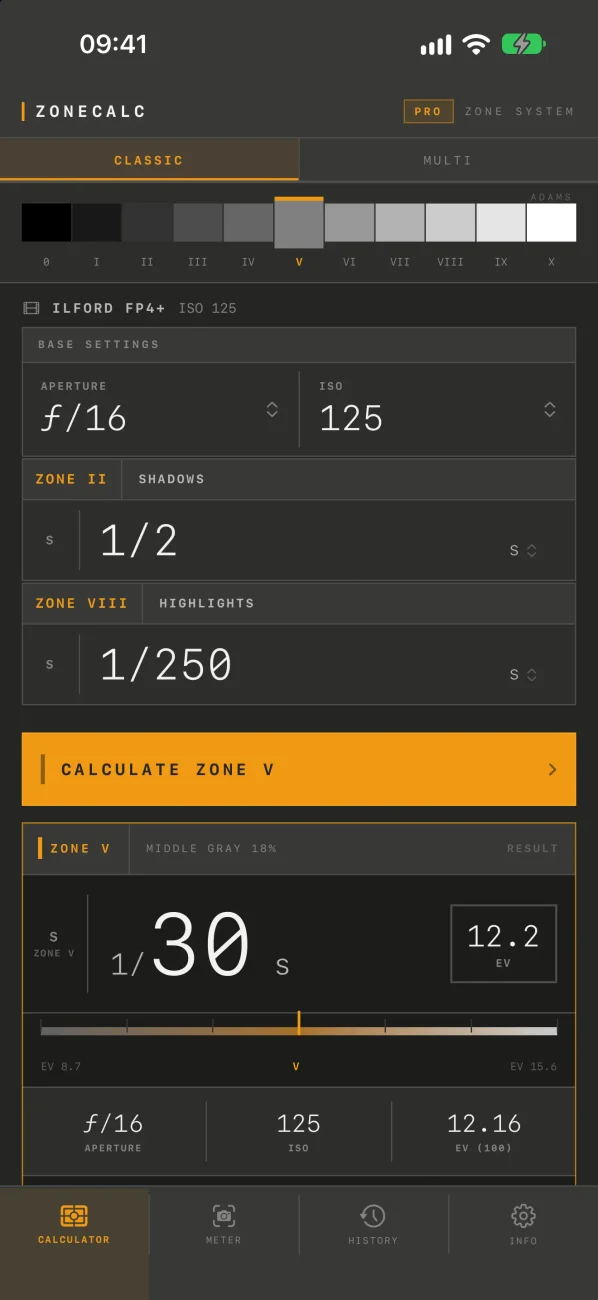
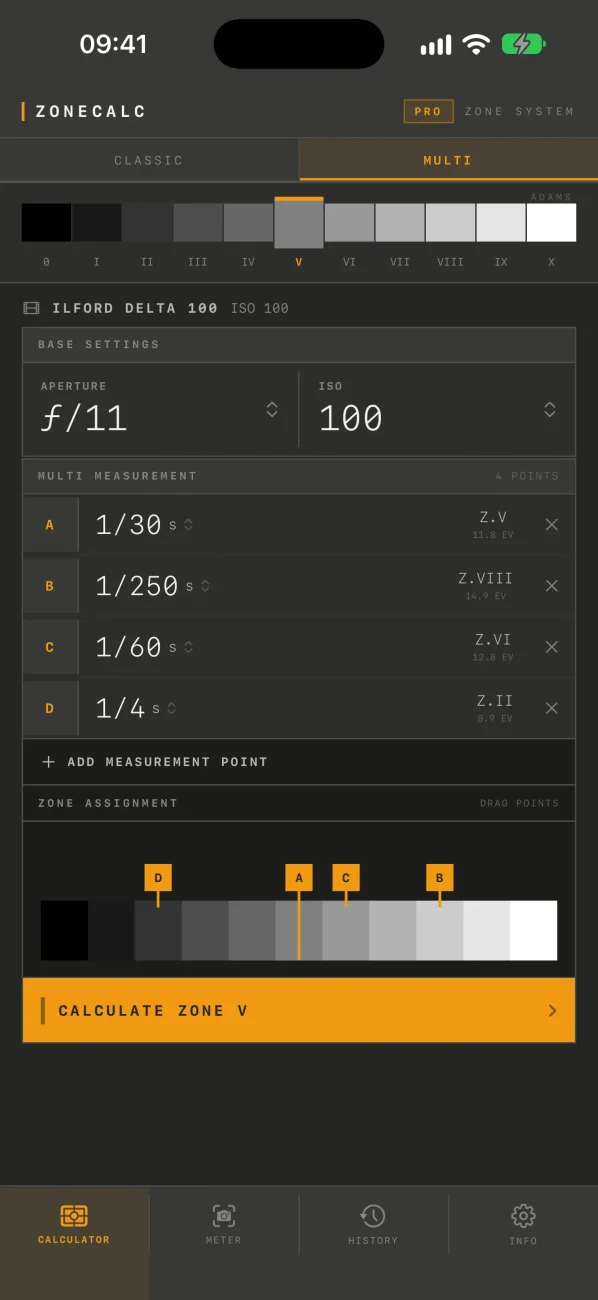
In Classic mode, enter the shutter speed for the deepest shadow with detail (Zone II) and the brightest highlight with detail (Zone VIII). ZoneCalc returns the shutter speed for Zone V, 18 % middle gray: the exposure you set on the camera.
Multi mode accepts any number of measurement points across the scene. The app auto-assigns each point to a zone; drag pins on the zone strip to express your placement intent. For pinhole cameras, you can enter your own apertures beyond f/32.
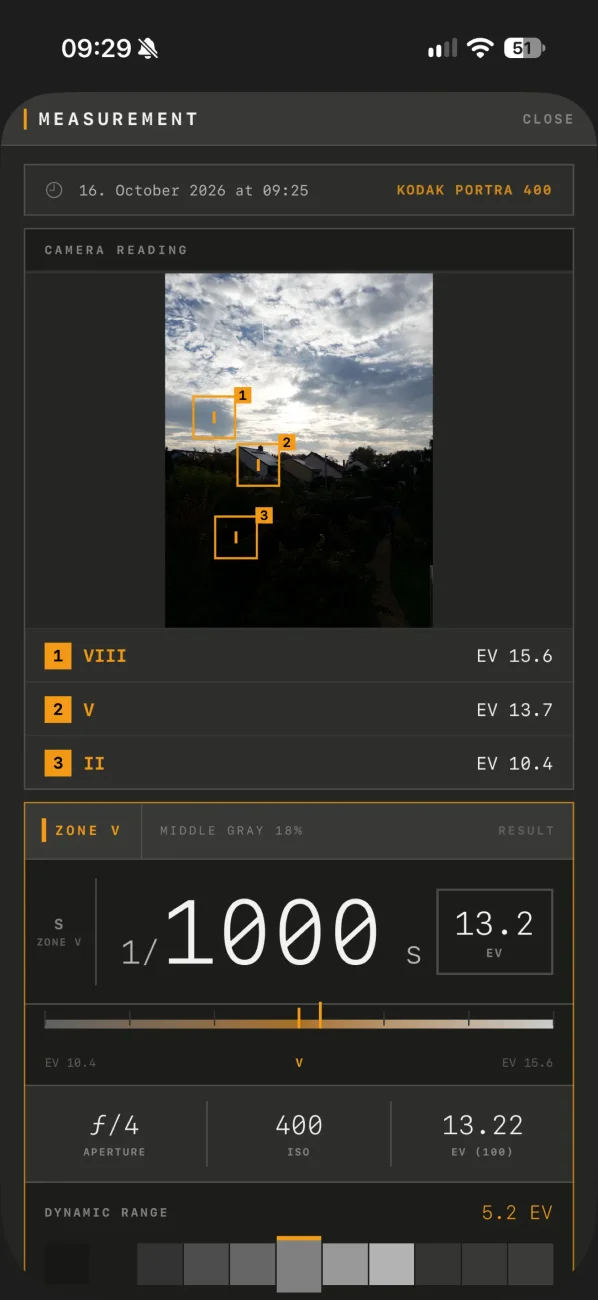
NEW: METERING WITH THE IPHONE CAMERA
Capture the scene with the iPhone and tap up to five measuring points into the image. The reading is taken from the camera's RAW image, not from the displayed photo. ZoneCalc pre-assigns the darkest area to Zone II and the brightest to Zone VIII; every zone can be changed. One tap transfers the reading to the calculator: two points go to Classic, more points go to Multi.
Zone spacing and dynamic range are reliable right away. For the absolute value, calibrate the iPhone once with a grey card against your spot meter. Camera readings are saved to the history with image and measuring points. Camera metering requires an iPhone that captures RAW.
RECIPROCITY
For exposures above one second, the Schwarzschild effect is corrected automatically: t_corr = t_nom ^ p, using the film-specific exponent. The corrected camera time appears directly in the result card. The shutter speed list extends to 30 minutes.
Films with reciprocity data: Ilford HP5+, FP4+, Delta 100/400, Pan F+ 50, Ortho+ 80, Kodak Tri-X, T-Max 100/400, Kodak Portra 160/400/800, Fujifilm Acros 100 II, Fomapan 100/200/400, Leica Monopan.
N-RATING & DEVELOPMENT
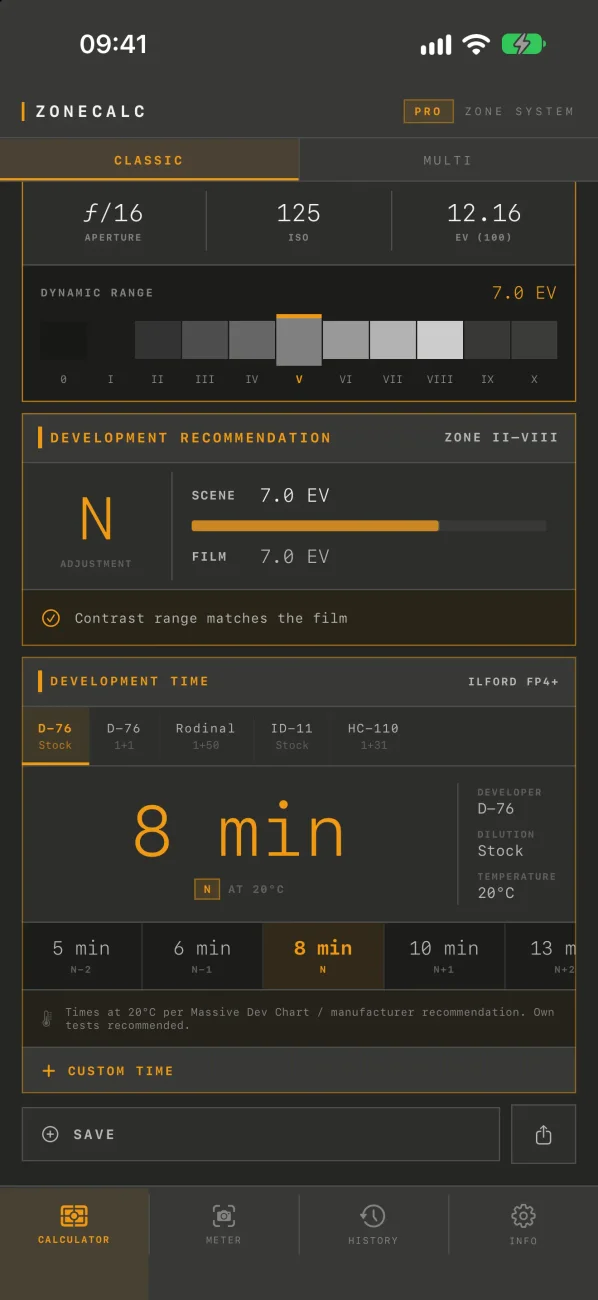
ZoneCalc compares the scene's dynamic range against the film's usable latitude and proposes a development adjustment, from N−2 to N+2. For each film, concrete times are shown for common developers: D-76, Rodinal, HC-110, XTOL, ID-11 and T-Max Dev, with dilutions per Massive Dev Chart and manufacturer recommendations. Add your own tested times per film and developer.
HISTORY & EXPORT
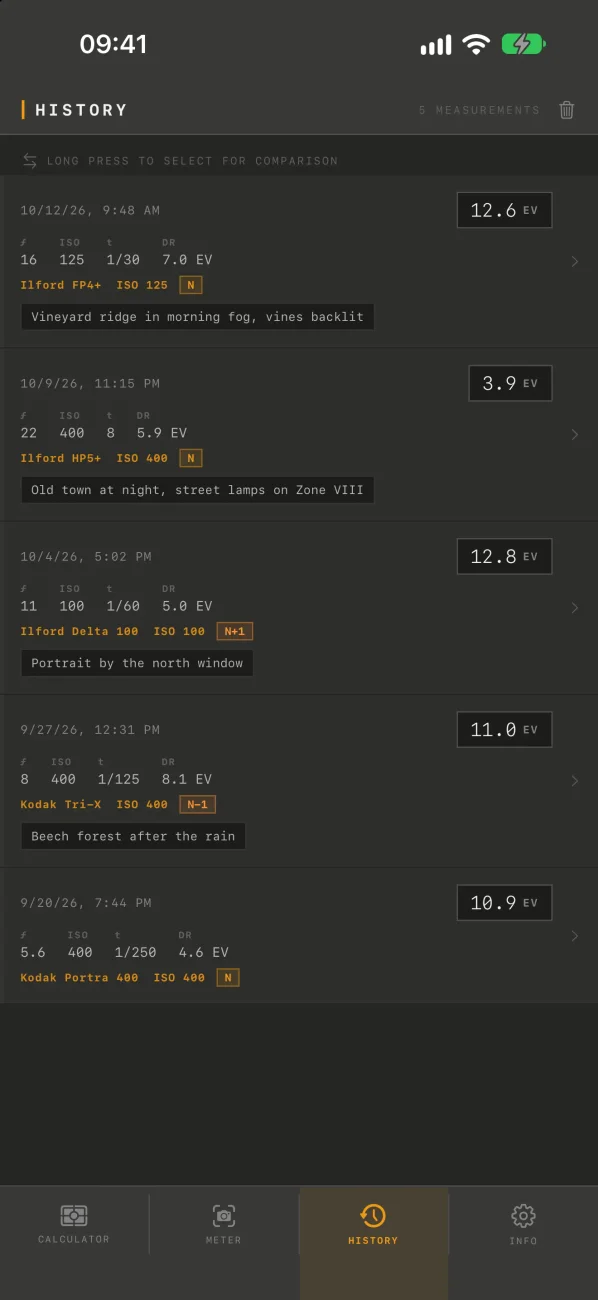
Every calculation can be saved with a note and the chosen developer; two entries can be compared side by side. The complete result with shutter speed, reciprocity, N-rating and development times exports as an image for the darkroom or for sharing via AirDrop, message or mail.
DESIGN
The interface follows the visual language of classic Leica instruments: monospaced typography, warm amber accent, hard edges instead of rounded corners. Fully localized in English and German, all-dark throughout, optimized for darkroom and field use.
ZONECALC PRO
Classic two-point metering with Zone V calculation and the zone strip are free. The one-time Pro upgrade unlocks:
• Metering with the iPhone camera and grey card calibration
• Multi-point metering with interactive zone assignment
• Reciprocity correction and N-rating
• Development recommendations with times per developer, plus your own development times
• Save, compare and image export
One app, no subscriptions, no data collection. All calculations run locally on device, including camera metering. ZoneCalc uploads nothing.
Yenilikler
Sürüm 1.3 · 16.10.2026
New in 1.3: metering with the iPhone camera (Pro).
• Capture the scene and tap up to five measuring points into the image. The reading is taken from the camera's RAW image, not from the displayed photo.
• One tap transfers the reading to the calculator: two points on Zones II and VIII go to Classic, more points go to Multi.
• Calibration with a grey card against your spot meter, so the absolute value is verified too.
• Camera readings are saved to the history with image and measuring points.
Also: extended help and ready for iOS 27. Fixed: shutter speeds from 1/1000 display in full again, and dates follow your device language.
Uygulama gizliliği
Bu uygulamanın verileri nasıl işlediği hakkında Juergen Suk tarafından App Store üzerinde yapılan beyan.
-
Veri toplanmıyor
Geliştirici bu uygulamadan hiçbir veri toplamıyor.
Gizlilik uygulamaları, örneğin kullandığınız özelliklere veya yaşınıza göre değişiklik gösterebilir.
Bilgiler
- Satıcı
- Juergen Suk
- Kategori
- Fotoğraf ve Video
- Sürüm
- 1.3
- Güncellendi
- 16.10.2026
- Yayın tarihi
- 29.05.2026
- Boyut
- 3,3 MB
- Gereksinim
- iOS 17.6 veya sonrası
- Yaş sınırı
- 4+
- Fiyat
- Ücretsiz
- Uygulama içi satın alma
- Evet
- Diller
- İngilizce, Almanca
- Telif hakkı
- © Jürgen Suk
Bunları da beğenebilirsiniz
-
 Zone SystemFotoğraf ve Video
-
 GrayZone - Light MeterFotoğraf ve Video
-
 mySpotMeterFotoğraf ve Video
-
 Zone Light MeterFotoğraf ve Video
-
 Reciprocity PlusFotoğraf ve Video
-
 Film Photography ViewfinderFotoğraf ve Video
-
 Reciprocity TimerFotoğraf ve Video
-
 Massive Dev Chart TimerFotoğraf ve Video
-
 Lightme - LogbookFotoğraf ve Video
-
 FilmMeterFotoğraf ve Video