
3D Model Print Simple Edit
Sculpt, edit & print 3D models
Được thiết kế cho iPhone, iPad
Miễn phí
- Độ tuổi12+
- Danh mụcĐồ Họa & Thiết Kế
- Nhà phát triểnHuragan Kodu s.p z o.o.
- Ngôn ngữTiếng Anh+ 14 ngôn ngữ khác
- Kích thước188,8 MB
Liên kết đến trang App Store chính thức
Download.org không lưu trữ tệp nào của 3D Model Print Simple Edit. Nút này mở trang ứng dụng trên App Store, nơi Huragan Kodu s.p z o.o. phát hành ứng dụng. Trang được kiểm tra lần cuối: 26/11/2026.
Ảnh chụp màn hình
Giới thiệu
Nhà phát triển chưa cung cấp nội dung này bằng ngôn ngữ của bạn.
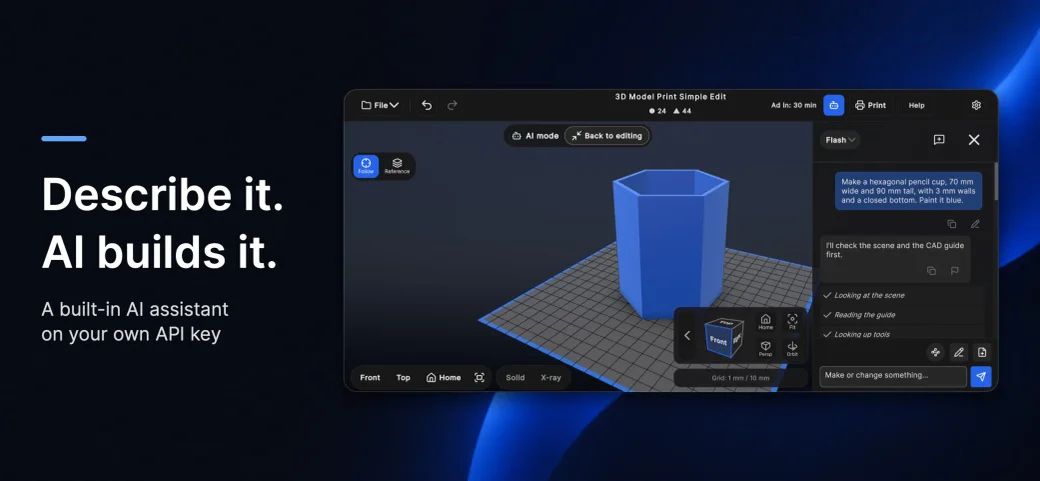
Design, edit and prepare 3D models for printing right on your phone or tablet, or describe what you need to the AI assistant and watch it build the model.
3D Model Print Simple Edit is a fast 3D editor made for touchscreens, makers and 3D printing fans. No desktop CAD and no steep learning curve: shape your idea, check it for printing and send it to your slicer.
NEW IN 2.0
• A new look with clear outlines and larger buttons and fields
• A built-in AI assistant that works on your own API key
• STEP and G-code import
• Array, section view, analysis views and reference images
• Closer weight and print time estimates
SIMPLE OR ADVANCED
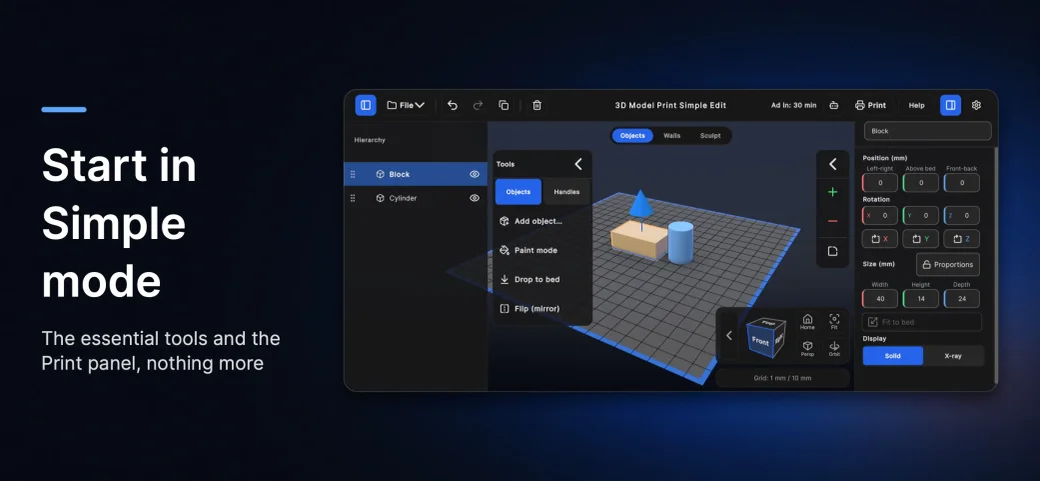
Start in Simple mode with the essential tools, the Print panel included, or switch to Advanced for every tool. Your models and files are the same in both.
READY TO PRINT
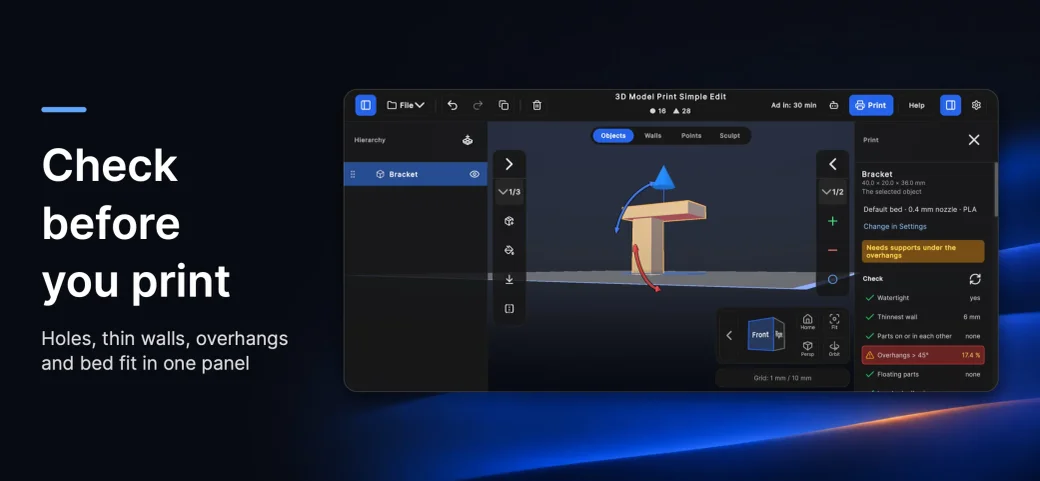
• The Print panel checks for holes, thin walls, overhangs, floating parts, parts on each other, bed adhesion and whether the model fits your printer
• Best orientation lays the part flat in one tap
• Fix the model: Repair, Hollow, Cut and Symmetrize, each with a preview
• One material for the whole print (PLA, PETG, ASA or TPU), with weight and print time for your printer
• Printer presets and a real-size grid in mm, cm or inches
BUILD WITH AI
Chat with the AI assistant on your own API key and attach a sketch or a photo. Nothing is sent before you agree, and Undo takes back any answer. Or connect an AI app that supports the Model Context Protocol (MCP): it edits real objects in your scene while you watch, also from a computer on your local network.
SCULPTING
Inflate, smooth, grab, flatten and pinch surfaces like clay. Print brushes (Layer, Scrape, Fill, Clay, Crease) and Protect base keep the part printable.
CAD-STYLE EDITING
• Combine, subtract and intersect solids to cut holes and join parts
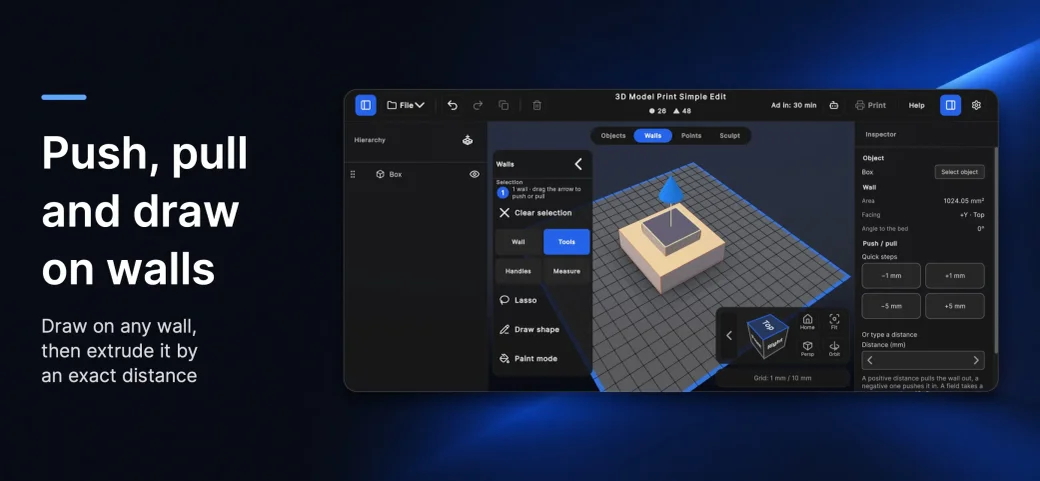
• Walls: push and pull faces by an exact distance, or draw a shape on any wall
• Points: move vertices with soft selection and lasso
• Round edges; bend, twist, taper and mirror parts
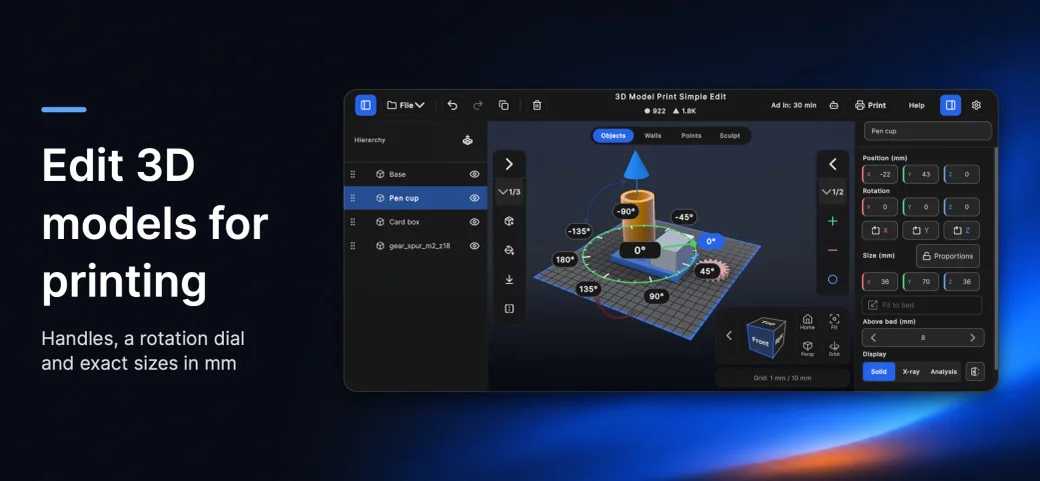
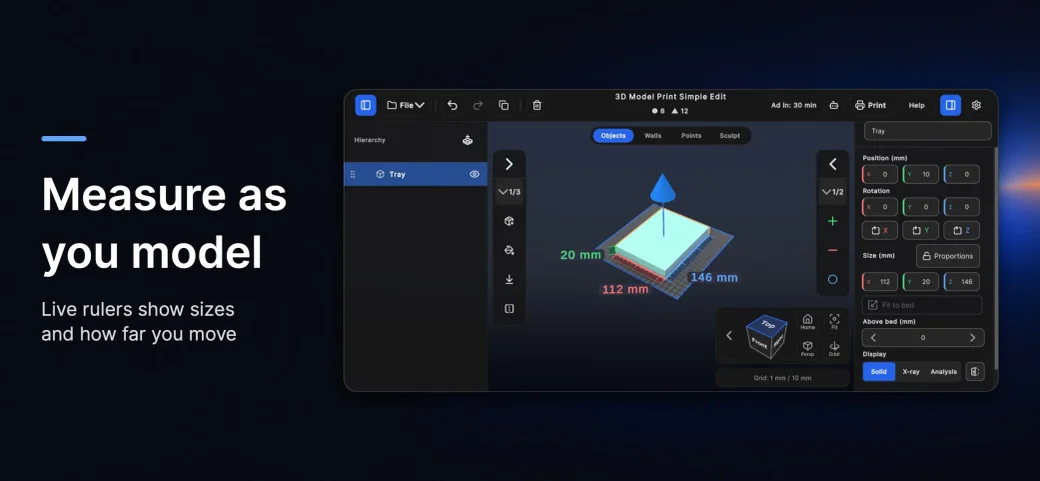
• Handles with a rotation dial, and rulers that show how far you move
• 3D text in your own fonts
• Bolts, nuts, inserts, magnet pockets, hinges and gears from a parametric catalog
COLORS FOR MULTICOLOR PRINTING
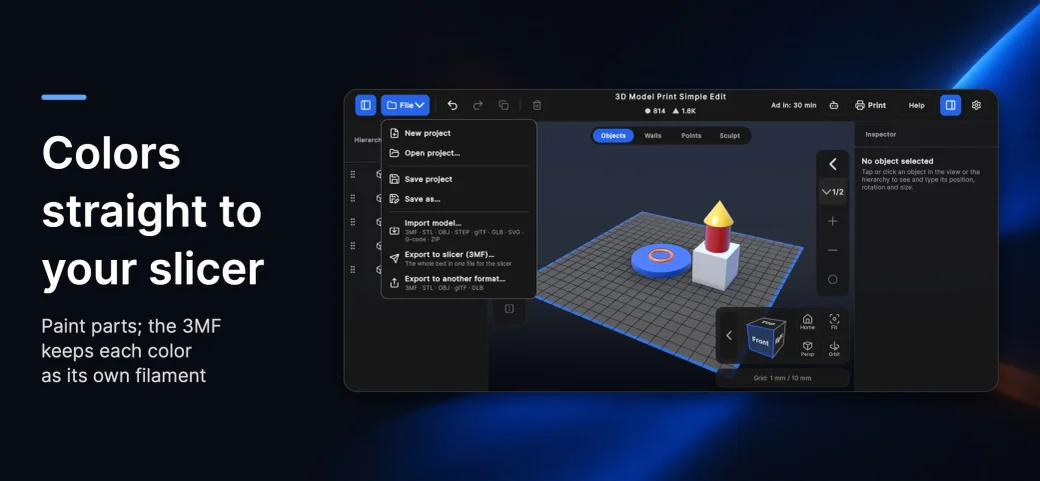
Paint faces, areas and whole objects. The 3MF keeps each color as its own filament.
YOUR FILES
• Import STL, 3MF, OBJ, glTF/GLB, STEP, G-code, SVG and ZIP
• Export a 3MF with build plates for your slicer, or STL, OBJ and glTF
• Big models with thousands of parts open in the background, with progress and Cancel
• Autosave reopens your project, and Undo and Redo name every step
BUILT FOR TOUCH
• Normal or Large interface, light or dark theme
• 15 languages, including Arabic (right to left), Hindi, Chinese, Japanese and Korean
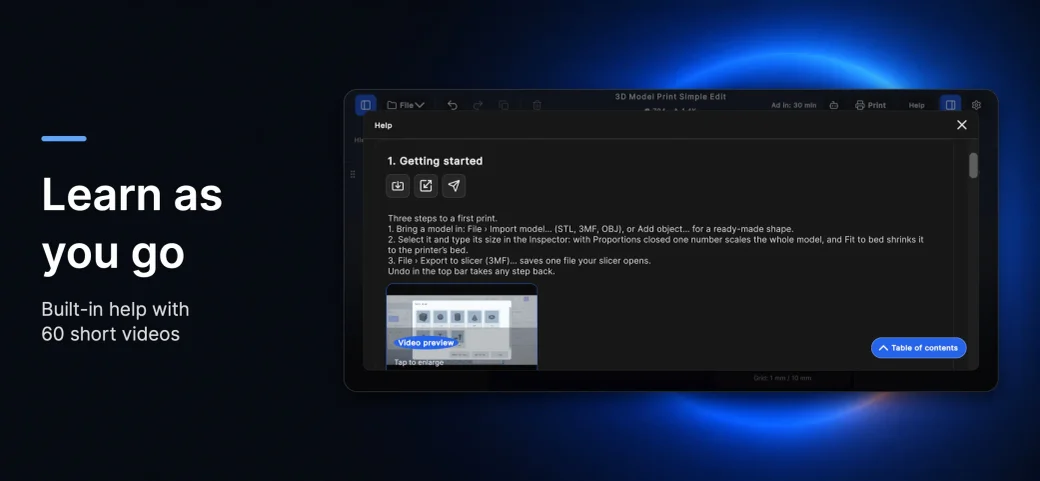
• Built-in help with 60 short videos
Download 3D Model Print Simple Edit and turn your ideas into real objects.
Có gì mới
Phiên bản 2.0.0 · 25/11/2026
- A new look: models with clear outlines, and larger buttons and fields
- AI assistant: describe a change and it edits your model, with your own API key from Anthropic, OpenAI, Gemini, xAI Grok, DeepSeek or Mistral AI
- Attach a sketch or a photo to your message to the assistant
- Import STEP files from CAD programs: solids ready to print, each part of an assembly as its own object
- Import G-code: turn a sliced print back into a model you can edit
- Array: copies along a line, a circle, a grid or a curve, with a live preview
- Section view: cut through your models to see inside
- Analysis views: overhangs, wall thickness, face orientation, curvature and mesh density in color
- Reference image: trace over a photo or a drawing set to real size
- The Print panel is in Simple mode too, with one material for the whole print: PLA, PETG, ASA or TPU
- Closer weight and print time estimates for your printer; the 3MF takes your material and temperatures to the slicer
- New print checks: parts on or in each other (with Arrange on the bed), low bed adhesion and parts that start in mid-air
- Place on bed and Fit to bed fix position and size in one tap
- New handles, and a rotation dial that turns by exactly 45° or 90°
- Rulers show how far you move an object, and its new size while you scale it
- New camera controls by the view cube, with Home and Fit
- Drag a number sideways, or tap it to type
- The part of an object hidden inside another one shows through, darker and with dashed edges
- Align several objects, or rename them all at once
- Models with thousands of parts open, import and display much faster and use less memory
- Fewer app closings on devices with little memory
- Projects opened from the Files app save back to the same file; iPad also turns to portrait
- All 60 help videos recorded again, and Help has a search
- On your home screen the app is now called 3D MPSE
- Bug fixes
Quyền riêng tư của ứng dụng
Những gì Huragan Kodu s.p z o.o. khai báo trên App Store về cách ứng dụng này xử lý dữ liệu.
-
Dữ liệu được sử dụng để theo dõi bạn
Có thể được sử dụng để theo dõi bạn trên các ứng dụng và trang web do công ty khác sở hữu.
- Mã định danh
- Dữ liệu sử dụng
-
Dữ liệu liên kết với bạn
Có thể được thu thập và liên kết với danh tính của bạn.
- Mã định danh
- Dữ liệu sử dụng
-
Dữ liệu không liên kết với bạn
Có thể được thu thập nhưng không liên kết với danh tính của bạn.
- Nội dung của người dùng
- Chẩn đoán
Phương thức đảm bảo quyền riêng tư có thể khác nhau, chẳng hạn như tuỳ theo các tính năng bạn sử dụng hoặc độ tuổi của bạn.
Thông tin
- Người bán
- Huragan Kodu s.p. z o.o.
- Danh mục
- Đồ Họa & Thiết Kế
- Phiên bản
- 2.0.0
- Cập nhật
- 25/11/2026
- Phát hành
- 01/04/2026
- Kích thước
- 188,8 MB
- Yêu cầu
- iOS 18.0 trở lên
- Độ tuổi
- 12+
- Giá
- Miễn phí
- Ngôn ngữ
- Tiếng Anh, Tiếng Ả Rập, Tiếng Hà Lan, Tiếng Pháp, Tiếng Đức, Hindi, Tiếng Ý, Tiếng Nhật, Tiếng Hàn, Tiếng Ba Lan, Tiếng Bồ Đào Nha, Tiếng Nga + 3 ngôn ngữ khác
- Bản quyền
- © 2026 Huragan Kodu Sp. z o.o. Wszelkie prawa zastrzeżone.
Có thể bạn cũng thích
-
 TopMod 3D: Design SoftwareĐồ Họa & Thiết Kế
-
 Meld - 3D ModelingĐồ Họa & Thiết Kế
-
 Forma3D - Tạo mẫu 3DSửa STL, 3MF & lưới
-
 3D Print Designer CADCAD Modeling for 3D Printing
-
 Moldora: AI 3D Model GeneratorĐồ Họa & Thiết Kế
-
 EFUGY 3D SlicerĐồ Họa & Thiết Kế
-
 WaxĐồ Họa & Thiết Kế
-
 Open3D: STL & 3D Model ViewerĐồ Họa & Thiết Kế
-
 3D Modeling: Design & SculptĐồ Họa & Thiết Kế
-
 Part3D: 3D CAD & ModelingĐồ Họa & Thiết Kế