- Độ tuổi4+
- Danh mụcNhạc
- Nhà phát triểnYUKIO TOKIWA
- Ngôn ngữTiếng Anh
- Kích thước12,4 MB
Liên kết đến trang App Store chính thức
Download.org không lưu trữ tệp nào của 4trMTR. Nút này mở trang ứng dụng trên App Store, nơi YUKIO TOKIWA phát hành ứng dụng. Trang được kiểm tra lần cuối: 22/11/2026.
Ảnh chụp màn hình

Giới thiệu
Nhà phát triển chưa cung cấp nội dung này bằng ngôn ngữ của bạn.
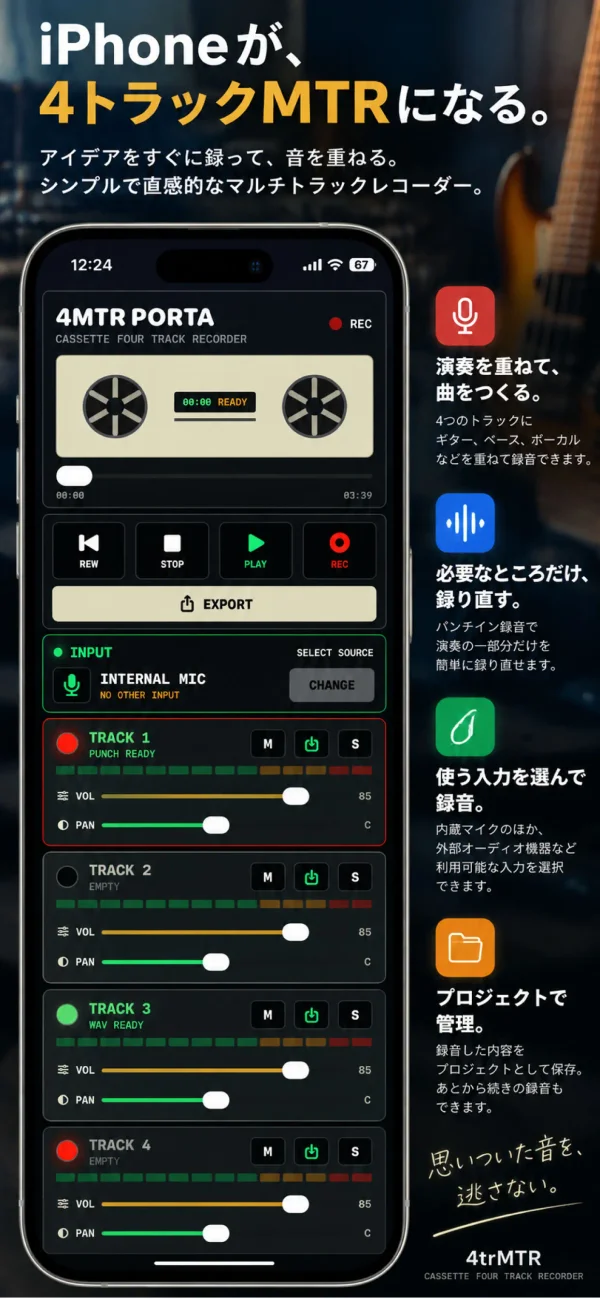
iPhone into a simple 4-track MTR.
4trMTR is a simple multi-track recorder that can record guitar, bass, vocals, etc. one track at a time.
When you come up with an idea for a song.
When you want to make a demo of the band.
When you want to record musical instruments and songs.
You can start recording on your iPhone right away without having to launch a complicated DAW.
[Simple 4-track recording]
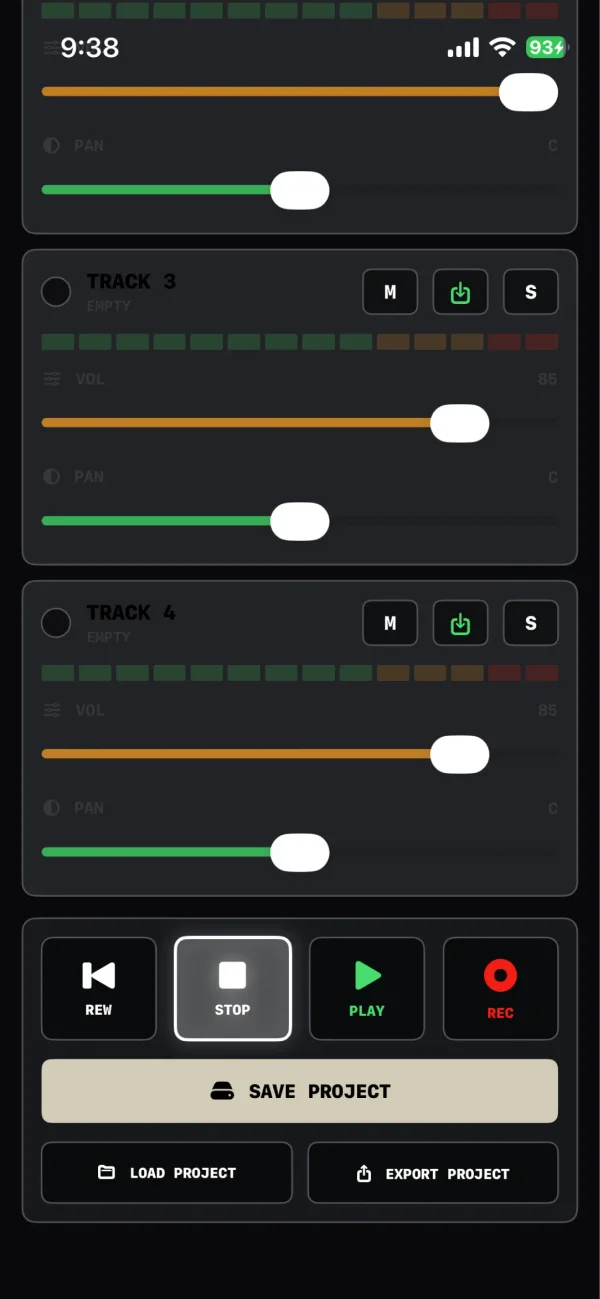
You can use 4 tracks to record performances and songs on top of each other.
For example,
Track 1: Guitar
Track 2: Vocals
Track 3: Bass
Track 4: Chorus
You can use it like this.
[Punch-in recording]
You can re-record by specifying only the part you want to re-record.
Even if you want to modify a part of the performance, you don't have to re-record everything from the beginning.
[Select input and record]
You can choose the input to use for recording from the available inputs.
You can easily record with just your iPhone, or you can use it for recording using compatible external audio devices.
[Save as a project]
The recorded content can be managed as a project.
You can leave your song ideas and demos and record them later.
[Because it's simple, you can record it right away]
The first recording was a cassette.
It didn't have much function, but I felt like I could make anything.
4trMTR is an app for reproducing the fun of such simple recording on iPhone.
Rather than learning a lot of functions, record first.
Hold the instrument, press the REC, and stack the sound.
Try to leave your song ideas on 4trMTR.
Có gì mới
Phiên bản 1.9 · 20/11/2026
Automatic timing correction is now available for overdubs. In Auto mode, 4trMTR uses Track 1 as a timing reference when you record onto an empty track (2–4). Individual WAV exports preserve the corrected timing.
- See whether Auto will apply before you tap REC. When you record over a track that already contains audio, the app shows that it will use normal recording mode.
- Calibrate your audio interface by connecting its output back to its input. 4trMTR saves the measurement and reuses it for future overdubs with the same input, output, and sample rate.
Quyền riêng tư của ứng dụng
Những gì YUKIO TOKIWA khai báo trên App Store về cách ứng dụng này xử lý dữ liệu.
-
Dữ liệu không được thu thập
Nhà phát triển không thu thập bất kỳ dữ liệu nào từ ứng dụng này.
Phương thức đảm bảo quyền riêng tư có thể khác nhau, chẳng hạn như tuỳ theo các tính năng bạn sử dụng hoặc độ tuổi của bạn.
Thông tin
- Người bán
- YUKIO TOKIWA
- Danh mục
- Nhạc
- Phiên bản
- 1.9
- Cập nhật
- 20/11/2026
- Phát hành
- 09/06/2026
- Kích thước
- 12,4 MB
- Yêu cầu
- iOS 17.6 trở lên
- Độ tuổi
- 4+
- Giá
- 59.000đ
- Ngôn ngữ
- Tiếng Anh
- Bản quyền
- © YUKIO TOKIWA