- Độ tuổi17+
- Danh mụcGiáo Dục
- Nhà phát triểnEngineerica Systems Inc.
- Ngôn ngữTiếng Anh
- Kích thước34,4 MB
Liên kết đến trang App Store chính thức
Download.org không lưu trữ tệp nào của AccuClass. Nút này mở trang ứng dụng trên App Store, nơi Engineerica Systems Inc. phát hành ứng dụng. Trang được kiểm tra lần cuối: 18/11/2026.
Ảnh chụp màn hình

Giới thiệu
Nhà phát triển chưa cung cấp nội dung này bằng ngôn ngữ của bạn.
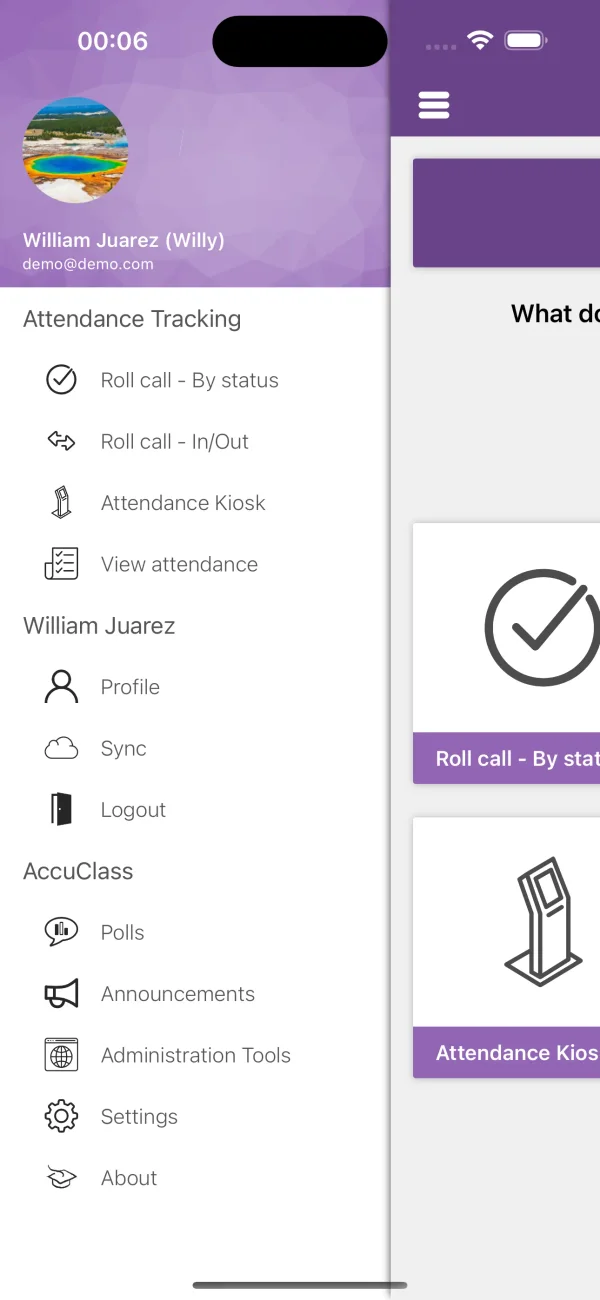
Need to track classroom attendance? We are glad you found AccuClass, the easy way to track classroom attendance. Instructors and students can use this app to:
Students:
• View your attendance status and history.
• Sign in to class by scanning a QR code.
• Sign in automatically by simply entering the classroom (if set up by your instructors).
• View your AccuClass profile and upload your avatar.
• Read announcements from your instructor.
Instructors:
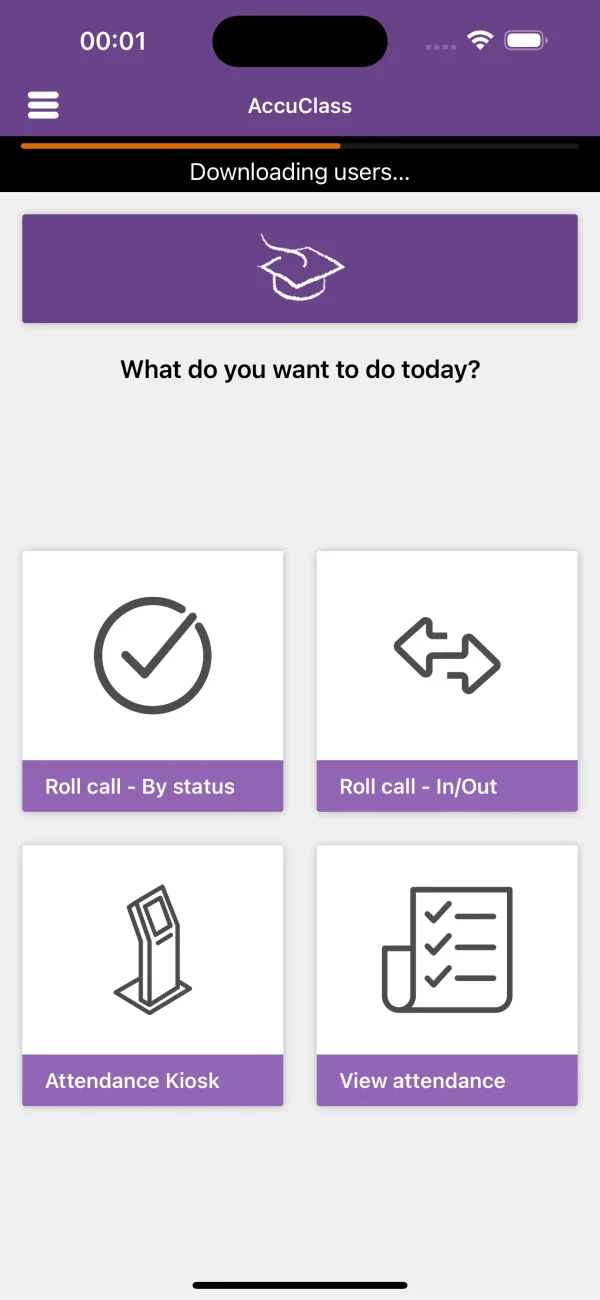
• Call the roll with your Apple device . Simply mark the appropriate attendance status for each student: present, absent, tardy. Also add your own custom status.
• Track attendance by proximity. Students who are in the classroom will be signed in automatically.
• Allow students to sign in or out by showing them a class QR code.
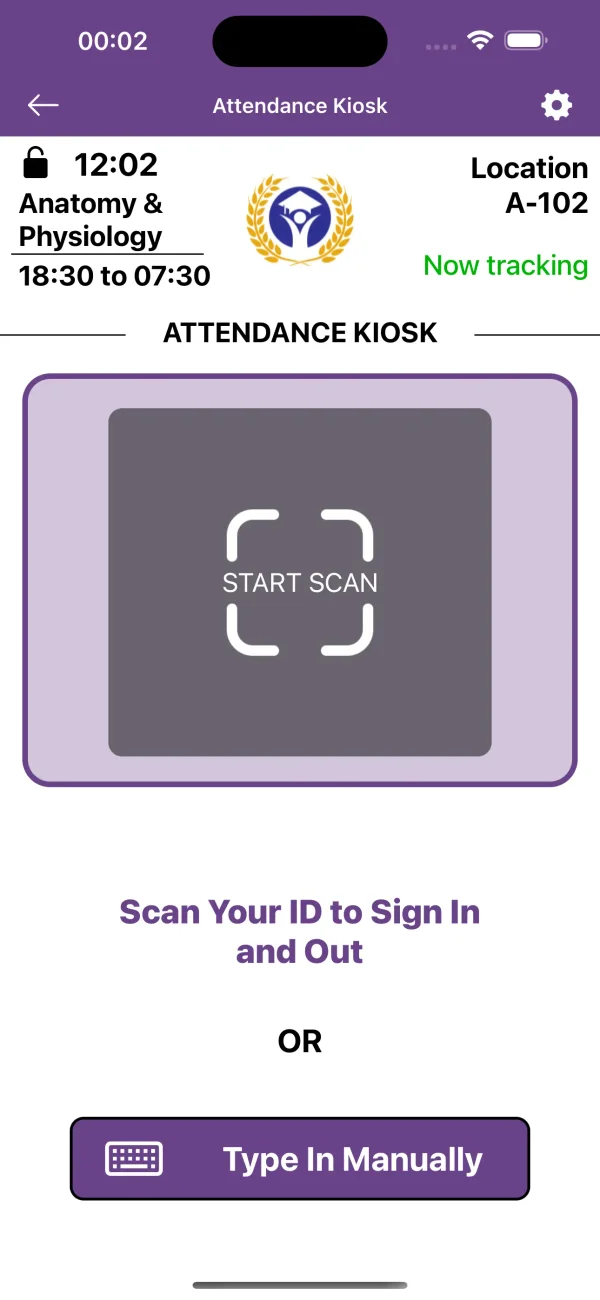
• Use the back camera of the Apple device to read a QR barcode on the ID card to sign students in.
• Use the front camera of an iPad placed in a kiosk display stand to read a QR barcode and sign students in.
• Use a magnetic strip reader that attaches to the Apple device to swipe ID cards and sign students in.
• View the attendance status of your class.
• Send live polls to the students.
• Send notifications to the students.
• Sync with the AccuClass portal in the cloud.
AccuClass simplifies the attendance data management as it allows you to import and export your data in the cloud. Simply log in to the AccuClass portal site to import your students and class schedule. Sync the Apple device with the portal to transfer this data to the device and to transfer the attendance data from the device to the portal. Access your attendance reports online from anywhere at any time.
AccuClass can work for a single instructor / teacher tracking the attendance of their own classes, or for an institution tracking the attendance at several or all classes.
The AccuClass app is provided for free. An account for the AccuClass cloud-based portal is also required to use the system. A complimentary 30-day trial account is available via the AccuClass website at http://www.accuclass.com.
Có gì mới
Phiên bản 3.1.0 · 01/09/2026
Attendance kiosks now automatically sync updated settings every 15 minutes, even if the Wi-Fi connection is lost.
Quyền riêng tư của ứng dụng
Những gì Engineerica Systems Inc. khai báo trên App Store về cách ứng dụng này xử lý dữ liệu.
-
Dữ liệu liên kết với bạn
Có thể được thu thập và liên kết với danh tính của bạn.
- Nội dung của người dùng
- Mã định danh
Phương thức đảm bảo quyền riêng tư có thể khác nhau, chẳng hạn như tuỳ theo các tính năng bạn sử dụng hoặc độ tuổi của bạn.
Thông tin
- Người bán
- Engineerica
- Danh mục
- Giáo Dục
- Phiên bản
- 3.1.0
- Cập nhật
- 01/09/2026
- Phát hành
- 28/05/2013
- Kích thước
- 34,4 MB
- Yêu cầu
- iOS 11.0 trở lên
- Độ tuổi
- 17+
- Giá
- Miễn phí
- Ngôn ngữ
- Tiếng Anh
- Bản quyền
- © Engineerica Systems Inc.