
Activity Timer: Time Tracker
Work, Study, Exercise, Hobby
Được thiết kế cho iPhone, iPad, Mac, iPod touch
Miễn phí
- Độ tuổi4+
- Danh mụcHiệu Suất
- Nhà phát triểnEmmanuel Adooli
- Ngôn ngữTiếng Anh
- Kích thước24,9 MB
Liên kết đến trang App Store chính thức
Download.org không lưu trữ tệp nào của Activity Timer: Time Tracker. Nút này mở trang ứng dụng trên App Store, nơi Emmanuel Adooli phát hành ứng dụng. Trang được kiểm tra lần cuối: 23/11/2026.
Ảnh chụp màn hình
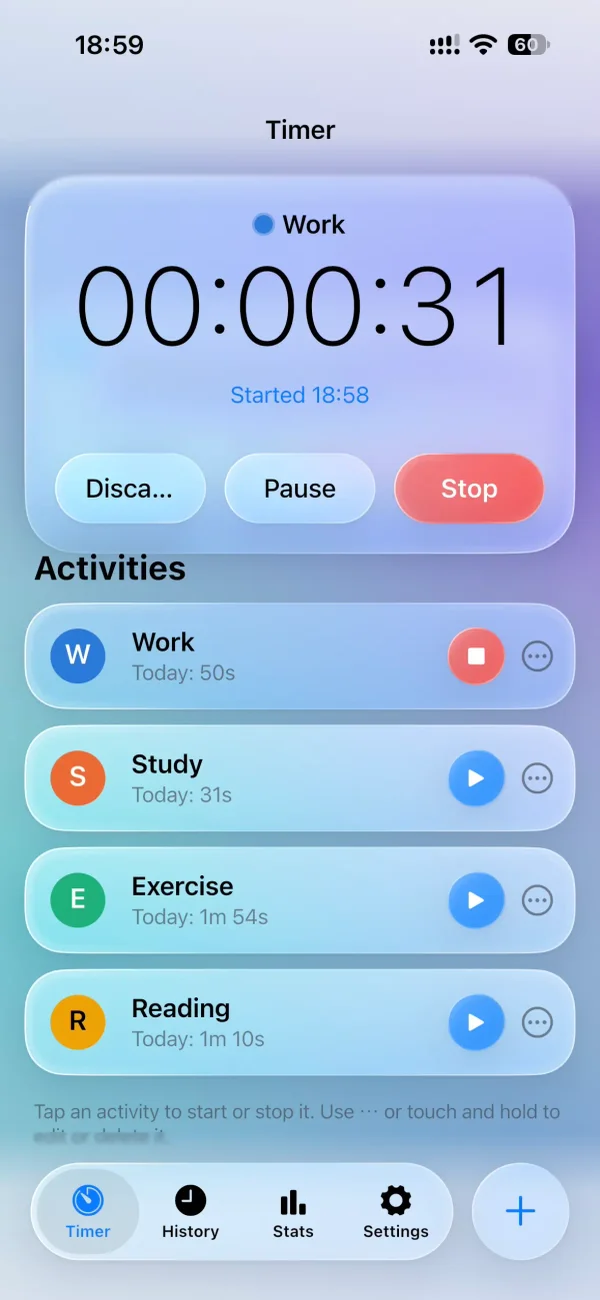
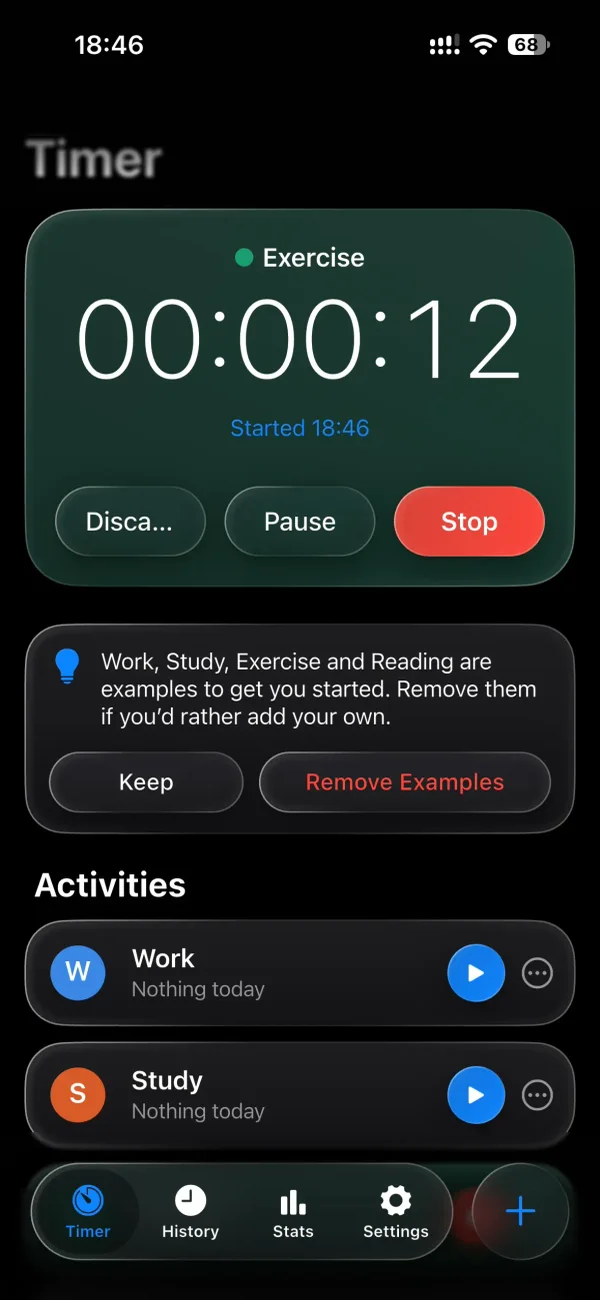
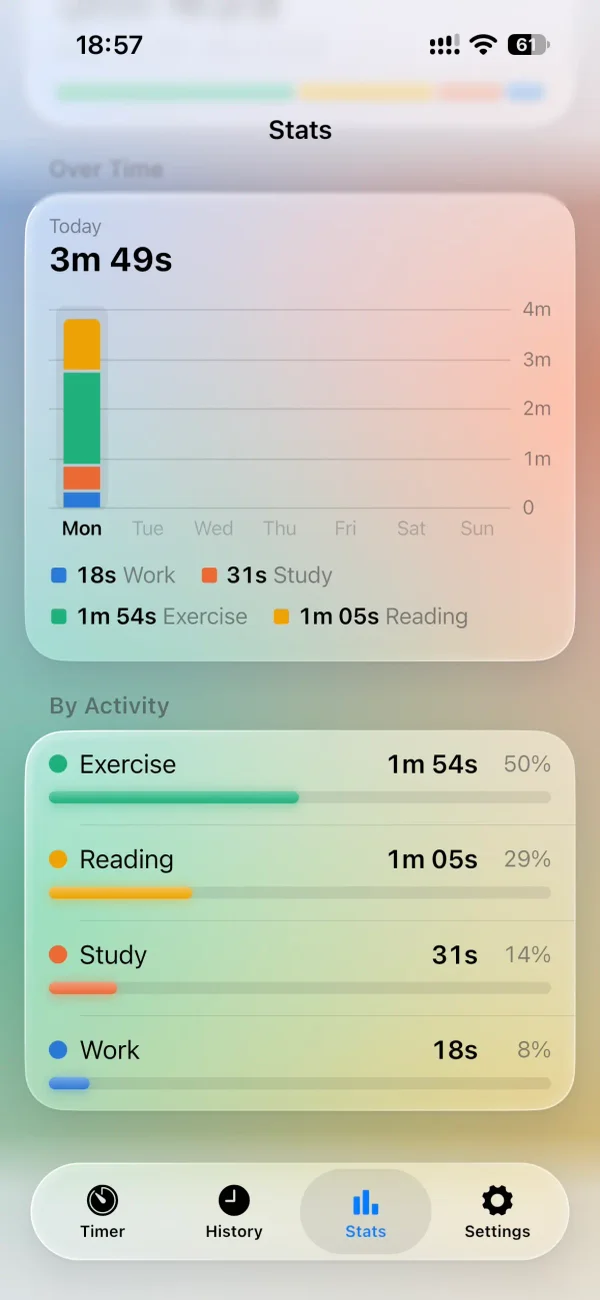
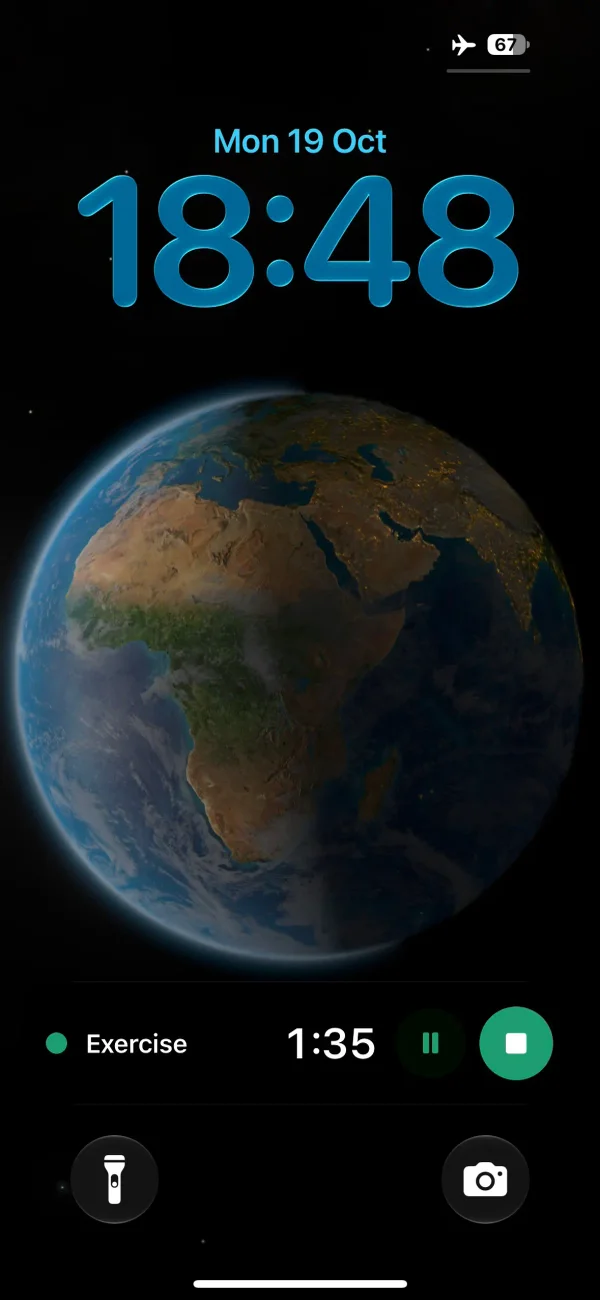
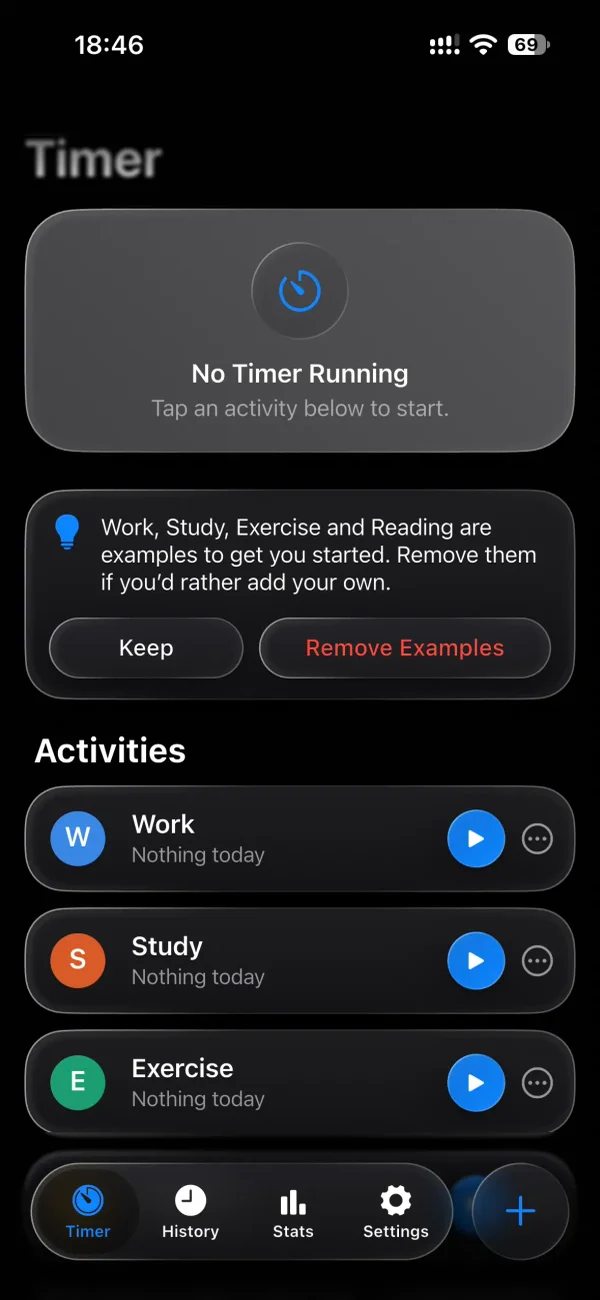
Giới thiệu
Nhà phát triển chưa cung cấp nội dung này bằng ngôn ngữ của bạn.
Where does your time really go? Activity Timer is a simple time tracker and hours tracker for work, study, exercise and hobbies. Tap to start, tap to stop, and watch your hours add up.
ONE-TAP TIME TRACKING
• Start a timer with one tap, then pause, resume or stop it anytime, just like a stopwatch
• Starting a new activity stops the last one, so time is never counted twice
• Timers stay accurate even when the app is closed or your iPhone is locked
• Left a timer running by mistake? When you stop it, choose when you really finished
LOCK SCREEN, DYNAMIC ISLAND & WIDGET
• See your running timer as a Live Activity on the Lock Screen and in the Dynamic Island (on supported iPhones)
• Pause, resume or stop it right there, without opening the app
• Add the Home Screen widget to see your running timer and today's total at a glance
GOALS, HABITS & STREAKS
• Set daily, weekly, monthly or annual goals, like 2 hours of study a day or 4 hours of exercise a week
• Use check-off activities as a habit tracker for things you either do or don't, like meditating or practicing guitar
• Aim for a number of days each week, month or year, and keep your streak going
• Progress rings and bars show how close you are to each goal
STATS & REPORTS
• See your time for today, this week, this month or all time
• A color-coded breakdown shows each activity's share of your time
• Compare with the same point yesterday, last week or last month, like "1h 20m more than this time last week"
• Browse your full time log and history day by day
EDIT ANYTHING
• Add sessions you forgot to time
• Change start and end times, and add a note such as "Chapter 3" or "Leg day"
• Swipe to delete a session or undo a check-off
YOUR DATA, YOUR WAY
• No account, no sign-up and no ads
• Your activities and history stay on your device
• Export everything as a CSV file that opens in Numbers, Excel or Google Sheets, ready for a timesheet or report
• Back up to Files or iCloud Drive, and restore on a new iPhone
DESIGNED FOR iPHONE
• A modern glass-style design
• Light and dark mode
• Choose which day your week starts on
• Optional haptics and start/stop confirmations
ONE APP, MANY USES
• Work hours tracker: log work time, projects, tasks and freelance hours, and export a timesheet
• Study timer: time homework, revision, reading and exam prep, perfect for students
• Focus timer: see how much deep work you really do each day and improve your productivity
• Workout timer: track gym sessions, runs, training and exercise time
• Practice timer: measure practice for music, art, languages and other hobbies
• Daily routine tracker: build habits and keep streaks for the things that matter to you
Start with the example activities (Work, Study, Exercise and Reading) or create your own, each with its own color.
Download Activity Timer and start seeing where your hours go.
Có gì mới
Phiên bản 1.0.7 · 18/11/2026
* Plan ahead: put time for an activity on any day, e.g. 4 hours of study on Tuesday, with a reminder that day
* Today's plans show on the Activity page, ready to start with a tap, even if you miss the reminder
* Tap a paused activity to resume it or start a new session from 0:00, each saved separately
* See how many sessions you've done today beside each activity
Quyền riêng tư của ứng dụng
Những gì Emmanuel Adooli khai báo trên App Store về cách ứng dụng này xử lý dữ liệu.
-
Dữ liệu không được thu thập
Nhà phát triển không thu thập bất kỳ dữ liệu nào từ ứng dụng này.
Phương thức đảm bảo quyền riêng tư có thể khác nhau, chẳng hạn như tuỳ theo các tính năng bạn sử dụng hoặc độ tuổi của bạn.
Thông tin
- Người bán
- Emmanuel Adooli
- Danh mục
- Hiệu Suất
- Phiên bản
- 1.0.7
- Cập nhật
- 18/11/2026
- Phát hành
- 27/10/2026
- Kích thước
- 24,9 MB
- Yêu cầu
- iOS 15.0 trở lên
- Độ tuổi
- 4+
- Giá
- Miễn phí
- Ngôn ngữ
- Tiếng Anh
- Bản quyền
- © 2026 Emmanuel Adooli. All rights reserved.
Có thể bạn cũng thích
-
 30:30 - App Limits & BreaksHiệu Suất
-
 Untime: Time & Hours TrackerHiệu Suất
-
 Timetracker - 24h Life TrackerHiệu Suất
-
 Tivvity: Personal Time TrackerHiệu Suất
-
 ElenoreHiệu Suất
-
 Timelogger Plus: Time TrackerHiệu Suất
-
 TruckbaseHiệu Suất
-
 timespent: Timer & TrackerHiệu Suất
-
 TTS Maker : Text To SpeechĐọc giản đơn bằng giọng nói
-
 Moxy MessengerHiệu Suất