ADHD Timer: End Time Blindness
Visual Countdown & Focus Aid
Được thiết kế cho iPhone, iPod touch
Miễn phí · Mua hàng trong ứng dụng
- Độ tuổi4+
- Danh mụcHiệu Suất
- Nhà phát triểnMaciej Planeta
- Ngôn ngữTiếng Anh
- Kích thước42,2 MB
Liên kết đến trang App Store chính thức
Download.org không lưu trữ tệp nào của ADHD Timer: End Time Blindness. Nút này mở trang ứng dụng trên App Store, nơi Maciej Planeta phát hành ứng dụng. Trang được kiểm tra lần cuối: 12/11/2026.
Ảnh chụp màn hình

Giới thiệu
Nhà phát triển chưa cung cấp nội dung này bằng ngôn ngữ của bạn.
You don't have a motivation problem. You have a time problem — you genuinely can't feel it passing, so a "quick" task eats the afternoon and you never see it coming.
This app works on that from both ends: making time visible while it passes, and showing you how badly you misjudge it.
WATCH TIME PASS
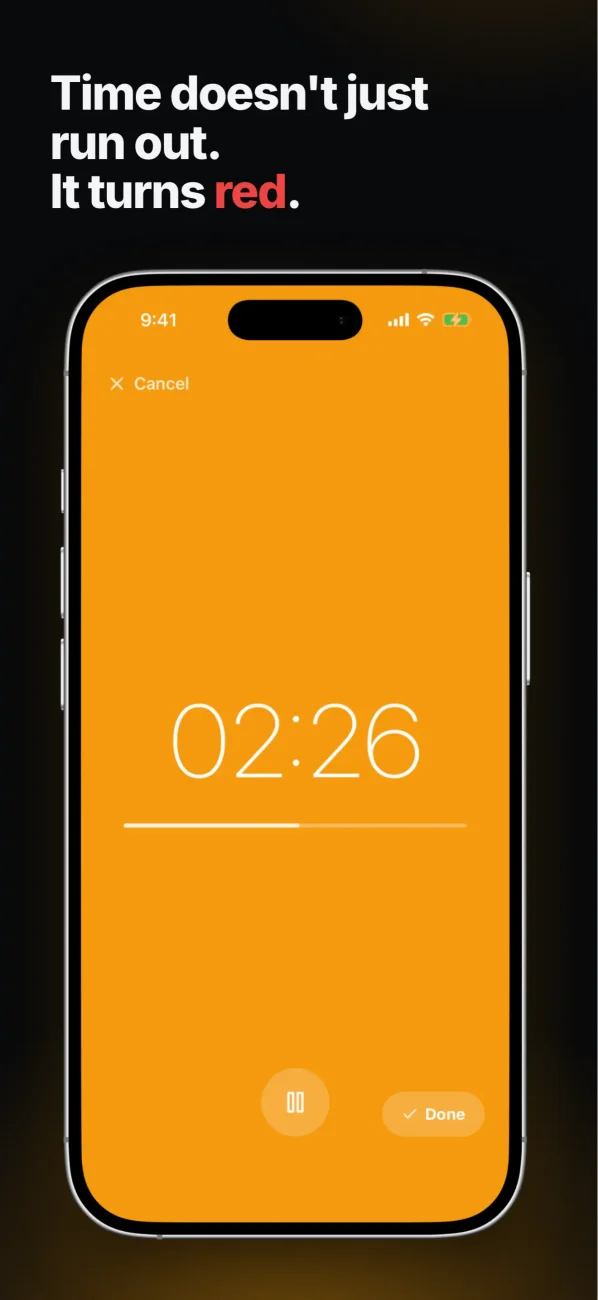
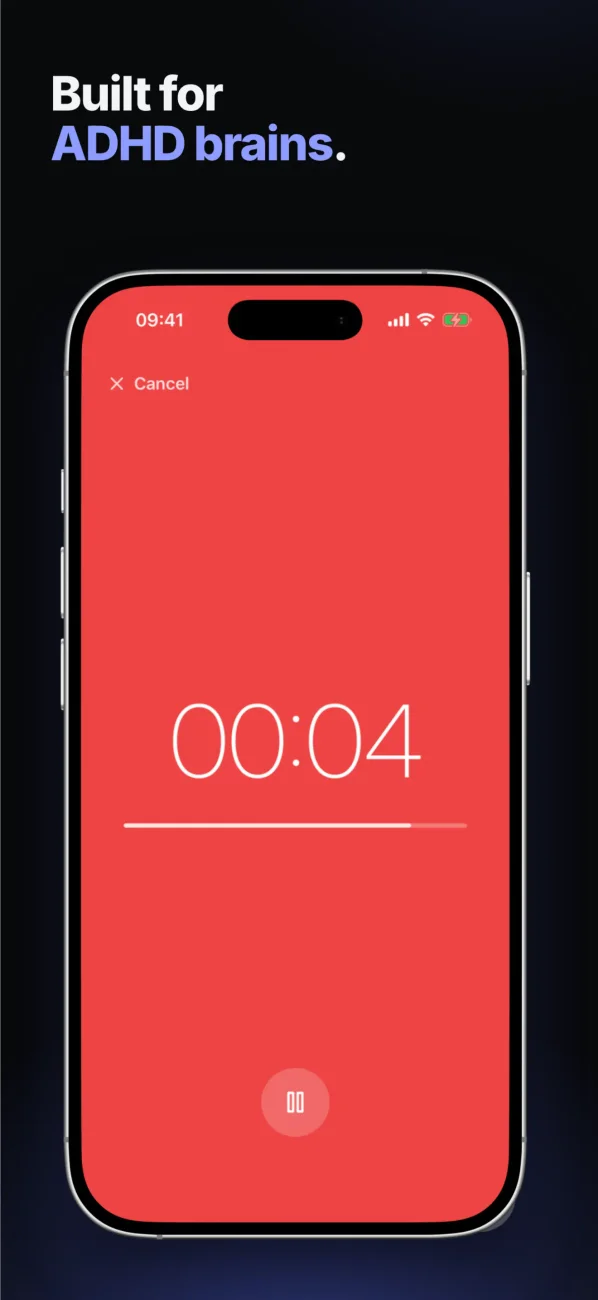
The whole screen is the timer. It shifts from calm green to amber to urgent red as your deadline approaches, so you always know where you stand without reading a number. Vibration pulses intensify in the final stretch. No tiny digits, no abstract progress ring — just color you can read from across the room.
FIND OUT HOW LONG THINGS REALLY TAKE
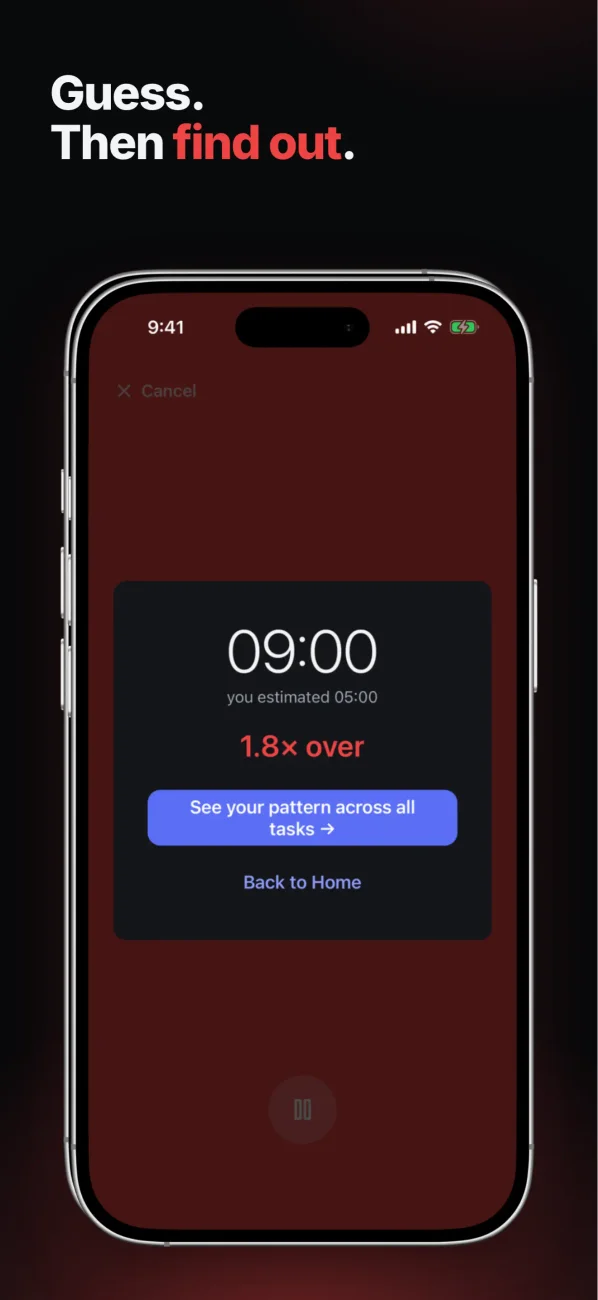
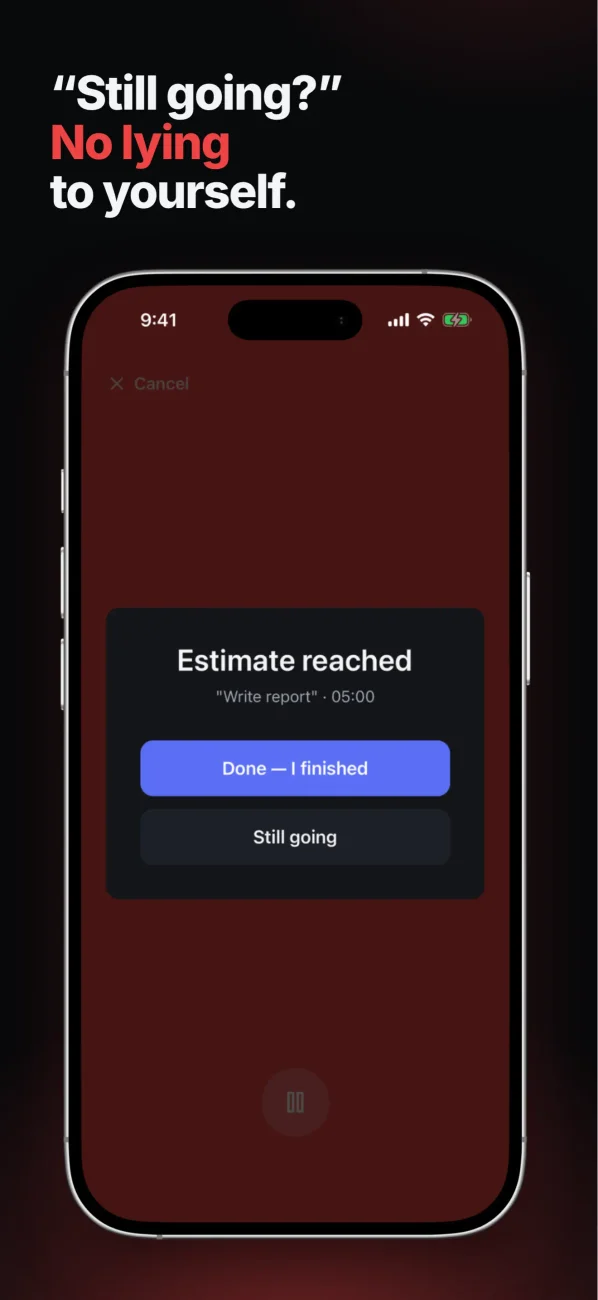
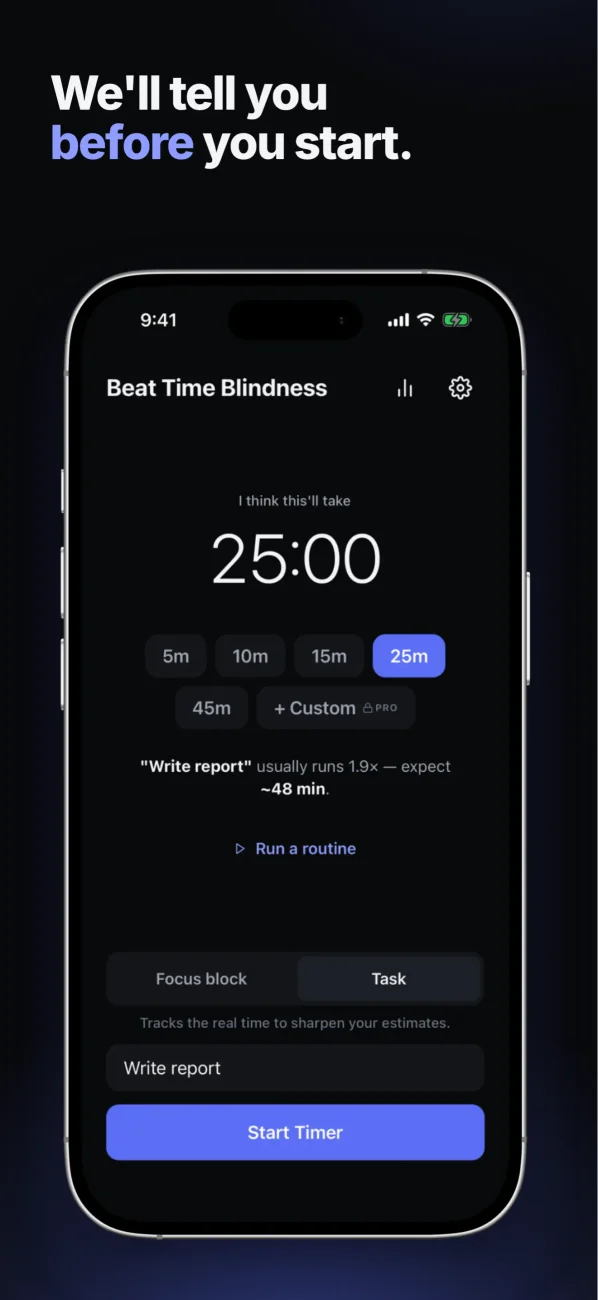
Switch to Task mode, name what you're doing, and guess the time. When your estimate runs out the timer doesn't quietly stop — it asks whether you actually finished. If you didn't, it keeps counting, and the real duration is what gets recorded. Not the one you hoped for.
YOUR PLANNING MULTIPLIER
After five tracked tasks, a single number tells you how far off your estimates are. 1.7x means a task you think is 30 minutes usually runs 52. It's broken down task by task, so you learn which work always overruns and which you actually judge well.
KNOW BEFORE YOU START
Set 25 minutes on something you've done before and the app tells you what it will really take. Plan against your own history instead of your optimism.
SCHEDULE IT, AND ACTUALLY ARRIVE
Put a task on a day and time with your own estimate, and the app reminds you 25 minutes before, 5 minutes before, and when it's time to start. The reminders don't just say "soon" — they tell you what that task really runs to, so "in 25 minutes" becomes an amount of time you can feel. Tap one and the timer is set up and waiting. Miss one and nothing nags you.
ALSO INSIDE
• Focus Routines — chain timers into a sequence and just hit start
• Insights — this week's focus time, plus sessions, streaks and patterns with Pro
• A Home Screen widget to start a session without opening the app
• Presets from 5 to 45 minutes, plus custom lengths
• A colorblind-friendly palette
• No account. Nothing to set up. It works offline.
Free to use: the timer, Task mode, the estimate gate, your first three forecasts, your first custom timer and one scheduled task cost nothing. Pro unlocks your full planning multiplier, unlimited forecasts, custom timer lengths, unlimited scheduled tasks, your own routines, full Insights and complete history.
Built for ADHD brains that can't feel time passing. Because when time is invisible, focus breaks — and every estimate is a guess.
Privacy Policy: https://maciejplaneta.github.io/privacy-policies/time-blindness-timer/
Terms of Use (EULA): https://www.apple.com/legal/internet-services/itunes/dev/stdeula/
Có gì mới
Phiên bản 2.2.1 · 20/10/2026
Works with large text.
If you use a larger text size — including the Accessibility sizes in Settings → Accessibility → Display & Text Size → Larger Text — the whole app now makes room for it.
• Onboarding scrolls, and the Next button is always on screen.
• Every button and switch stays within reach however big the text is: Settings and Insights from Home, Back to Home after a task, Save in the routine editor, and the rest.
• The timer, your results and prices stay on one line instead of breaking apart.
• Headings grow the way they do across iOS, so a long word no longer splits in the middle.
Thank you to the reviewer who told me about this.
Quyền riêng tư của ứng dụng
Những gì Maciej Planeta khai báo trên App Store về cách ứng dụng này xử lý dữ liệu.
-
Dữ liệu không liên kết với bạn
Có thể được thu thập nhưng không liên kết với danh tính của bạn.
- Dữ liệu sử dụng
Phương thức đảm bảo quyền riêng tư có thể khác nhau, chẳng hạn như tuỳ theo các tính năng bạn sử dụng hoặc độ tuổi của bạn.
Thông tin
- Người bán
- Maciej Planeta
- Danh mục
- Hiệu Suất
- Phiên bản
- 2.2.1
- Cập nhật
- 20/10/2026
- Phát hành
- 29/04/2026
- Kích thước
- 42,2 MB
- Yêu cầu
- iOS 15.1 trở lên
- Độ tuổi
- 4+
- Giá
- Miễn phí
- Mua hàng trong ứng dụng
- Có
- Ngôn ngữ
- Tiếng Anh
- Bản quyền
- © 2026 Maciej Płaneta
Có thể bạn cũng thích
-
 iWorkUntil: ADHD Visual TimerHiệu Suất
-
 SPARK - 2 Minute StarterHiệu Suất
-
 TimeSee: Visual Timer for ADHDHiệu Suất
-
 Ontime: ADHD & Time BlindnessHiệu Suất
-
 MetaTimer Timeboxing for ADHDHiệu Suất
-
 BugMe - ADHD RemindersHiệu Suất
-
 ADHD Organizer: Llama LifeHiệu Suất
-
 neurolist: AI Planner for ADHDHiệu Suất
-
 RoutineFlow: Routine for ADHDHiệu Suất
-
 Sofa: Downtime OrganizerHiệu Suất