
- Độ tuổi4+
- Danh mụcTài Chính
- Nhà phát triểnAffinity Plus Federal Credit Union
- Ngôn ngữTiếng Anh+ 2 ngôn ngữ khác
- Kích thước33,2 MB
Affinity Plus Mobile Banking hiện có thể không có trên App Store
Ở lần kiểm tra gần nhất, chúng tôi không truy cập được trang trên cửa hàng. Liên kết vẫn dẫn đến trang App Store chính thức.
Ảnh chụp màn hình


Giới thiệu
Nhà phát triển chưa cung cấp nội dung này bằng ngôn ngữ của bạn.
The Affinity Plus mobile banking app is loaded with features to make banking and managing your money as easy as possible.
• Budgets: Set and track monthly budgets for different categories.
• Net Worth: Track how your account balances compare to what you owe.
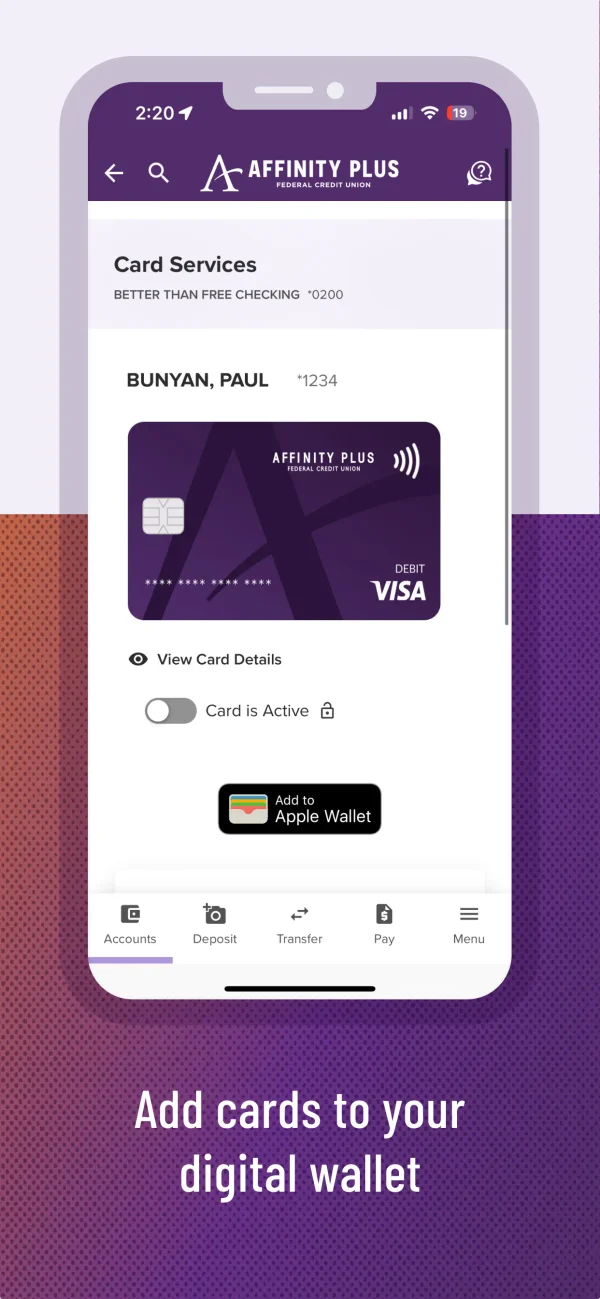
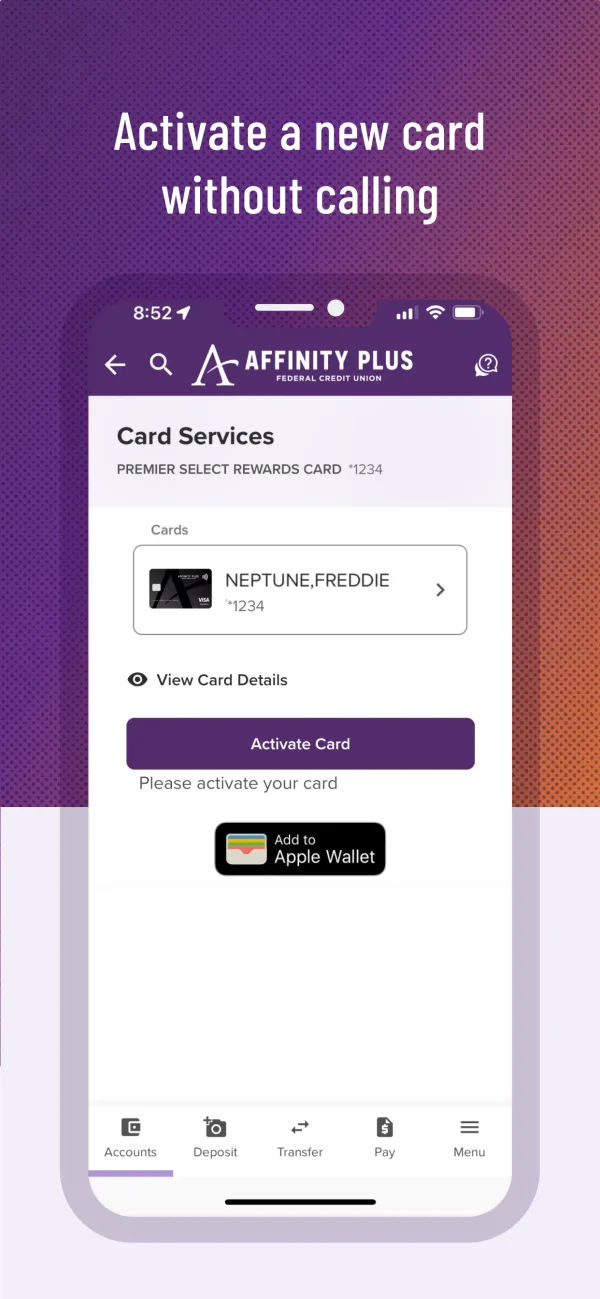
• Add your card to your digital wallet for quick and secure payments on the go.
• When you request a replacement card through the app, you’ll get a digital version to use right away.
• Activate your new debit or credit card without having to call.
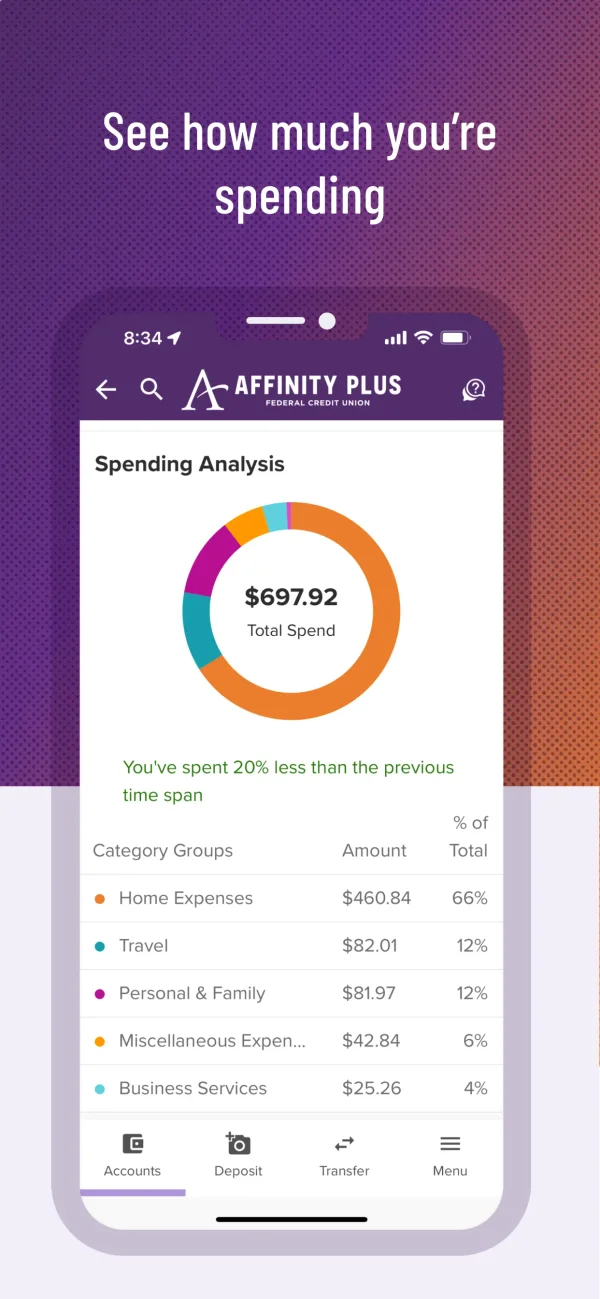
• Spending Analysis: See how much you’re spending, and what you’re spending it on.
• Cash Flow: Track the net amount of what’s coming in vs. going out.
• Savings Goals: Set a goal amount and target date, and watch your progress.
• On your dashboard, you decide which accounts and features appear, and where.
• Choose Spanish as your preferred language.
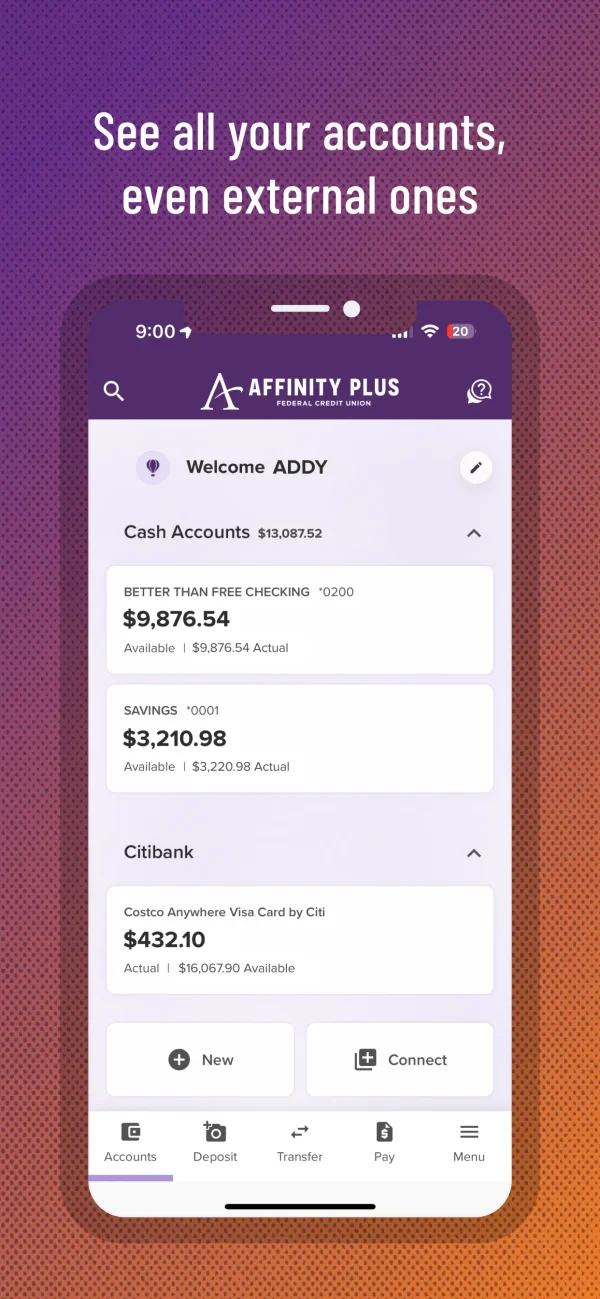
• Link to your external accounts with the Connect button on your dashboard, and see their balances along with your Affinity Plus accounts.
• Choose from a variety of Multi-factor Authentication (MFA) options by going to Menu>Settings>Security>Authentication.
• Get better transaction details, with the ability to edit their name and category for easier tracking.
• Business Owners and Authorized Signers can give specific account access to other staff members.
• Also for Business members: Use filters to create the reports you want, and download them as the file type you need.
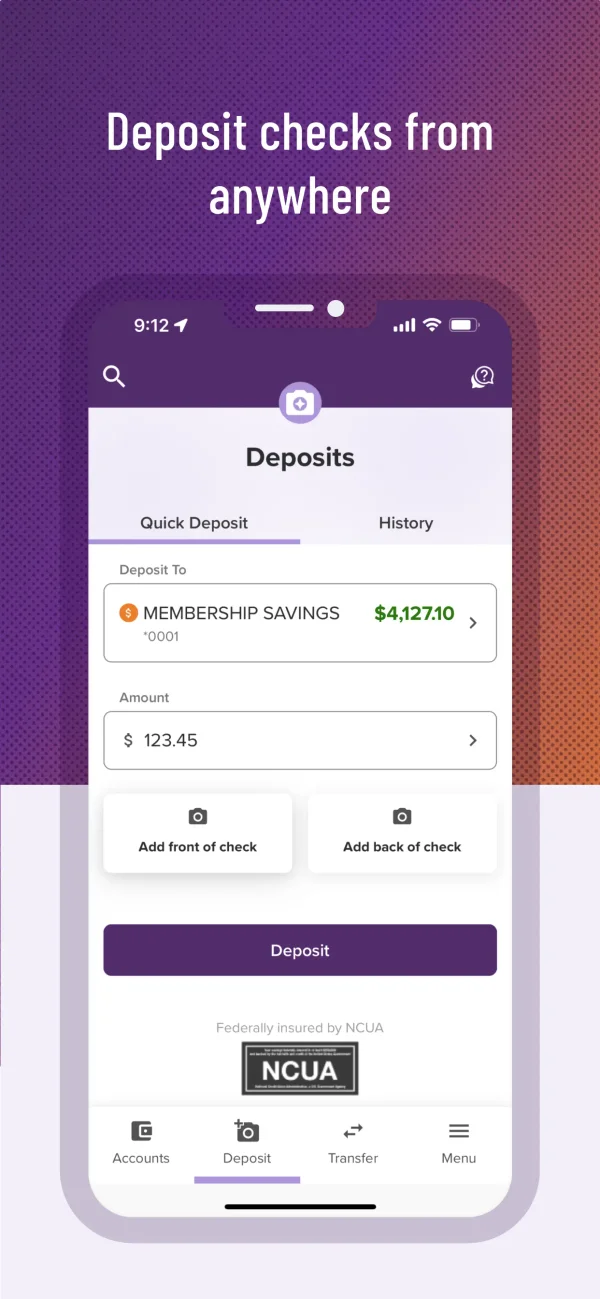
• Deposit checks from anywhere by taking their picture with the app.
• With Stash Your Cash on the Transfer screen, you can set a checking account to round up all debit card purchases to the next whole dollar, then automatically transfer the difference to your savings.
• Get security alerts, and choose from up to 16 Account Alerts that help you keep track of your savings, checking, and loans with reminders and confirmations that you can customize.
• Easily switch between profiles that you add by going to Menu>Settings>Manage Other Profiles.
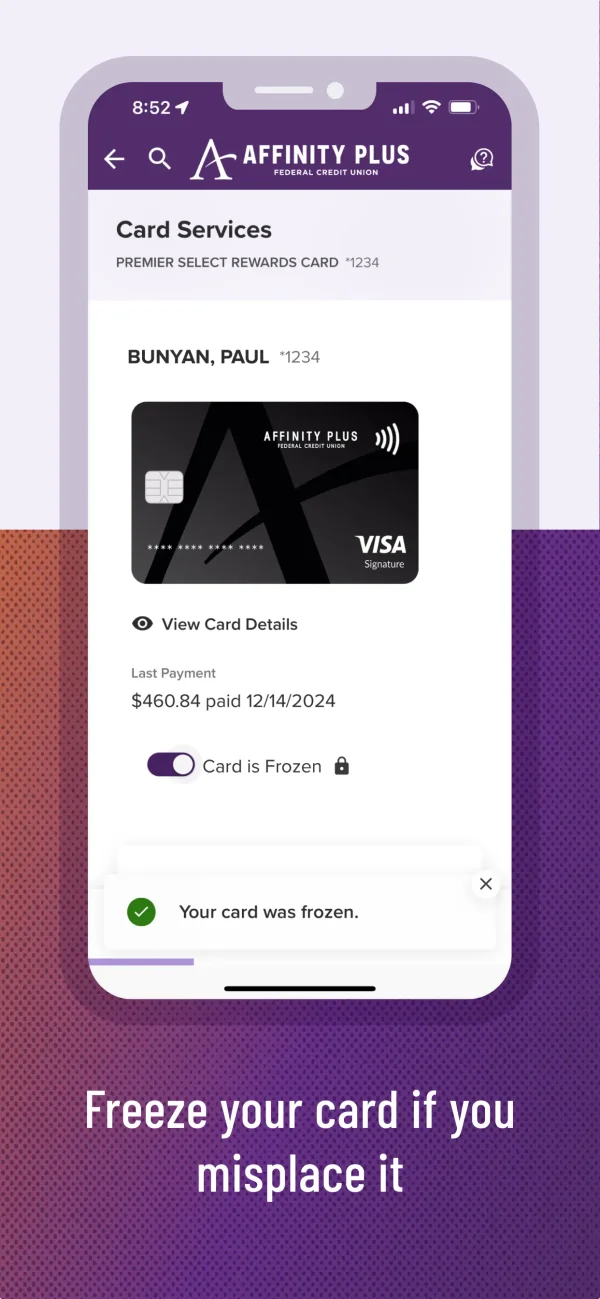
• For extra security, peace of mind, and help with budgeting, use Card Controls & Alerts to set spending limits (per transaction or monthly) for your debit and credit cards; or just get transaction alerts for awareness.
• On your dashboard, get free and easy access to your credit score, your full credit report, daily credit monitoring for fraud protection, and tips on keeping a great credit rating.
• Go into any of your accounts to find your MyPlus Rewards points, and to redeem them for gift cards, travel, and more.
• Enroll in Bill Pay from the app, and see your eBill amounts and due dates.
• iPad Multitasking so you can split your screen and use another app at the same time.
• On the Transfer screen, add another member’s account so you can transfer to them; or share a code with them so they can transfer to you.
• Use Balance Transfer to easily bring an external credit card balance over to your Affinity Plus credit card.
• Manage all your personal, credit card and business accounts and loans, and even view your Affinity Plus mortgage.
• Find nearby ATMs and branches right from the login screen.
• Contact us for help.
• Get a pre-login peek at balances with Quick Balance (found on the Menu screen).
• Manage Bill Pay.
• Log in fast with Touch ID® or Face ID®.
• Check recent transactions and initiate new ones.
• Schedule and edit one-time or recurring transfers.
• Apply for loans and credit cards, or open another account.
©2025 Affinity Plus Federal Credit Union
175 West Lafayette Frontage Road
St. Paul, MN 55107
This credit union is federally insured by the National Credit Union Administration, and is an Equal Housing Lender.
Có gì mới
Phiên bản 4.2.1 · 27/10/2026
Bug fixes
Quyền riêng tư của ứng dụng
Những gì Affinity Plus Federal Credit Union khai báo trên App Store về cách ứng dụng này xử lý dữ liệu.
-
Dữ liệu được sử dụng để theo dõi bạn
Có thể được sử dụng để theo dõi bạn trên các ứng dụng và trang web do công ty khác sở hữu.
- Dữ liệu sử dụng
-
Dữ liệu liên kết với bạn
Có thể được thu thập và liên kết với danh tính của bạn.
- Mục mua
- Thông tin tài chính
- Vị trí
- Thông tin liên hệ
- Nội dung của người dùng
- Mã định danh
- Dữ liệu sử dụng
- Chẩn đoán
-
Dữ liệu không liên kết với bạn
Có thể được thu thập nhưng không liên kết với danh tính của bạn.
- Thông tin liên hệ
- Dữ liệu khác
Phương thức đảm bảo quyền riêng tư có thể khác nhau, chẳng hạn như tuỳ theo các tính năng bạn sử dụng hoặc độ tuổi của bạn.
Thông tin
- Người bán
- Affinity Plus Federal Credit Union
- Danh mục
- Tài Chính
- Phiên bản
- 4.2.1
- Cập nhật
- 27/10/2026
- Phát hành
- 03/04/2018
- Kích thước
- 33,2 MB
- Yêu cầu
- iOS 16.0 trở lên
- Độ tuổi
- 4+
- Ngôn ngữ
- Tiếng Anh, Tiếng Pháp, Tiếng Tây Ban Nha
- Bản quyền
- © 2025 Affinity Plus Federal Credit Union