
- Độ tuổi4+
- Danh mụcTài Chính
- Nhà phát triểnCircleBlack, Inc.
- Ngôn ngữTiếng Anh
- Kích thước27,2 MB
Liên kết đến trang App Store chính thức
Download.org không lưu trữ tệp nào của AFM Mobile. Nút này mở trang ứng dụng trên App Store, nơi CircleBlack, Inc. phát hành ứng dụng. Trang được kiểm tra lần cuối: 18/11/2026.
Ảnh chụp màn hình
Giới thiệu
Nhà phát triển chưa cung cấp nội dung này bằng ngôn ngữ của bạn.
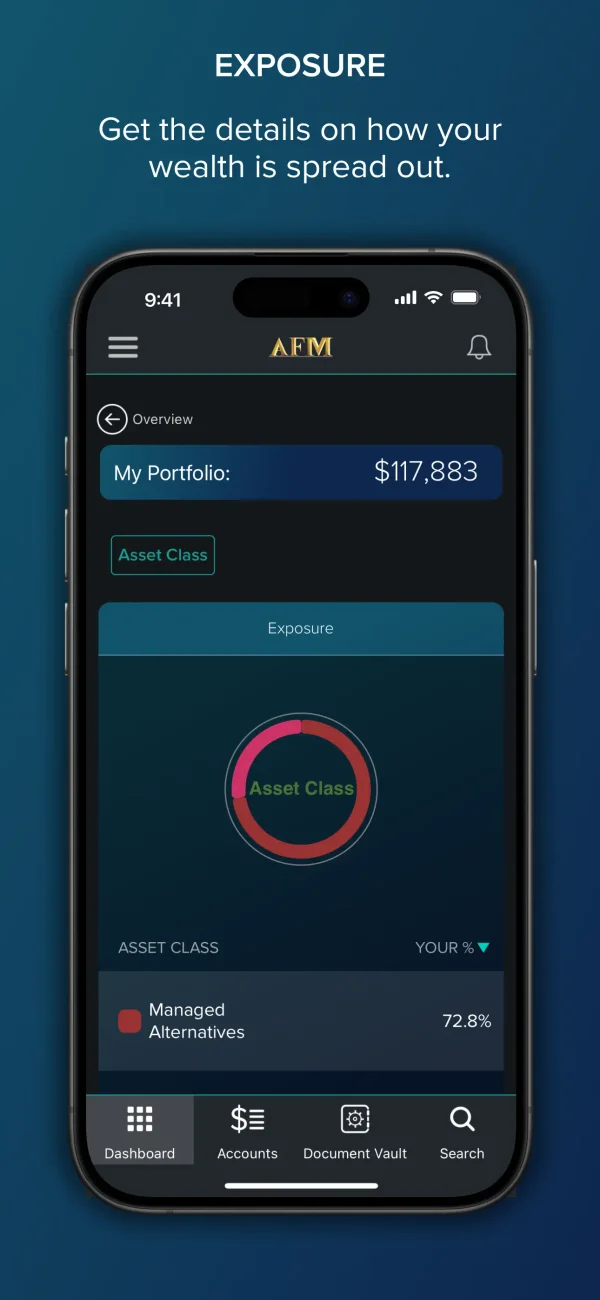
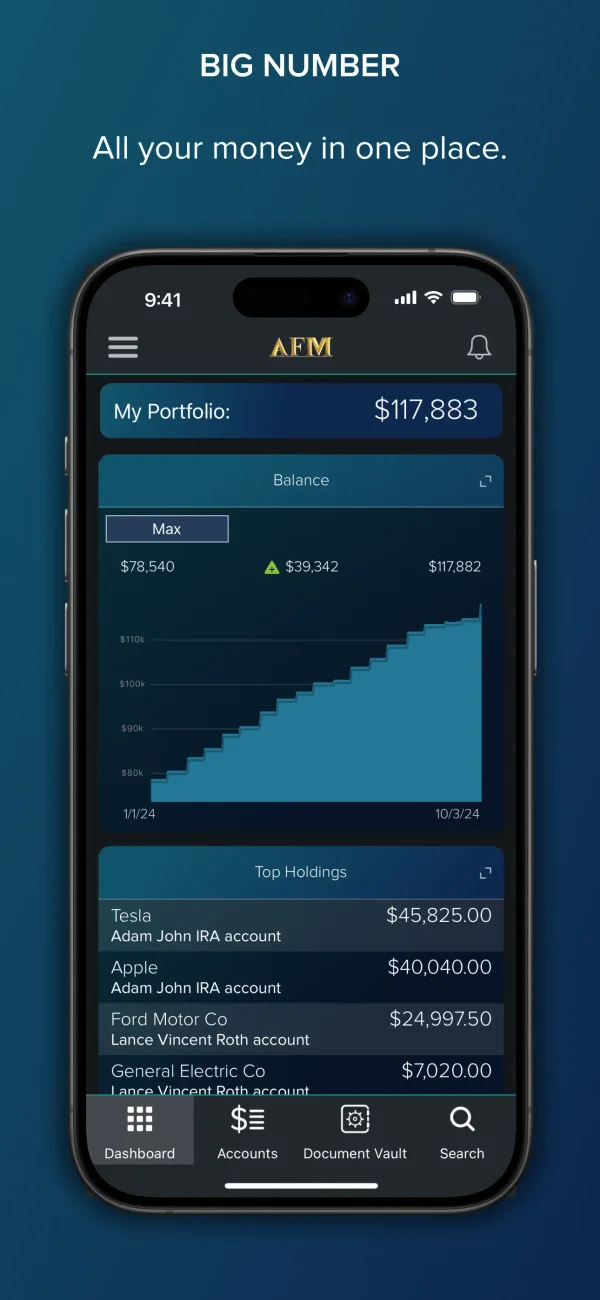
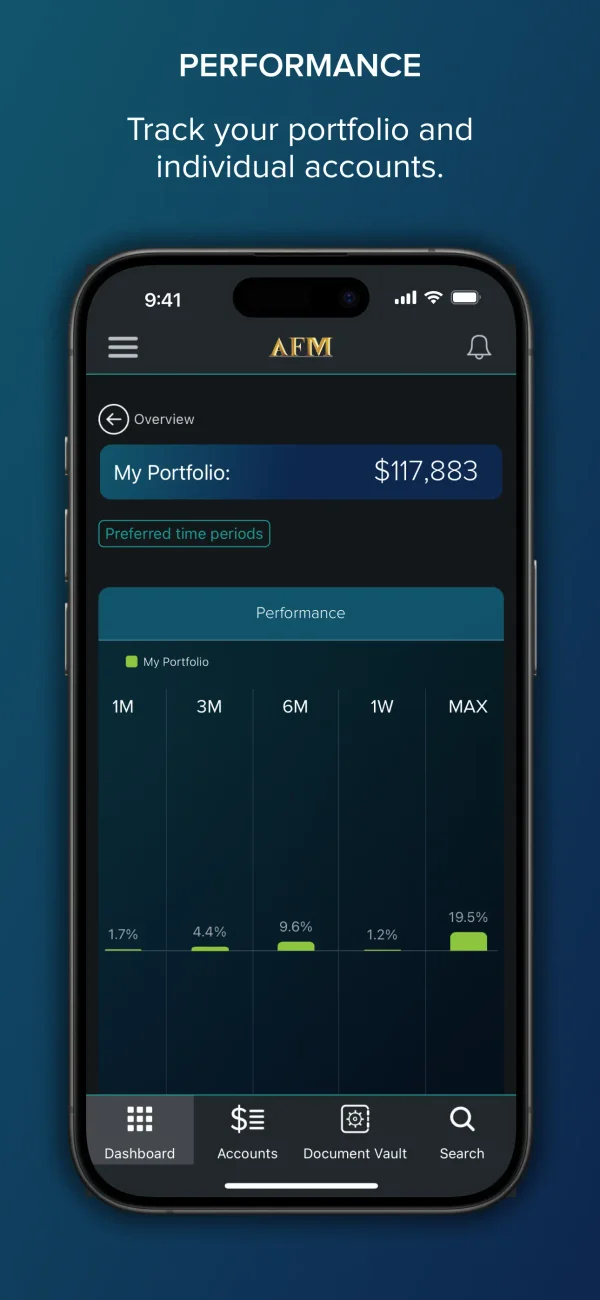
AFM Mobile Investor Portal gives you more time to live your life by making it easier to keep track of all your wealth while providing you with the information you need to know at your fingertips. See all your financial accounts and investments in one place at any time. Receive up to date performance information at the security, account, and portfolio level.
Có gì mới
Phiên bản 24.3.0 · 08/10/2024
The Same, Complete Advisor-Client Experience on Web or Mobile
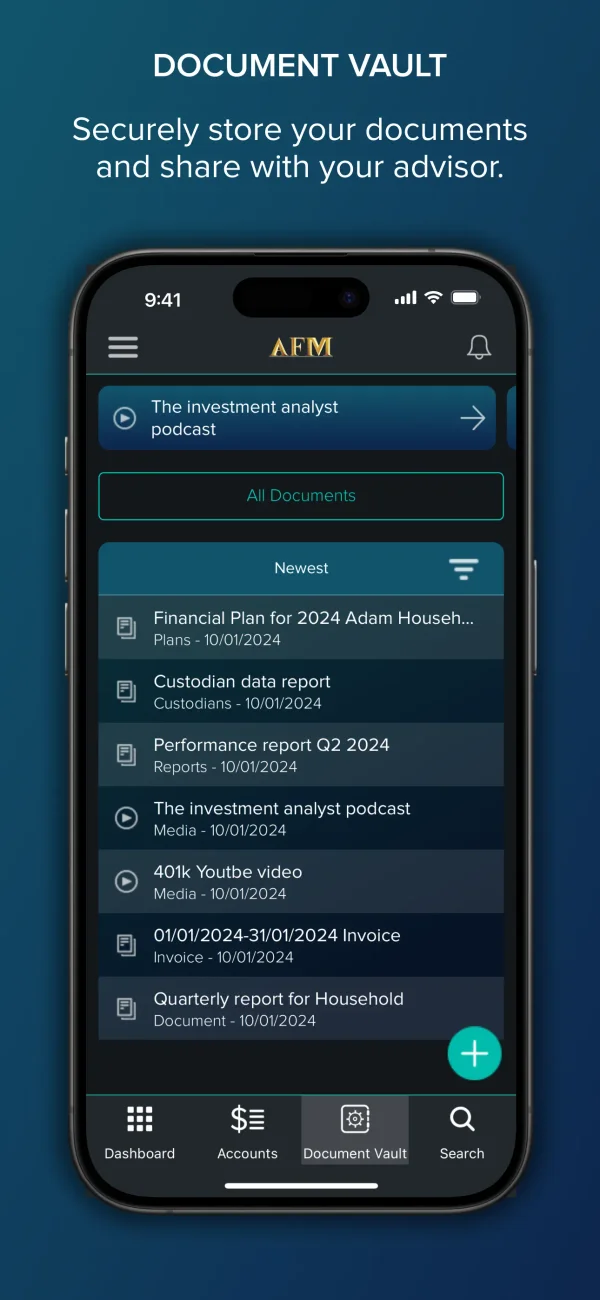
With this update, The AFM mobile app is introducing significant enhancements to the Document Vault and offering robust new features alongside a streamlined mobile workflow. This upgrade builds on advisor and client expectations while adding in new delighters and ensuring privacy while accessing financial information on the go.
Enhanced Document Management
The Document Vault now supports multimedia on both mobile and web platforms. This allows advisors to share their audio and video podcasts or other newsworthy rich media files with all or a specific individual or subset of clients.
Document Management
- Enhanced Folder Organization: Advisors can categorize and organize document types with a new Document Vault user interface, making it easier to locate specific documents.
- Edit Document Details Modal: Easily edit document names, types, and tags through a redesigned preview modal.
- Improved Document Vault Navigation: Selecting a row also now opens the document’s preview modal, initiating an abridging of the document interaction process.
- Notification Icon: Enhanced Notification Icon ensure important updates are easily noticed. Furthermore, clicking on a Notification Icon will direct the user to a preview of the document within the Document Vault.
Document Interactions
- Bidirectional Uploads and Downloads: Both advisors and their clients can easily upload and download documents bidirectionally, including rich media files like videos and podcasts.
- Document Sharing: Share multiple documents at once from the documents table, streamlining the sharing process. In addition to bulk document sharing, documents can now be shared on and off the platform, regardless of the document owner, facilitating easier collaboration.
- Embedded Media Player in Document Vault: Advisors and clients can access an embedded media player in the Document Vault on both mobile and web platforms, facilitating the consumption of video and audio content directly within the app.
- Multimedia Sharing & Consumption on Mobile: Users can preview, scan, and upload various file types, including presentations, spreadsheets, text files, and images.
On-The-Go Workflow & Visualization Updates
This is more than a minor part of this update: the ability for advisors and clients to have fewer taps to drill down into their desired area within the app creates a greater, more organized, and more efficient user experience. Enjoy a cleaner interface, light mode, and improved workflows for toggling key metrics and clustering balance-related widgets.
- Streamlining Workflows with Efficient Navigation: The app has been designed to significantly reduce the number of taps required to drill down into desired endpoints, making navigation intuitive and efficient.
- User-Friendly Interface: Featuring a beautiful, non-intimidating, and easy-to-navigate UI/UX, the app allows users to quickly access charts, graphs, documents, and media with minimal effort while maintaining a high level of organization and reducing screen-loading times.
- Light Mode Implementation: A new light mode option provides a visually pleasing alternative to the dark mode. Experience a new aesthetic option preferred by many users.
- Advanced Data Visualization: Local time periods are introduced for balance graphs, transactions view, and holdings view. Detailed views for transactions and holdings provide deeper insights.
- Clustered Balance Widgets: Balance-related drills and widgets, such as exposure, risk, and performance, are now clustered for easier access.
- Toggle Big Number Visibility for Privacy Control: Users can hide or reveal their total portfolio value with a simple click. This feature is especially beneficial for clients who can toggle the visibility of their portfolio value depending on their setting, whether they are in private or looking to check their portfolio discreetly in public settings.
Quyền riêng tư của ứng dụng
Những gì CircleBlack, Inc. khai báo trên App Store về cách ứng dụng này xử lý dữ liệu.
-
Dữ liệu liên kết với bạn
Có thể được thu thập và liên kết với danh tính của bạn.
- Thông tin liên hệ
- Nội dung của người dùng
- Lịch sử tìm kiếm
- Mã định danh
- Dữ liệu sử dụng
- Chẩn đoán
- Dữ liệu khác
Phương thức đảm bảo quyền riêng tư có thể khác nhau, chẳng hạn như tuỳ theo các tính năng bạn sử dụng hoặc độ tuổi của bạn.
Thông tin
- Người bán
- Circleblack Inc.
- Danh mục
- Tài Chính
- Phiên bản
- 24.3.0
- Cập nhật
- 08/10/2024
- Phát hành
- 21/06/2024
- Kích thước
- 27,2 MB
- Yêu cầu
- iOS 11.0 trở lên
- Độ tuổi
- 4+
- Giá
- Miễn phí
- Ngôn ngữ
- Tiếng Anh
- Bản quyền
- ©2014-2024 CircleBlack, Inc. All rights reserved.