
- Độ tuổi4+
- Danh mụcY Tế
- Nhà phát triểnMIKI CHINEN
- Ngôn ngữTiếng Nhật+ 1 ngôn ngữ khác
- Kích thước38,1 MB
Liên kết đến trang App Store chính thức
Download.org không lưu trữ tệp nào của AlignerLog. Nút này mở trang ứng dụng trên App Store, nơi MIKI CHINEN phát hành ứng dụng. Trang được kiểm tra lần cuối: 23/11/2026.
Ảnh chụp màn hình
Giới thiệu
Nhà phát triển chưa cung cấp nội dung này bằng ngôn ngữ của bạn.
Clear aligner treatment. Sound familiar?
• You only have a rough feeling for how long you've worn them today
• You took them out for a meal, forgot, and noticed hours later
• You lost track of the change day and wore the same tray too long
AlignerLog is a wear-time tracker built just for clear aligners. Every feature, including the home screen widgets, is free, and no account is needed.
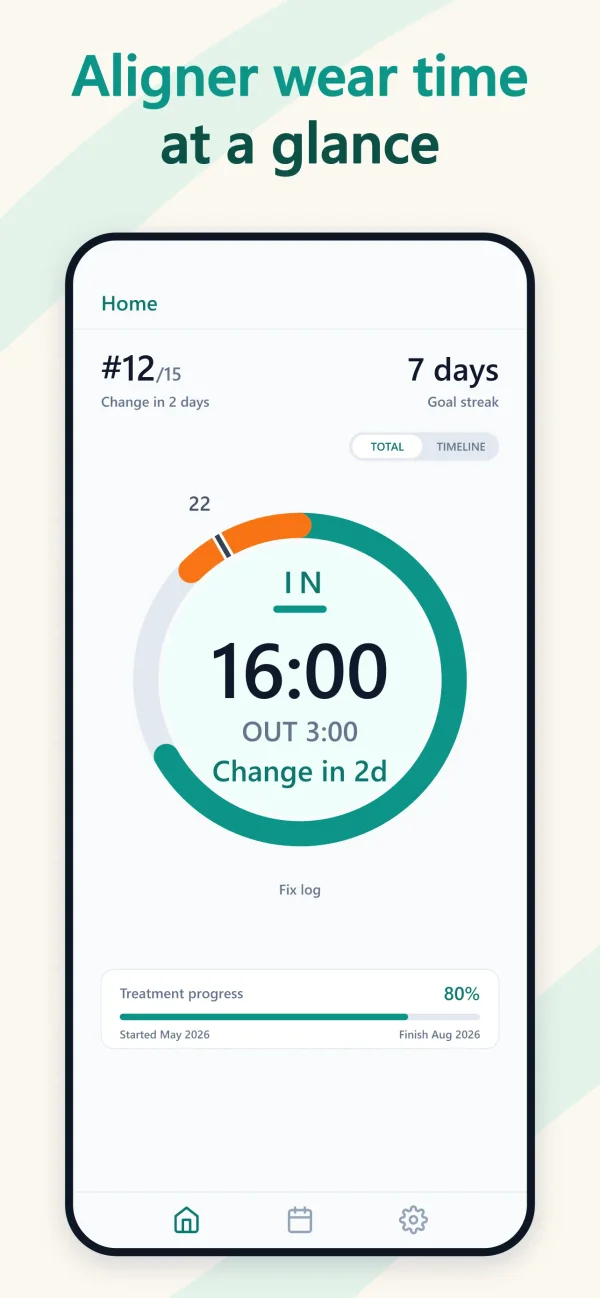
■ One tap to log, today's wear time at a glance
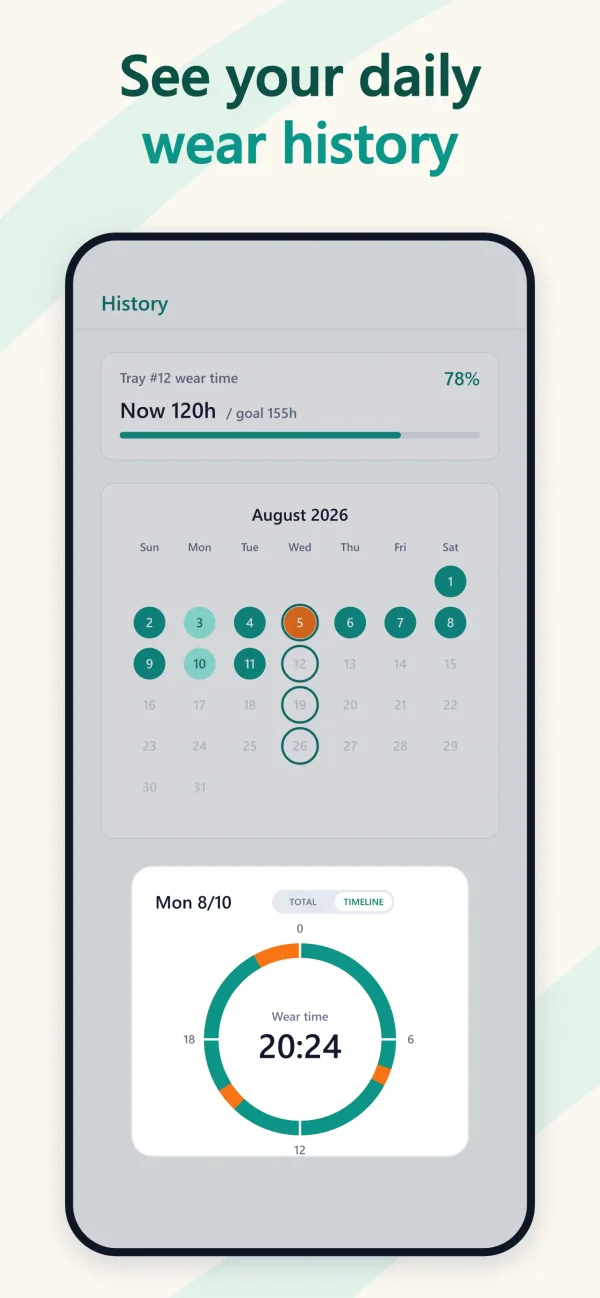
Tap once when you take your aligners out and once when you put them back in. A 24-hour dial fills up with today's IN and OUT time and shows how close you are to your goal (for example 22 hours). Switch to the timeline view to see which hours of the day you were wearing them, laid out like a clock face.
■ Home screen widgets
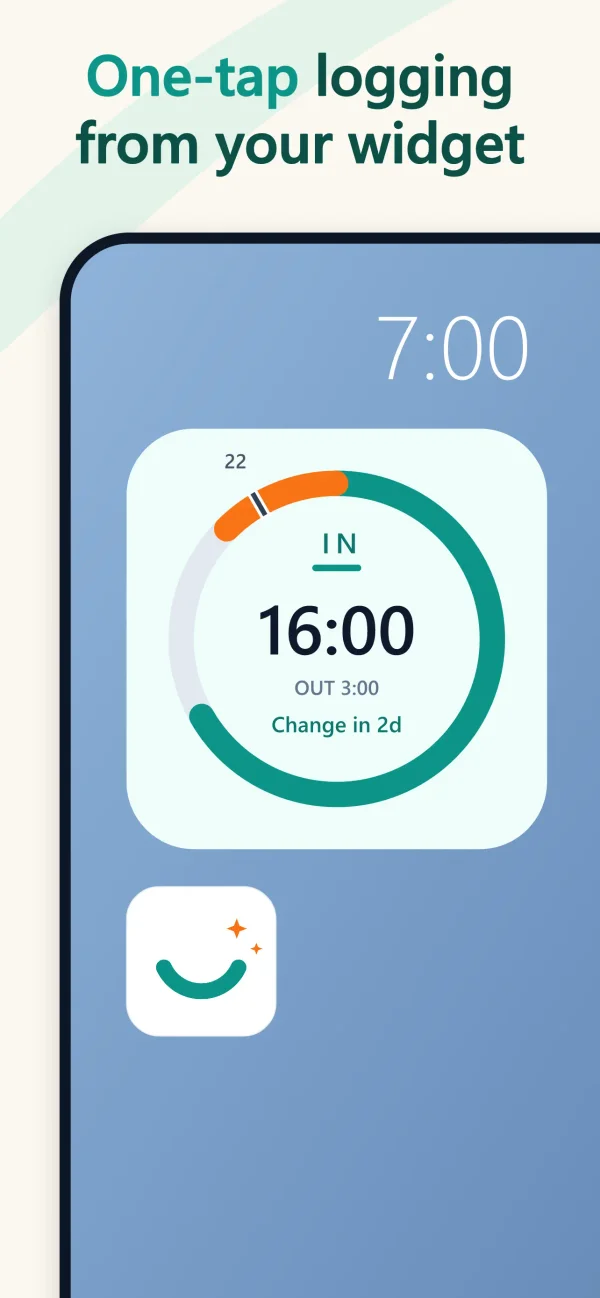
Check today's wear time without opening the app. Small and medium widgets show your wear dial and days until your next tray change, and you can switch IN/OUT right from the widget (widgets require iOS 17 or later).
■ Colors and time display, your way
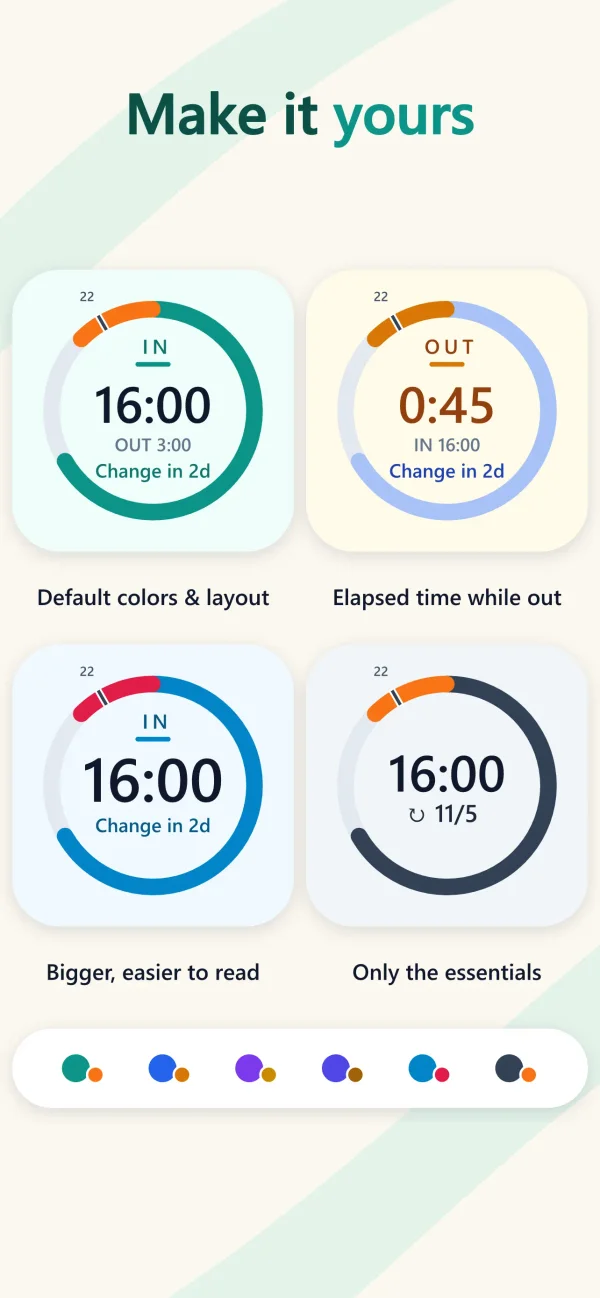
Choose from six color themes for the app and widgets. With Daily mode, the theme changes automatically each day, even without opening the app. On the home screen and widgets, you can also choose what to show (total or count-up), the text size, and whether to show the IN/OUT icon.
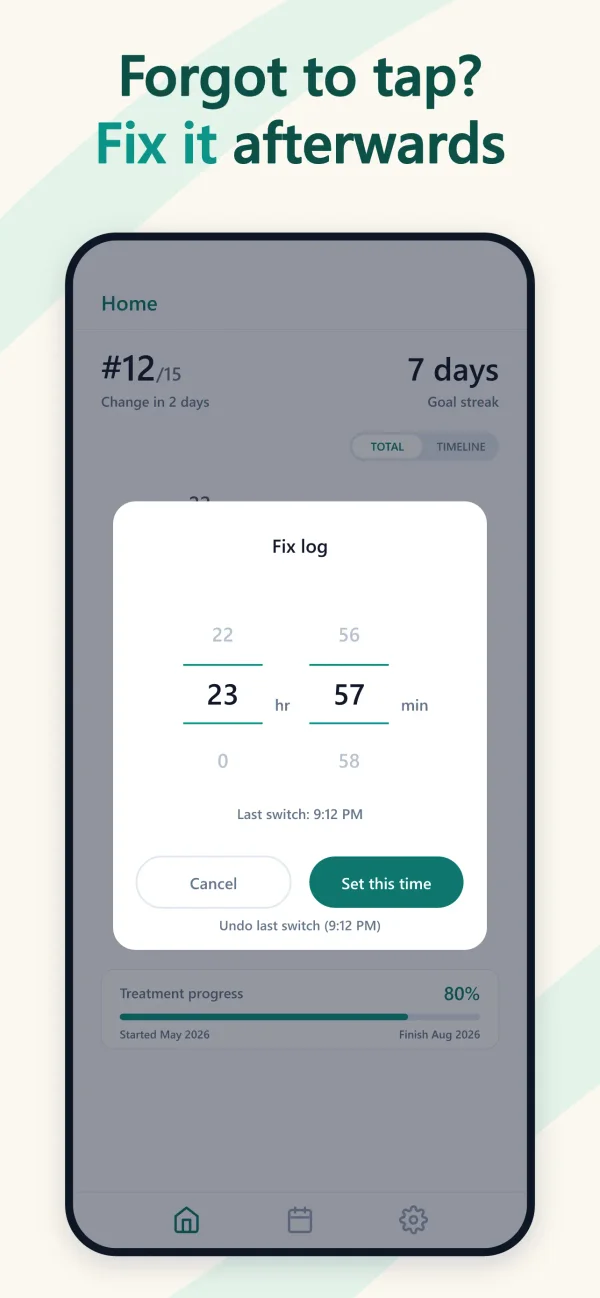
■ Forgot to tap? Fix it afterwards
If you notice you forgot to tap, pick the time you actually took them out (or put them in) and the log is corrected. One missed tap no longer ruins a whole day.
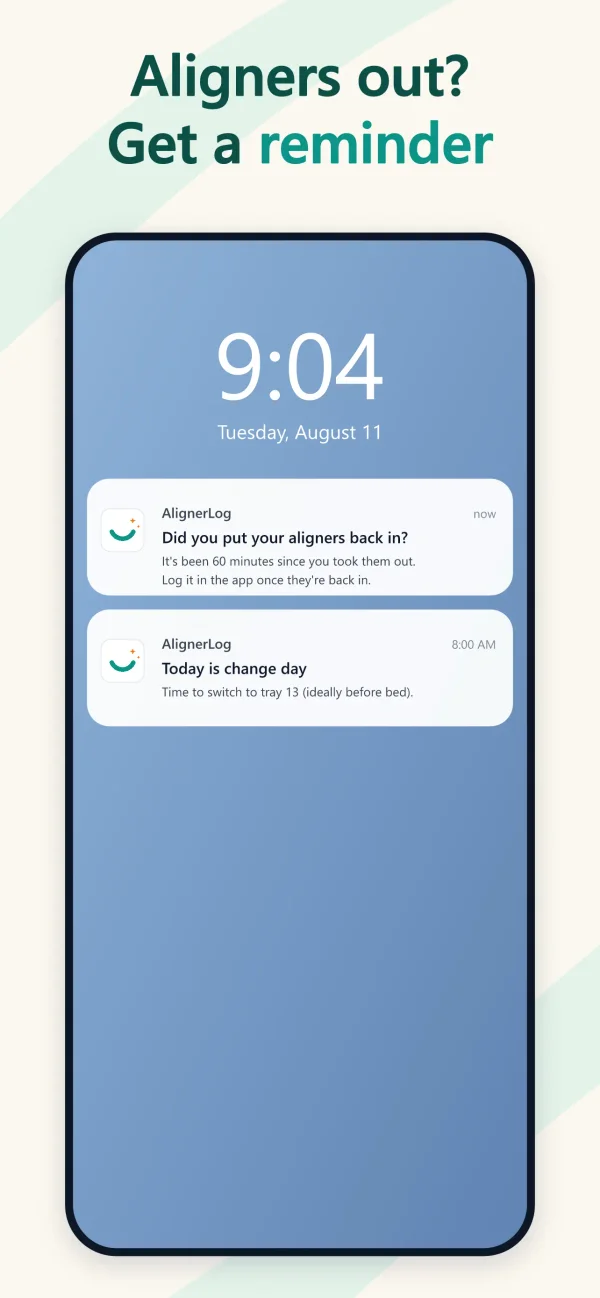
■ Reminders when they're still out
After the time you set, AlignerLog asks "Did you put your aligners back in?" With repeat reminders on, it keeps nudging you at the same interval until you log IN, so a forgotten tray doesn't stay out until bedtime.
■ Change-day tracking
Set your change interval (7, 10, 14 days, and more) to count down to the next tray and get a reminder on the day. The reminder includes how long you wore the current tray. You can shift the change day by 1 to 3 days from the app.
■ A history that keeps you going
The calendar shows each day's result and your change days. Look back at daily details and timelines any time. Your goal streak and overall treatment progress are always visible, so motivation stays up.
■ Retainer phase too
Switch to retainer mode after treatment to track retainer hours with a separate daily goal.
■ Private and simple
• No account. Open the app and start
• Your data stays on your device
• Export and restore a backup when you change phones
• Every feature is free
Made for:
• Anyone in clear aligner treatment, or about to start
• People who want to keep a daily goal such as 22 hours
• Anyone worried about forgetting to put aligners back in, or forgetting to tap
• People tracking retainer wear time
Seeing your wear time every day makes treatment far easier to stick with.
AlignerLog is here for the whole journey.
* AlignerLog helps you record wear time. Always follow your orthodontist's or dentist's instructions on treatment, wear time, and when to change trays.
Có gì mới
Phiên bản 1.5.7 · 09/11/2026
• Minor improvements.
Quyền riêng tư của ứng dụng
Những gì MIKI CHINEN khai báo trên App Store về cách ứng dụng này xử lý dữ liệu.
-
Dữ liệu không được thu thập
Nhà phát triển không thu thập bất kỳ dữ liệu nào từ ứng dụng này.
Phương thức đảm bảo quyền riêng tư có thể khác nhau, chẳng hạn như tuỳ theo các tính năng bạn sử dụng hoặc độ tuổi của bạn.
Thông tin
- Người bán
- MIKI CHINEN
- Danh mục
- Y Tế
- Phiên bản
- 1.5.7
- Cập nhật
- 09/11/2026
- Phát hành
- 27/08/2026
- Kích thước
- 38,1 MB
- Yêu cầu
- iOS 16.4 trở lên
- Độ tuổi
- 4+
- Giá
- Miễn phí
- Ngôn ngữ
- Tiếng Nhật, Tiếng Anh
- Bản quyền
- © 2026 MIKI CHINEN
Có thể bạn cũng thích
-
 Our Aligner LogY Tế
-
 Alinear: Aligner TrackerSức Khỏe & Thể Dục
-
 マウスピース外し記録Sức Khỏe & Thể Dục
-
 AlignerQuest - アライナー装着記録Sức Khỏe & Thể Dục
-
 マウスピース手帳 - 交換日と装着時間Sức Khỏe & Thể Dục
-
 Traybook: Aligner TrackerY Tế
-
 Tray Harder: Aligner TrackerSức Khỏe & Thể Dục
-
 Aligner Tracker: TrayHabitY Tế
-
 TrayOffSức Khỏe & Thể Dục
-
 TrayWise: Aligner TrackerY Tế