
- Độ tuổi4+
- Danh mụcTiện Ích
- Nhà phát triểnHaiguang Yin
- Ngôn ngữTiếng Anh+ 11 ngôn ngữ khác
- Kích thước12,2 MB
Liên kết đến trang App Store chính thức
Download.org không lưu trữ tệp nào của Annidiem. Nút này mở trang ứng dụng trên App Store, nơi Haiguang Yin phát hành ứng dụng. Trang được kiểm tra lần cuối: 23/11/2026.
Ảnh chụp màn hình


Giới thiệu
Nhà phát triển chưa cung cấp nội dung này bằng ngôn ngữ của bạn.
Your calendar manages your schedule. Annidiem remembers the days for you.
If you think you're a bit ahead of the curve, this one's for you.
Birthdays, anniversaries, exams, trips, moving into a new home, a family reunion — the days that matter deserve better than a crowded calendar.
Some are still ahead of you. Some already happened. Either way, they deserve somewhere to stay.
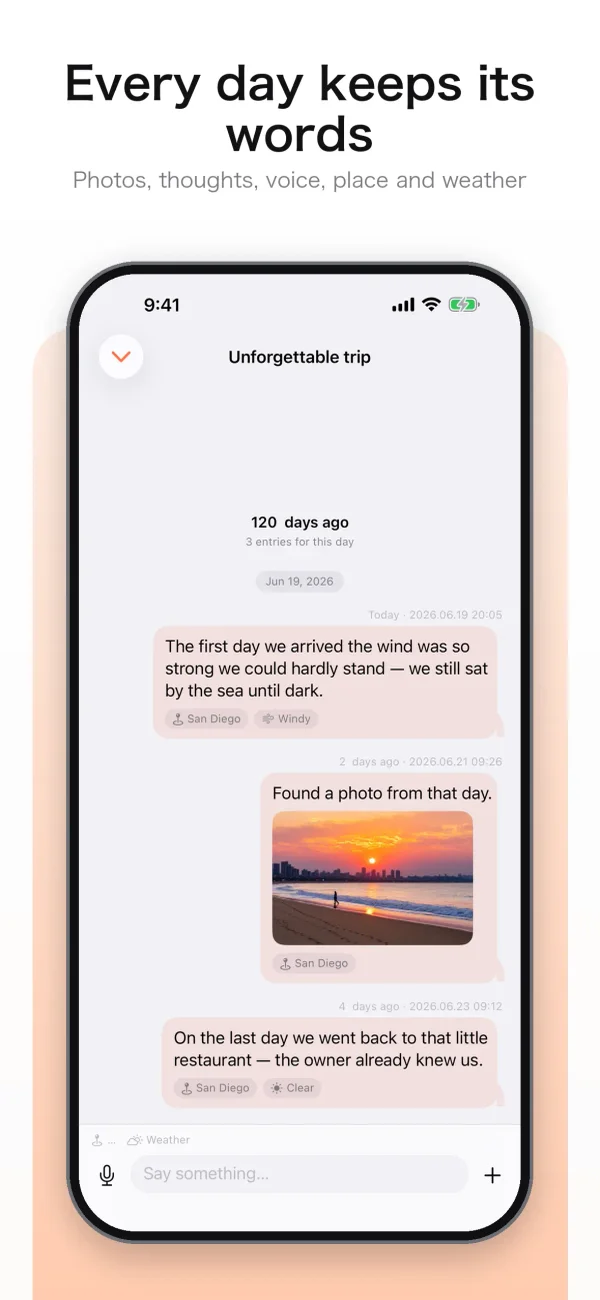
Flip the bottom-right corner of a card and it turns over into that day's own record.
You don't have to wait for the day itself — write while you're looking forward to it, while you miss it, or the moment it crosses your mind: photos, thoughts, voice memos, short videos, each one stamped with the place and weather of that moment.
No folders to create, no "where should this photo go" — it belongs to a day, so it stays with that day. If you remember which day it was, you'll find it again.
And when the same day comes round again, every year keeps its own: this year never mixes with last.
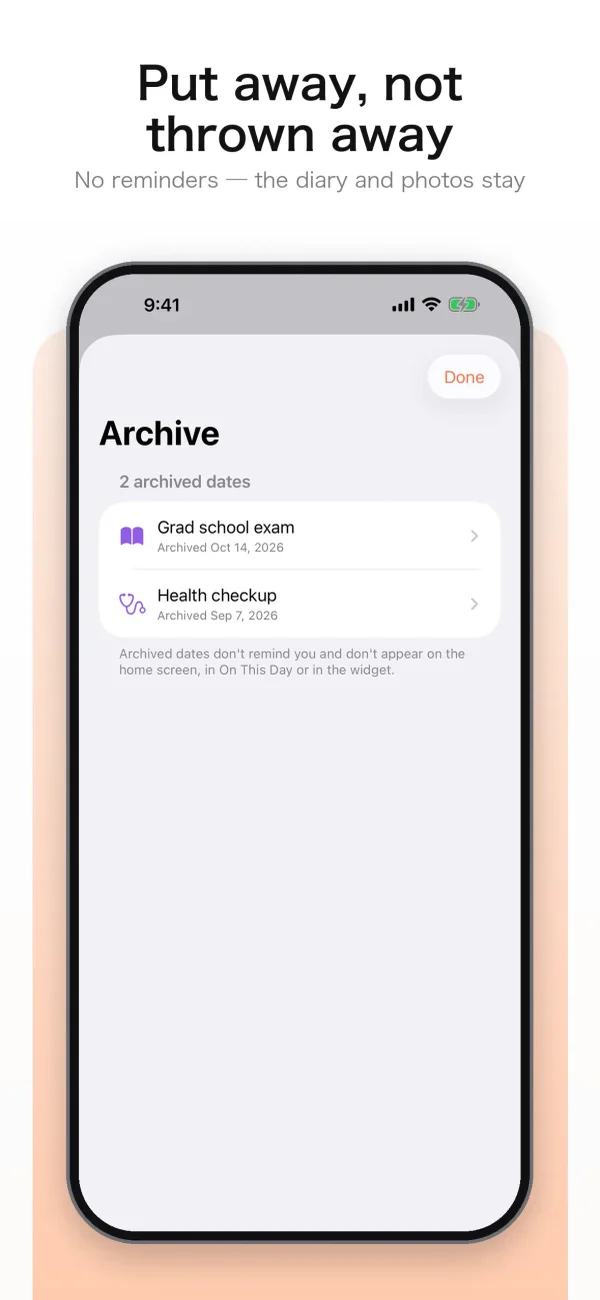
When a day is no longer in focus, put it away — not throw it out. It leaves your home screen and stops reminding you, while the diary and photos stay, ready to bring back.
Life gets simpler. The memories don't have to.
- TALK TO THIS DAY — flip a card over for that day's own record; write whenever it comes to you
- ARCHIVE — put days that no longer need your attention away, without deleting anything
- CARD WALL — big countdown numbers for every day that matters
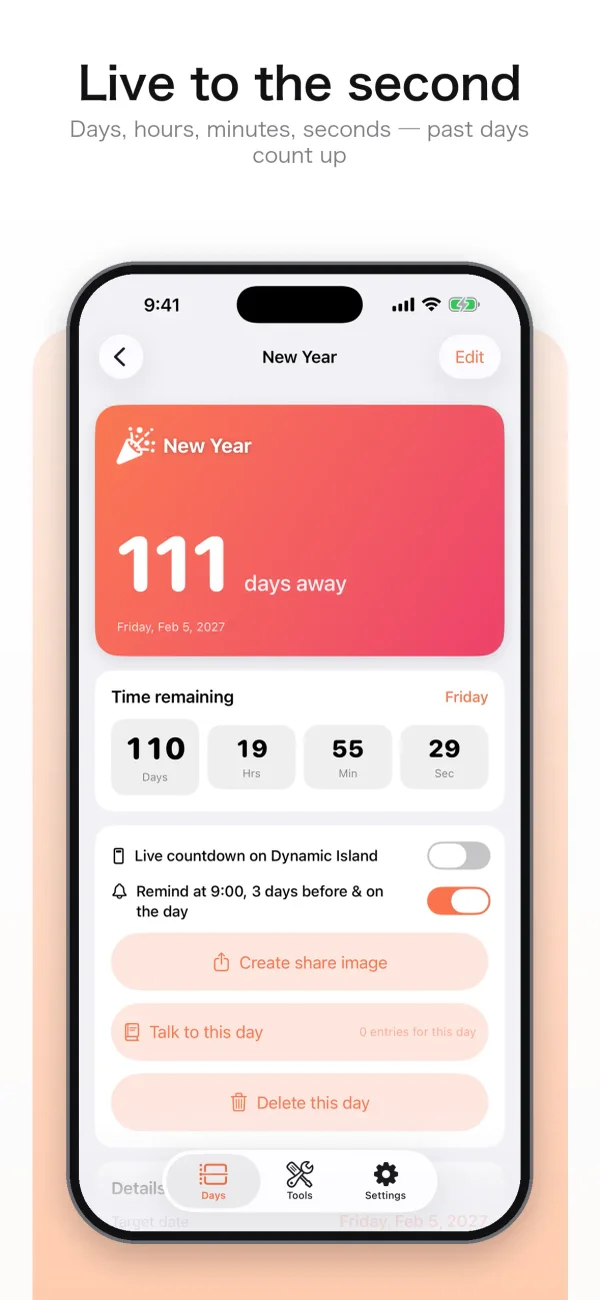
- TICKING MOMENTS — live days/hours/minutes/seconds; past days keep counting up: 1000 days together, 90 days smoke-free, day 300 of the project
- WEEK & DAY OF YEAR — which week and day of the year today is, at a glance
- PHOTO COVERS — pick a photo for a date and the card becomes its face
- ON THIS DAY — the days that happened on today's date in past years surface on their own
- DYNAMIC ISLAND — pin any day to your Dynamic Island
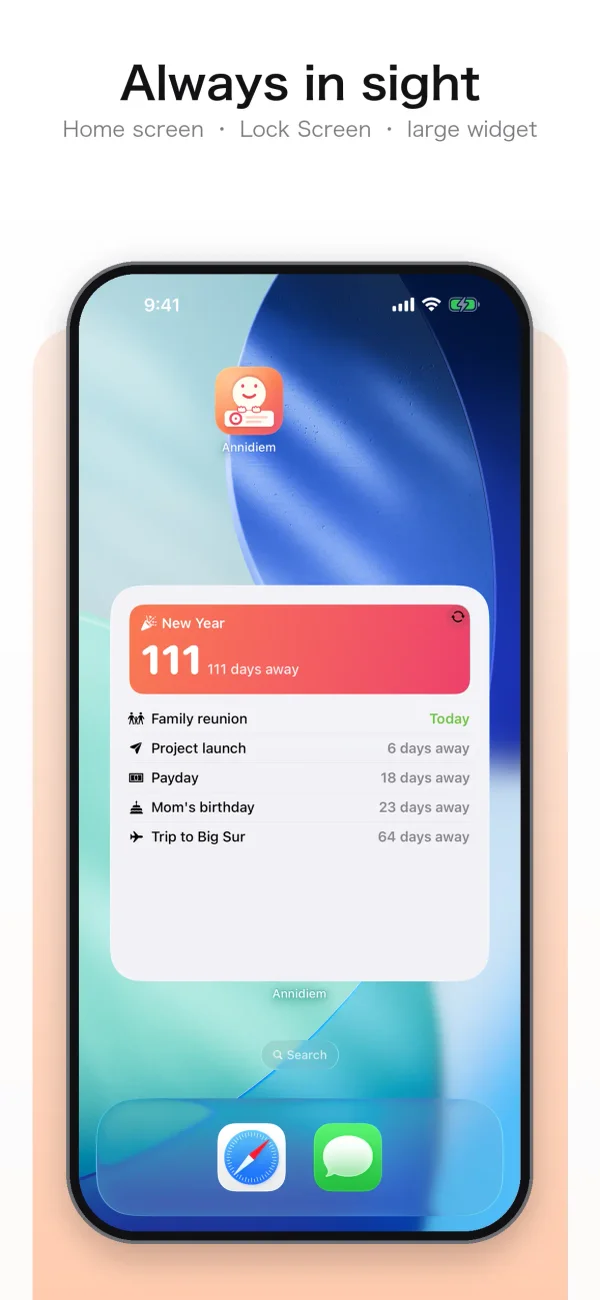
- WIDGETS — gradient cards, Lock Screen widgets, and a large widget that shows your next five days
- ERA OF DAYS — one 3D timeline for all your days: days with photos stand along the road, tap one to fly in
- APPLE WATCH SYNC — a glance at your wrist: watch app and watch face complications, updated from your iPhone
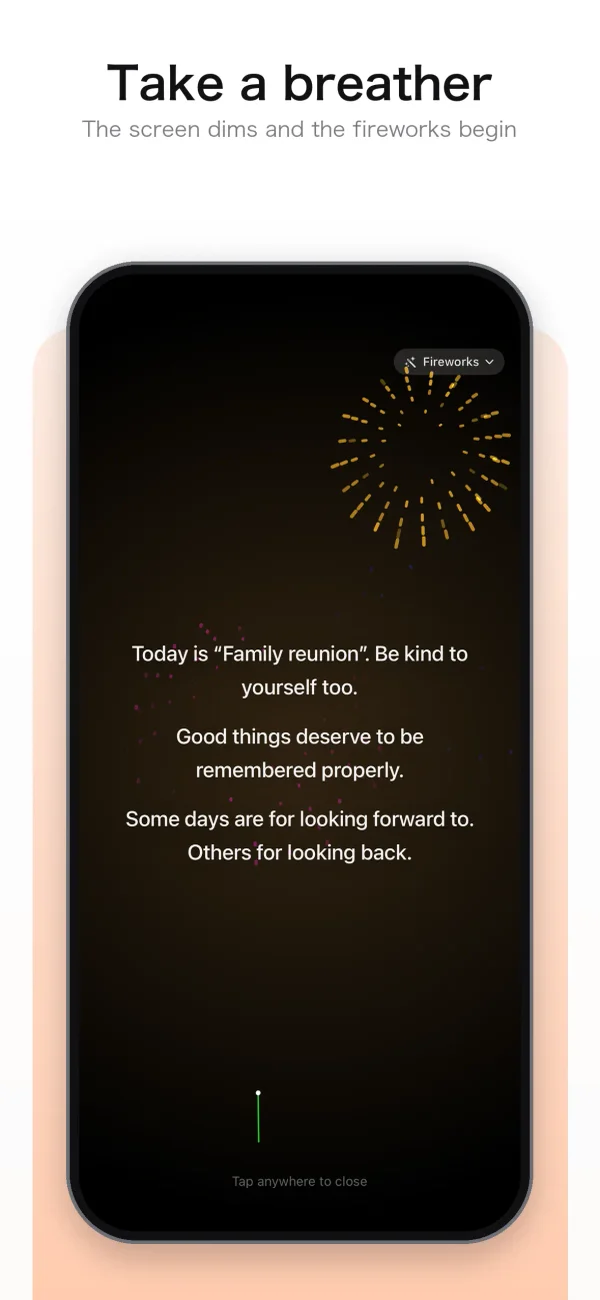
- TAKE A BREATHER — the screen dims, and the fireworks begin
- WORTH SHARING — five share card styles: gradient, minimal, poster, midnight, photo
- ANY RHYTHM — daily, weekly, monthly, or an interval you set yourself; paydays and bill days stay in step
- FIND ANY DAY — search titles, notes, even "August"; filter to this month, the next 30 days, or what's already past
- ASK SIRI — "how many days until New Year?" works, and so do Shortcuts and system search
- REMINDERS YOUR WAY — the day itself, or 1/3/7/14/30 days ahead, at a time you choose
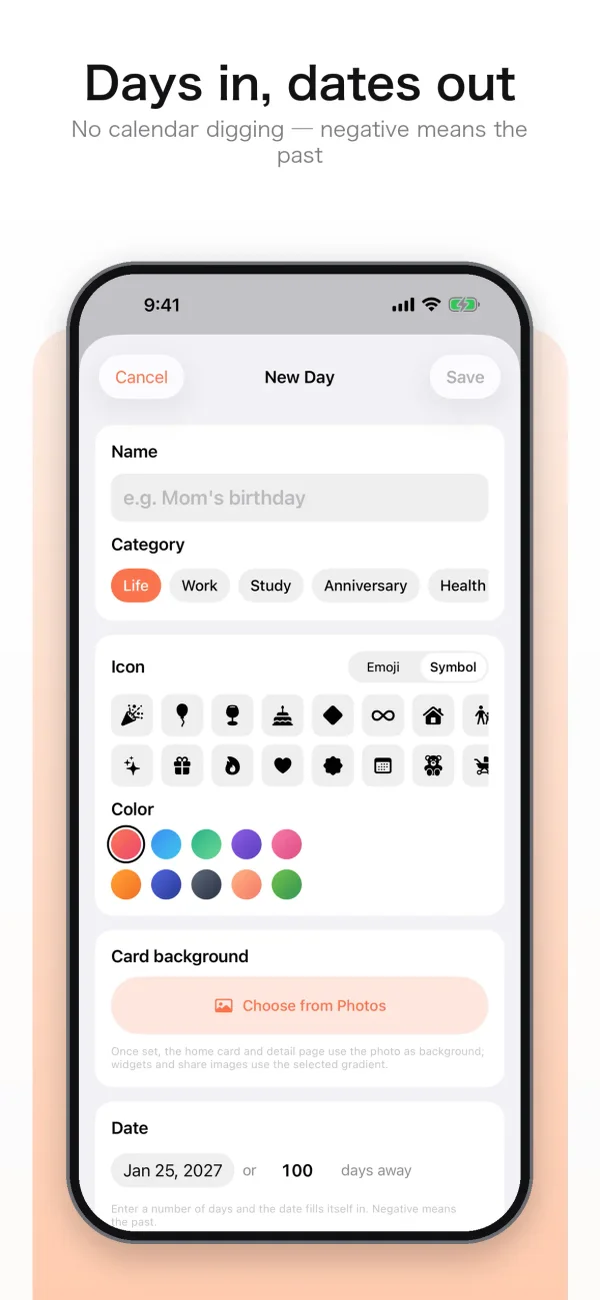
- TYPE DAYS, GET DATES — enter "100 days" and the date computes itself
- FACE ID LOCK — auto-lock in background; some days are yours alone
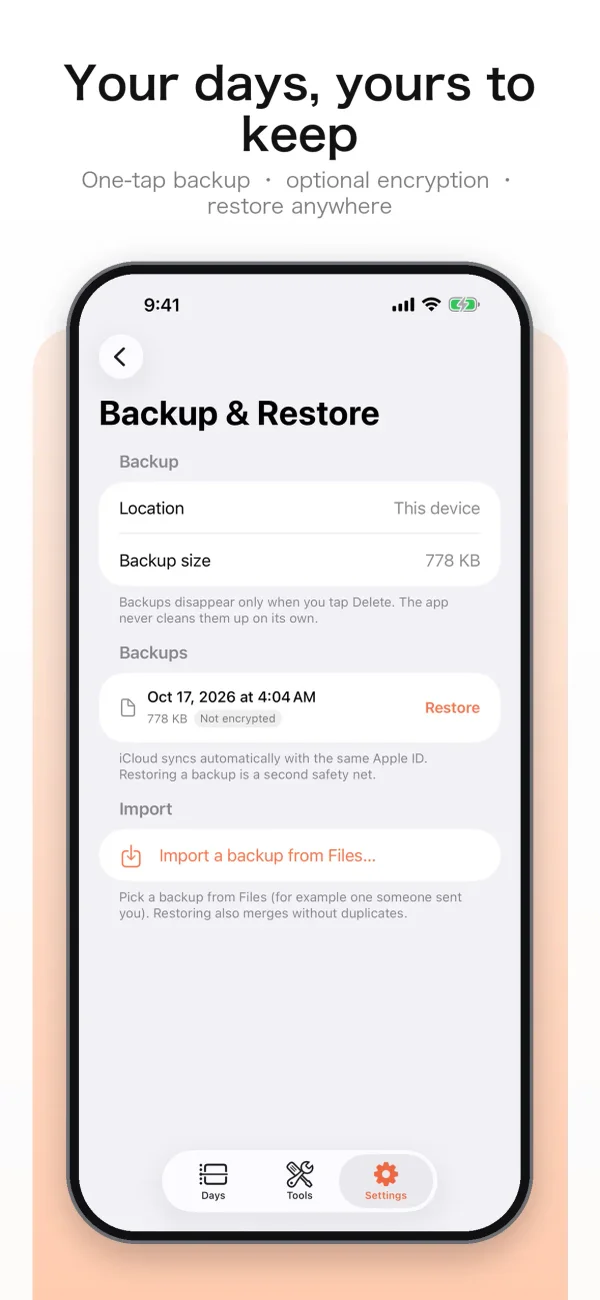
- CALENDAR BRIDGE — import from system Calendar; export .ics/JSON to iCloud Drive
- ICLOUD SYNC — sign in to iCloud and every device stays in sync
- DATE CALCULATOR — days from birth to today, or today to payday; days between dates, business days, and more
- ON-DEVICE AI BLESSINGS — Apple Intelligence writes personalized blessings, fully offline (iPhone 15 Pro or later)
One-time purchase · No subscription · No ads · Collects no data — your data stays on your device
and in your own private iCloud database, and everything works offline.
Có gì mới
Phiên bản 1.2.2 · 20/11/2026
· Swipe a row in the list view: one side opens “Talk to this day”, the other “Archive” — the extra button inside the row is gone.
· After turning on “Include time” for a day, the detail page now shows the time you set — and tapping the number on a card reveals a count precise to hours and minutes.
· Fixed: flicking the list upward could open “Take a breather” by accident. It now takes a deliberate pull toward the bottom.
· Fixed: when you had only a few cards the pull-up gesture didn’t work at all. It works now.
· Fixed: on some system versions the number pad for the “days away” shortcut and the date-offset tool didn’t respond to taps.
· Switching between the two home layouts no longer makes the top of the page jump.
Quyền riêng tư của ứng dụng
Những gì Haiguang Yin khai báo trên App Store về cách ứng dụng này xử lý dữ liệu.
-
Dữ liệu không được thu thập
Nhà phát triển không thu thập bất kỳ dữ liệu nào từ ứng dụng này.
Phương thức đảm bảo quyền riêng tư có thể khác nhau, chẳng hạn như tuỳ theo các tính năng bạn sử dụng hoặc độ tuổi của bạn.
Thông tin
- Người bán
- Haiguang Yin
- Danh mục
- Tiện Ích
- Phiên bản
- 1.2.2
- Cập nhật
- 20/11/2026
- Phát hành
- 19/09/2026
- Kích thước
- 12,2 MB
- Yêu cầu
- iOS 17.3 trở lên
- Độ tuổi
- 4+
- Giá
- Miễn phí
- Ngôn ngữ
- Tiếng Anh, Tiếng Ả Rập, Tiếng Pháp, Tiếng Đức, Tiếng Nhật, Tiếng Hàn, Tiếng Mongolia, Tiếng Trung Giản thể, Tiếng Tây Ban Nha, Tibetan, Tiếng Trung Phồn thể, Uighur
- Bản quyền
- © 2026 Sealight Yin
Có thể bạn cũng thích
-
 RecallRoll: Photo CleanerTiện Ích
-
 Giọng Nói Sang Văn Bản OfflineChuyển ghi âm, tin nhắn thoại
-
 DocScopeTiện Ích
-
 RollGuardTiện Ích
-
 Build24: Tính toán xây dựngBê tông, cầu thang, vật liệu
-
 Flicker Insight: PWM TestTiện Ích
-
 FreshKeep-Save your groceriesTiện Ích
-
 Membership NaviTiện Ích
-
 Magnifier · BaroTiện Ích
-
 RoomTrace 3DTiện Ích