
Apiary Memory Mobile
Sovereign memory, MCP + HTTP
Được thiết kế cho iPhone, iPad
Miễn phí
- Độ tuổi4+
- Danh mụcHiệu Suất
- Nhà phát triển光艮 梁
- Ngôn ngữTiếng Anh+ 4 ngôn ngữ khác
- Kích thước4,4 MB
Liên kết đến trang App Store chính thức
Download.org không lưu trữ tệp nào của Apiary Memory Mobile. Nút này mở trang ứng dụng trên App Store, nơi 光艮 梁 phát hành ứng dụng. Trang được kiểm tra lần cuối: 25/11/2026.
Ảnh chụp màn hình

Giới thiệu
Nhà phát triển chưa cung cấp nội dung này bằng ngôn ngữ của bạn.
One AI can't remember you — so let every AI share a single memory.
Most AI keeps your memory locked inside one vendor's account. Switch models, and the context starts from zero. Apiary Memory takes that memory back from someone else's servers and puts it in your own computer. Whoever connects reads the same copy.
The iPhone app is the pocket window into that hive: when you're out, you can still see, ask, and catch a thought.
◆ Not a cloud drive — a second brain inside your computer
Your memory lives in a folder on your own Mac: no upload, no account, no telemetry. With the network down, your phone can still ask — as long as it's on the same Wi-Fi.
◆ What the phone can do
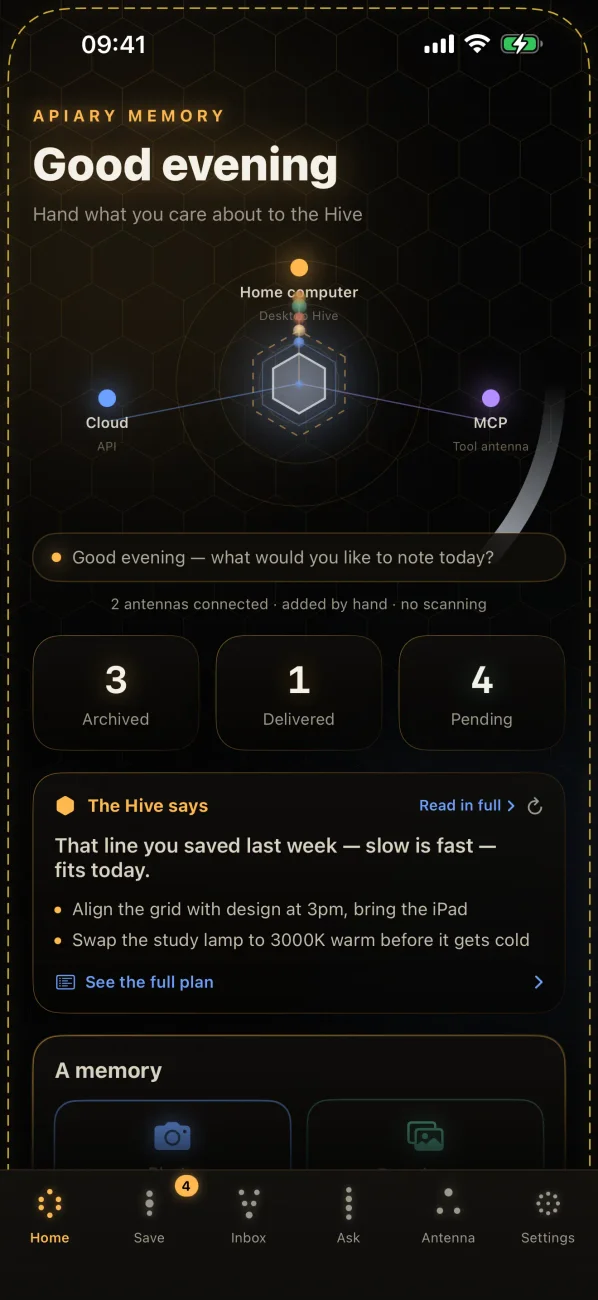
· Home — how many memories you have, what was filed today
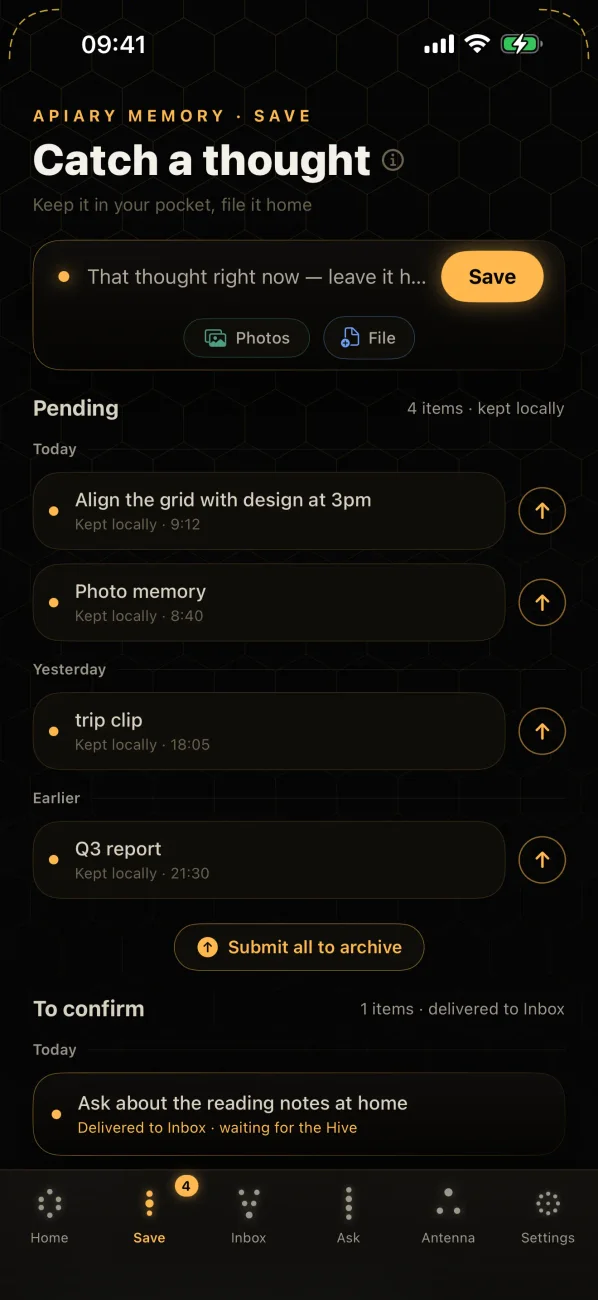
· Pending — thoughts you haven't settled yet, at a glance; you can file them right from the phone
· Collaboration board — what each antenna (AI helper) is doing, and its state
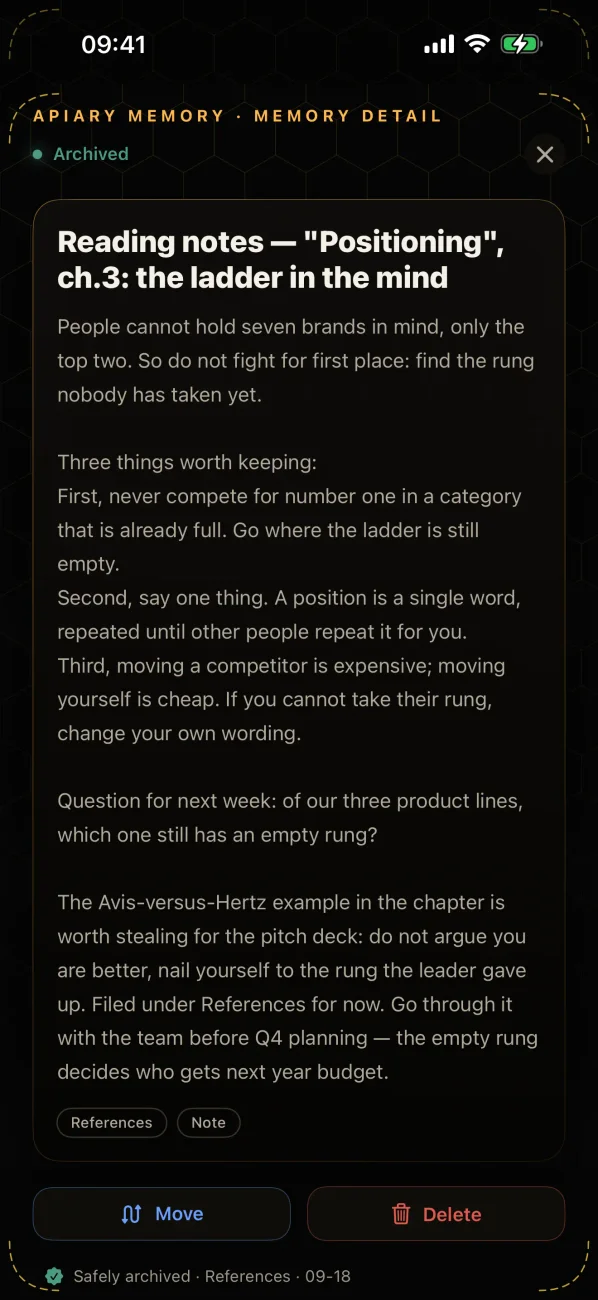
· Entries — title, body, vault, time; tap to read in full
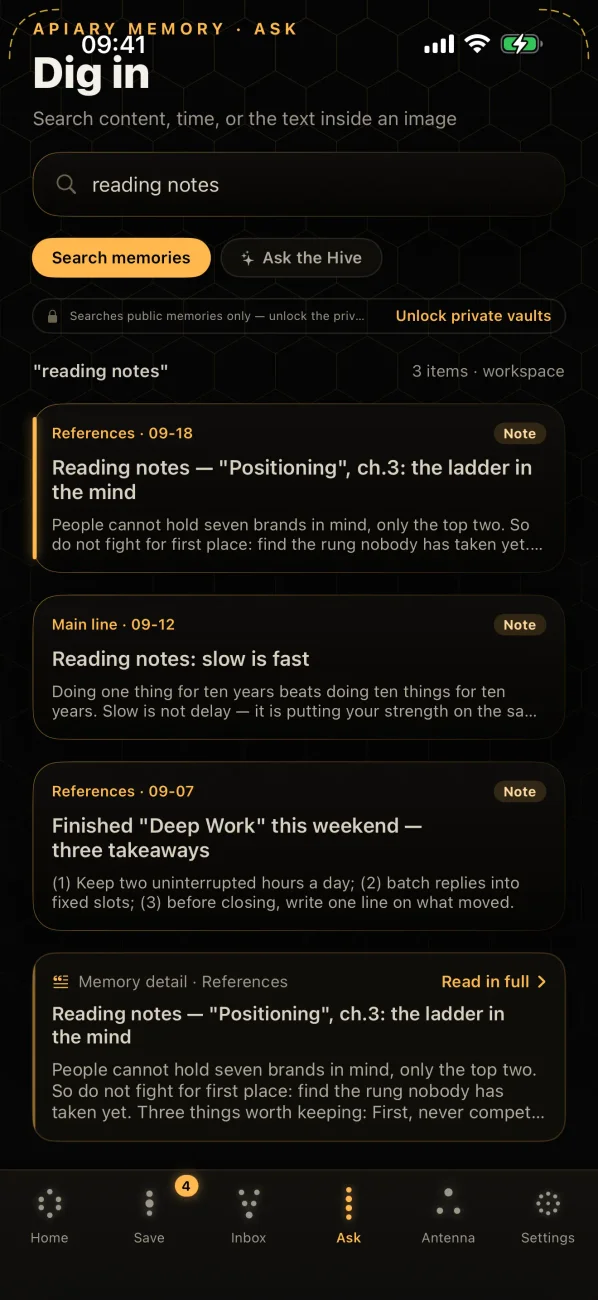
· Ask — retrieve a memory in one sentence; the more naturally you phrase it, the better it finds
· Quick capture — text, photos, recordings, documents are kept on the phone first; once you're back on the same Wi-Fi they're sent to the hive for you to confirm on your Mac
◆ Say one sentence to Siri
Just say "Ask Apiary Memory". It reads back titles only — memory bodies never come out of the phone's speaker, so whoever is next to you won't hear what you saved. You can also ask "Apiary Memory today" to hear how many items are waiting for your confirmation.
◆ A connected AI can never write on its own
This is where the hive differs most from other memory products: any AI can only propose into a "pending" list, and proposals never land in your vault by themselves. You approve them one by one; only then do they become real memories. Who proposed it, when, and whether you approved — all on record.
◆ The final call happens on your Mac
Seeing and reading happen on the phone; actions that alter memory structure — moving between vaults, approving, issuing access — only happen on your computer. Browsing can't accidentally change anything. Decide when you sit down at home.
◆ Privacy
No account system, no cloud copy, no analytics, no ads. Your memory never passes through us — we have no server that stores your memory data. The four private vaults (Relationships / Personal / Financial / Private) are encrypted separately; to read them on the phone you enter the same password there.
◆ What you need
A Mac running Apiary Memory (this app is its mobile companion). Phone and computer on the same Wi-Fi; pair once by scanning a QR code or entering the 6-digit code. When the Mac is unreachable, the phone shows only its local queue and never pretends to have data. When you're away from home it can't connect back yet — your memory always stays on your own computer.
Interface available in five languages: 中文 / English / 日本語 / 繁體中文 / 한국어.
One person, one hive. Sovereignty is yours.
Có gì mới
Phiên bản 1.6.0 · 24/11/2026
This version shares the number 1.6.0 with the Mac app and brings the iPhone app in line with it.
1. Ask by voice with Siri
Say "Ask Apiary Memory", and it asks what you're looking for, then reads up to three titles.
Titles only — memory bodies never come out of the speaker, so whoever is next to you won't hear what you saved.
You can also say "Apiary Memory today" to hear how many items await your confirmation.
2. You can now see your own card
Settings has a read-only card view. You write the card on your Mac; on the phone you can see what you actually hand out.
3. Memories you searched on the phone now appear in iPhone system search — by title only
Off by default, one switch in Settings. Turning it off clears the index immediately. Only title, time and vault name are indexed; body text, file paths and passwords never are. Private vaults are excluded from system search entirely.
4. Actions restricted by the Mac app now explain themselves
Starting with Mac 1.6.0, structural actions (move between vaults, revoke/fuse/unfuse/delete an access key, issue a key) can only be performed on your computer. Tapping them on the phone now shows a dedicated card instead of a bare error.
5. Two input placeholders were reworded to be vendor-neutral
A few quieter changes you may run into:
- Credentials between phone and Mac now travel in a request header instead of the URL
- The voice token can be issued and revoked on the phone, and shows how many days it has left
Quyền riêng tư của ứng dụng
Những gì 光艮 梁 khai báo trên App Store về cách ứng dụng này xử lý dữ liệu.
-
Dữ liệu không liên kết với bạn
Có thể được thu thập nhưng không liên kết với danh tính của bạn.
- Nội dung của người dùng
Phương thức đảm bảo quyền riêng tư có thể khác nhau, chẳng hạn như tuỳ theo các tính năng bạn sử dụng hoặc độ tuổi của bạn.
Thông tin
- Người bán
- 光艮 梁
- Danh mục
- Hiệu Suất
- Phiên bản
- 1.6.0
- Cập nhật
- 24/11/2026
- Phát hành
- 18/10/2026
- Kích thước
- 4,4 MB
- Yêu cầu
- iOS 17.0 trở lên
- Độ tuổi
- 4+
- Giá
- Miễn phí
- Ngôn ngữ
- Tiếng Anh, Tiếng Nhật, Tiếng Hàn, Tiếng Trung Giản thể, Tiếng Trung Phồn thể
- Bản quyền
- © 2026 guanggen liang