- Độ tuổi4+
- Danh mụcLối Sống
- Nhà phát triểnJeremy Littlewood
- Ngôn ngữTiếng Anh+ 9 ngôn ngữ khác
- Kích thước42,2 MB
Liên kết đến trang App Store chính thức
Download.org không lưu trữ tệp nào của Appligence. Nút này mở trang ứng dụng trên App Store, nơi Jeremy Littlewood phát hành ứng dụng. Trang được kiểm tra lần cuối: 13/11/2026.
Ảnh chụp màn hình

Giới thiệu
Nhà phát triển chưa cung cấp nội dung này bằng ngôn ngữ của bạn.
Not every appliance is smart. But it can be.
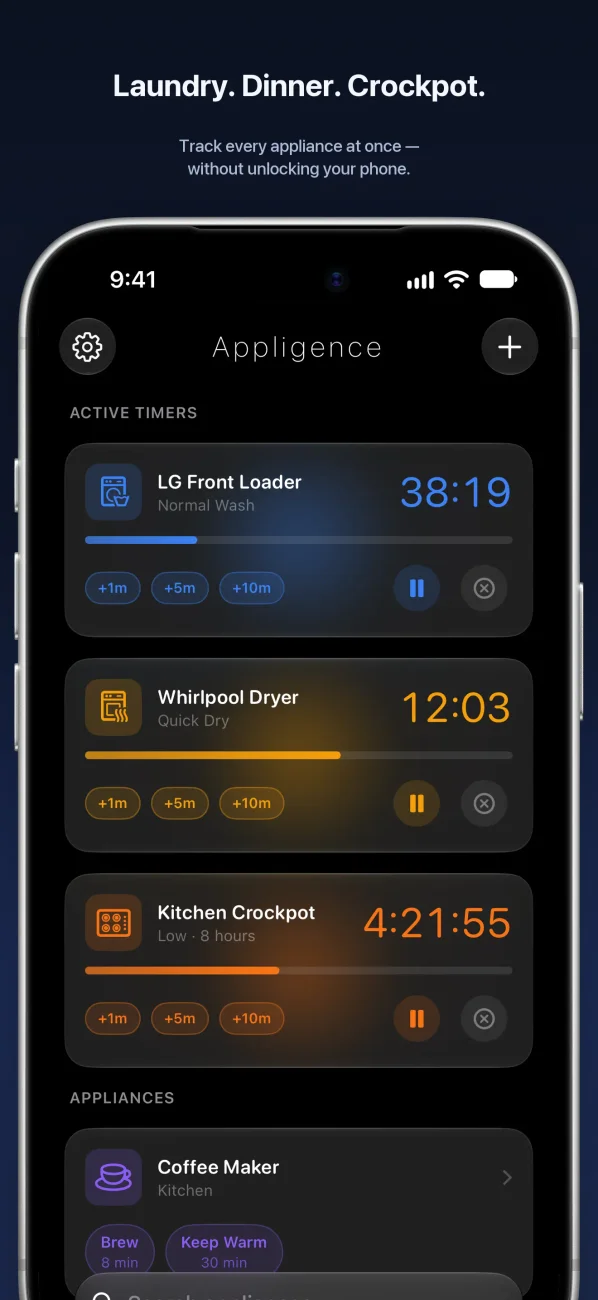
Appligence turns the washer, dryer, dishwasher, oven, crockpot, air fryer — or anything else with a timer — into a smart appliance you can glance at from anywhere. No new hardware, no smart hub: just beautiful live countdowns on your Lock Screen, in the Dynamic Island and on Apple Watch, and a gentle chime the moment your appliance is done.
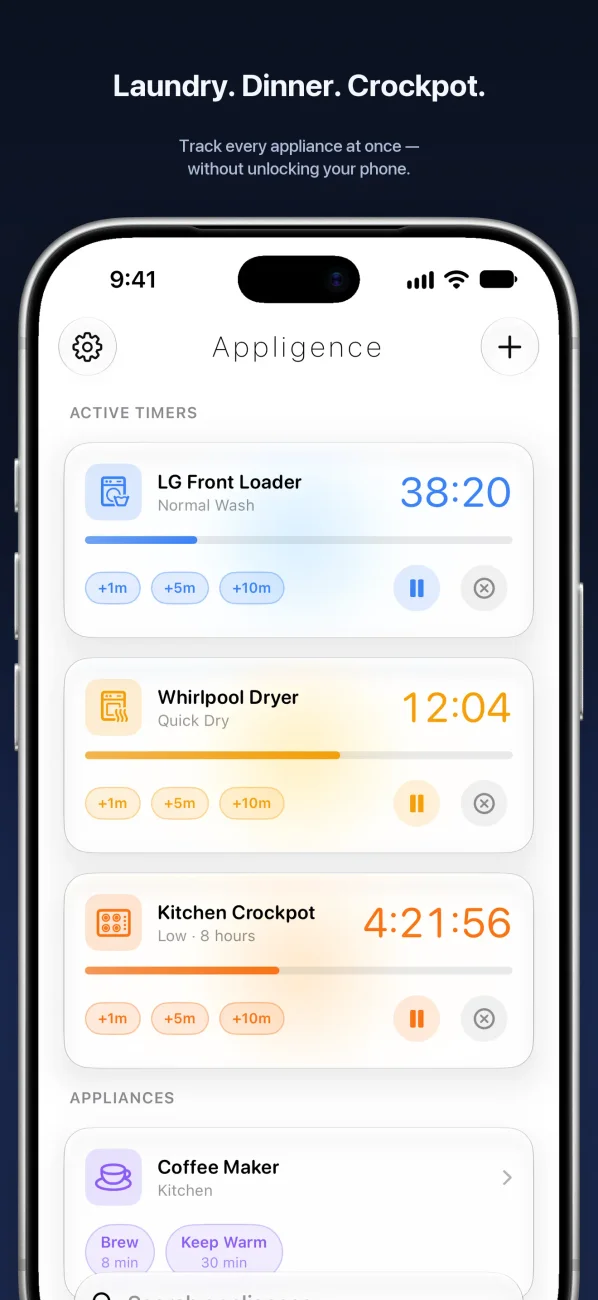
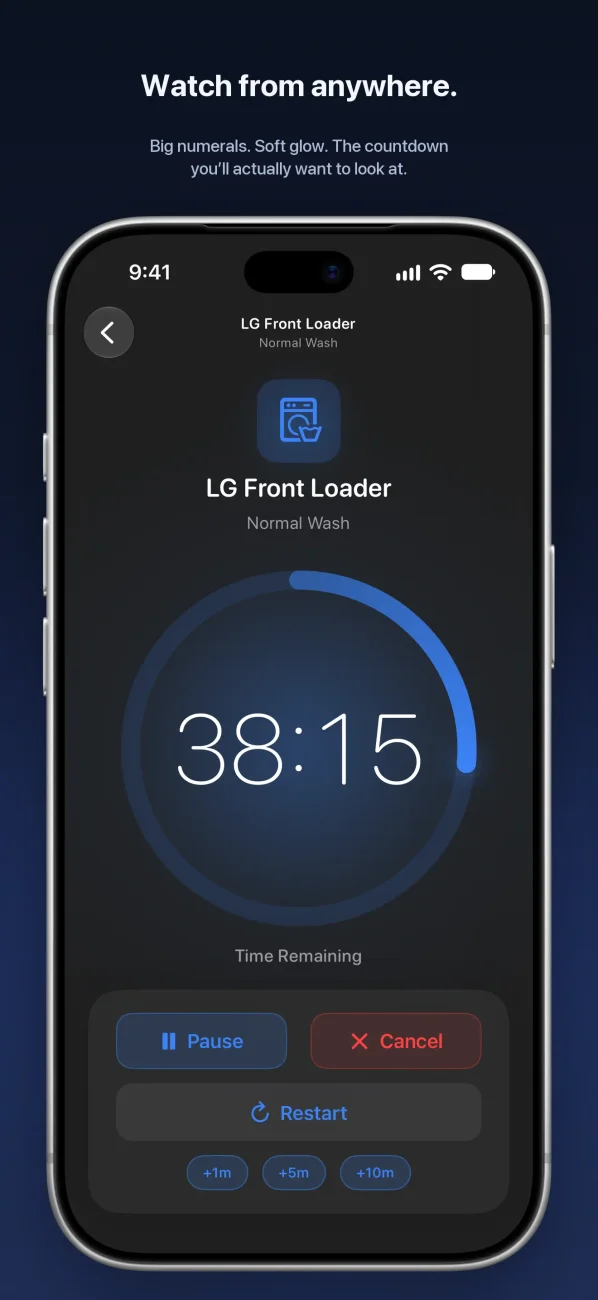
Built with Apple’s Liquid Glass design language, Appligence feels like it ships with iPhone — translucent surfaces, glowing progress rings, fluid motion, and an accent color for every appliance.
JUST ASK SIRI
“Start the dishwasher in Appligence.” Start, pause, resume, or cancel a timer, add time, ask how long is left, or check what’s running — by voice or with Shortcuts. Siri always checks with you before changing a timer.
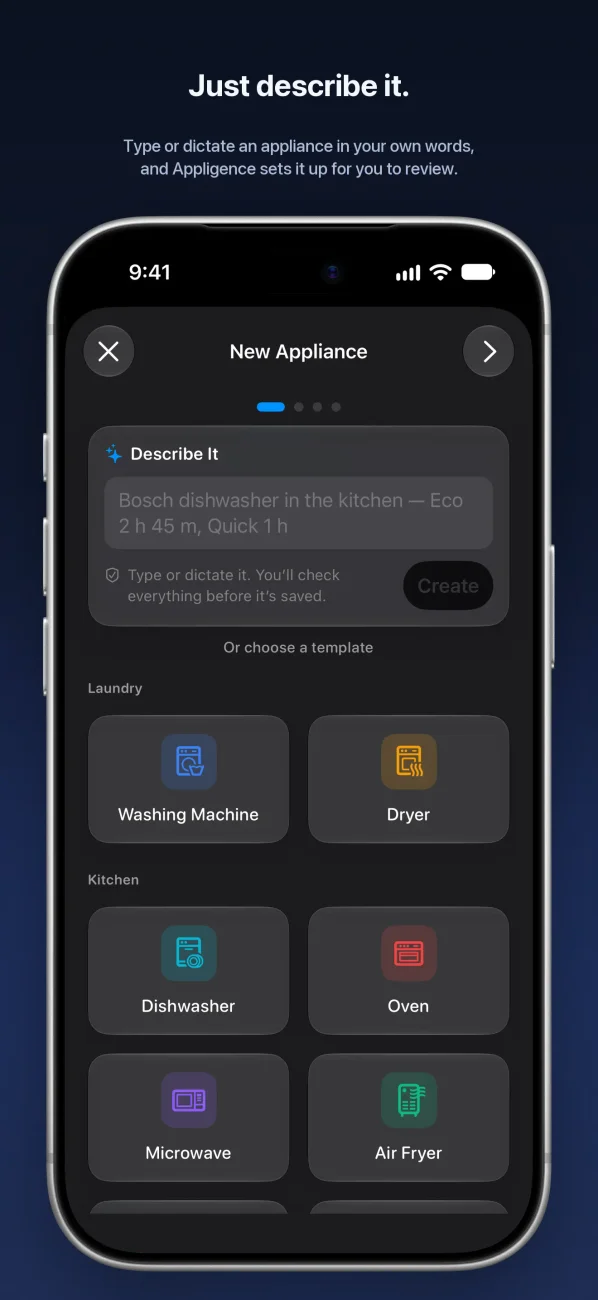
DESCRIBE IT
Type or dictate an appliance the way you’d say it — “Bosch dishwasher in the kitchen, Eco 2 h 45 min, Quick 1 h” — and Appligence sets it up for you to review. It uses on‑device Apple Intelligence where available, and works on every iPhone without it.
WIDGETS AND CONTROLS
Start your favorite timers and follow running ones from widgets on the Home Screen, in StandBy, in CarPlay and on Apple HomeView, and see what finishes next on the Lock Screen — or start one from Control Center, the Lock Screen, or the Action button.
MADE FOR YOUR APPLIANCES
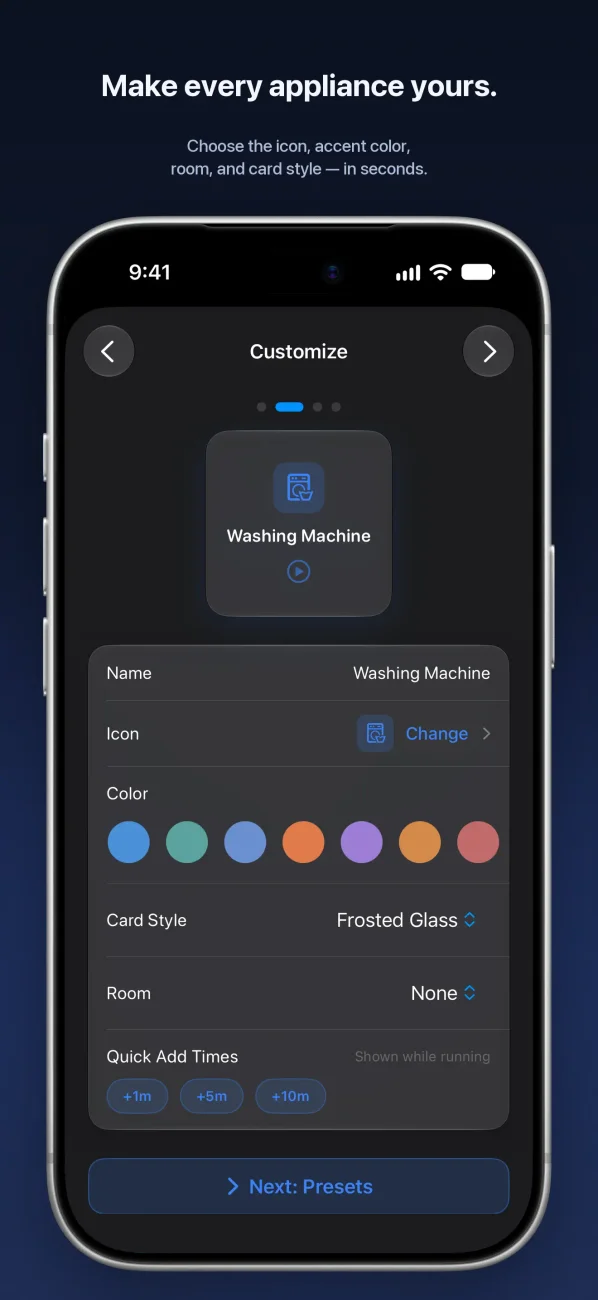
• 19 templates, from washer and dryer to sous vide and sprinkler — or design your own.
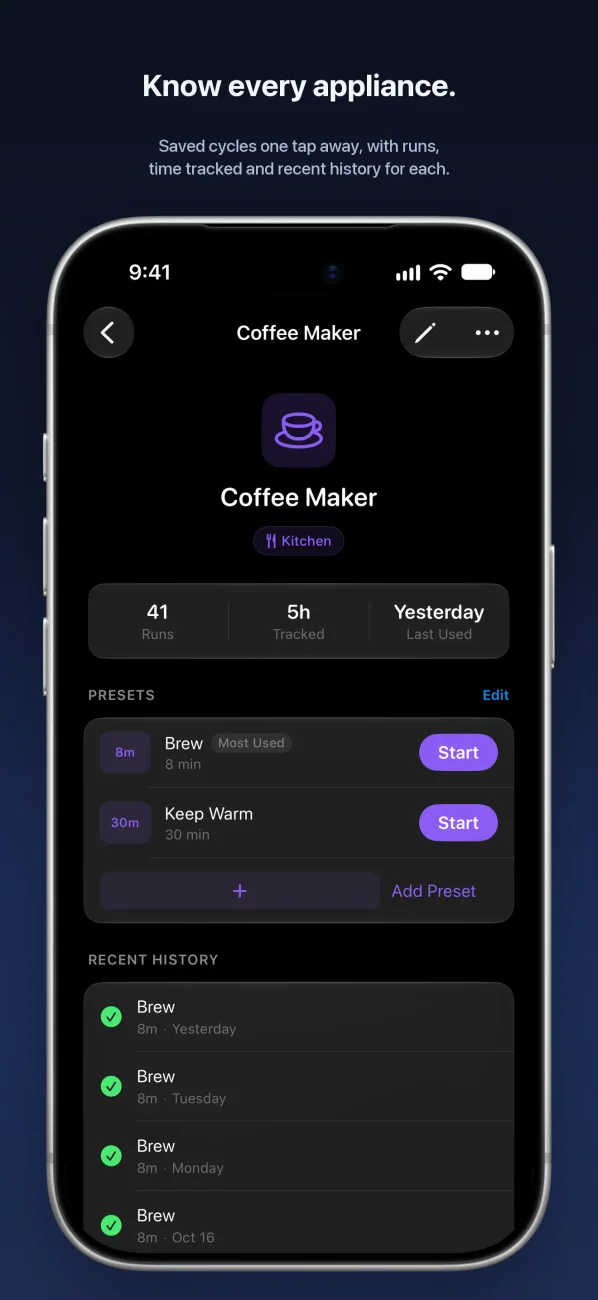
• Named presets for the cycles you actually use — “Normal Wash · 52 min”, “Slow Cook · 8 hr” — each one tap to start.
• An icon from a searchable library of more than 200, an accent color, a card style, and an optional room.
• Several appliances at once, each with its own countdown.
LIVE ACTIVITIES AND TIMER CONTROLS
• Lock Screen and Dynamic Island countdowns in each appliance’s accent color, with a live progress bar on the Lock Screen.
• When a timer finishes, it says “Complete!” — tap Start Again to run it once more.
• Add time with one‑tap buttons you set per appliance; pause, resume, or restart any time.
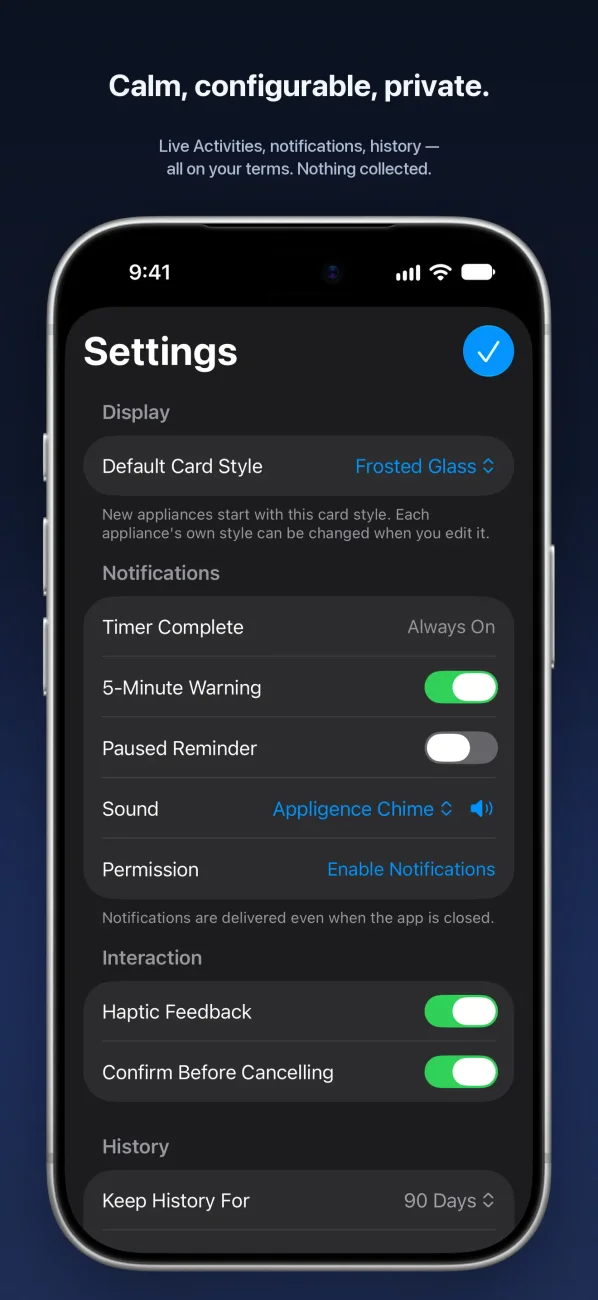
• An optional 5‑minute warning for longer timers, and a reminder if one is left paused.
• The Appligence chime or the iOS sound — your choice.
• Timers are anchored to a real end time, so they stay accurate even if you force‑quit the app or restart your phone.
HISTORY
Runs, most‑used preset, and time tracked for every appliance, plus a history of everything across the house — kept for 30 days, 90 days, or forever.
DESIGNED FOR EVERYONE
• Dynamic Type up to the largest Accessibility sizes, VoiceOver with natural spoken countdowns, and Reduce Motion respected throughout.
• Dark Mode and Light Mode.
• On iPhone Duo and iPad, the dashboard sits beside what you open whenever there’s room, in any orientation and in resizable windows.
• Available in 10 languages.
PRIVACY YOU CAN TRUST
Appligence collects nothing. No analytics, no tracking, no account, no network requests. Your appliances, presets, and history live on your device, and nowhere else.
Appligence makes the appliances you already own a little smarter — and makes your phone the calm, glanceable command center for everything that’s running at home.
Có gì mới
Phiên bản 1.4 · 24/10/2026
Appligence 1.4 is made for iPhone Duo.
• iPhone Duo: Appligence fills both displays. Closed, it’s your dashboard; open, the timer you’re following sits beside it, with controls along the side. Stand it partly folded with a timer open, and the display stays on while it counts down.
• On iPhone Duo and iPad, the space beside the dashboard now shows the timer that finishes next — or your most-used appliance — instead of an empty page.
• The Timers widget now comes in the small size, so you can follow what’s running and start a saved timer from StandBy, CarPlay and Apple HomeView. Small widgets show bigger countdowns when they appear without a background.
• Running timer cards make room for long appliance names, and their add-time buttons fade out neatly instead of being cut off.
• VoiceOver no longer finds an invisible element left behind by the launch animation.
• Plus refinements throughout.
Love Appligence? A rating helps a lot. Have feedback? We read every email — you’ll find our address on the app’s support page.
Quyền riêng tư của ứng dụng
Những gì Jeremy Littlewood khai báo trên App Store về cách ứng dụng này xử lý dữ liệu.
-
Dữ liệu không được thu thập
Nhà phát triển không thu thập bất kỳ dữ liệu nào từ ứng dụng này.
Phương thức đảm bảo quyền riêng tư có thể khác nhau, chẳng hạn như tuỳ theo các tính năng bạn sử dụng hoặc độ tuổi của bạn.
Thông tin
- Người bán
- Jeremy Littlewood
- Danh mục
- Lối Sống
- Phiên bản
- 1.4
- Cập nhật
- 24/10/2026
- Phát hành
- 02/06/2026
- Kích thước
- 42,2 MB
- Yêu cầu
- iOS 17.0 trở lên
- Độ tuổi
- 4+
- Giá
- Miễn phí
- Ngôn ngữ
- Tiếng Anh, Tiếng Pháp, Tiếng Đức, Tiếng Ý, Tiếng Nhật, Tiếng Hàn, Tiếng Bồ Đào Nha, Tiếng Nga, Tiếng Trung Giản thể, Tiếng Tây Ban Nha
- Bản quyền
- © 2026 Jeremy Littlewood
Có thể bạn cũng thích
-
 Vitrio: Collection TrackerLối Sống
-
 Supwrite: Daily Writing PuzzleLối Sống
-
 Clarity: Face Skin CareQuét da AI: mụn & nếp nhăn
-
 Anywhere: Find Each OtherLối Sống
-
 OsteoSoul: Meditation & SleepLối Sống
-
 VaxJournal: Family VaccinesLối Sống
-
 Star Pet DiaryLối Sống
-
 Pet Med Reminder TrackerLối Sống
-
 PocketLog - Personal CRMLối Sống