Appnote - notepad
Handy, beautiful notepad
Được thiết kế cho iPhone, iPad
Miễn phí · Mua hàng trong ứng dụng
- Độ tuổi4+
- Danh mụcHiệu Suất
- Nhà phát triểnVladimir Gorkov
- Ngôn ngữTiếng Anh+ 14 ngôn ngữ khác
- Kích thước41,1 MB
Liên kết đến trang App Store chính thức
Download.org không lưu trữ tệp nào của Appnote - notepad. Nút này mở trang ứng dụng trên App Store, nơi Vladimir Gorkov phát hành ứng dụng. Trang được kiểm tra lần cuối: 16/11/2026.
Ảnh chụp màn hình


Giới thiệu
Nhà phát triển chưa cung cấp nội dung này bằng ngôn ngữ của bạn.
Appnote—your unique style in the world of notebooks.
Every note becomes a story, and every idea comes to life in an elegant interface. Appnote is designed to bring your creative thoughts to life and organize them. Here, even mundane notes become works of art.
UNLIMITED CREATIVITY
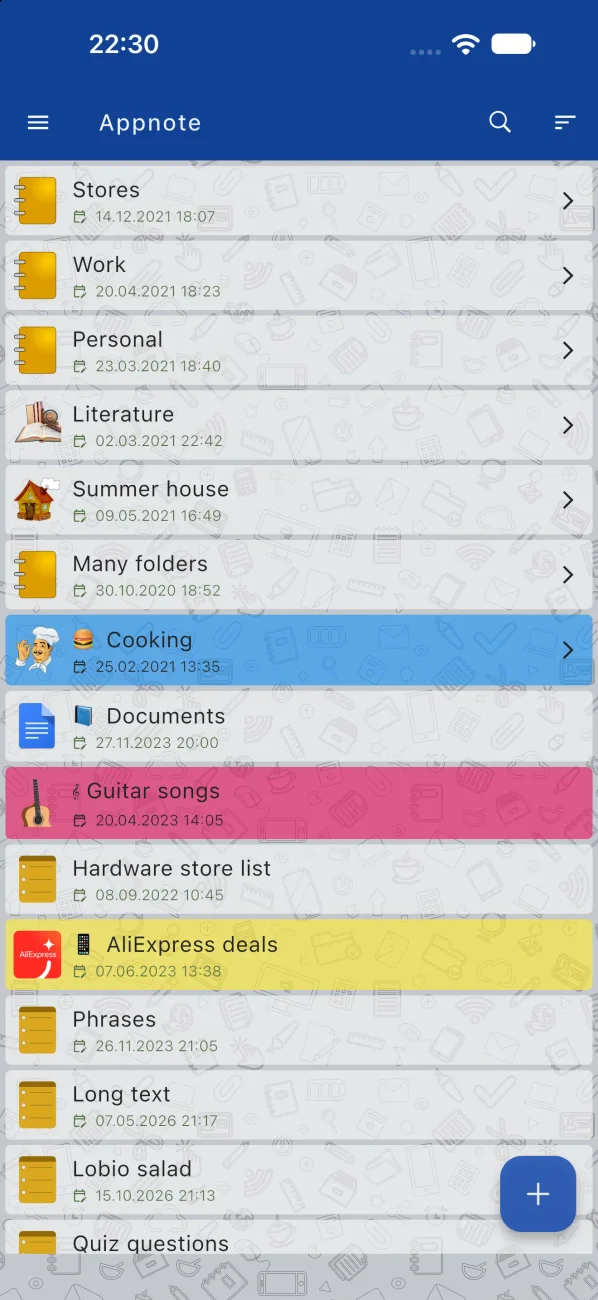
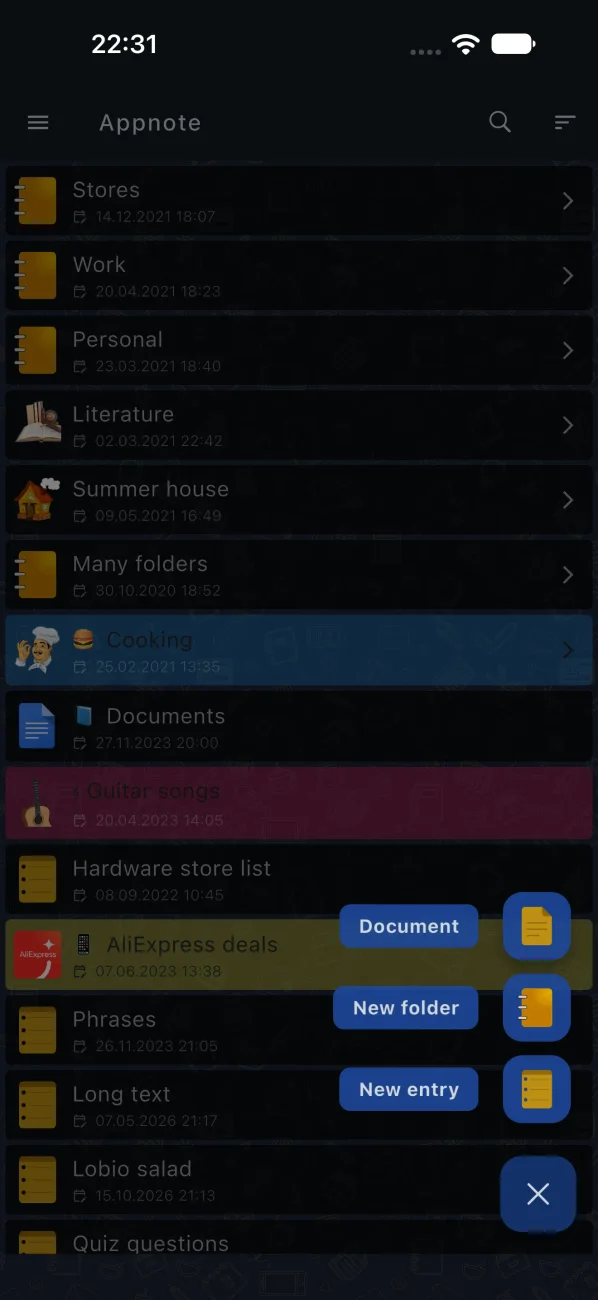
Create an unlimited number of folders and notes—your ideas know no bounds. Nest folders, build your own structure, and find what you need with a single tap.
And if you've already created the content, add it in its entirety. PDFs, DOCX files, and images become full-fledged entries in the list: with a thumbnail preview, their own name, and instant viewing, without any extra steps.
TEXT THE WAY YOU WANT
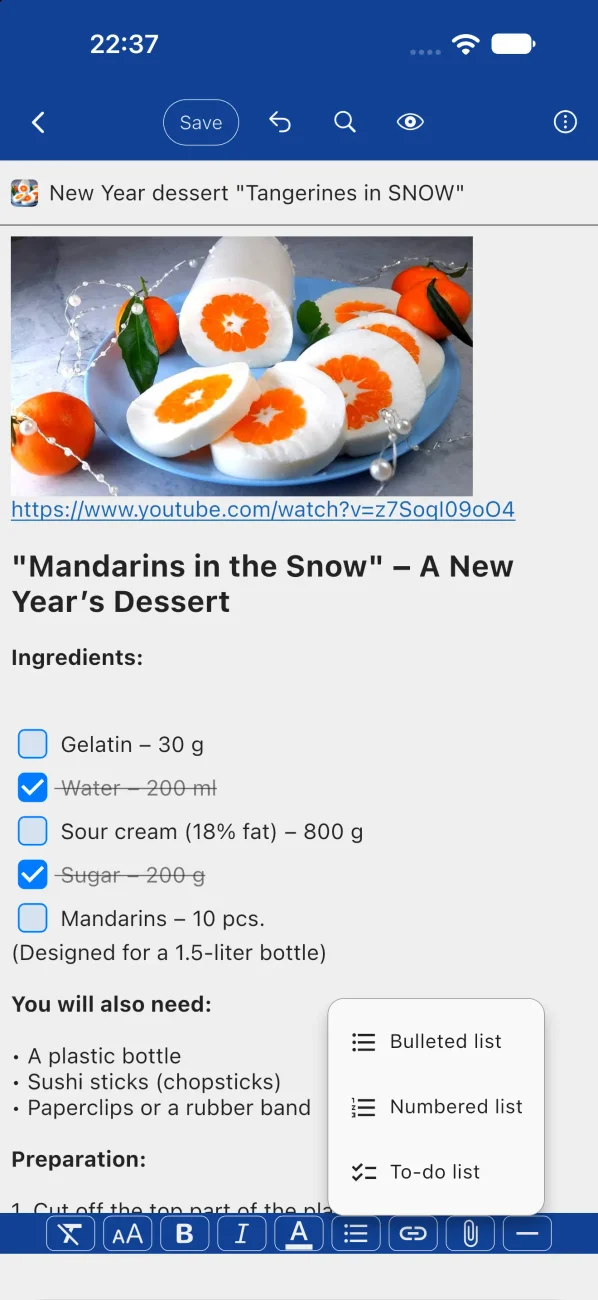
A full-fledged rich text editor right in your pocket:
• fonts, sizes, styles, and colors—highlight what's important the way you want;
• Bulleted and numbered lists, as well as to-do lists with checkboxes that are easy to mark;
• Hyperlinks, horizontal lines, and quick formatting clearing;
• Instant undo – made a mistake? Just redo it;
• Read-only mode to avoid accidentally editing a completed note.
Links in the text work just like real ones: one tap and you're on the desired page. And if you prefer a more relaxed editing experience, tap-to-click navigation can be disabled in the settings.
BRING YOUR NOTES TO LIFE
Add images, videos, PDFs, and DOCX documents, and insert images directly from the clipboard. View attachments in the built-in gallery, maximize them to full screen, save them to your device, or open them in your favorite external app.
Edited a file in another program? Appnote will notice the changes and offer to replace the original file or place the new version nearby.
EVERYTHING AT YOUR FINGERTIPS
• Favorites — the most important notes always come first.
• Recent — quickly return to what you were just working on.
• Instantly search all notes and search within an open note to jump to the desired section.
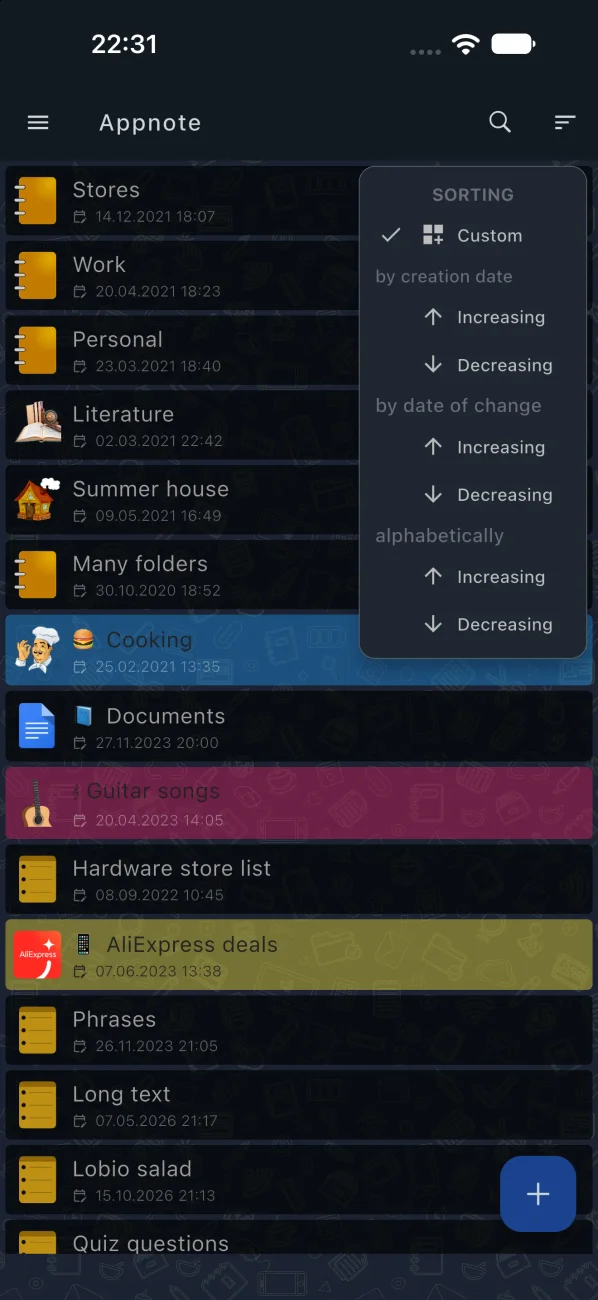
• Sort by alphabetical order, creation date, modification date, or custom order.
TASK
Deleted notes no longer disappear without a trace. They are sent to the Trash, from where you can restore them with a single tap or permanently delete them. You choose the retention period — from "delete immediately" to any number of days.
EASY SHARING
• Send notes, images, and documents to other apps using "Share."
• Save a note as a file — plain text or HTML, preserving styles and attached media files. • Forward a note as a single .appnote file—including all attachments—and import it back on another device in one step.
• Receive text, images, videos, and PDFs from other apps: Appnote will ask whether to create a new note or append to an existing one.
FULLY PERSONALIZED
Appnote adapts to you, not the other way around:
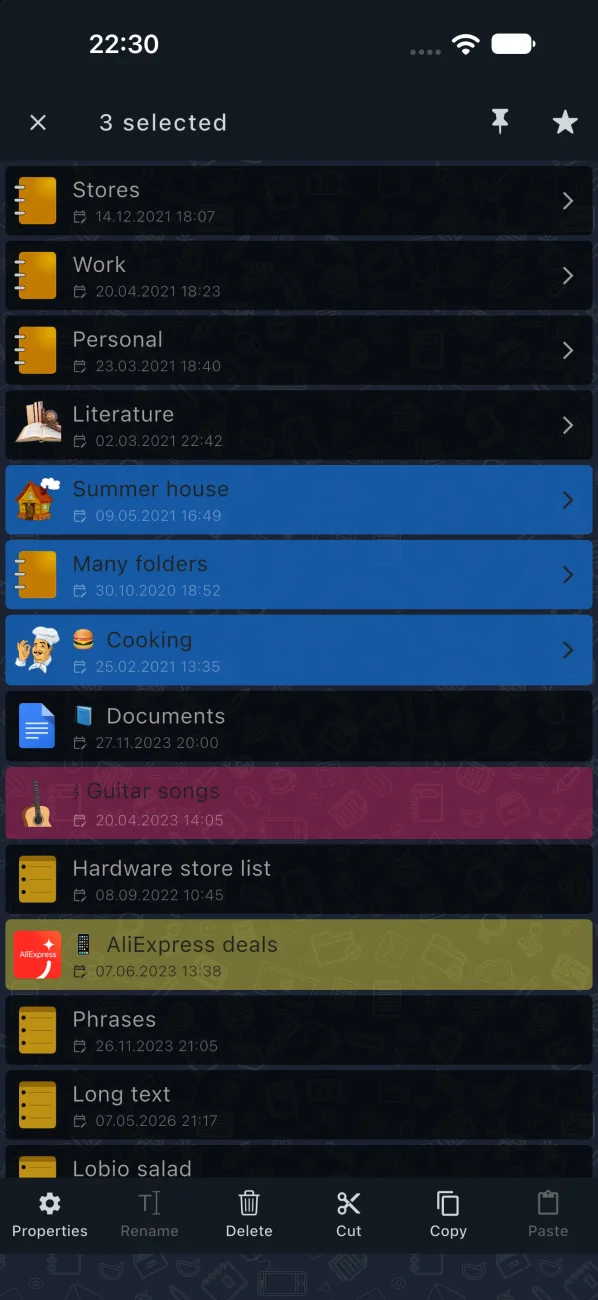
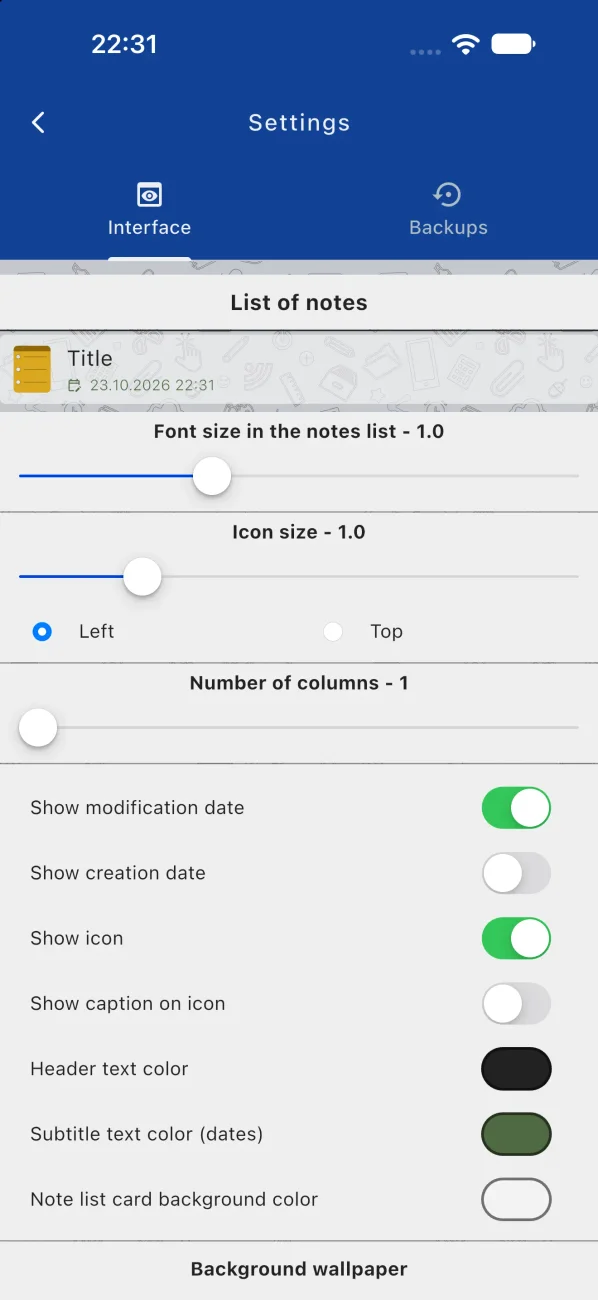
• Light and dark themes, background wallpaper, text colors, note backgrounds, and list card colors;
• Number of columns and font size in the note list;
• Custom icons for notes and folders—to the left or above the title, with a caption consisting of the first letters of the title on the ruled lines;
• Indents, default image size, autosave, and other little touches that make your experience more convenient.
SECURITY AND RELIABILITY
• Password protection and biometric login.
• Auto-lock when minimized—immediately, after a set number of minutes, or never.
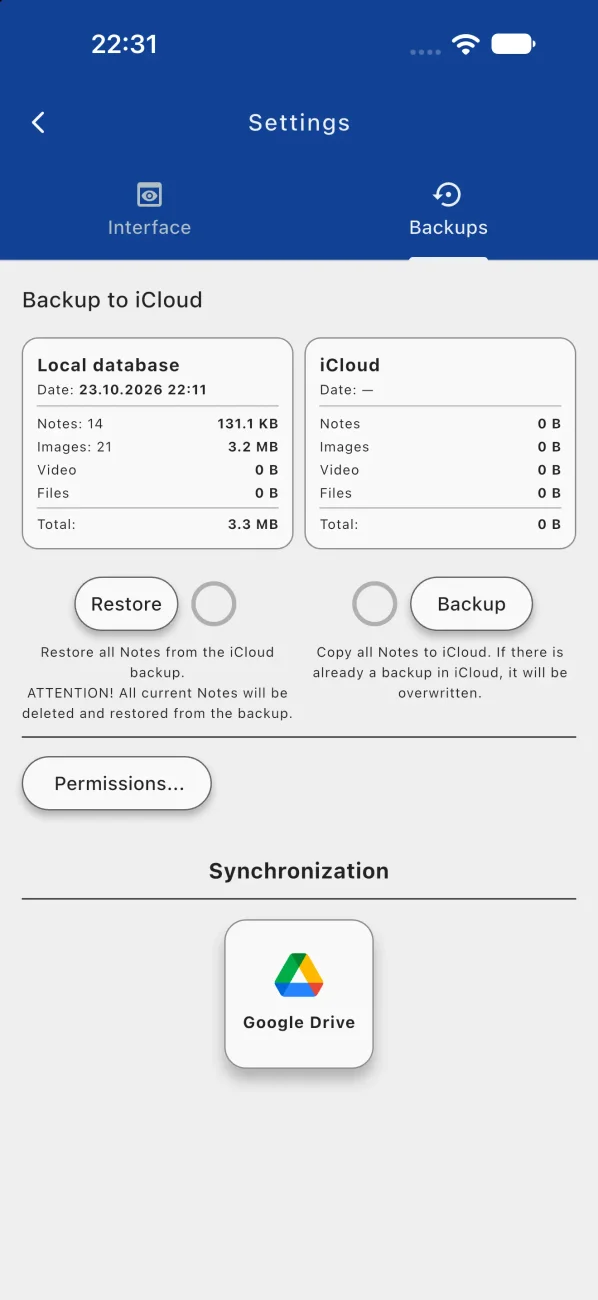
• Backup to a local folder, iCloud, or the cloud—with detailed statistics by file type.
• Sync with Google Drive: notes, attachments, and settings are always up to date across all your devices.
WHEREVER YOU WORK
Appnote speaks 16 languages, including right-to-left languages, and works on iOS and Android smartphones and tablets.
Dive into the world of Appnote—an app where style, convenience, and security come together in one exceptional product. Never lose your ideas again: they're always at your fingertips.
Terms of Use: http://www.apple.com/legal/itunes/appstore/dev/stdeula
Có gì mới
Phiên bản 2.22.0 · 24/10/2026
• You can now change a note’s creation date in its properties.
• You can format note titles—adjusting font size and color, or applying bold or italic styles.
• Inserting a link to a post from Facebook, X (Twitter), or TikTok now automatically adds the post’s photo, video, and text to your note—just as it does for Instagram.
• Search has been improved for greater accuracy: it now searches only the note’s text, excluding technical markup.
• Access to your entire media library is no longer required to select photos and videos.
• Notes are now reliably saved when the app is minimized or when you switch to another application.
• Fixed an issue where images would sometimes disappear from notes.
Quyền riêng tư của ứng dụng
Những gì Vladimir Gorkov khai báo trên App Store về cách ứng dụng này xử lý dữ liệu.
-
Dữ liệu không được thu thập
Nhà phát triển không thu thập bất kỳ dữ liệu nào từ ứng dụng này.
Phương thức đảm bảo quyền riêng tư có thể khác nhau, chẳng hạn như tuỳ theo các tính năng bạn sử dụng hoặc độ tuổi của bạn.
Thông tin
- Người bán
- Vladimir Gorkov
- Danh mục
- Hiệu Suất
- Phiên bản
- 2.22.0
- Cập nhật
- 24/10/2026
- Phát hành
- 03/10/2023
- Kích thước
- 41,1 MB
- Yêu cầu
- iOS 17.0 trở lên
- Độ tuổi
- 4+
- Giá
- Miễn phí
- Mua hàng trong ứng dụng
- Có
- Ngôn ngữ
- Tiếng Anh, Tiếng Ả Rập, Tiếng Pháp, Tiếng Đức, Hindi, Tiếng Ý, Tiếng Nhật, Kazakh, Tiếng Bồ Đào Nha, Tiếng Nga, Tiếng Trung Giản thể, Tiếng Tây Ban Nha + 3 ngôn ngữ khác
- Bản quyền
- © Vladimir Gorkov
Có thể bạn cũng thích
-
 MidSpark: SchedulerHiệu Suất
-
 NoteSpace - lists and notesHiệu Suất
-
 NoteCard - Simplest Memo AppHiệu Suất
-
 Color NotepadHiệu Suất
-
 Ghi chú khóa: Nhật ký riêng tưMật khẩu, viết và sổ tay
-
 Color Notes - Beautiful NoteGhi chú nhiều màu sắc tiện lợi
-
 memono JournalHiệu Suất
-
 Sổ tay - Ghi Chú và Tiện ÍchSắp xếp ghi chú theo thư mục
-
 Day Planner - Nhật kýGhi chú&Danh sách việc cần làm
-
 Plain Note: Notes WidgetHiệu Suất