
- Độ tuổi4+
- Danh mụcĐồ Họa & Thiết Kế
- Nhà phát triểnSAMI ABDULNOUR
- Ngôn ngữTiếng Anh
- Kích thước2,9 MB
Liên kết đến trang App Store chính thức
Download.org không lưu trữ tệp nào của Archipic. Nút này mở trang ứng dụng trên App Store, nơi SAMI ABDULNOUR phát hành ứng dụng. Trang được kiểm tra lần cuối: 20/11/2026.
Ảnh chụp màn hình

Giới thiệu
Nhà phát triển chưa cung cấp nội dung này bằng ngôn ngữ của bạn.
Archipic is a private photo journal for architects and architecture students. Photograph a reference, answer two quick prompts, and it is filed in a structured archive you can still search years from now.
Architecture turns up everywhere: a façade on a walk, a joint at an exhibition, a plan in a book, a model on someone's desk. In the camera roll those photos sink among everything else. Archipic gives each one a type, a few tags and a place, so it can be found again.
CAPTURE IN SECONDS
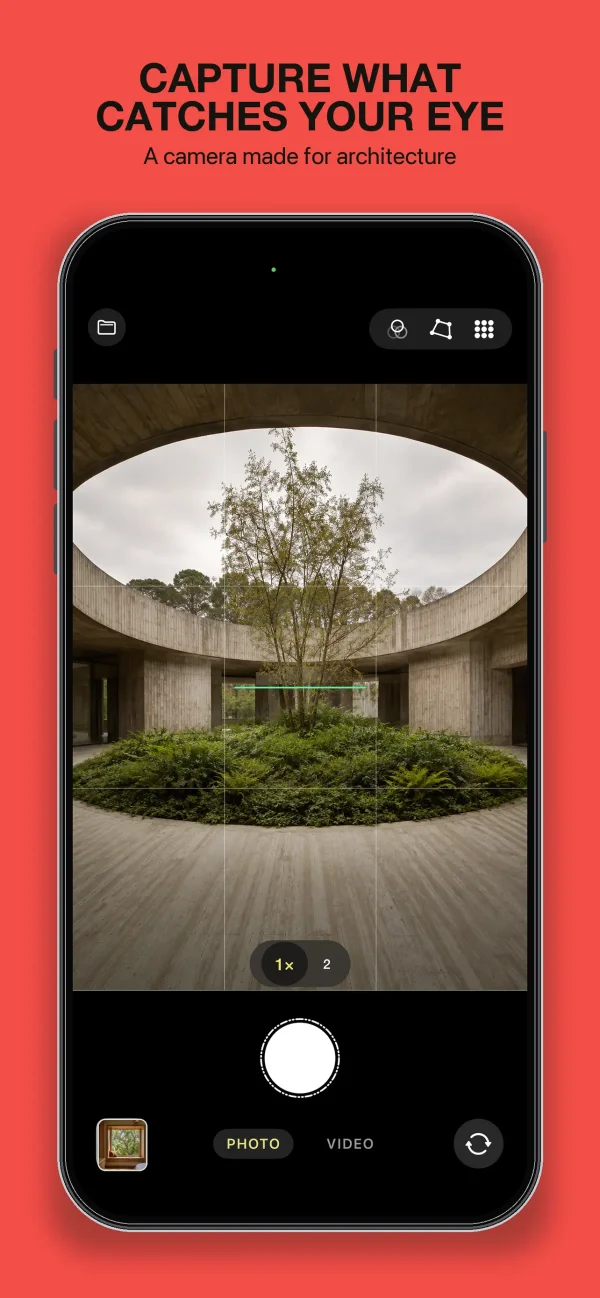
The camera is built for the street. One tap takes the photo and two more file it, quickly enough to do while walking. The viewfinder has a grid, a level, aspect-ratio guides, tap-to-focus and exposure, pinch zoom and film-inspired colour looks, and it records video as well as stills. Assign Capture to the Action Button, Siri or Shortcuts to reach the viewfinder without opening the app, optionally filing straight into a named project.
STRUCTURED TAGS, NOT TYPING
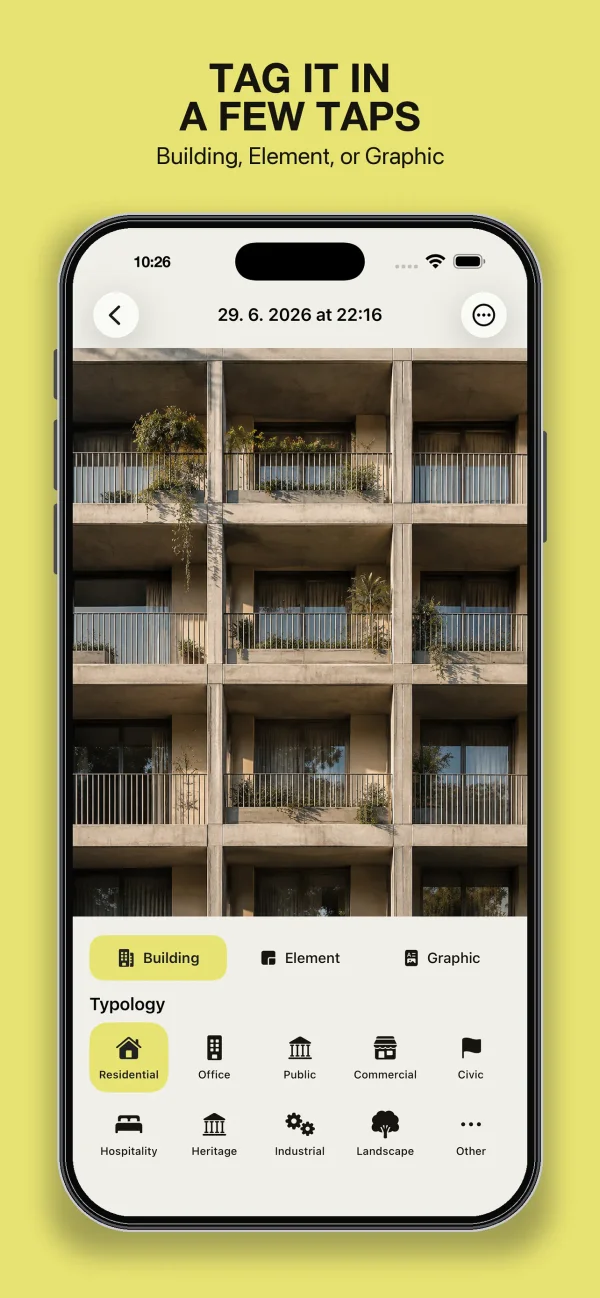
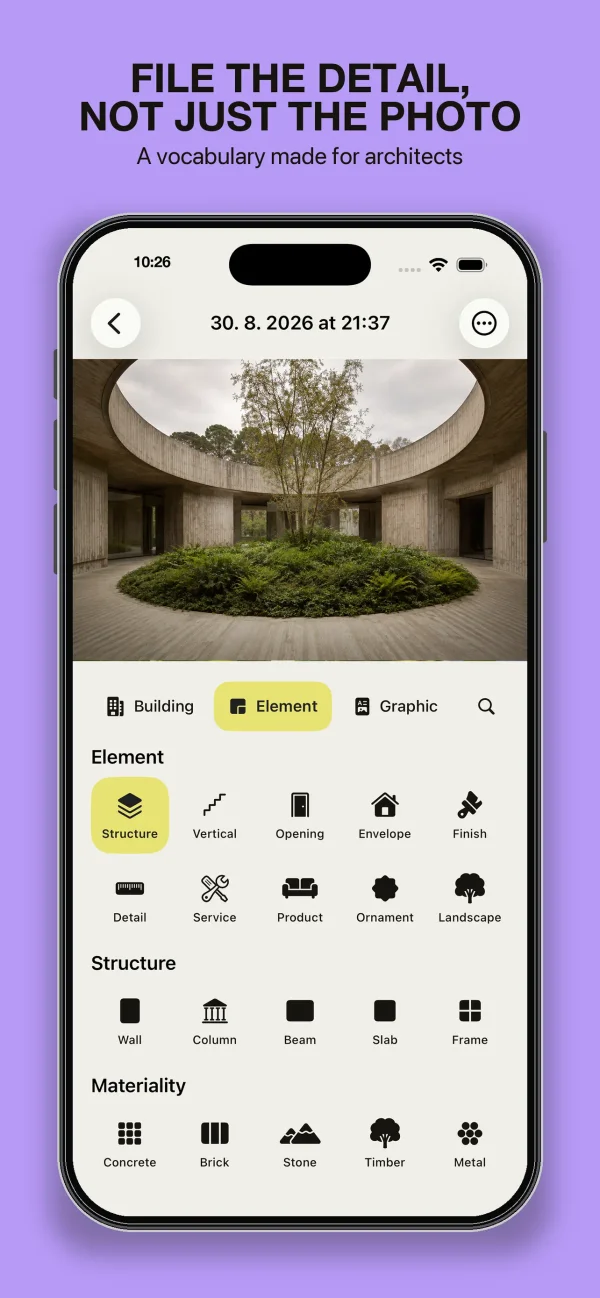
Every photo is filed with a small, fixed vocabulary of buttons instead of a keyboard:
- Building: typology (residential, office, public, commercial, civic, hospitality, heritage, industrial, landscape) and room.
- Element: structure, openings, envelope, finishes, details and more.
- Graphic: artwork, book, drawing, plan, render, model, web and more.
Materials, concepts, a rating, keywords, author and year, or a project can be added when needed, and any field you don't use can be switched off. If you can't remember where a tag lives, type its name and Archipic jumps to it. Photograph a book page or a wall label and the app reads it on the device, offering the title, author and year to confirm with one tap.
GET REFERENCES IN
Share an image from Photos, Files, Messages or a screenshot straight to Archipic. Pick Building, Element or Graphic and it is in the archive, ready to finish tagging later.
FIND IT AGAIN
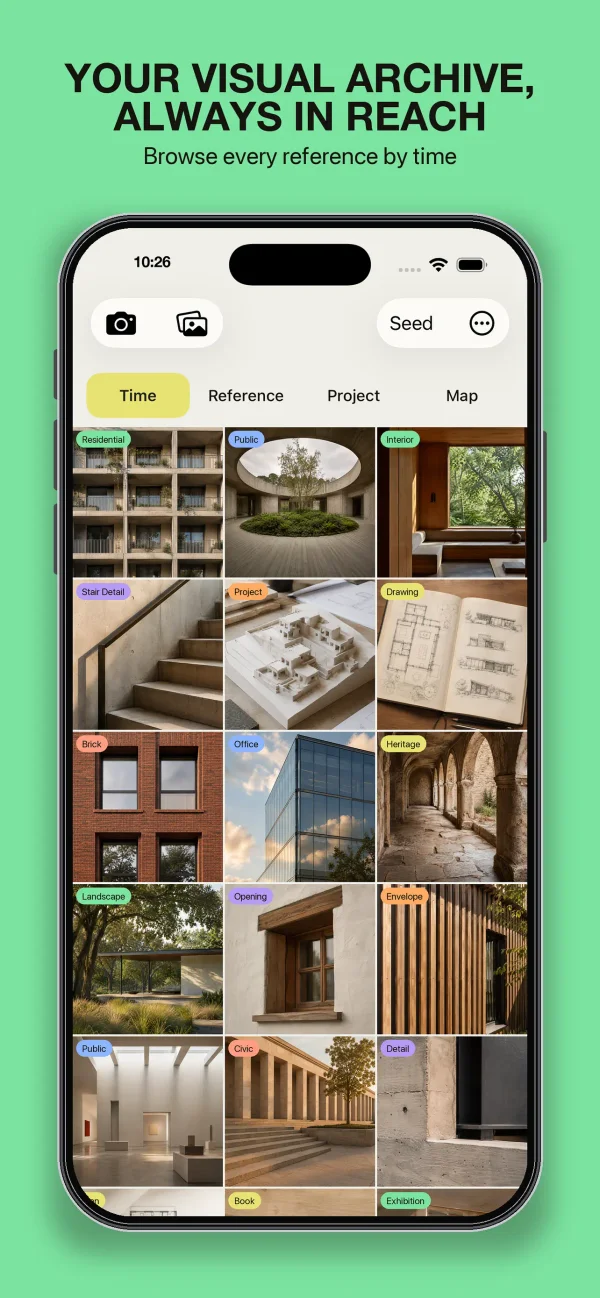
Browse by Time, by Reference (what is in the photo), by Project, or by Place on a map. Search runs across every tag. Filter by type, project, favourites or minimum rating, and pinch the grid to change its size.
BOARDS
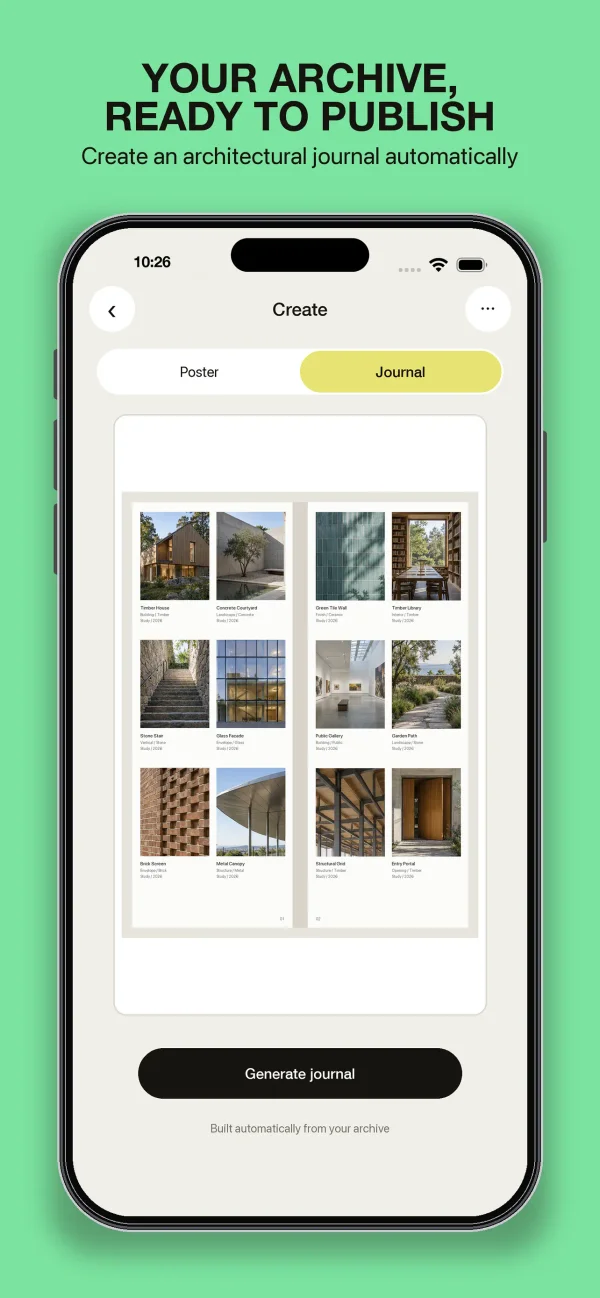
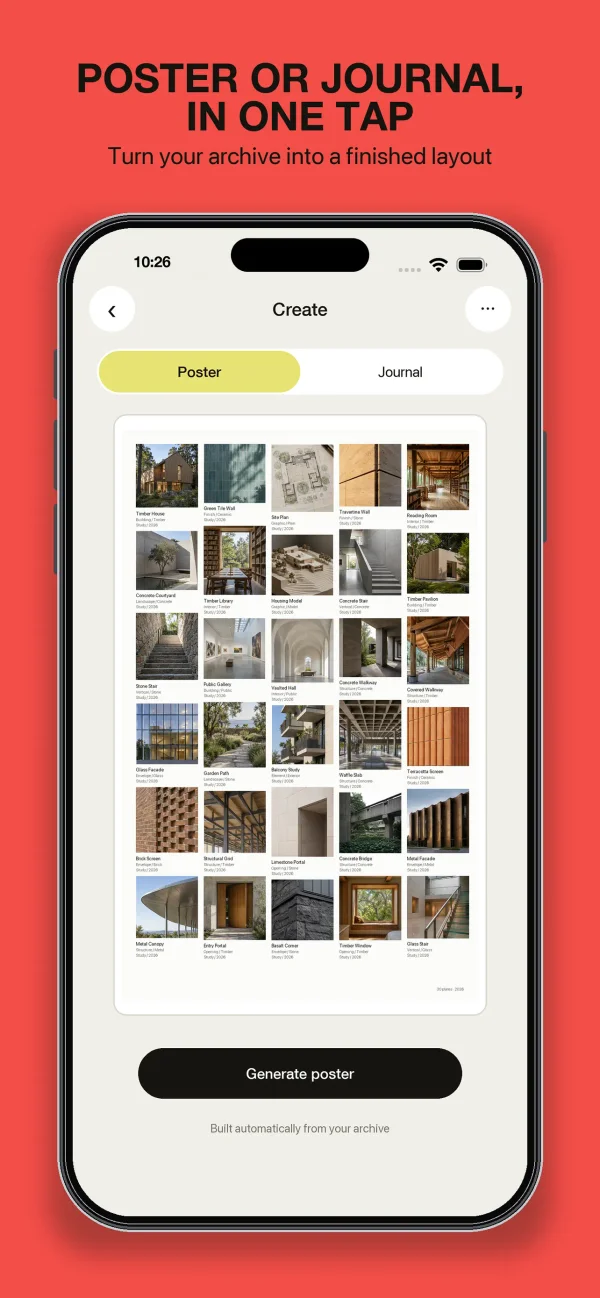
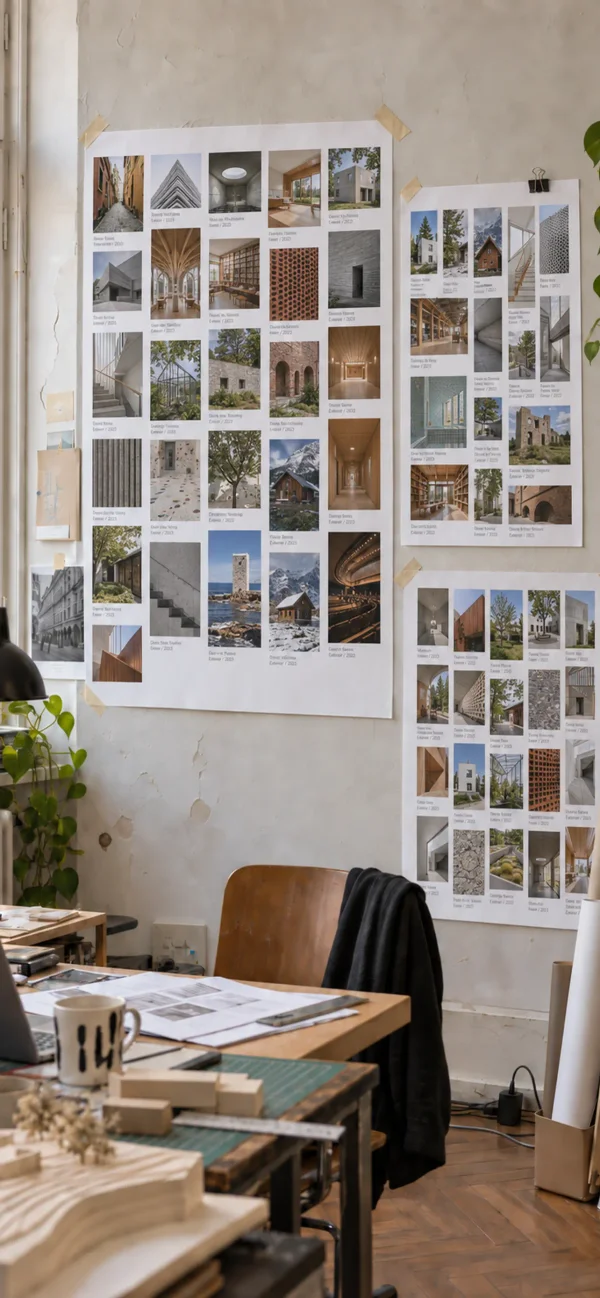
Turn any selection into a print-ready poster, laid out as a gallery wall, or into an A4 journal, with captions taken from the tags. Export it as a PDF, or as a square, portrait or story image for posting.
WORKS WITH YOUR TOOLS
Exported photos carry their tags as standard metadata (keywords, caption, title and rating), so they open correctly in Lightroom, Bridge and InDesign. The capture date travels with them. A single setting keeps or strips the location when you share.
ON IPHONE AND IPAD
On iPad the four ways of browsing move into a sidebar and the grid fills the screen. The Board composer splits into two panes, with your photos on one side and a live preview of the poster on the other.
PRIVATE BY DESIGN
Photos and tags are stored on your device and sync through your own iCloud. There is no account and no sign-in. There are no ads, no analytics and no developer server, so the developer cannot see your archive. The App Store privacy label reads "Data Not Collected".
Designed by an architect.
Có gì mới
Phiên bản 1.5 · 13/10/2026
BOARDS CARRY A SMALL MARK
Exported Boards now carry a small archipic.app mark on their footer line, set like the captions. A switch in the Board composer turns it off.
BOARDS FILL THE PAGE
A Board of only a few photos used to sit at the top of the sheet. The photos now grow to fill it, on posters and on feed images alike, and feed images export at exactly 1080 × 1350 and 1080 × 1920 pixels.
COMPLETE POSTER FOOTERS
The third line of the B1 and A2 poster footer, the plate sequence, was being cut off. It now prints.
RATE AND SHARE
Two new rows in Settings: one opens the App Store review page, the other sends a colleague a link to Archipic.
Quyền riêng tư của ứng dụng
Những gì SAMI ABDULNOUR khai báo trên App Store về cách ứng dụng này xử lý dữ liệu.
-
Dữ liệu không được thu thập
Nhà phát triển không thu thập bất kỳ dữ liệu nào từ ứng dụng này.
Phương thức đảm bảo quyền riêng tư có thể khác nhau, chẳng hạn như tuỳ theo các tính năng bạn sử dụng hoặc độ tuổi của bạn.
Thông tin
- Người bán
- SAMI ABDULNOUR
- Danh mục
- Đồ Họa & Thiết Kế
- Phiên bản
- 1.5
- Cập nhật
- 13/10/2026
- Phát hành
- 11/06/2026
- Kích thước
- 2,9 MB
- Yêu cầu
- iOS 17.0 trở lên
- Độ tuổi
- 4+
- Giá
- Miễn phí
- Ngôn ngữ
- Tiếng Anh
- Bản quyền
- © 2026 Sami Abdulnour
Có thể bạn cũng thích
-
 AI Home Exterior PlannerĐồ Họa & Thiết Kế
-
 Mora AI - Home Interior DesignĐồ Họa & Thiết Kế
-
 Lofto: AI Interior DesignĐồ Họa & Thiết Kế
-
 NestMuse: AI Home InteriorĐồ Họa & Thiết Kế
-
 Housy: AI Interior DesignĐồ Họa & Thiết Kế
-
 AI Room Restyler: Home DesignĐồ Họa & Thiết Kế
-
 Kitchen AI DesignĐồ Họa & Thiết Kế
-
 Home AI: Thiết Kế Nhà ỞPhòng, Vườn & Cải Tạo
-
 DSGN - AI House Design & DecorĐồ Họa & Thiết Kế
-
 Spacevo - Home Interior AIĐồ Họa & Thiết Kế