ARGate
Attack / Release Gate AUv3
Được thiết kế cho iPhone, iPad, Mac, iPod touch
59.000đ
- Độ tuổi4+
- Danh mụcNhạc
- Nhà phát triểnRob Jackson
- Kích thước12,3 MB
Liên kết đến trang App Store chính thức
Download.org không lưu trữ tệp nào của ARGate. Nút này mở trang ứng dụng trên App Store, nơi Rob Jackson phát hành ứng dụng. Trang được kiểm tra lần cuối: 13/11/2026.
Ảnh chụp màn hình
Giới thiệu
Nhà phát triển chưa cung cấp nội dung này bằng ngôn ngữ của bạn.
ARGate Attack / Release Gate Plugin (AUv3)
ARGate is an audio effect plugin that can run standalone, or in any AU compatible host application such as Logic Pro or GarageBand.
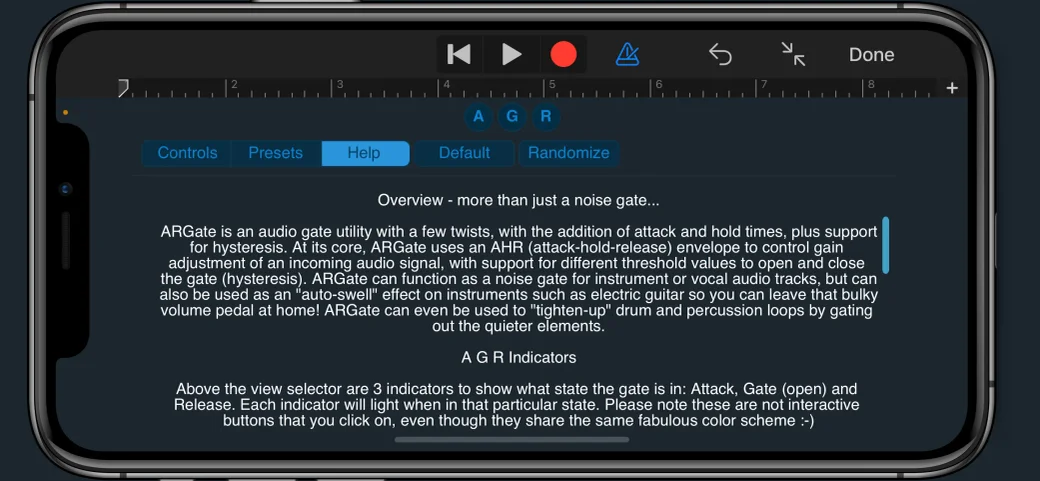
Overview - more than just a noise gate...
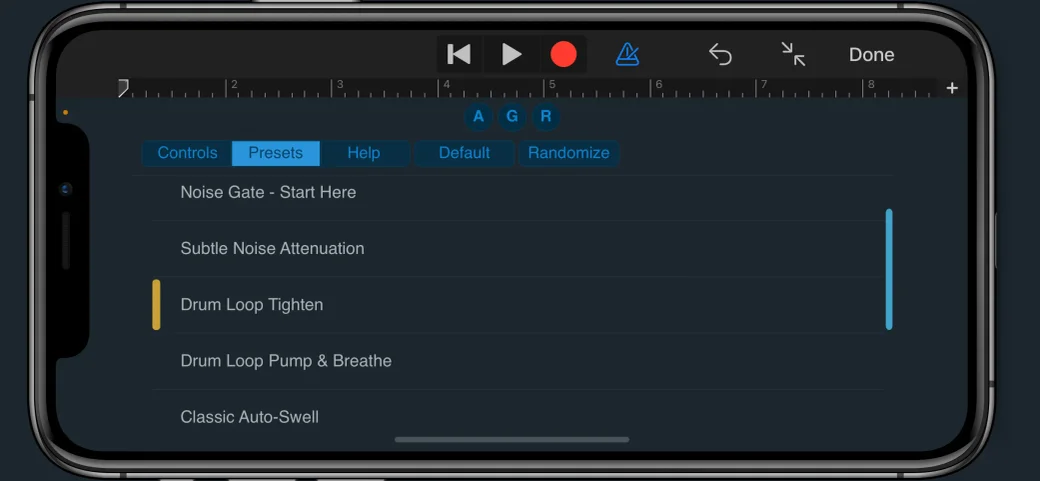
ARGate is an audio gate utility with a few twists, with the addition of attack and hold times, plus support for hysteresis. At its core, ARGate uses an AHR (attack-hold-release) envelope to control gain adjustment of an incoming audio signal, with support for different threshold values to open and close the gate (hysteresis). ARGate can function as a noise gate for instrument or vocal audio tracks, but can also be used as an "auto-swell" effect on instruments such as electric guitar so you can leave that bulky volume pedal at home! ARGate can even be used to "tighten-up" drum and percussion loops by gating out the quieter elements.
A G R Indicators
Above the view selector are 3 indicators to show what state the gate is in: Attack, Gate (open) and Release. Each indicator will light when in that particular state. Please note these are not interactive buttons that you click on, even though they share the same fabulous color scheme :-)
Note - if you see the R indicator flickering a lot, please consider increasing the Hold time slightly, as described below.
Controls
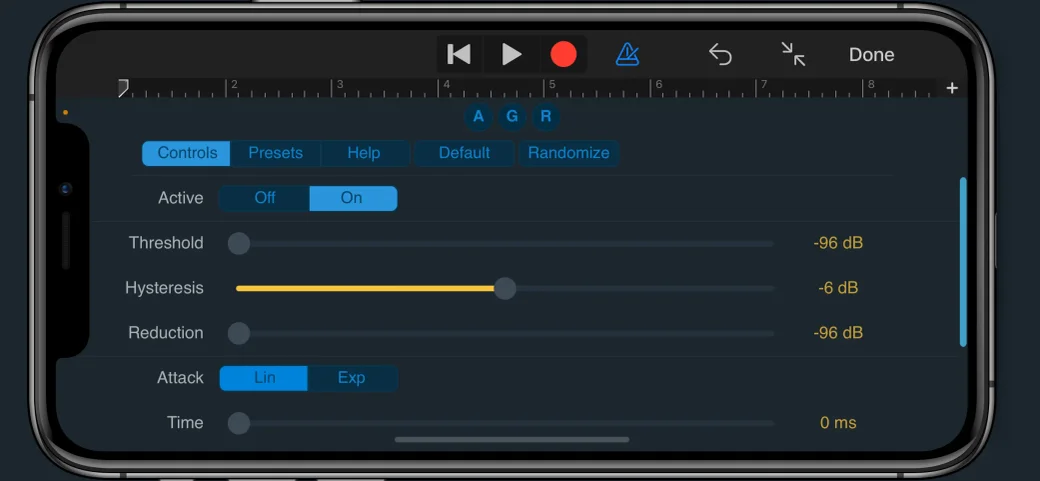
Active - Toggles the effect On or Off.
Threshold - Sets the dB level of the signal required to open the gate. At its lowest setting, the gate will let pretty much everything through, and at the highest setting, none shall pass! For background noise reduction, set the Threshold to minimum, then slowly increase it until you see that the G indicator is not opening when there is only background noise in the input.
Hysteresis - This sets the difference between the open gate and close gate threshold which is useful when you want to hear more of the decay sound once the gate has been triggered. The default of -6dB is a good place to start - this means that the close threshold will be 6dB less than the threshold to open the gate. This feature tends to avoid the "fluttering" effect you sometimes get with more basic noise gates.
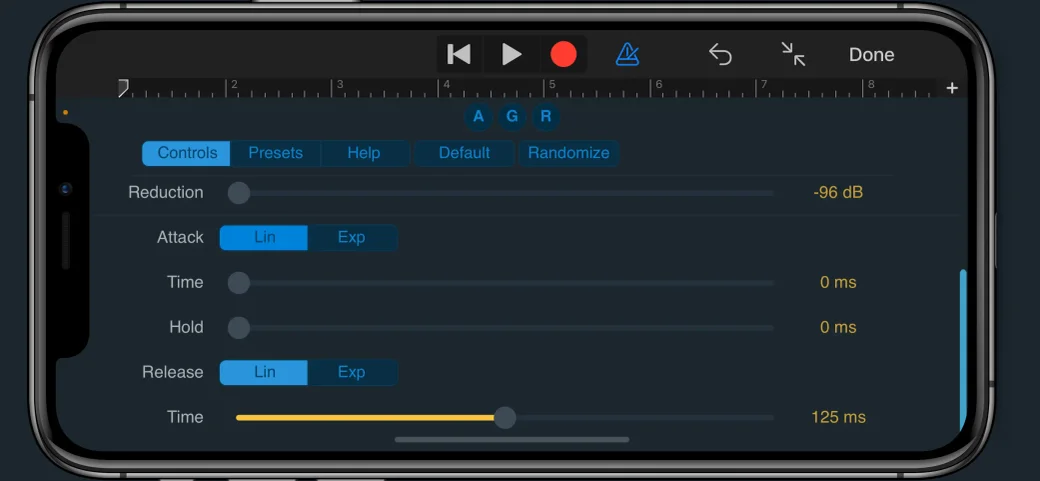
Reduction - Sets the amount of gain reduction applied when the gate is closed. At its lowest setting, this is effectively silence and is probably the setting you want to use in most applications. Alternatively, you might just want to attenuate background noise by a certain amount so the result doesn't sound obviously gated.
Attack - Choose between a linear or exponential attack curve, then set an attack time. At zero, the gate will open as soon as the Threshold is hit. For auto-swell type effects, a long attack time around 1000ms and an exponential curve can work well.
Hold - Sets a variable hold time which can also be useful for avoiding gate "fluttering" and works in tandem with the Hysteresis control. This time is essentially how long the input level has to remain below the close threshold (open threshold + hysteresis) before going into release mode. If the input level goes above the close threshold, then the hold timer is reset. This feature is especially useful for vocal and instrument gating, but can also be used to achieve some interesting rhythmic effects on drum loops and the like.
Release - Chose between linear or exponential release curve, then set a release time. An exponential release curve might work better on percussive sounds if you need the gate to really "snap" shut. The minimum release time of 10ms is there to avoid pops or clicks when the gate closes.
For more info and support please visit:
www.waverley-instruments.com/robjackson
Có gì mới
Phiên bản 1.0.2 · 31/12/2025
Changed threshold and gain reduction UI sliders to a linear response so it's easier to dial-in lower values. Just to confirm, this is a UI change only, and won't affect parameter values in your existing projects.
Quyền riêng tư của ứng dụng
Những gì Rob Jackson khai báo trên App Store về cách ứng dụng này xử lý dữ liệu.
-
Dữ liệu không được thu thập
Nhà phát triển không thu thập bất kỳ dữ liệu nào từ ứng dụng này.
Phương thức đảm bảo quyền riêng tư có thể khác nhau, chẳng hạn như tuỳ theo các tính năng bạn sử dụng hoặc độ tuổi của bạn.
Thông tin
- Người bán
- Rob Jackson
- Danh mục
- Nhạc
- Phiên bản
- 1.0.2
- Cập nhật
- 31/12/2025
- Phát hành
- 21/11/2025
- Kích thước
- 12,3 MB
- Yêu cầu
- iOS 12.0 trở lên
- Độ tuổi
- 4+
- Giá
- 59.000đ
- Bản quyền
- © 2025 Rob Jackson