- Độ tuổi4+
- Danh mụcNhạc
- Nhà phát triểnRyuya Yanagisawa
- Ngôn ngữTiếng Nhật+ 1 ngôn ngữ khác
- Kích thước36,0 MB
Liên kết đến trang App Store chính thức
Download.org không lưu trữ tệp nào của artcode DAW. Nút này mở trang ứng dụng trên App Store, nơi Ryuya Yanagisawa phát hành ứng dụng. Trang được kiểm tra lần cuối: 08/11/2026.
Ảnh chụp màn hình
Giới thiệu
Nhà phát triển chưa cung cấp nội dung này bằng ngôn ngữ của bạn.
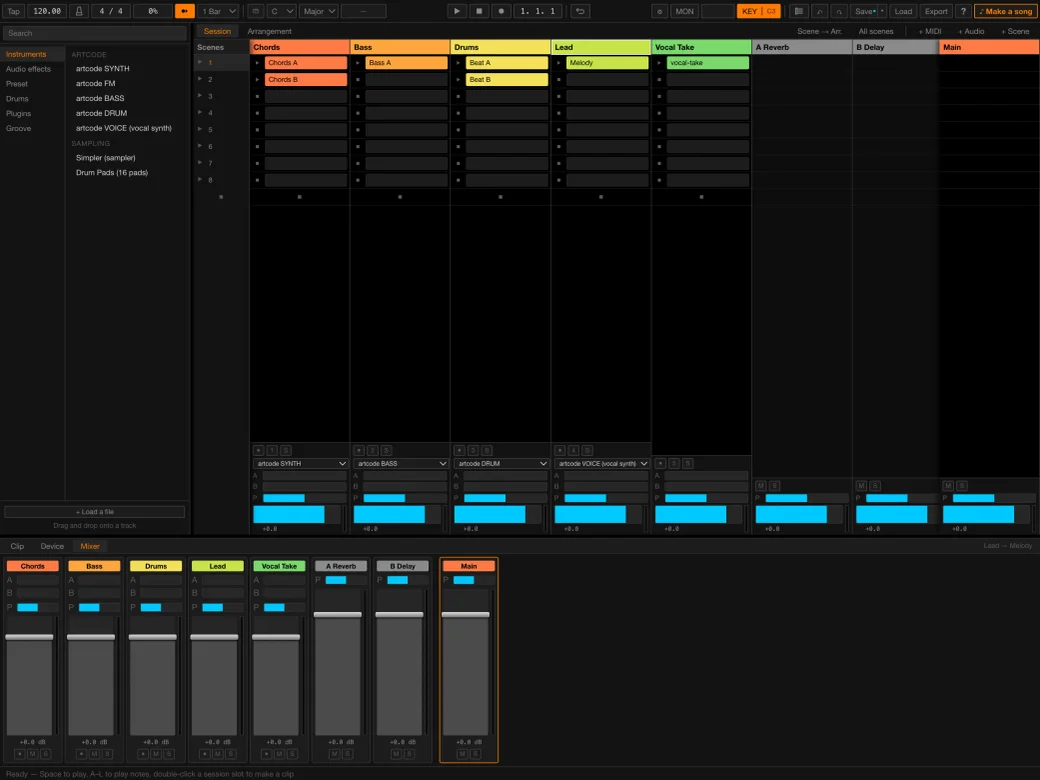
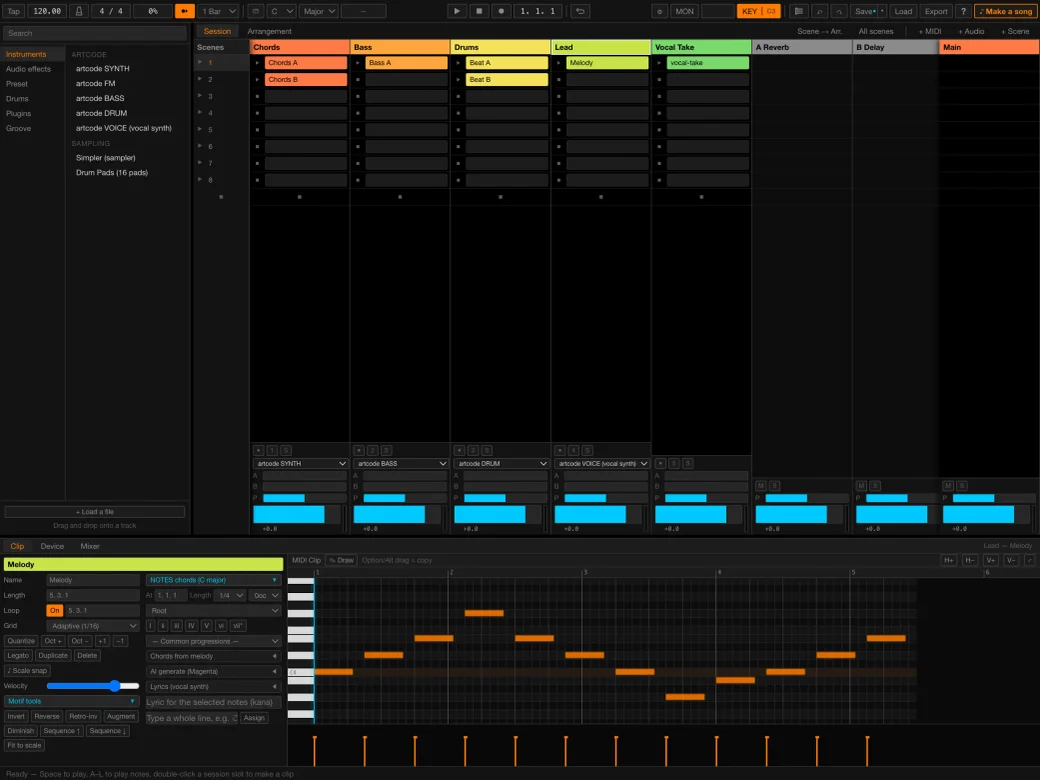
artcode DAW is a complete music production environment on one screen.
Instruments, effects, recording, arrangement and export are all built in,
so an empty project can become a finished track without installing
anything else.
There is nothing else to download. Everything works the moment you buy it.
■ A melody is enough
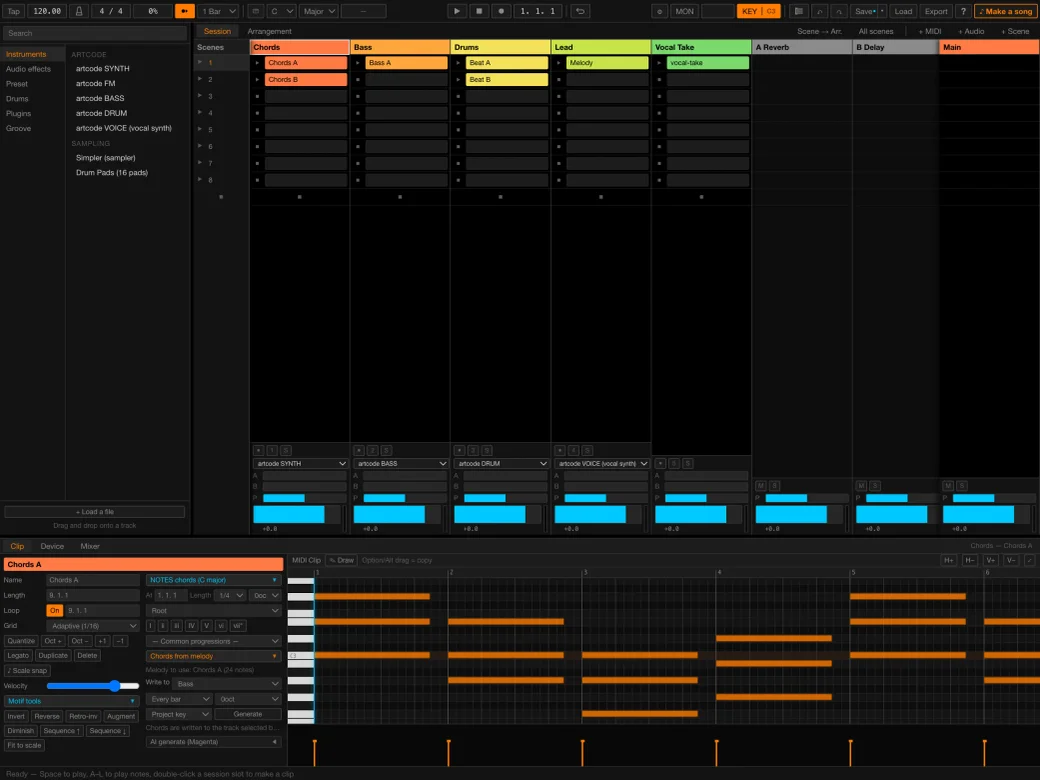
Write the tune you can hear in your head. artcode DAW works out the
chords, adds bass and drums, and builds it into a song. Draw it in the
piano roll, or connect a keyboard and play it.
You do not need to know any music theory. You need a melody.
This runs the opposite way to most "AI songwriting": your melody leads,
and artcode DAW fills in around it. It chooses chords by how they lead into
one another, not bar by bar, and it can work out the key from your notes.
Choose 21 styles, from pop to jazz, bossa nova and flamenco.
What comes out is ordinary MIDI, so any chord you dislike can be changed.
■ Two views, one project
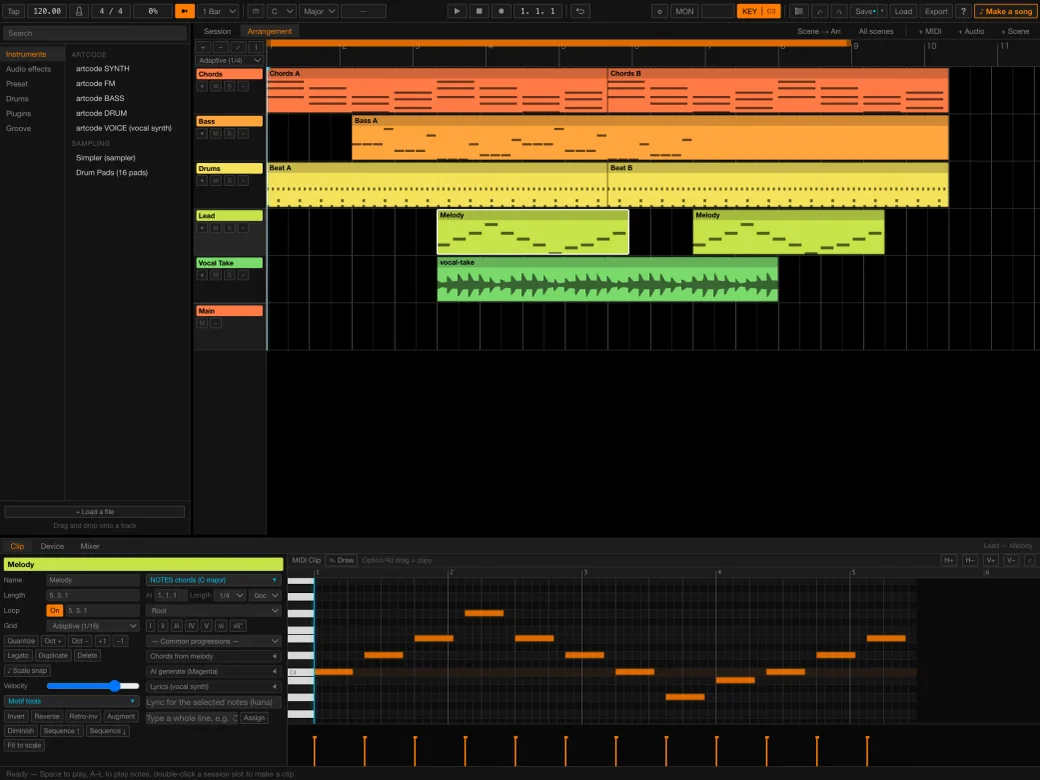
Session is your sketchbook: a grid of short clips you trigger as ideas
arrive, until the shape of the song appears. Arrangement is the timeline,
where the same clips become a finished track. Move between them freely.
Time signature and tempo can change partway through a song.
■ Everything you need to make sound
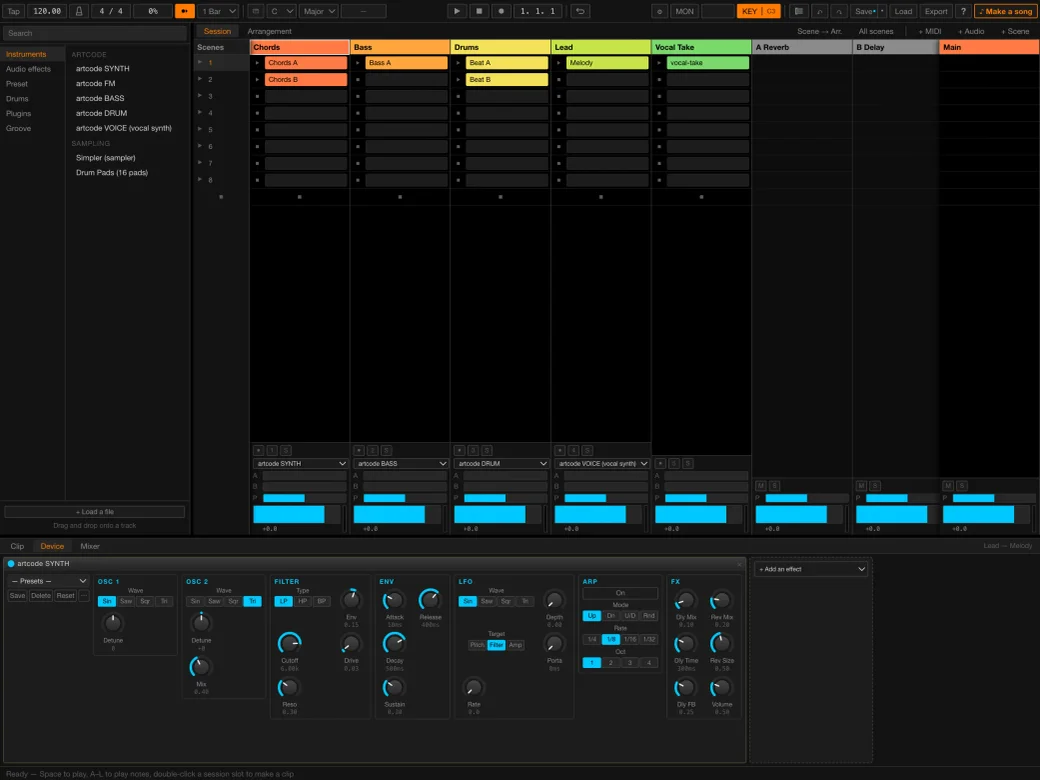
Nine instruments - a subtractive synth, an FM synth, a wavetable synth, a
dedicated bass, a drum machine, a singing-voice synth (Japanese and
English), a sampler, a 16-pad drum sampler and a SoundFont (.sf2) player.
Load a SoundFont from the Files app and play free acoustic pianos, strings
and more.
More than twenty effects: EQ (three-band and parametric), compressor, bus
compressor, multiband, transient shaper, reverb, delay, granular delay,
chorus, flanger, auto-pan, distortion, saturation, bitcrusher, ring
modulator, beat repeat, vocoder, pitch snap (transparent correction through
to hard robotic tuning), sidechain ducking, a maximizer and a spectrum
analyzer.
On SYNTH, FM and BASS you can breed presets into new sounds.
■ Audio that behaves
Imported audio is analysed for tempo as it loads. Warp it to the project
tempo, trim, retune, fade and crossfade it, or turn it into MIDI.
■ AI that runs on the device
Bundled and offline. They write a melody that follows your chords,
continue a drum pattern, or humanise a rigid beat. No network access.
■ Built for fingers
Long-press for menus, pinch to zoom. The controls are sized to be hit
with a fingertip.
■ Break chords apart
Long-press a clip that holds chords and choose Arpeggio / Strum. The
chords are replaced with a broken-up figure.
Draw your own step sequence or strumming pattern, or start from 19
presets. The result is ordinary notes you can edit.
■ Finishing, done for you
Auto mastering measures the song, places EQ, compression and a maximizer,
and sets the loudness to a target such as streaming's -14 LUFS. Choose your
low end, top end and attack. What it places are ordinary effects, so you can
adjust them afterwards.
■ Finish it and take it with you
A project saves as a single .artcode file with the audio inside it, and
autosave brings you back if the app closes. Export to WAV (16 or 24-bit, or
32-bit float), MP3, per-track stems, or a standard MIDI file carrying
tempo, time signature, track names and lyrics. Exports land in the Files app, ready to send anywhere.
■ What you make is yours
Everything you create with artcode DAW belongs to you. Use it
commercially, sell it, license it. No royalties, no credit required.
The interface is in English and Japanese. No account, no online
activation, no usage tracking.
■ What this version does not have (stated plainly)
- VST3 plug-ins - iOS does not allow loading third-party code
- AI audio generation and stem separation - they need a large extra
download
- MIDI hardware input and output - the iOS WebView does not support it
(reading and writing MIDI files does work)
If you need those, look at the Mac and Windows versions.
Có gì mới
Phiên bản 1.4.0 · 04/10/2026
A big update. Everything built up in the desktop version that can run on iPad is now here.
■ Two new instruments
• artcode WAVE — a wavetable synth. Eight tables whose shape changes step by step; move Position and the tone moves. 46 presets
• SoundFont (.sf2) — load one from the Files app and play free acoustic pianos, strings and more
■ Auto mastering
From the Main track, it measures the song, places EQ, compression and a maximizer, and sets the loudness to a target (streaming -14 LUFS up to -5). Choose low end, top end and attack, or "Clean" to keep things clear. Everything it places can be adjusted afterwards
■ 12 new effects
Parametric EQ, bus compressor, transient shaper, multiband, bitcrusher, flanger, auto-pan, ring modulator, granular delay, beat repeat, maximizer and spectrum analyzer
■ Songwriting help
• "Another reading": three different chord sets for the same melody
• 21 chord styles, including jazz, bossa nova, gospel, tango, flamenco and Celtic
• "Make a song" now has 23 genres, from city pop and drum & bass to reggae, Afro and classical
• Smoother voice leading, adjustable chord spread, bass that follows the root, re-pick any single bar
• Tap a melody style to hear it before choosing
• Make a sound: breed SYNTH / FM / BASS presets into five new sounds
■ Change time signature and tempo mid-song
Long-press the ruler and choose to change the time signature from that bar. Tempo can ramp on the Main track
■ Audio
• Hand-drawn fades and crossfades on clips
• Long-press an audio clip and choose "Convert to MIDI"
■ Export
• Stems: every track exported on its own, straight into the Files app
• WAV at 16 or 24-bit, or 32-bit float
■ Peace of mind
• Autosave and recovery, including imported audio
• Choose how much processing headroom to leave
■ Fixes
Audio clips that could go missing from exports, audio that kept playing at the loop point, reverb that could cut out partway through an export, and many more.
Questions or requests: ryuya@artcode.jp. This is made by one person, and every message is read.
Quyền riêng tư của ứng dụng
Những gì Ryuya Yanagisawa khai báo trên App Store về cách ứng dụng này xử lý dữ liệu.
-
Dữ liệu không được thu thập
Nhà phát triển không thu thập bất kỳ dữ liệu nào từ ứng dụng này.
Phương thức đảm bảo quyền riêng tư có thể khác nhau, chẳng hạn như tuỳ theo các tính năng bạn sử dụng hoặc độ tuổi của bạn.
Thông tin
- Người bán
- Ryuya Yanagisawa
- Danh mục
- Nhạc
- Phiên bản
- 1.4.0
- Cập nhật
- 04/10/2026
- Phát hành
- 05/09/2026
- Kích thước
- 36,0 MB
- Yêu cầu
- iOS 15.6 trở lên
- Độ tuổi
- 4+
- Giá
- 299.000đ
- Ngôn ngữ
- Tiếng Nhật, Tiếng Anh
- Bản quyền
- © 2026 Ryuya Yanagisawa