
Avionics Buddy
MSFS Companion & Flight Tools
Được thiết kế cho iPhone, iPad
119.000đ
- Độ tuổi4+
- Danh mụcTiện Ích
- Nhà phát triểnSharif El Fatatry
- Ngôn ngữTiếng Anh
- Kích thước68,1 MB
Liên kết đến trang App Store chính thức
Download.org không lưu trữ tệp nào của Avionics Buddy. Nút này mở trang ứng dụng trên App Store, nơi Sharif El Fatatry phát hành ứng dụng. Trang được kiểm tra lần cuối: 10/11/2026.
Ảnh chụp màn hình

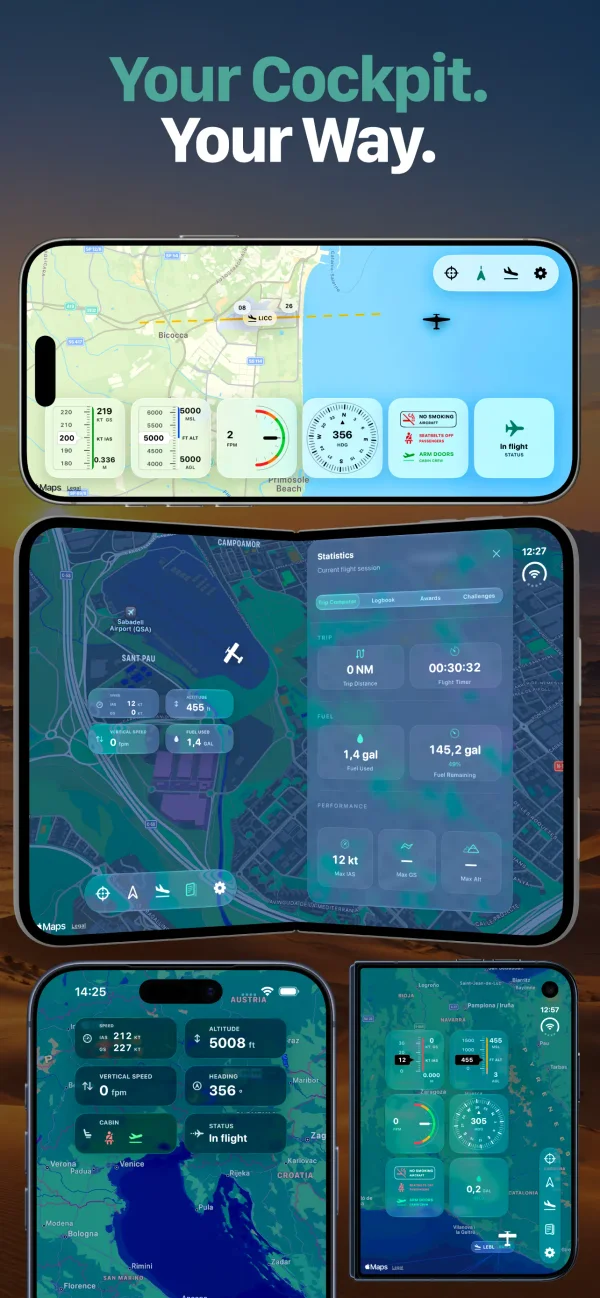
Giới thiệu
Nhà phát triển chưa cung cấp nội dung này bằng ngôn ngữ của bạn.
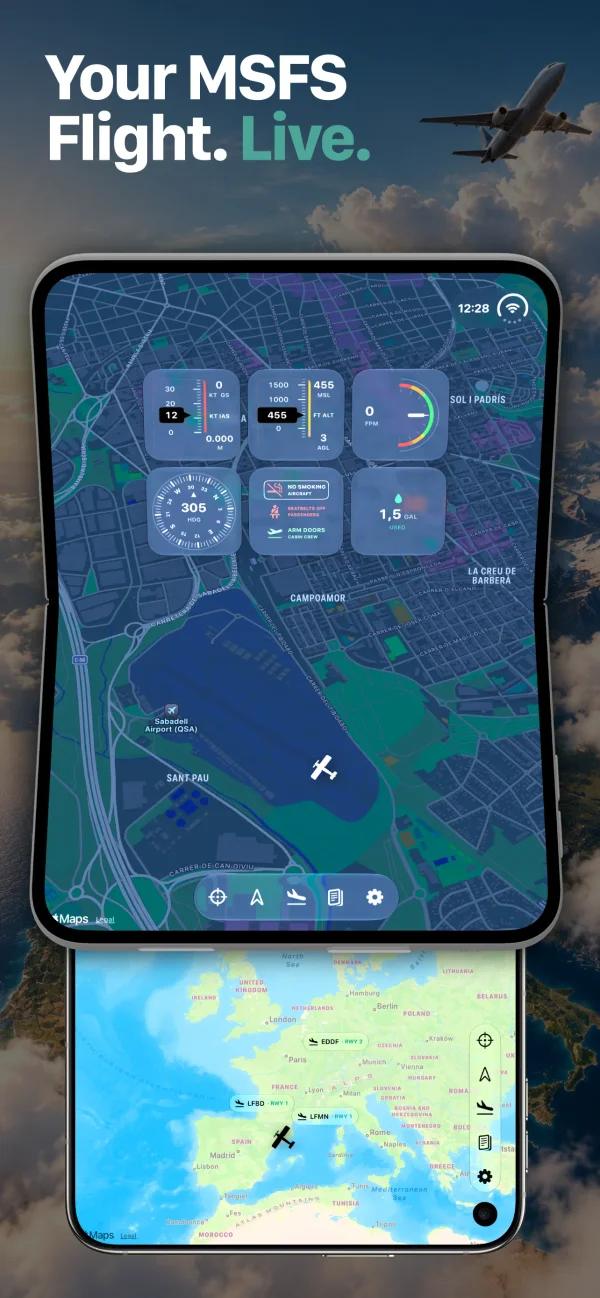
Turn your iPhone, iPad or Mac into a live companion display for Microsoft Flight Simulator with live telemetry, maps, customizable gauges, airport information, weather, flight statistics, approach helpers, missions and challenges—all without leaving the simulator window.
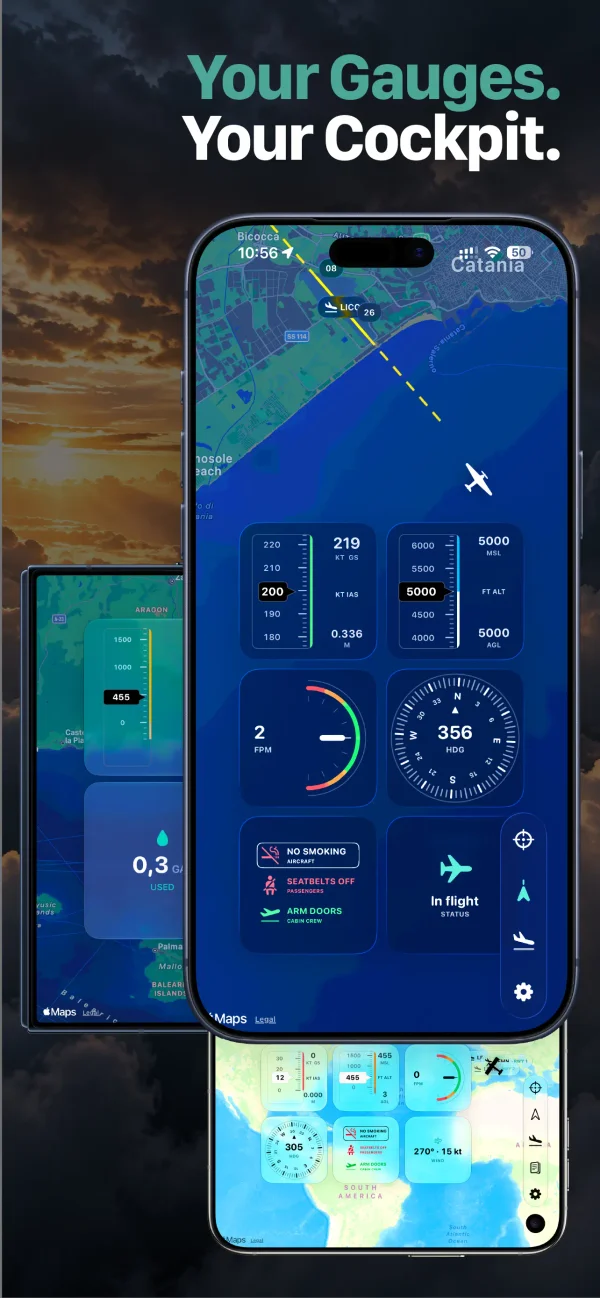
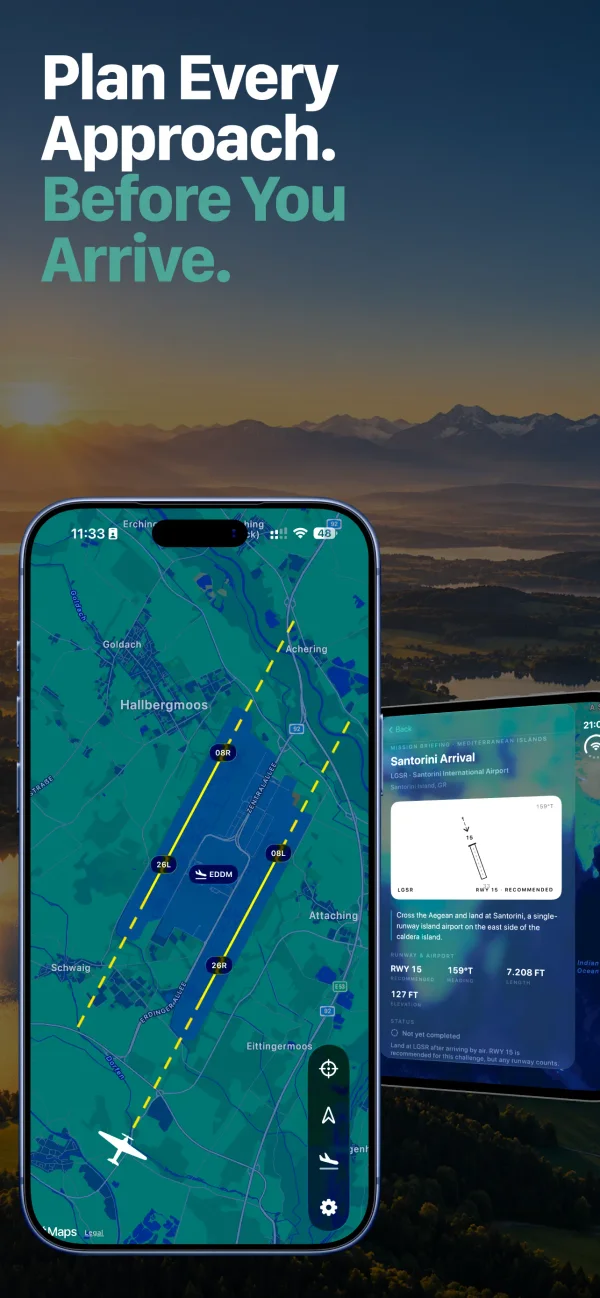
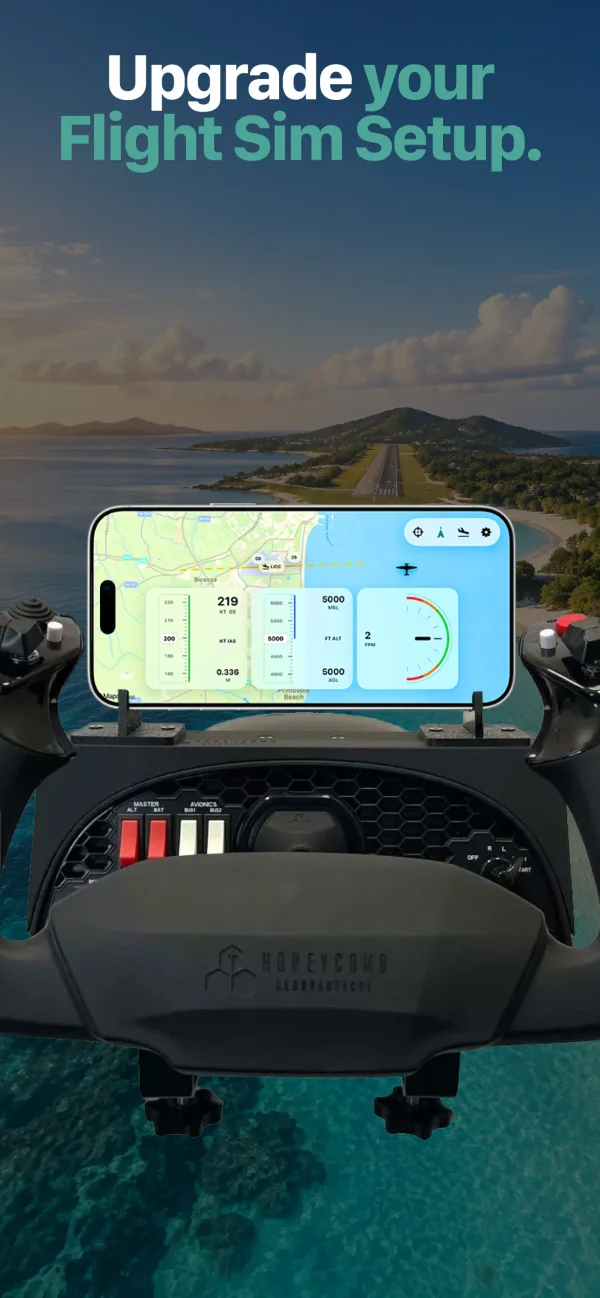
See your aircraft position on the map, monitor altitude, heading, airspeed, ground speed and vertical speed, browse airports, inspect runways, check live airport weather and use visual approach helpers while you fly.
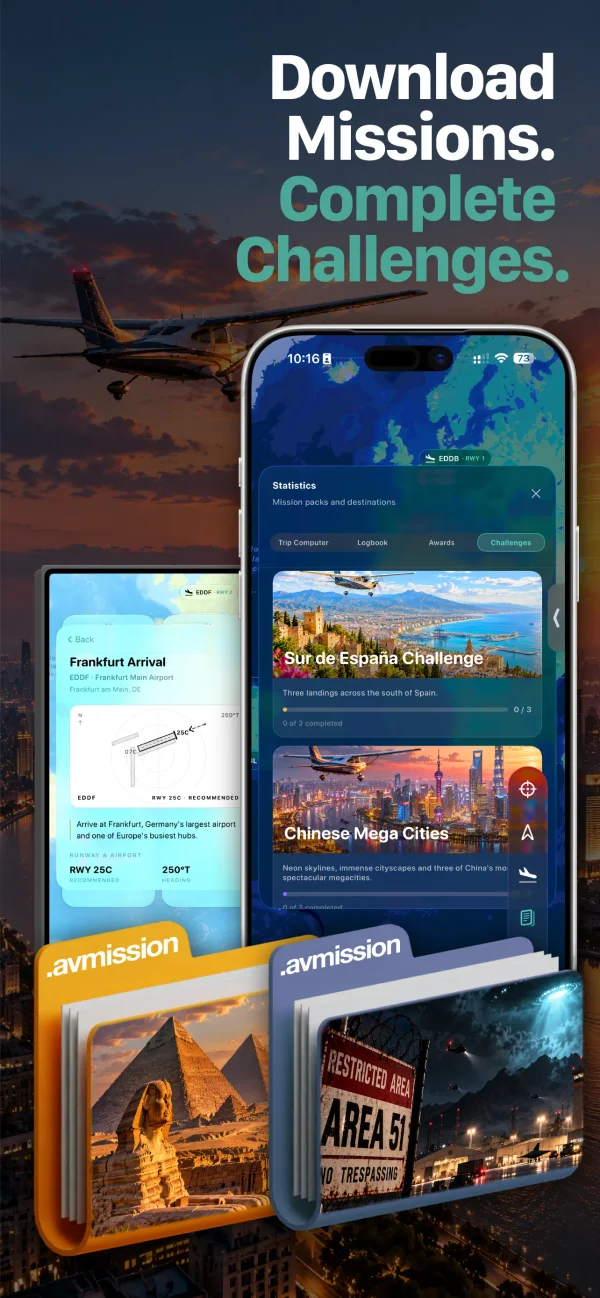
Take on Missions & Challenges and give your flights a destination. Choose from included challenges or download additional mission packs, explore airports around the world and complete each objective by flying there in Microsoft Flight Simulator. Avionics Buddy automatically recognizes your landings, tracks your challenge progress and awards medals as you complete them.
Avionics Buddy is built for sim pilots who want to extend their Microsoft Flight Simulator setup beyond the main screen. Use it as a beautifully designed cockpit display on your desk or as an additional avionics screen in a larger multi-monitor simulator setup. Its adaptive interface makes use of the available screen space across iPhone, iPad and Mac, letting you build your own flight deck using the Apple devices you already own.
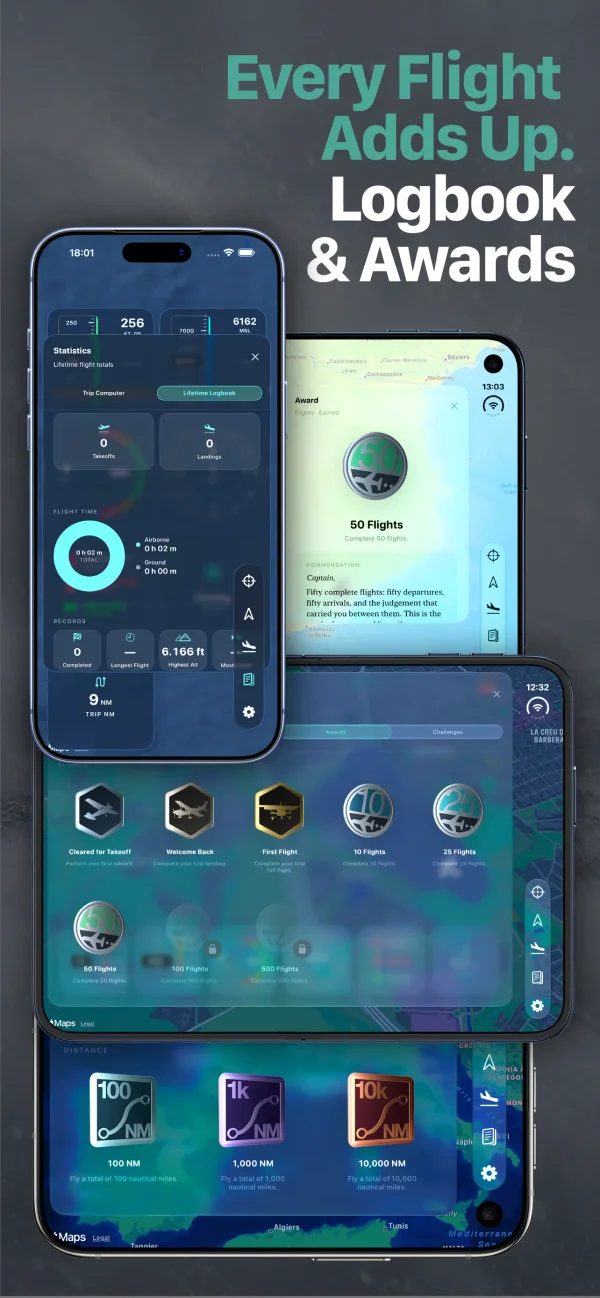
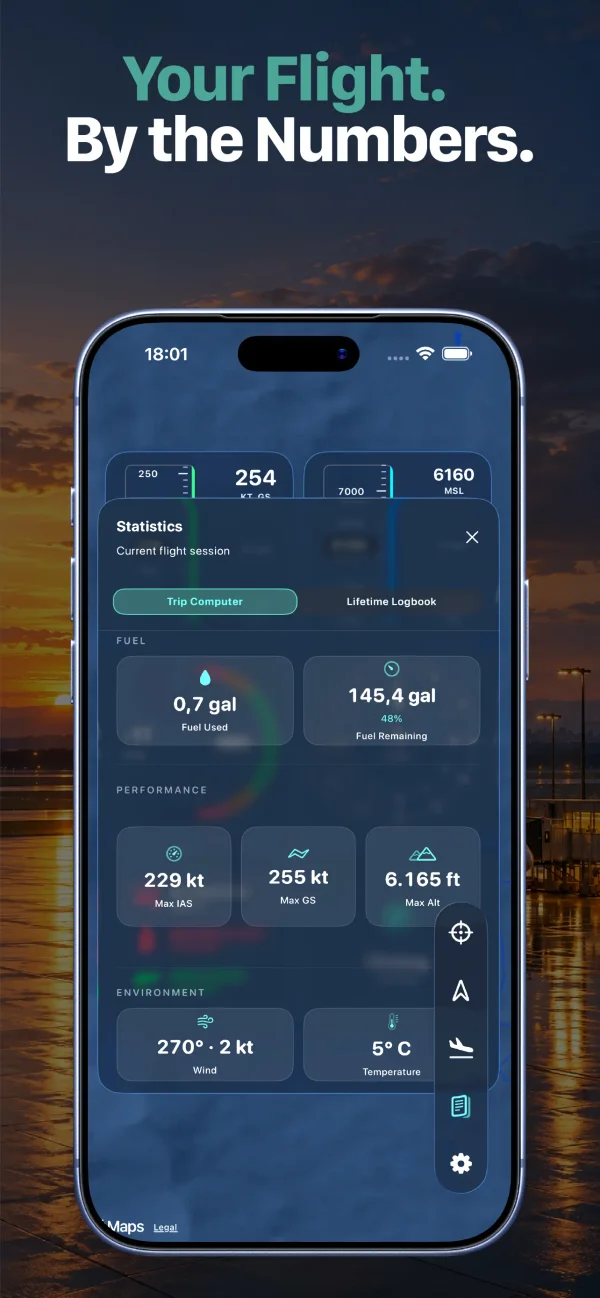
Track your current flight with the Trip Computer, including distance, fuel, speed, altitude, wind and temperature. Continue building your Lifetime Logbook with accumulated flight time, takeoffs, landings, distance flown and personal records across all your simulator sessions.
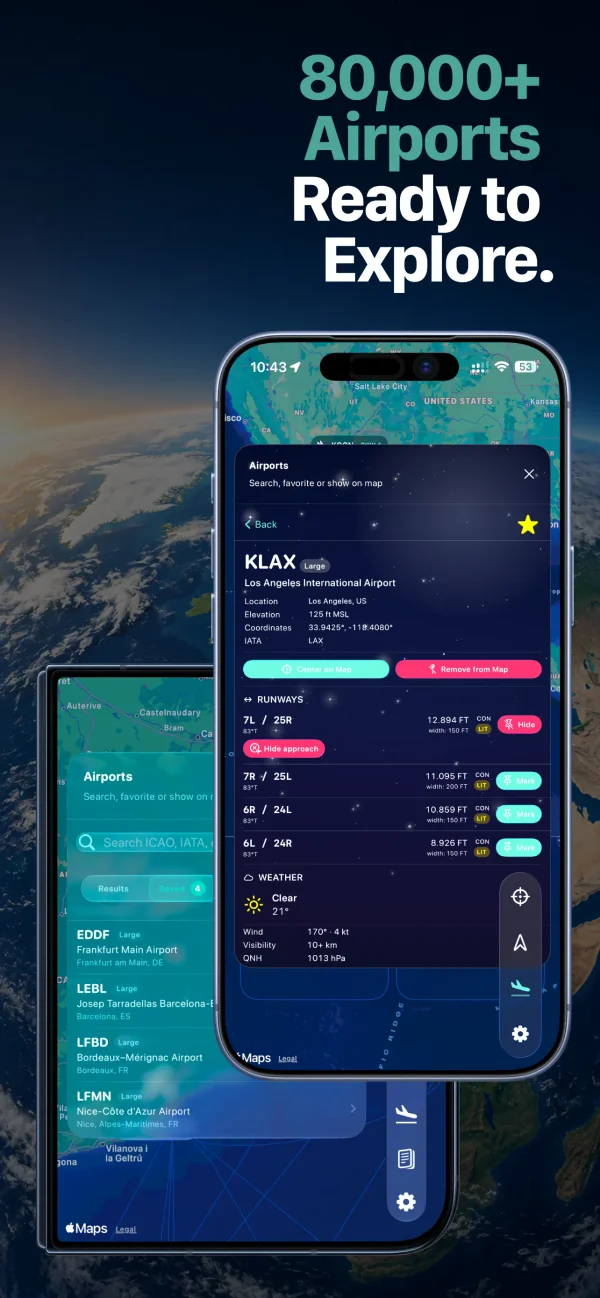
Search more than 80,000 airports, save your favorites, display selected airports on the map, inspect runways and review live weather before departure. Export and import your Airport Library to back up your saved airports or transfer them between your iPhone, iPad and Mac.
Stay connected to your flight, even when Microsoft Flight Simulator is running on another screen.
Key Features
• Missions & Challenges with automatic landing detection, progress tracking and medals
• Downloadable mission packs with detailed mission briefings – https://www.avionicsbuddy.com/missions/
• Live aircraft telemetry from Microsoft Flight Simulator
• Follow-mode map with aircraft position, heading and selectable aircraft icons
• Customizable cockpit gauges with multiple layouts, styles and live Session Gauge metrics
• Trip Computer with live flight statistics for every session
• Lifetime Logbook with cumulative flight time, takeoffs, landings, distance and records
• Awards and medals earned through your flying
• Search over 80,000 airports with favorites and map integration
• Export and import your Airport Library between Apple devices
• Runway approach helpers for visual alignment during simulator arrivals
• Live airport weather with wind, pressure, clouds and current conditions
• Optional cabin sound effects, including seatbelt announcements and other immersive details
• Adaptive layouts across iPhone, iPad and Apple Silicon Mac
• Local network connection through the free Avionics Buddy Bridge for Windows
• No account required
• No cloud telemetry
How it works
1. Start Microsoft Flight Simulator on your Windows PC.
2. Download and run the free Avionics Buddy Bridge for Windows – https://www.avionicsbuddy.com/#bridge
3. Scan the QR code with Avionics Buddy on your iPhone, iPad or Mac.
4. Fly with live telemetry on your second screen.
Avionics Buddy is intended for Microsoft Flight Simulator entertainment use only. It is not designed for real-world navigation, flight training, flight planning or operational aviation use. Avionics Buddy is not affiliated with Microsoft, Asobo Studio, Working Title, OurAirports or any aircraft manufacturer.
Có gì mới
Phiên bản 1.5 · 15/10/2026
This update brings support for iPhone Duo, a redesigned onboarding experience, and improved FlightBridge connectivity.
What’s New
- iPhone Duo Support — Avionics Buddy now supports iPhone Duo, bringing your flight instruments, moving maps, and cockpit experience to the new device.
- Completely Redesigned Onboarding — A beautiful new three-step introduction makes getting started easier than ever, from discovering the features to connecting FlightBridge and configuring permissions.
- FlightBridge 1.0 Support — Improved communication with the latest Windows FlightBridge, while maintaining compatibility with previous versions.
- FlightBridge Update Notifications — Get notified when a newer FlightBridge version is available, with direct links to update.
- Performance & Stability Improvements — Various refinements to connectivity and the overall experience.
Thank you for flying with Avionics Buddy!
Quyền riêng tư của ứng dụng
Những gì Sharif El Fatatry khai báo trên App Store về cách ứng dụng này xử lý dữ liệu.
-
Dữ liệu không được thu thập
Nhà phát triển không thu thập bất kỳ dữ liệu nào từ ứng dụng này.
Phương thức đảm bảo quyền riêng tư có thể khác nhau, chẳng hạn như tuỳ theo các tính năng bạn sử dụng hoặc độ tuổi của bạn.
Thông tin
- Người bán
- Sharif El Fatatry
- Danh mục
- Tiện Ích
- Phiên bản
- 1.5
- Cập nhật
- 15/10/2026
- Phát hành
- 22/06/2026
- Kích thước
- 68,1 MB
- Yêu cầu
- iOS 18.0 trở lên
- Độ tuổi
- 4+
- Giá
- 119.000đ
- Ngôn ngữ
- Tiếng Anh
- Bản quyền
- © 2026 Sharif El Fatatry. All rights reserved.