Bar-Code
Được thiết kế cho iPhone, iPad, iPod touch
Miễn phí · Mua hàng trong ứng dụng
- Độ tuổi4+
- Danh mụcHiệu Suất
- Nhà phát triểnRoberto Sonzogni
- Ngôn ngữTiếng Anh+ 15 ngôn ngữ khác
- Kích thước7,4 MB
Liên kết đến trang App Store chính thức
Download.org không lưu trữ tệp nào của Bar-Code. Nút này mở trang ứng dụng trên App Store, nơi Roberto Sonzogni phát hành ứng dụng. Trang được kiểm tra lần cuối: 15/11/2026.
Ảnh chụp màn hình

Giới thiệu
Nhà phát triển chưa cung cấp nội dung này bằng ngôn ngữ của bạn.
--------------
What this app will do for me ?
--------------
It will scan barcodes (read "other info" for list of formats supported) and send scanned codes by email, or save them for later use, or paste/copy codes into other apps, or search on the web.
It will not check for prices.
Also, with iTunes file sharing, you can export the list of scanned codes (and photo taken) to your PC (for use in Excel etc.)
Great for small stores, library, and also at home !
------------
Awards
------------
- over 4.000.000 download
- TOP APP in his category in the italian store (may 2011)
- TOP 25 APP in his category in many national stores
- Suggested by iTunes
--------------
How does this app works ?
--------------
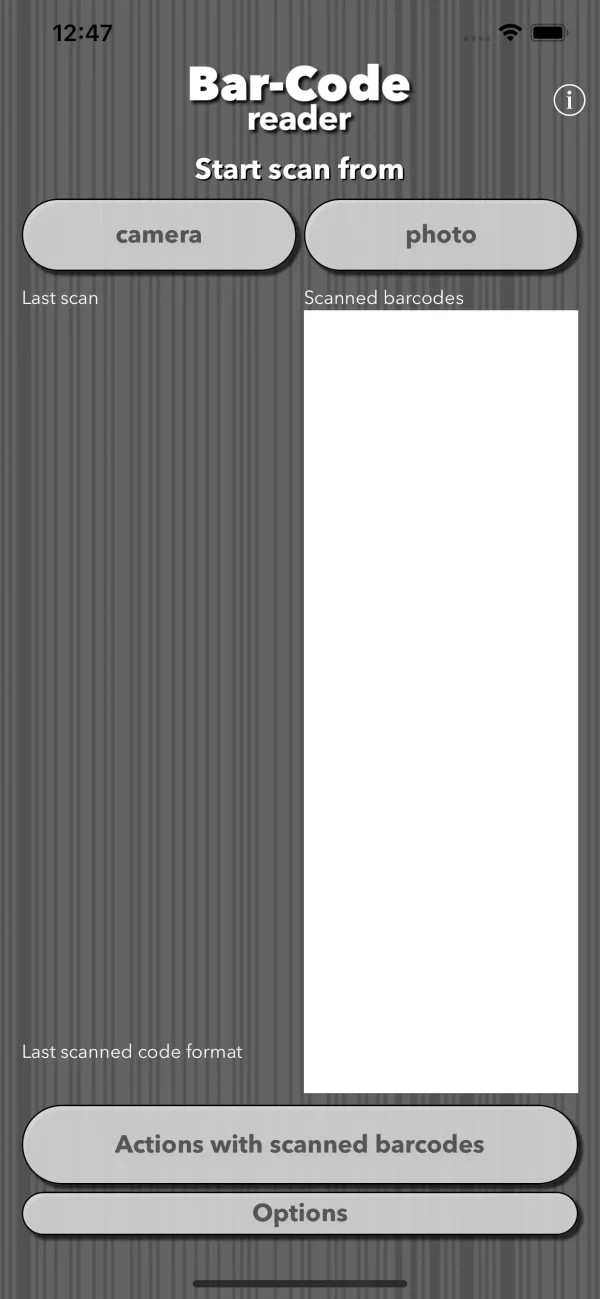
To start the scan, tap on the "START SCAN FROM" buttons (or shake te device), and the camera will start, ready to scan a code.
Now make the camera look at a barcode.
Please make sure your camera is correctly aligned with the barcode to scan (vertical or horizontal, not oblique).
Please make sure that the code is well lighted and on focus (move the device to get well the code).
When the barcode is detected, it will be surrounded by a green square and it will be decoded and written in the "SCANNED CODES" list.
If you have problems to get the code scanned, when the camera is on, tap the info button to get help on how get a successful scan.
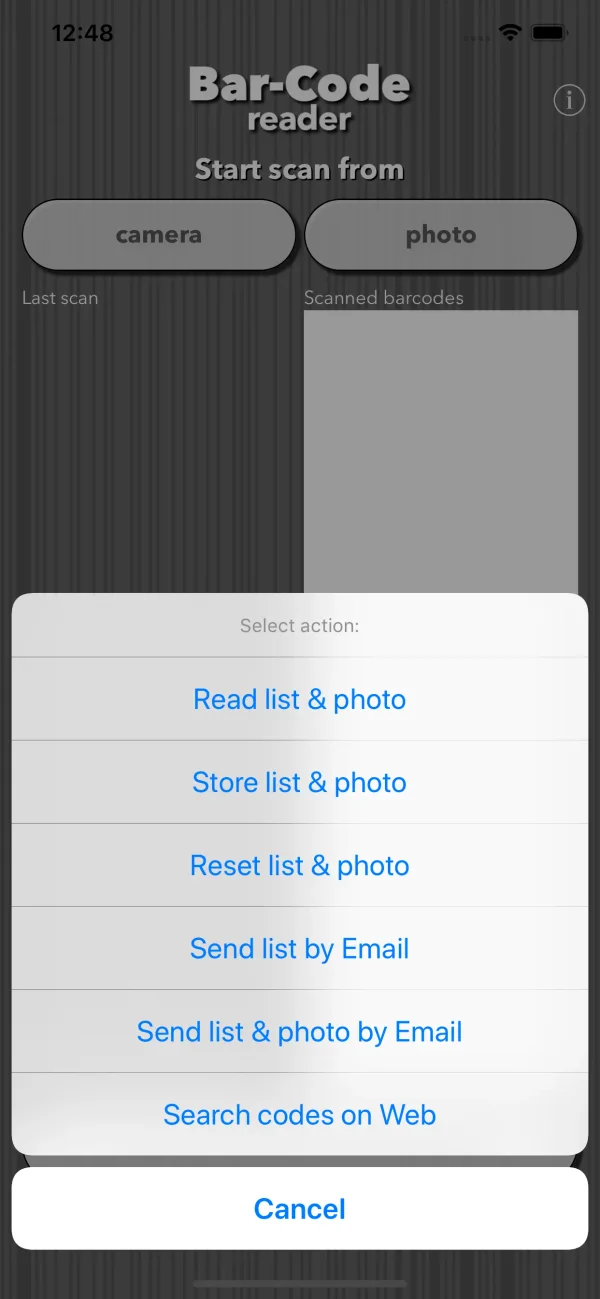
With your codes scanned, you can save them for later use, or mail them, of search for them on the web, or paste into other apps (last scanned code is copied into the pasteboard), or copy them (and photo taken) to your PC for use in your apps with iTunes file sharing. Tap on "ACTIONS WITH SCANNED BARCODES" to select what you want to do with the scanned codes.
You can also save the photos taken in your Camera Roll.
ONLY FOR USERS THAT DID DISABLE THE ADS TAPPING ON "REMOVE ADS" BUTTON:
Now you can use this app to scan barcodes with your web apps.
If you have a web app that you need to input barcodes, you can start the app, scan barcode, and return barcode content, with just one http url !
Just use an url like this:
bar-code://scan?callback=[callback url]
(where "callback" is the url return url to your web app)
Barcode content will be added at the end:
?barcode=[barcode content][&other parameters]
So, for example, using this url:
bar-code://scan?callback=http://www.mysite.com
the callback url after barcode scan will be
http://www.mysite.com?barcode=1234567890
if you need extra parameters, just add them to the callback url
bar-code://scan?callback=http://www.mysite.com&user=roberto
then the callback url after barcode scan will be
http://www.mysite.com?barcode=1234567890&user=roberto
You can test the app is working with this url:
http://www.pw2.it/iapps/test-bar-code.php
THIS WILL WORK ONLY FROM THE DEVICE WEB BROWSER !
--------------
Other info
--------------
Supports EAN-8, UPC-E, ISBN-10, UPC-A, EAN-13, ISBN-13, Interleaved 2 of 5, Code 39, QR Code, Code 128, Code 93, Farmacode, GS1 DataBar, GS1 DataBar Expanded, GS1 2-digit add-on, GS1 5-digit add-on, EAN/UPC composite formats, Codabar and DataBar.
SCAN WORKS ONLY IF YOU HAVE A CAMERA
Suggested devices: iPhone 3GS or greater (NO 3G OR OLD IPOD OR IPAD OR iPAD2, so please note that not all codes will be decoded easily on those devices).
To dismiss the keyboard, tap anywhere on the background
May contain ads.
--------------
Please remember to check our new barcode scanner app with lot of new options and link to Mac PC !
https://itunes.apple.com/app/barcode-professional/id1075096265?mt=8
You can easily create QR-Codes with our new app "QR-Code creator" https://itunes.apple.com/app/qr-code-creator/id1197340445?l=it&ls=1&mt=8
--------------
Có gì mới
Phiên bản 2.11.32 · 30/10/2024
bugfix!
Quyền riêng tư của ứng dụng
Những gì Roberto Sonzogni khai báo trên App Store về cách ứng dụng này xử lý dữ liệu.
-
Dữ liệu không liên kết với bạn
Có thể được thu thập nhưng không liên kết với danh tính của bạn.
- Chẩn đoán
Phương thức đảm bảo quyền riêng tư có thể khác nhau, chẳng hạn như tuỳ theo các tính năng bạn sử dụng hoặc độ tuổi của bạn.
Thông tin
- Người bán
- Roberto Sonzogni
- Danh mục
- Hiệu Suất
- Phiên bản
- 2.11.32
- Cập nhật
- 30/10/2024
- Phát hành
- 10/03/2011
- Kích thước
- 7,4 MB
- Yêu cầu
- iOS 15.4 trở lên
- Độ tuổi
- 4+
- Giá
- Miễn phí
- Mua hàng trong ứng dụng
- Có
- Ngôn ngữ
- Tiếng Anh, Tiếng Đan Mạch, Tiếng Hà Lan, Tiếng Phần Lan, Tiếng Pháp, Tiếng Đức, Tiếng Ý, Tiếng Nhật, Tiếng Bokmål Na Uy, Tiếng Ba Lan, Tiếng Bồ Đào Nha, Tiếng Nga + 4 ngôn ngữ khác
- Bản quyền
- © PW2 di Roberto Sonzogni
Có thể bạn cũng thích
-
 Scan to Sheets - QR & BarcodeHiệu Suất
-
 Barcode Scanner by BarKoderHiệu Suất
-
 Barcode ScannersHiệu Suất
-
 Máy Quét Mã Vạch - Orca ScanTheo dõi Tài sản & Kho
-
 Inventory with barcodeHiệu Suất
-
 QR Reader: Quét mã QR, mã vạchTạo mã QR, máy quét barcode
-
 ICONIT QRcode ReaderHiệu Suất
-
 QR & Barcode Reader・ScannerHiệu Suất
-
 Barcode Generator Barcode GuruHiệu Suất
-
 TQS Code ReaderHiệu Suất