
- Độ tuổi4+
- Danh mụcSức Khỏe & Thể Dục
- Nhà phát triểnBenjamin Hargarten
- Ngôn ngữTiếng Anh+ 3 ngôn ngữ khác
- Kích thước21,0 MB
Liên kết đến trang App Store chính thức
Download.org không lưu trữ tệp nào của Ben’s Timer. Nút này mở trang ứng dụng trên App Store, nơi Benjamin Hargarten phát hành ứng dụng. Trang được kiểm tra lần cuối: 20/11/2026.
Ảnh chụp màn hình


Giới thiệu
Nhà phát triển chưa cung cấp nội dung này bằng ngôn ngữ của bạn.
Ben's Timer is a simple interval timer for iPhone, iPad, Mac and Apple Watch – no ads, no account, no tracking.
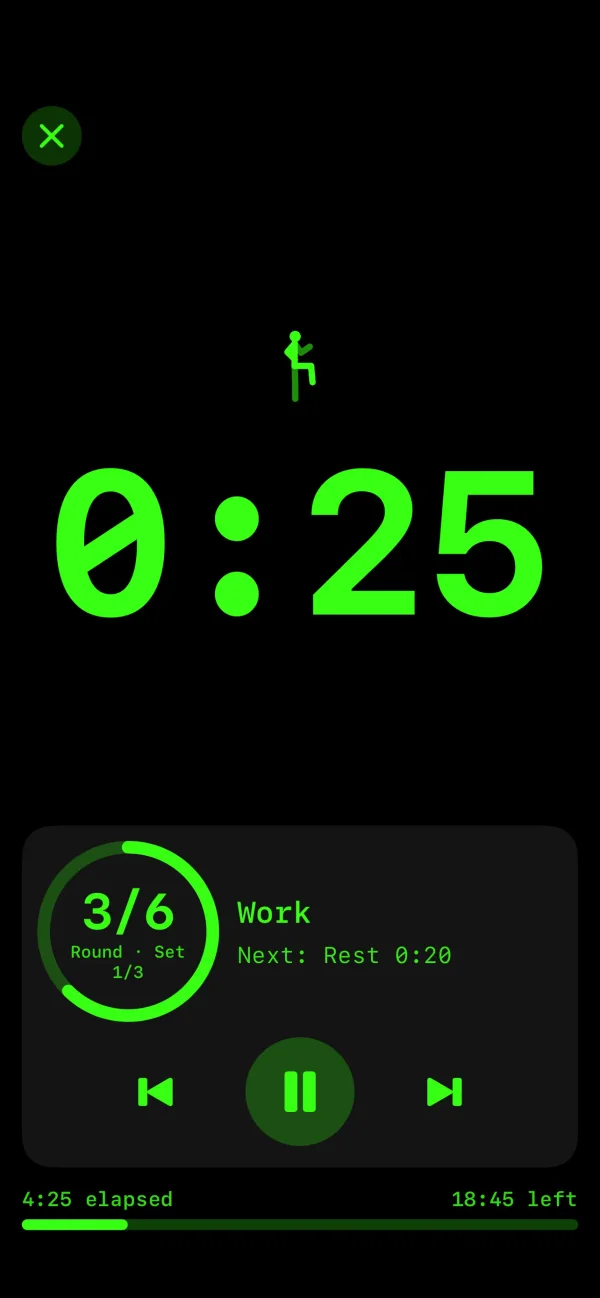
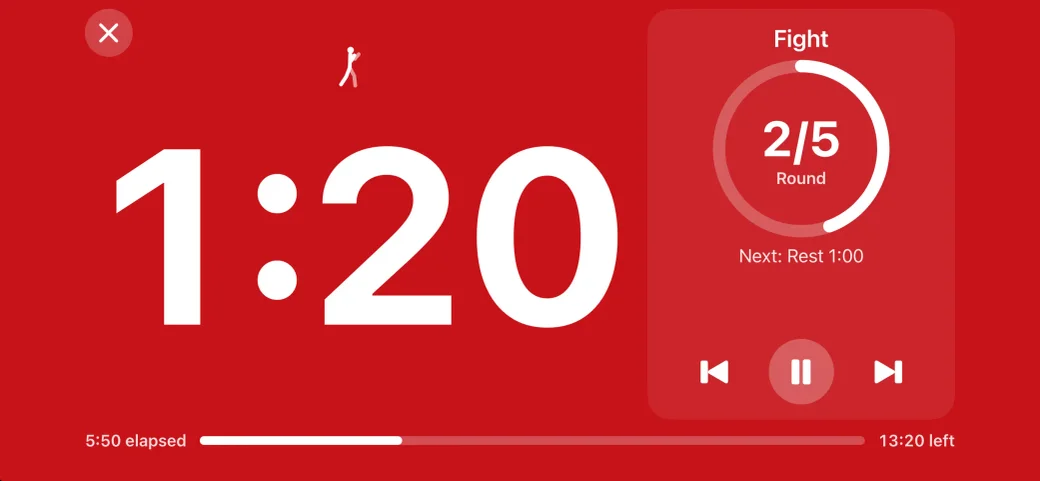
Set up work, rest, rounds and sets in seconds, then train right on your Apple Watch: a big countdown, a colored progress ring and noticeable haptics on your wrist – even with your wrist down. Or turn your iPhone or iPad sideways: the remaining time fills the screen and is easy to read from a few meters away.
FEATURES
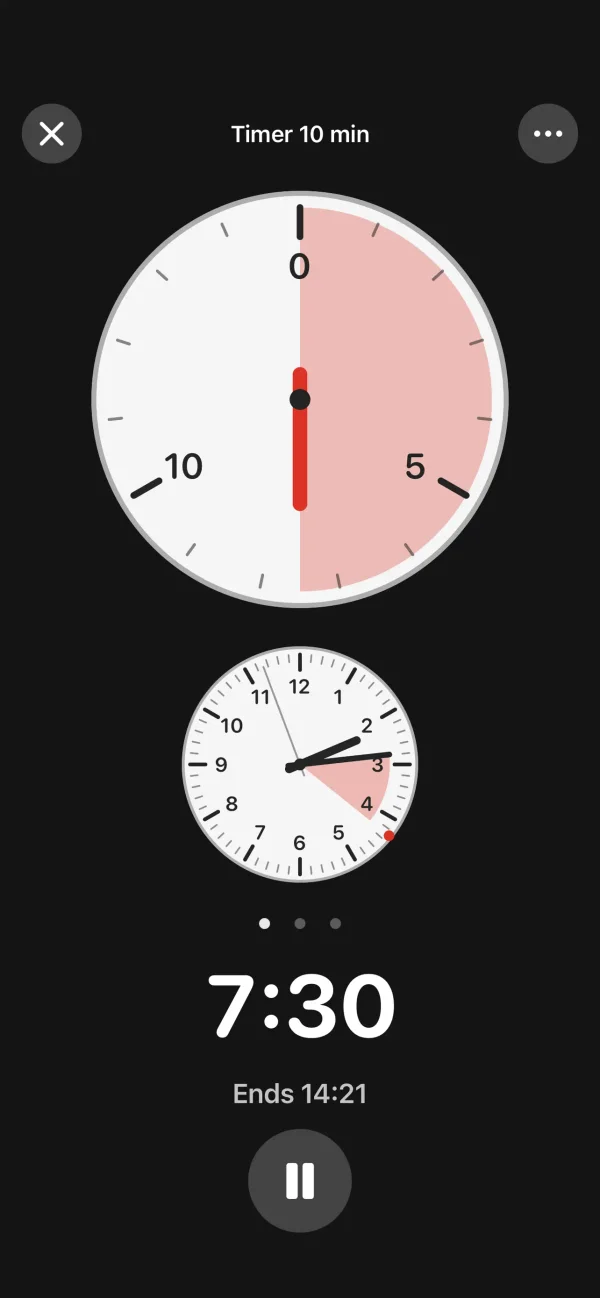
• Timer: pick a duration and go – with a large dial or as a clock face marking the end time, on the Lock Screen, Dynamic Island and Apple Watch
• Siri: "Start Ben's Timer 5 minutes" or "Start Ben's Timer Tabata" – also pause, resume and stop
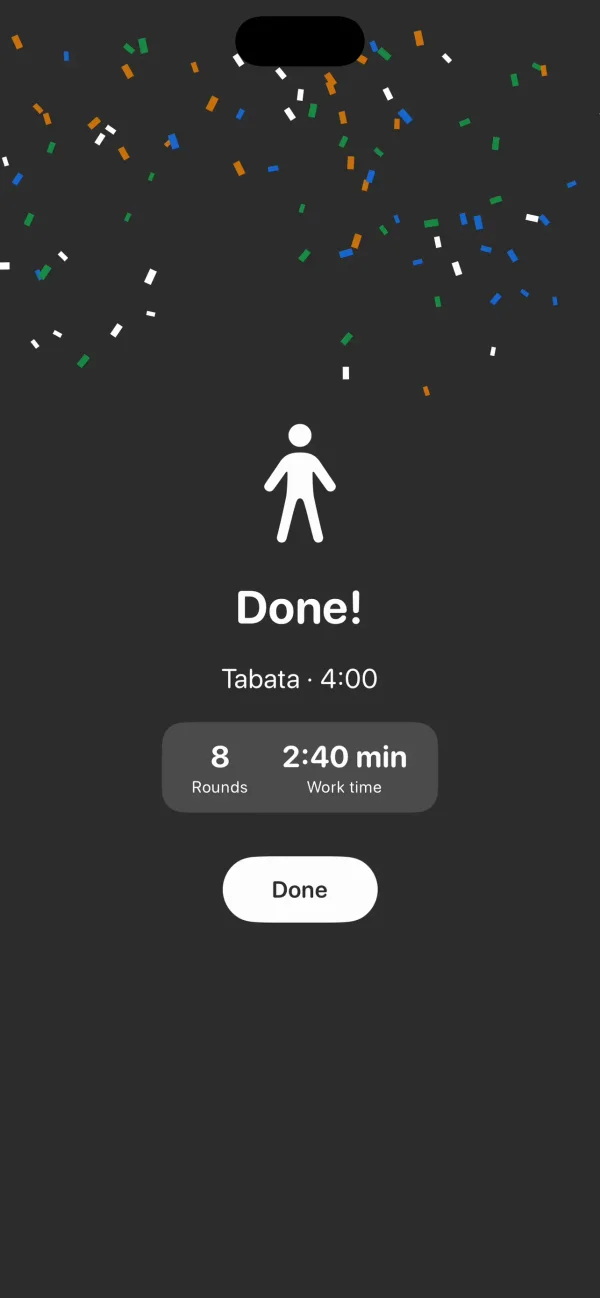
• Effects that make it fun – and can be turned off: a dial you wind up, pulsing final seconds, a color wave between phases, confetti at the end, a timeline in the editor, a breathing guide in long rests. Prefer it calm? Choose “Plain”
• Fully adjustable: get ready, warm-up, work, rest, rounds, sets, set rest, cool-down
• Custom sections: build each round from your own work and rest sections, each with its own duration and name, e.g. sprint 30 s, rest 15 s, push-ups 45 s
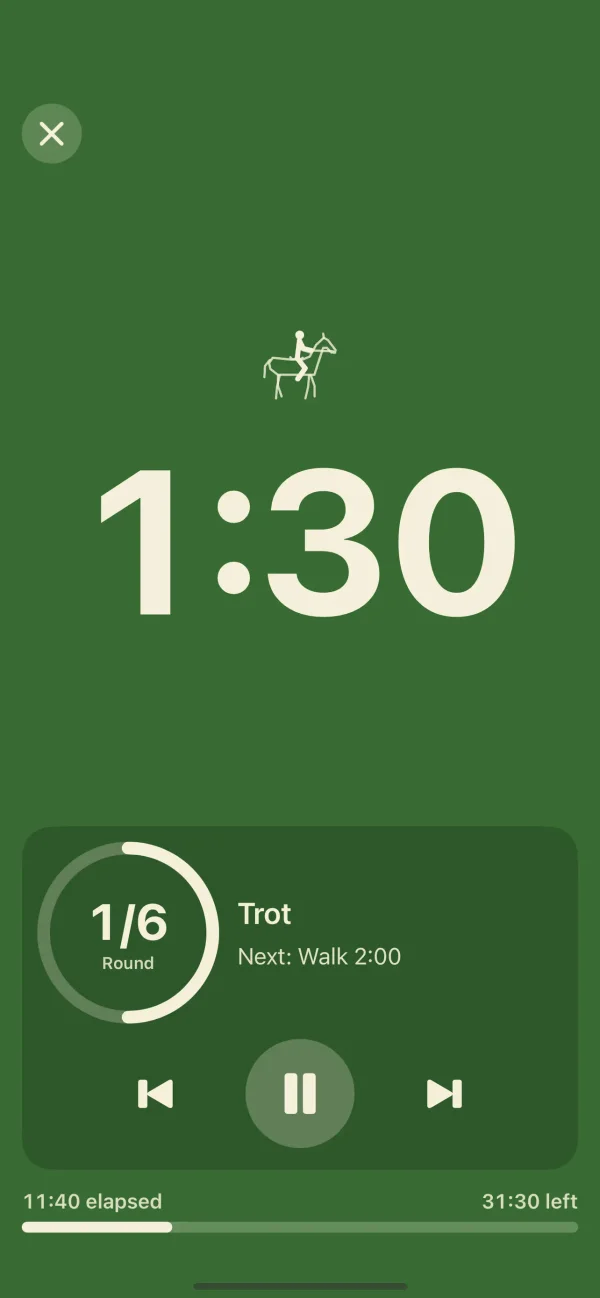
• Choose the figure per phase and section: e.g. squat, burpee, running, walking or riding at a walk, trot and canter
• Large round counter, countdown for the last seconds and an optional end-of-round warning (e.g. 10 s in boxing)
• Elapsed and remaining total time at a glance
• Signals per phase: sound and countdown adjustable for each phase
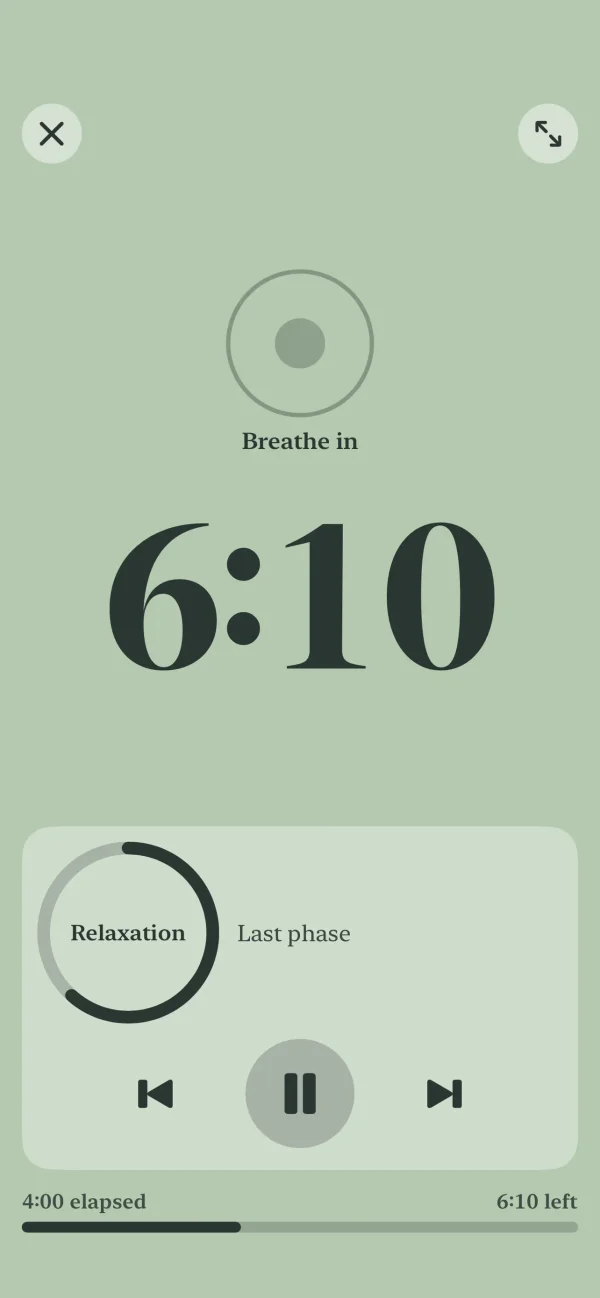
• Phase names that match your sport (“Fight”, “Relaxation”, “Exercise” …) – or your own, like “Sparring”
• Sounds: real recordings of a boxing bell, gong, wind chimes, singing bowl, tubular bells, hand bells, metallophone and kalimba, synthesized tones or vibration only
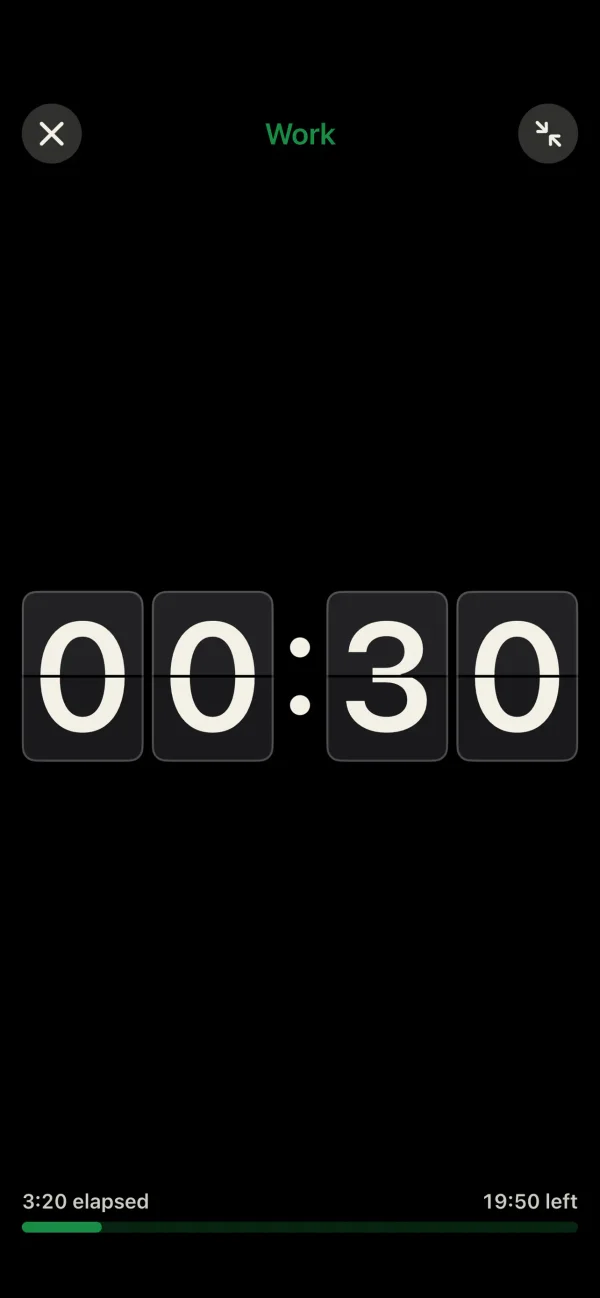
• 22 themes, e.g. the flip clock with flipping digits (in color or all black, optionally with a soft flip sound), Zen, Dojo, Neon, Ocean, Retro, High Contrast or Night Vision (red on black) – per workout
• Full screen: hide the controls – the remaining time fills the screen, tap to pause
• Animated stick figure for your sport during the work phase – with a rope for jump rope, a bike for indoor cycling and a rowing machine for rowing and a horse at a rising trot for riding
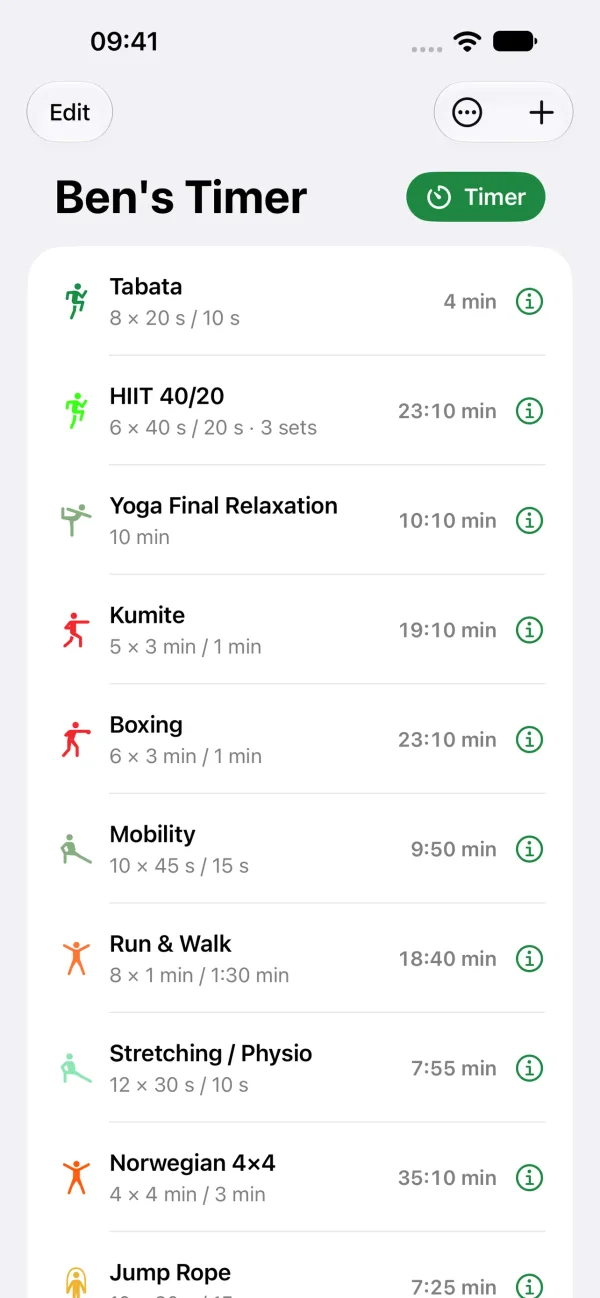
• Ready-made workouts: Tabata-style intervals (20/10), HIIT 40/20, Yoga final relaxation, Kumite, Boxing, Mobility, Run & Walk, Stretching / Physio, Norwegian 4×4, Jump Rope, Indoor Cycling, Rowing, Riding intervals
• Start now without the get-ready phase
• iPad: workouts and editor side by side, full-screen timer in any window size
• Mac: its own app with the timer in a window or full screen and keyboard shortcuts
• Apple Watch: runs on its own, shows phase, round and heart rate; tap the center to pause, end on a separate page to avoid accidental taps
• iPhone and Apple Watch together: one workout, controllable on both devices
• iCloud sync (optional): keep workouts the same on iPhone, iPad and Mac
• Apple Health: saves workouts with the matching workout type, e.g. jump rope, indoor cycling, rowing or equestrian sports (can be turned off)
• English, German, Spanish and French
PRIVACY
Your workouts stay on your devices – and, if you turn on sync, in your own iCloud. Health data is only read from or written to Apple Health with your permission and is never sent to the developer.
Requires iOS or iPadOS 17, macOS 26 for the Mac app and – for the Watch app – watchOS 10 or later. Live Activity requires iOS 18.
Có gì mới
Phiên bản 1.5 · 12/11/2026
• New effects that bring your workout to life – each can be turned off in Settings → Effects, or all at once with “Plain”:
– Wind-up dial: drag the hand to set the duration
– Final seconds pulse, with light haptics
– Color wave when the phase changes
– Confetti, a cheering figure and a summary at the end
– Lively figure: breathes during rests, speeds up near the end
– Timeline in the editor: every phase at its real length
– Optional: rising countdown tones and a week line above the list (counted on the device only)
• Breathing guide: a breathing circle in rests of 20 s or more, per workout
• Fresh look: green accent color, saved routines are now called “workouts”
• Settings now have their own screen instead of a long menu
• Editor: overview with total time at the top, custom phase names folded away at the end
• Timer: remaining time as a colored sector, a calmer clock face; in portrait both views or one at a time – just swipe
• Pause is easy to spot: dimmed, pulsing digits
• Timer end sound: tap anywhere to stop it
• Better legibility: stronger contrast for themes and buttons
• Apple Watch: celebration at the end, lively figure; Health access is requested at the first workout
Quyền riêng tư của ứng dụng
Những gì Benjamin Hargarten khai báo trên App Store về cách ứng dụng này xử lý dữ liệu.
-
Dữ liệu không được thu thập
Nhà phát triển không thu thập bất kỳ dữ liệu nào từ ứng dụng này.
Phương thức đảm bảo quyền riêng tư có thể khác nhau, chẳng hạn như tuỳ theo các tính năng bạn sử dụng hoặc độ tuổi của bạn.
Thông tin
- Người bán
- Benjamin Hargarten
- Danh mục
- Sức Khỏe & Thể Dục
- Phiên bản
- 1.5
- Cập nhật
- 12/11/2026
- Phát hành
- 30/09/2026
- Kích thước
- 21,0 MB
- Yêu cầu
- iOS 17.0 trở lên
- Độ tuổi
- 4+
- Giá
- Miễn phí
- Ngôn ngữ
- Tiếng Anh, Tiếng Pháp, Tiếng Đức, Tiếng Tây Ban Nha
- Bản quyền
- © 2026 Benjamin Hargarten
Có thể bạn cũng thích
-
 HIIT Timer: Work Rest RoundsSức Khỏe & Thể Dục
-
 AiKnowMeSức Khỏe & Thể Dục
-
 ZirkelTimer – TrainingSức Khỏe & Thể Dục
-
 Interval Timer: Tabata RoundsSức Khỏe & Thể Dục
-
 HIITimer: Interval TimerSức Khỏe & Thể Dục
-
 timeR: Interval TimerSức Khỏe & Thể Dục
-
 Hẹn Giờ HIIT Tabata Ngắt QuãngEMOM đếm hiệp có giọng đọc
-
 Interval - Minuteur sportifSức Khỏe & Thể Dục
-
 Interval Timer: RoundsSức Khỏe & Thể Dục
-
 SickleCare: Track Sickle CellY Tế