
- Độ tuổi4+
- Danh mụcHiệu Suất
- Nhà phát triểnPro4all
- Ngôn ngữTiếng Anh
- Kích thước12,0 MB
BIM Compass hiện có thể không có trên App Store
Ở lần kiểm tra gần nhất, chúng tôi không truy cập được trang trên cửa hàng. Liên kết vẫn dẫn đến trang App Store chính thức.
Ảnh chụp màn hình


Giới thiệu
Nhà phát triển chưa cung cấp nội dung này bằng ngôn ngữ của bạn.
A model error is a build error. BIM Compass catches it in the browser. This app takes the checked model onto site, to the people building from it.
3D, the complete building's storey plan and the project's own drawings, on a phone, with your own position marked on the plan.
WHERE YOU ARE STANDING
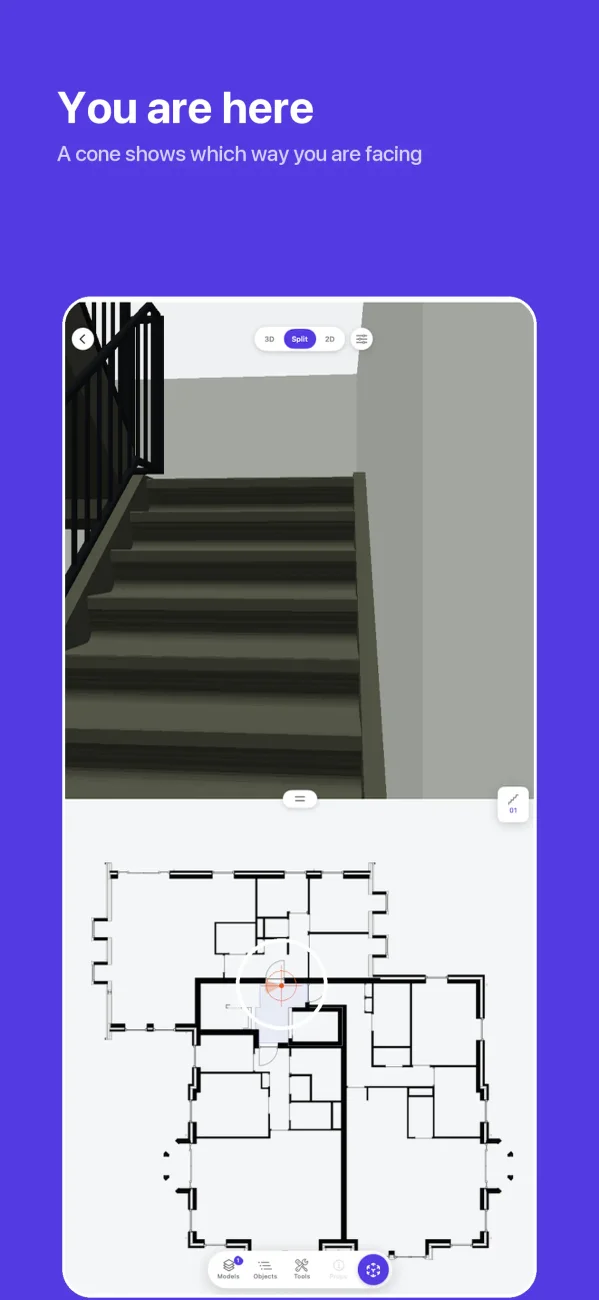
Press the plan where you are and drag to aim which way you are facing. The 3D view goes there. A cone on the plan keeps showing the direction, so what is on screen is what is in front of you.
Walk the model from that point with one finger. Not a 3D view dragged around with two.
Or hold the phone up and put the model on the room itself. It lands on the camera at the right scale and stays there as you walk. Solid, or edges only, with the opacity down until you can see the model and what was built at the same time.
THREE VIEWS OF ONE BUILDING
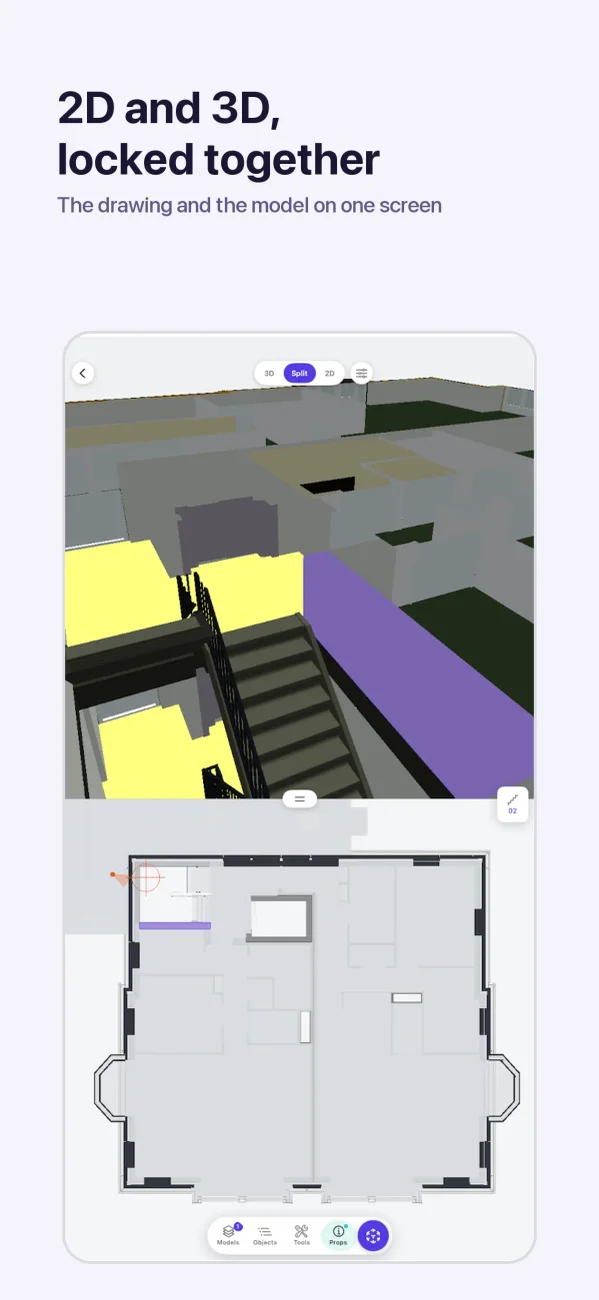
3D, Split and 2D. In Split, the plan and the model stay locked to each other.
Three things can sit in the 2D pane, each one on or off: the storey plan generated from the model, the project's own drawings, and a cut through the model itself.
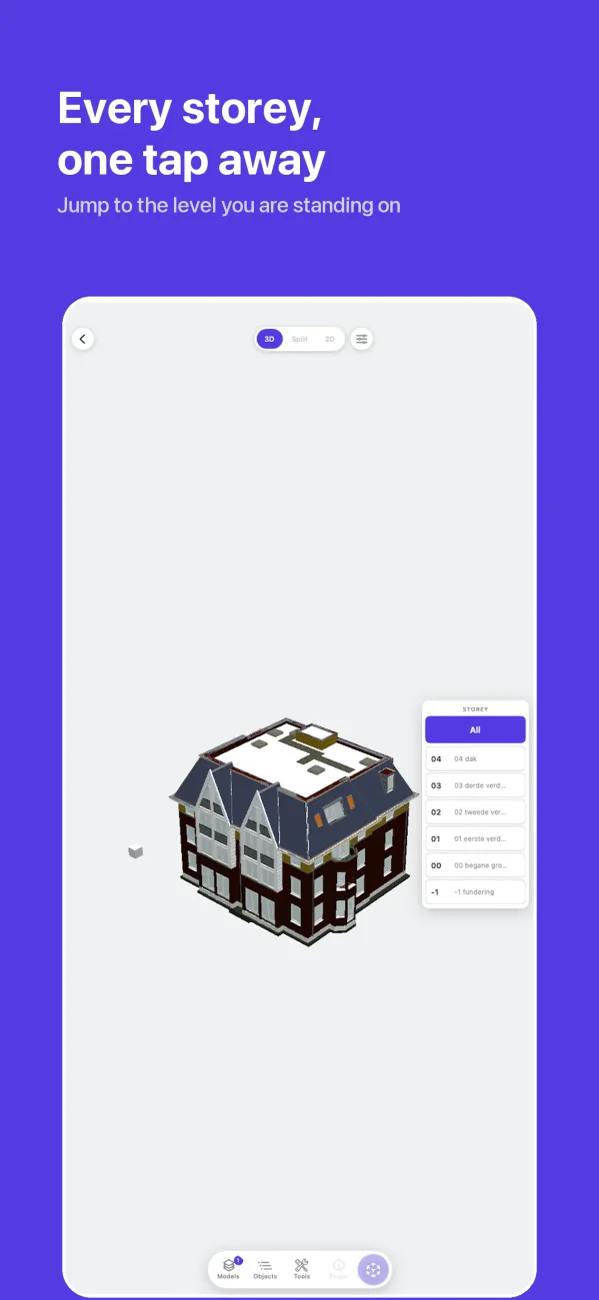
One storey at a time. Cut away everything above it, or isolate it on its own.
Every discipline in one view. Each aspect model on or off, each with its version.
THE PART THAT CONCERNS YOU
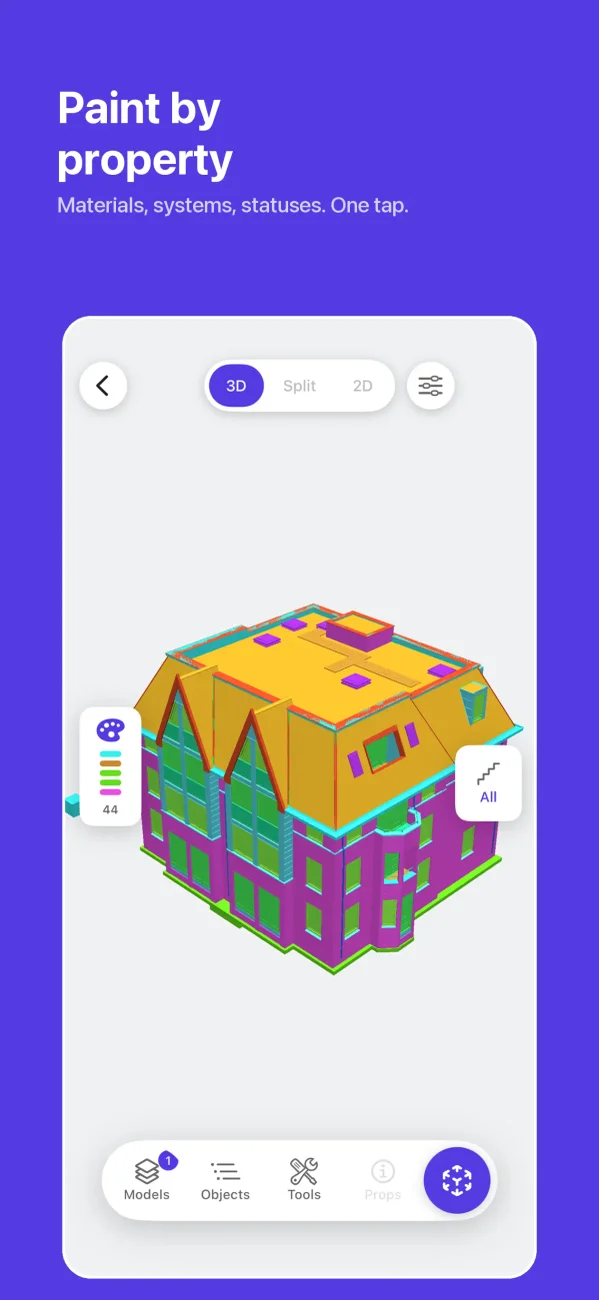
Quick views. Your coordinator prepares them in the browser: the fire compartments, the prefab elements, everything carrying one fire rating. On site you tap one and the model is filtered and coloured to it, with a legend naming the colours. Tap a colour to see only that group.
Or browse the building as a tree, by containment, by component or by storey, and isolate the branch you came for.
Tap any object: IFC type, name, GlobalId, material, quantities, and every property set the model carries.
WHEN THERE IS NO SIGNAL
Download a building to the phone before you drive out. Geometry, drawings, storey plans, the object tree and the saved quick views, in one pack. Then open it in a basement, in a shaft, on a plot with one bar.
Add the properties pack if you want to tap objects there too.
The model is drawn on the phone itself, not streamed from a server. Turning the view never waits on a network.
FOLLOW SOMEBODY ELSE'S SCREEN
Somebody in the office starts a live session and sends the link. Open it and the phone follows their view: where they are looking, which models they have on, the storey they are on, and the object they picked, with its properties.
HOW YOU GET IN
Your organisation sends you a link from the project in Prostream or PAVE. Open it, or scan its QR code, and the models and drawings are there. No BIM licence, nothing to import, nothing to convert.
So BIM stops being one person's job. The work planner, the site manager, the foreman: each one opens the part of the model that concerns them, where the work is.
WHAT STAYS IN THE BROWSER
Checking a model is not phone work. In the browser, BIM Compass validates every upload against your own IDS rule sets, runs clash detection, compares versions, and turns a finding into a task with an owner. What reaches your phone is the model that survived that.
BIM Compass runs inside Prostream and PAVE, priced for a project team rather than per specialist seat.
Availability of specific features may depend on the license and subscription.
Có gì mới
Phiên bản 1.1.10 · 02/11/2026
- Login with Prostream is now on every install, including the App Store. Tap it on the sign-in screen and use your Prostream account. Please note that to use the Prostream login method, the user needs to convert or open a model on web first as a one time action to get the Prostream and BIM Compass accounts linked.
- Invite link is still underneath, for a share link.
Quyền riêng tư của ứng dụng
Những gì Pro4all khai báo trên App Store về cách ứng dụng này xử lý dữ liệu.
-
Dữ liệu liên kết với bạn
Có thể được thu thập và liên kết với danh tính của bạn.
- Dữ liệu sử dụng
- Chẩn đoán
- Omgeving
Phương thức đảm bảo quyền riêng tư có thể khác nhau, chẳng hạn như tuỳ theo các tính năng bạn sử dụng hoặc độ tuổi của bạn.
Thông tin
- Người bán
- Pro4all bv
- Danh mục
- Hiệu Suất
- Phiên bản
- 1.1.10
- Cập nhật
- 02/11/2026
- Phát hành
- 04/09/2026
- Kích thước
- 12,0 MB
- Yêu cầu
- iOS 17.0 trở lên
- Độ tuổi
- 4+
- Ngôn ngữ
- Tiếng Anh
- Bản quyền
- © Pro4all Cloud Services B.V.