Dax Planner
Paper Planner & Calendar
Được thiết kế cho iPhone, iPad
Miễn phí · Mua hàng trong ứng dụng
- Độ tuổi4+
- Danh mụcHiệu Suất
- Nhà phát triểnNaohiro Kamio
- Ngôn ngữTiếng Nhật+ 3 ngôn ngữ khác
- Kích thước96,5 MB
Liên kết đến trang App Store chính thức
Download.org không lưu trữ tệp nào của Dax Planner. Nút này mở trang ứng dụng trên App Store, nơi Naohiro Kamio phát hành ứng dụng. Trang được kiểm tra lần cuối: 25/11/2026.
Ảnh chụp màn hình


Giới thiệu
Nhà phát triển chưa cung cấp nội dung này bằng ngôn ngữ của bạn.
Dax Planner brings your paper planner and iPhone schedule together in one place.
Beyond managing events and TODOs, it turns your daily progress into books and grows a personal study as you keep going.
FIVE CLEAR TABS
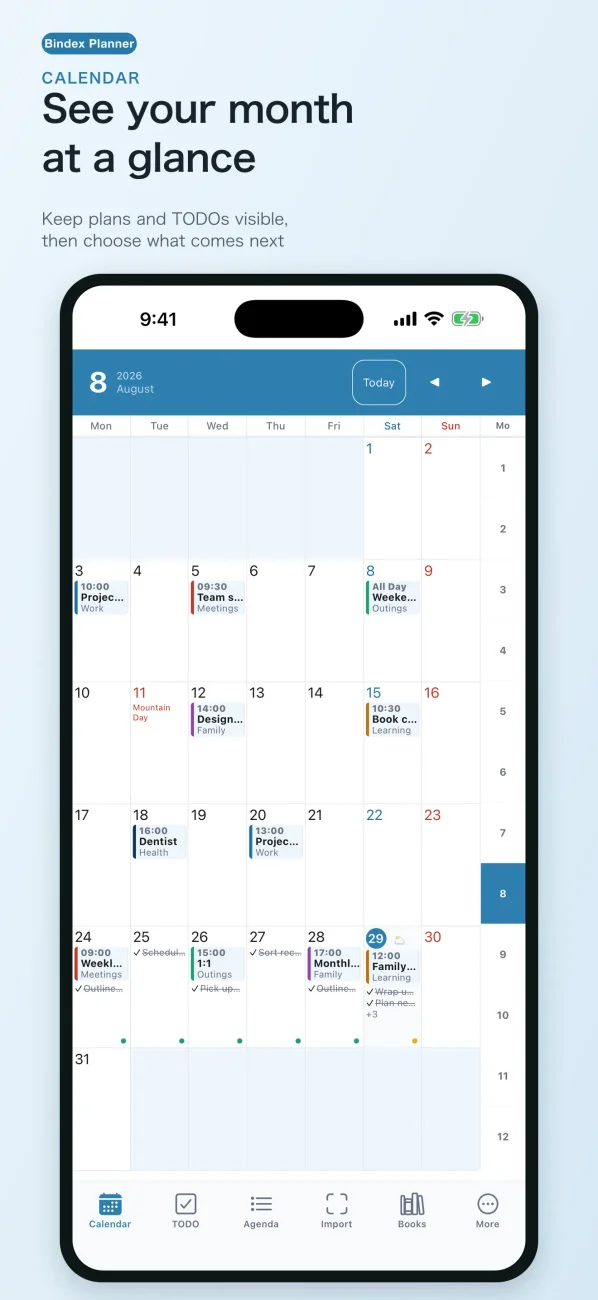
• Calendar: Switch between a color-coded month and an event list
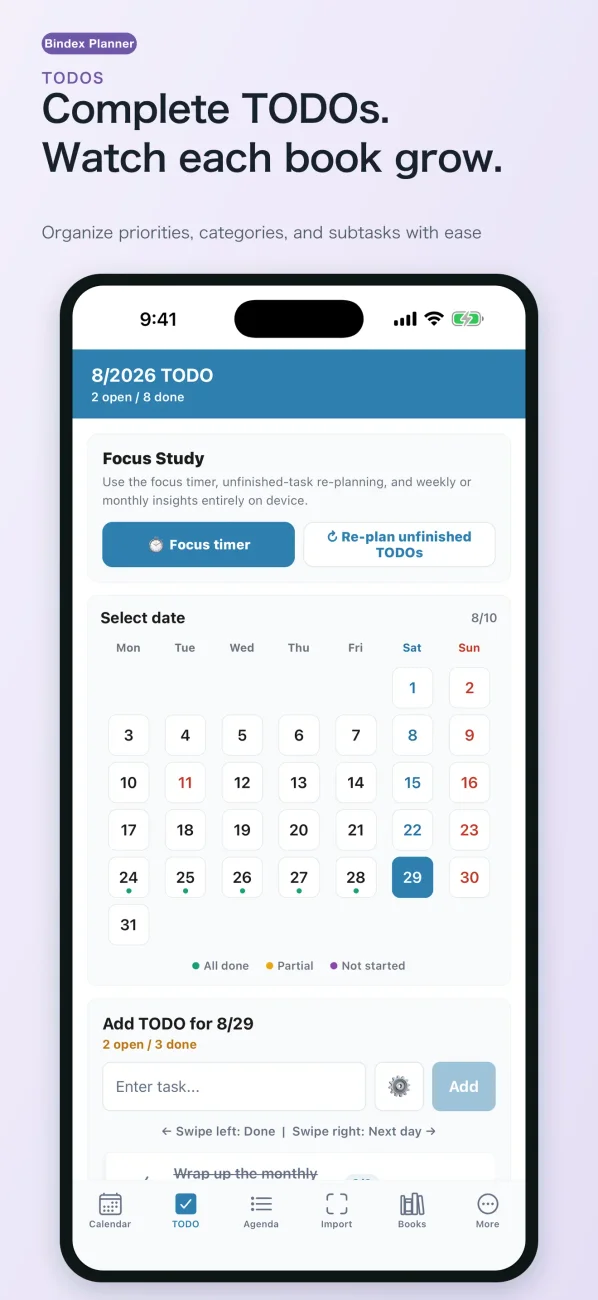
• TODO: Switch between a month and all months; organize by date, priority, category, duration, and subtasks
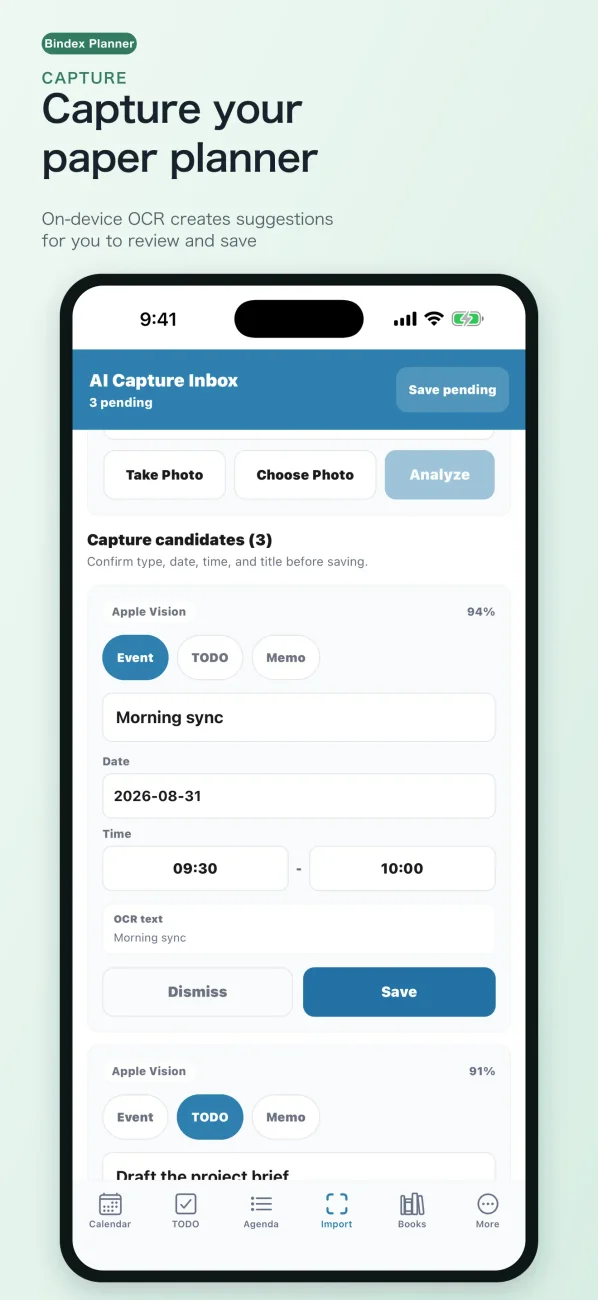
• Import: Capture a paper planner and create editable event candidates
• Bookshelf: Store the days you open the app and your TODO progress as books
• More: Access Focus Study, anniversaries, passwords, settings, and backup tools
IMPORT YOUR PAPER PLANNER
Take a photo or choose one from your library. On-device OCR reads the text and creates editable event candidates. For monthly-block planner pages, Dax Planner reads the date grid and turns what you wrote in each day's box into candidates for that day. Pages with an uncertain month are not saved until you confirm the month, and candidates with an uncertain date or time are marked Needs review. Save pending skips them until you tap Mark as checked.
• Check and correct candidates side by side with the original photo
• Use the import history for each photo to resume unsaved candidates or undo what you saved
• Images are not sent to cloud AI. Only after your explicit consent can recognized text be sent to an external AI service to format dates, times, and titles. You can keep processing on device only.
A BOOKSHELF THAT GROWS FOR FREE
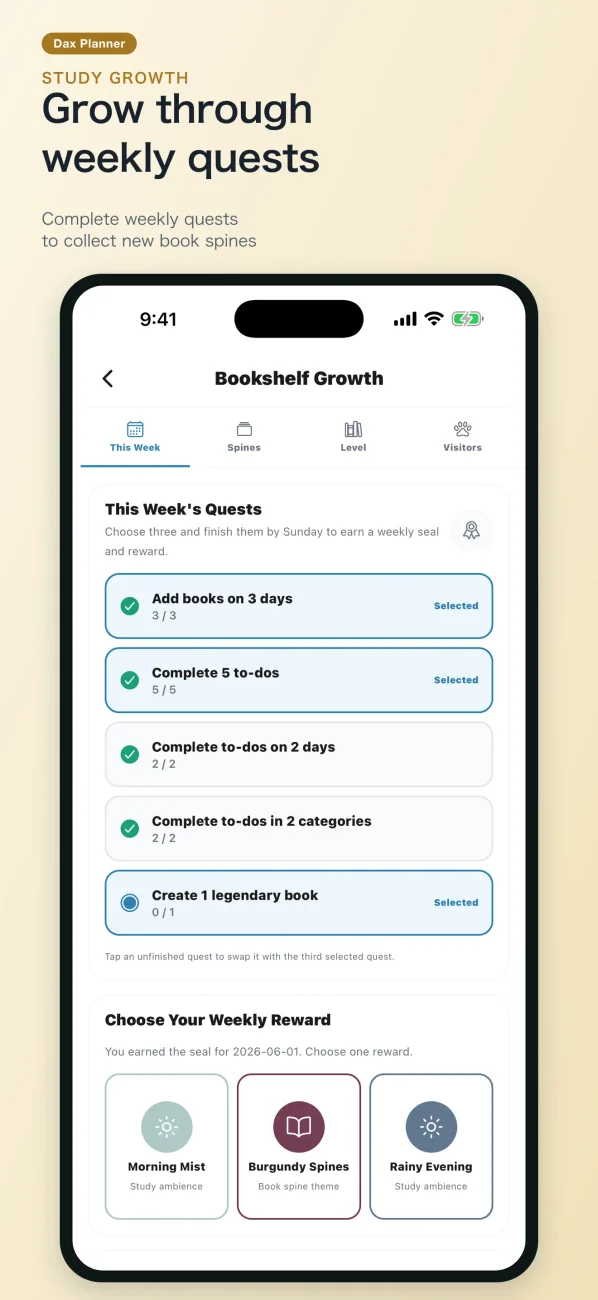
Each day you open the app can become a book, with its design reflecting your TODO progress. Weekly quests, study levels, spine collections, and a growing room make consistency rewarding. Progression does not require a purchase.
TODO AND FOCUS STUDY
Core TODO management remains free. The one-time Pro purchase adds Import multiple pages (choose up to 12 planner photos and read them one at a time on your device; photos and recognized text are not sent), a TODO-linked focus timer, Live Activities, batch replanning for unfinished TODOs, weekly and monthly reports, bookshelf display integration, and extra room items. Importing one photo at a time is free.
FIND AND ADD QUICKLY
• Search: Find events, TODOs, and notes on your device without a network connection, filtered by date range, type, and TODO status
• Saved templates: Save events and TODOs you use often and add them again quickly (stored on your device)
• Apple Shortcuts: Run Add TODO, Start focus timer, and Open today from the Shortcuts app. A TODO is not created until you save it on the review screen (the focus timer requires Pro)
AI PLANNER BETA
AI Planner Beta turns goals and unfinished TODOs into actionable TODO suggestions. On devices that support Apple Intelligence with iOS 26 or later, suggestions are created on your device and your goals and TODOs are not sent anywhere. On other devices it is a limited beta (time, users, and uses) that requires sign-in and sends your goal and selected TODOs to an external AI service only with your consent. It may be closed or paused.
SHARING, INTEGRATIONS, AND USEFUL TOOLS
• Apple Calendar integration
• Optional account-based shared calendars for family or teams
• Weather and a Home Screen widget
• Anniversaries, password storage, backup, and image sharing
Supports Light, Dark, and System themes, adjustable text size, and VoiceOver. Personal events, TODOs, and notes are stored on your device by default. To provide account sign-in and sync, shared calendars, Pro purchase verification, push notifications, weather, external calendar integrations, and optional AI features, required data—such as account and purchase information, push tokens, approximate location, shared content, or recognized text—may be sent to the relevant service providers. We do not sell personal data or use it for advertising tracking. See the Privacy Policy for details.
Có gì mới
Phiên bản 1.17.3 · 24/11/2026
Dax Planner is now available on Apple Watch. Add the complication to your watch face to see your next event. Tap it to view today’s schedule and the number of incomplete to-dos. Continue adding and editing events and to-dos on your iPhone.
Quyền riêng tư của ứng dụng
Những gì Naohiro Kamio khai báo trên App Store về cách ứng dụng này xử lý dữ liệu.
-
Dữ liệu liên kết với bạn
Có thể được thu thập và liên kết với danh tính của bạn.
- Mục mua
- Thông tin liên hệ
- Nội dung của người dùng
- Mã định danh
- Dữ liệu sử dụng
- Chẩn đoán
-
Dữ liệu không liên kết với bạn
Có thể được thu thập nhưng không liên kết với danh tính của bạn.
- Vị trí
Phương thức đảm bảo quyền riêng tư có thể khác nhau, chẳng hạn như tuỳ theo các tính năng bạn sử dụng hoặc độ tuổi của bạn.
Thông tin
- Người bán
- Naohiro Kamio
- Danh mục
- Hiệu Suất
- Phiên bản
- 1.17.3
- Cập nhật
- 24/11/2026
- Phát hành
- 09/04/2026
- Kích thước
- 96,5 MB
- Yêu cầu
- iOS 17.0 trở lên
- Độ tuổi
- 4+
- Giá
- Miễn phí
- Mua hàng trong ứng dụng
- Có
- Ngôn ngữ
- Tiếng Nhật, Tiếng Trung Giản thể, Tiếng Anh, Tiếng Hàn
- Bản quyền
- © 2026 Nano
Có thể bạn cũng thích
-
 HaruSync: Lập kế hoạchMục tiêu, lịch và việc cần làm
-
 Idea CardsHiệu Suất
-
 CalNote: Paper PlannerHiệu Suất
-
 Task Manager: Focus oneHiệu Suất
-
 Kago - ふたりの買い物リストHiệu Suất
-
 シンプル手帳プランナーHiệu Suất
-
 Notebook - Journal & PlannerHiệu Suất
-
 Tobira - チーム共有カレンダーHiệu Suất
-
 TidyCue: Cleaning ScheduleHiệu Suất
-
 MiLog - Routines & To-DoHiệu Suất