
Boger
CM Boger's repertories App
Được thiết kế cho iPhone, iPad, iPod touch
999.000đ
- Độ tuổi17+
- Danh mụcY Tế
- Nhà phát triểnMichel Ramillon
- Ngôn ngữTiếng Anh+ 2 ngôn ngữ khác
- Kích thước12,4 MB
Liên kết đến trang App Store chính thức
Download.org không lưu trữ tệp nào của Boger. Nút này mở trang ứng dụng trên App Store, nơi Michel Ramillon phát hành ứng dụng. Trang được kiểm tra lần cuối: 18/11/2026.
Ảnh chụp màn hình


Giới thiệu
Nhà phát triển chưa cung cấp nội dung này bằng ngôn ngữ của bạn.
The App offers users the capacity to repertorise symptoms using jointly CM Boger's 3 repertories: General Analysis (GA), Synoptic Key (SK) and Boger-Boenninghausen (BB). The general part of Times of remedies was appended to Boger-Boenninghausen. These repertories are in English only. Polar rubrics are available to help search for the best indicated remedy. The grades of the remedies are standardised throughout GA, SK and BB so that users can select rubrics from any of these repertories for repertorisation. The Boenninghausen's grading system with 4 levels is used. The Kent-type 3 levels grading system originally found in GA and SK has been converted to this 4 levels system.
There are 5 main pages:
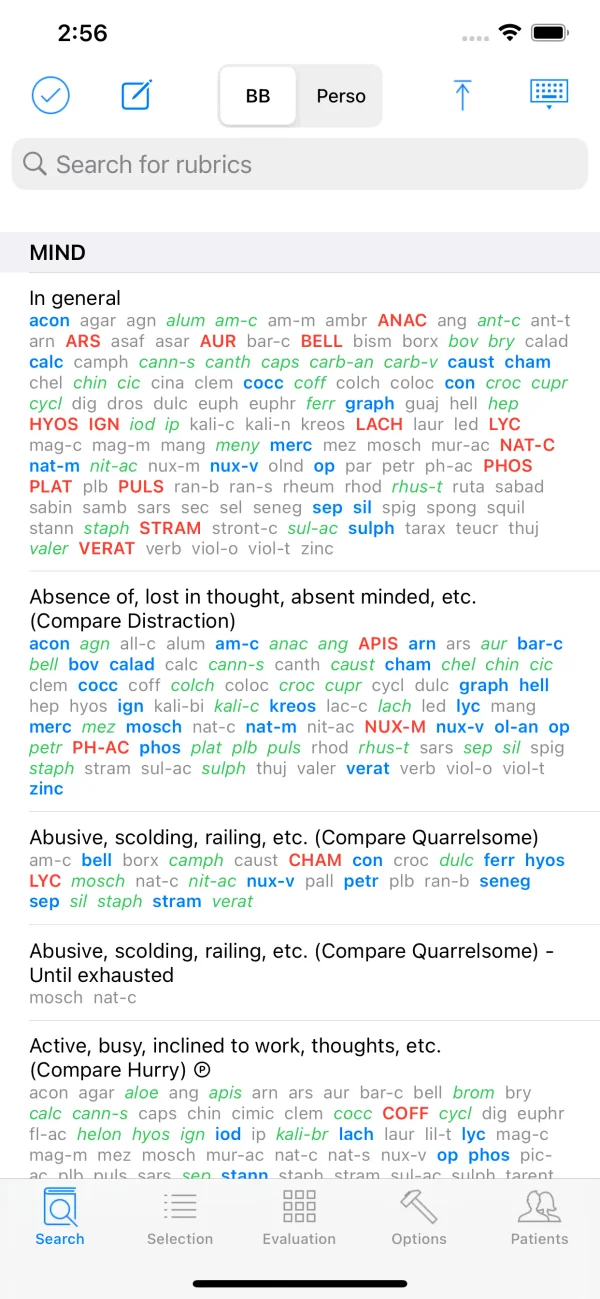
1) Search page:
• Enter a combination of (bits of) words to reach the searched rubrics. Select them with a Touch. A minimum of 2 successive characters is required to give a correct search. The space character stands for the logical AND operator whereas the coma stands for the OR operator. OR takes priority over AND. Here is a complex example of search: foreh,occip heav,load,weight.
• Enter Edit mode to modify a rubric's name and its remedies list in the currently selected repertory. This repertory is indicated with the abbreviation GA, SK or BB in the upper title bar.
• Enter Perso where you can create your own repertories, add your own chapters and rubrics with their remedies lists. In Perso you have the possibility of setting your own polar rubrics. You can also easily copy a rubric with all its remedies from any repertory and paste it in Perso. The Perso data are saved in iCloud and are so available on your iPhone, iPad and Mac silicon.
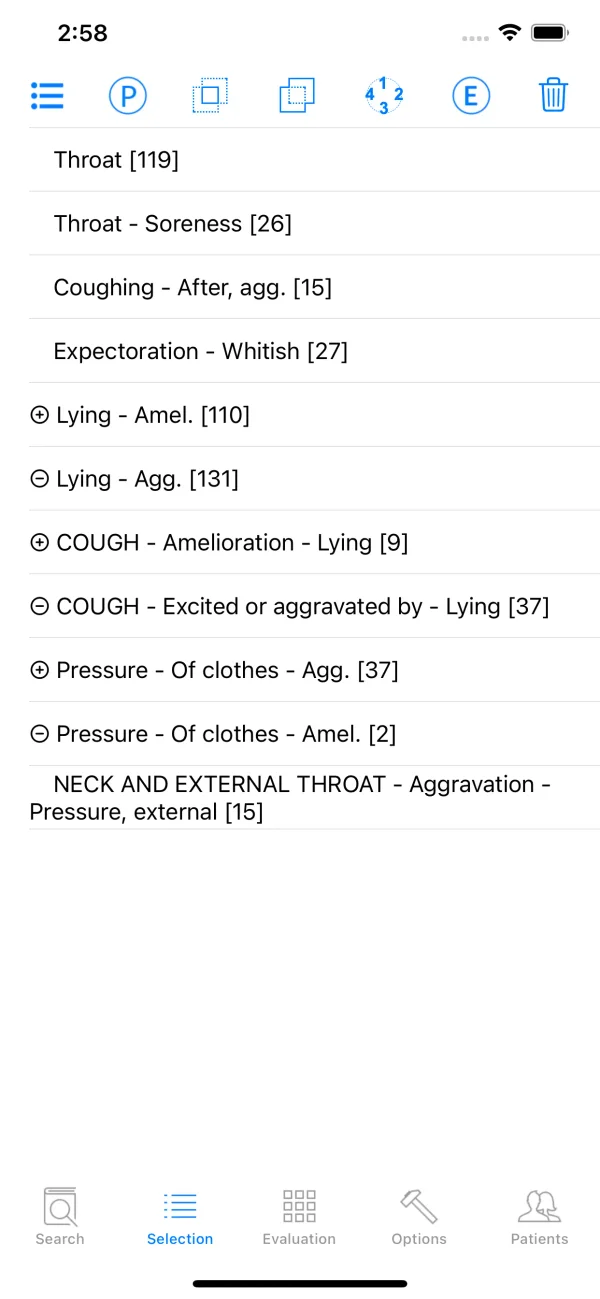
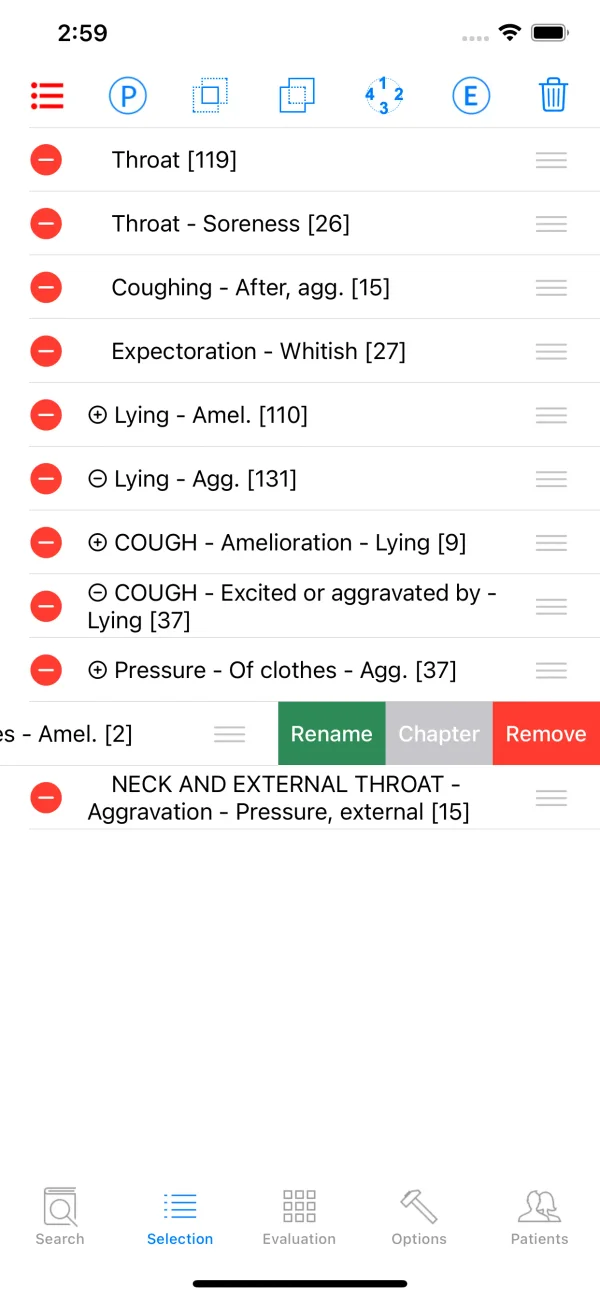
2) Selection page
• Manage the rubrics previously selected in the Search page: eliminating rubric, combination of rubrics (union or intersection of remedies sets), modify polar status, show chapter (in case the rubric name alone is not explicit), rename rubric, reorder the list of rubrics, delete rubric.
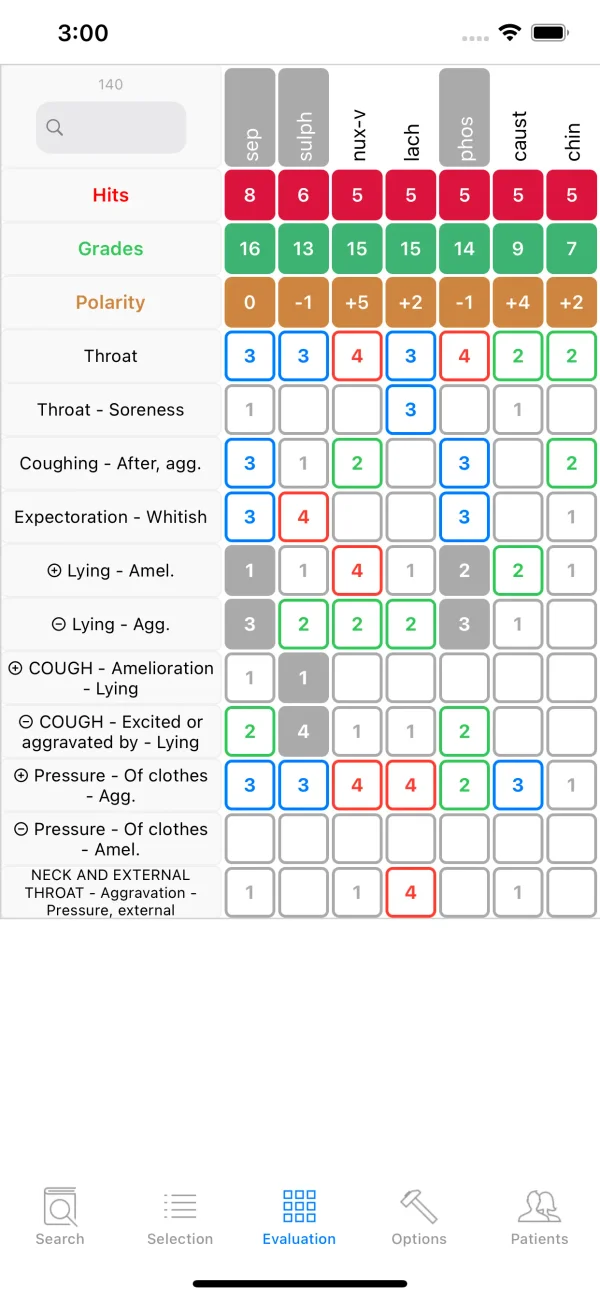
3) Evaluation page
• Display the Evaluation grid with contraindications. Touching the Polarity header shows its maximal value in the grid. Touching a remedy header shows the complete name of the remedies and its place in the grid.
4) Options page:
• Lists of remedies: you can append or withdraw remedies. There are 4 built-in lists of remedies corresponding to the remedies found in the 3 Boger's repertories plus an extended list which contains the remedies found in all these repertories. It is possible to restore a list of remedies to its original state.
• Browse the currently selected repertory.
• Restore a repertory to its original state.
• Modify the font sizes and other parameters of the Search, Selection and Evaluation pages.
• Manage the Contraindications facility
• Manage the priorities sequence used in the Evaluation page.
• Hide the cross-references to see clearer the rubrics names. It is especially important in the Evaluation grid where the room of the first column containing the rubric's name is limited.
• Activate Visible Touch. This feature is useful when showing the use of the App to others.
• Contact us and rate the App.
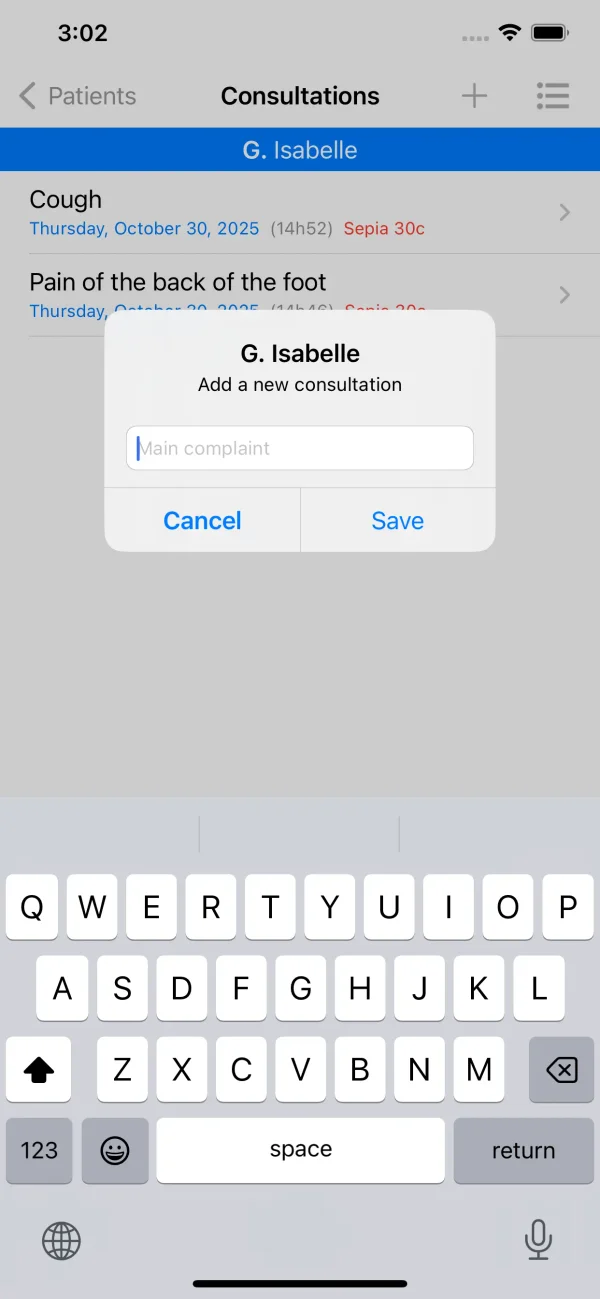
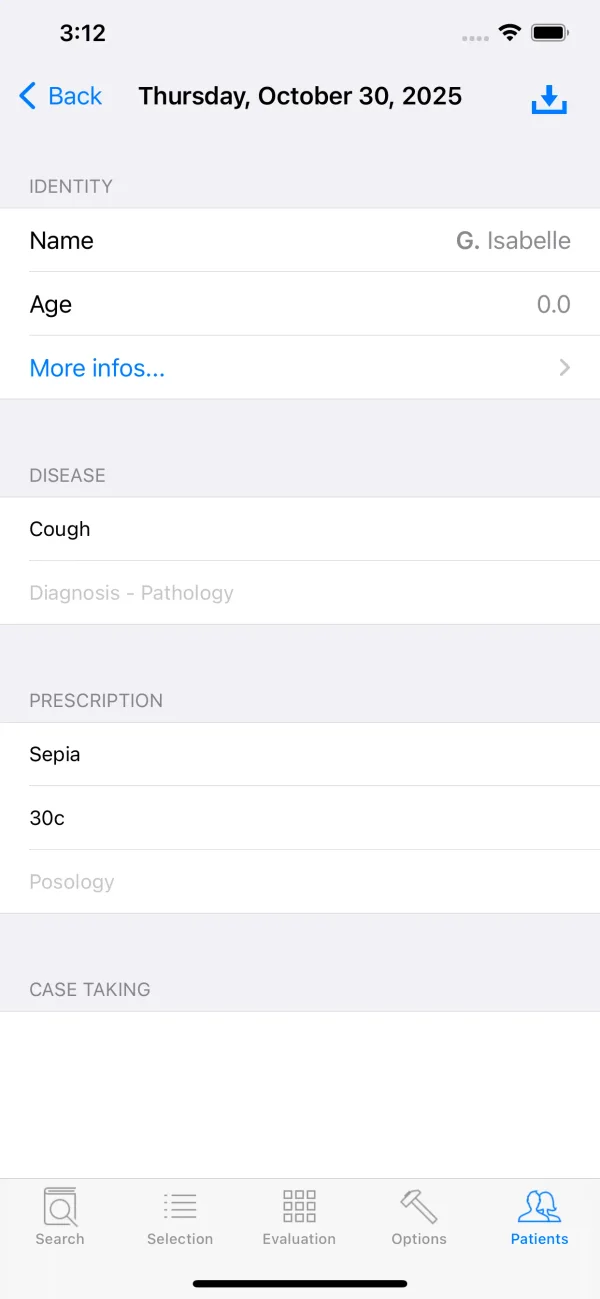
5) Patients database.
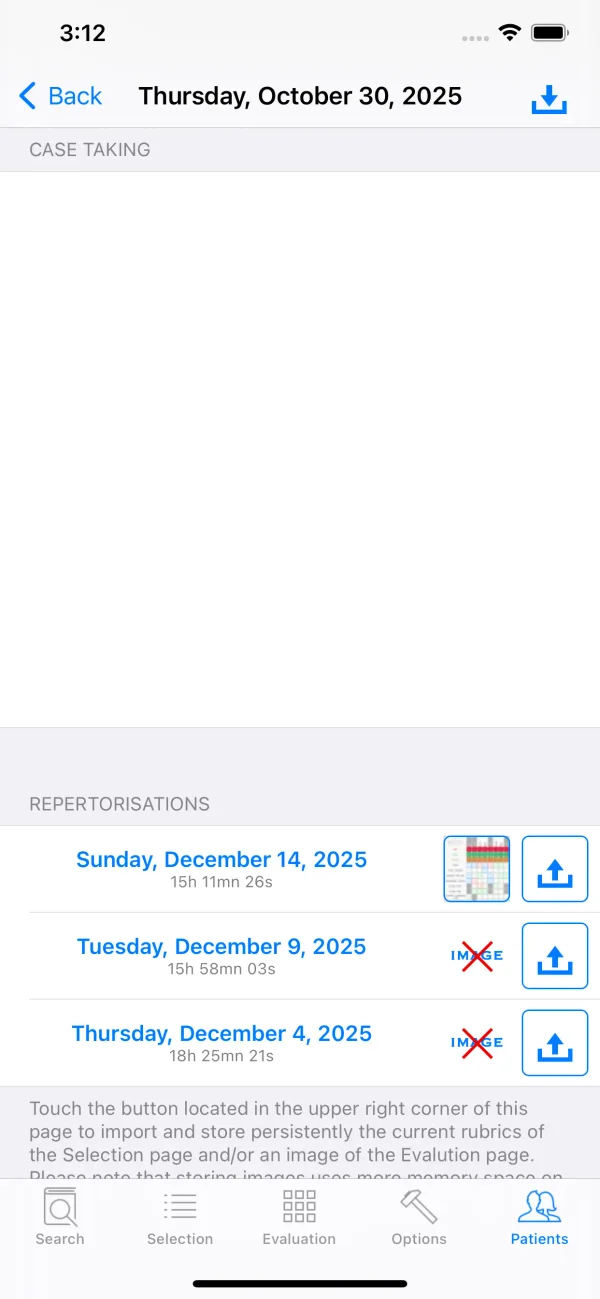
• It is possible to register the patient's personnel and clinical data, to create consultations and record the list of rubrics of the current Selection page. A recorded list of rubrics can later be sent back to the Selection page for possible further modifications before being displayed in the Evaluation grid. These data are synchronised via iCloud so that you can find them on your iPhone, iPad and Mac silicon.
Using the Boger App for self-medication cannot be an alternative to the diagnosis and treatment provided by a registered Heath Care Professional. The developer of Boger disclaims all responsibility for all consequences of any person using Boger as a medical tool.
Có gì mới
Phiên bản 1.1 · 15/12/2025
• The repertorisation saving system has been completely redesigned. As a result, when you send back to the Selection page a repertorisation previously recorded using the previous version 1.0 of the app, errors may appear in the display of the polarities. It is easy to record anew these incorrect repertorisations with their polarities using the Ⓟ icon (Selection page).
• On the Selection and Evaluation pages, it is now possible to separate (with a red line) in two sets rubrics and counter-rubrics (see OPTIONS > SELECTION PAGE > Split with red line). If you decide to revert to the original configuration, i.e. each polar rubric immediately followed by its counter-rubric, you will need to manually move the rubrics on the Selection page. It should be noted that each polar rubric now knows where its counter-rubric is located, regardless of the locations of either. The new Ⓟ icon allows you to:
- Clear all polar properties when the icon is touched while no rubric is selected,
- Define a new pair of polar rubrics when the icon is touched with 2 rubrics selected.
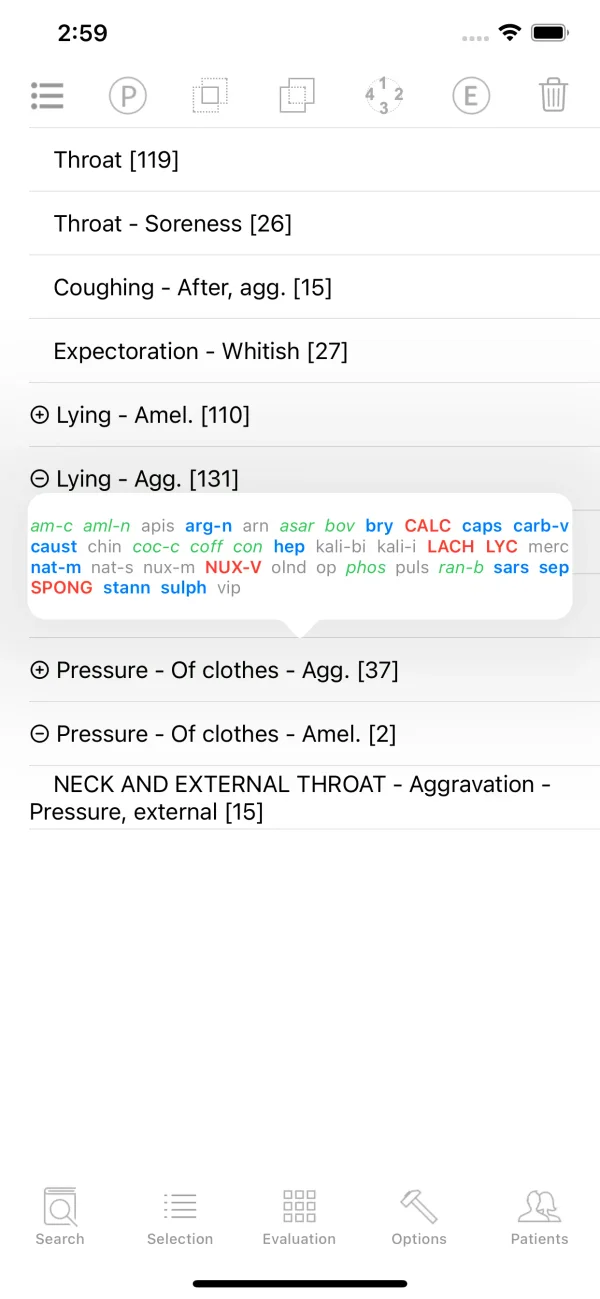
• If you long-tap a rubric on the Selection page, a pop-up window opens with the list of remedies. Tapping outside this window closes it.
• If you tap a rubric on the Evaluation page, a pop-up window opens with the list of remedies. Tapping outside this window closes it.
Quyền riêng tư của ứng dụng
Những gì Michel Ramillon khai báo trên App Store về cách ứng dụng này xử lý dữ liệu.
-
Dữ liệu không được thu thập
Nhà phát triển không thu thập bất kỳ dữ liệu nào từ ứng dụng này.
Phương thức đảm bảo quyền riêng tư có thể khác nhau, chẳng hạn như tuỳ theo các tính năng bạn sử dụng hoặc độ tuổi của bạn.
Thông tin
- Người bán
- Michel Ramillon
- Danh mục
- Y Tế
- Phiên bản
- 1.1
- Cập nhật
- 15/12/2025
- Phát hành
- 05/11/2023
- Kích thước
- 12,4 MB
- Yêu cầu
- iOS 13.0 trở lên
- Độ tuổi
- 17+
- Giá
- 999.000đ
- Ngôn ngữ
- Tiếng Anh, Tiếng Pháp, Tiếng Đức
- Bản quyền
- © 2023-2025 Michel Ramillon
Có thể bạn cũng thích
-
 FMSF APPY Tế
-
 Dr. Senan HomeopathyY Tế
-
 FireFly Prime - HomeopathyY Tế
-
 My SeQuent Please AppY Tế
-
 Daisy Lee QigongSức Khỏe & Thể Dục
-
 TaiChi 108 Yang Classical FormSức Khỏe & Thể Dục
-
 Bounds: Set BoundariesSức Khỏe & Thể Dục
-
 Your Master HomeopathySức Khỏe & Thể Dục
-
 Aura CO2Sức Khỏe & Thể Dục
-
 Homoeopath.AppSức Khỏe & Thể Dục