
Bowerstead
Homeschool records, kept calm
Được thiết kế cho iPhone, iPod touch
Miễn phí · Mua hàng trong ứng dụng
- Độ tuổi4+
- Danh mụcGiáo Dục
- Nhà phát triểnBowerstead
- Ngôn ngữTiếng Anh
- Kích thước24,6 MB
Liên kết đến trang App Store chính thức
Download.org không lưu trữ tệp nào của Bowerstead. Nút này mở trang ứng dụng trên App Store, nơi Bowerstead phát hành ứng dụng. Trang được kiểm tra lần cuối: 18/11/2026.
Ảnh chụp màn hình



Giới thiệu
Nhà phát triển chưa cung cấp nội dung này bằng ngôn ngữ của bạn.
Bowerstead is a calm home for your homeschool records.
Plan the week. Tap through the day as it happens. The record builds itself, so when someone asks what you covered, the answer is already written down.
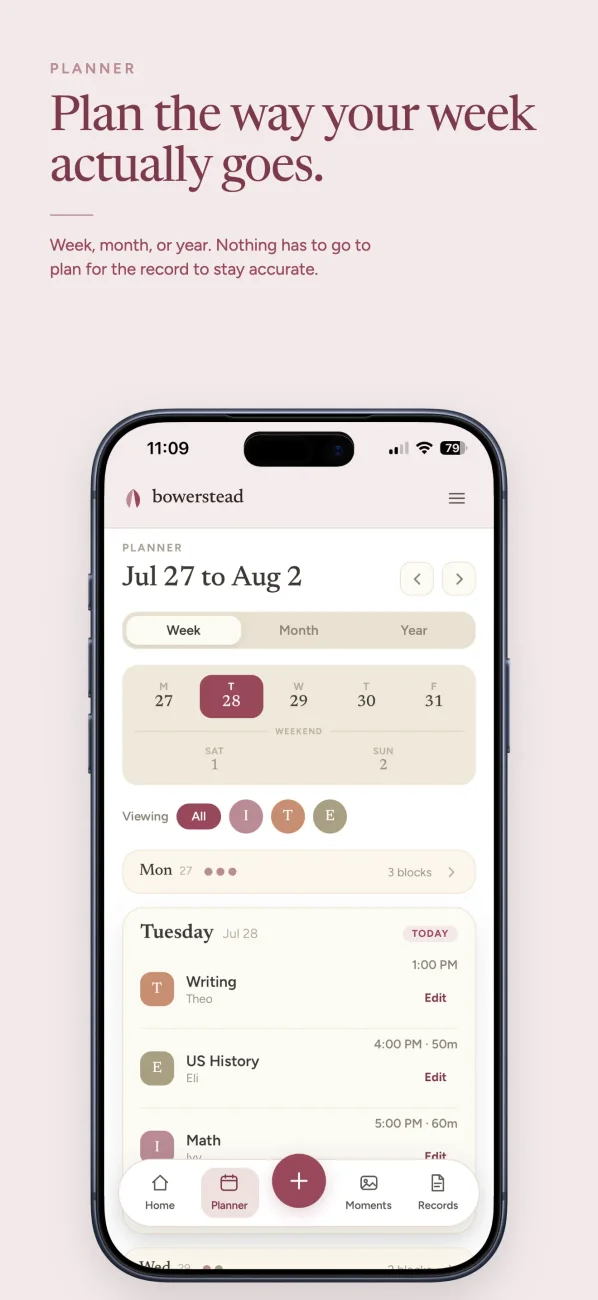
PLAN THE WAY YOUR WEEK ACTUALLY GOES
Lay out subjects and time blocks for each child by day, week, or month, then check them off as the day happens. Nothing needs to go to plan for the record to stay accurate.
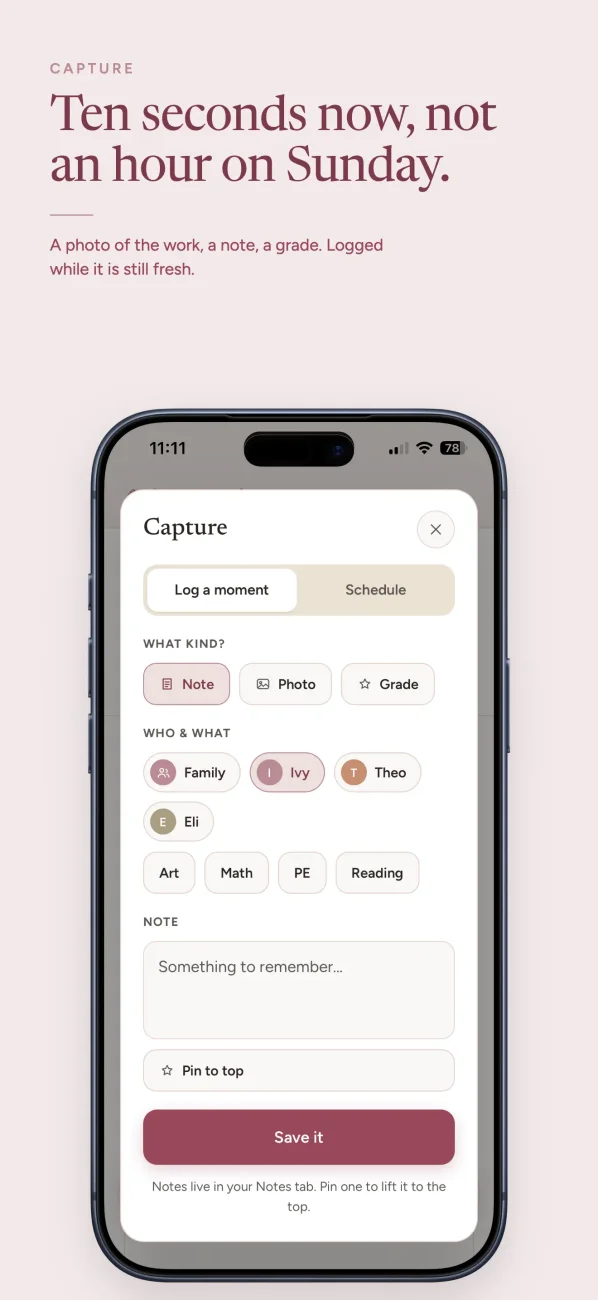
CAPTURE IT WHILE IT IS FRESH
A photo of the work, a note, a grade. Ten seconds now beats an hour of reconstruction on Sunday night.
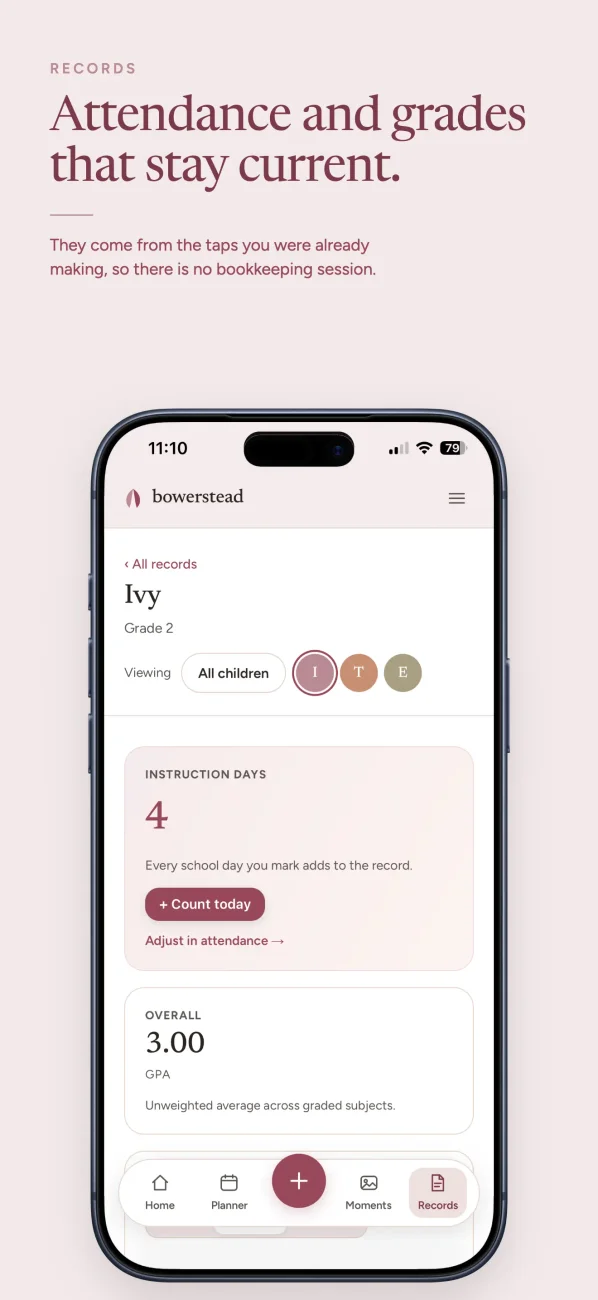
ATTENDANCE AND GRADES THAT STAY CURRENT
Days taught and assessments come from the same taps you were already making, so they are up to date without a separate bookkeeping session.
EVERY YEAR HELD SEPARATELY
When a child moves up a grade, last year stays exactly as you left it. History does not get rewritten by this year's changes.
YOURS TO TAKE WITH YOU
Export your records whenever you want, in a form you can hand to whoever is asking. Delete your account and its data from inside the app.
BUILT AROUND THE PARENT
You are the only person who signs in. Children never get accounts, are never contacted, and never see the app.
A paid plan is required to use Bowerstead.
Terms of Use (EULA): https://www.apple.com/legal/internet-services/itunes/dev/stdeula/
Có gì mới
Phiên bản 1.1 · 13/10/2026
Bowerstead 1.1 is a new version of the whole app, on your phone and on the web, with a new look throughout.
A planner made for your phone. Switch between Day, Week, and Month, and swipe from one day to the next. Each subject has its own color. On a break or a day off, each lesson comes up on its subject’s next day. You can now change a block’s time without moving it to another day, and when you add a subject to a single day, Bowerstead offers to make it weekly.
Every tick says what it did. When you tick a lesson, Bowerstead says which lesson went on the record and which one is next. Home now shows the next school day under today, so you know what to have ready. If yesterday’s blocks have no tick, Home offers to record them or let them go, in one tap.
Scan a contents page. In Curriculum, take a photo of a book’s contents page, or choose a photo or a PDF. Bowerstead lists the lessons it finds, you check the list, and they are added in one tap.
Your usual week, in more detail. In Settings, under Weekly rhythm, each subject can have its days, and a usual time for each day when the planner is on a clock. A change can start on any date you choose, and days already lived keep theirs.
Hours, if you keep them. Home asks once whether you keep hours as well as days. If you do, give each subject a usual length once, and each tick counts it. If not, choose Just days.
Records puts each child on one page: school days, hours if you keep them, grades by subject, and a calendar of the days. It can now make an Attendance log and a Portfolio too, and its PDFs count days and hours just as the page does.
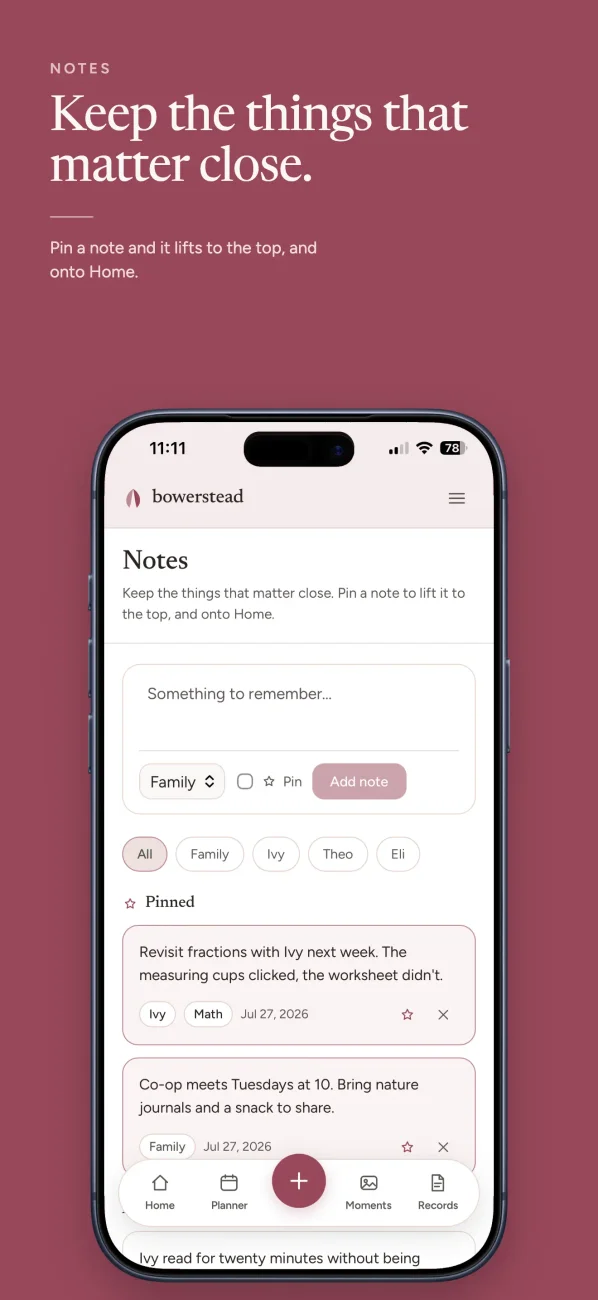
A note can now be a tick list, and a note set for a day shows on Home when its day comes.
Meet Bower, a new AI helper. Tap Bower’s face at the top of any screen and ask how something in Bowerstead works. Before your first question, and before your first scan, Bowerstead says what it sends and where it goes, and asks for your yes.
A few things have moved. The tabs are now Home, Planner, Capture, Curriculum, and More. Notes, Moments, Records, and Settings are under More. Your children are in Settings, and so are your school year and its breaks, which used to be in the planner’s Year view.
Bowerstead now uses passwords. The first time you open 1.1, you choose one.
When you first open 1.1, Bower offers a short tour of what is new. For a walk through your week with Bower, choose “Take the quick tour” in Settings, under Help and contact.
Quyền riêng tư của ứng dụng
Những gì Bowerstead khai báo trên App Store về cách ứng dụng này xử lý dữ liệu.
-
Dữ liệu liên kết với bạn
Có thể được thu thập và liên kết với danh tính của bạn.
- Thông tin liên hệ
- Nội dung của người dùng
- Mã định danh
- Dữ liệu sử dụng
- Chẩn đoán
Phương thức đảm bảo quyền riêng tư có thể khác nhau, chẳng hạn như tuỳ theo các tính năng bạn sử dụng hoặc độ tuổi của bạn.
Thông tin
- Người bán
- LAANTRI MARKETING LLC
- Danh mục
- Giáo Dục
- Phiên bản
- 1.1
- Cập nhật
- 13/10/2026
- Phát hành
- 24/08/2026
- Kích thước
- 24,6 MB
- Yêu cầu
- iOS 15.0 trở lên
- Độ tuổi
- 4+
- Giá
- Miễn phí
- Mua hàng trong ứng dụng
- Có
- Ngôn ngữ
- Tiếng Anh
- Bản quyền
- © 2026 Laantri Marketing LLC
Có thể bạn cũng thích
-
 Jlingo Svenska C1Giáo Dục
-
 Lumen Domus ScholaGiáo Dục
-
 My First Calendar For KidGiáo Dục
-
 HomeTrail NestGiáo Dục
-
 Homeschool CompanionGiáo Dục
-
 grovio - Homeschool CompanionGiáo Dục
-
 Homeschoolio: Homeschool LogGiáo Dục
-
 Primer Homeschool AppGiáo Dục
-
 Gradebook AppGiáo Dục
-
 Homeschool Planner: CurriculumGiáo Dục