Sidefill: Wide View for Safari
Web extension for iPhone Duo
Được thiết kế cho iPhone
29.000đ
- Độ tuổi4+
- Danh mụcTiện Ích
- Nhà phát triểnTrappist
- Ngôn ngữTiếng Anh+ 10 ngôn ngữ khác
- Kích thước1,0 MB
Liên kết đến trang App Store chính thức
Download.org không lưu trữ tệp nào của Sidefill: Wide View for Safari. Nút này mở trang ứng dụng trên App Store, nơi Trappist phát hành ứng dụng. Trang được kiểm tra lần cuối: 27/11/2026.
Ảnh chụp màn hình
Giới thiệu
Nhà phát triển chưa cung cấp nội dung này bằng ngôn ngữ của bạn.
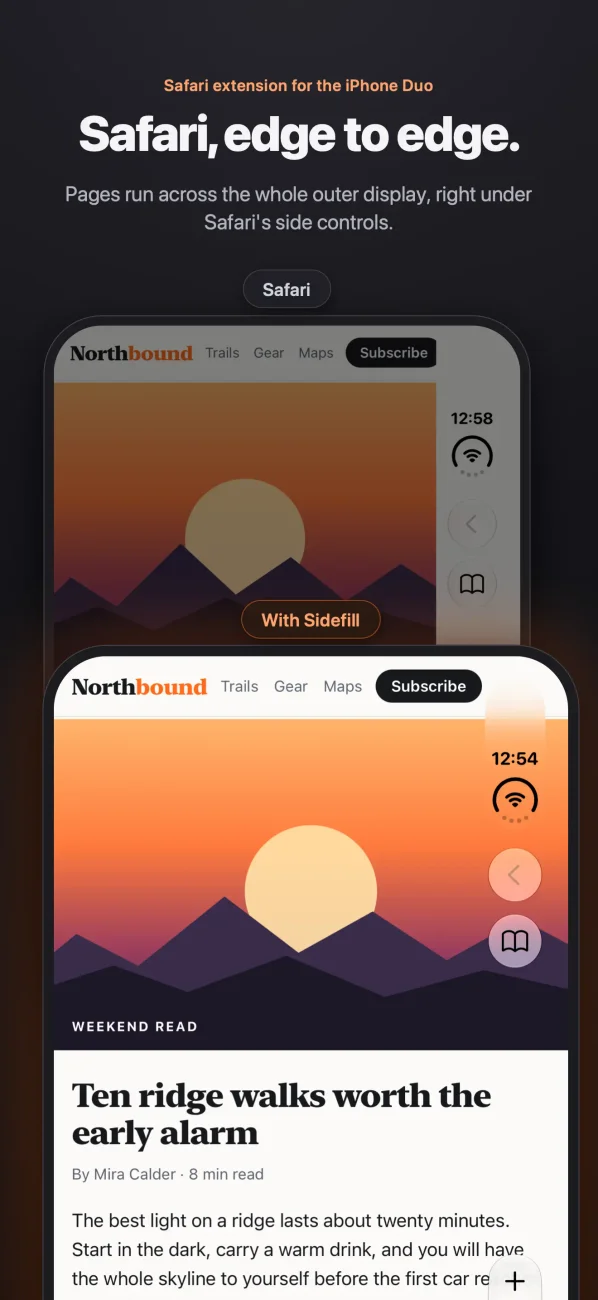
Safari on the iPhone Duo's outer display keeps its controls in a strip down the side, and web pages stop short of it. Sidefill gives that strip back to the page.
EDGE TO EDGE
Phone-width pages are laid out across the whole outer display, right under Safari's side controls. Articles, photos and video get the room the screen already has.
STILL TAPPABLE
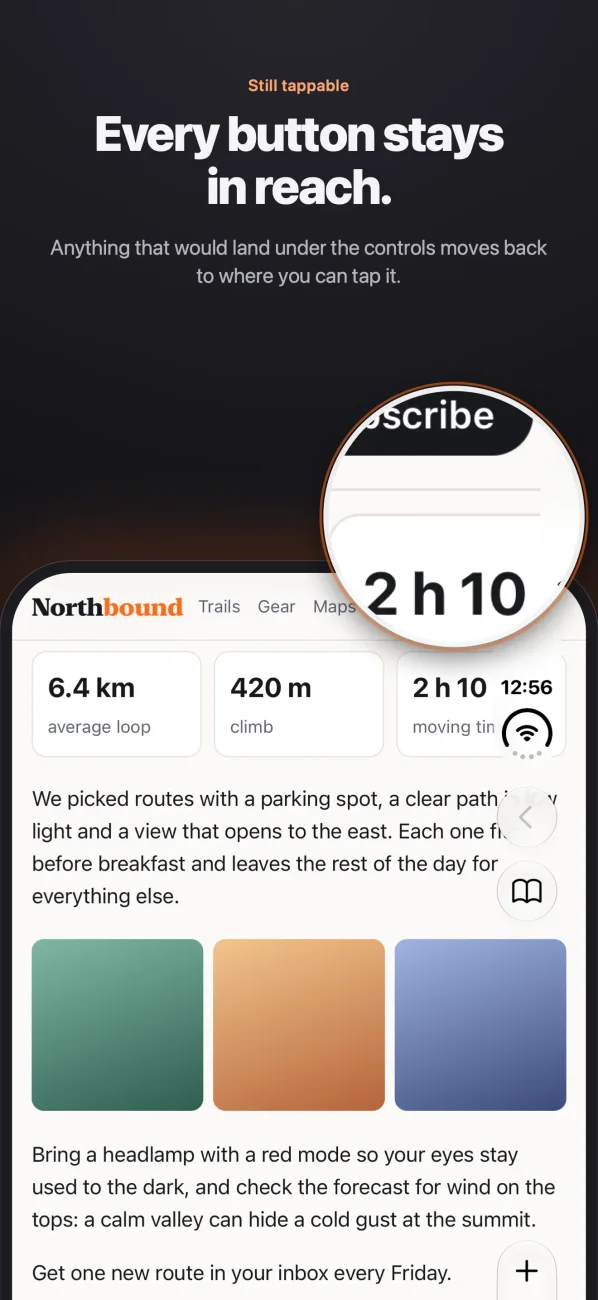
Links, menus and buttons that would land under the controls move back into reach. Fixed headers and tab bars carry their color to the edge while their contents stay clear. An optional blur keeps the controls readable over busy pages.
ONE SWITCH
Choose Wide or Off from Safari's page menu. The choice applies to every site and tab, and any single site can be left as it is with one tap. Desktop-width pages are never touched; they look exactly as Safari shows them.
PRIVATE BY DESIGN
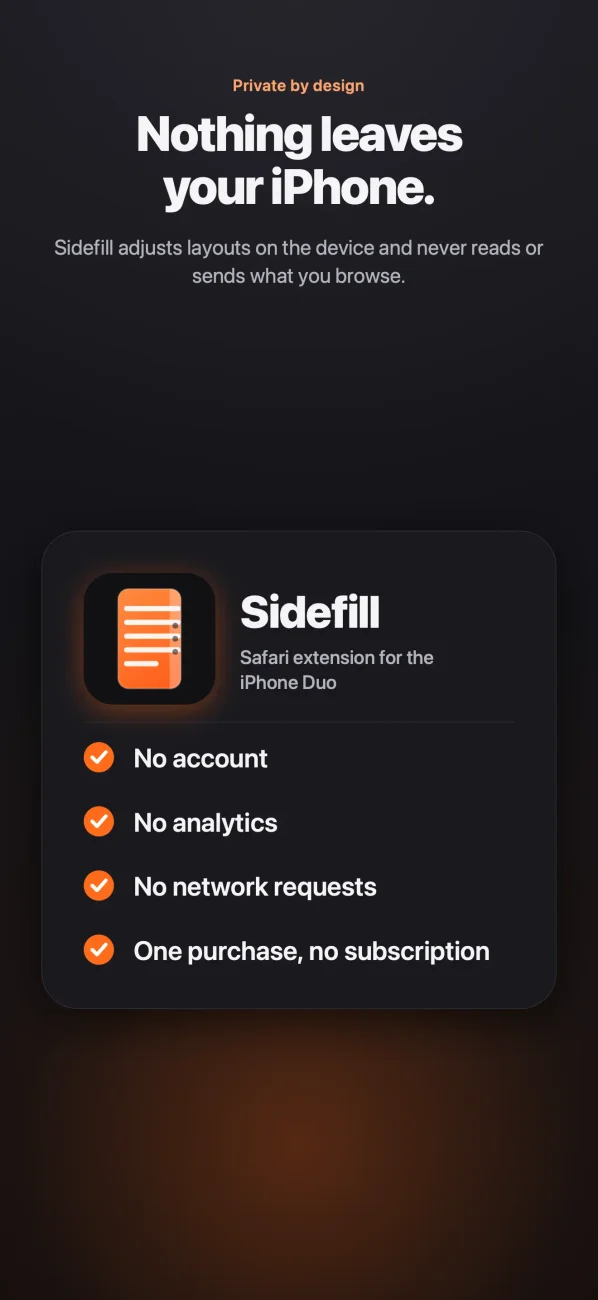
No account, no analytics, no network requests. Sidefill adjusts layouts on your iPhone and never reads or sends what you browse.
ONE PURCHASE
Buy it once and keep it. No subscription, no in-app purchases.
SETUP
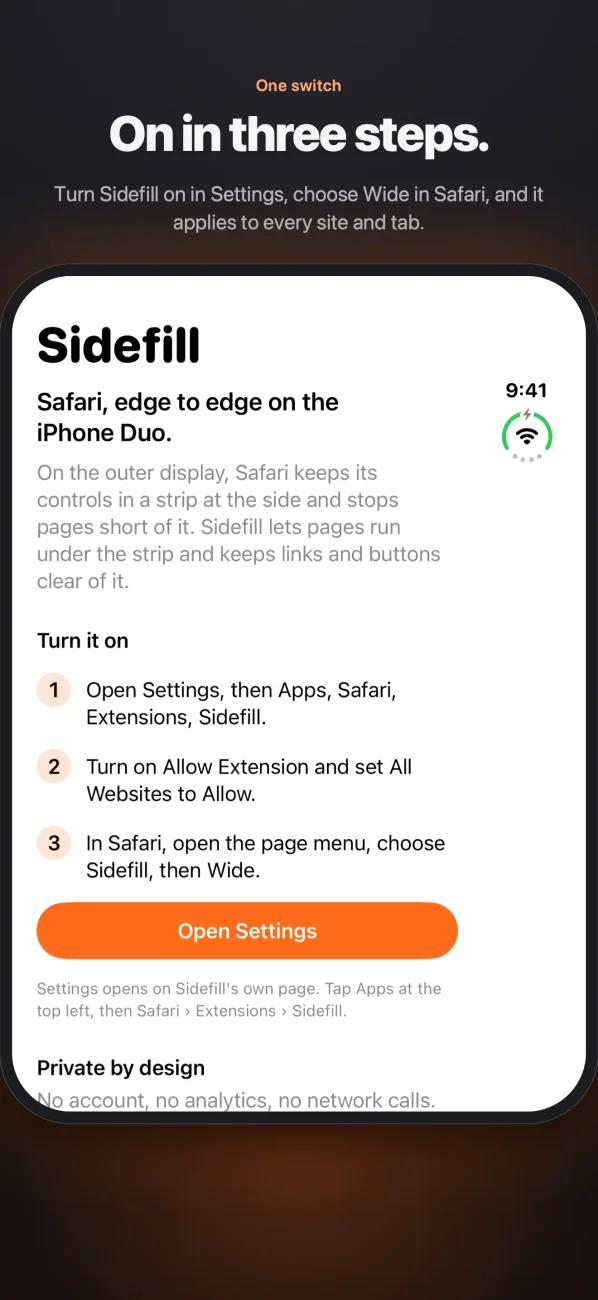
1. Settings › Apps › Safari › Extensions › Sidefill
2. Turn on Allow Extension and set All Websites to Allow
3. In Safari, open the page menu › Sidefill › Wide
Sidefill is made for the iPhone Duo. On other iPhones Safari already uses the full width, so there is nothing for Sidefill to change.
Có gì mới
Phiên bản 26.46.4 · 23/11/2026
Scrolling is steady again. On some sites the page could slide sideways while you scrolled, cutting off its left edge until the scroll stopped. Fixed.
Also fixed: Split View panes cutting off on one side (with a one-tap Left/Right switcher when needed), pages losing their layout after switching apps or reloading, and new tabs sometimes staying narrow.
Quyền riêng tư của ứng dụng
Những gì Trappist khai báo trên App Store về cách ứng dụng này xử lý dữ liệu.
-
Dữ liệu không được thu thập
Nhà phát triển không thu thập bất kỳ dữ liệu nào từ ứng dụng này.
Phương thức đảm bảo quyền riêng tư có thể khác nhau, chẳng hạn như tuỳ theo các tính năng bạn sử dụng hoặc độ tuổi của bạn.
Thông tin
- Người bán
- Trappist
- Danh mục
- Tiện Ích
- Phiên bản
- 26.46.4
- Cập nhật
- 23/11/2026
- Phát hành
- 03/11/2026
- Kích thước
- 1,0 MB
- Yêu cầu
- iOS 26.0 trở lên
- Độ tuổi
- 4+
- Giá
- 29.000đ
- Ngôn ngữ
- Tiếng Anh, Tiếng Hà Lan, Tiếng Pháp, Tiếng Đức, Tiếng Ý, Tiếng Nhật, Tiếng Hàn, Tiếng Bồ Đào Nha, Tiếng Trung Giản thể, Tiếng Tây Ban Nha, Tiếng Trung Phồn thể
- Bản quyền
- © 2026 Trappist
Có thể bạn cũng thích
-
 WidenTrang web tràn màn hình ngoài
-
 FoldCounter: Fold StatsTiện Ích
-
 OutSpan - Fullscreen BrowsingTiện Ích
-
 Wider - Fullscreen BrowsingTiện Ích
-
 Sill – Mac StreamingTiện Ích
-
 Astropad WorkbenchTiện Ích
-
 Mapper for SafariTiện Ích
-
 Quiche BrowserTiện Ích
-
 Screens 5: VNC Remote DesktopTiện Ích
-
 Noir - Dark Mode for SafariTiện Ích