C-Time Lite
Automatic work hours tracker
Được thiết kế cho iPhone
Miễn phí · Mua hàng trong ứng dụng
- Độ tuổi4+
- Danh mụcTiện Ích
- Nhà phát triểnSiegware
- Ngôn ngữTiếng Anh+ 8 ngôn ngữ khác
- Kích thước2,8 MB
Liên kết đến trang App Store chính thức
Download.org không lưu trữ tệp nào của C-Time Lite. Nút này mở trang ứng dụng trên App Store, nơi Siegware phát hành ứng dụng. Trang được kiểm tra lần cuối: 14/11/2026.
Ảnh chụp màn hình
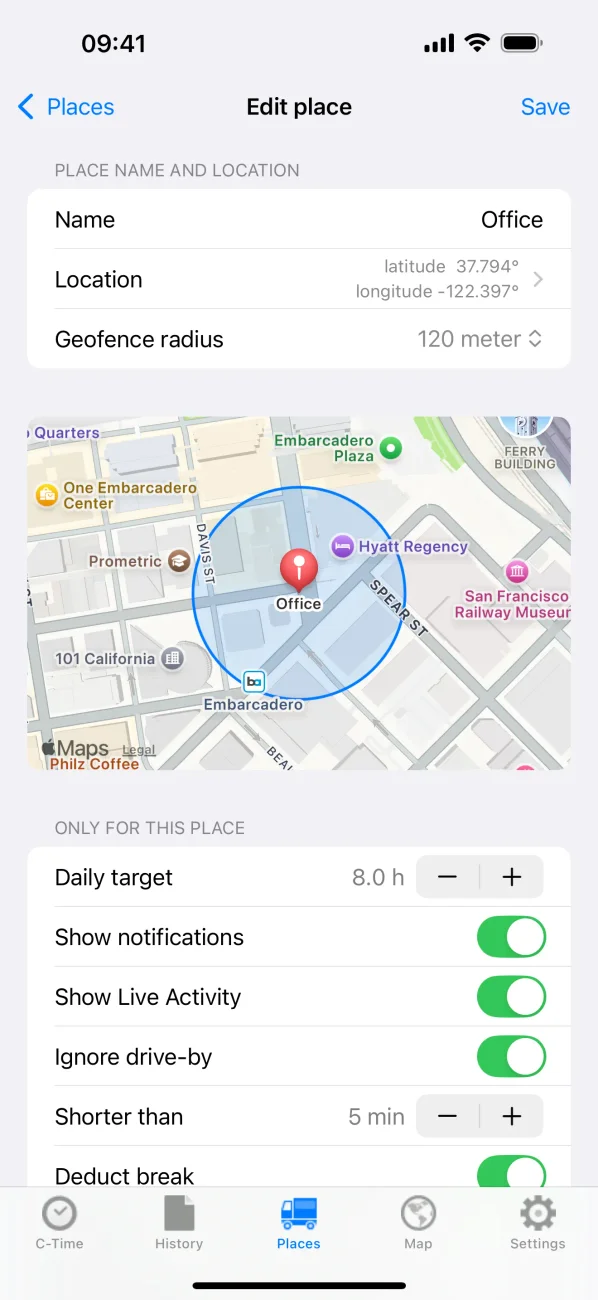
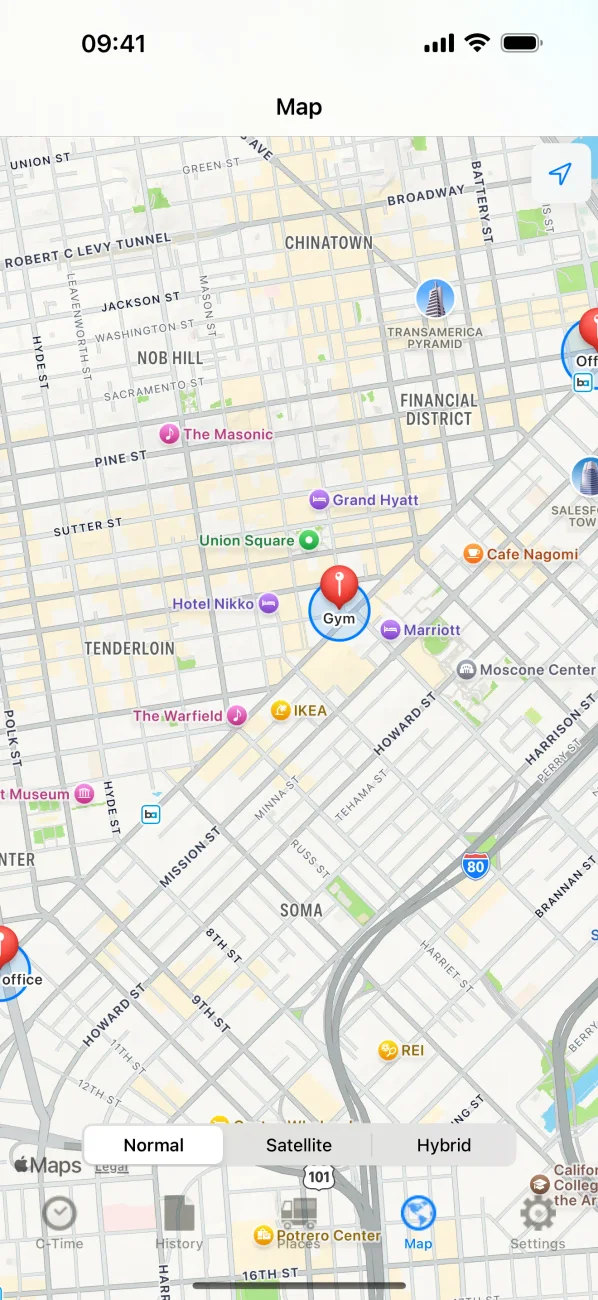


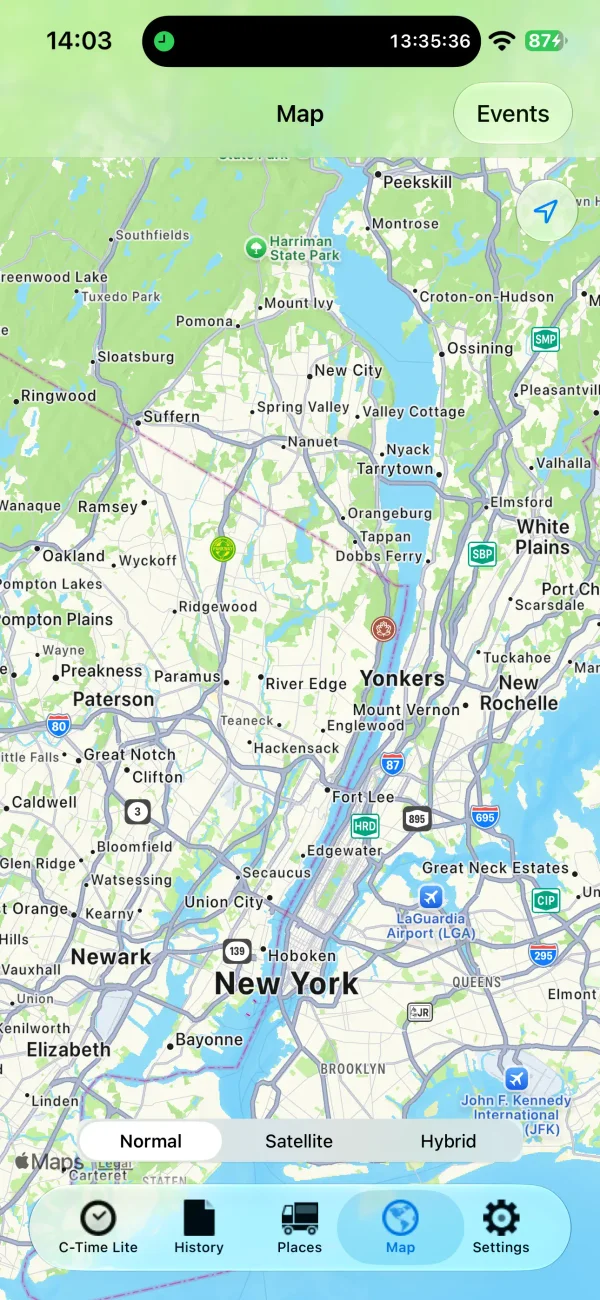
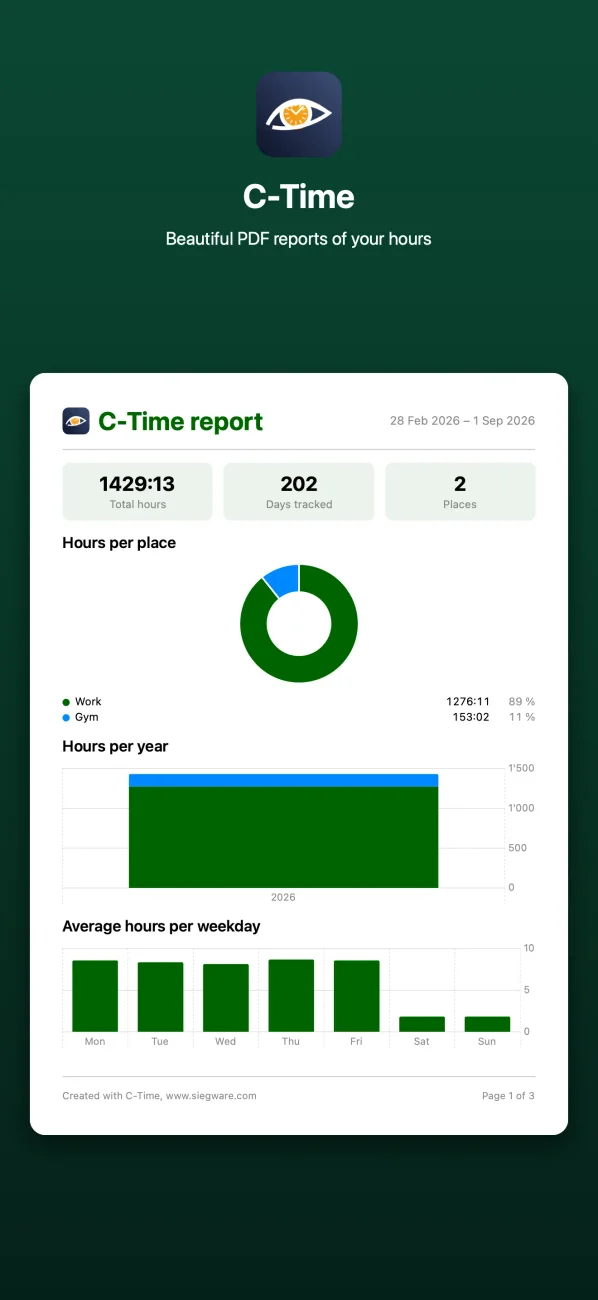
Giới thiệu
Nhà phát triển chưa cung cấp nội dung này bằng ngôn ngữ của bạn.
Your time is precious. C-Time shows you where it really goes - automatically.
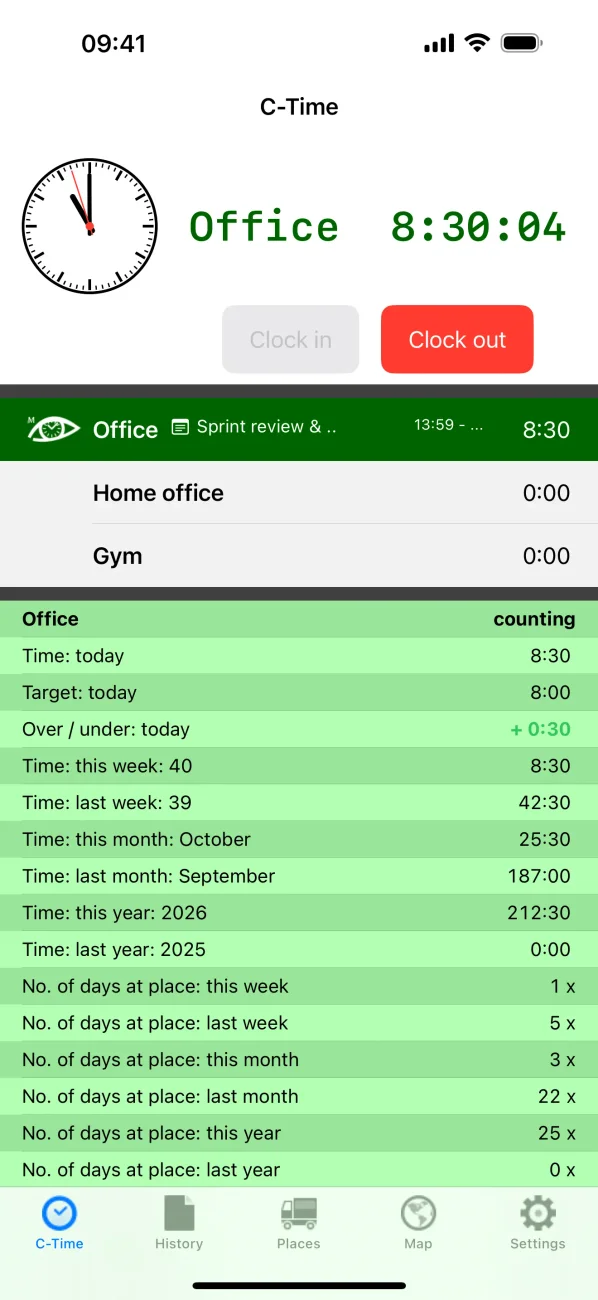
How many hours did you actually work this month? How often did you make it to the gym? C-Time answers these questions without you lifting a finger: define your place once, and the app clocks you in when you arrive and out when you leave. No buttons to press, no timers to forget, no extra battery drain - it uses Apple's geofence technology, not GPS.
Open the app and your numbers are just there: today, this week, this month, this year - clean statistics, automatically backed up to iCloud.
WHAT C-TIME DOES FOR YOU
• clocks you in and out automatically at your place - work, gym, wherever
• shows the running time live on the lock screen, in the Dynamic Island and on Apple Watch
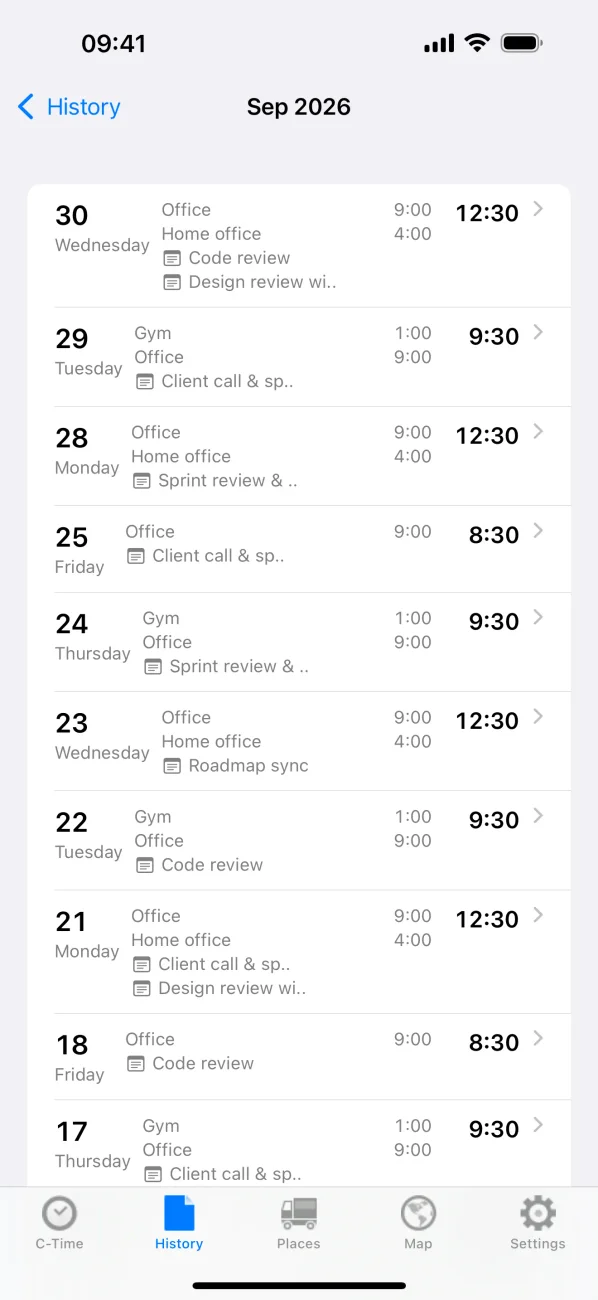
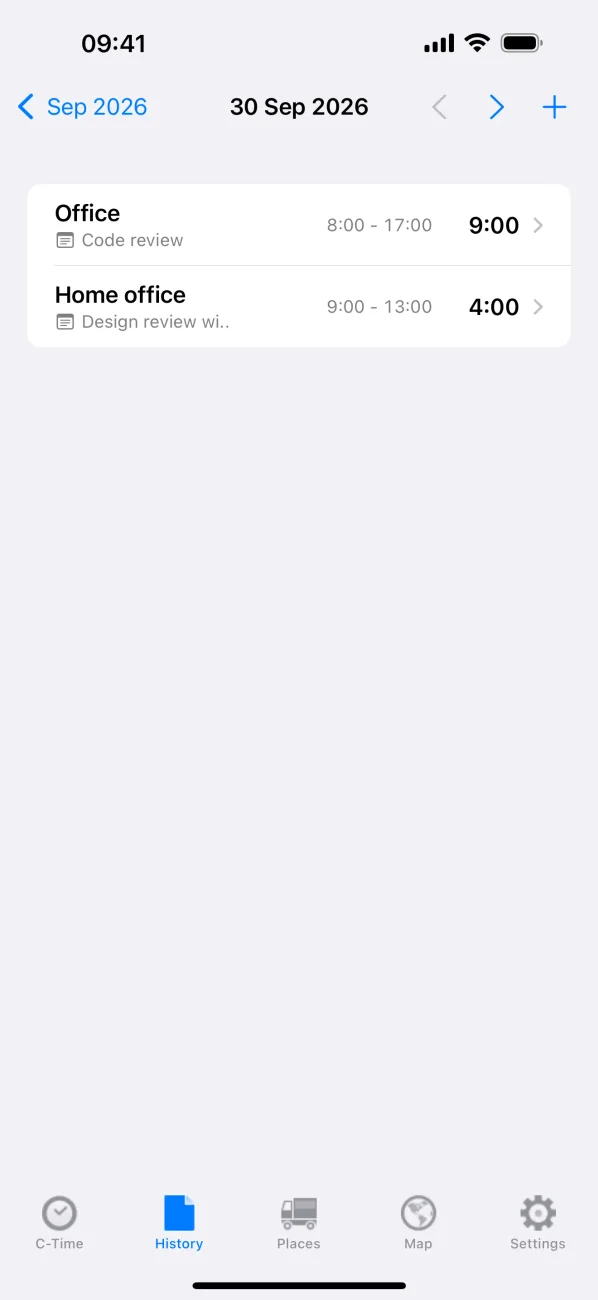
• history per day, month and year with clear charts
• set a daily goal per place and see today's over/under at a glance - turns green when you reach it
• a Home & Lock Screen widget with your goal ring - progress at a glance
• add a note to any check-in - shown in history, in the CSV export and on the main screen
• automatic daily break deduction per place - e.g. 30 min once a day passes 4 hours (off by default)
• notifies you on arrival and departure
• manual clock in/out and editing whenever you need it
• automatic iCloud backup, plus backup to a file and restore
• speaks English, German, Spanish, French, Italian, Japanese, Korean and Chinese
Set it up in one minute. Forget it. Know your hours.
C-Time Lite is free: monitor one place and see all details for 4 weeks. The Pro upgrade (in-app purchase) removes all limits:
• monitor up to 20 places (an iOS limit)
• monitor your time indefinitely
• export your data: beautiful PDF report, CSV, e-mail, backup file
TIPS
□ The automatic mode runs at its best when Wi-Fi is enabled.
□ C-Time uses the same technology (geofence) as Apple's "Reminders" app.
================================================
What customers have said about C-Time:
================================================
△ Incredible app. I always forget to clock my time. With this app, its automagically handled. Love it!
△ Pretty neat. I like this app a lot. It is really helping me track my work time without me having to remember to enter anything.
△ Many uses. Now I dont have to remember what day/time Im called in to work on the off hours. Works great. Highly recommend.
△ Works Great. Flawless....works great, and Geofencing is spot on!
△ Very smart app. This app is one of the best I used. Its smart, useful, works great, & I highly Recommend it :)
△ Love the idea behind this app! Can track how much time at work, girlfriends, favorite bar, volunteering... Great idea!
△ Perfect app. No need anymore to bother with tables to fill manually the hours in. All needed time stamps are logged automatically!!
△ Perfect app. Simple to use and helpful to have the overview where time was spent. Congratulations!
△ Great App to know where you spend your time. Works as advertised. Does NOT drain your batteries as it uses the same geofence mechanism also used by iOS for reminders and such.
△ Great App!! I use it now for 2 weeks and its quite impressing to see where I spend my time. Its really simple to use. Great job.
△ Very nice. A very useful and easy to use application. Good job!
△ This app is really cool. It helps me see how much time I spend in school. It is so useful. Very good app.
△ Très bonne application. Très pratique et fonctionne à merveille. On peut regretter labsence de calcul dheure (heure journalière, pause de midi,...) mais cette application fait ce quelle prêtant et de manière très fiable.
△ Great. Funciona bem e tem boas funcionalidades. Recomendo.
△ 매우 좋아요. 자동 체크인 체크아웃 해주고, 자신의 동선 자동 관리가능하며 개인적으로 장소들을 관리할 수 있다는 점이 아주 마음에 듭니다. 앞으로 더 기대되네요
Có gì mới
Phiên bản 3.2.0 · 06/10/2026
Features:
• Add a short note to any check-in - it shows in the history, in the exported CSV, and on the main screen even after you clock out
• Automatic daily break: a place can deduct a break once you work past a set time, for example 30 minutes after 4 hours (off by default, set per place)
• Ignore drive-bys: if automatic clock in/out only catches you passing a place for a few minutes, that brief visit is no longer recorded (set per place)
• History: step to the previous or next day with the arrows, and place names are now shown in full
• The daily goal on the widget and the Live Activity switches to overtime on its own the moment you reach it
Changes:
• Place names fit the available width on the main screen and in the history instead of being cut short
• The map of a place always shows now, even when location services are off
• After you clock out, the widget shows the place you were at most recently today
• The raw list of clock events can be shown newest first
Bug fixes:
• Smaller fixes and refinements
Hints:
• To improve the accuracy of the location services, keep your WIFI enabled.
• Keep Background App Refresh enabled for this app, so this app may automatically register your entering and leaving of your defined areas.
• Keep the Location services enabled for this app, so this app may automatically register your entering and leaving of your defined areas. This app uses "geofence" (not GPS), which does not consume additional battery life.
• Sometime the iPhone takes a while (1..5 minutes) to report C-Time about a region change (entering/leaving). To improve this, you may just quickly press the Home or Side button, once you arrived or left your place (even in Lock mode).
=> Do you like this App? Then please support us
□ Rate C-Time in the App store
□ Recommend C-Time to your friends
□ Like and follow us on facebook page: https://www.facebook.com/CTimeAppSiegware/
Thank you!
Quyền riêng tư của ứng dụng
Những gì Siegware khai báo trên App Store về cách ứng dụng này xử lý dữ liệu.
-
Dữ liệu không được thu thập
Nhà phát triển không thu thập bất kỳ dữ liệu nào từ ứng dụng này.
Phương thức đảm bảo quyền riêng tư có thể khác nhau, chẳng hạn như tuỳ theo các tính năng bạn sử dụng hoặc độ tuổi của bạn.
Thông tin
- Người bán
- Siegwart Software
- Danh mục
- Tiện Ích
- Phiên bản
- 3.2.0
- Cập nhật
- 06/10/2026
- Phát hành
- 26/04/2013
- Kích thước
- 2,8 MB
- Yêu cầu
- iOS 17.0 trở lên
- Độ tuổi
- 4+
- Giá
- Miễn phí
- Mua hàng trong ứng dụng
- Có
- Ngôn ngữ
- Tiếng Anh, Tiếng Pháp, Tiếng Đức, Tiếng Ý, Tiếng Nhật, Tiếng Hàn, Tiếng Trung Giản thể, Tiếng Tây Ban Nha, Tiếng Trung Phồn thể
- Bản quyền
- © 2026 Siegwart Software