Camera Red
Shoot and fetch, no cable
Được thiết kế cho iPhone, iPad
Miễn phí · Mua hàng trong ứng dụng
- Độ tuổi4+
- Danh mụcẢnh & Video
- Nhà phát triểnOleksii Baliuk
- Ngôn ngữTiếng Anh
- Kích thước15,1 MB
Liên kết đến trang App Store chính thức
Download.org không lưu trữ tệp nào của Camera Red. Nút này mở trang ứng dụng trên App Store, nơi Oleksii Baliuk phát hành ứng dụng. Trang được kiểm tra lần cuối: 17/11/2026.
Ảnh chụp màn hình

Giới thiệu
Nhà phát triển chưa cung cấp nội dung này bằng ngôn ngữ của bạn.
MODERN CONTROLS FOR OLDER SONY CAMERAS
Many older Sony cameras are still excellent—but the apps available for them are often limited, outdated or no longer supported.
Camera Red gives compatible cameras a modern companion app with live view, full remote control, advanced timelapse shooting, memory-card browsing and several ways to transfer photos and video to your iPhone or iPad.
REMOTE SHOOTING FROM ANYWHERE
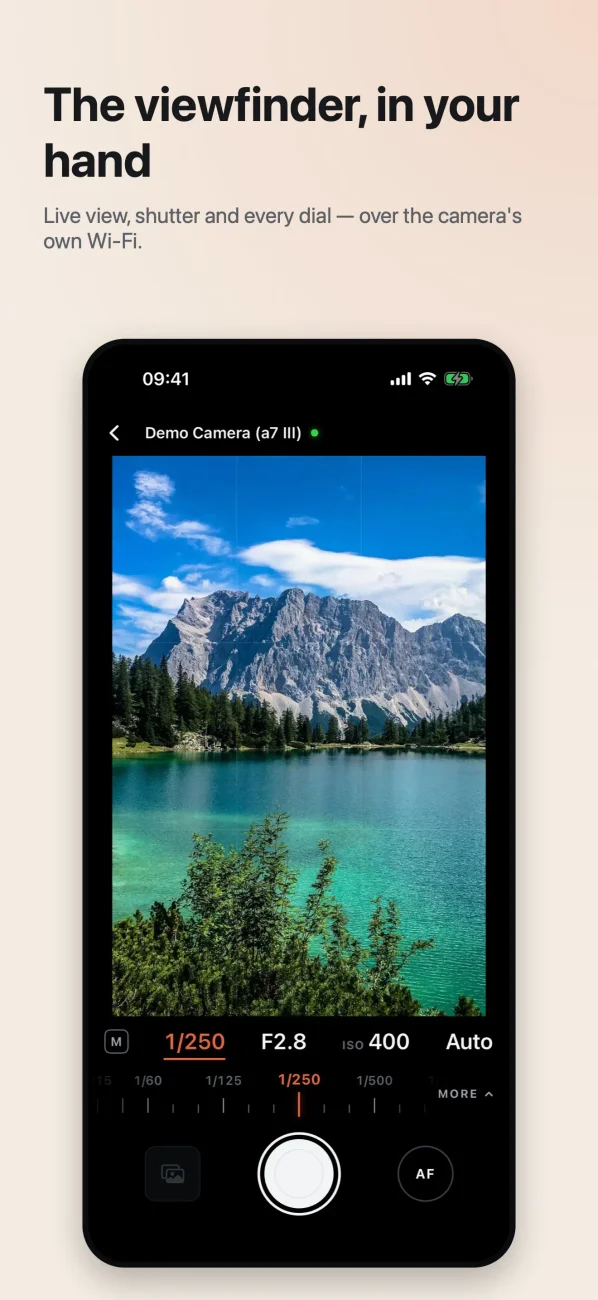
Connect directly to your camera over its own Wi‑Fi and use your iPhone as a wireless viewfinder.
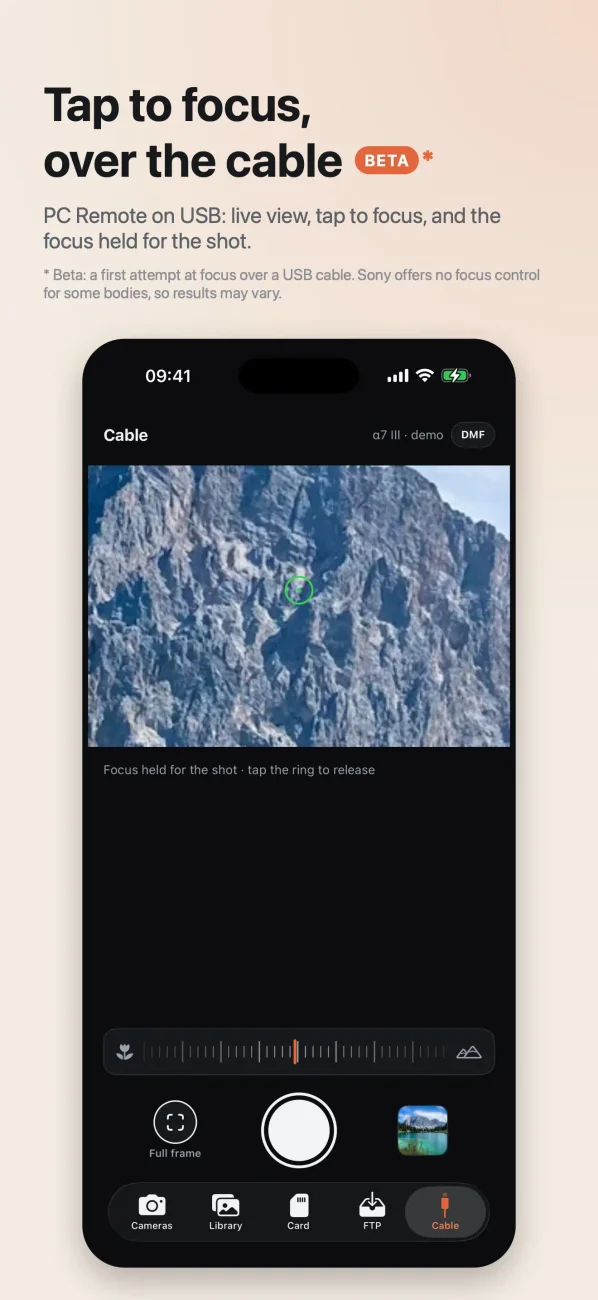
See the live image, release the shutter, control focus and adjust shutter speed, aperture, ISO and white balance. Settings are placed on dials you can drag instead of tapping through values one at a time.
Frame the picture, focus and take the shot without standing behind the camera.
CREATE TIMELAPSES YOUR CAMERA CAN’T
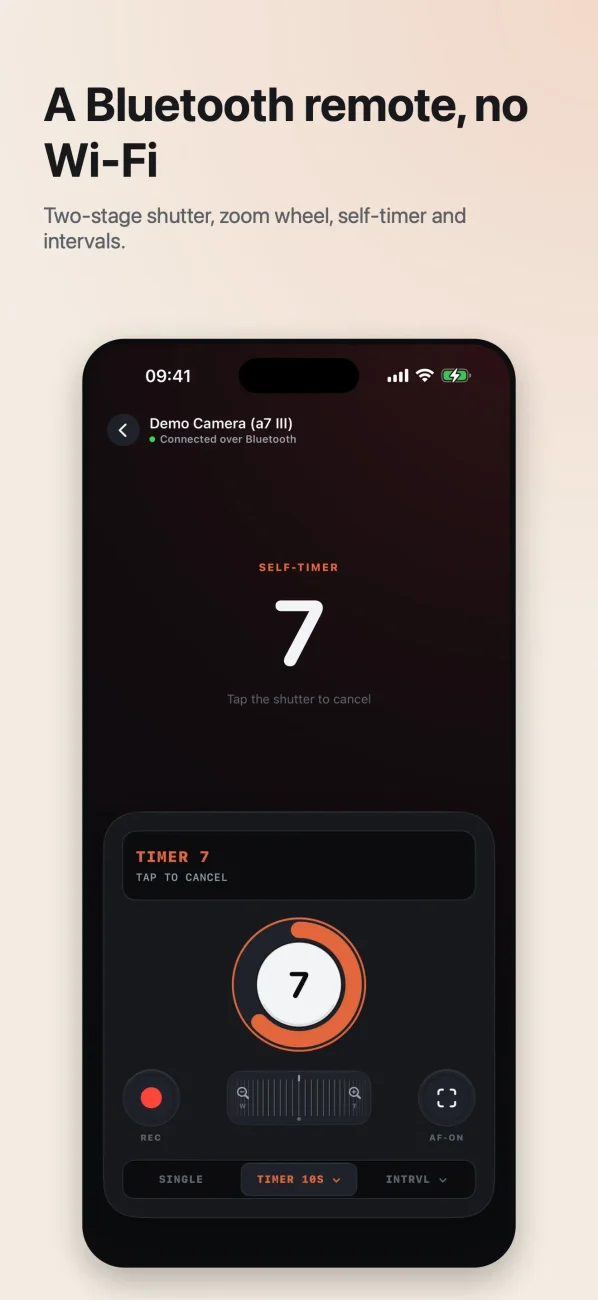
Add interval shooting to cameras that do not have it built in.
Choose the interval and number of frames, and Camera Red shows the total shooting time and finished video length before you begin.
While the timelapse is running, scrub through the captured frames to watch the light and scene change. When shooting is complete, the app assembles the video automatically.
Every frame is kept, so you can rebuild the timelapse later at a different frame rate—or at a higher resolution after transferring the full-size originals.
BROWSE THE MEMORY CARD
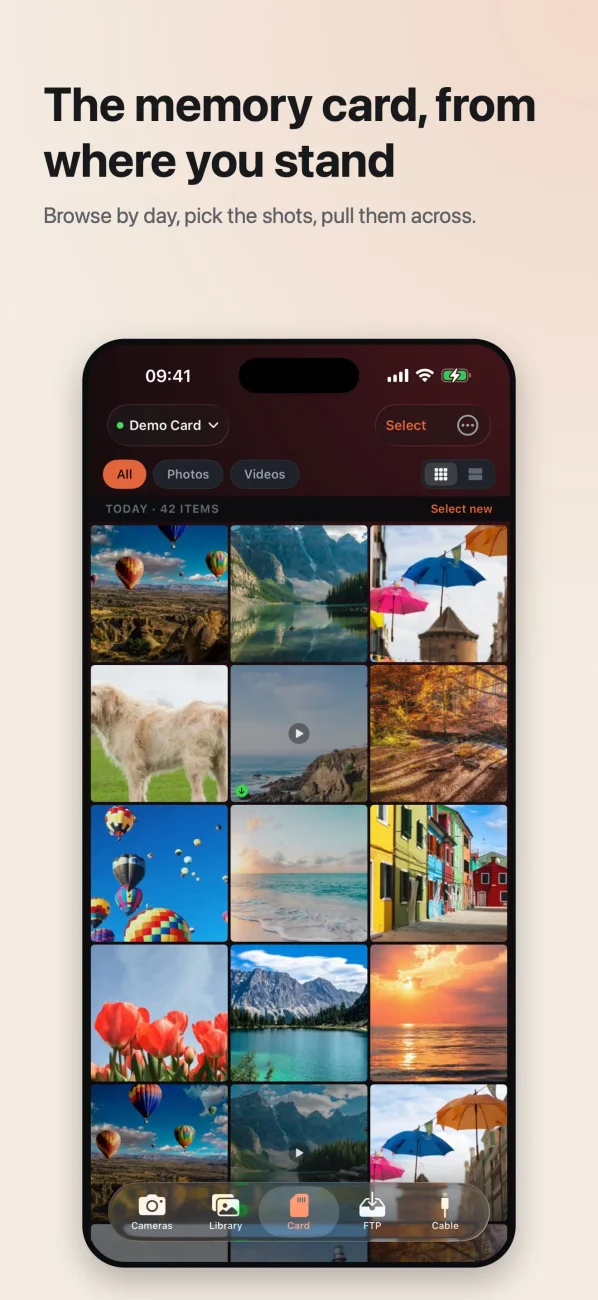
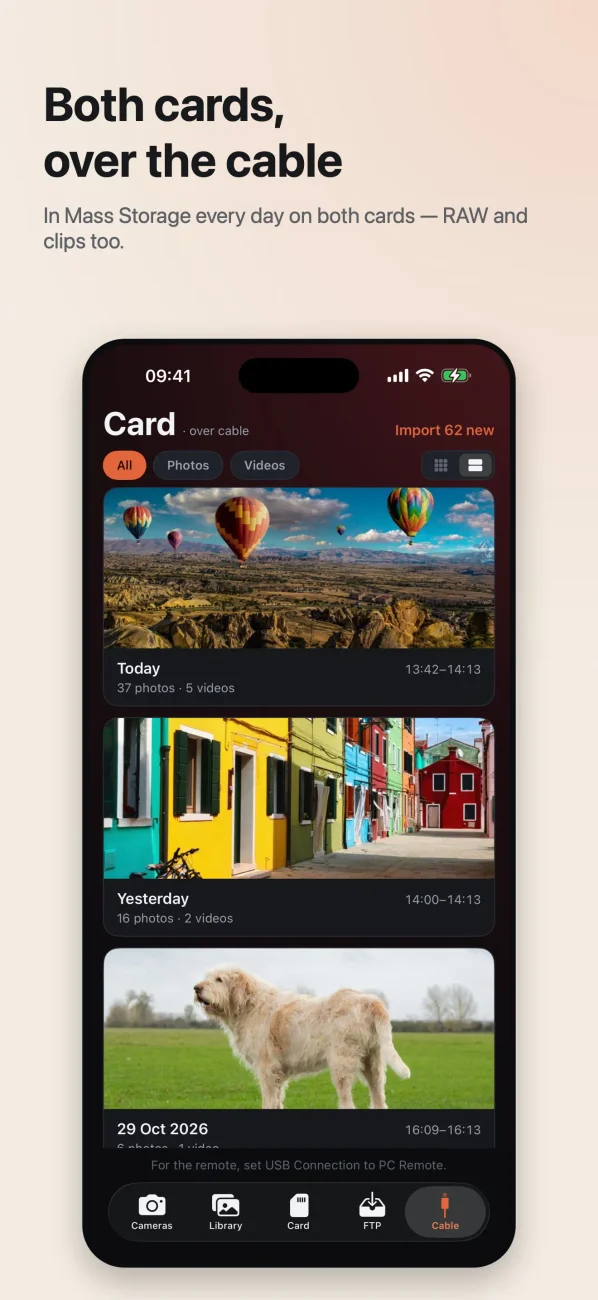
Explore your camera’s memory card by date or folder, select the photos you want and transfer them to your iPhone.
If the camera offers several transfer sizes, you choose which version to download.
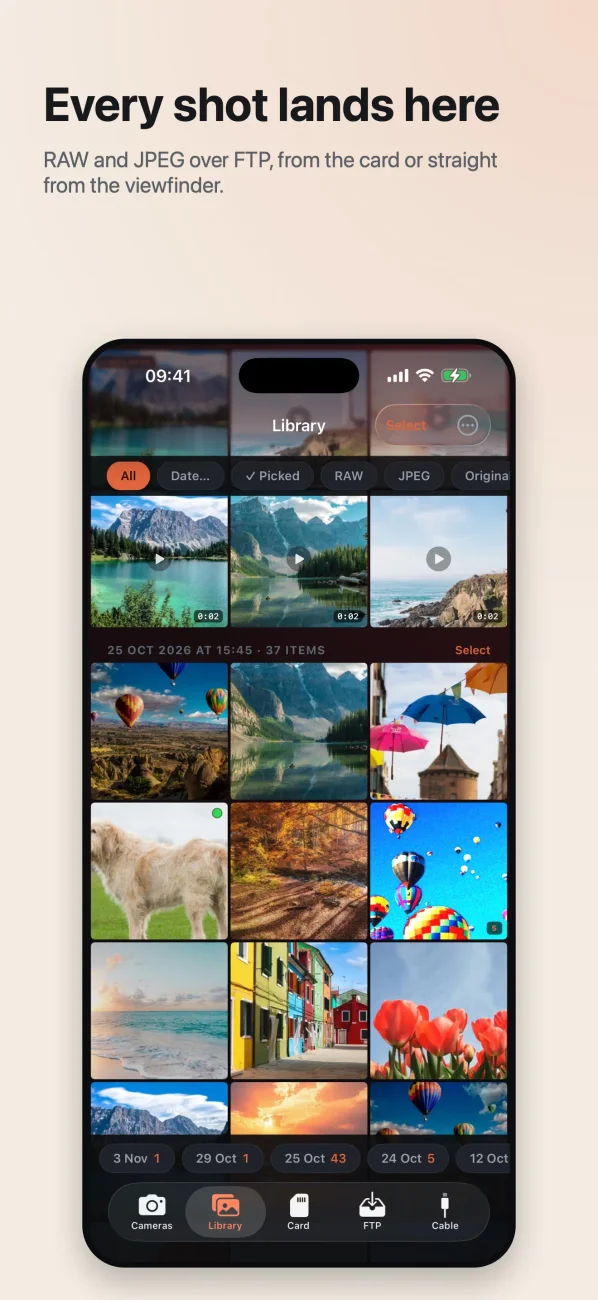
RECEIVE RAW AND JPEG FILES AS YOU SHOOT
Camera Red supports several ways of working with your files.
Use the camera’s “Send to Smartphone” function to browse and download photos, or configure its FTP function to send RAW and JPEG files directly to the app as they are captured.
FTP transfer can also work with supported cameras from other manufacturers.
Nothing is uploaded to the cloud. Your iPhone or iPad is the destination.
REVIEW EVERY SHOT
Camera Red includes a complete photo library and viewer:
• Pinch to zoom
• View a histogram with numerical values
• Check the exposure settings recorded by the camera
• Pick or reject photos to quickly narrow down a session
• Play videos
• Share or save your files wherever you choose
• Keep photos together in albums
LOOKS AND LUTS FOR PHOTOS AND VIDEO
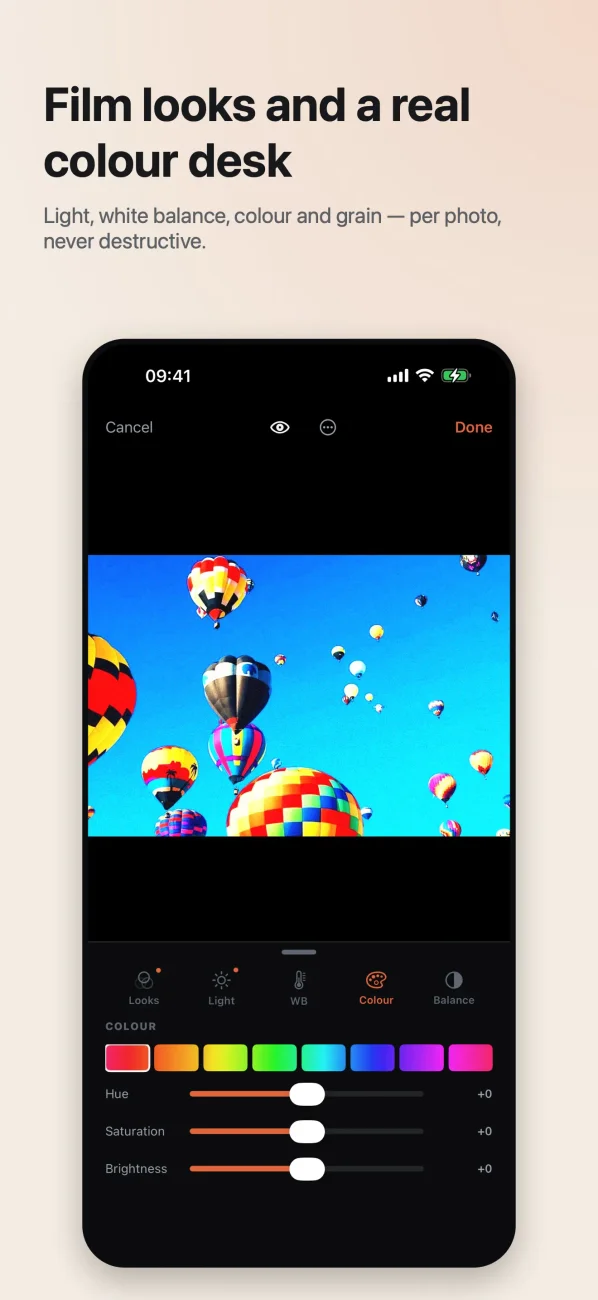
Give photos and video clips a film look or your own .cube LUT, then fine-tune light, white balance, color and grain. Edits are never baked into your originals.
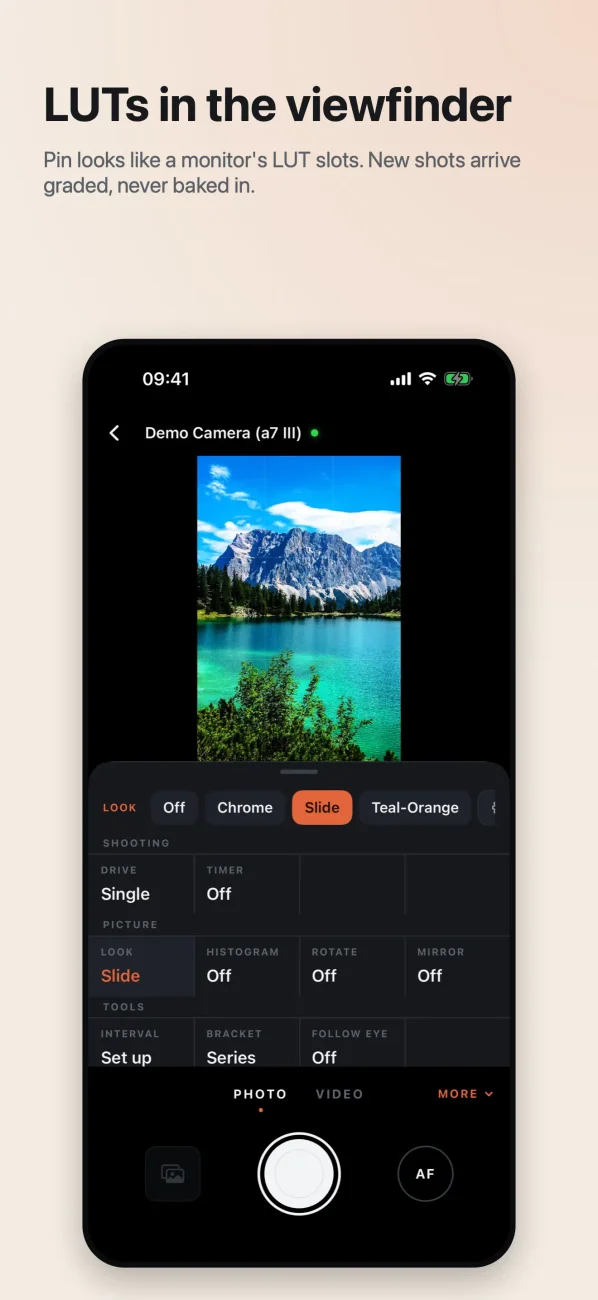
Pin your favorite looks and presets in Workflow: the live viewfinder shows one, like a monitor’s LUT, and new photos and clips arrive already graded. Shooting S-Log3? A LUT reads your video exactly as the camera recorded it, and RAW files can be developed into S-Log3 first.
TRY EVERYTHING FREE FOR SEVEN DAYS
Every camera feature is available free for seven days. After that, one purchase unlocks the complete app permanently—no subscription and nothing to cancel.
Photos already stored on your iPhone remain accessible whether or not you purchase the app.
A built-in demo camera lets you explore the app before connecting a real camera.
CAMERA COMPATIBILITY
Remote shooting requires a Sony camera that supports Sony’s Camera Remote API and includes “Ctrl w/ Smartphone” in its network menu.
This includes many models released from approximately 2014 to 2019, such as:
• Sony α7 III and α7R III
• Sony α9
• Sony α6000, α6300 and α6400
• Sony RX100 IV and later compatible models
Memory-card browsing uses the camera’s “Send to Smartphone” function. Automatic file transfer requires a camera with FTP support.
Available features may vary depending on the camera model, firmware and selected file format.
Camera Red is an independent application and is not made by, endorsed by or affiliated with Sony Group Corporation.
Có gì mới
Phiên bản 1.10.0 · 12/11/2026
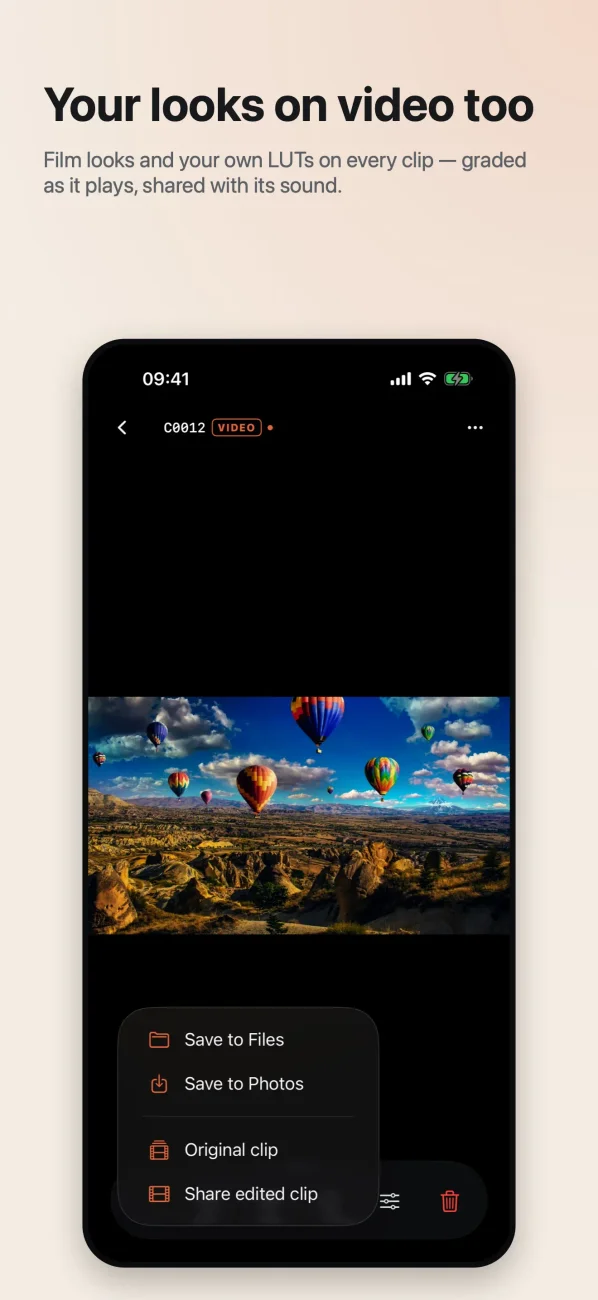
LOOKS ON VIDEO
A clip now wears a look as a photograph does: Edit opens on a frame of it, with every look, your own .cube files, presets and the dials, and the player shows the clip through them as it plays. A LUT reads the clip as the camera wrote it, so an S-Log3 LUT looks right on S-Log3 footage. Share and Save to Photos make a graded copy, sound and all; the original stays as it was. The Workflow default dresses new clips too.
Quyền riêng tư của ứng dụng
Những gì Oleksii Baliuk khai báo trên App Store về cách ứng dụng này xử lý dữ liệu.
-
Dữ liệu không được thu thập
Nhà phát triển không thu thập bất kỳ dữ liệu nào từ ứng dụng này.
Phương thức đảm bảo quyền riêng tư có thể khác nhau, chẳng hạn như tuỳ theo các tính năng bạn sử dụng hoặc độ tuổi của bạn.
Thông tin
- Người bán
- Oleksii Baliuk
- Danh mục
- Ảnh & Video
- Phiên bản
- 1.10.0
- Cập nhật
- 12/11/2026
- Phát hành
- 16/08/2026
- Kích thước
- 15,1 MB
- Yêu cầu
- iOS 17.0 trở lên
- Độ tuổi
- 4+
- Giá
- Miễn phí
- Mua hàng trong ứng dụng
- Có
- Ngôn ngữ
- Tiếng Anh
- Bản quyền
- © 2026 Oleksii Baliuk
Có thể bạn cũng thích
-
 Relay Camera TransferẢnh & Video
-
 Video Effects Studio & FiltersẢnh & Video
-
 SameDay - PhotosẢnh & Video
-
 RawShare: RAW TransferẢnh & Video
-
 LutaroẢnh & Video
-
 InstaCarousel IOẢnh & Video
-
 PhotoCullẢnh & Video
-
 StarlapseẢnh & Video
-
 AlphaLuma - Preset cho SonyChỉnh sửa ảnh, bộ lọc, khung
-
 Instacrop.appẢnh & Video