Camera Report
Tool for camera assistants
Được thiết kế cho iPhone, iPod touch
Miễn phí · Mua hàng trong ứng dụng
- Độ tuổi4+
- Danh mụcẢnh & Video
- Nhà phát triểnLogFlick s.r.o.
- Ngôn ngữTiếng Anh+ 1 ngôn ngữ khác
- Kích thước73,1 MB
Liên kết đến trang App Store chính thức
Download.org không lưu trữ tệp nào của Camera Report. Nút này mở trang ứng dụng trên App Store, nơi LogFlick s.r.o. phát hành ứng dụng. Trang được kiểm tra lần cuối: 12/11/2026.
Ảnh chụp màn hình


Giới thiệu
Nhà phát triển chưa cung cấp nội dung này bằng ngôn ngữ của bạn.
With Camera Report you can generate, export and send all the information in a pdf format. It can work in airplane mode for a quiet set ;) and in night mode for dark stages. It is intuitive and fast. All the information collected during the shooting will be saved and logged in your phone or in the backend as long as you will need it. It is a useful tool for recording technical specs and scenes’ notes by keeping it organized and bonded.
- No more paper required or heavy silver folders in your set-bag.
- No more complaints about your handwriting or missing information… Bye, bye, hasta la vista, díky čao!
Features and functions:
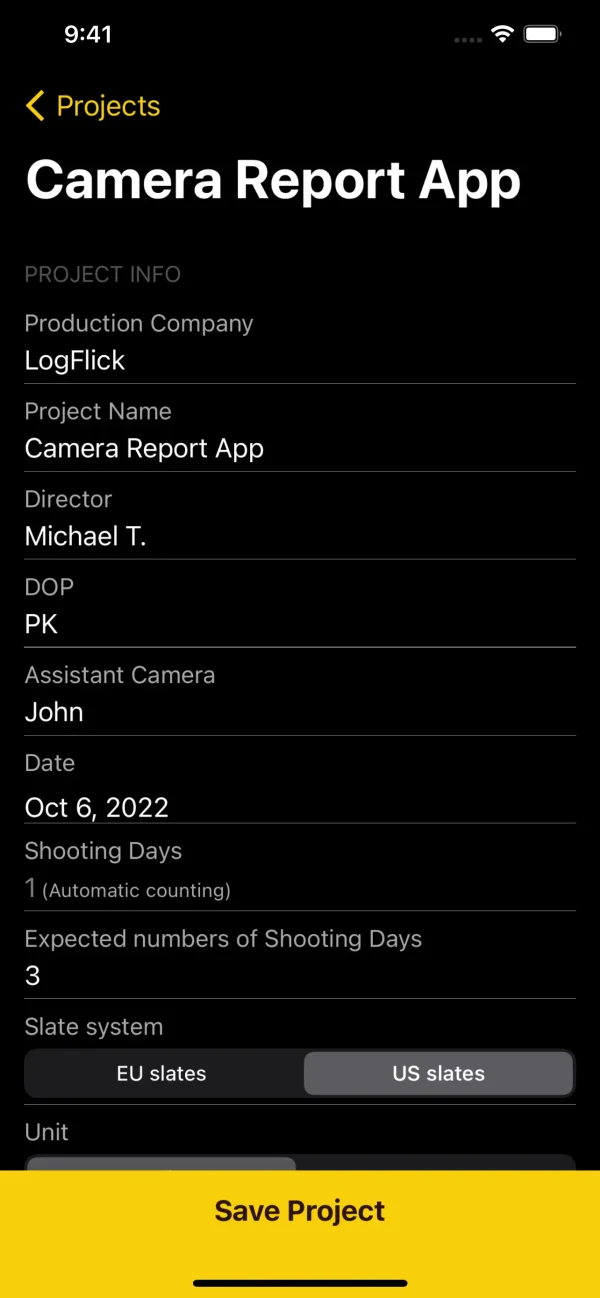
1. PROJECT MENU
Tap a field to edit the basic set up of the project.
- Production info: Company, Director, Cinematographer, Assistant Camera
- Slate system: European or American slate system, the cells are formatted to use the layouts of each system.
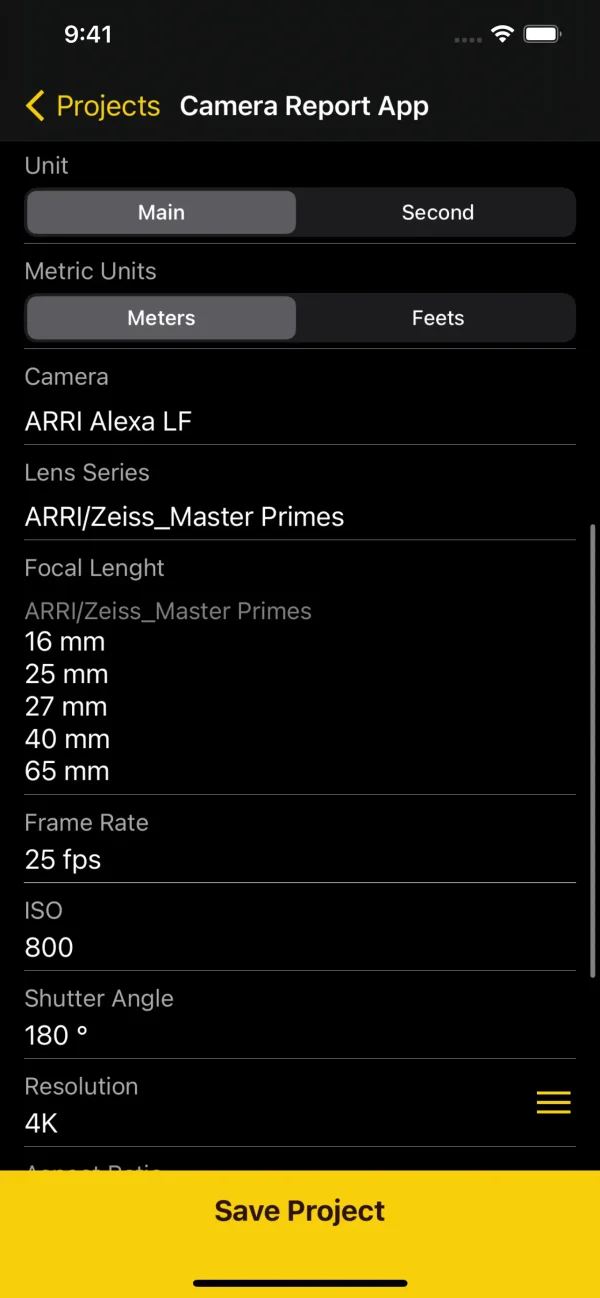
- Camera: built-in database with the most used digital film cameras
- Lens series: built-in lens database with different brands and lens types
- Focal length: precisely choose the focal length available in your lens case. This will save you time when filling in each take.
- Fill in the basics: Frame rate, ISO, Shutter angle, Aspect ratio and project Compression
Once complete press save, and your project will be loaded and ready to use (all the information will be automatically add it to each new take). For further changes slide the project name to the left and: Edit or Erase function will be display.
2. MAIN MENU
2.1 Menu Bar
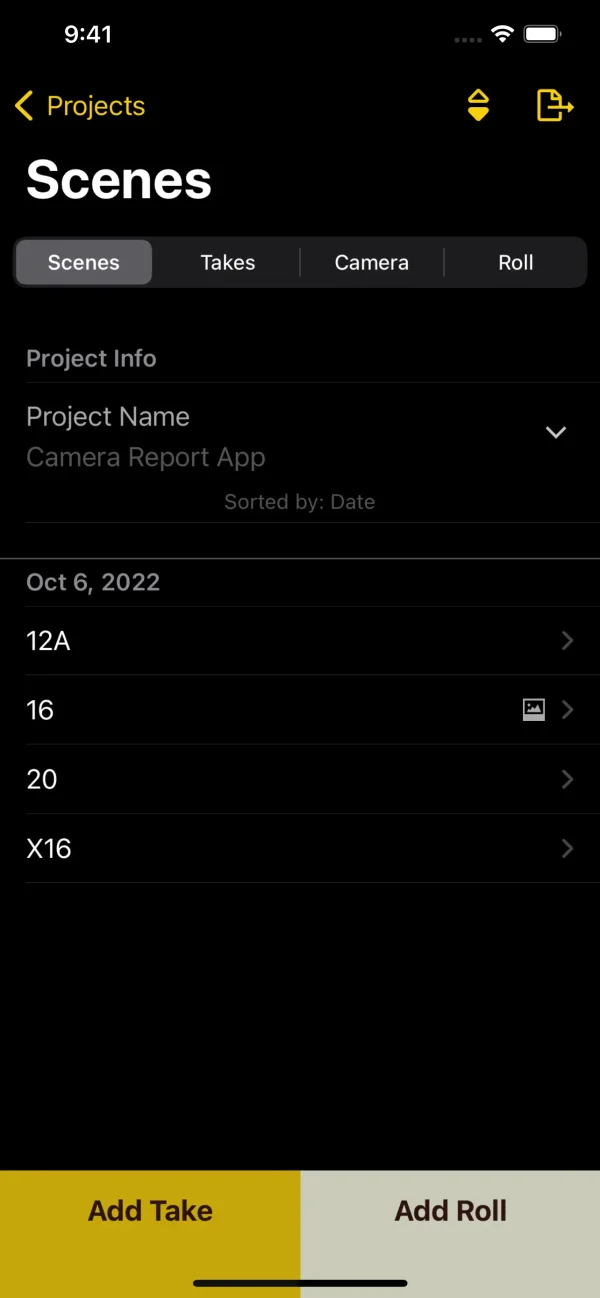
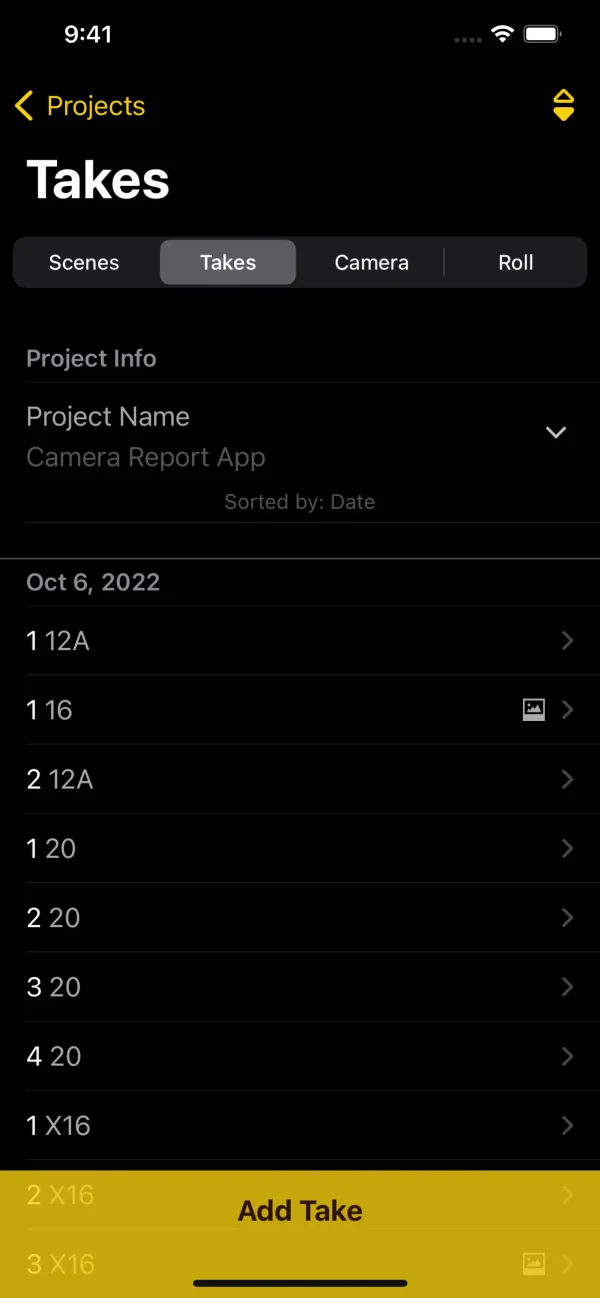
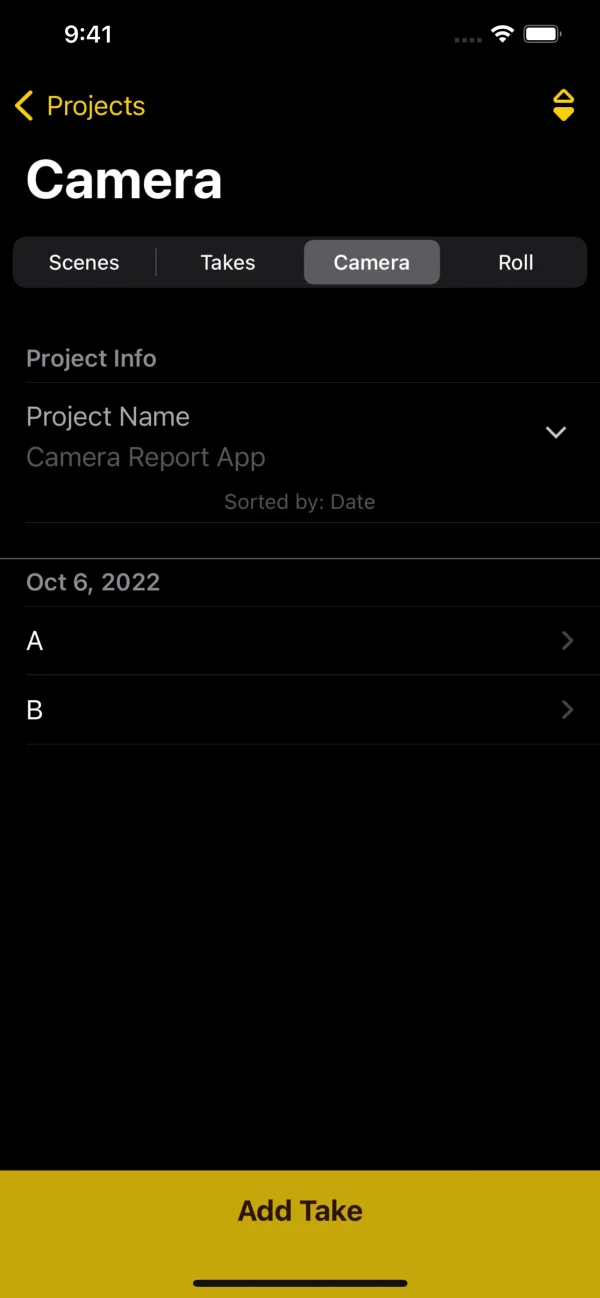
Switch between Scene, Takes, Camera & Roll and navigate through the filled data.
2.2 ADD Take button:
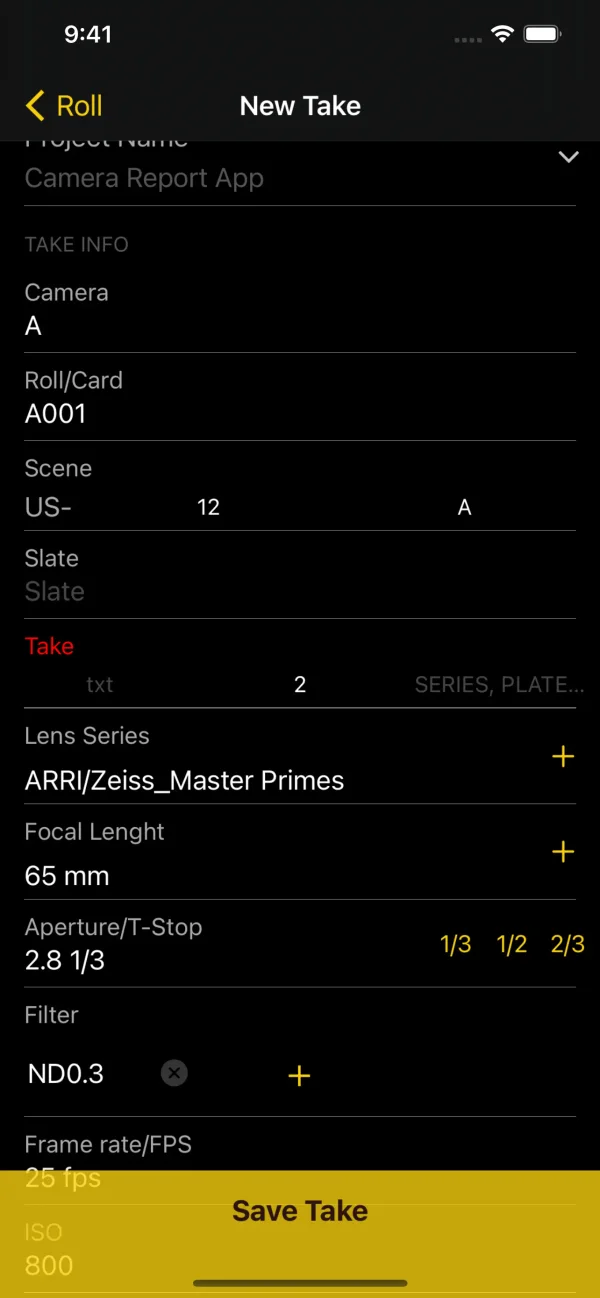
Choose Add Take and you are ready to start! All your information from the project set up will already be displayed, until you decide to change it.
- Camera: name the camera body A, B, C…X, Y, Z
- Roll/Card: will start from the last entered camera roll/camera card
- Scene: fill in the scene code according to the script (this information will be kept if there is more than one take)
- Take: no need to fill in. It will work automatically in increasing numbers. It can also be modified manually.
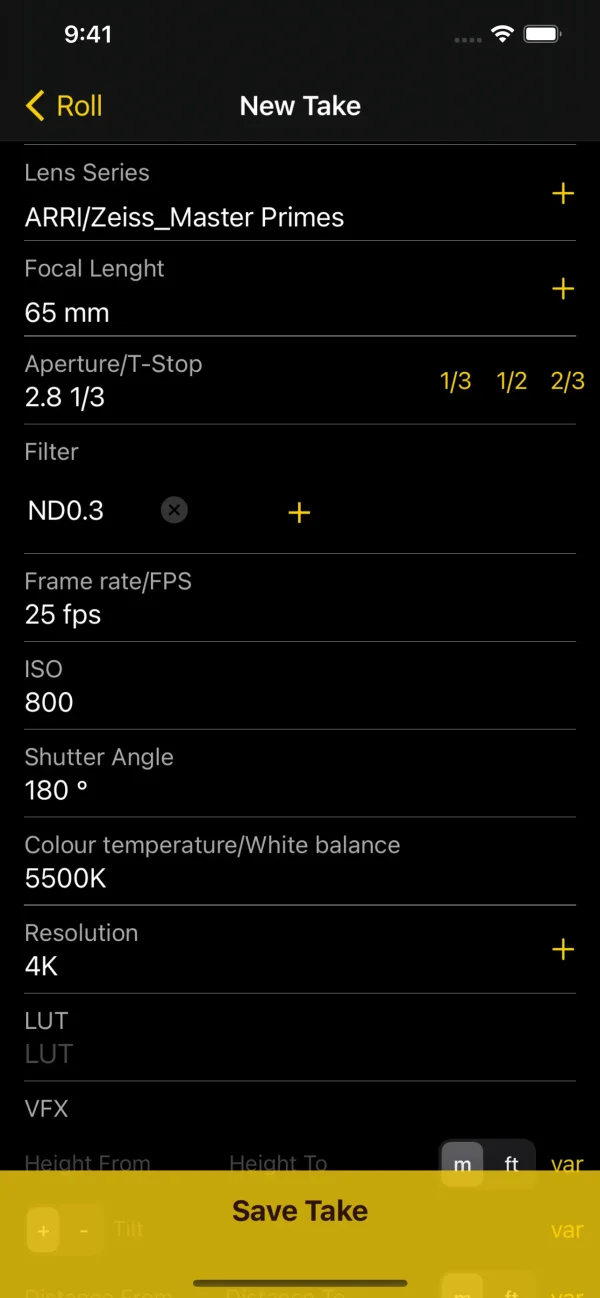
- Lens series: will show only the selected brands and lens types chosen in the project set up. / + symbol, in case of a special lens need, this + symbol allows you to type in a new brand or lens type.
- Focal length: only the selected focal length from the project set-up will be displayed on the scrolling menu. /+ symbol, allows you to type in a new focal length if it is not available in the database.
- Aperture/T-stop: type in the lens aperture and make it precise by using the thirds functions 1/3,1/2,2/3
- Filter: multiple filter cells for neutral density, colour correction or effect filters.
- Frame rate, ISO & Shutter angle: will be filled in with the information loaded in the project set up. Manual changes are also available if is necessary.
- Colour temperature/White balance: fill in the colour temperature and the Kelvin degree symbol will be automatically displayed.
- Resolution: choose from the scrolling menu the most common resolution or select the + symbol and type it in manually.
- LUT: fill in the name of the Look Up Table
- VFX: summarize form of VFX data for special shots: Height and Tilt, from and to. For your values, choose between metric or imperial system.
- Note: for extra consideration, postproduction messages or any other type of information.
- Location: fill in manually or with the LOC function it will take the current phone GPS place.
- Picture: take a picture for reference or camera rigs for extra help. The image will appear beside the current take.
“All the information loaded in the 1st take will be kept and ready for the next takes.”
2.3 Backend
You can administrate and prepare your projects through the backend features.
Sing in, Fill in, send it and enjoy it.
Terms of Use: https://camerareport.logflick.com/terms
Có gì mới
Phiên bản 1.3.4 · 02/12/2024
Minor technical improvements.
Bug fixes.
Quyền riêng tư của ứng dụng
Những gì LogFlick s.r.o. khai báo trên App Store về cách ứng dụng này xử lý dữ liệu.
-
Dữ liệu liên kết với bạn
Có thể được thu thập và liên kết với danh tính của bạn.
- Mục mua
- Thông tin liên hệ
- Mã định danh
-
Dữ liệu không liên kết với bạn
Có thể được thu thập nhưng không liên kết với danh tính của bạn.
- Chẩn đoán
Phương thức đảm bảo quyền riêng tư có thể khác nhau, chẳng hạn như tuỳ theo các tính năng bạn sử dụng hoặc độ tuổi của bạn.
Thông tin
- Người bán
- LogFlick s.r.o
- Danh mục
- Ảnh & Video
- Phiên bản
- 1.3.4
- Cập nhật
- 02/12/2024
- Phát hành
- 11/11/2022
- Kích thước
- 73,1 MB
- Yêu cầu
- iOS 10.0 trở lên
- Độ tuổi
- 4+
- Giá
- Miễn phí
- Mua hàng trong ứng dụng
- Có
- Ngôn ngữ
- Tiếng Anh, Tiếng Séc
- Bản quyền
- © LogFlick s.r.o.