Camera Sun - Pro Camera
The Camera App Made for Humans
Được thiết kế cho iPhone, iPad
99.000đ
- Độ tuổi4+
- Danh mụcẢnh & Video
- Nhà phát triểnZAHIR MIRZA
- Ngôn ngữTiếng Anh
- Kích thước6,7 MB
Liên kết đến trang App Store chính thức
Download.org không lưu trữ tệp nào của Camera Sun - Pro Camera. Nút này mở trang ứng dụng trên App Store, nơi ZAHIR MIRZA phát hành ứng dụng. Trang được kiểm tra lần cuối: 18/11/2026.
Ảnh chụp màn hình
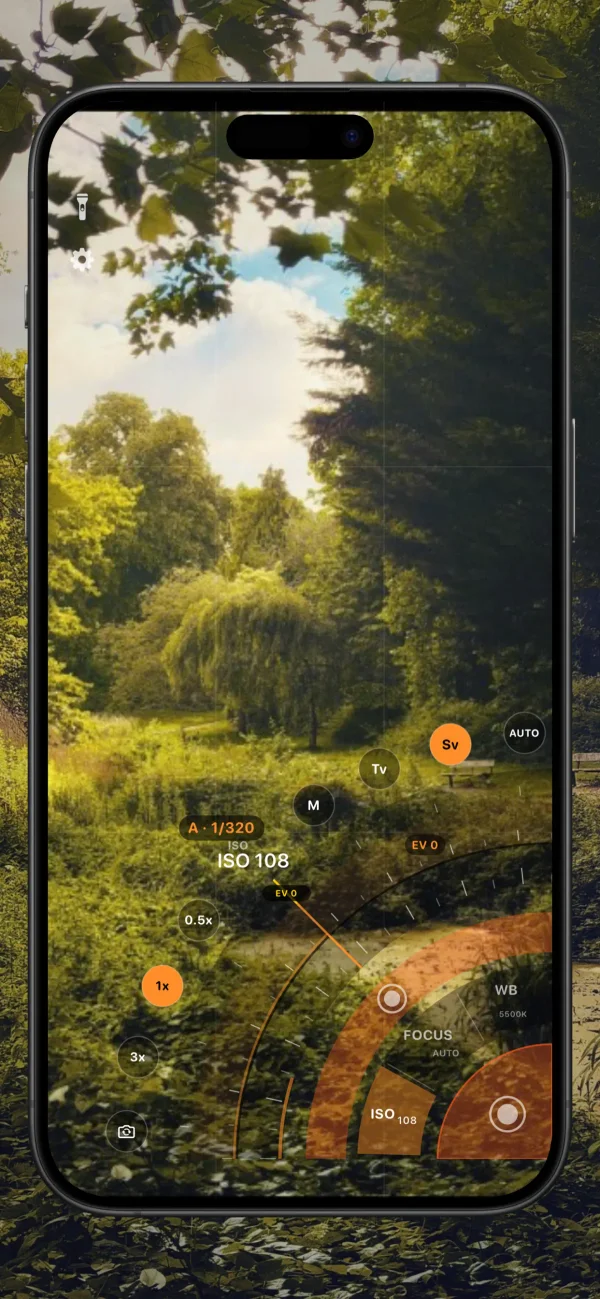
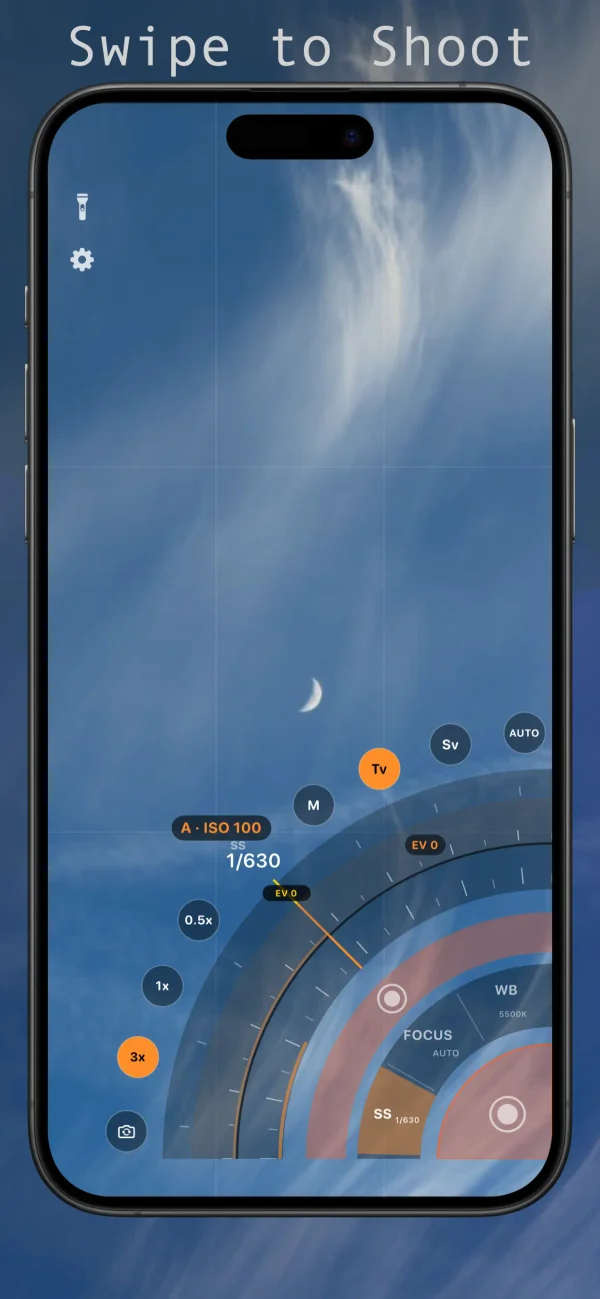
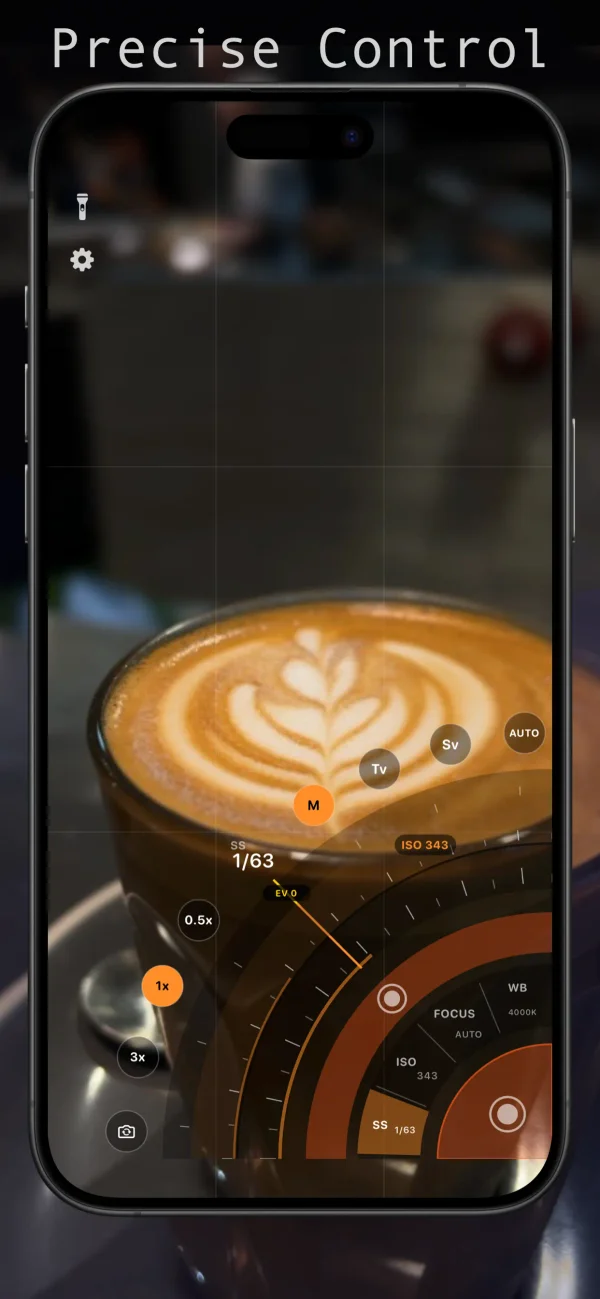

Giới thiệu
Nhà phát triển chưa cung cấp nội dung này bằng ngôn ngữ của bạn.
We've all struggled trying to get the perfect exposure for a shot, trying to get the photo right, while balancing a phone about to fall out out finger tips, shutter out of reach, just before we drop it and miss the shot. Our twisty fingers never had a chance.
Enter Camera Sun - The app designed to be the best way of being a real photographer on your phone. Developed by a real DSLR photographer. Made for Humans like us.
The revolutionary dials and slide to shoot shutter are made to feel as if you are taking pictures with a real photography tool. Simply slide to adjust the controls you want, and without lifting a finger, swipe your thumb to the shutter area to nail the shot.
TOP FEATURES
- Designed for how we actually hold our phones.
- Shutter speed, ISO, focus and white balance on dials under your thumb.
- Press, or slide onto, the shutter arc to shoot. Precise, intuitive control.
- A real manual camera, one-handed plus an AUTO mode with one giant shutter.
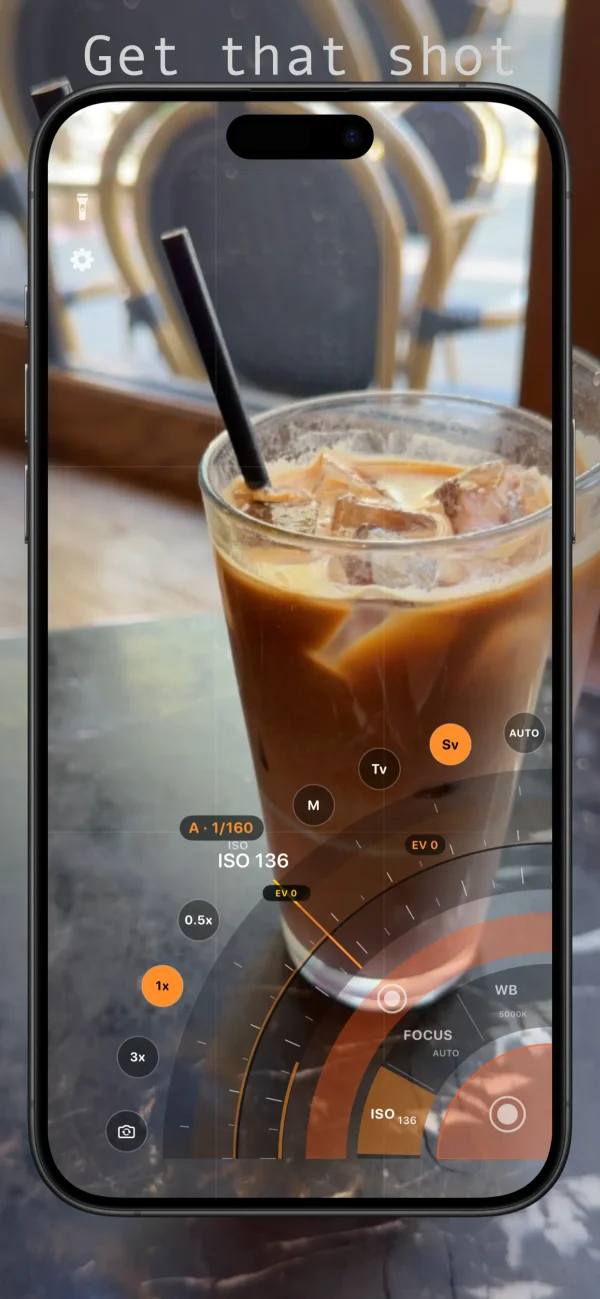
- An always-on readout shows your shutter speed and ISO in one fixed spot: white means you set it, orange means the camera is adjusting it live.
QUICK START
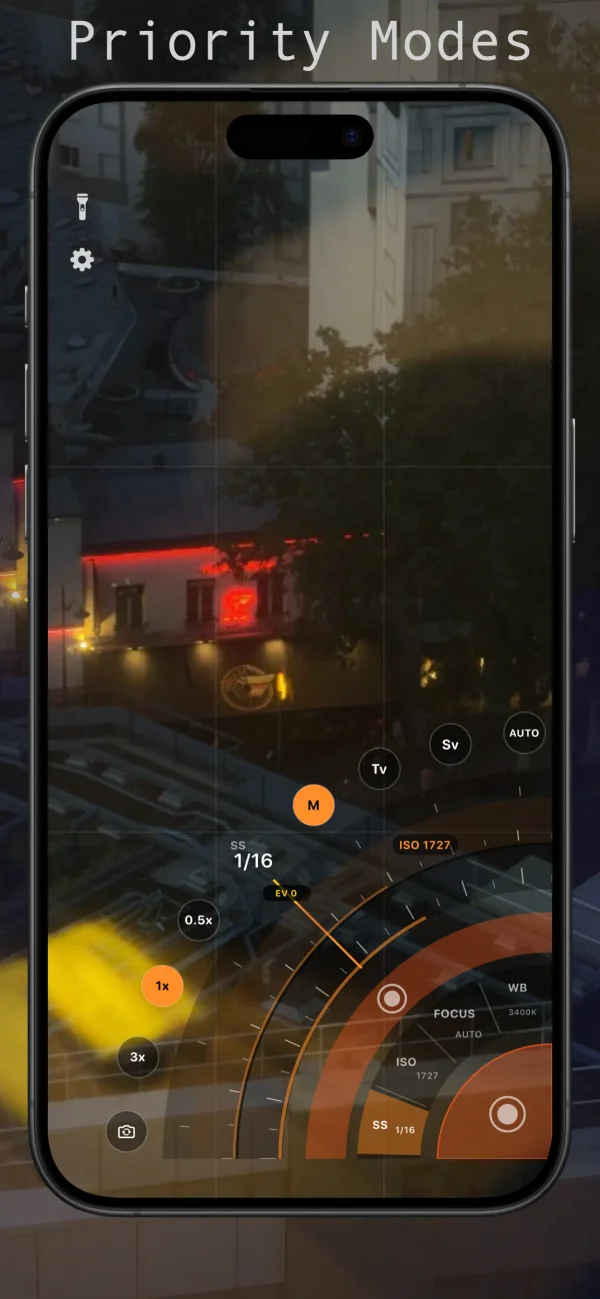
Everything lives on concentric dials anchored to the corner of the screen, right under your thumb.
- Turn the rings to set shutter speed, ISO, focus and white balance.
- Haptic clicks, just like a real dial.
- M, Tv (shutter priority), Sv (ISO priority) and AUTO.
- A live exposure meter. Tap it to zero your exposure.
- The inner ring adjusts the selected setting; the outer ring drives EV compensation — or the second exposure parameter in full manual (M).
- Left-hand mode in Settings flips everything.
TAKING A PHOTO
Press the red shutter arc, or just slide your thumb onto it. It fires when you touch it. The volume keys and the Action button fire it too.
Adjust, Shoot, re-adjust, shoot: take a shot, slide back to the dials to change a setting, then slide onto the arc again. One photo per touch, all without lifting your thumb.
In AUTO the whole corner becomes one big shutter. Slide onto it to shoot; slide out and back in to shoot again.
CHOOSING YOUR LEVEL OF CONTROL
AUTO - point and shoot. Tap the screen to focus. Camera Sun handles the rest.
Tv - you choose the shutter speed (freeze or blur motion); the app adjusts ISO live.
Sv - you choose the ISO (how sensitive the camera is to light); the app adjusts the shutter speed live.
M - Manual. You control both shutter speed and ISO. If you get stuck, tap the light meter and Camera Sun balances the exposure for you.
FOCUSING
Tap anywhere on the screen to focus on that spot. Prefer to focus by hand? Tap FOCUS to switch to manual, then turn the inner dial, just like the focus ring on a lens. Tap FOCUS again to go back to autofocus.
WHITE BALANCE
Turn the WB dial to lock a colour temperature. Tap WB again to hand it back to auto.
BURST
Turn on "Burst on hold" in Settings, then keep holding the shutter arc: the count ticks up as each frame saves. Burst not available in AUTO.
Reviewing your shots
After your first photo, a thumbnail appears in the opposite corner. Tap to browse pics you've taken this session. Camera Sun never looks through your photo library - older photos stay safely in the iPhone's Photos app.
SETTINGS
- Fire on pull turn slide-to-shoot off if you'd rather only press.
- Burst on hold
- Corner shutter button — add a second shutter button in the corner of the dials
- Left-hand mode
- Reach - resize the dials
PRIVACY FIRST
Camera Sun can only ADD photos to your library; it never reads it.
No account, no tracking, no analytics.
One-time purchase, no subscription.
We do not collect any data.
Note
Zoom modes depend on the devices inbuilt camera
Có gì mới
Phiên bản 1.4 · 30/10/2026
iPhone Duo Support
Quyền riêng tư của ứng dụng
Những gì ZAHIR MIRZA khai báo trên App Store về cách ứng dụng này xử lý dữ liệu.
-
Dữ liệu không được thu thập
Nhà phát triển không thu thập bất kỳ dữ liệu nào từ ứng dụng này.
Phương thức đảm bảo quyền riêng tư có thể khác nhau, chẳng hạn như tuỳ theo các tính năng bạn sử dụng hoặc độ tuổi của bạn.
Thông tin
- Người bán
- ZAHIR MIRZA
- Danh mục
- Ảnh & Video
- Phiên bản
- 1.4
- Cập nhật
- 30/10/2026
- Phát hành
- 04/08/2026
- Kích thước
- 6,7 MB
- Yêu cầu
- iOS 18.0 trở lên
- Độ tuổi
- 4+
- Giá
- 99.000đ
- Ngôn ngữ
- Tiếng Anh
- Bản quyền
- © zahirbmirza 2026
Có thể bạn cũng thích
-
 TRUEFILMxẢnh & Video
-
 Máy Đo Sáng・Đo Phơi SángEV, khẩu độ, tốc độ và ISO
-
 Camcora – VHS Camcorder CameraẢnh & Video
-
 Editable: AI Photo EditorẢnh & Video
-
 Mavis Camera: Pro CaptureẢnh & Video
-
 Film Cam - Máy ảnh cổ điểnMáy ảnh retro - Máy ảnh analog
-
 Open CameraẢnh & Video
-
 Hẹn giờ chụp ảnhSnap Multiple Photos on Delay
-
 Blend: Combine Photo LayersẢnh & Video
-
 Color Grade Video - PeekLutẢnh & Video