Capture: Camera & SD Import
Photo transfer, dates kept
Được thiết kế cho iPhone, iPad
Miễn phí · Mua hàng trong ứng dụng
- Độ tuổi4+
- Danh mụcẢnh & Video
- Nhà phát triểnKarol Olszanski
- Ngôn ngữTiếng Anh+ 21 ngôn ngữ khác
- Kích thước14,5 MB
Liên kết đến trang App Store chính thức
Download.org không lưu trữ tệp nào của Capture: Camera & SD Import. Nút này mở trang ứng dụng trên App Store, nơi Karol Olszanski phát hành ứng dụng. Trang được kiểm tra lần cuối: 16/11/2026.
Ảnh chụp màn hình
Giới thiệu
Nhà phát triển chưa cung cấp nội dung này bằng ngôn ngữ của bạn.
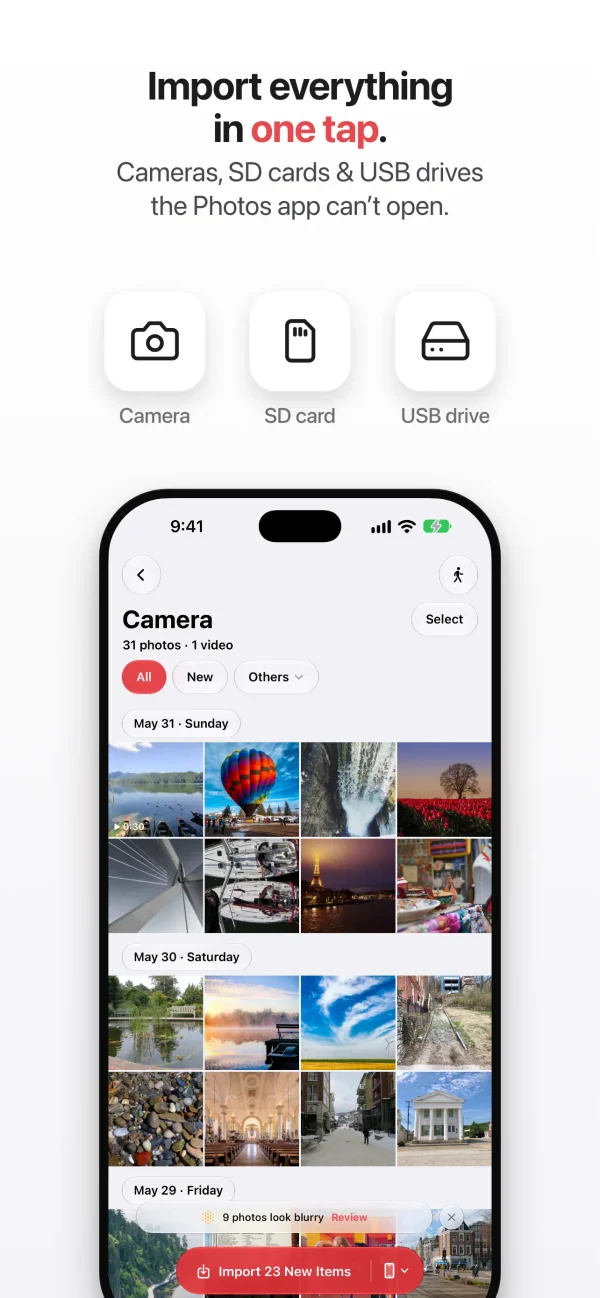
Capture imports photos and videos from a camera, SD card or USB drive into your Photos library.
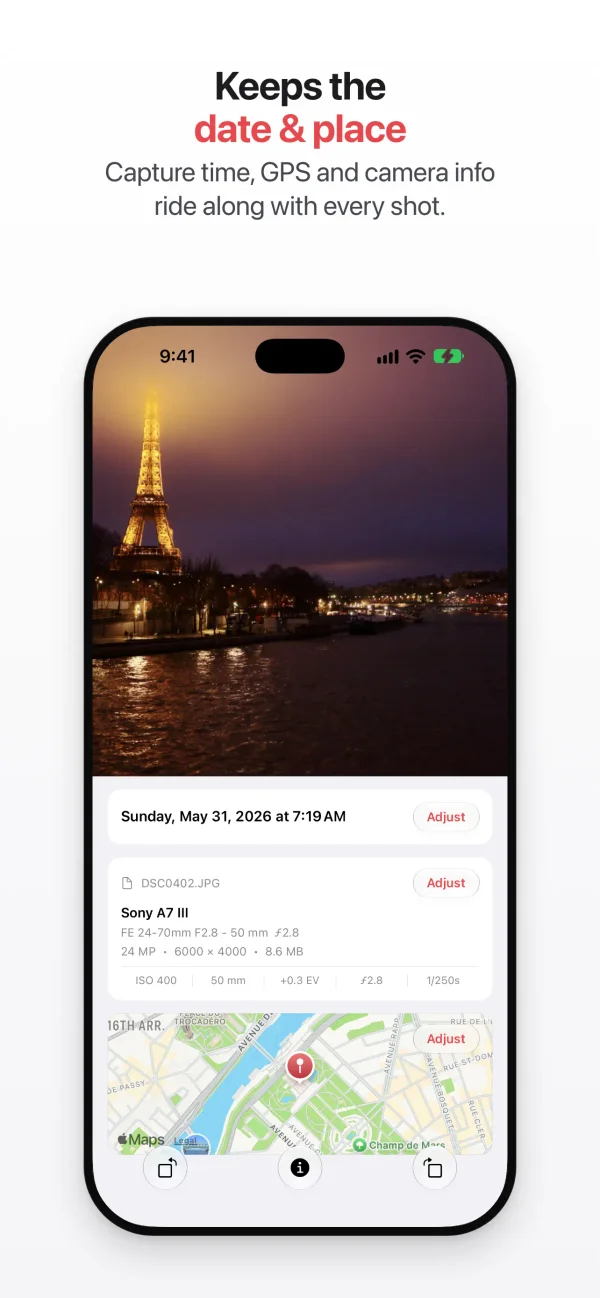
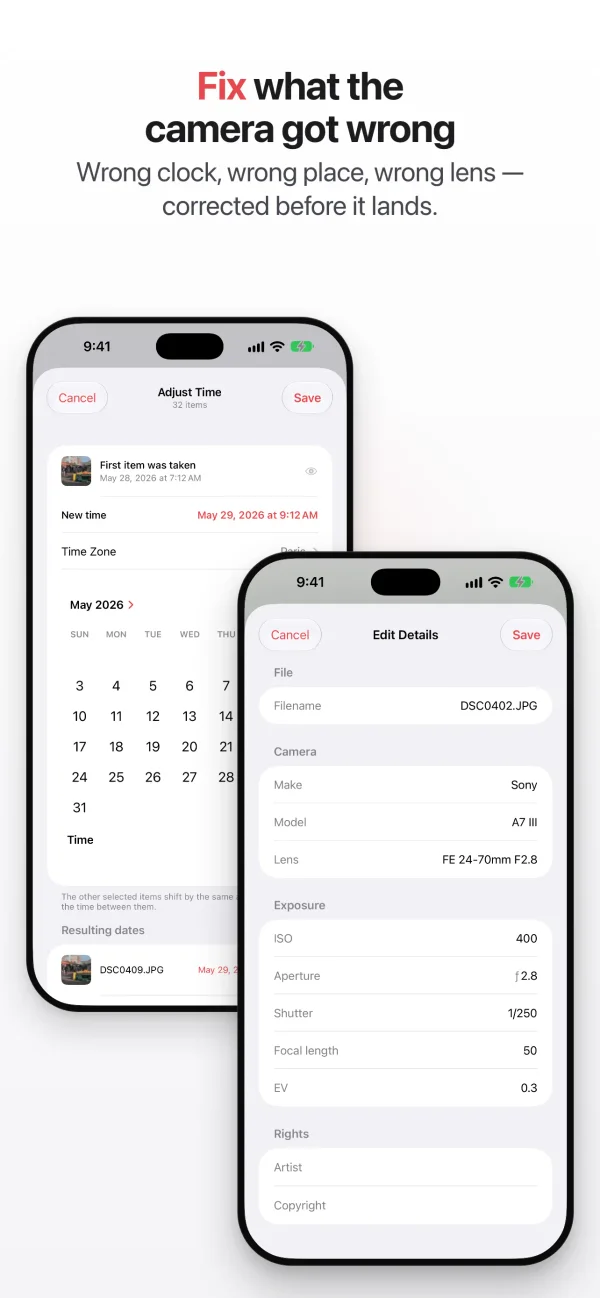
It keeps everything the camera recorded: capture date and time, GPS coordinates, make, model, lens, ISO, aperture, shutter speed and focal length. Capture reads those out of the file and writes them onto the photo explicitly, so each shot lands with the date and place it was taken, not the date you imported it.
That is why the app exists. A camera or card that mounts as a drive gets no photo importer, only a file browser, and a plain file copy does not set any of it, so whether the date and place survive then depends on whatever program opens the file next.
Connect the camera, card or drive, pick the shots you want, and they go into Photos.
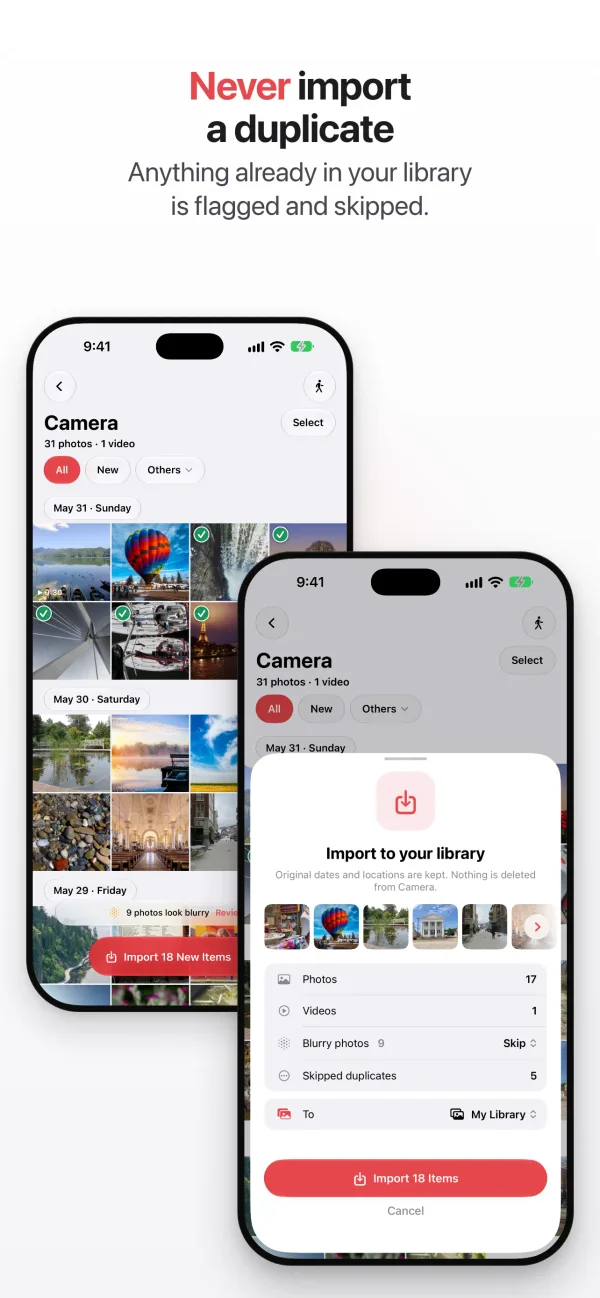
NEVER THE SAME PHOTO TWICE
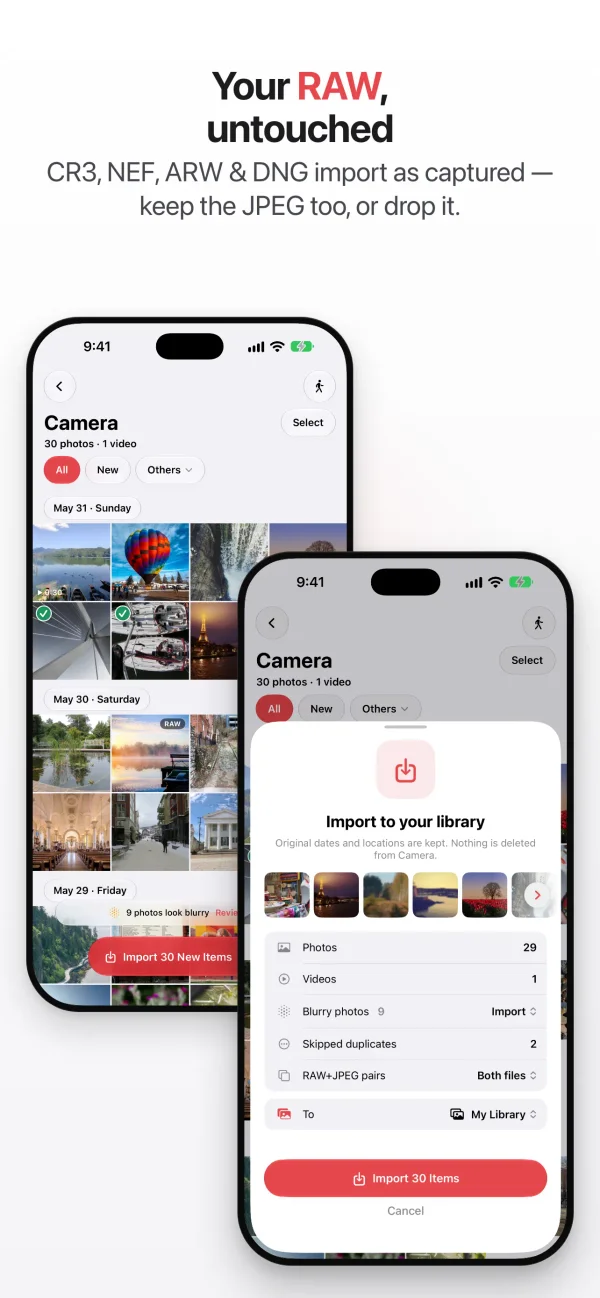
Every file is checked against your whole library first, rotated copies included, so anything you already imported comes back flagged. You only carry over what's new.
FIX IT BEFORE IT LANDS
The camera is not always right: a clock that was never set, no GPS receiver, the wrong lens in the EXIF. Correct any of those fields before the photo reaches your library: date and time on one frame or shifted across a whole batch, keeping the intervals between them; location on a map; copyright, artist and file name.
NOTHING TOUCHES THE CARD
Your originals are never written to. Every edit goes into the copy Photos gets. Rotation is lossless: one EXIF orientation tag rewritten, the pixels untouched.
RAW AS SHOT
CR3, NEF, ARW, DNG and more, imported exactly as captured.
STAYS ON YOUR DEVICE
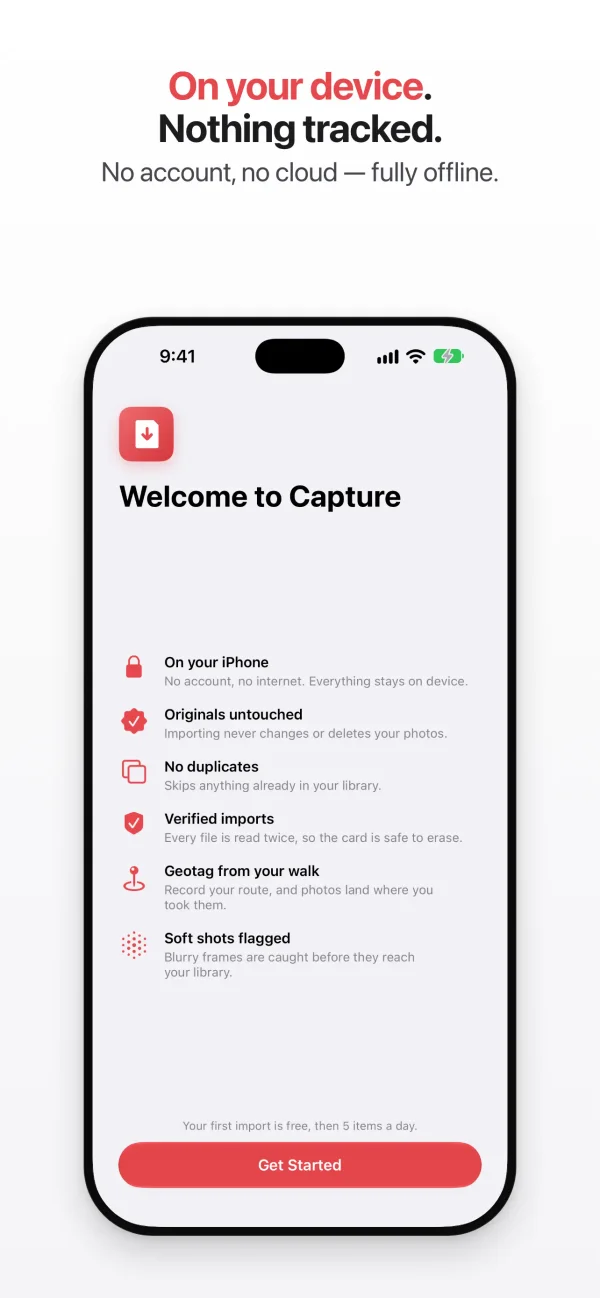
No account, no cloud, no servers. Nothing leaves your iPhone or iPad.
FREE TO START
Your first import is the whole card, no limits. After that, the free tier allows 5 items a day.
WHAT A PURCHASE CHANGES
It lifts the 5-a-day limit. Every capability below works on the free tier, with one exception: recording a route runs the GPS for hours at a time, so it comes with the purchase.
FOR THE CARD YOU CAN'T AFFORD TO LOSE
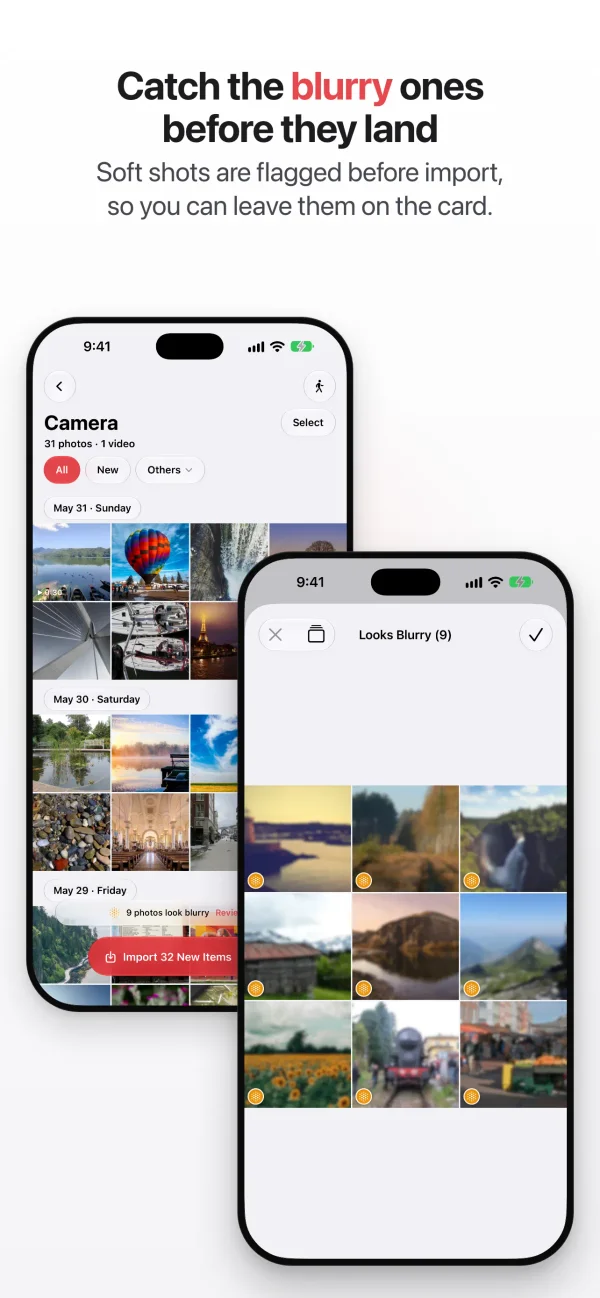
• Smart Cull scores sharpness while the card is still being read and flags the soft frames. Page through them full size, keep the ones you blurred on purpose, skip the rest so they never reach your library.
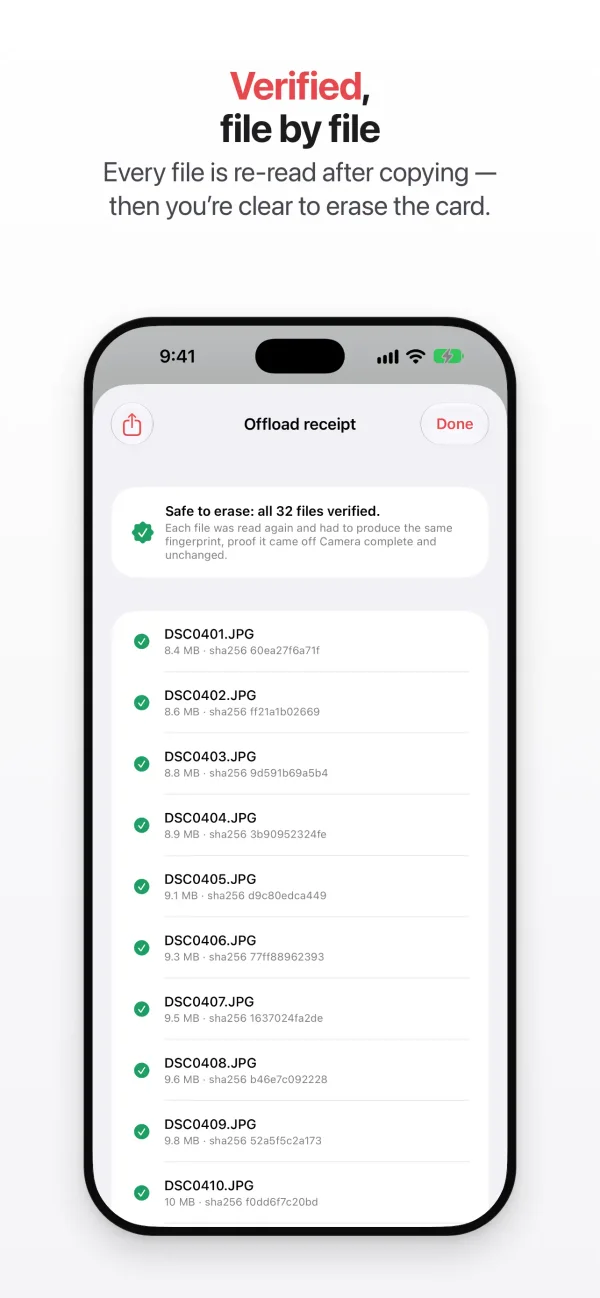
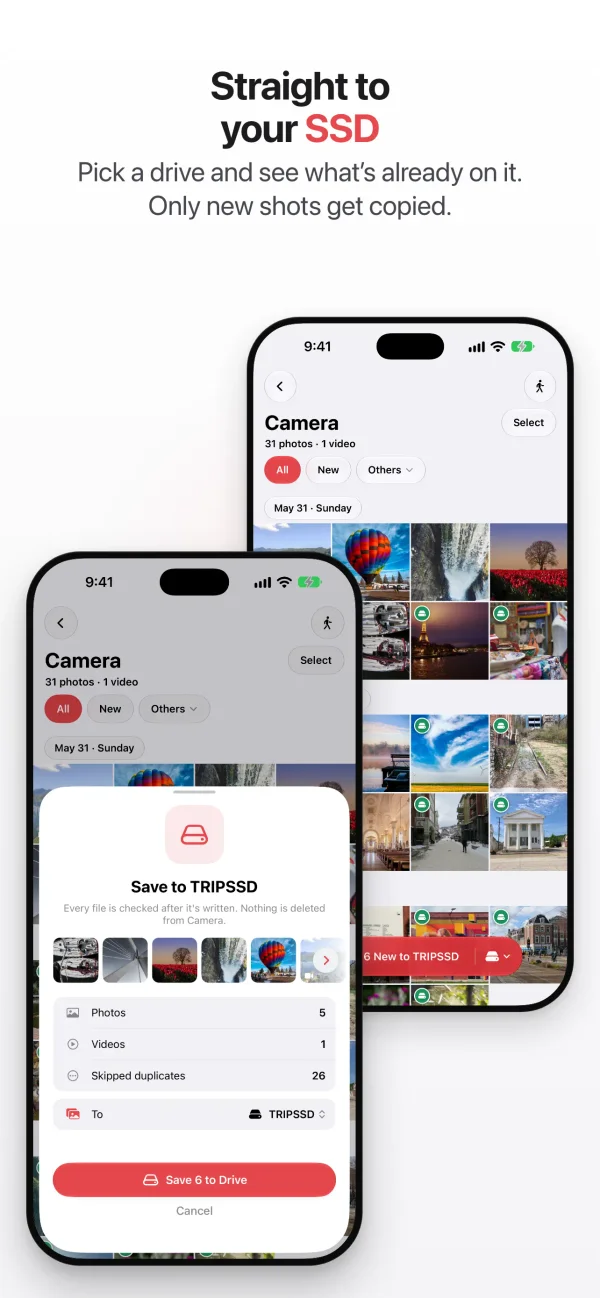
• Offload to a drive sends a card straight to an external SSD or a Files folder, no laptop. Every file is read back and hash-checked after writing, with a per-file receipt and a plain “safe to erase” verdict before you format anything.
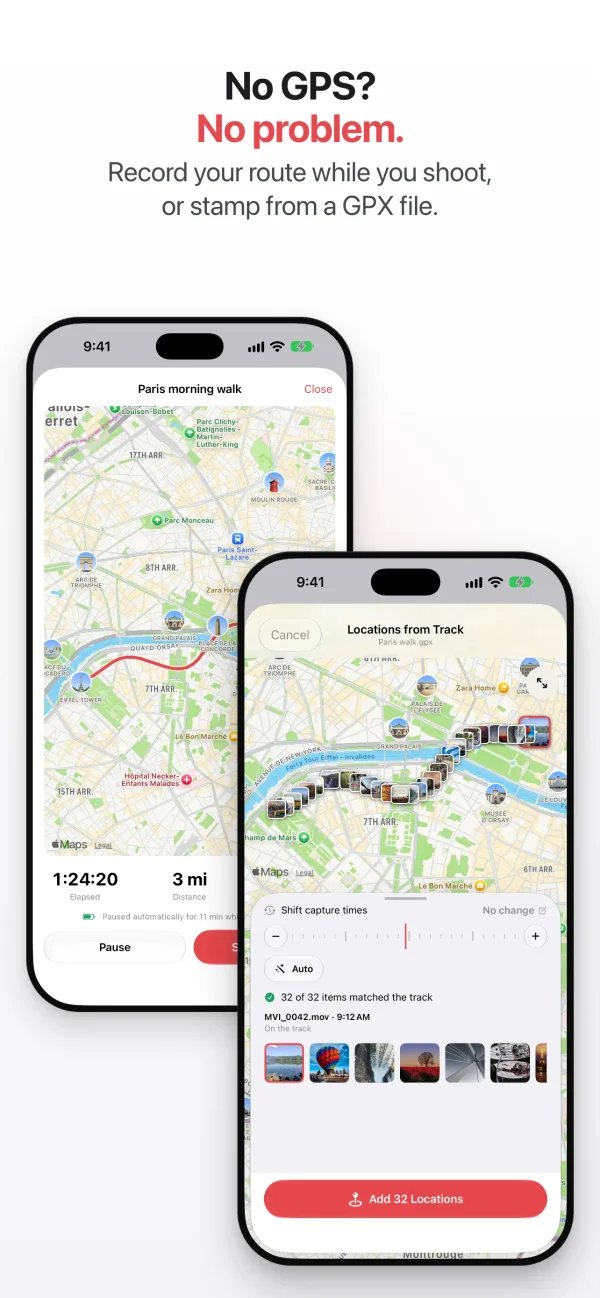
• Record your route while you shoot, then geotag the whole card from it, matched by capture time. Recording keeps going with the screen off and the app closed; nothing is logged unless you start a recording, and tracks stay on your iPhone.
• Geotag from any GPX track you already have, matched the same way.
• Keep both halves of a RAW+JPEG pair, or just one, and save RAW Photos can't render to Files so it survives.
• Old digicam videos (AVI, MPG) convert on import so they play on iPhone (iOS 18+), and a Shortcuts import runs with one tap.
One plan, as a monthly or yearly subscription, or a one-time Lifetime purchase.
---
Capture is an auto-renewing subscription (monthly or yearly); a one-time Lifetime unlock is also available, and prices are shown in the app before you buy. Payment is charged to your Apple Account at confirmation of purchase. Subscriptions renew automatically unless turned off at least 24 hours before the current period ends; you can manage or cancel anytime in your Apple Account settings.
Privacy Policy: https://capture.karololszanski.com/privacy
Terms of Use: https://www.apple.com/legal/internet-services/itunes/dev/stdeula/
Có gì mới
Phiên bản 1.4.2 · 11/11/2026
Import to Photos or save to a drive.
• The import button shows where your shots go. Choose a drive, and New is what isn't on it yet. It's remembered for each camera and card.
• A drive with room no longer reads as full, and it's called by its name.
Quyền riêng tư của ứng dụng
Những gì Karol Olszanski khai báo trên App Store về cách ứng dụng này xử lý dữ liệu.
-
Dữ liệu không được thu thập
Nhà phát triển không thu thập bất kỳ dữ liệu nào từ ứng dụng này.
Phương thức đảm bảo quyền riêng tư có thể khác nhau, chẳng hạn như tuỳ theo các tính năng bạn sử dụng hoặc độ tuổi của bạn.
Thông tin
- Người bán
- Karol Olszanski
- Danh mục
- Ảnh & Video
- Phiên bản
- 1.4.2
- Cập nhật
- 11/11/2026
- Phát hành
- 18/06/2026
- Kích thước
- 14,5 MB
- Yêu cầu
- iOS 17.0 trở lên
- Độ tuổi
- 4+
- Giá
- Miễn phí
- Mua hàng trong ứng dụng
- Có
- Ngôn ngữ
- Tiếng Anh, Tiếng Ả Rập, Tiếng Séc, Tiếng Đan Mạch, Tiếng Hà Lan, Tiếng Phần Lan, Tiếng Pháp, Tiếng Đức, Tiếng Hy Lạp, Hindi, Tiếng Ý, Tiếng Nhật + 10 ngôn ngữ khác
- Bản quyền
- © 2026 Karol Olszański
Có thể bạn cũng thích
-
 QSDCẢnh & Video
-
 Photo Import²: USB TransferẢnh & Video
-
 USB Backup - Photo & VideoẢnh & Video
-
 PhotoRelayẢnh & Video
-
 Offline Photo StorageẢnh & Video
-
 2Shoot: Photo & Video EditorẢnh & Video
-
 PhotoSync – transfer photosẢnh & Video
-
 Camera Connect & ControlẢnh & Video
-
 Simple Transfer - Photo+VideoẢnh & Video
-
 CamX - USB CameraẢnh & Video