Cashflows
Future balance forecaster
Được thiết kế cho iPhone, iPad, iPod touch
Miễn phí
- Độ tuổi4+
- Danh mụcTài Chính
- Nhà phát triểnNicola Cavanagh
- Ngôn ngữTiếng Anh+ 4 ngôn ngữ khác
- Kích thước18,0 MB
Liên kết đến trang App Store chính thức
Download.org không lưu trữ tệp nào của Cashflows. Nút này mở trang ứng dụng trên App Store, nơi Nicola Cavanagh phát hành ứng dụng. Trang được kiểm tra lần cuối: 17/11/2026.
Ảnh chụp màn hình
Giới thiệu
Nhà phát triển chưa cung cấp nội dung này bằng ngôn ngữ của bạn.
* Follow @MyCashflowApp on Twitter!
Cashflows helps you forecast future balances of your bank accounts. It's simple to set up and requires minimal effort to maintain.
Tell it about your recurring transactions (including transfers between accounts) and future one-time transactions, and let it estimate your account balances months (or years) into the future.
It's not interested in the past, so there's no need to enter or maintain your transaction history.
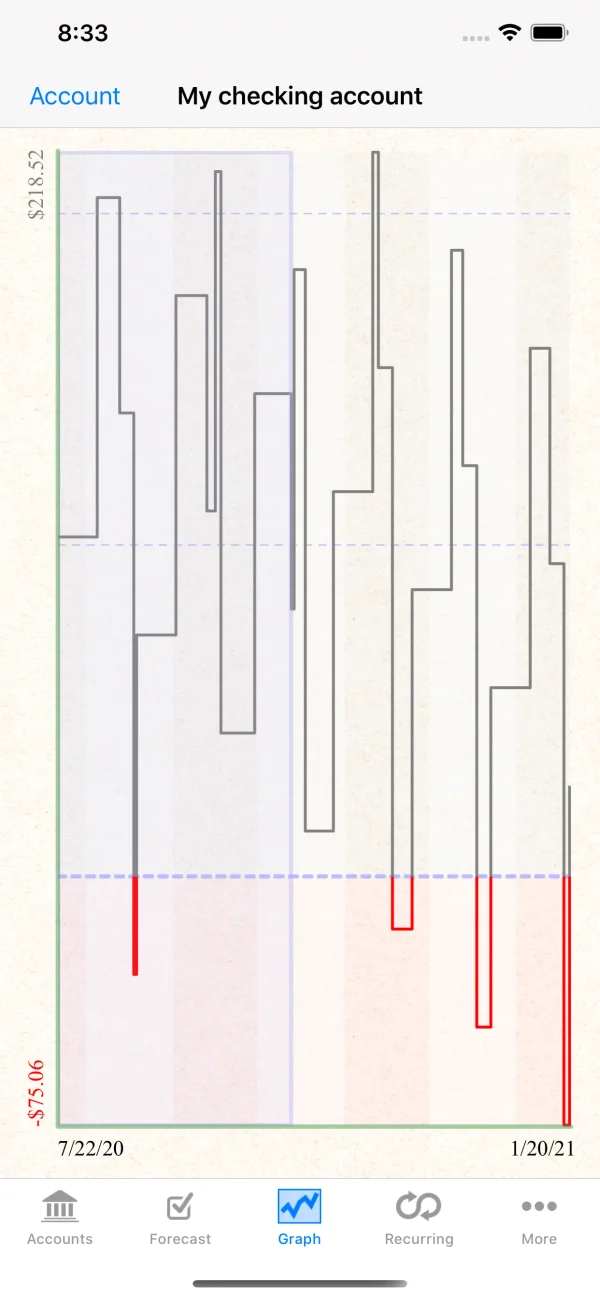
It shows your account transactions and balances over time and lets you override individual payment dates and amounts. Quickly toggle payments on and off to see how they impact your future balances. The graph updates immediately with any changes you make.
Update the starting balance occasionally, and it'll show you which transactions are still due. If any have already occurred (or are late) just tap to toggle them on or off.
FEATURES:
- Multiple accounts: Add multiple accounts and set up recurring or manual transfers between them.
- Recurring transactions: Supports recurring transactions with start date, end date (optional) and many recurrence options.
- Warning balance: Set a warning balance for an account and see at a glance when your balance is below it.
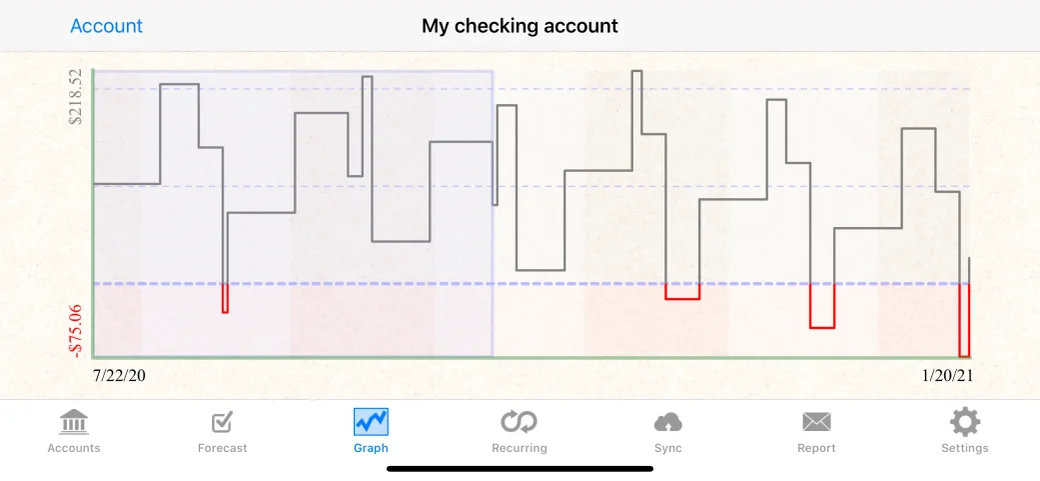
- Interactive forecast graph: Shows your future balance over time, highlighting warning balance and negative regions; tap the graph for a closer look at the nearby transactions.
- Reports: Create PDF or XML reports and send them by email or to your Dropbox account.
- iCloud Sync with Cashflows for Mac.
- Generate reports in PDF, CSV or XML
- Backup and restore your data to Dropbox or iTunes.
MANY USES:
* Planning Future Purchases:
This is a great tool for forecasting payments for a future loan, mortgage or car lease. Create a recurring transaction for the payment amount, fill in the first and last payment dates and see how it affects your balance. Make adjustments to figure out what you can afford.
* Planning for Change:
You might have a recurring bill that increases annually (such as health insurance). Simply create another recurring transaction to represent the increased payment and set its start date appropriately, and adjust the end date of the original transaction. You'll immediately see how it affects your finances in the future.
* Planning for Uncertainty:
The forecasts are only as accurate as you need them to be. If you plan to pay a minimum amount per month onto your credit card, set that up as a recurring transaction. Once you decide how much you want to pay this month, just override the forecast amount. You can always edit or delete the override later.
* Getting Out of Debt:
This app can help you get out of debt, and figure out how long it will take. Enter a recurring transaction between your checking / current and loan / credit account for the minimum amount you intend to pay each month. Extend the forecast period (tap "More" at the bottom of the Forecast page) and then look at the Balance Graphs for your accounts. If you can afford to pay extra in a few months, override that month's payment (or create a one-time transaction for the additional amount). You'll instantly see the effect on your checking / current balance, loan balance and when the loan will be repaid.
MOVING FROM TOTAL CASHFLOW?:
1. In Total Cashflow, go to Sync -> Export to iTunes
2. In iTunes on Mac or PC (with device connected and selected) go to Apps, then find Cashflow HD / Cashflow under “File Sharing”
3. Select the "MyCashflow.xml” file, then click “Save to…” and select a suitable folder
4. Browse to the folder and rename the file Cashflows.xml
5. Select Cashflows under “File Sharing” (Cashflows has a “thinner” icon than Cashflow HD / Cashflow)
6.Click “Add…” and select the new Cashflows.xml file
7. In Cashflows, go to Sync -> Import from iTunes
If you prefer, email us at appsupport@skydale-designs.com for Dropbox migration instructions.
Có gì mới
Phiên bản 1.110 · 23/12/2024
Updated to work with iOS18
Quyền riêng tư của ứng dụng
Những gì Nicola Cavanagh khai báo trên App Store về cách ứng dụng này xử lý dữ liệu.
-
Dữ liệu không được thu thập
Nhà phát triển không thu thập bất kỳ dữ liệu nào từ ứng dụng này.
Phương thức đảm bảo quyền riêng tư có thể khác nhau, chẳng hạn như tuỳ theo các tính năng bạn sử dụng hoặc độ tuổi của bạn.
Thông tin
- Người bán
- Nicola Cavanagh
- Danh mục
- Tài Chính
- Phiên bản
- 1.110
- Cập nhật
- 23/12/2024
- Phát hành
- 30/07/2014
- Kích thước
- 18,0 MB
- Yêu cầu
- iOS 9.0 trở lên
- Độ tuổi
- 4+
- Giá
- Miễn phí
- Ngôn ngữ
- Tiếng Anh, Tiếng Pháp, Tiếng Đức, Tiếng Ý, Tiếng Tây Ban Nha
- Bản quyền
- © Chris and Nicola Cavanagh
Có thể bạn cũng thích
-
 ForecastAI: Budget TrackingTài Chính
-
 RunrateLập ngân sách, tái phát minh
-
 Money Forecast: CashFlowTài Chính
-
 Kualto - Forecast BudgetingTài Chính
-
 Cash PredictTài Chính
-
 Fen: Finance TrackerTài Chính
-
 Foreseenly™ CashFlow+Tài Chính
-
 Finance Tracker & ManagerTrack investments and returns
-
 Sổ Thu Chi: Budget PlannerTiết Kiệm Tiền & Nhắc Nhở
-
 Cumo Expense TrackerTài Chính