
- Độ tuổi4+
- Danh mụcHiệu Suất
- Nhà phát triểnMarcello Tota
- Ngôn ngữTiếng Anh+ 1 ngôn ngữ khác
- Kích thước4,0 MB
Liên kết đến trang App Store chính thức
Download.org không lưu trữ tệp nào của CatalogViewer. Nút này mở trang ứng dụng trên App Store, nơi Marcello Tota phát hành ứng dụng. Trang được kiểm tra lần cuối: 22/11/2026.
Ảnh chụp màn hình
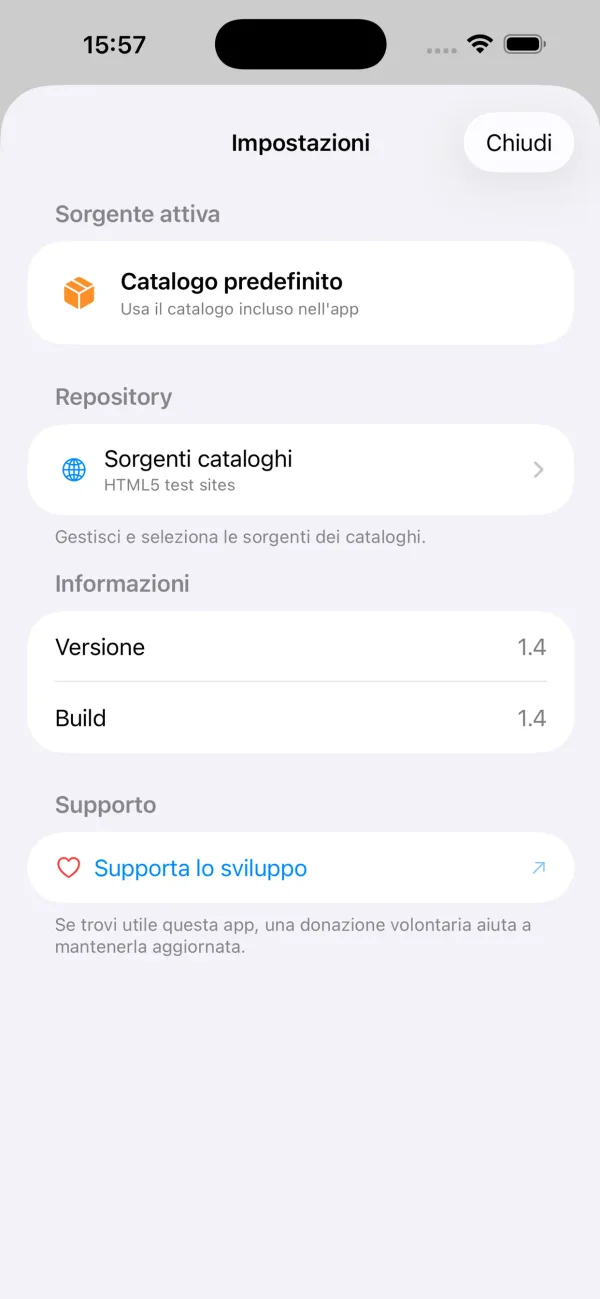


Giới thiệu
Nhà phát triển chưa cung cấp nội dung này bằng ngôn ngữ của bạn.
Catalog Viewer is a powerful and flexible app designed to bring your digital content directly to your iPhone or iPad—anytime, anywhere, even without an internet connection.
With Catalog Viewer, you can download and store websites packaged in .zip format from an online repository—no authentication required. Once downloaded, your content is instantly accessible offline, ensuring a smooth and reliable viewing experience wherever you are.
Originally conceived as a modern alternative to now subscription-based solutions like Adobe DPS and Twixl, Catalog Viewer is ideal for businesses, designers, and publishers looking for a cost-effective way to distribute interactive digital catalogs.
Whether you are working with HTML websites or exporting stunning presentations from InDesign in HTML5 format, Catalog Viewer delivers excellent performance and compatibility. It is especially powerful when used alongside the in5 extension by Ajar Productions, enabling you to transform your InDesign layouts into fully interactive digital experiences.
**Key Features:**
* Download and store .zip-packaged websites locally on your device
* Fully offline access to your catalogs and presentations
* No login or authentication required for content access
* Optimized for HTML5 content, including InDesign exports
* Ideal replacement for costly digital publishing platforms
* Smooth and responsive viewing experience on iPhone and iPad
* Search and sort
Catalog Viewer gives you full control over your digital publishing workflow—simple, efficient, and accessible.
Transform your content into a portable, offline-ready experience with Catalog Viewer.
How to use the App:
To download the sites locally, you can proceed in two ways:
1.
Save the site(s) in .zip format in a repository that doesn't require authentication and edit a json file pointing to the site URLs like this:
[
{
"id": "UniqueID",
"name": "the name of the presetation",
"version": "1.0",
"zipUrl": "https://URL_TO_THE_ZIP_FILE",
"thumbnail": "https://URL_TO_THE_THUMBANIL(optional)",
"fileSize": 5488344,
"updatedAt": "2026-04-14"
}
]
Save the Json in a free repository too, then enter the URL to the JSON file in the app settings.
Using a Json file with correct id and version let you manage the update of the same site.
2.
Share the .zip file via email using the form found here: https://areatestrepository.github.io/html5catalogs/link-generator.html. Once generated the link you can edit and modify the message and copy and paste it in your preferred mail client.
Có gì mới
Phiên bản 1.4 · 28/04/2026
What’s New in This Version
- Managing your repositories just got easier!
- Add multiple sources with support for multiple JSON URLs
- Quickly switch between lists directly from the main view
- General improvements for a smoother experience
Quyền riêng tư của ứng dụng
Những gì Marcello Tota khai báo trên App Store về cách ứng dụng này xử lý dữ liệu.
-
Dữ liệu không được thu thập
Nhà phát triển không thu thập bất kỳ dữ liệu nào từ ứng dụng này.
Phương thức đảm bảo quyền riêng tư có thể khác nhau, chẳng hạn như tuỳ theo các tính năng bạn sử dụng hoặc độ tuổi của bạn.
Thông tin
- Người bán
- Marcello Tota
- Danh mục
- Hiệu Suất
- Phiên bản
- 1.4
- Cập nhật
- 28/04/2026
- Phát hành
- 22/04/2026
- Kích thước
- 4,0 MB
- Yêu cầu
- iOS 17.6 trở lên
- Độ tuổi
- 4+
- Giá
- Miễn phí
- Ngôn ngữ
- Tiếng Anh, Tiếng Ý
- Bản quyền
- © 2026 Marcello Tota
Có thể bạn cũng thích
-
 OpenPage: Markdown ReaderXem trước HTML, nghe đọc
-
 Offprint: Web to PDF & EPUBHiệu Suất
-
 OneOpen: Trình xem tệpHTML, Markdown, CAD và 3D
-
 Templates for Pages - DesiGNTài liệu và thiết kế chuyên
-
 Encrypted Email - MailfenceHiệu Suất
-
 Cardhop ContactsHiệu Suất
-
 TextEdit - Soạn thảo văn bảnViết, chỉnh sửa văn bản với AI
-
 Supremo Remote DesktopHiệu Suất
-
 Shadow PCHiệu Suất
-
 SimplenoteHiệu Suất