Chigiri Memo - Split Notes
Simple to use, full-featured.
Được thiết kế cho iPhone, iPod touch
Miễn phí · Mua hàng trong ứng dụng
- Độ tuổi4+
- Danh mụcHiệu Suất
- Nhà phát triểnKeiji Hirose
- Ngôn ngữTiếng Anh+ 1 ngôn ngữ khác
- Kích thước35,3 MB
Liên kết đến trang App Store chính thức
Download.org không lưu trữ tệp nào của Chigiri Memo - Split Notes. Nút này mở trang ứng dụng trên App Store, nơi Keiji Hirose phát hành ứng dụng. Trang được kiểm tra lần cuối: 18/11/2026.
Ảnh chụp màn hình
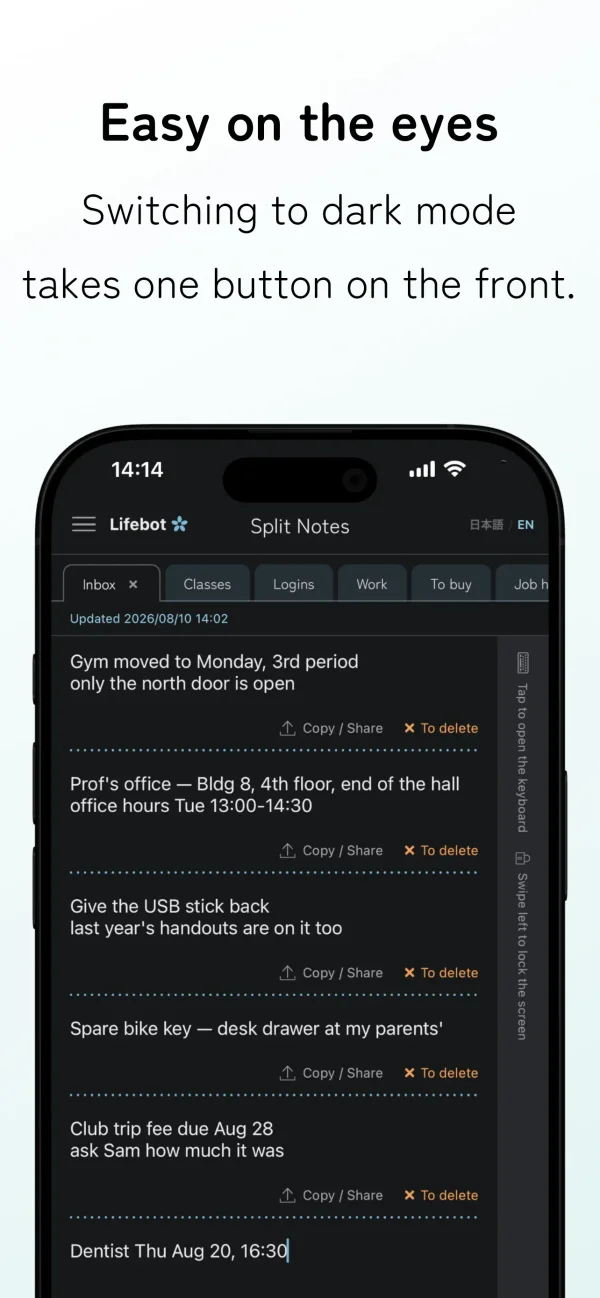
Giới thiệu
Nhà phát triển chưa cung cấp nội dung này bằng ngôn ngữ của bạn.
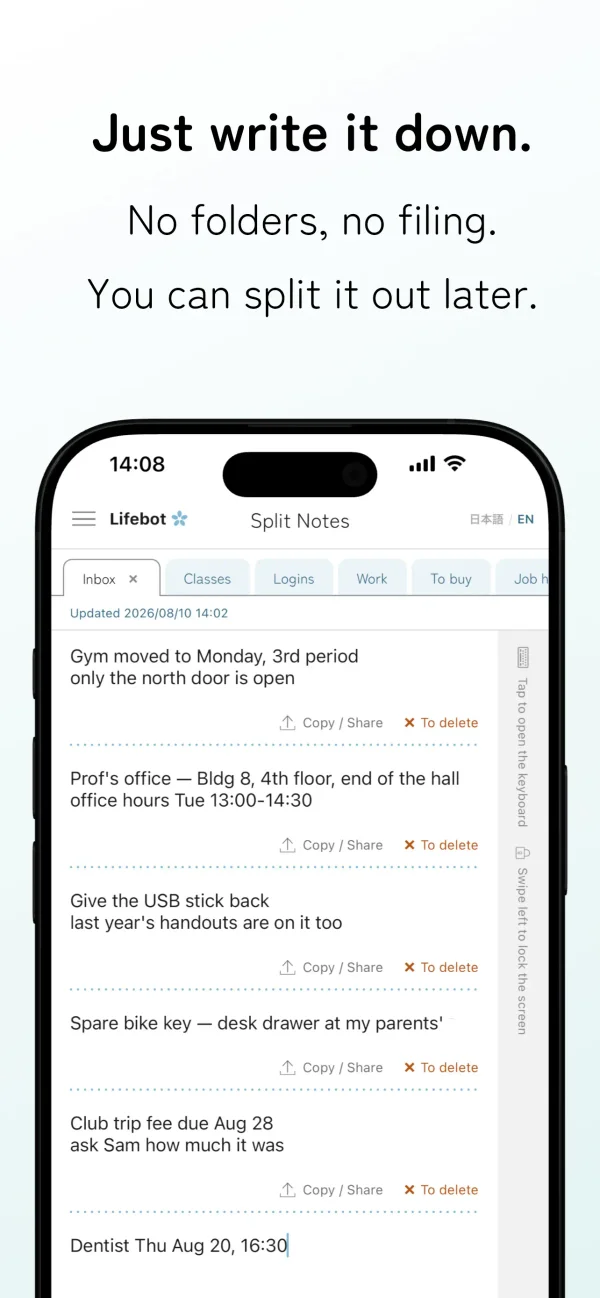
Write it all down first. Split it later.
Simple to use, with everything you need in one notepad.
Card-based note apps make you decide where something goes before you write it. Split Notes works the other way round: you write onto one page, and split out what you need afterwards. Filing becomes a decision you can postpone.
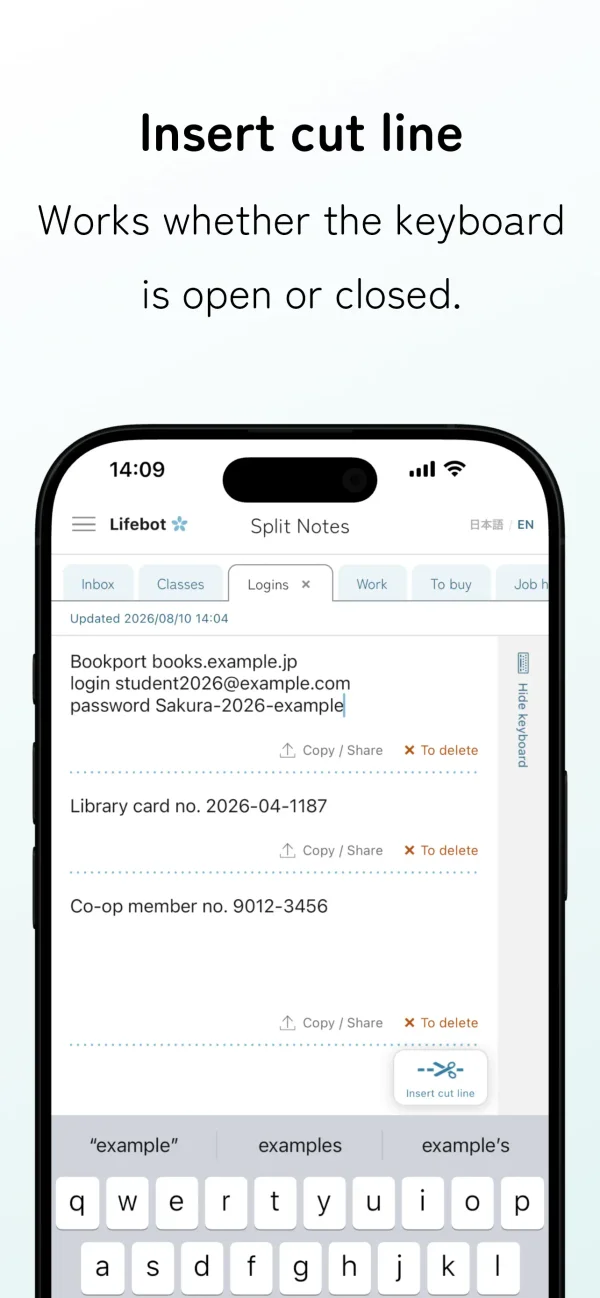
■ A cut line marks where a block ends
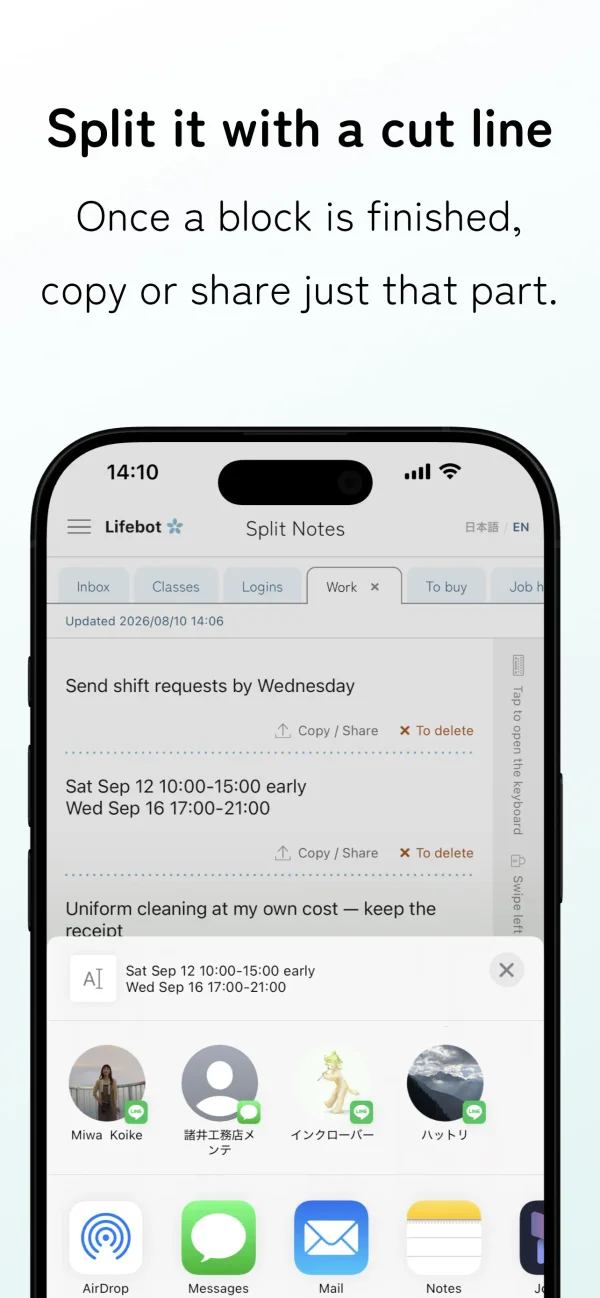
Tap "Insert cut line" in the footer and a dotted line appears wherever the cursor is. The Copy / Share and To delete buttons sit just above each line, and they act on the block above that line only. Press and hold a line to remove it, and the blocks above and below become one again.
■ Tabs instead of folders
Each tab holds one continuous page, so everything you wrote earlier stays in view while you type. Press and drag a tab to reorder it: gather the ones you use on the left, and the rest slide off the edge of the screen. Nothing is deleted, so scroll sideways and they come back. The order is the filing.
■ Move the cursor without opening the keyboard
You can select text without the keyboard popping up every time you touch the page. Tap the strip along the right edge when you want to write. While the keyboard is up, the Insert cut line button floats just above it, so you can split what you wrote without stopping.
■ We tell you when you repeat yourself
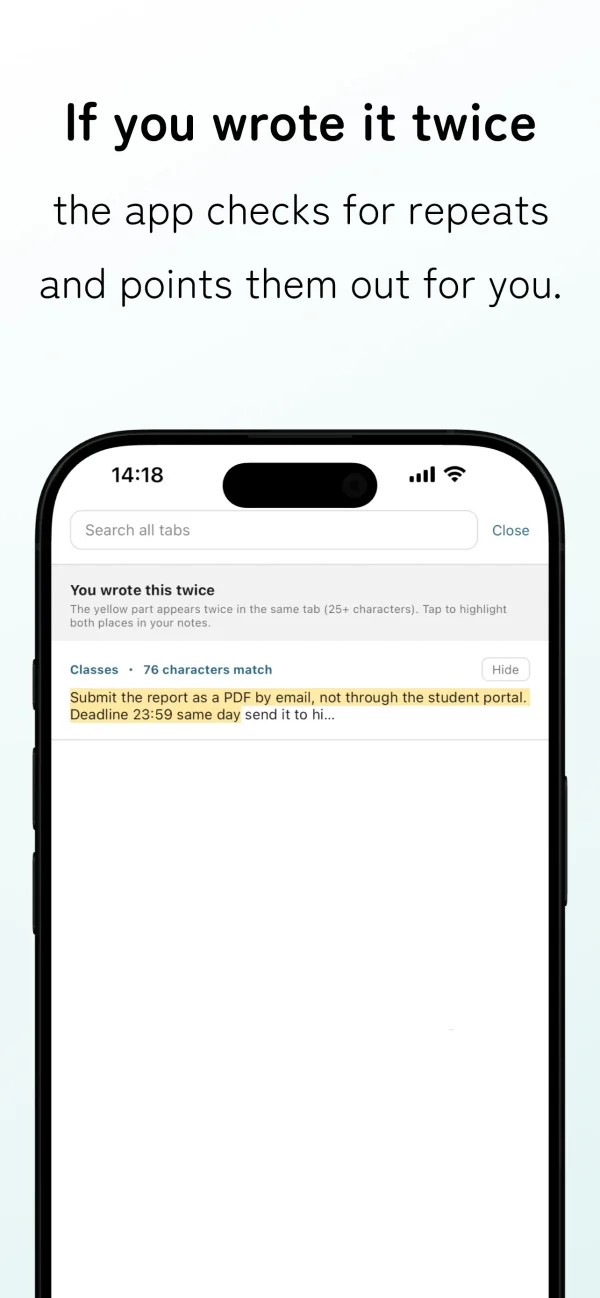
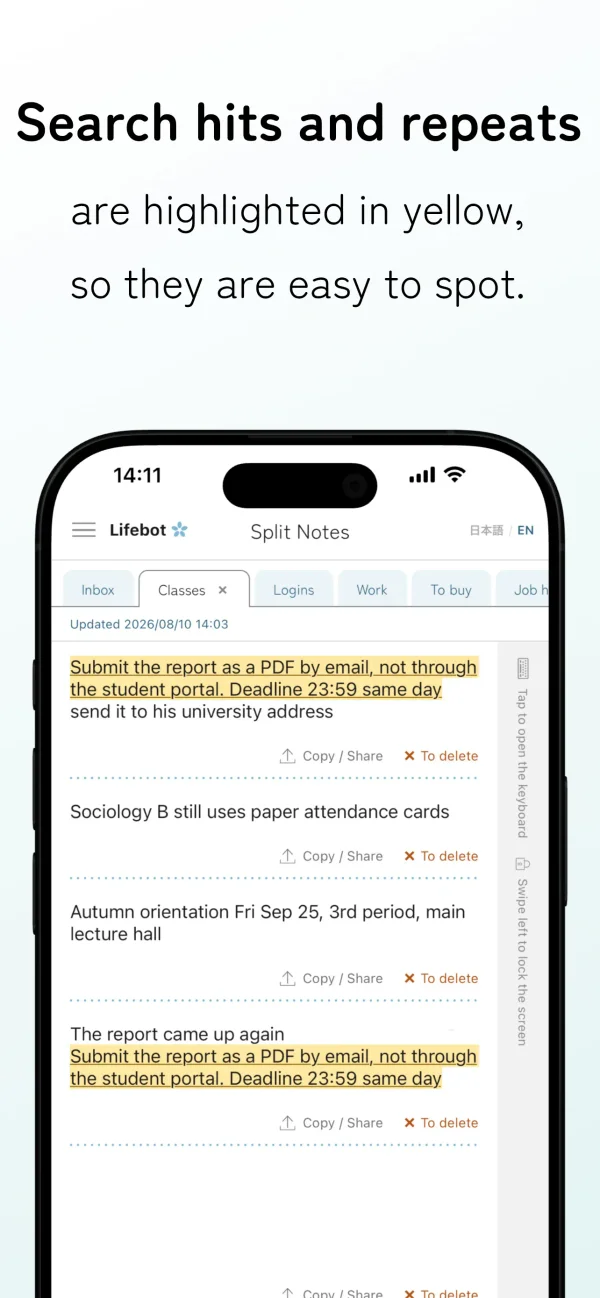
Press Search all and the app points out passages you wrote twice within the same tab. Tap a row to jump to the note, with both places lit up in yellow. If it turns out you need both, choose "Don't show" and that pair stops appearing.
■ Also included
- Full-text search across every tab, with the match lit up in yellow
- Earlier versions: the last 30 are kept for each tab
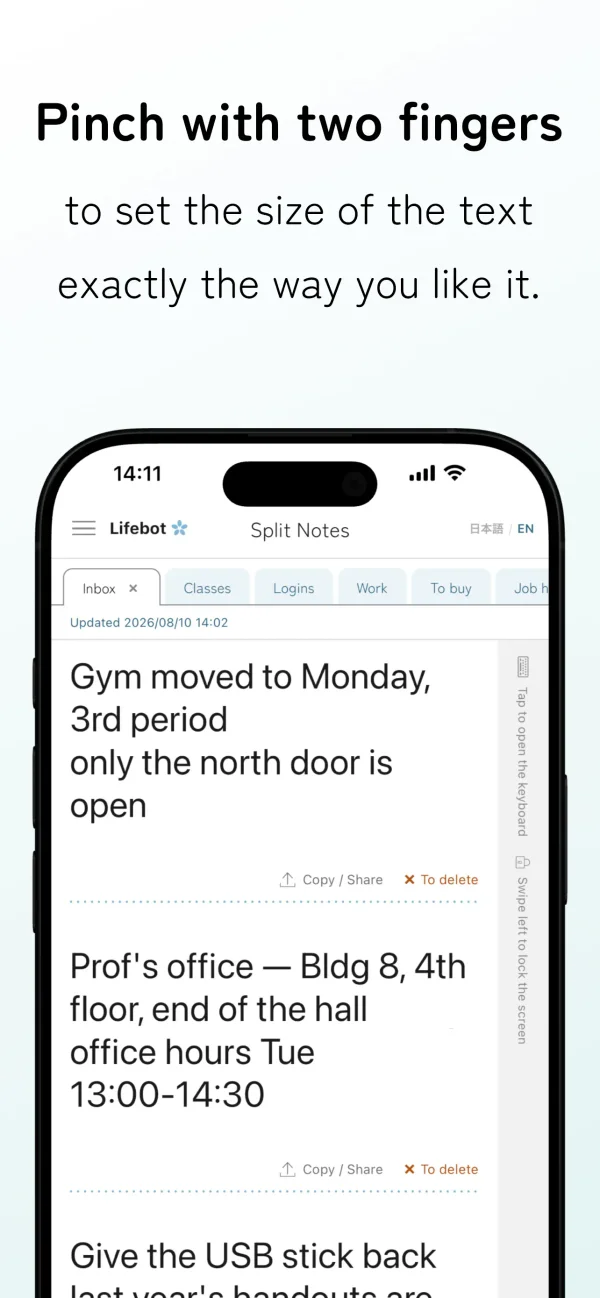
- Pinch with two fingers to resize the text; the size you choose is remembered
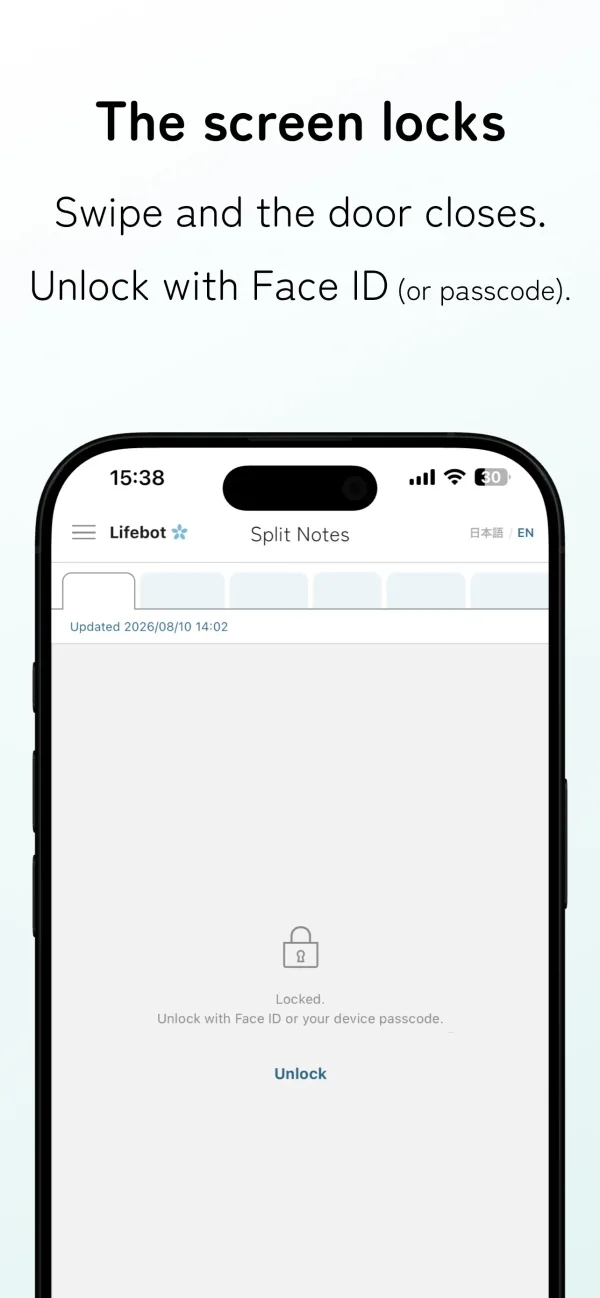
- Screen lock: swipe the right-edge strip to the left to cover the text. Unlock with Face ID / Touch ID, or your device passcode
- Dark mode
- A double tap selects a whole alphanumeric run, so 1234-5678, user_name and email addresses are not cut in half
■ Your notes never leave your device
What you write is stored only in a database on your iPhone. There is no mechanism for sending it to our servers, and there is no account and no sign-in.
The screen lock covers what is on the screen. It is not a vault that encrypts the text itself, so please use a dedicated password manager for anything that needs that level of protection.
■ Price
Every feature is there from the start, free. Tabs, cut lines and full-text search are unlimited, and the screen lock and dark mode work as well. The only difference is whether ads appear. Removing them is a one-time purchase, not a subscription.
Privacy Policy: https://lifebot.jp/chigirimemo/en/privacy/
Terms of Use: https://lifebot.jp/chigirimemo/en/terms/
Contact: https://lifebot.jp/chigirimemo/en/
Quyền riêng tư của ứng dụng
Những gì Keiji Hirose khai báo trên App Store về cách ứng dụng này xử lý dữ liệu.
-
Dữ liệu được sử dụng để theo dõi bạn
Có thể được sử dụng để theo dõi bạn trên các ứng dụng và trang web do công ty khác sở hữu.
- Mã định danh
- Dữ liệu sử dụng
-
Dữ liệu liên kết với bạn
Có thể được thu thập và liên kết với danh tính của bạn.
- Mã định danh
- Dữ liệu sử dụng
Phương thức đảm bảo quyền riêng tư có thể khác nhau, chẳng hạn như tuỳ theo các tính năng bạn sử dụng hoặc độ tuổi của bạn.
Thông tin
- Người bán
- Keiji Hirose
- Danh mục
- Hiệu Suất
- Phiên bản
- 1.0
- Cập nhật
- 19/08/2026
- Phát hành
- 19/08/2026
- Kích thước
- 35,3 MB
- Yêu cầu
- iOS 15.1 trở lên
- Độ tuổi
- 4+
- Giá
- Miễn phí
- Mua hàng trong ứng dụng
- Có
- Ngôn ngữ
- Tiếng Anh, Tiếng Nhật
- Bản quyền
- © 2026 Keiji Hirose
Có thể bạn cũng thích
-
 AI Noritsugi - AI TransferHiệu Suất
-
 DayMap - カレンダー×Todo×アイデアをひとつにHiệu Suất
-
 JotStayHiệu Suất
-
 Stop the BombHiệu Suất
-
 メモモモモHiệu Suất
-
 Notification TodoHiệu Suất
-
 To Do List: Eisenhower MatrixHiệu Suất
-
 AirCalc_Hiệu Suất
-
 easyDone Todo·Màn hình khóaNhìn là nhớ · Dynamic Island
-
 Memossage: Ghi chú trò chuyệnTìm ghi chú với một lần nhấn