
Clair Mind: AI Organized Notes
Notes That Connect
Được thiết kế cho iPhone, iPad
Miễn phí · Mua hàng trong ứng dụng
- Độ tuổi4+
- Danh mụcHiệu Suất
- Nhà phát triểnZiad Emadaldeen
- Ngôn ngữTiếng Anh+ 8 ngôn ngữ khác
- Kích thước25,4 MB
Liên kết đến trang App Store chính thức
Download.org không lưu trữ tệp nào của Clair Mind: AI Organized Notes. Nút này mở trang ứng dụng trên App Store, nơi Ziad Emadaldeen phát hành ứng dụng. Trang được kiểm tra lần cuối: 14/11/2026.
Ảnh chụp màn hình

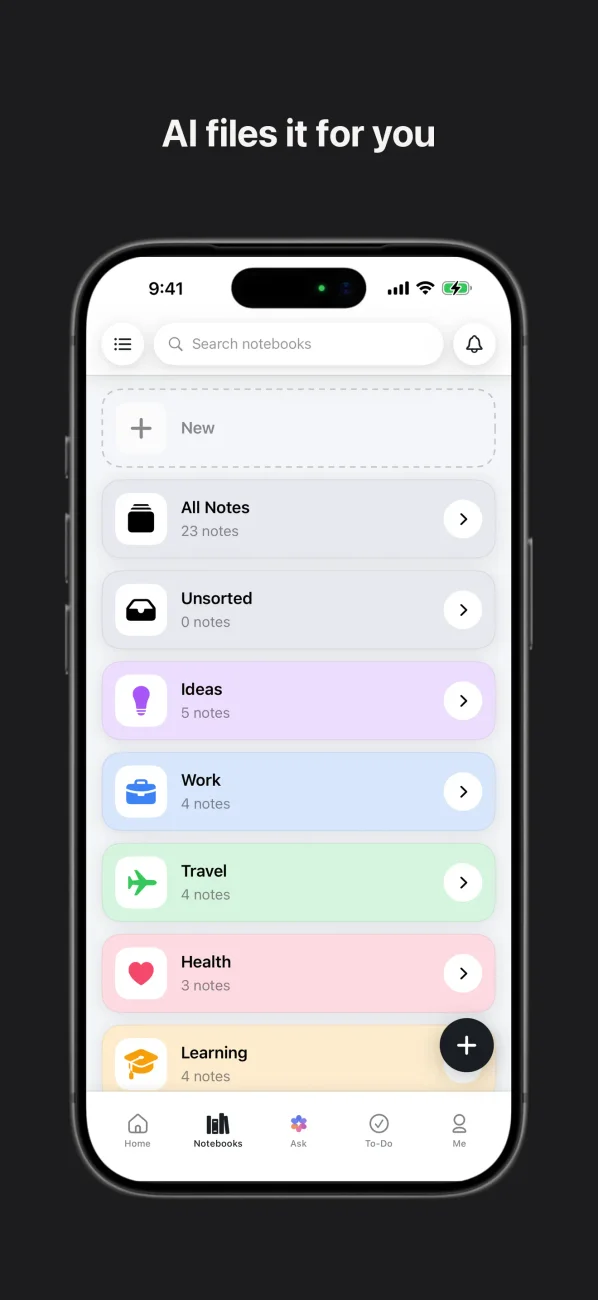
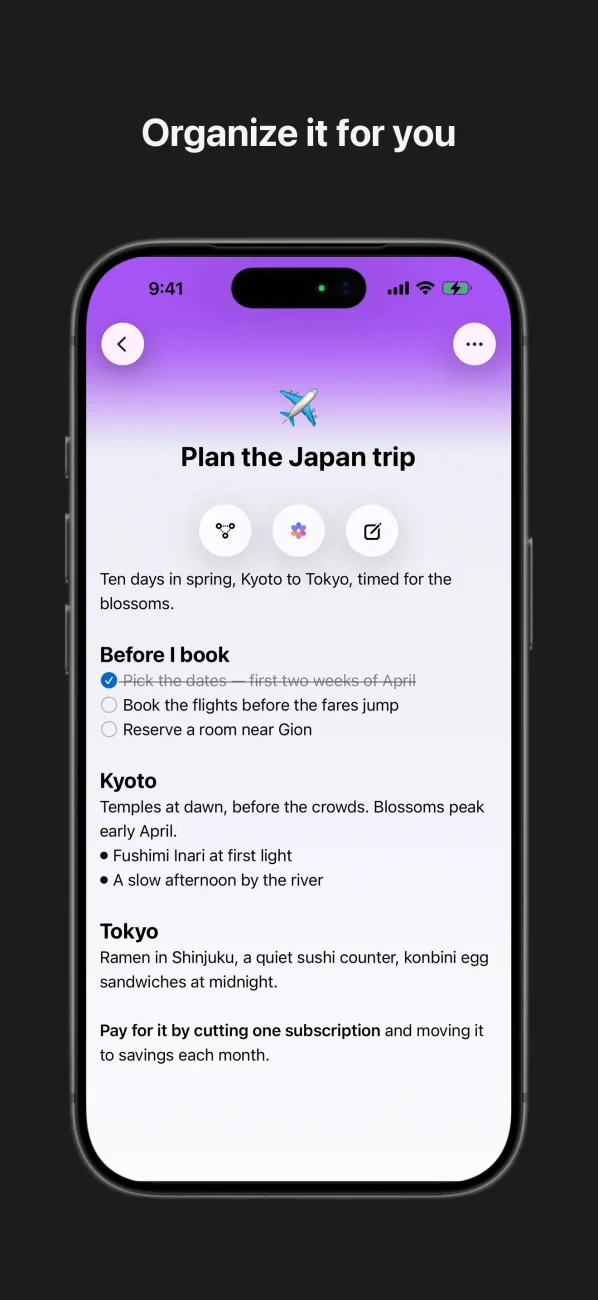
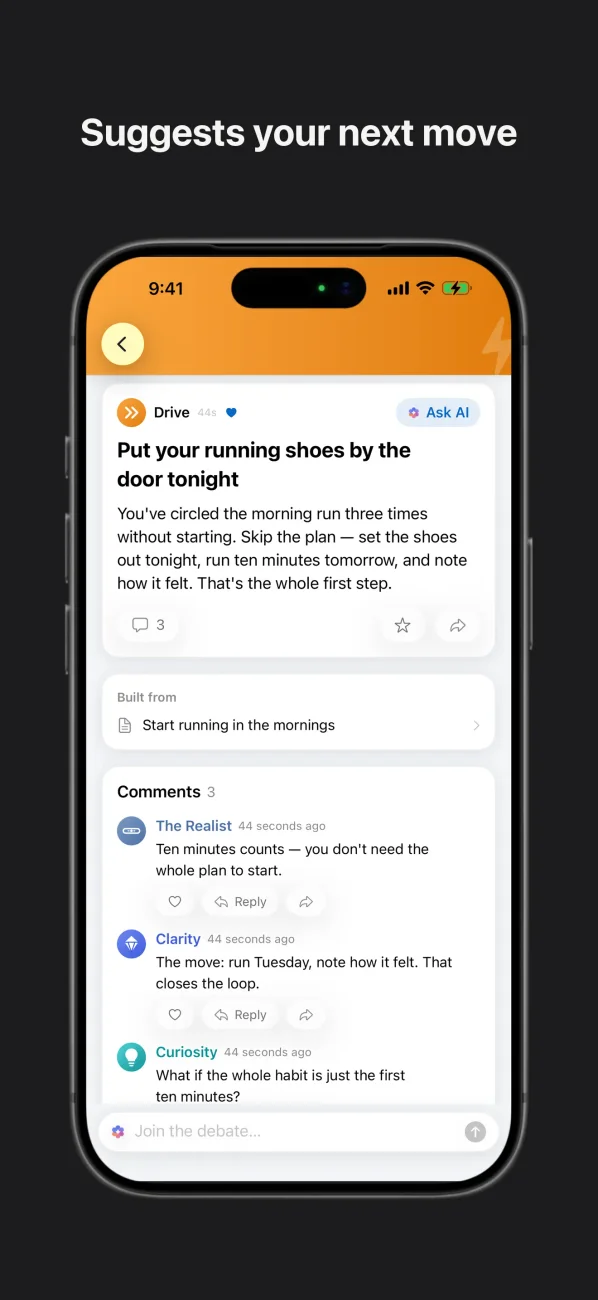
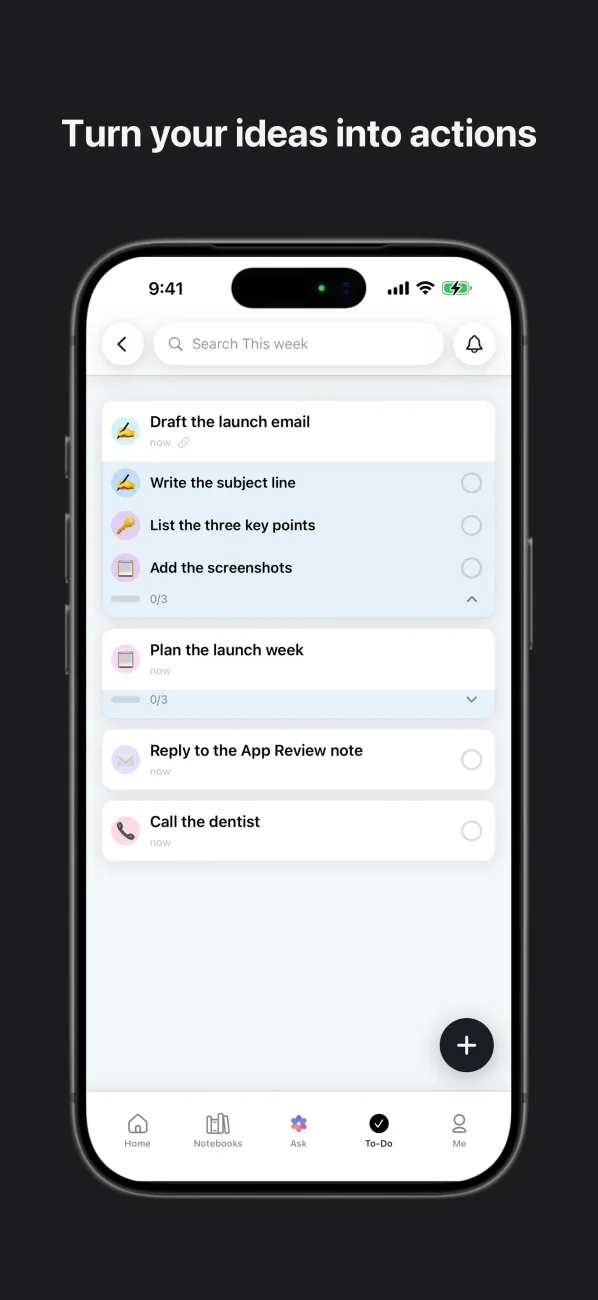
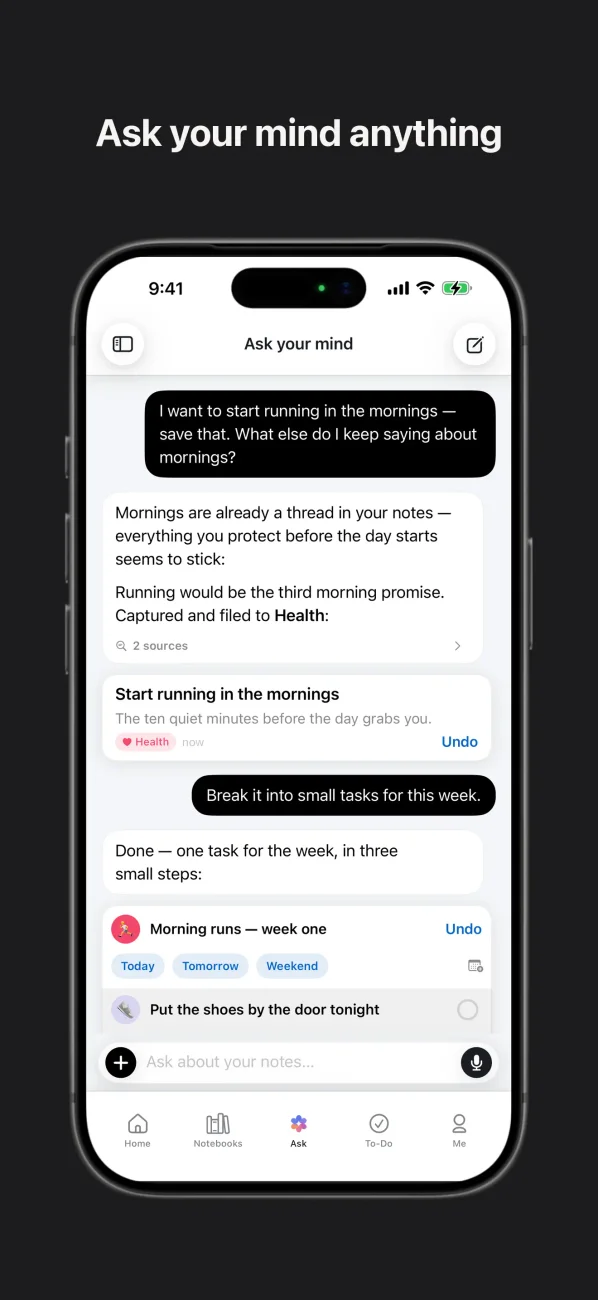
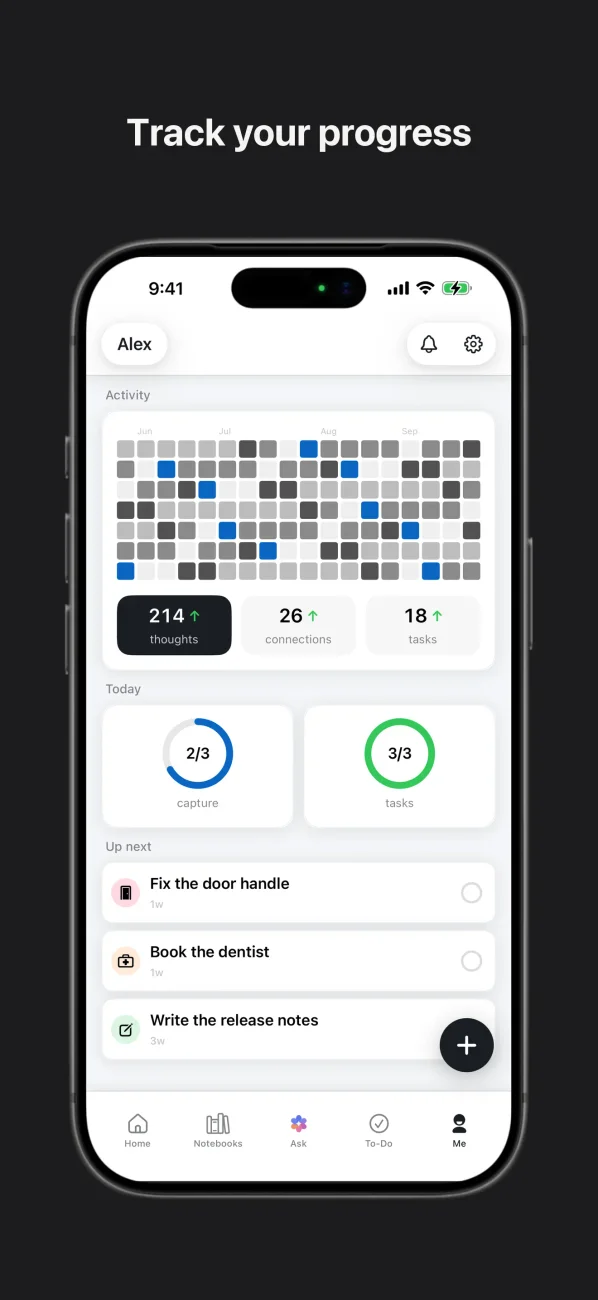
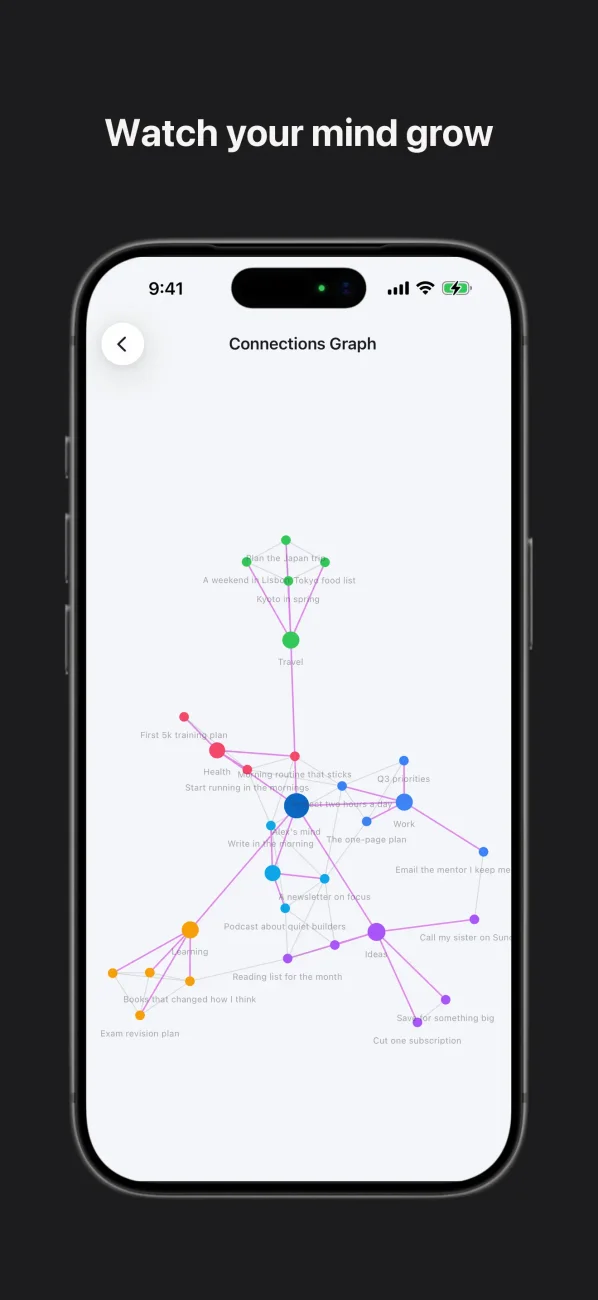
Giới thiệu
Nhà phát triển chưa cung cấp nội dung này bằng ngôn ngữ của bạn.
WHAT CLAIR MIND IS
A private, local-first notes app. You capture a thought, it gets filed and titled for you, and over time you can see how your notes connect. Notes, notebooks, tasks and search all work fully offline and on-device.
SIGNING IN — PLEASE READ
The app offers Sign in with Apple and Sign in with Google only; there is no password-based login, so there are no demo credentials we can supply. Please tap "Sign in with Apple" and use your own Apple ID — account creation is instant, free, and requires no payment.
Everything except the AI features works WITHOUT any account. You can install, capture notes, create tasks, browse notebooks and search with no sign-in at all.
The AI features require an account because each request costs us money per call and is metered per user. Signing in is free and includes 1,000 words of AI per month at no charge.
WHERE TO FIND EACH FEATURE
- Capture a note: the round "+" button, bottom right of any tab. Type, then Save. The note lands in "Unsorted".
- Create a task: same "+" button, then tap the checklist icon at the bottom right of the sheet to switch from note to task.
- Ask AI: the "Ask" tab, centre of the bottom bar. Type a question about your notes. Requires sign-in. Past conversations are behind the history icon, top left of that screen.
- Connections: open any note, then tap the flower icon above the note body.
- Notebooks: the "Notebooks" tab. Tap any notebook to see its notes.
- Tasks: the "To-Do" tab. Tap a list to open it; tap the circle on a row to complete it.
- Your activity, plan and settings: the "Me" tab, then the gear icon, top right.
FREE VS PRO
- Free, after signing in: the entire app, plus 1,000 words of AI per month.
- Pro (auto-renewing subscription): a much larger monthly AI allowance and voice capture (the microphone in the capture sheet and in Ask AI).
- The paywall appears when the free AI allowance runs out, and from the "Unlock AI with Pro" row on the Me tab.
- Restore Purchases: Me tab → gear icon → Account.
ACCOUNT DELETION
Me tab → gear icon → Account → Delete Account. It is a press-and-hold confirmation, then the account and its server-side data are removed.
PRIVACY
Notes live on the device. When you use an AI feature, the relevant note text is sent per-request to our AI provider to generate that one response; it is not stored server-side and is never used for training. This version adds analytics covering the first-run setup flow only, including a screen recording of onboarding with all typed text and images masked; recording stops before you reach your notes. Both are declared on the privacy label and in the app's privacy manifest, and described at https://clairmind.ai/privacy.
CONTACT
support@clairmind.ai — happy to answer anything or walk through a feature.
Có gì mới
Phiên bản 1.3.2 · 07/11/2026
Clair Mind now fits any screen, reads your notes better, and turns your voice into text right on your device.
ANY SCREEN, ANY WAY UP
Turn your iPhone sideways. The app now adapts to landscape and to different screen sizes.
VOICE ON YOUR DEVICE
Voice typing and transcription now happen on your device, not on a server, and work on older iPhones too.
BETTER NOTES
Tables, highlights, callouts, footnotes and math now show properly when you read a note. A small trail above the title shows where a note lives. Typing and scrolling in long notes feel smoother.
SIMPLER TASKS
The task page is easier to read and you edit right on it. To-Do's Lists page now works like Notebooks.
YOUR LANGUAGE
The getting-started tutorial now follows the app's language.
Plus smaller fixes, including an Undo button that is always easy to tap.
Quyền riêng tư của ứng dụng
Những gì Ziad Emadaldeen khai báo trên App Store về cách ứng dụng này xử lý dữ liệu.
-
Dữ liệu liên kết với bạn
Có thể được thu thập và liên kết với danh tính của bạn.
- Mục mua
- Thông tin liên hệ
- Nội dung của người dùng
- Mã định danh
- Dữ liệu sử dụng
- Chẩn đoán
Phương thức đảm bảo quyền riêng tư có thể khác nhau, chẳng hạn như tuỳ theo các tính năng bạn sử dụng hoặc độ tuổi của bạn.
Thông tin
- Người bán
- Ziad Emadaldeen
- Danh mục
- Hiệu Suất
- Phiên bản
- 1.3.2
- Cập nhật
- 07/11/2026
- Phát hành
- 28/06/2026
- Kích thước
- 25,4 MB
- Yêu cầu
- iOS 18.0 trở lên
- Độ tuổi
- 4+
- Giá
- Miễn phí
- Mua hàng trong ứng dụng
- Có
- Ngôn ngữ
- Tiếng Anh, Tiếng Ả Rập, Tiếng Pháp, Tiếng Đức, Tiếng Nhật, Tiếng Hàn, Tiếng Bồ Đào Nha, Tiếng Trung Giản thể, Tiếng Tây Ban Nha
- Bản quyền
- © 2026 Ziad Emadeldeen
Có thể bạn cũng thích
-
 ModelDock LocalPrivate Local AI Chat
-
 Peeky: Pocket SidekickHiệu Suất
-
 MailWit: AI Email AssistantHiệu Suất
-
 ContextorAI - AI for NotesHiệu Suất
-
 Todofy AI VoiceHiệu Suất
-
 Orbit – Second BrainHiệu Suất
-
 IPomodoro - Simple Focus TimerHiệu Suất
-
 Taskly: Smart To-DoHiệu Suất
-
 Buck-It: S3 ClientHiệu Suất
-
 Habit Tracker - Daily TasksHiệu Suất