- Độ tuổi4+
- Danh mụcGiải Trí
- Nhà phát triểnMatteo Nunziati
- Ngôn ngữTiếng Anh+ 21 ngôn ngữ khác
- Kích thước33,2 MB
Liên kết đến trang App Store chính thức
Download.org không lưu trữ tệp nào của ClearPlayer TV. Nút này mở trang ứng dụng trên App Store, nơi Matteo Nunziati phát hành ứng dụng. Trang được kiểm tra lần cuối: 15/11/2026.
Ảnh chụp màn hình
Giới thiệu
Nhà phát triển chưa cung cấp nội dung này bằng ngôn ngữ của bạn.
ClearPlayer is a universal media player for iOS, iPadOS, and Apple TV, engineered for modern streaming standards, custom playlists, ClearKey, and XMLTV EPG integration — built from the ground up for viewers who demand total control over their playback experience.
Stream Engine & Performance
• Unified Native Playback: Hardware-accelerated bitstream processing powered by AVFoundation and VideoToolbox for smooth, battery-efficient playback
• Advanced Protocol Pipeline: Seamless playback of HLS (RFC 8216) and MPEG-DASH (ISO/IEC 23009-1) streams across fragmented MP4 (fMP4), CMAF, and MPEG-TS containers, with integrated ClearKey support
• Real-Time Stream Inspector: Live technical readout of resolution (up to 4K UHD), frame rate (50/60 fps), bitstream codec (HEVC, AVC), instantaneous bitrate, and dynamic range (HDR10, HLG, Dolby Vision, SDR)
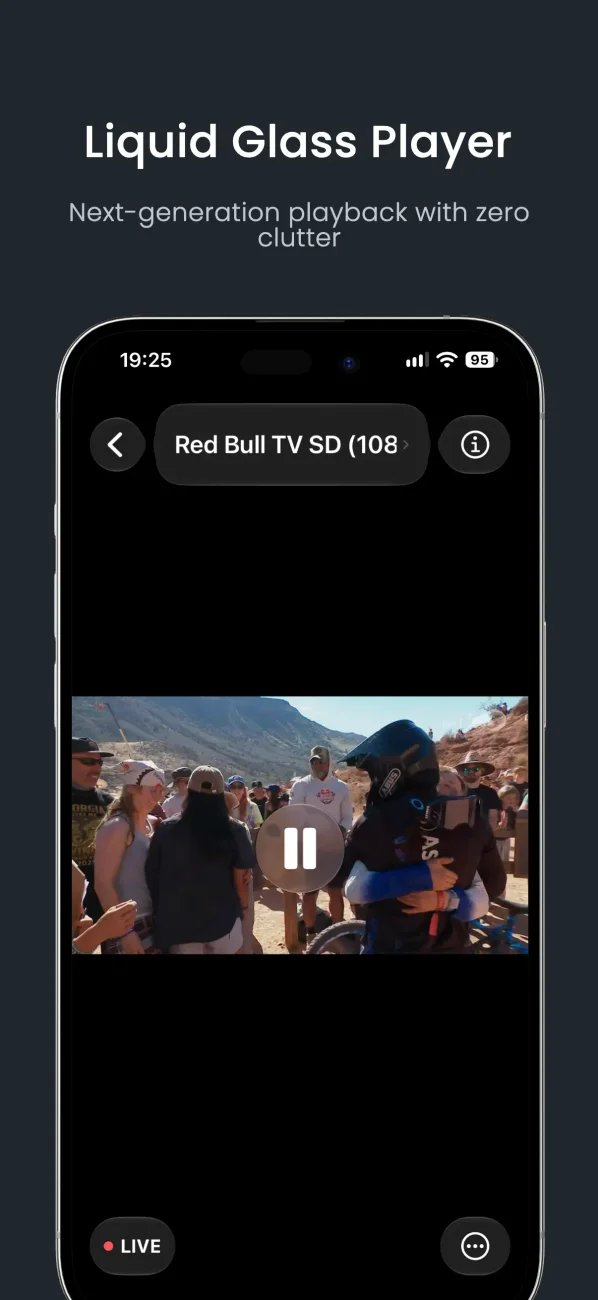
• Live DVR & Extended Time-Shift: Pause, rewind, and scrub live broadcasts with deep time-shift buffer support and configurable seek jump steps (10s, 30s, 1m, 2m)
• Multi-Channel Audio & Subtitles: Instant track selection for multi-language audio, spatial formats (including Dolby Digital Plus), and embedded subtitles
• Quick Play: Instantly test and launch any stream URL or M3U snippet with a single tap, without adding it to your permanent library
• Native Picture in Picture (PiP) and continuous background / lock-screen audio playback
Playlists & Formats
• Comprehensive M3U & M3U8 Support: Handles nested playlists, extended tags (#EXTINF, #EXTGRP, #EXTVLCOPT, #EXTHTTP), and compressed archives
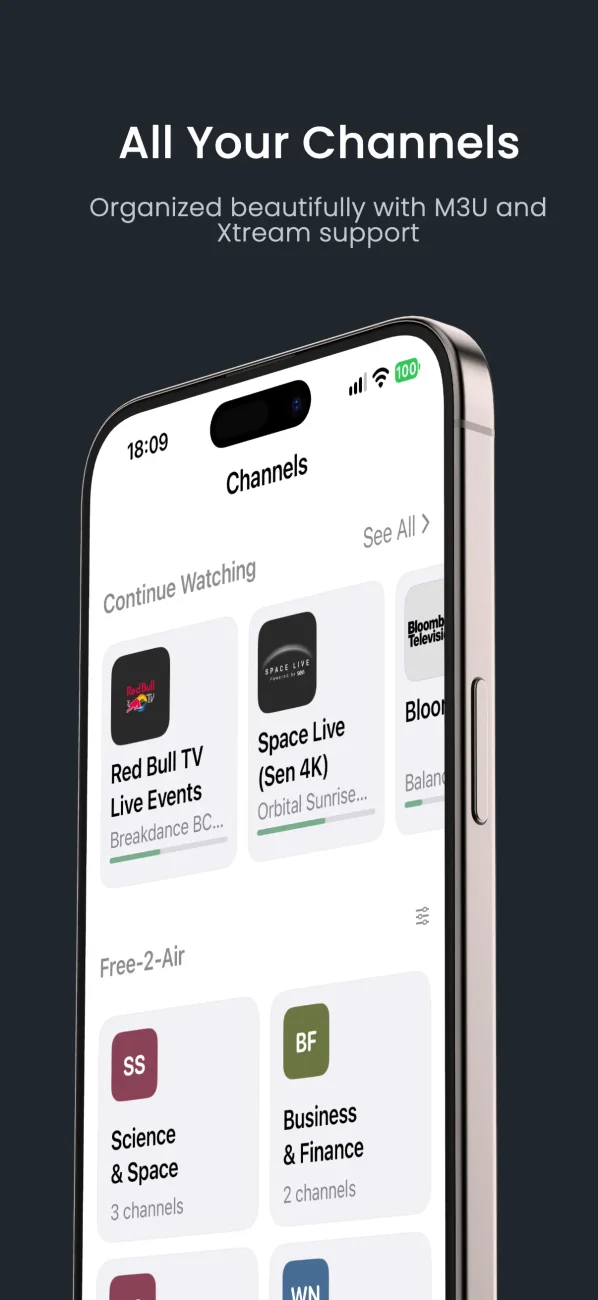
• Xtream Codes Integration: Full organization for Live TV and VOD libraries, complete with account status and connection monitoring
• Extended Streaming Parameters: Native handling for Kodi and VLC streaming metadata (#KODIPROP), custom HTTP headers, user-agent overrides, and key system parameters
• Direct File Import: Add playlist files directly from the Files app or iCloud Drive
• Automated Background Refresh: Scheduled synchronization with smart token renewal and offline cache persistence
Interactive TV Guide (XMLTV EPG)
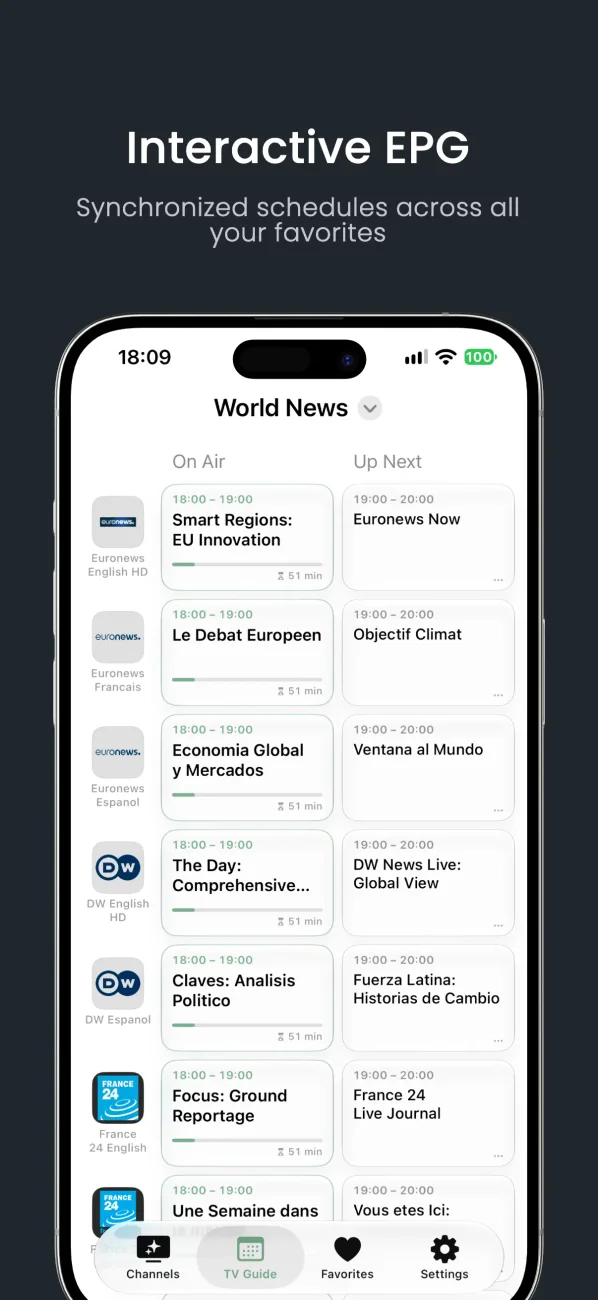
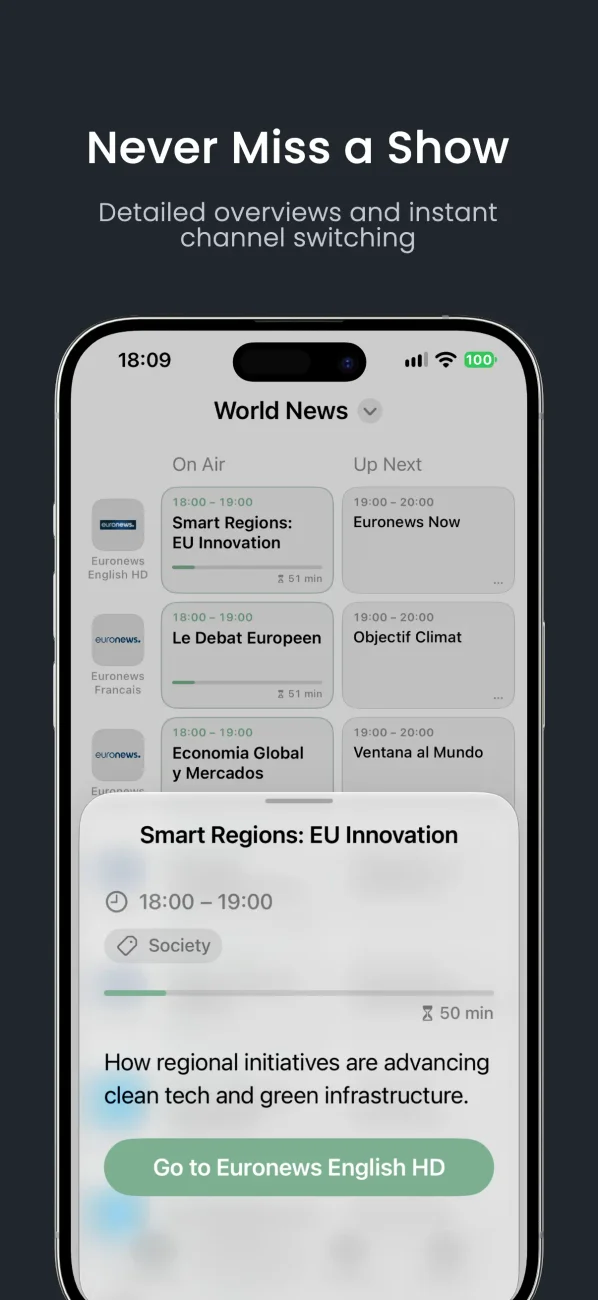
• Visual EPG Grid: Interactive program schedule matrix across channels and timelines, optimized for touch and the big screen
• Rich Program Metadata: Detailed program sheets featuring synopsis, cast, directors, release year, genres, and episode details
• Multi-Source Hierarchy: Attach multiple XMLTV sources with customizable prioritization and intelligent channel matching
• High-Definition Channel Logos: Crisp vector SVG and raster logo rendering with intelligent dark and light contrast adaptation
• Now Playing Integration: Automatic program progress tracking and artwork updates on the lock screen and Control Center
Privacy & Asymmetric Sharing
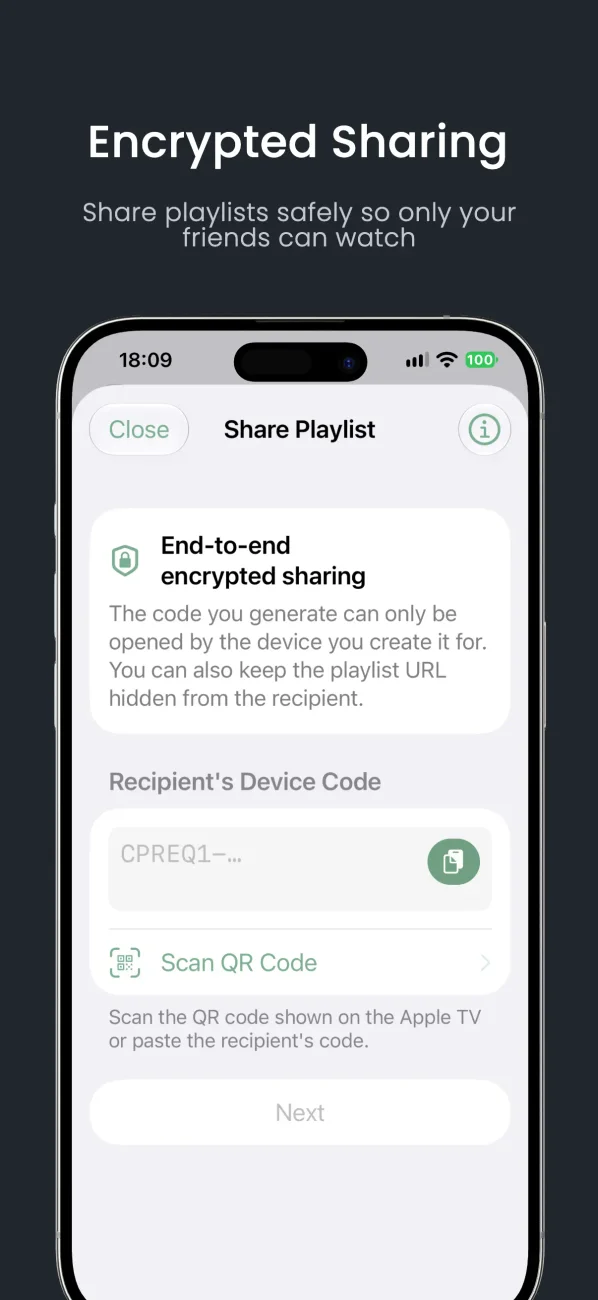
• End-to-End Encrypted Sharing: Share playlists securely between devices using state-of-the-art asymmetric device-key cryptography (HPKE Curve25519)
• Protected Source URLs: Keep underlying stream URLs and credentials safely locked in the recipient's secure Keychain, completely hidden and non-exportable
• Expiration Controls: Set optional time-based expiration dates on shared access
• Absolute Privacy: No advertisements. No user tracking. No accounts required. Your playlists and viewing habits stay entirely on your device.
Tailored Design & Localization
• Liquid Glass Visual Design: 14 customizable accent colors, adaptive light and dark themes, and selectable channel layouts (Grid or List)
• Global Reach: Fully localized in 22 languages
ClearPlayer does NOT provide, host, or distribute any media content or channels. It is a technical playback tool: users must supply their own content sources and are solely responsible for the links they choose to play.
Có gì mới
Phiên bản 2026.10.0 · 27/10/2026
Version 2026.10.0
• Brand New VOD Experience: Dedicated Movies & Series tabs with categorized browsing, posters, and full episode guides. Supports OTV specification and Xtream Codes API.
• Aether Playback Engine: Added a high-performance multi-format playback engine for VOD (.ts, .mkv, .avi) with automatic format fallback.
• System Now Playing Integration: Full support for system media controls across the Lock Screen, Control Center, and Dynamic Island, displaying live program metadata and composited channel artwork.
• Continue Watching: Seamlessly track playback progress across on-demand movies, series episodes, and live channels.
• Multi-Day Full Schedule: Browse full multi-day program guides for any channel with a dedicated day picker and instant jump to the currently airing program.
• Revamped Program Details & EPG: Redesigned program sheets with rich metadata, visual progress indicators, and artwork previews in Bento and grid cards.
• Customizable Card Artwork: New appearance settings allowing you to toggle program poster backgrounds on or off across Continue Watching, Favorites, and TV Guide Bento cards for a tailored visual experience.
• Dynamic Auto Accent Color: Added an adaptive "Auto" theme accent that matches your system appearance with custom two-tone swatches and contrast-safe switch toggles across iOS and tvOS.
• Favorites Rail: Access and manage your favorite channels directly from the top of the Channels tab.
• Enhanced EPG Matching & Time-Shift: Multi-candidate fallback across XMLTV sources and improved handling for time-shifted channels (+1/+2) to eliminate missing guide info.
• Auto-Sync & Smart Polling: Immediate playlist and EPG refresh when sources are edited or toggled, with optimized background polling to preserve battery and keep streaming tokens valid.
Version 2026.9.4
A redesigned experience is here!
• New iOS Interface: Introducing a modern native navigation experience with dedicated tabs for Channels, TV Guide, Favorites, and Settings.
• Redesigned TV Guide: New Bento-style EPG featuring live progress indicators, current and upcoming programs, and full 24-hour channel schedules.
• Continue Watching & Custom Layouts: Quickly resume your content and choose between Grid or List channel views.
• QR Code Sharing: Instantly share playlists between your iPhone and your Apple TV with built-in QR code support.
• Enhanced Playback: Improved DASH streaming, subtitle support, smoother seeking, and more reliable live synchronization.
• Greater Reliability: Automatic playback engine fallback ensures uninterrupted viewing.
• Performance Improvements: Reduced memory usage and overall app responsiveness optimizations.
2026.9.3:
• Native Playback Engine (iOS): Introduced the new Native playback engine on the iOS app.
• Automatic Picture-in-Picture: Added automatic PiP support (requires Native engine).
• Stream Info Panel: Added a new real-time stream info and metrics overlay.
• Forced Resolution: Added the ability to manually select and force a specific video resolution during playback (requires Native engine).
• Extended Playback Support: Added support for MPEG-TS SAMPLE-AES.
• Default Resolution Setting: Added a new setting to choose your preferred default resolution (Auto, Maximum, Minimum).
• Buffer Size Setting: Added a new setting to customize the forward buffer duration (from 0s up to 30s).
• Playback Menu: Reorganized the settings screen by moving playback-related preferences into a dedicated sub-menu.
• Native 4K & HEVC Playback: Fixed playback issues with HEVC video codecs, enabling proper native 4K playback.
• Playlist Auto-Refresh: Playlists now automatically refresh their content when re-enabled from the settings.
• M3U Parser Support: Added parsing support for more properties in M3U files.
• Player UI Polish: Player controls now gracefully dissolve and hide when modal panels appear.
Quyền riêng tư của ứng dụng
Những gì Matteo Nunziati khai báo trên App Store về cách ứng dụng này xử lý dữ liệu.
-
Dữ liệu không liên kết với bạn
Có thể được thu thập nhưng không liên kết với danh tính của bạn.
- Dữ liệu sử dụng
- Chẩn đoán
Phương thức đảm bảo quyền riêng tư có thể khác nhau, chẳng hạn như tuỳ theo các tính năng bạn sử dụng hoặc độ tuổi của bạn.
Thông tin
- Người bán
- Matteo Nunziati
- Danh mục
- Giải Trí
- Phiên bản
- 2026.10.0
- Cập nhật
- 27/10/2026
- Phát hành
- 28/08/2026
- Kích thước
- 33,2 MB
- Yêu cầu
- iOS 18.0 trở lên
- Độ tuổi
- 4+
- Giá
- Miễn phí
- Ngôn ngữ
- Tiếng Anh, Tiếng Séc, Tiếng Đan Mạch, Tiếng Hà Lan, Tiếng Pháp, Tiếng Đức, Tiếng Hy Lạp, Hindi, Tiếng Ý, Tiếng Nhật, Tiếng Hàn, Tiếng Bokmål Na Uy + 10 ngôn ngữ khác
- Bản quyền
- © Matteo Nunziati