
Copista
Paste text & photos with a tap
Được thiết kế cho iPhone, iPad
Miễn phí · Mua hàng trong ứng dụng
- Độ tuổi4+
- Danh mụcHiệu Suất
- Nhà phát triểnYuta Mitani
- Ngôn ngữTiếng Anh+ 1 ngôn ngữ khác
- Kích thước70,5 MB
Liên kết đến trang App Store chính thức
Download.org không lưu trữ tệp nào của Copista. Nút này mở trang ứng dụng trên App Store, nơi Yuta Mitani phát hành ứng dụng. Trang được kiểm tra lần cuối: 12/11/2026.
Ảnh chụp màn hình

Giới thiệu
Nhà phát triển chưa cung cấp nội dung này bằng ngôn ngữ của bạn.
A keyboard that lets you paste the text and photos you've copied with a single tap.
No more switching back and forth between apps. Your copy history, right on the keyboard.
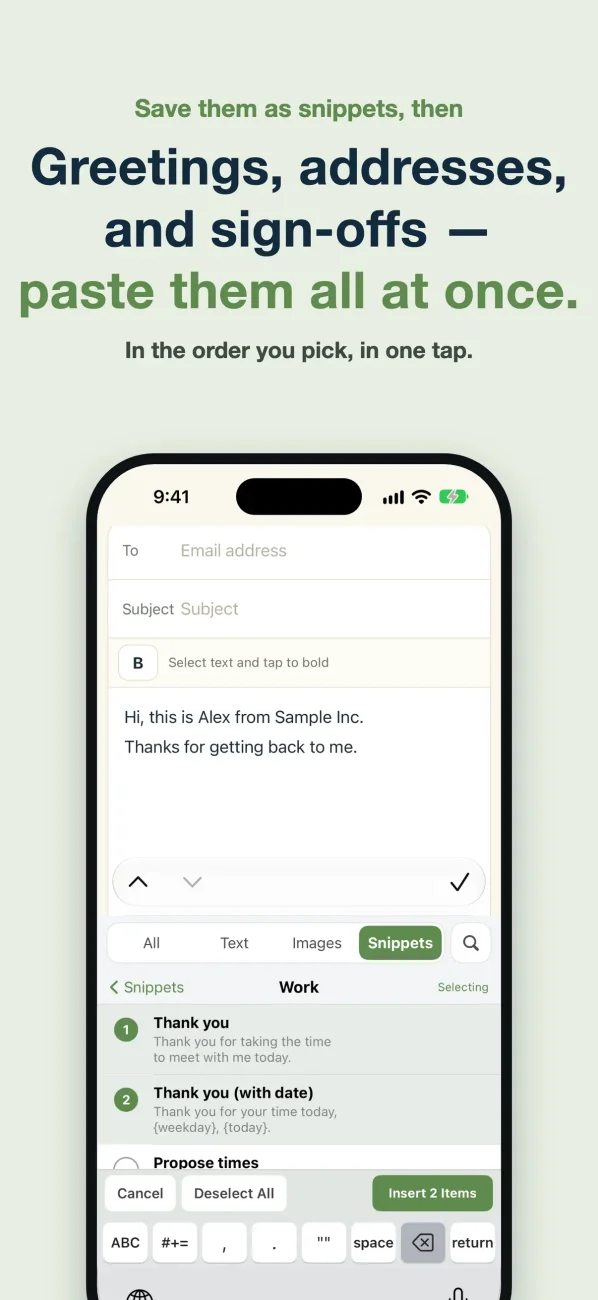
Keep the phrases you use most as snippets, and insert several items at once in the order you pick.
GREAT FOR
• Sending a shop's name, address, and phone number without going back to copy each one
• Pasting the same AI prompts without digging through your notes
• Thank-you emails and other messages you write from scratch every time
• Getting back the copy you just overwrote by copying something else
WHAT YOU CAN DO
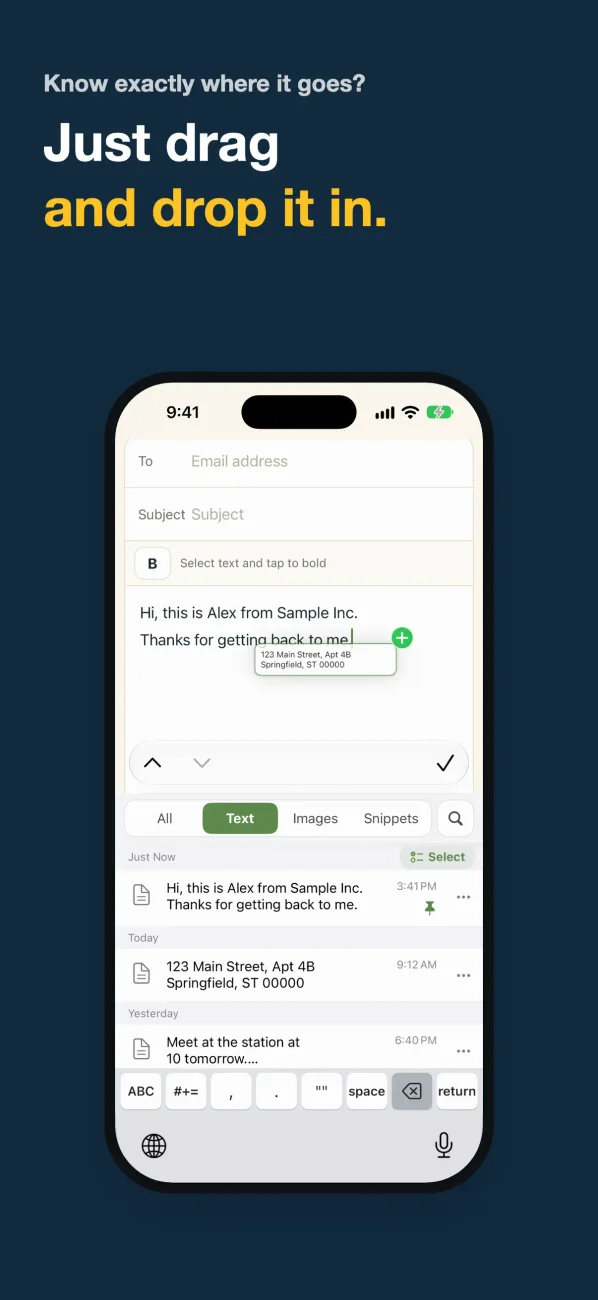
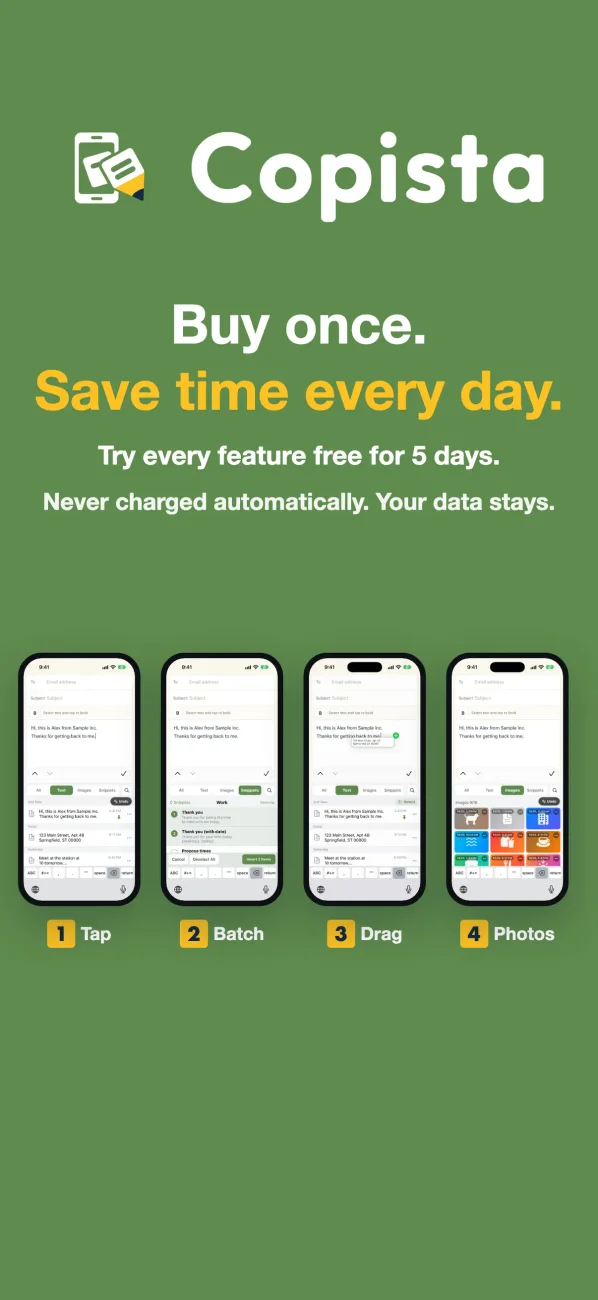
• Copy history: everything you copy is sorted into Just Now, Today, and Yesterday. One tap inserts it. Pin the ones you use most.
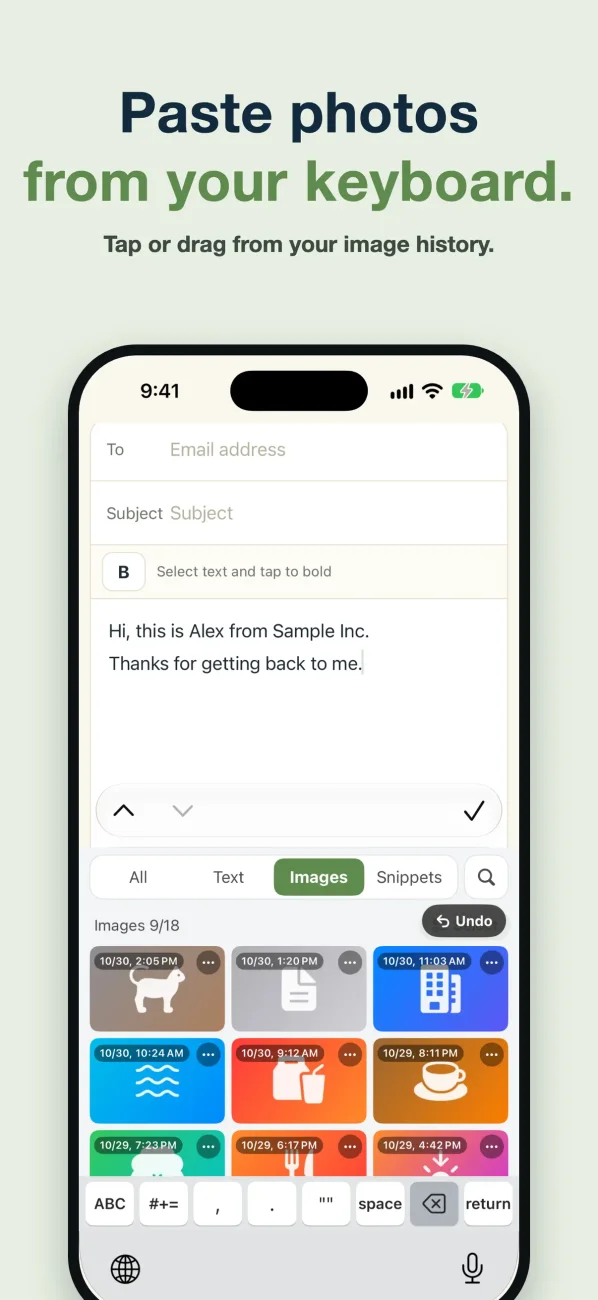
• Photos too: copied photos and screenshots appear in their own list.
• Insert in order: tap "Select," pick items in the order you want, and insert them all at once.
• Drag and drop: long-press a row and drag it into a text field. Tap other rows while dragging to add them. Photos work too.
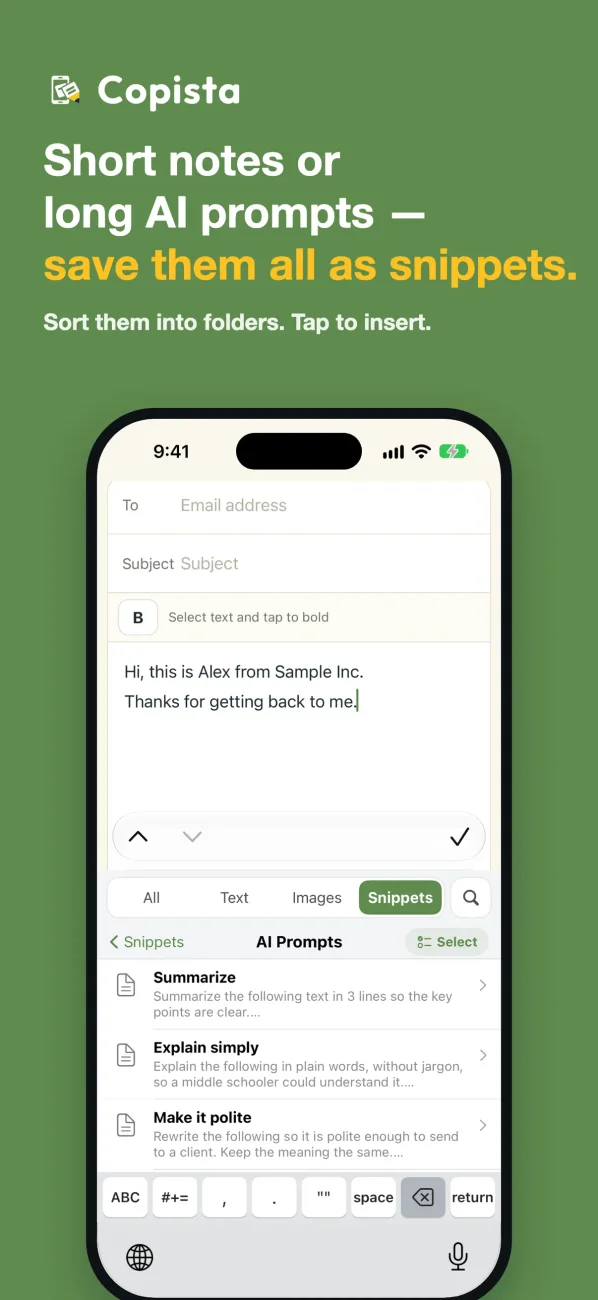
• Snippets: organize greetings, addresses, and AI prompts into folders. Line breaks are kept.
• Suggested snippets: add ready-made folders for work emails, AI prompts, and everyday messages. On first launch, just pick what you'll use Copista for.
• Type here too: ABC, numbers, symbols, and Japanese with kana-kanji conversion.
• Copy with Formatting: paste with bold and other formatting intact.
ON IPAD, SIDE BY SIDE
Keep Copista next to another app (or floating over it), and anything you copy is saved while Copista is visible.
WHEN COPIES ARE SAVED
iPhone and iPad don't let apps read your clipboard at any time, so Copista saves copies:
• While the Copista keyboard is shown
• While the small Picture in Picture window is shown after you tap "Start Recording in Background" in the app. Close the window to stop. It never starts automatically.
• On iPad, while Copista is on screen next to another app
• When you send text, URLs, or images to Copista from the Share menu
• When you save with Back Tap or Shortcuts
• When you open the Copista app (the current copy is saved)
You can also start from Control Center (iOS 18 or later) or Shortcuts. Home Screen and Lock Screen widgets show recent copies (hidden while locked).
HOW TO USE
1. Copy what you want to send or paste
2. Switch to Copista with the globe key
3. Tap what you want to insert
Your usual keyboard stays as it is. Copista works almost anywhere you type (password fields and a few others don't allow other keyboards).
PRIVACY
• The keyboard and the app never connect to the internet. What you copy stays on your iPhone or iPad.
• Kana-kanji conversion runs on your device. Nothing you type is sent or stored.
• No ad networks, no analytics, no accounts.
• Full Access is used only to read your copy history and paste it from the keyboard. Snippets work without Full Access.
• Please don't save passwords.
• Export and import your data to a place you choose.
5-DAY FREE TRIAL
Use everything in Copista Premium free for 5 days (120 hours) from the moment you tap "Start 5-Day Free Trial" in the app.
You're never charged automatically, and nothing is deleted when the trial ends. Buy a plan only if you want to keep going.
PLANS (ONE-TIME PURCHASES, NO SUBSCRIPTION)
• Copista Standard: 15 text items, 9 photos, 3 snippet folders with 10 snippets each, insert in order
• Copista Premium: 30 text items, 18 photos, unlimited snippet folders with 30 snippets each, and the All tab that shows text and photos together by time
• Already have Copista Standard? Add "Upgrade to Premium" any time to get everything in Copista Premium.
Changing plans never deletes your saved items. Prices are shown in the App Store.
REQUIREMENTS
iPhone or iPad with iOS 17 or later (widgets and Control Center require iOS 18 or later)
SUPPORT
zzzo.app@gmail.com
Privacy Policy: https://copista.web.app/privacy/
Quyền riêng tư của ứng dụng
Những gì Yuta Mitani khai báo trên App Store về cách ứng dụng này xử lý dữ liệu.
-
Dữ liệu không được thu thập
Nhà phát triển không thu thập bất kỳ dữ liệu nào từ ứng dụng này.
Phương thức đảm bảo quyền riêng tư có thể khác nhau, chẳng hạn như tuỳ theo các tính năng bạn sử dụng hoặc độ tuổi của bạn.
Thông tin
- Người bán
- Yuta Mitani
- Danh mục
- Hiệu Suất
- Phiên bản
- 1.0
- Cập nhật
- 11/11/2026
- Phát hành
- 10/11/2026
- Kích thước
- 70,5 MB
- Yêu cầu
- iOS 17.0 trở lên
- Độ tuổi
- 4+
- Giá
- Miễn phí
- Mua hàng trong ứng dụng
- Có
- Ngôn ngữ
- Tiếng Anh, Tiếng Nhật
- Bản quyền
- © 2026 Yuta Mitani
Có thể bạn cũng thích
-
 Promptty - AI Prompt ManagerHiệu Suất
-
 QuickPaste - Clipboard ManagerHiệu Suất
-
 Chappie: AI Chat & Dịch ThuậtGiải bài tập · Học tiếng Anh
-
 GMO SignHiệu Suất
-
 Launcher with Multiple WidgetsHiệu Suất
-
 Mapify: AI Mind Map SummarizerHiệu Suất
-
 Paste – Limitless ClipboardHiệu Suất
-
 Elgato Stream Deck MobileHiệu Suất
-
 Typeless: Bàn phím AINhập liệu giọng nói dễ dàng
-
 Genspark AI WorkspaceHiệu Suất