- Độ tuổi4+
- Danh mụcTiện Ích
- Nhà phát triểnDaniel Walker
- Ngôn ngữTiếng Anh
- Kích thước3,9 MB
Liên kết đến trang App Store chính thức
Download.org không lưu trữ tệp nào của Copy as.... Nút này mở trang ứng dụng trên App Store, nơi Daniel Walker phát hành ứng dụng. Trang được kiểm tra lần cuối: 14/11/2026.
Ảnh chụp màn hình
Giới thiệu
Nhà phát triển chưa cung cấp nội dung này bằng ngôn ngữ của bạn.
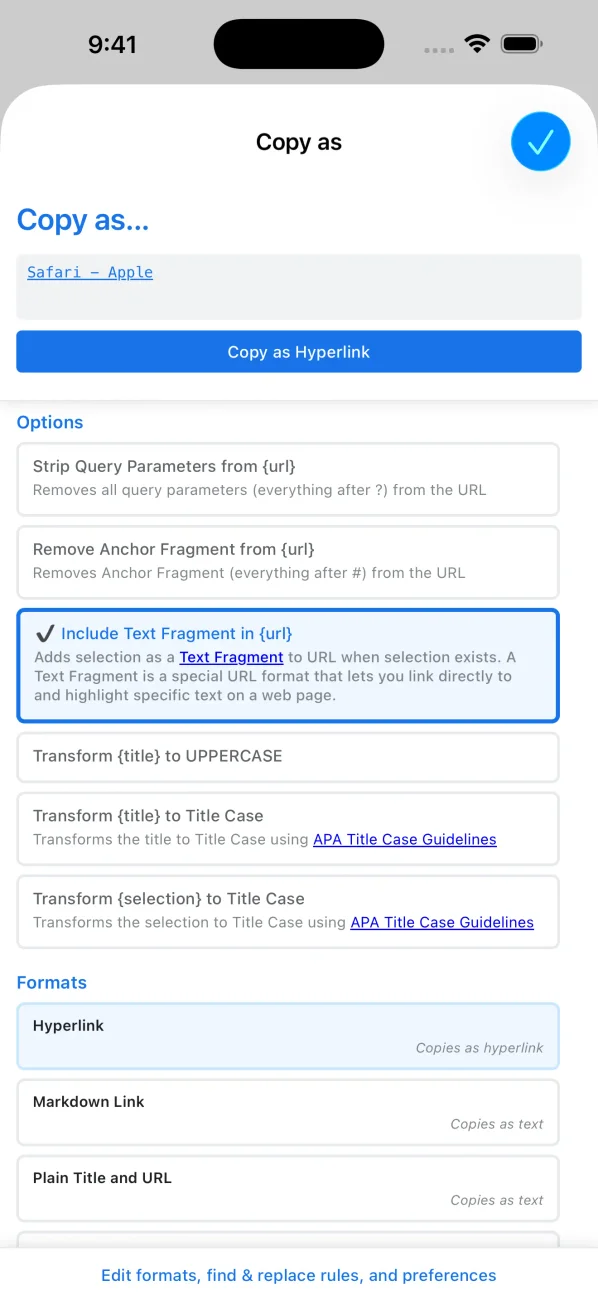
Transform any webpage content into perfectly formatted text with just one click. Copy as Extension lets you instantly copy page titles, URLs, and selected text using customizable templates with smart variables like {title}, {url}, {selection}, {date}, and {time}. Choose from built-in formats like Markdown links, citations, and quotes, or create your own custom templates. Copy as plain text or rich hyperlinks that work seamlessly in Word, Google Docs, Outlook, and other applications.
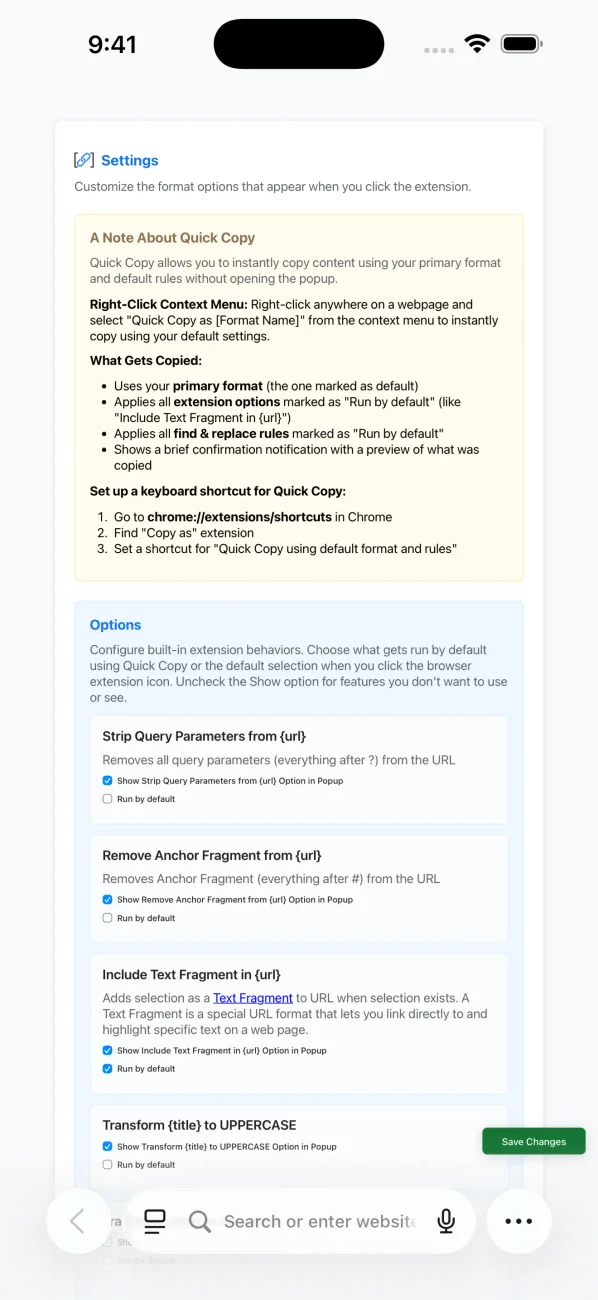
Powerful customization meets effortless workflow. Configure find & replace rules to automatically transform content before formatting — perfect for cleaning up URLs, standardizing company names, or modifying text on the fly. Intelligent text transformations include APA-compliant Title Case, UPPERCASE, and lowercase options with smart mutual exclusion that automatically prevents conflicts. The live preview shows exactly what you'll copy, including all transformations. Text Fragment support automatically creates shareable highlight links that scroll directly to selected text. Use Quick Copy via right-click context menus for instant copying with your preferred format and rules.
Send to API lets you go beyond copying by sending formatted content directly to external services and APIs like Trello, Notion, Slack, or any custom endpoint. Define multiple API configurations with variable substitution in URLs, headers, and JSON bodies, and choose HTTP methods including GET, POST, PUT, PATCH, and DELETE. Integrate find & replace rules, dynamic permission requests, and success/error notifications with progress indicators for a smooth and secure experience. Whether you're creating tasks, posting messages, or saving bookmarks, Send to API turns Copy as Extension into a one-click automation tool for the web.
Privacy-first design with zero data collection. The extension works entirely locally with no external servers, tracking, or data transmission. It only accesses page content when you actively use it, requiring minimal permissions while delivering maximum functionality. Enhanced selection handling intelligently captures image alt-text and maintains proper text flow, ensuring you get clean, professional results every time.
Available for Chrome and other Chromium-based browsers.
Có gì mới
Phiên bản 1.7.0 · 28/08/2026
Added support for copying multiple tabs.
Quyền riêng tư của ứng dụng
Những gì Daniel Walker khai báo trên App Store về cách ứng dụng này xử lý dữ liệu.
-
Dữ liệu không được thu thập
Nhà phát triển không thu thập bất kỳ dữ liệu nào từ ứng dụng này.
Phương thức đảm bảo quyền riêng tư có thể khác nhau, chẳng hạn như tuỳ theo các tính năng bạn sử dụng hoặc độ tuổi của bạn.
Thông tin
- Người bán
- Daniel Walker
- Danh mục
- Tiện Ích
- Phiên bản
- 1.7.0
- Cập nhật
- 28/08/2026
- Phát hành
- 13/02/2026
- Kích thước
- 3,9 MB
- Yêu cầu
- iOS 15.0 trở lên
- Độ tuổi
- 4+
- Giá
- Miễn phí
- Ngôn ngữ
- Tiếng Anh
- Bản quyền
- © 2026 Daniel Walker