CreatorGrade
Cut & Color Pro Video
Được thiết kế cho iPhone
Miễn phí · Mua hàng trong ứng dụng
- Độ tuổi4+
- Danh mụcẢnh & Video
- Nhà phát triểnMichael Tobin
- Ngôn ngữTiếng Anh
- Kích thước42,1 MB
Liên kết đến trang App Store chính thức
Download.org không lưu trữ tệp nào của CreatorGrade. Nút này mở trang ứng dụng trên App Store, nơi Michael Tobin phát hành ứng dụng. Trang được kiểm tra lần cuối: 15/11/2026.
Ảnh chụp màn hình


Giới thiệu
Nhà phát triển chưa cung cấp nội dung này bằng ngôn ngữ của bạn.
CREATORGRADE — PROFESSIONAL VIDEO EDITING AND COLOR GRADING ON IPHONE
CreatorGrade turns your iPhone into a powerful, portable post-production studio. Organize footage, build multi-layer edits, record voiceovers, perform detailed color correction, work with ProRes RAW, and export polished videos—all from one streamlined app.
Whether you’re creating social content, short films, client projects, or cinematic mobile productions, CreatorGrade gives you the tools to take an idea from raw footage to final export.
PROFESSIONAL EDITING TOOLS
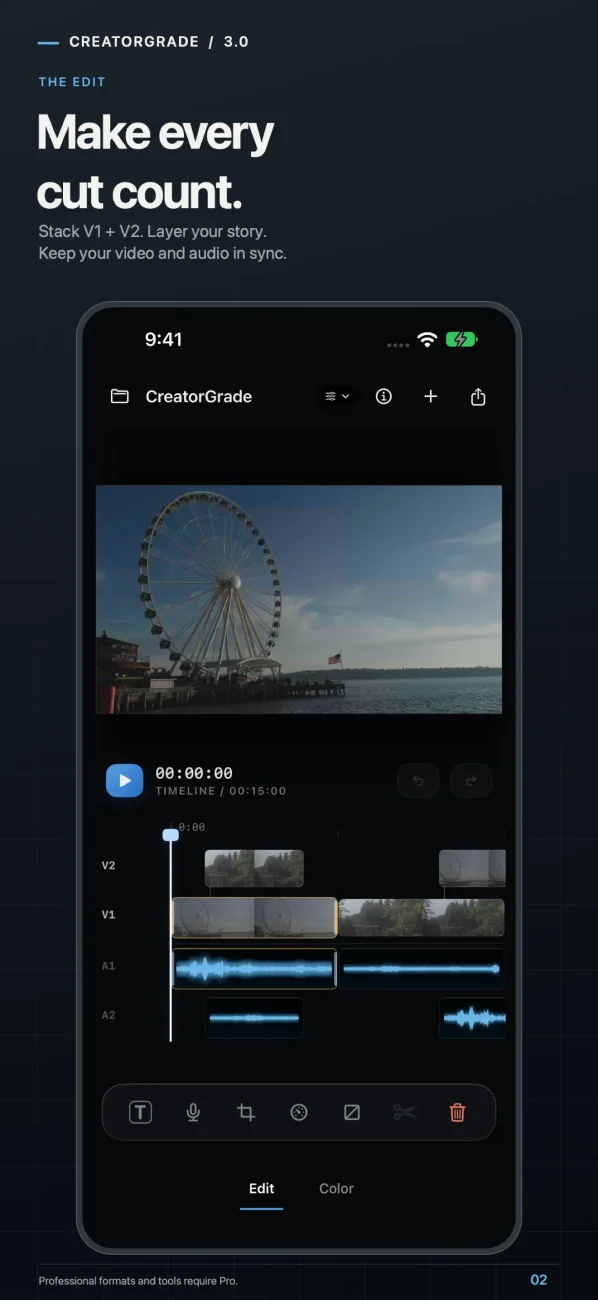
• Build complete edits with multiple video and audio tracks
• Arrange clips across V1 and V2 video layers
• Work with linked audio on dedicated A1 and A2 tracks
• Trim, split, move, resize, and reposition clips
• Mix videos, still images, titles, music, and voiceovers
• Scrub through your timeline with responsive visual previews
• Add and edit multiple titles throughout a project
• Preview your work in a clean, full-screen player
• Organize projects and keep every production easy to find
ADVANCED COLOR GRADING
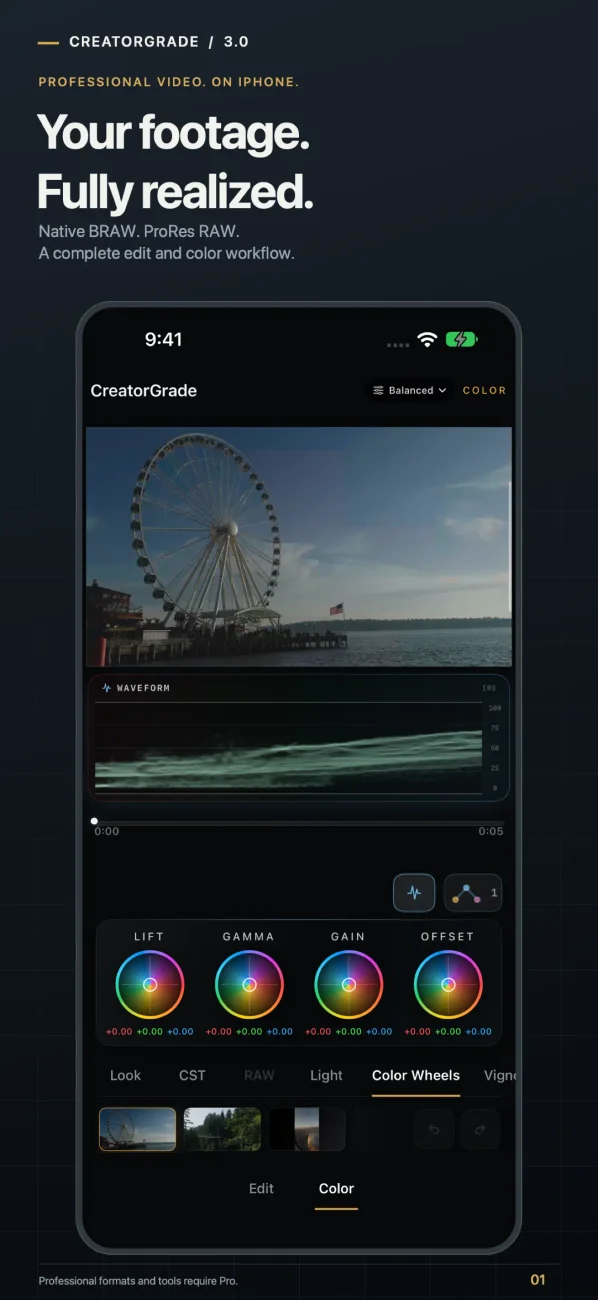
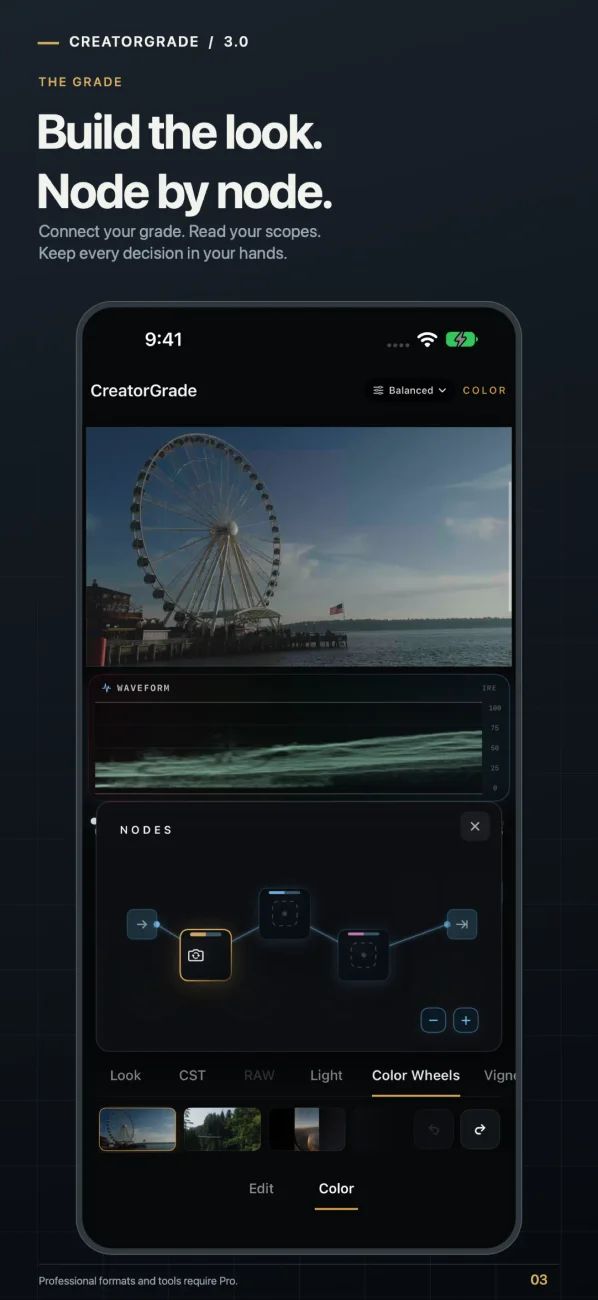
CreatorGrade includes a node-based grading workflow designed for both quick corrections and more advanced creative looks.
• Adjust exposure, contrast, shadows, highlights, saturation, hue, temperature, and tint
• Balance footage with professional lift, gamma, and gain color wheels
• Refine individual color channels with Color Mix controls
• Apply LUTs and color space transforms
• Build grades across multiple adjustable nodes
• Compare graded and ungraded footage with a live before-and-after viewer
• Preview color adjustments during playback
• Maintain consistent color across supported H.264, HEVC, ProRes, and RAW workflows
PRORES RAW SUPPORT
Work with supported ProRes RAW footage directly on iPhone and begin with a neutral, flexible image ready for grading.
• Read supported camera metadata
• Adjust RAW white balance, ISO, and tint
• Combine RAW adjustments with LUTs, color space transforms, and additional grading nodes
• Preserve your grading pipeline from preview through export
MULTITRACK AUDIO AND VOICEOVER
Sound is part of the edit—not an afterthought.
• Record voiceovers directly into your project
• Add music and external audio files
• Work with multiple audio tracks
• View audio waveforms directly on the timeline
• Keep source audio linked to its video clip
• Relink missing music and media files when needed
FLEXIBLE EXPORT OPTIONS
Choose exactly what you want to deliver.
• Export a complete edited sequence
• Export individual clips
• Render videos with titles, grading, transforms, crops, and positioning intact
• Save finished videos to Photos
• Create deliverables for social media, client review, or further post-production
DESIGNED FOR MOBILE CREATORS
CreatorGrade is built specifically for a touch-first workflow. Pinch to resize footage, drag to reposition it, use alignment guides for precise composition, and move naturally between editing and grading without leaving your project.
No desktop required. No watered-down workflow. Just serious editing and color tools built for creators who want to work anywhere.
Some professional media formats and features require compatible iPhone hardware, supported source files, and sufficient available storage. ProRes RAW availability depends on device and media compatibility.
Có gì mới
Phiên bản 3.0 · 22/10/2026
BIG 3.0 UPDATE
• Native BRAW support for editing, grading, and export.
• BRAW controls for exposure, ISO, white balance, and tint.
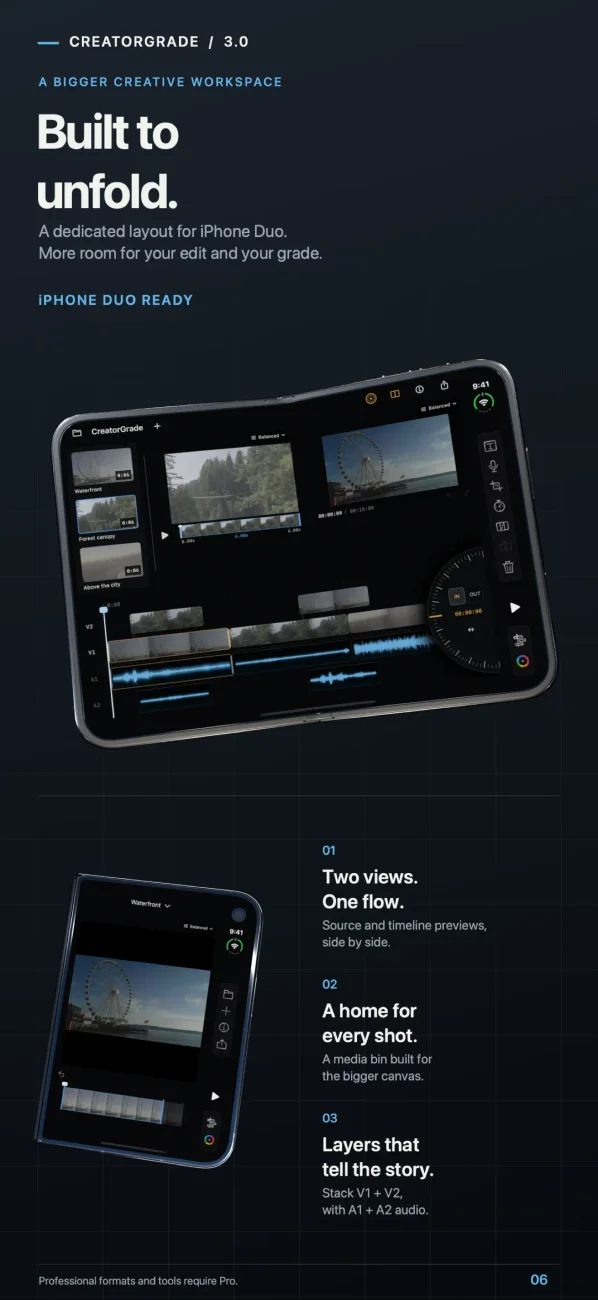
• A dedicated iPhone Duo layout with dual previews and an expandable media bin.
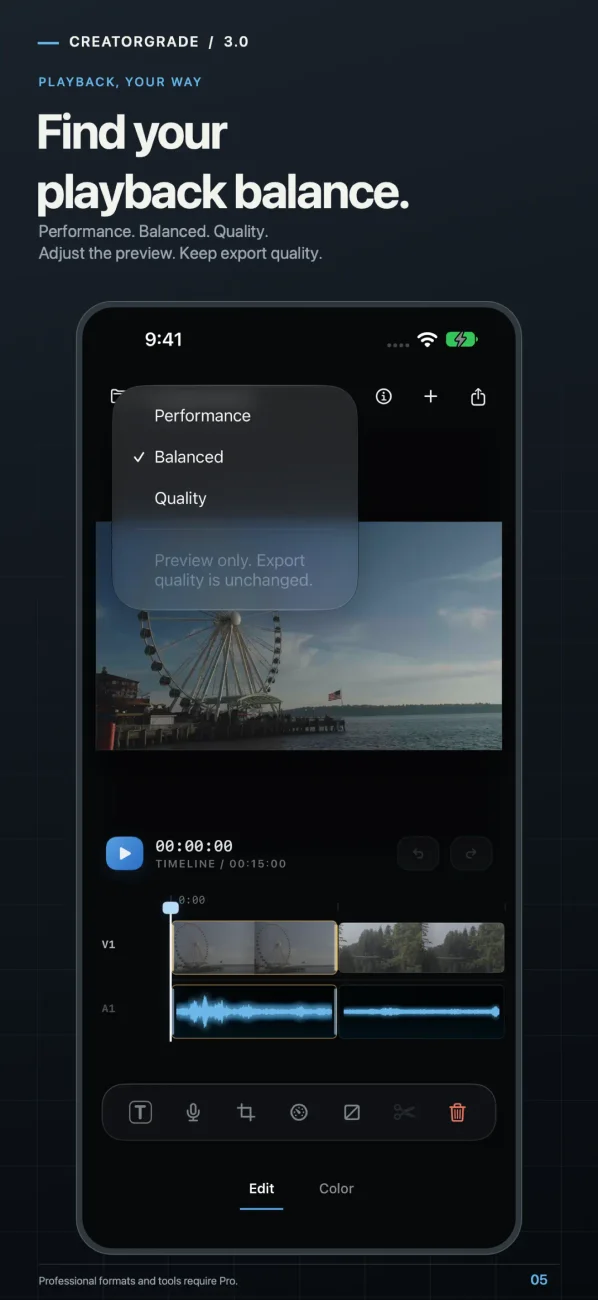
• Adjustable playback quality: Performance, Balanced, and Quality.
• New BM Gen 5 color transform.
• Improved preview sizing, timeline trimming, and stability.
Quyền riêng tư của ứng dụng
Những gì Michael Tobin khai báo trên App Store về cách ứng dụng này xử lý dữ liệu.
-
Dữ liệu không được thu thập
Nhà phát triển không thu thập bất kỳ dữ liệu nào từ ứng dụng này.
Phương thức đảm bảo quyền riêng tư có thể khác nhau, chẳng hạn như tuỳ theo các tính năng bạn sử dụng hoặc độ tuổi của bạn.
Thông tin
- Người bán
- Michael Tobin
- Danh mục
- Ảnh & Video
- Phiên bản
- 3.0
- Cập nhật
- 22/10/2026
- Phát hành
- 29/05/2026
- Kích thước
- 42,1 MB
- Yêu cầu
- iOS 18.6 trở lên
- Độ tuổi
- 4+
- Giá
- Miễn phí
- Mua hàng trong ứng dụng
- Có
- Ngôn ngữ
- Tiếng Anh
- Bản quyền
- © Michael Tobin
Có thể bạn cũng thích
-
 Cam Master-Professional CameraẢnh & Video
-
 Video UpscalerẢnh & Video
-
 PhotoDateStamp: TimestampẢnh & Video
-
 SplitCam: Dual RecorderẢnh & Video
-
 iVideo - Video Editor ToolboxẢnh & Video
-
 ReflectionsCameraẢnh & Video
-
 DoubleIt CameraẢnh & Video
-
 Pro Cam - Chân dung, Điện ảnhMáy ảnh chỉnh tay · RAW · LUT
-
 DI Cam -Digital Instant CameraẢnh & Video
-
 MP4 Video Player: FramelensẢnh & Video